
01Who this is for
- Developers who need to move tested cURL commands into a visual workflow without re typing each field.
- Marketing teams building AI agents that call external services, because the feature reduces manual entry and speeds up setup.
- Agencies managing multiple client agents, since the auto populate and two way sync help keep configurations consistent.
02Import cURL, explained
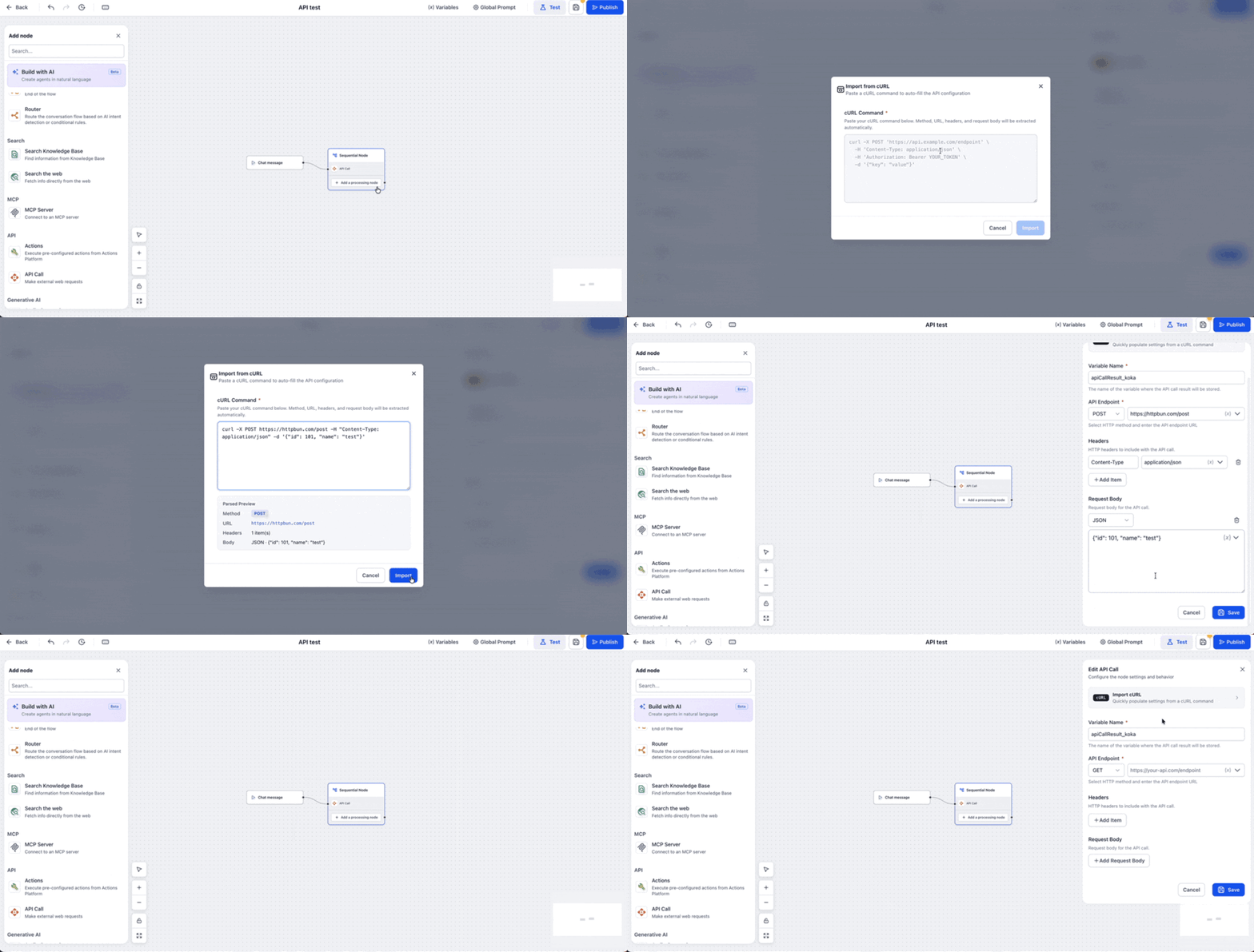
Import cURL lives inside the API Call tool configuration panel of Agent Studio. When you click the Import cURL button, a modal appears where you paste a full cURL command. The platform parses the command and fills the corresponding fields, method, URL, headers and body, automatically.
After the import, the populated fields remain editable. You can add HighLevel variables, change authentication values or adjust headers before saving. The modal also supports a two way sync: reopening it shows the current configuration as a regenerated cURL command, making it easy to compare with external docs or make quick edits.
The feature is available for any API Call added to an AI Agent node or a Sequential node. It works with common cURL patterns such as redirects, basic authentication, multiline bodies and backslash continuations.
03How businesses use import cURL
- SaaS startup. The startup pastes a cURL snippet from its API documentation into the Import cURL modal. HighLevel fills the request details, the team adds a variable for the customer ID, tests the call, and publishes the agent to retrieve usage metrics during chat sessions.
- Digital marketing agency. The agency imports a cURL command that posts lead data to a third party CRM. After the auto populate, they adjust the authorization header, map form fields to variables, test the request, and embed the API Call in a lead capture agent.
- Ecommerce store. The store copies a cURL command for creating orders in an external fulfillment system. Import cURL creates the endpoint and JSON body, the store adds product variables, runs a test to verify the order payload, and publishes the agent to trigger fulfillment from chat.
04How to set up and use import cURL in HighLevel
Set up Import cURL in the Agent Studio API Call tool
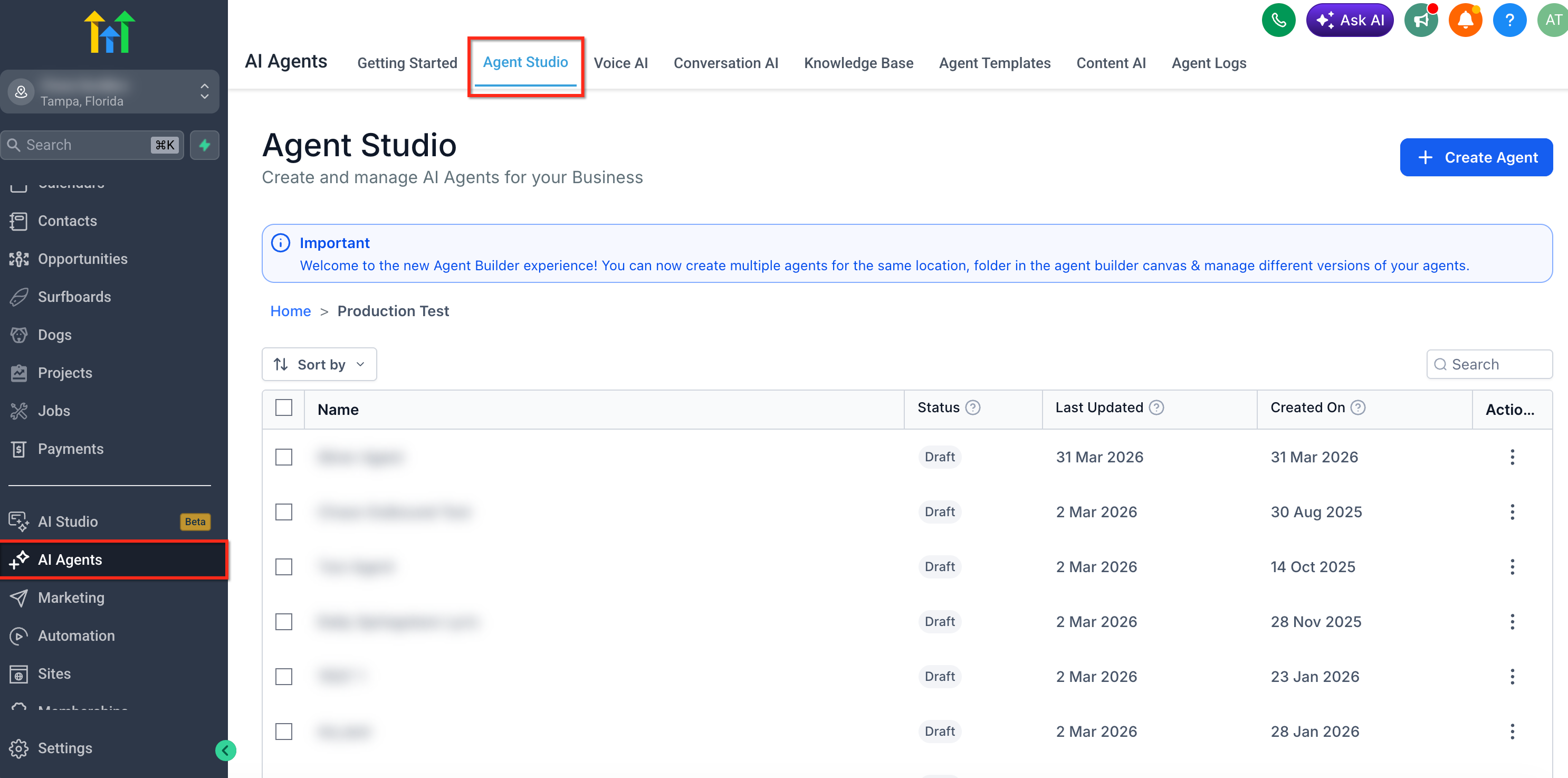
- Navigate to AI Agents in HighLevel.
- Click the Agent Studio tab.
- Click Create Agent or open an existing agent.
- Add or select a start trigger such as Chat message, Form submitted, Lead tag, or Workflow.
- Add an AI Agent node or Sequential node to the canvas.
- Add the API Call tool or processing node.
- Open the API Call configuration panel.
- Click Import cURL.
- Paste the cURL command into the CURL Command field.
- Click Import.
- Review the HTTP method, API endpoint URL, headers, request body, body type, variable name and instructions fields.
- Make any needed edits to the populated fields.
- Click Save.
- Use Test to verify the API Call before publishing the agent.
- Click Publish when the agent is ready.
05What it looks like in HighLevel
06Settings that matter
- HTTP method. Specifies the request verb such as GET, POST, PUT, or DELETE.
- API endpoint URL. Defines the target address where the external request is sent.
- Headers. Contains key value pairs like content type or authorization needed for the request.
- Request body. Holds the payload sent with the request when the method supports a body.
- Body type. Indicates the format of the request body, such as JSON, HTML, XML, Text or Form Data.
- Variable name. Determines where the API response is stored for later use in the agent flow.
- Instructions. Describes the purpose of the API Call and when the AI agent should invoke it.
07Things to know before you rely on it
- Import cURL supports multiline request bodies and backslash line continuations.
- The tool can detect common cURL patterns like --location redirects and -u basic authentication.
- Import cURL does not replace the Agent Studio Public APIs; it only configures API Calls inside an agent.
08If something goes wrong
- Imported request does not work. Review the endpoint URL, HTTP method, headers, authentication values, request body, body type and any variables used, then test the agent again.
09How it connects to the rest of HighLevel
- Learn how to manage flow agents after importing API calls Managing flow agents
- Step by step guide to create, test and publish agents Create and publish agents
- Details on testing and debugging AI agents before publishing Testing agents
Michael's take

People often think they can just drop a cURL command in and the agent will work without a second glance. The reality is that the import pulls in headers, auth tokens and body content that may need to be masked, updated or linked to agent variables before the request runs safely.
I would paste the command, open the Import cURL modal, and then walk through each field. Method, URL, headers, body type. Making sure any tokens are replaced with secure variables. A quick test in the Chat Emulator confirms the call behaves as expected before you hit Publish.