
Create complete, branded videos with multiple scenes, captions, and professional finishing, all using your Managed Agent!
Michael's take
My first glance at this update is that it’s a practical addition, not a flashy overhaul. It lets a Managed Agent put together a short film instead of a single clip.
If you already have an agent that can generate video, you now have the option to ask it for a multishot film up to a minute long and get the whole thing back in the conversation.
I would run a couple of tests with 2 shot and 4 shot videos to see how the agent keeps characters and settings consistent, and I would verify that the captions and brand colors appear as expected.
In a business I would use this to automatically create a 3 shot promo for a new service, let the agent pull the brand board, add a title card and a call to action, and then drop the finished video into my follow up email sequence.
I like the idea that technology should take the grunt work out of video production, not add another layer of complexity.
If you already rely on Managed Agents for content, this feature is worth a look.
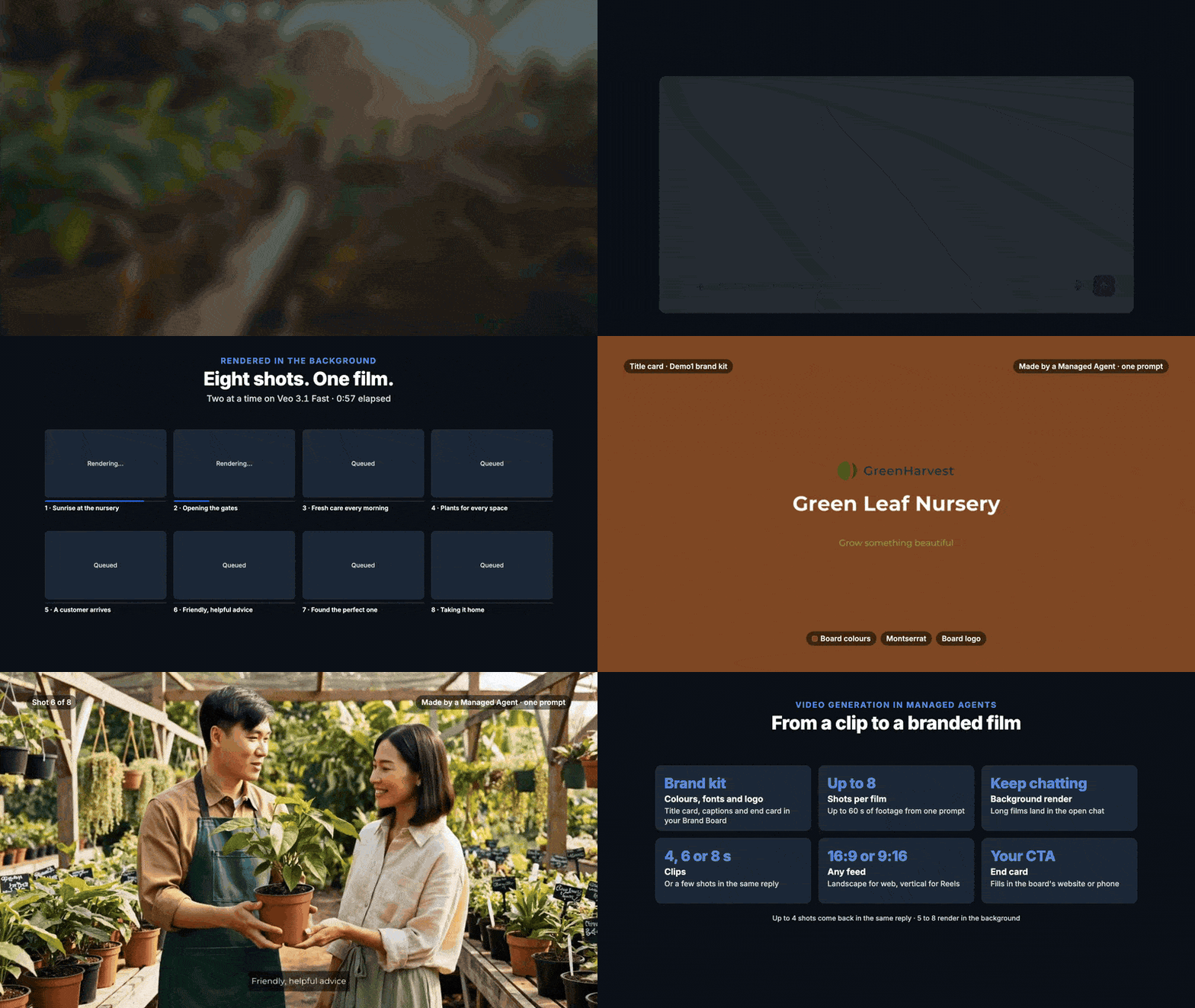
With the new MultiShot Film Generation capability, Managed Agents can now create short films of up to 60 seconds, featuring consistent visuals, branded title cards, captions, and end screens.
Simply describe your video idea, and your agent takes care of planning, generating, and assembling the final film!
What's New?
MultiShot Video Generation
Create complete short films with 2 to 8 shots, up to 60 seconds long.
Maintain consistent characters, outfits, and settings across scenes.
Choose between 4, 6, or 8 second clips.
Support for landscape (16:9) and vertical (9:16) formats at 720p.
Longer films (5 to 8 shots) render in the background and are delivered when ready.
Brand Integration
Connect your agent to a Brand Board.
Automatically apply your brand's colors, fonts, and logo.
Generate branded title cards and end screens.
Add calls to action aligned with your brand voice.
Captions & On Screen Text
Add clear, readable captions directly to videos.
Include professional title cards and closing screens.
Ensure text remains sharp and readable throughout the film.
Automated Video Creation
Generate videos directly through agent conversations.
Create films as part of scheduled or triggered agent executions.
Automatically deliver completed videos to the conversation or the requesting automation run.
Professional Video Quality
Consistent audio loudness across all shots.
Automatic quality checks for black frames, frozen scenes, silent shots, and incorrect durations.
Optional opening and closing frames using your own images.
What Can You Create?
Promotional Videos: Create engaging advertisements for products and services.
Social Media Content: Generate branded Reels, Shorts, and social media stories.
Product Showcases: Highlight product features across multiple scenes.
Business Introductions: Create professional branded introduction videos.
Marketing Campaigns: Automate video creation for recurring promotions.
How to Get Started
Navigate to AI Agents > Agent Studio > Managed Agents.
Open an existing agent or create a new one.
Enable Video Generation under the agent's settings.
Select your preferred Brand Board.
Describe the video you want your agent to create.
Example Prompt:
"Create a 3 shot promotional film for my coffee shop showing the morning rush, freshly brewed coffee, and happy customers. Add a title card, captions, and our brand logo."
Your Managed Agent will plan the scenes, generate the clips, and assemble the final video!
Why This Matters
Complete Video Creation: Go beyond individual clips to produce finished short films.
Consistent Branding: Automatically apply your brand identity across videos.
Save Time: Reduce manual video editing and assembly.
Automated Content Production: Generate videos through conversations, schedules, and triggers.
Professional Results: Get consistent visuals, readable captions, and quality checked output.
Usage Based Billing: Pay only for the video shots actually generated, billed per second.
Important Notes
Supports 2 to 8 shots, with a maximum film duration of 60 seconds.
Available in 16:9 and 9:16 formats at 720p.
Films with 5 or more shots are supported in live chats and actual scheduled or triggered executions, but not builder test runs.
Video generation is billed per second of each shot created.
From a simple idea to a complete branded film, Managed Agents make video creation easier, faster, and more automated!
Questions Founders ask
What did HighLevel release in "Introducing MultiShot Film Generation in Managed Agents!"?
Create complete, branded videos with multiple scenes, captions, and professional finishing, all using your Managed Agent!
What should a Founder do with Introducing MultiShot Film Generation in Managed Agents!?
Enable Video Generation in one of your Managed Agents and run a quick 2 shot test video this week. Founders or agency owners who already use Managed Agents and need quick branded videos.
How do I get this feature with setup help?
Start a free HighLevel trial through Michael Reimer's link and the CRM Pros team helps with setup in your first 7 days, with an onboarding call, three live calls every week and the affiliate community included.
Get More InformationOpens in a new tab Published November 11, 2026. Screenshots belong to HighLevel.