
01Who this is for
- Founders who need a flexible automation that can generate content and enforce business rules, because the visual builder removes the need for developers.
- Agency admins who manage multiple client accounts and can create reusable multi agent flows that blend AI and deterministic steps for each client.
- Product managers looking to prototype AI enhanced user journeys, since the built in testing lets them validate logic before release.
02Agent Studio, explained
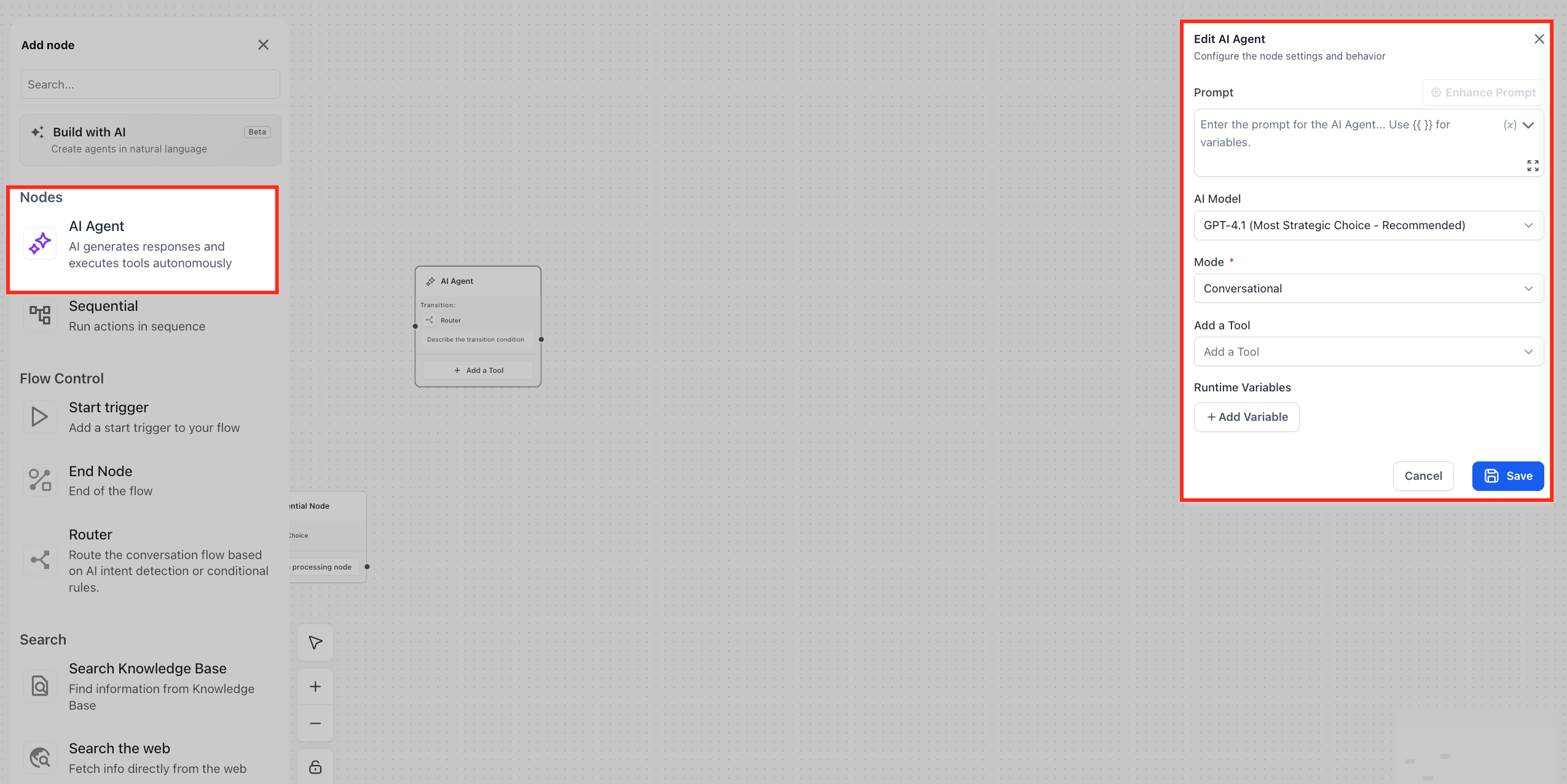
Agent Studio appears as a canvas inside the HighLevel dashboard. The left panel lists available nodes, the center area is the canvas where you place them, and the right panel holds settings for each node. Two core node types are available: an AI Agent node for LLM interactions and a Sequential node for fixed actions such as API calls or form validation.
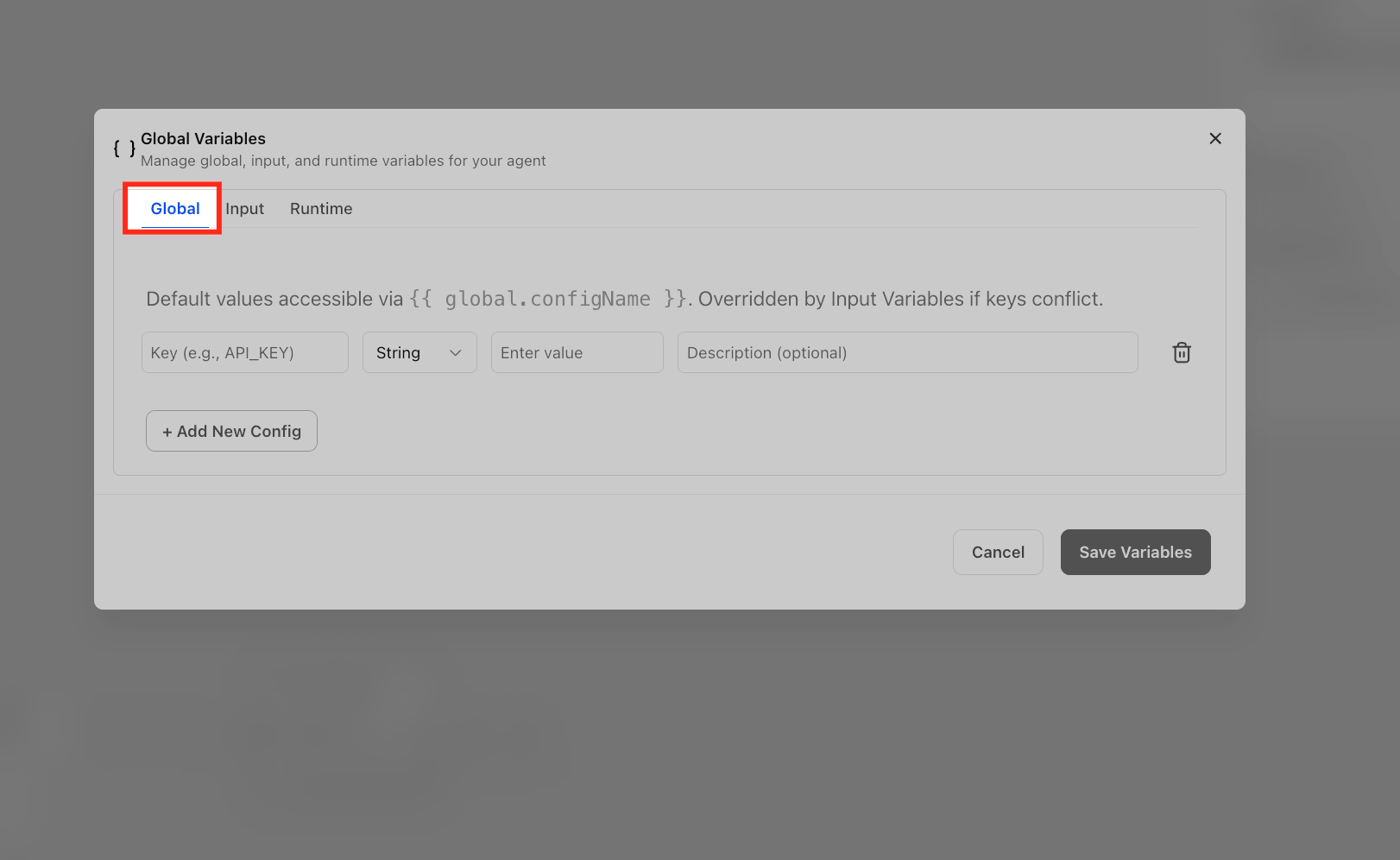
Connections between nodes are drawn as edges. An edge can hold a simple expression or an AI intent match, which determines which downstream node runs next. If no condition is added, the edge works as a default next step. Global variables can be defined once and referenced throughout the workflow, allowing you to pass API keys, user identifiers or other constants.
Every save creates a draft. When the flow is ready you publish it to Production with one click, and you can roll back to any prior version if needed. The Test panel runs the entire flow, including LLM calls, so you can verify responses, tool usage and branching before users see the agent.
03How businesses use Agent Studio
- Digital marketing agency. The agency builds a multi agent flow that generates ad copy with an AI Agent node, then validates the copy using a Sequential node that checks length and keyword density. The agent is published to the agency’s client portal for instant copy generation.
- Ecommerce store. The store creates a workflow where an AI Agent node answers product questions using a knowledge base, and a Sequential node records the inquiry via API. Variables store the store’s API key and the user ID passed from the chat widget.
- Real estate brokerage. The brokerage designs a flow that retrieves property details with a web search tool inside an AI Agent node, then routes the conversation based on price range using conditional edges. Variables hold the broker’s branding guidelines for consistent messaging.
04Before you start
- A user must have Agency Admin or Subaccount Admin role with permission to build agents.
05How to set up and use Agent Studio in HighLevel
Set up a multi agent workflow
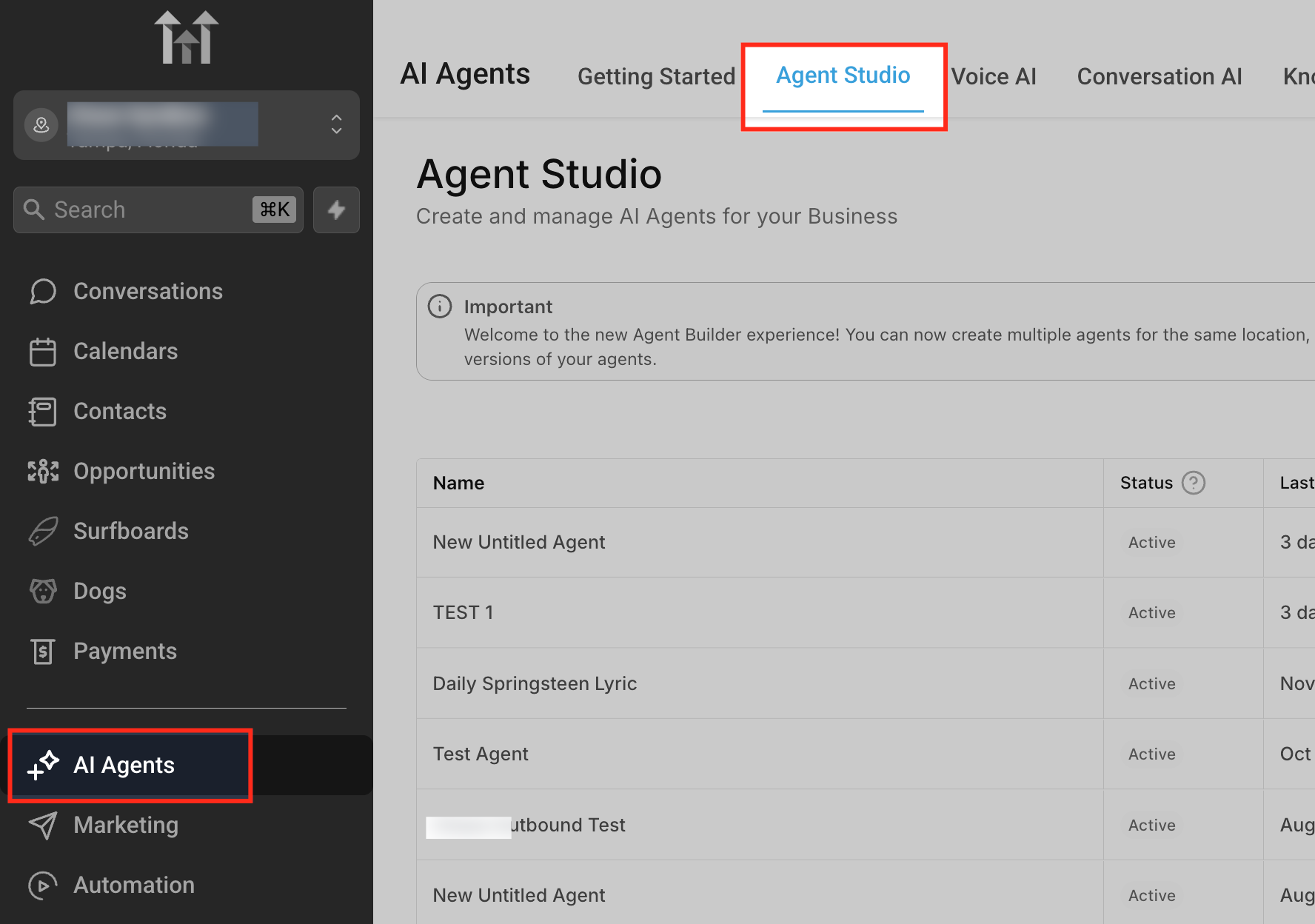
- Open the HighLevel dashboard and select AI Agents in the left sidebar.
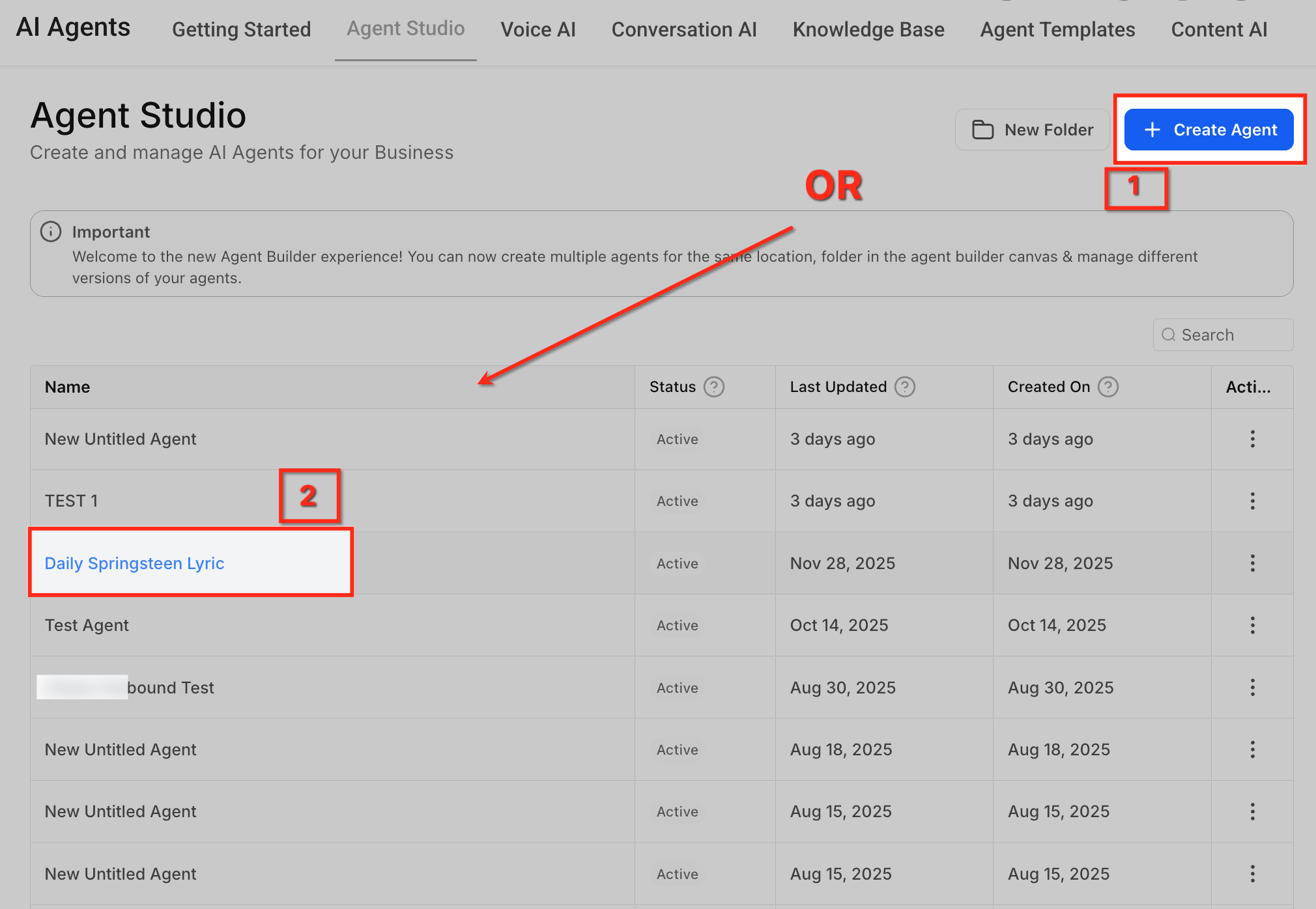
- Click the Agent Studio tab to open the Agent Studio dashboard.
- Press the + Create Agent button in the top right corner to open a blank canvas.
- Drag an AI Agent node from the left panel onto the canvas.
- Select the AI Agent node on the canvas and set the Model to the recommended option and enter a prompt that defines the agent’s behavior.
- Click the connector dot on the node and drag it to create a link to the next step; leaving the edge without a condition creates a default flow.
- If needed, drag a Sequential node from the left panel for rule based actions such as API calls or validation.
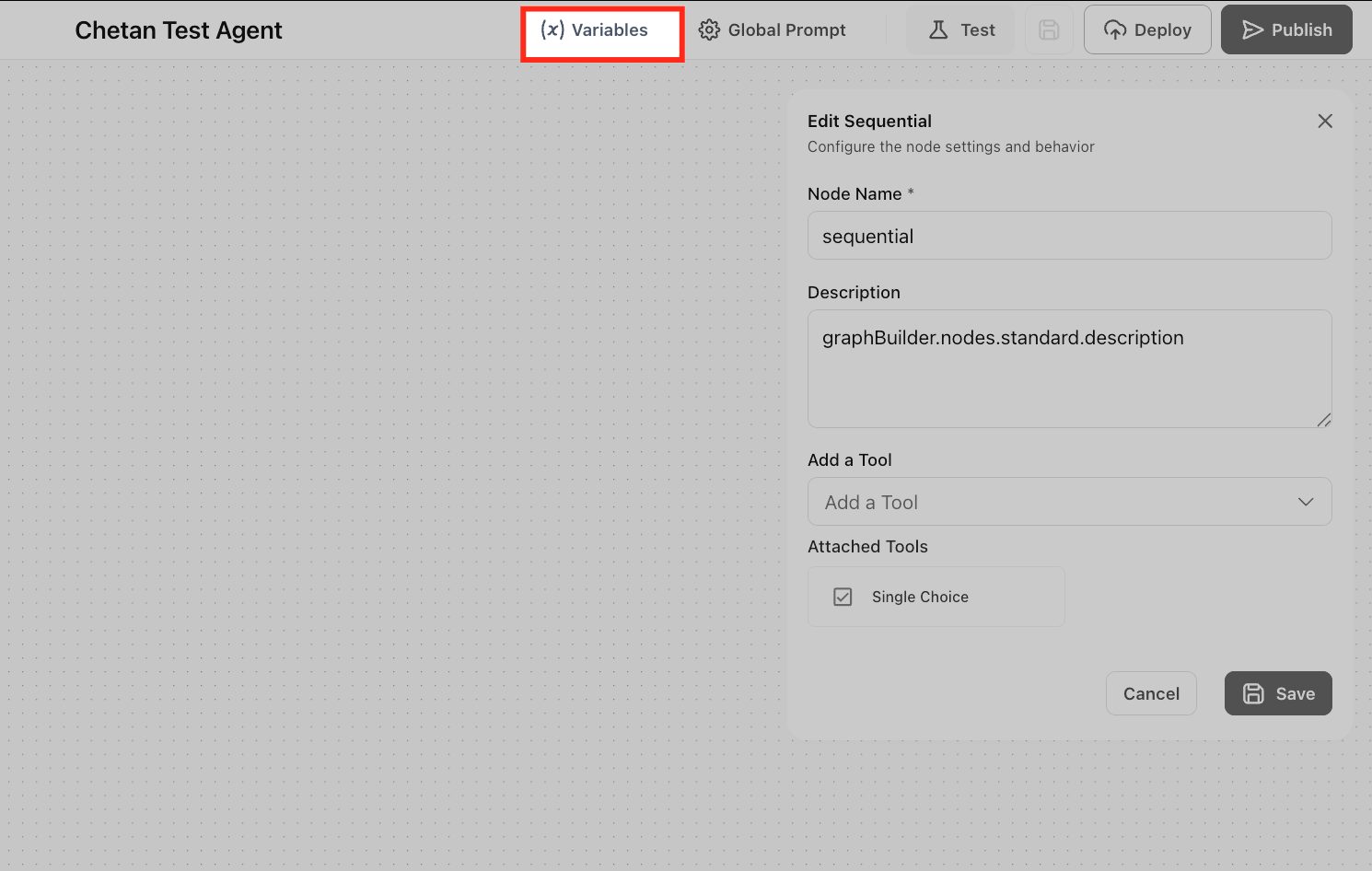
- Open the Variables menu at the top, add a new global variable, and assign a value such as an API key or user ID.
- Click the Test button at the top, enter a sample question, review the response and flow behavior.
- When satisfied, click Publish > Production to make the agent live.
06What it looks like in HighLevel
07Settings that matter
- Model. Chooses which language model the AI Agent node uses for generating responses.
- Prompt. Provides the instruction set that guides how the AI Agent node replies to inputs.
- Variables. Defines reusable values that can be referenced in any node across the workflow.
08Things to know before you rely on it
- The free tier allows unlimited agents; only LLM token usage is billed.
- Only runs in Production consume tokens; drafts and test executions use sandbox quota.
- Export or import of agents to another subaccount is not currently supported.
09If something goes wrong
- An external API fails inside a Sequential node.. View the error in the run log and add a conditional edge that branches to a fallback node based on the error code.
10How it connects to the rest of HighLevel
- Manage existing flow agents in Agent Studio Agent management
- Test and debug AI agents in Agent Studio Testing guide
- HighLevel pricing and plans Pricing details
- Start a 30 day HighLevel trial Free trial
- The HighLevel Founder Plan Founder Plan
Michael's take

Most people try to pack every possible action into a single AI node, assuming the LLM will handle validation, API calls and branching on its own.
If I were building a workflow, I’d keep the AI node focused on reasoning and content generation, then hand off deterministic tasks to Sequential nodes.