
01Who this is for
- Founders who want to automate lead handling without writing code, because the visual canvas makes logic easy to design.
- Marketing teams that need to respond to chat messages or form submissions right away, using AI to generate replies.
- Support managers looking to route inquiries based on intent, using the router node to send tickets to the right queue.
02Flow agents, explained
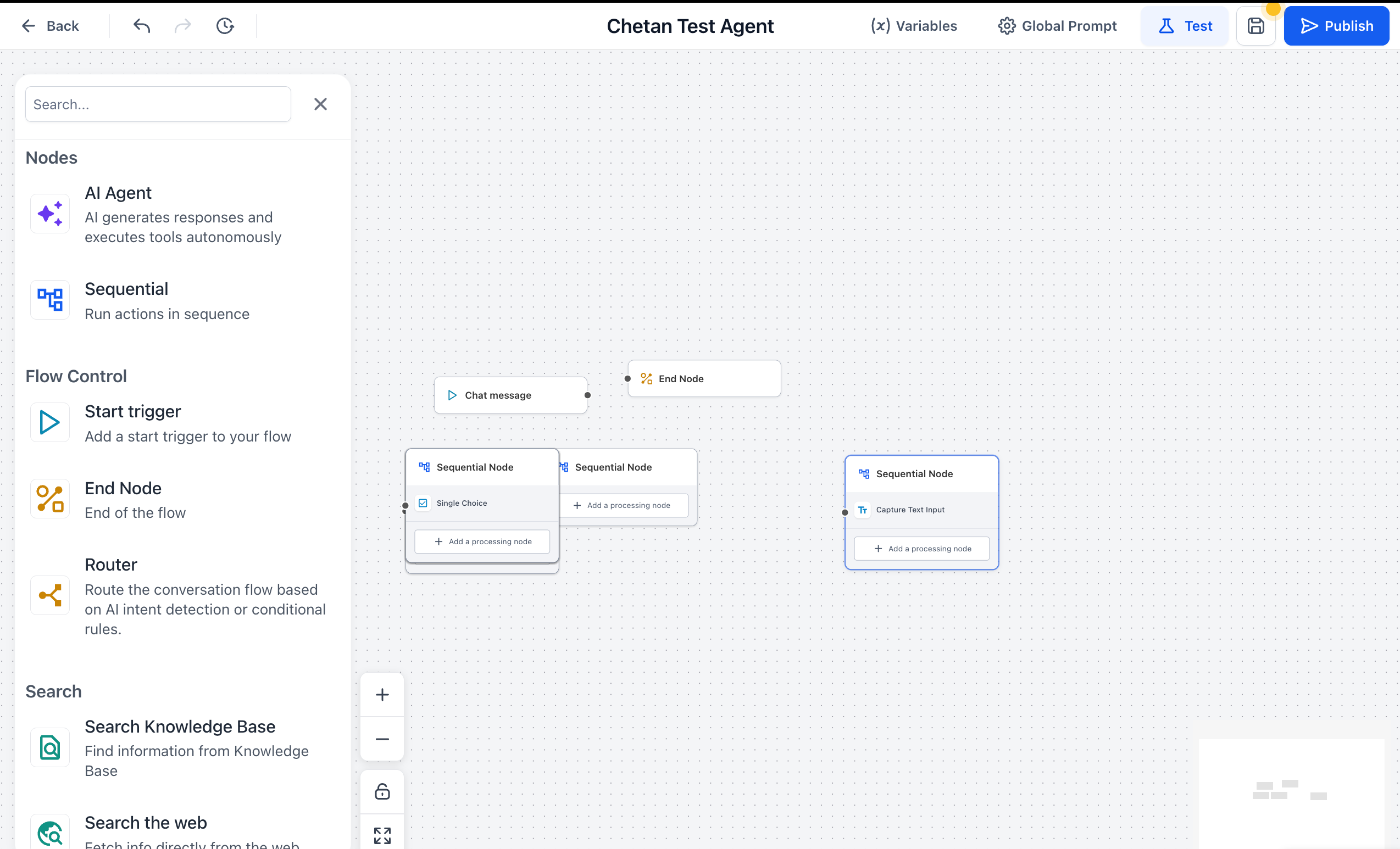
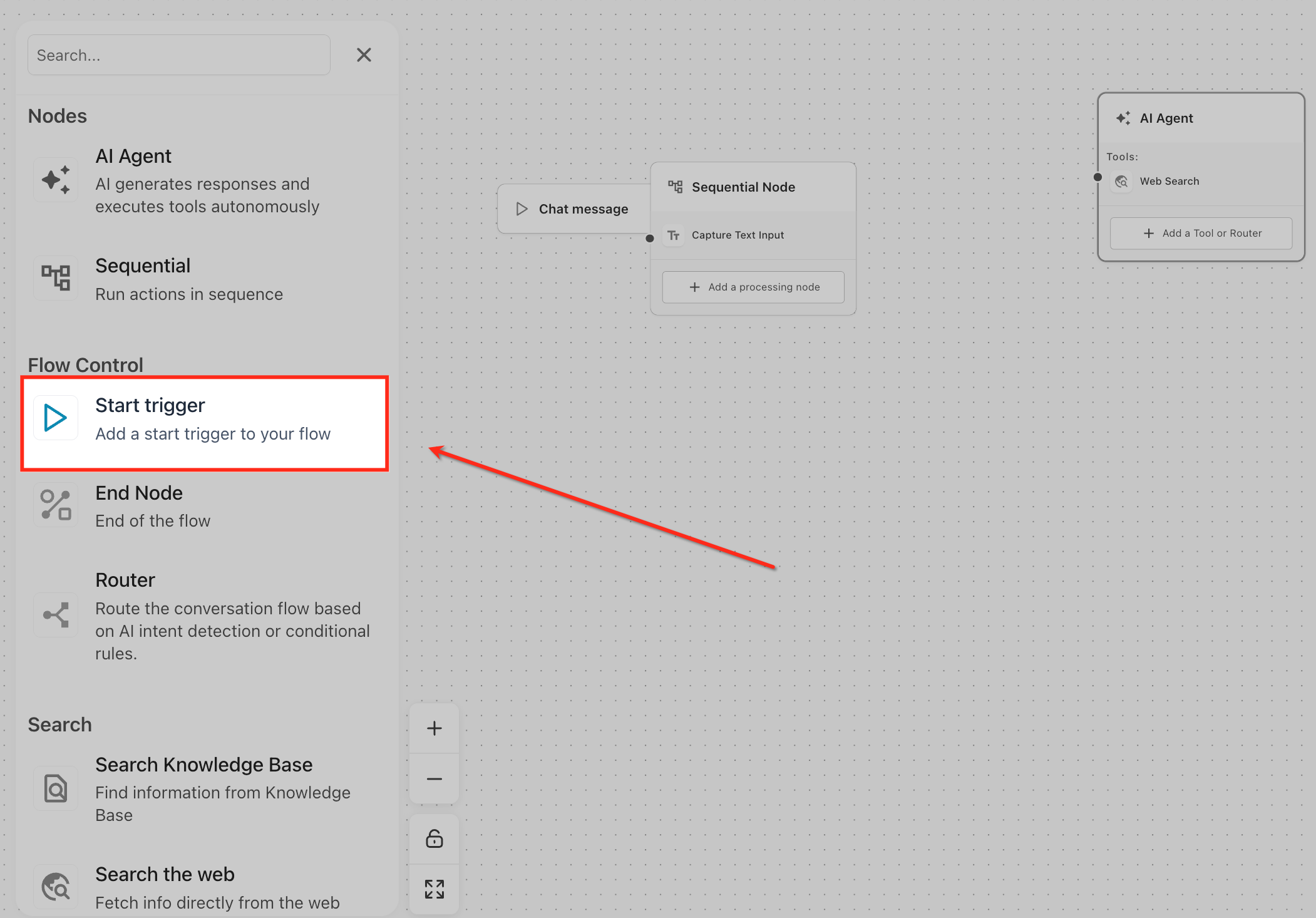
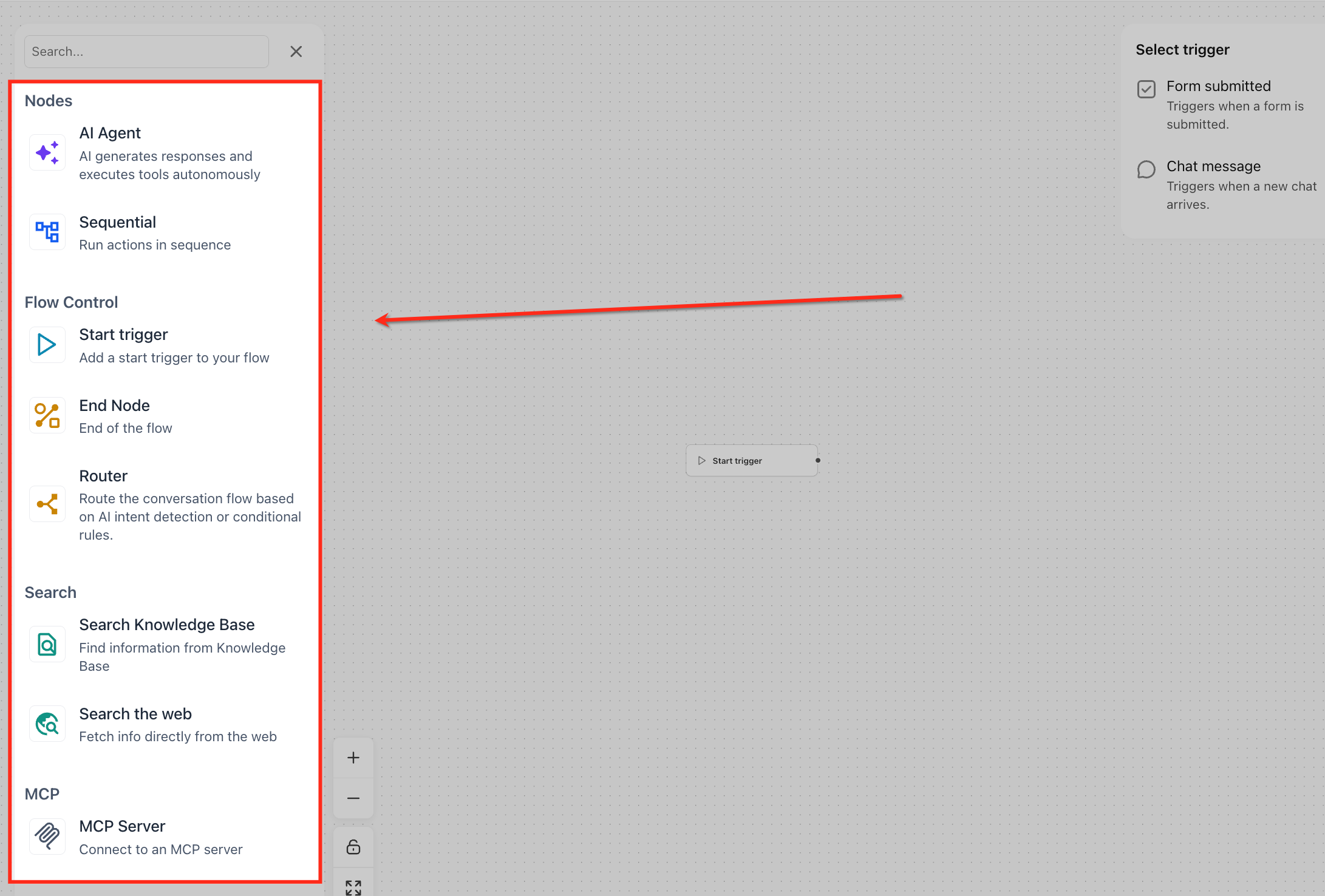
Agent Studio provides a node based canvas where each element represents a specific function, such as starting the flow, generating content, or calling an API. You begin by selecting a Start Trigger that tells the platform when the agent should run, then connect additional nodes to shape the conversation or task. The entire flow can be previewed with the Test tool before making it live.
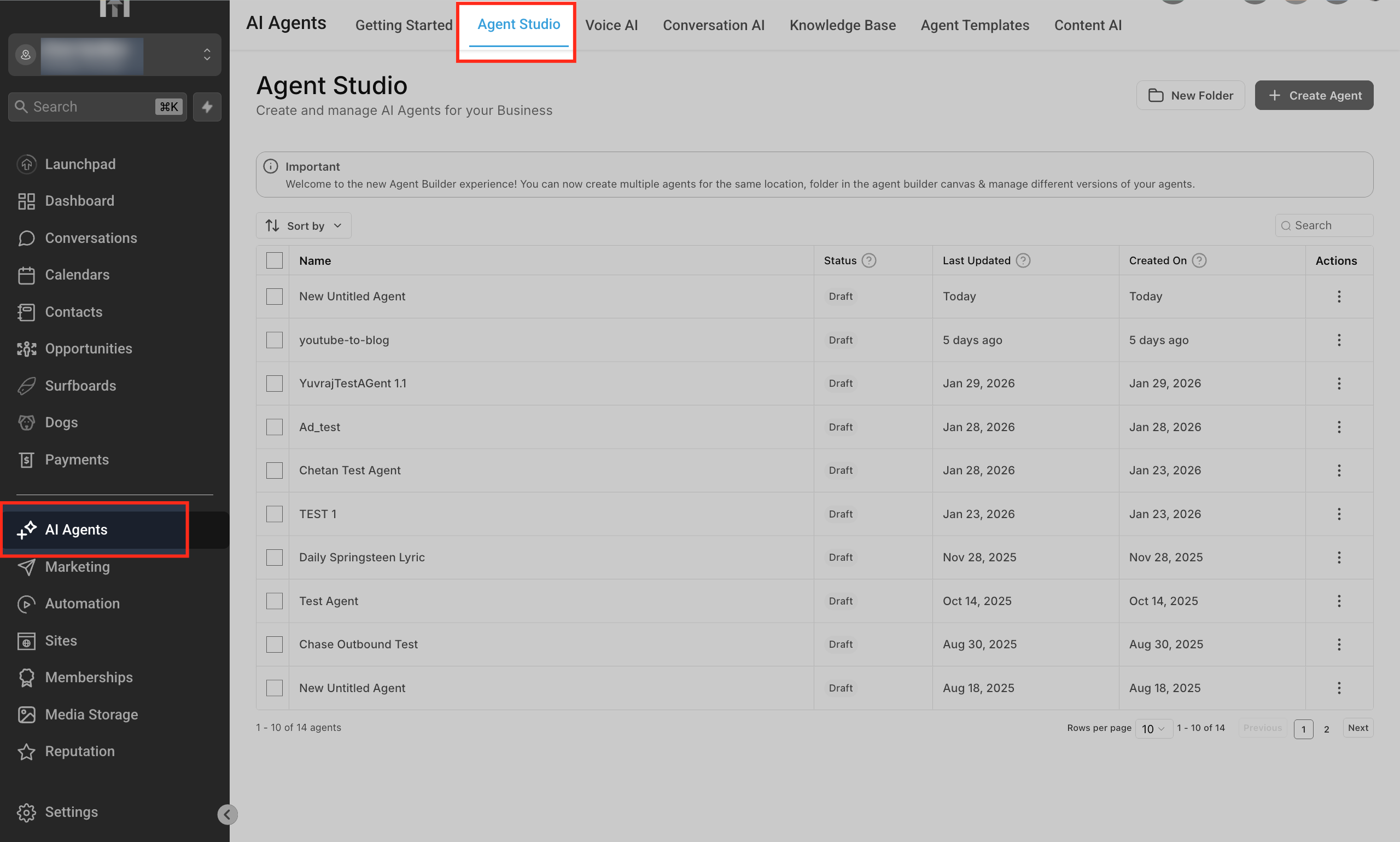
The builder lives under AI Agents > Agent Studio in the HighLevel navigation. From the dashboard you can view all agents, see their status, and create new ones. Once an agent is opened, the canvas appears at the center of the screen where you drag and connect nodes, configure variables, and set a Global Prompt. After testing, you click Publish to activate the agent for real events.
03How businesses use flow agents
- Real estate brokerage. The brokerage creates a flow agent that triggers on a new lead form submission. The agent collects the prospect's email and phone number, then uses the API Call node to add the lead to a third party CRM. Finally, it sends a personalized text message using the Text Generation node.
- Dental practice. The practice builds an agent that starts when a patient sends a chat message asking about appointment availability. The agent queries the practice’s calendar via an API Call node, generates a response with available slots using the Text Generation node, and records the chosen slot with the Email Address node.
- Online course provider. The provider designs an agent that activates on a form submission for a course enrollment. The agent uses the Search Knowledge Base node to retrieve course details, generates a welcome email with the Text Generation node, and saves the student’s information using the API Call node.
04The numbers and rules that matter
- Supported node types include AI Agent, Sequential, End Node, Router, Search Knowledge Base, Search Web, MCP Server, API Call, Audio Generation, Image Generation, Text Generation, Email Address, Phone Number, Single Choice, Text Input.
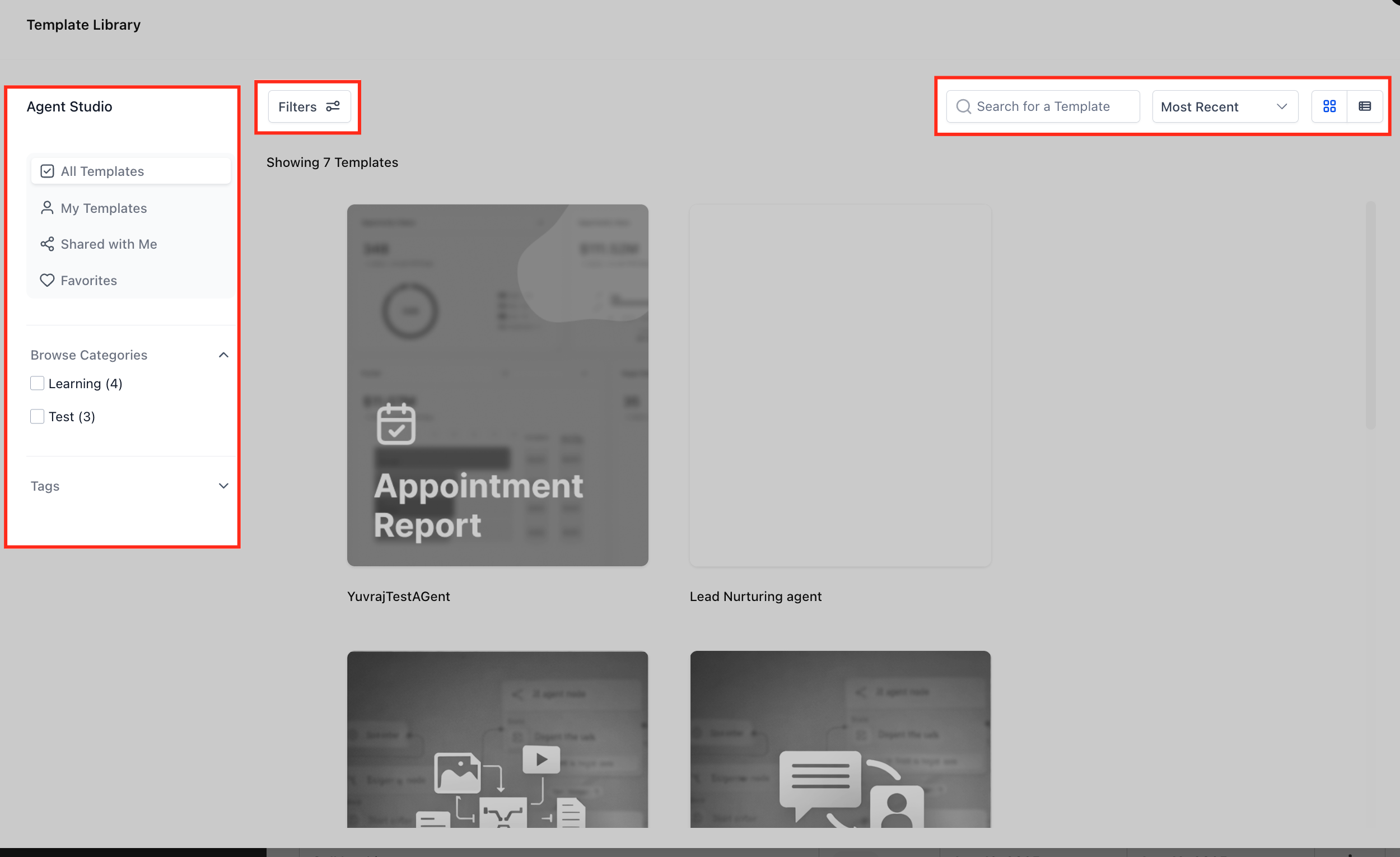
- The Template Library provides ready made agent blueprints that include predefined triggers, AI nodes, routing logic, and actions, which can be installed and modified.
05How to set up and use flow agents in HighLevel
Create a new agent
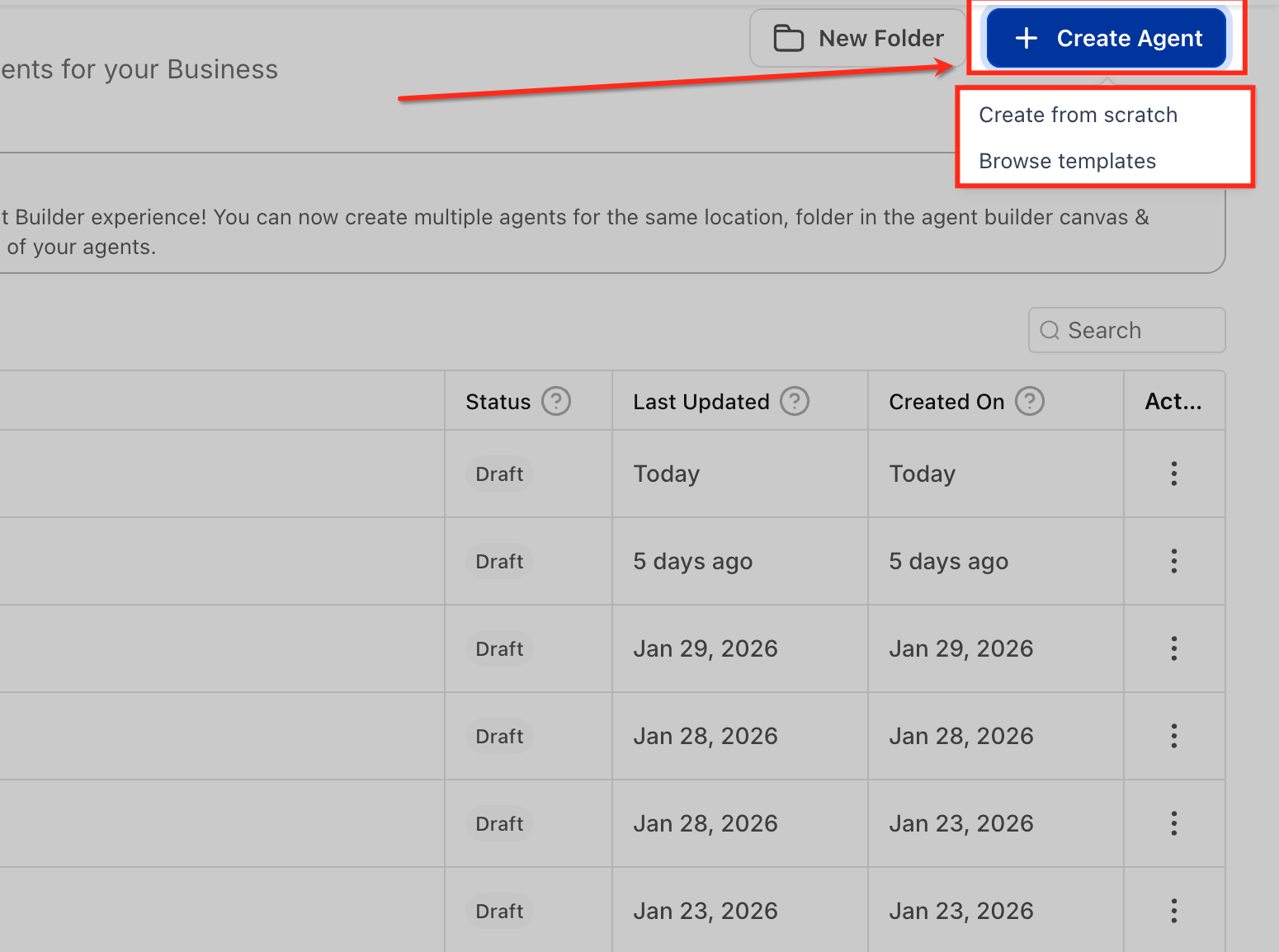
- From the Agent Studio dashboard, click Create Agent.
- Choose to start from scratch or select a template from the Template Library.
- Confirm the selection to open a blank canvas or installed template.
Test and publish an agent
- Use the Test button on the canvas to simulate execution of the flow.
- Save any changes as a draft to keep the work without activating it.
- When ready, click Publish so the agent can respond to its configured trigger.
06What it looks like in HighLevel
07Settings that matter
- Start Trigger. Defines the event that initiates the agent, such as a chat message, form submission, or lead tag addition.
- Variables. Reusable placeholders that store values for use throughout the flow, reducing duplication.
- Global Prompt. Sets overarching instructions, tone, and rules that guide the agent’s behavior in every interaction.
08How it connects to the rest of HighLevel
- Managing existing flow agents in Agent Studio Agent management
- Set up and use managed agents in Agent Studio Managed agents
- Agent Studio: setting up triggers for flow agents Triggers guide
Michael's take

If you need an AI that can react to live events, retrieve information from a Knowledge Base, or generate content on the fly, a flow agent provides that flexibility through a visual canvas.
I would start with a simple template, run a few tests, and verify the output matches the tone defined in the Global Prompt. After the test runs cleanly, I would publish the agent.