
01Who this is for
- Marketing teams can automate immediate follow up after a lead fills out a capture form, keeping the conversation flowing.
- Support departments can route incoming chat messages to an AI agent right away, reducing response latency.
02Flow agent triggers, explained
Flow Agent triggers are event listeners attached to a Flow Agent’s Start node. When a supported event such as a form submission, tag change, or chat message occurs, the trigger fires and launches the agent without any external API calls. The trigger runs inside HighLevel, providing the agent with the event payload and context variables.
Triggers are optional and additive, meaning existing API invoked agents keep working unchanged. They are configured on the Start node of an existing Flow Agent and become active once the agent is published. The feature lives under AI Agents > Agent Studio > Flow Agents.
03How businesses use triggers for flow agents
- Real estate brokerage. When a prospect submits a property inquiry form, the broker selects the Form submitted trigger, picks the relevant form, and publishes. The agent receives the form fields and can reply with property suggestions right away.
- Ecommerce store. The store adds a Chat message trigger to its support widget. Every new inbound chat starts the Flow Agent, giving the shopper immediate answers or routing to a human if needed.
- Online coaching program. A coach configures a Lead tag trigger for a "New Client" tag. When the tag is added to a contact, the agent launches to deliver onboarding materials automatically.
04Before you start
- User must have access to AI Agents > Agent Studio in the target subaccount.
- An existing Flow Agent must be present to attach a trigger.
05How to set up and use triggers for flow agents in HighLevel
Configure a Flow Agent start trigger
- Confirm you have AI Agent Studio rights in the correct subaccount/location.
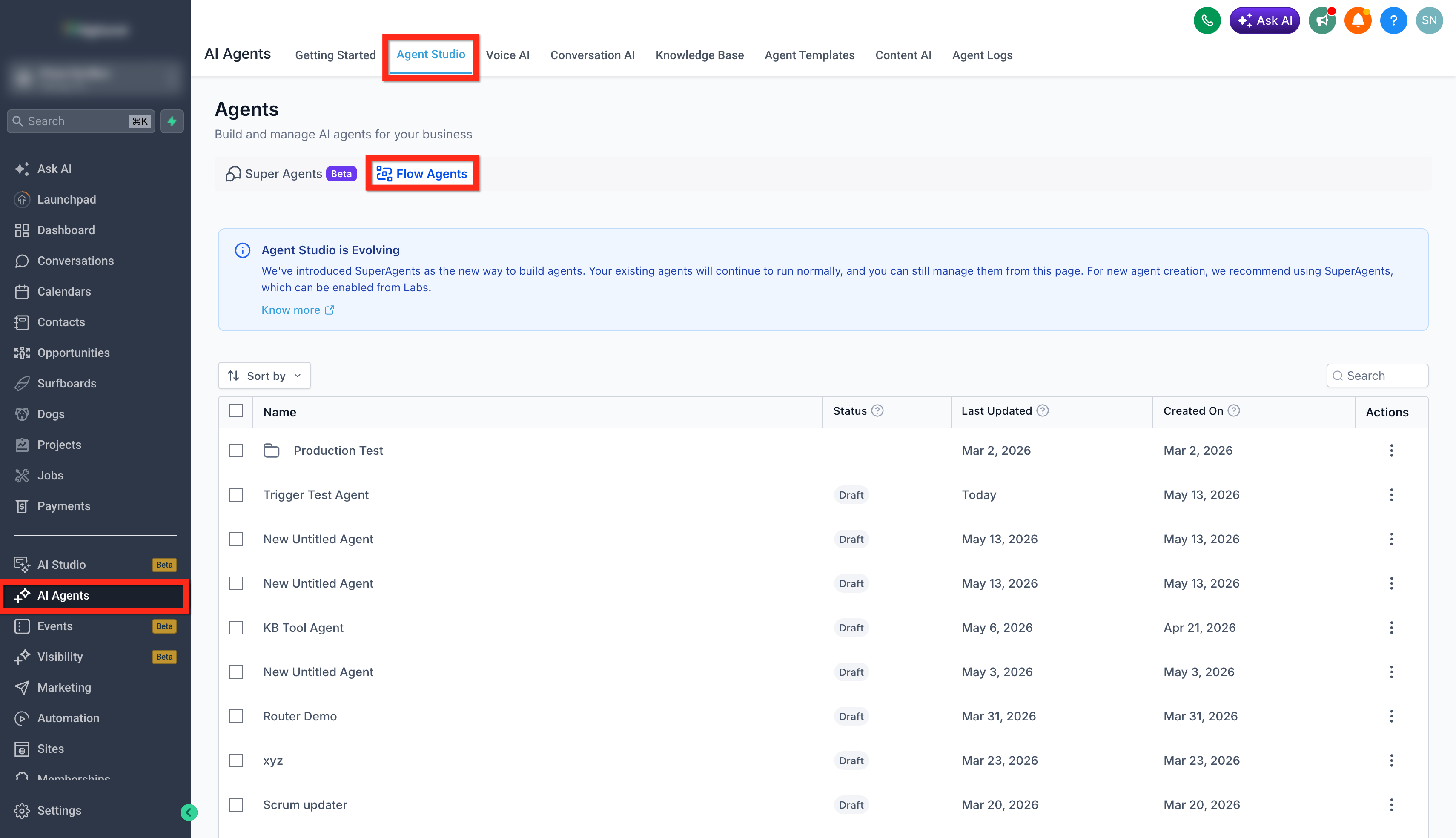
- From the left sidebar, click AI Agents, then select the Agent Studio tab.
- Click the Flow Agents button at the top of the page.
- Select the Flow Agent you want to edit by clicking its name.
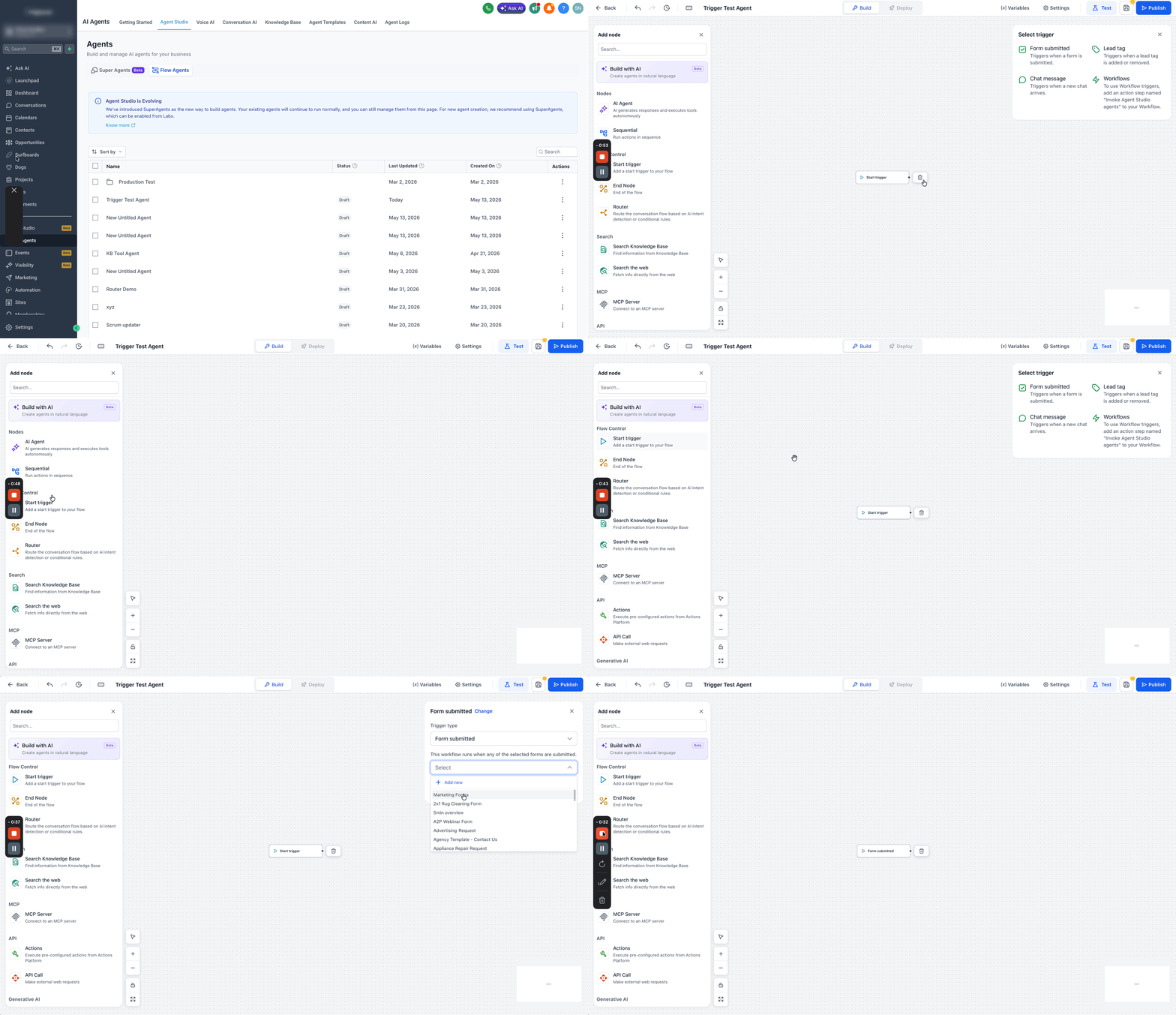
- In the canvas, press Add New Node or locate the existing start area.
- Select Start trigger from the Flow Control section in the node picker.
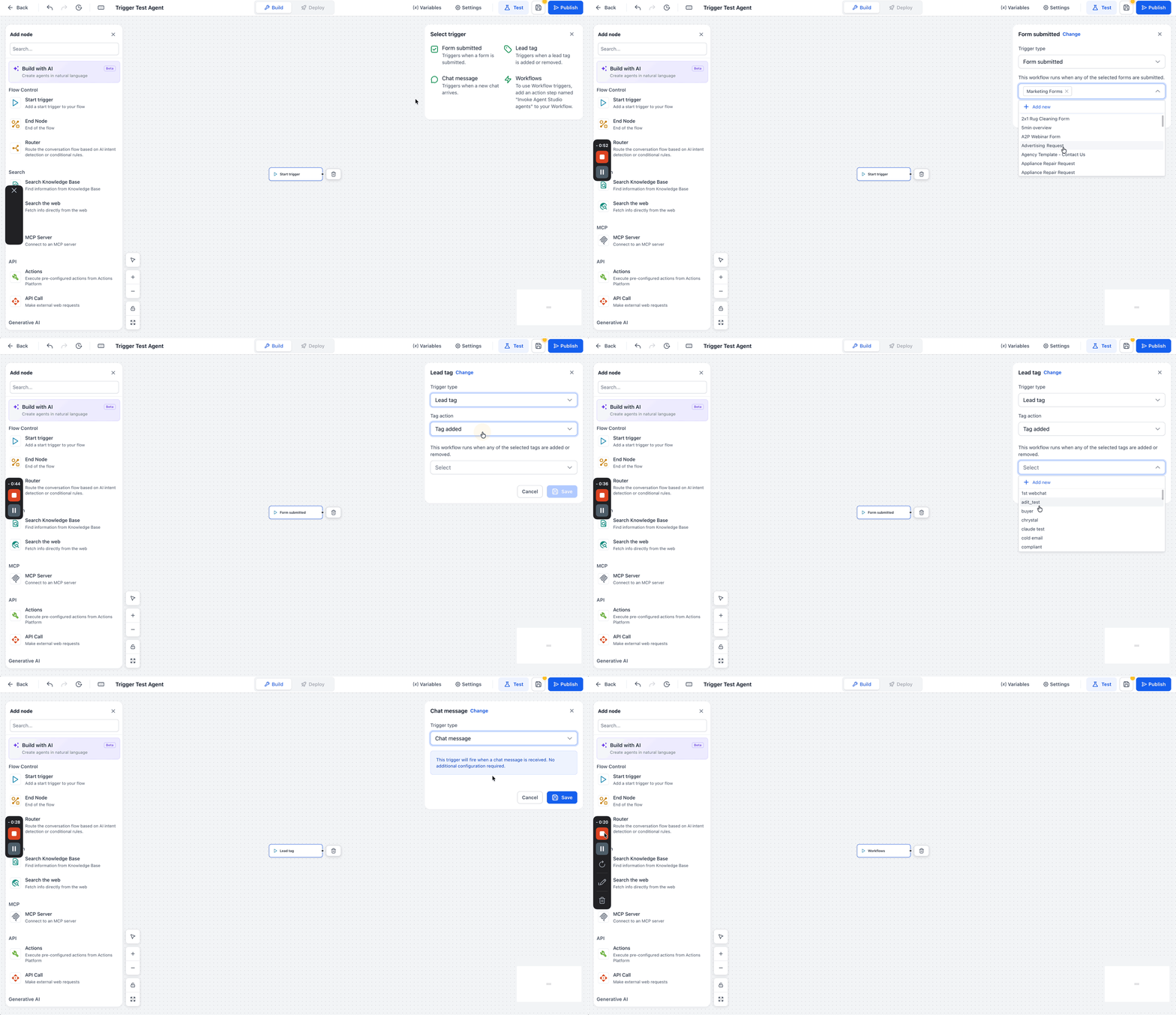
- In the trigger selector, pick the event type you need, Form submitted, Lead tag, Chat message, or Workflows.
- If using Form submitted, choose one or more forms from the dropdown or click Add new to create a new form.
- If using Lead tag, set Tag action to Tag added or Tag removed, then select or create the tag.
- If using Chat message, no additional configuration is required.
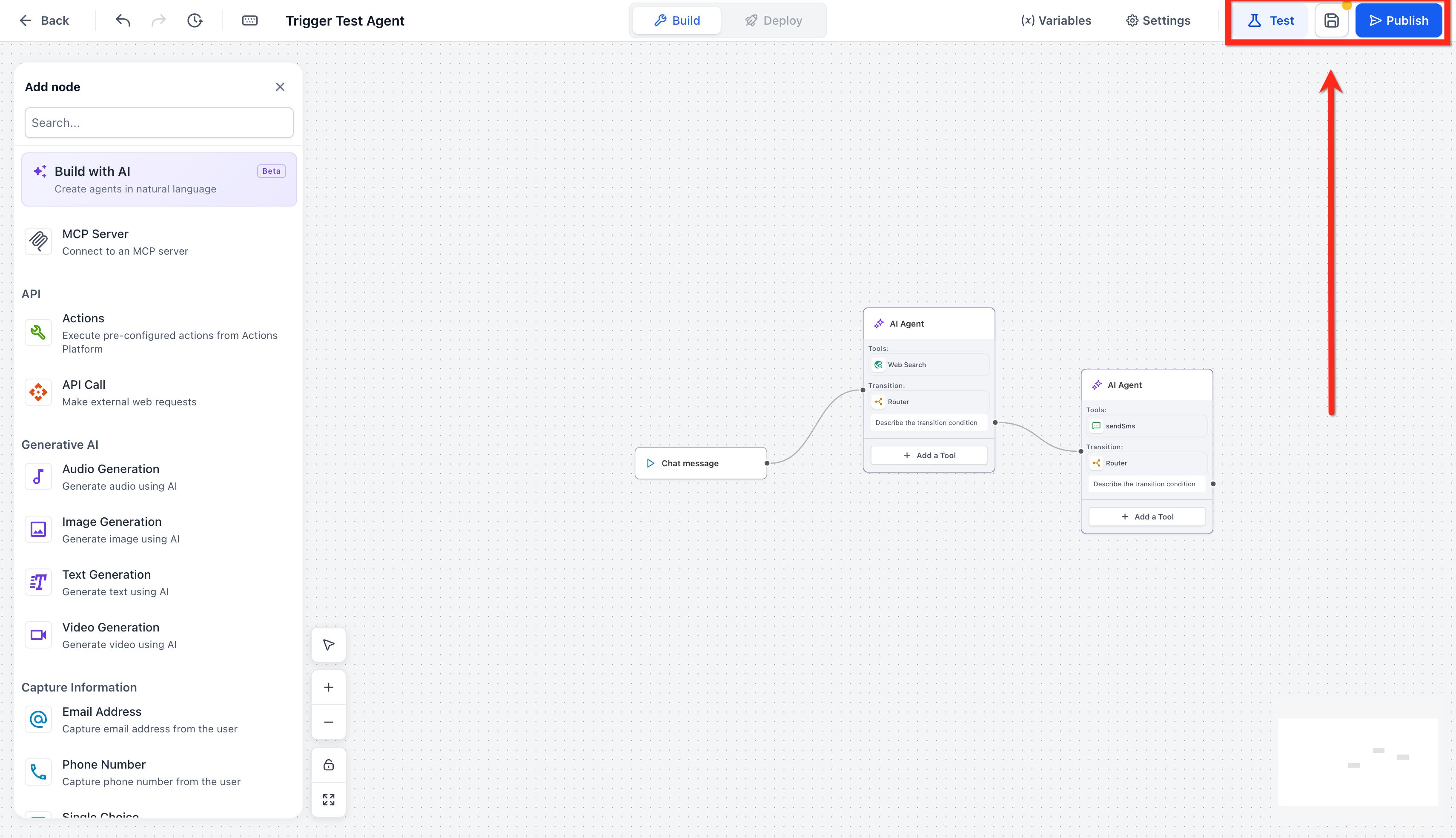
- Run the Test option on the canvas to simulate the trigger and view received variables.
- Save the configuration as a Staging version after each change.
- Publish the agent to push the Start trigger live for the subaccount.
06What it looks like in HighLevel
07Settings that matter
- Form submitted. Defines that the agent starts whenever a selected HighLevel form is completed and makes the submitted fields available as variables.
- Lead tag. Starts the agent when a chosen tag is added to or removed from a contact, providing contact context and custom fields.
- Chat message. Launches the agent automatically when a new inbound message arrives through any connected chat widget.
- Workflows. Allows the agent to be started from a HighLevel workflow action that invokes an Agent Studio agent.
- Tag action. Specifies whether the trigger fires on tag addition or tag removal.
08Things to know before you rely on it
- New agents should be created using Managed Agents; Flow Agents remain supported but are not for new creations.
- Triggers are additive; they do not replace existing API based starts.
- When testing Lead tag triggers, use a small test segment to avoid launching many agent runs at once.
09If something goes wrong
- Form or tag does not appear in the trigger dropdown.. Verify you are in the correct subaccount/location and that the form or tag exists there. Refresh the builder after creating new assets.
10How it connects to the rest of HighLevel
- Learn how to set up and publish Flow Agents. Setup Flow Agents
- Explore the router tool for conditional logic in Agent Studio. Router Tool
- Understand using custom values and variables within agents. Custom Values
Michael's take

I find that real time triggers let an AI agent respond at the exact moment a lead fills out a form or sends a chat, which helps keep the conversation flowing.
The first setting I would lock down is the Start trigger node on the canvas, because choosing the correct event type determines what data the agent receives.