
01Who this is for
- Founders of SaaS startups, gain backend capabilities without rebuilding the front end.
- Digital agencies that manage client websites, test full stack features in a safe copy before going live.
- Health care providers with patient portals, store API keys and tokens securely using secrets.
02Migrate to SSR, explained
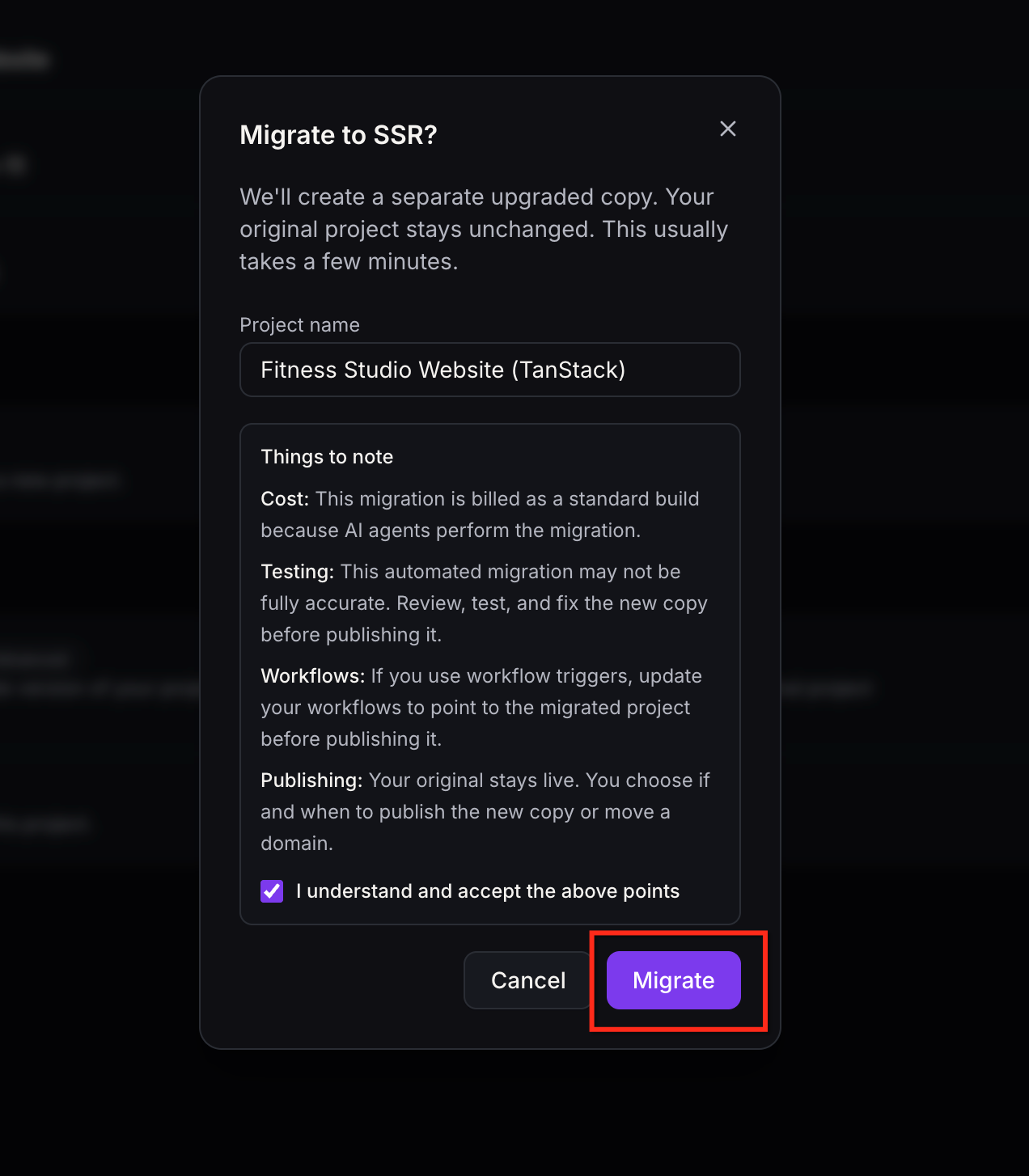
Migrate to SSR is an advanced option in AI Studio that copies an existing React/Vite project and runs an AI assisted conversion to TanStack Start. The copy starts as a draft, letting you add server side rendering, server functions, REST endpoints and secret storage.
While the conversion runs, the original project, its domains and version history stay untouched. The new draft appears in the same subaccount with a distinct name that you can edit before creation. After conversion, the draft behaves like any other TanStack Start project and can be published independently.
03How businesses use migrate to SSR
- SaaS startup. Open the React application in AI Studio, start the Migrate to SSR process, and let the AI convert the code. After migration, add server functions to handle subscription logic and test the new API endpoints before publishing.
- Digital marketing agency. Select a client’s existing React site, run the migration to create a separate draft, and preview the server rendered pages. Update any workflow triggers that reference the original project, then publish the new site when ready.
- Healthcare appointment portal. Migrate the portal’s front end project, then use the secret storage feature in the new draft to hold the provider’s authentication tokens. Verify that the server functions can access these secrets before moving the domain.
04The numbers and rules that matter
- During migration, publishing, saving code changes, restoring previous versions, modifying domain settings, changing slugs and remixing are unavailable.
05Before you start
- The project must use the React/Vite architecture.
- You must have permission to edit the project.
- Access the migration action from the project's settings.
06How to set up and use migrate to SSR in HighLevel
Migrate an existing React project to SSR
- Sign in to your HighLevel account.
- Open the subaccount that contains the React project.
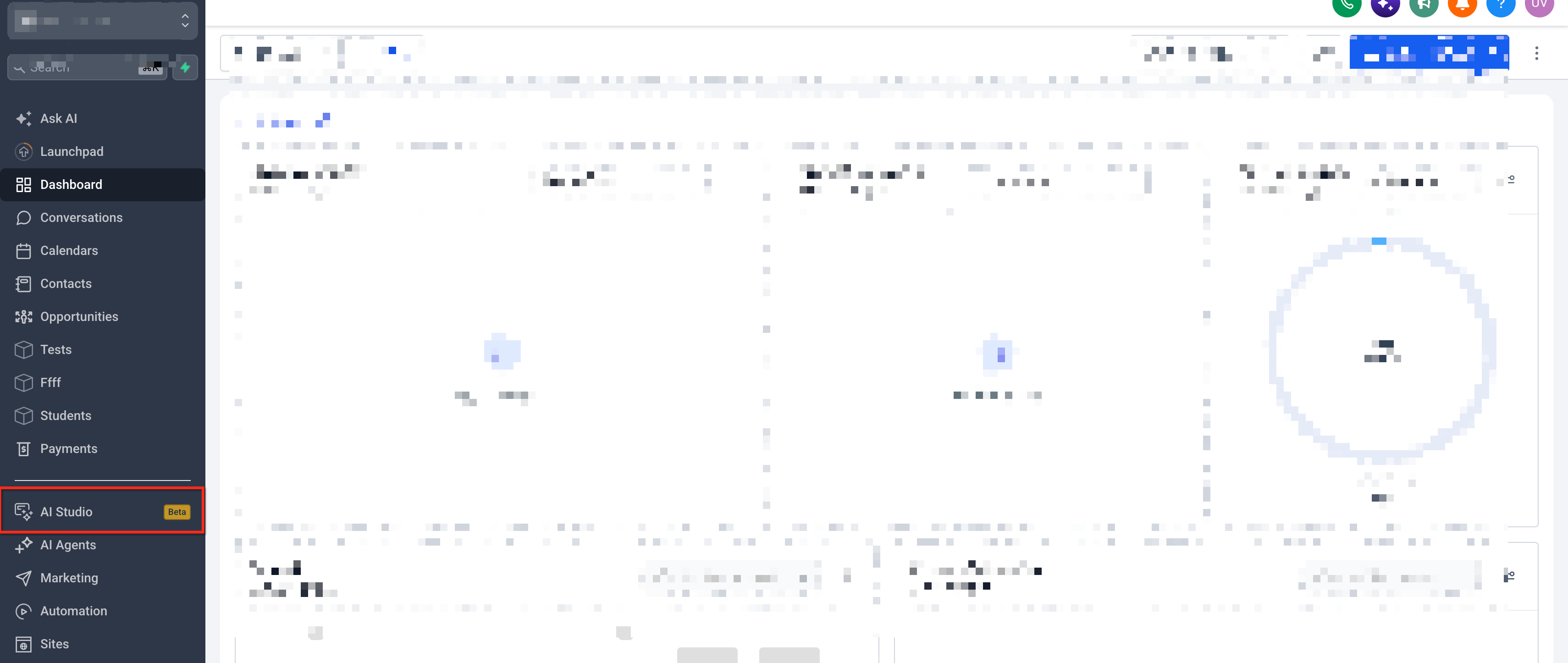
- Navigate to AI Studio and select the target project.
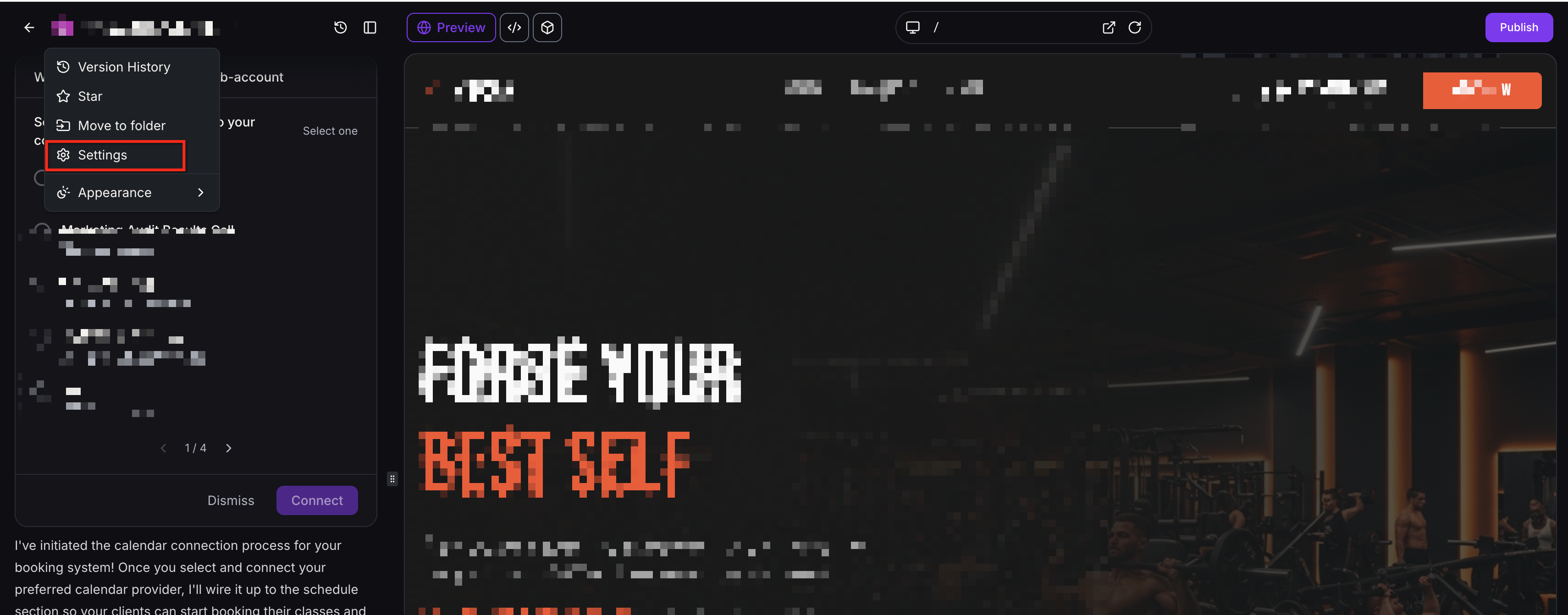
- Open Project Settings for that project.
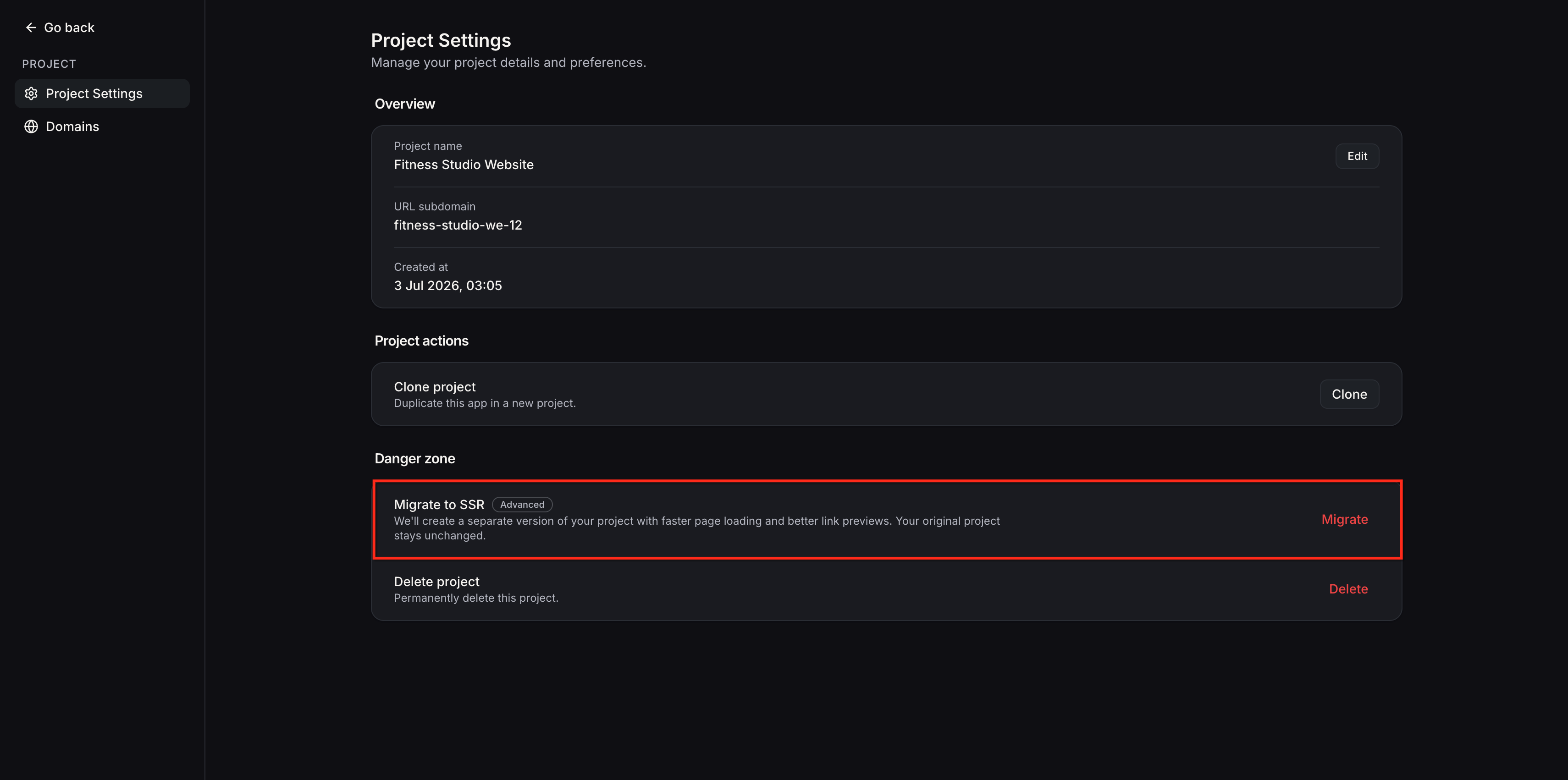
- Locate the Migrate to SSR option.
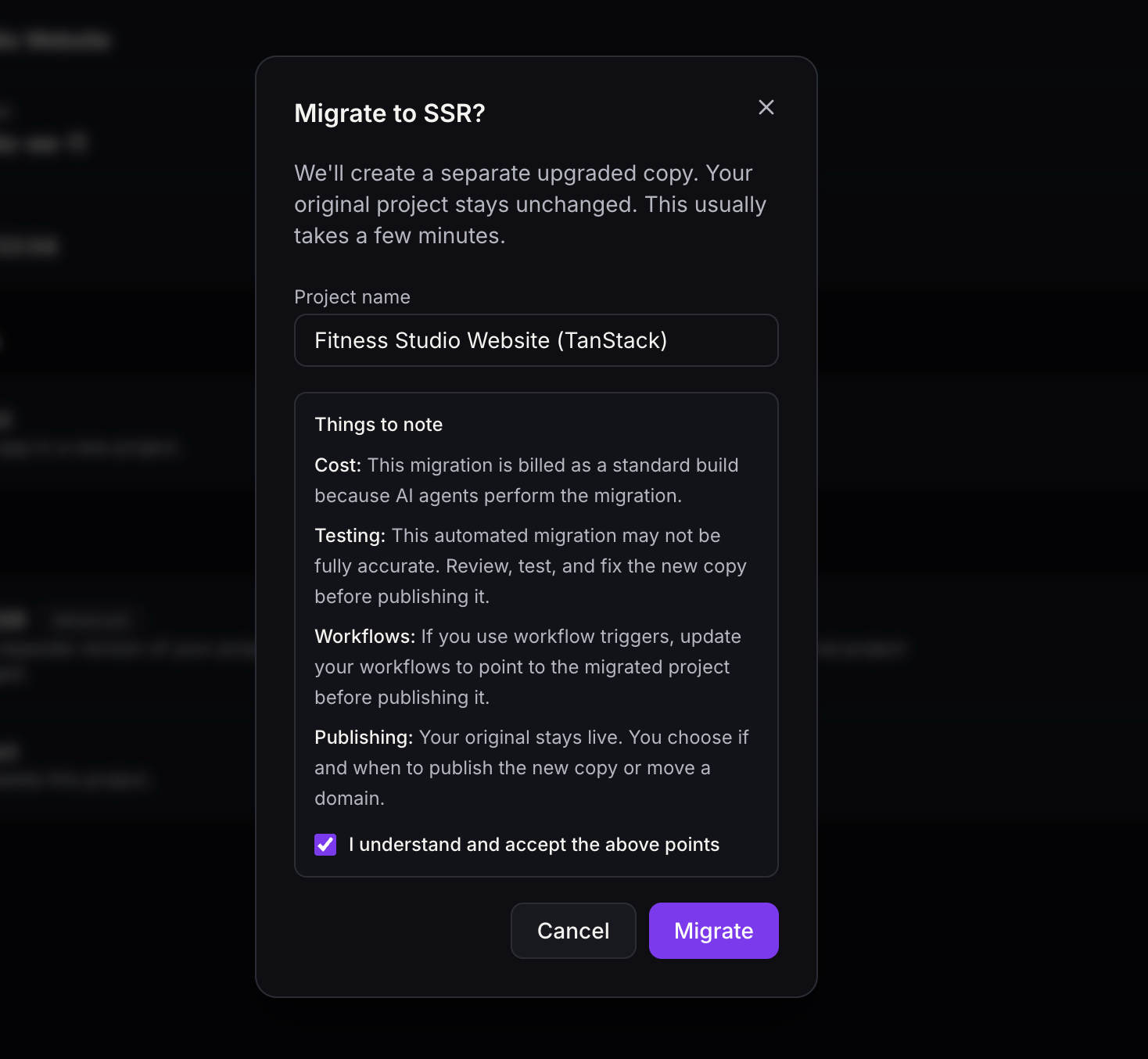
- Confirm or edit the suggested new project name.
- Accept the migration notes and click the Migrate button.
- Watch the migration progress in the project chat and dashboard.
- Do not restart migration from the original project unless you intend to create another copy.
- After the status clears, preview and test the new draft project.
07What it looks like in HighLevel
08Settings that matter
- Migrate to SSR. Triggers the AI assisted conversion of a React/Vite project into a TanStack Start SSR draft.
09Things to know before you rely on it
- Migration works only for projects built with React/Vite.
- You must have edit rights on the project to start migration.
- During conversion, publishing, domain changes, code saves and version restores are unavailable for the new draft.
- If migration stops, you must resume it by typing "continue the migration" in the project's chat.
10If something goes wrong
- Migration stops before completing. Open the migrated project's chat and enter "continue the migration" to resume the conversion.
11How it connects to the rest of HighLevel
- Learn how server functions and APIs work after migration. SSR server functions
- Adjust forms, calendars and workflow triggers for the new project. Connect forms and calendars
- Review SEO settings before publishing the migrated site. Advanced SEO guide
Michael's take

Migrate to SSR is a solid option when you need server side rendering or backend features but can’t afford downtime. Teams that aren’t ready for full stack work should stick with their current React setup.
If you’re comfortable with a separate draft and want to experiment with APIs, secrets and SSR, this feature gives you a safe sandbox to try before you switch live traffic.