
01Who this is for
- Agency admins and users benefit because AI Studio is free with agency plans, letting them prototype client sites without extra cost.
- Subaccount users gain controlled access through an AI Employee subscription, allowing them to build pages while managing usage spend.
02AI Studio pricing, explained
AI Studio is a tool inside HighLevel that plans, reasons, creates copy and visuals, renders live previews, and can connect forms or calendars. Each build session consists of conversational turns where the AI decides what to generate and which actions to perform.
The platform measures each session by the work performed, such as the number of reasoning steps, pages generated, images created, and components linked, rather than counting prompts. More complex projects consume more of the usage allowance.
Pricing depends on the user’s plan. Agency accounts get free usage subject to fair use. Subaccount users need an AI Employee plan (Starter, Growth, Unlimited) or pay per use billing. Extra usage can be enabled to bill beyond the included allowance.
03How businesses use AI Studio pricing
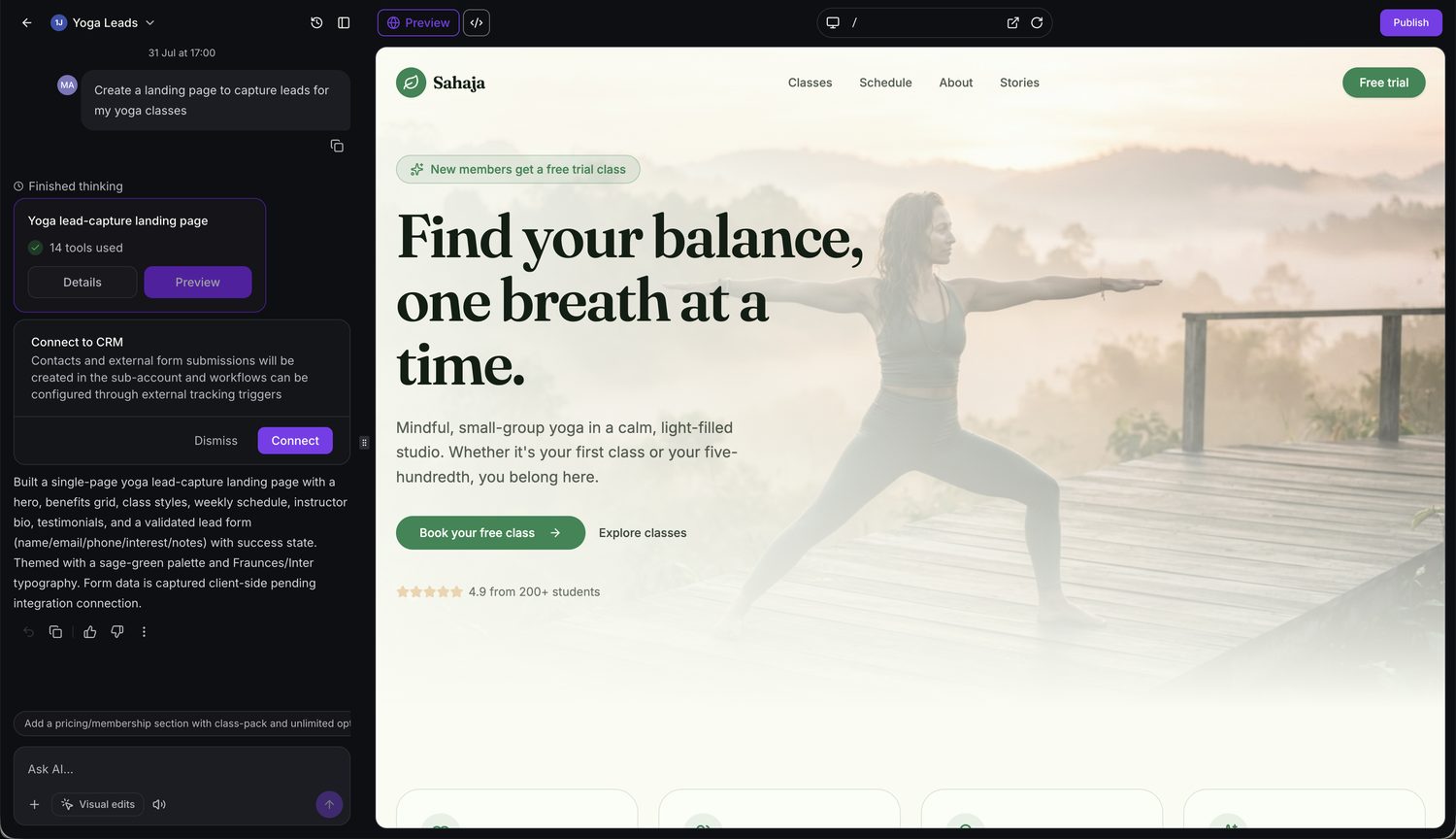
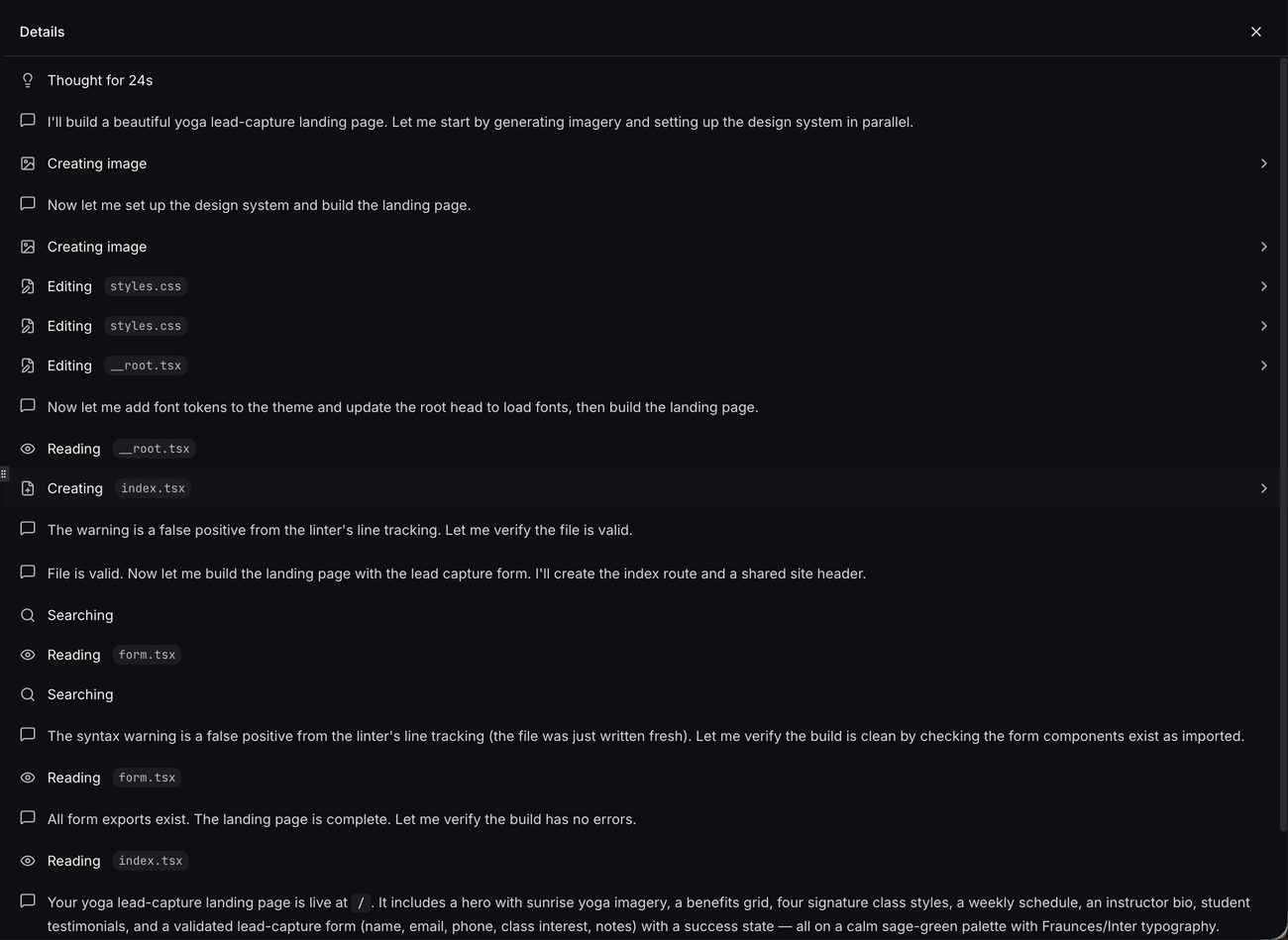
- Yoga studio. The studio prompts AI Studio to build a lead capture landing page. The system creates imagery, designs a themed layout, adds a validated form and then offers a Connect button to link the form to HighLevel within HighLevel.
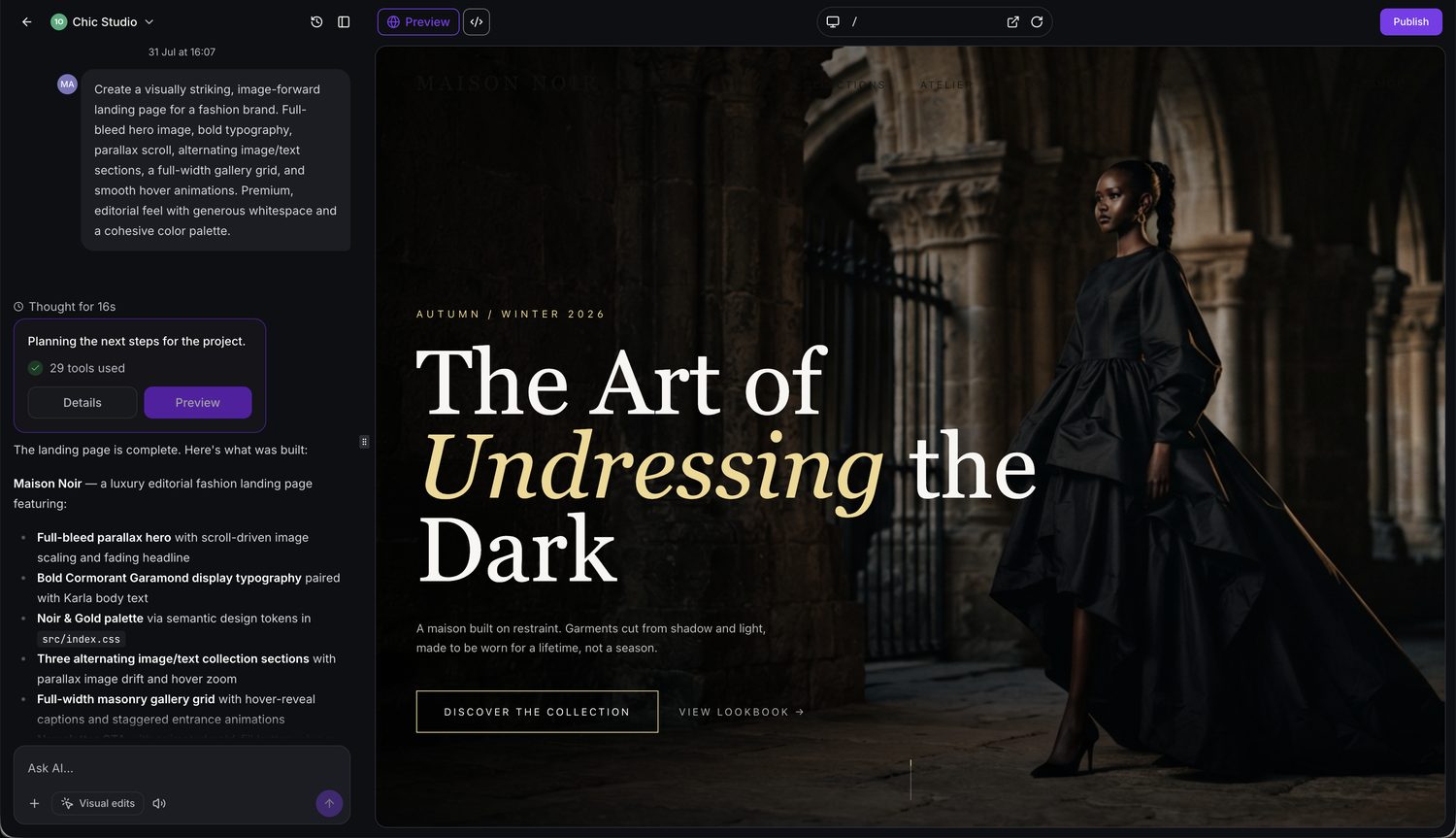
- Fashion brand. The brand requests an image forward editorial landing page. AI Studio generates high resolution visuals, installs animation libraries, sets up typography and builds the page with parallax and hover effects, ready for preview or publishing.
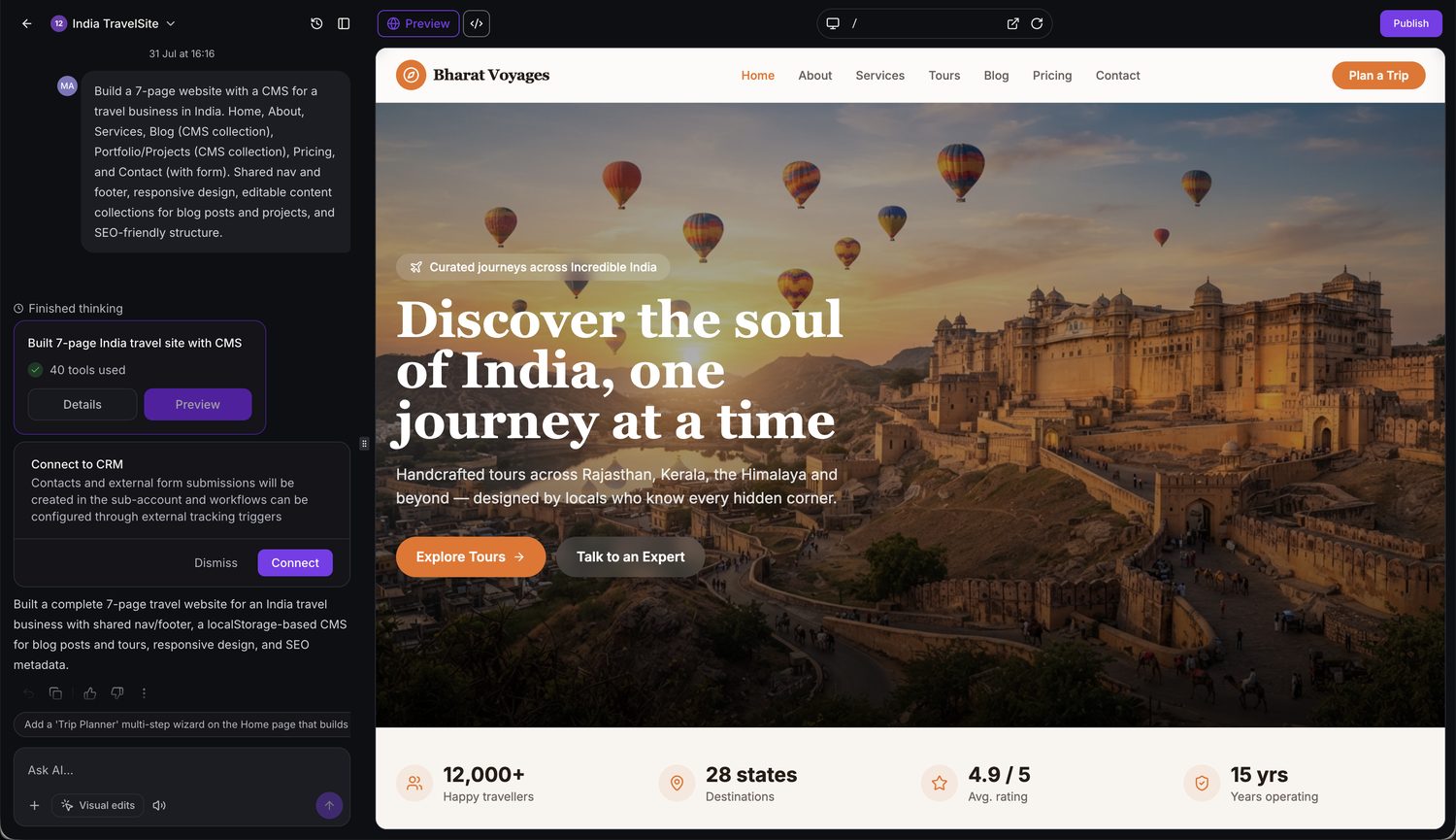
- Travel agency. The agency asks for a multi page website with a CMS. AI Studio plans a seven page structure, creates editable content collections, adds SEO metadata and a contact form, then prompts the user to connect the form to HighLevel.
04The numbers and rules that matter
- Agency Admins & Users ($97, $297 & $497 agency plans), Free, subject to fair use* (per HighLevel's help center, checked November 2026).
- Subaccount Users (without an AI Employee plan), Not included; Pay per use.
- AI Employee Starter ($20/month), Usage Included* (per HighLevel's help center, checked November 2026).
- AI Employee Growth ($50/month), 2x Usage Included* (per HighLevel's help center, checked November 2026).
- AI Employee Unlimited ($97/month), 5x Usage Included* (per HighLevel's help center, checked November 2026).
- Fair Use Policy: HighLevel may throttle, limit, require upgrades, or terminate access for excessive or abusive usage.
- Extra usage is billed at pay per use rates if Extra Usage is enabled.
- Usage alerts at 70%, warnings at 85%, critical notifications near 100%.
- Pay per use users receive a spending notification for every $50 spent (per HighLevel's help center, checked November 2026).
05How to set up and use AI Studio pricing in HighLevel
AI Studio build session workflow
- Clarify the user request.
- Ask follow up questions when the request is broad.
- Use a reference URL, screenshot, or uploaded images for direction.
- Plan a single page or multi page structure.
- Generate layout, copy and visual assets.
- Render a live, editable preview.
- Create a new version each time changes are made.
- Connect supported components such as forms and calendars when requested.
- Publish the result to a preview or a custom domain.
06What it looks like in HighLevel
07Things to know before you rely on it
- Free usage for agency plans is subject to a fair use policy; excessive or abusive use may be throttled or terminated.
- Usage is tracked in rolling five hour windows; when the included allowance is reached, extra usage is billed if enabled, otherwise access pauses until the window resets.
- AI Studio Cloud Hosting costs are separate; Nano hosting is free while Micro and higher tiers incur additional charges.
08How it connects to the rest of HighLevel
- Details on custom domains, cloning and preview publishing for AI Studio AI Studio in HighLevel
- How to link forms and calendars built by AI Studio to the platform Connect Forms and Calendars
- Pricing for HighLevel plans that include AI Employee subscriptions HighLevel pricing and plans
Michael's take

AI Studio pricing feels like a small convenience that can turn into a shift for agencies that need fast, AI generated sites.
The free allowance for agency plans removes a direct cost for using AI Studio, and the tiered AI Employee plans provide included usage multiples.