
01Who this is for
- Founders who need to combine a public website with private backend logic to avoid maintaining separate codebases.
- Developers building integrations that require hidden API keys or webhook endpoints within a HighLevel application.
02AI Studio full stack features, explained
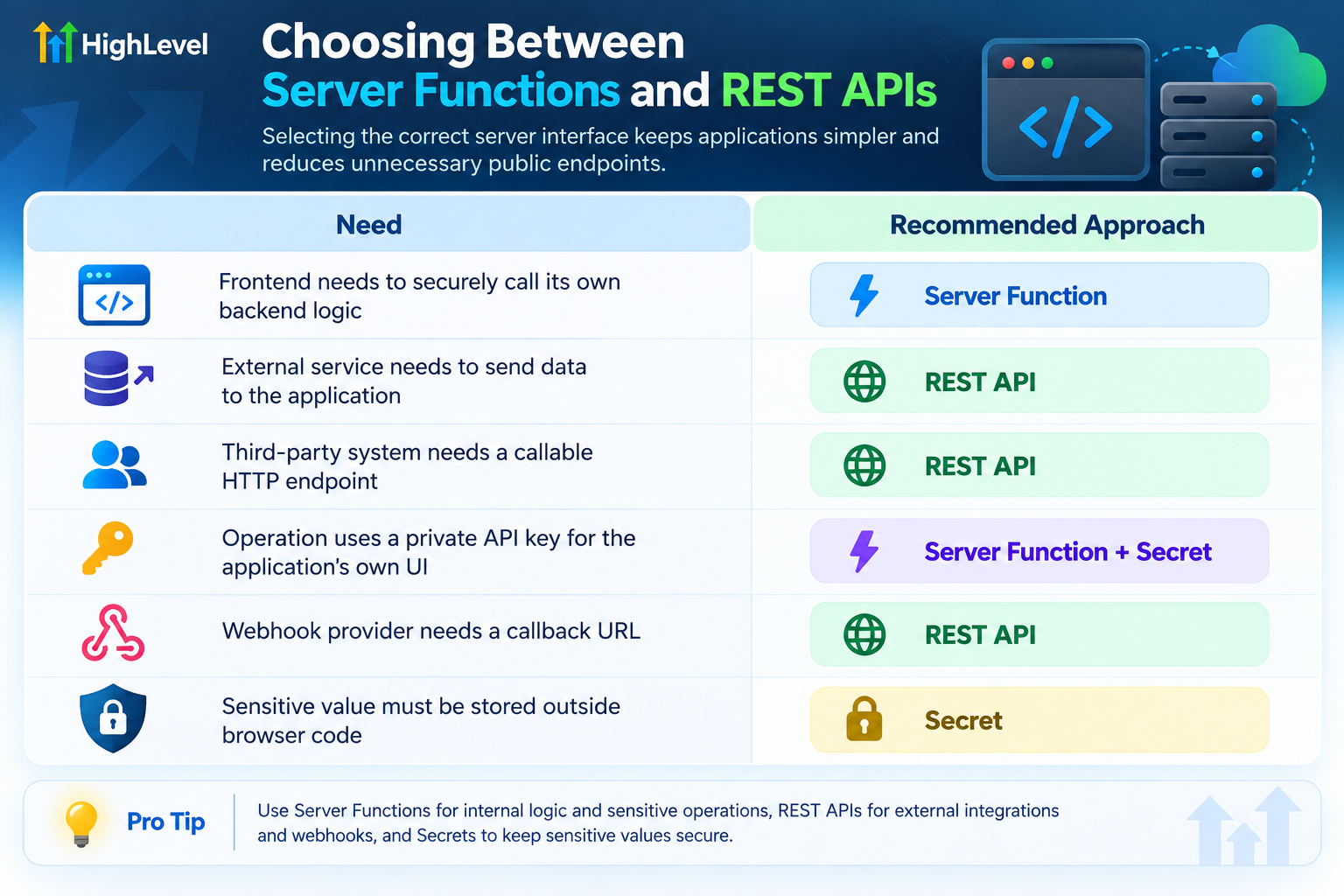
The full stack features let a project generate HTML on the server (SSR), run private code accessed only by the frontend (Server Functions), expose HTTP endpoints for external services (REST APIs), and keep credentials out of client bundles (Secrets). All of these capabilities live inside a single AI Studio project and are managed through the platform’s UI.
When a new project is created, it automatically uses the TanStack Start architecture that supports these features. Existing Vite/React projects keep their original setup and do not switch to the new stack unless you run a separate migration.
Publishing the project makes the combined frontend and backend available at a generated URL, and a custom domain can be attached afterward.
03How businesses use AI Studio full stack features
- Ecommerce store. The store adds a Secret for the payment gateway key, creates a Server Function that processes orders using that key, and builds a REST API endpoint to receive order status webhooks. All logic runs on the server, keeping credentials hidden.
- Marketing agency. The agency builds a landing page that uses SSR for SEO, adds a Server Function to fetch client specific data with a stored Secret, and publishes the site. A custom domain is attached so clients see the agency branded URL.
- SaaS platform. The platform defines a REST API route for external applications to request usage data, secures the endpoint with authentication, and stores the API token as a Secret. The API is tested in the preview mode before the platform is published.
04How to set up and use AI Studio full stack features in HighLevel
Create a new AI Studio project
- Open the applicable HighLevel subaccount.
- Select AI Studio from the left navigation.
- Click to create a new project.
- Enter a description of the website or application you want built.
Describe the full application behavior
- Specify what the application must do, not only how it should look.
- Mention any external services, private credentials, incoming webhooks, protected processing, and public API requirements.
Add Secrets for protected credentials
- Identify the private credential required by the integration.
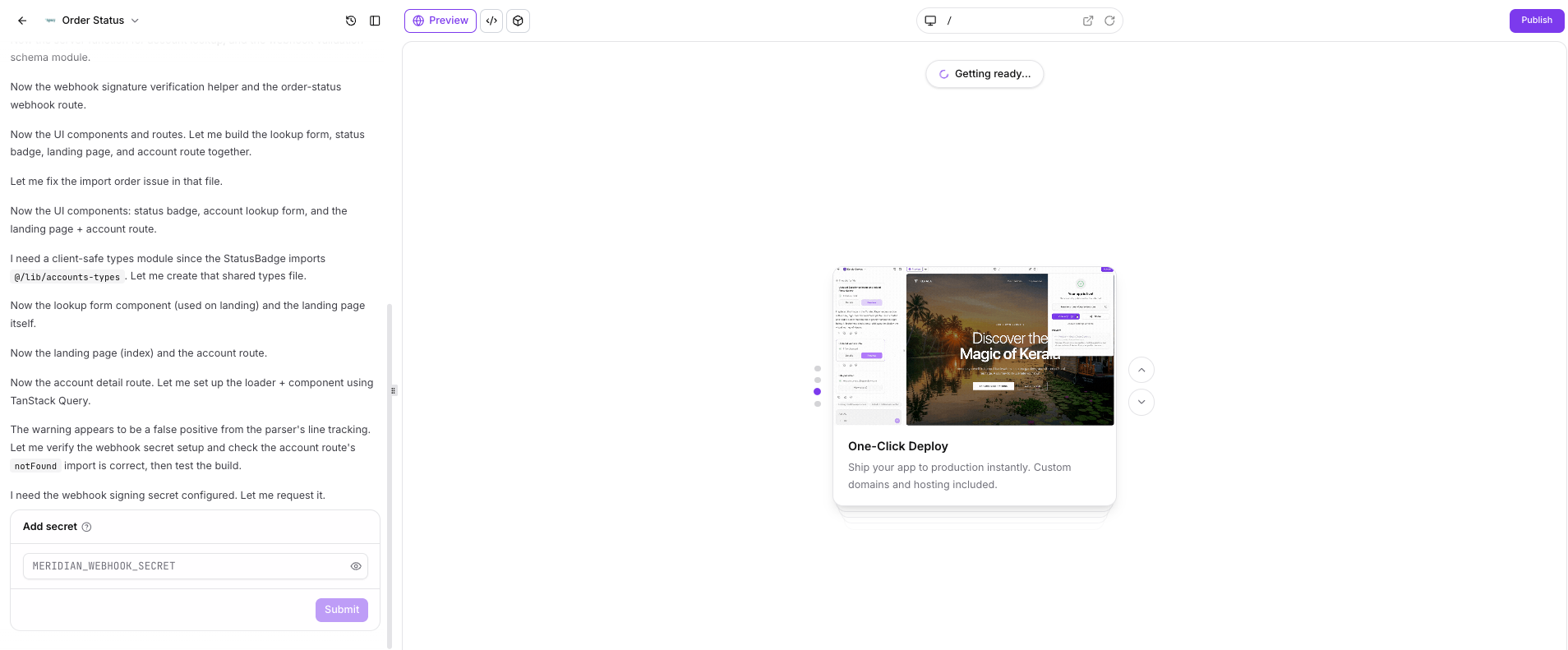
- Open the Secrets workflow when prompted.
- Enter a clear, recognizable name for the Secret.
- Save the Secret value.
- Reference the Secret only from server side code and test without exposing it to the browser.
Build and review Server Functions
- Write the server side logic that the frontend will call.
- Ensure any sensitive processing runs on the server.
- Retrieve required private values from Secrets.
- Return only the data needed by the frontend.
- Test both successful and error paths and review the generated code for further validation.
Create REST APIs for external requests
- Define the API endpoint path.
- Choose the supported HTTP method.
- Specify the expected request payload format.
- Add authentication or signature validation if required.
- Implement server side processing of the request.
- Return the appropriate response to the caller.
Preview and test the application
- Verify that public pages load as expected.
- Test Server Functions with valid and invalid inputs.
- Call REST endpoints with the intended request data.
- Confirm that Secrets never appear in browser output.
- Check that error states are handled safely.
- Review page titles, headings and metadata.
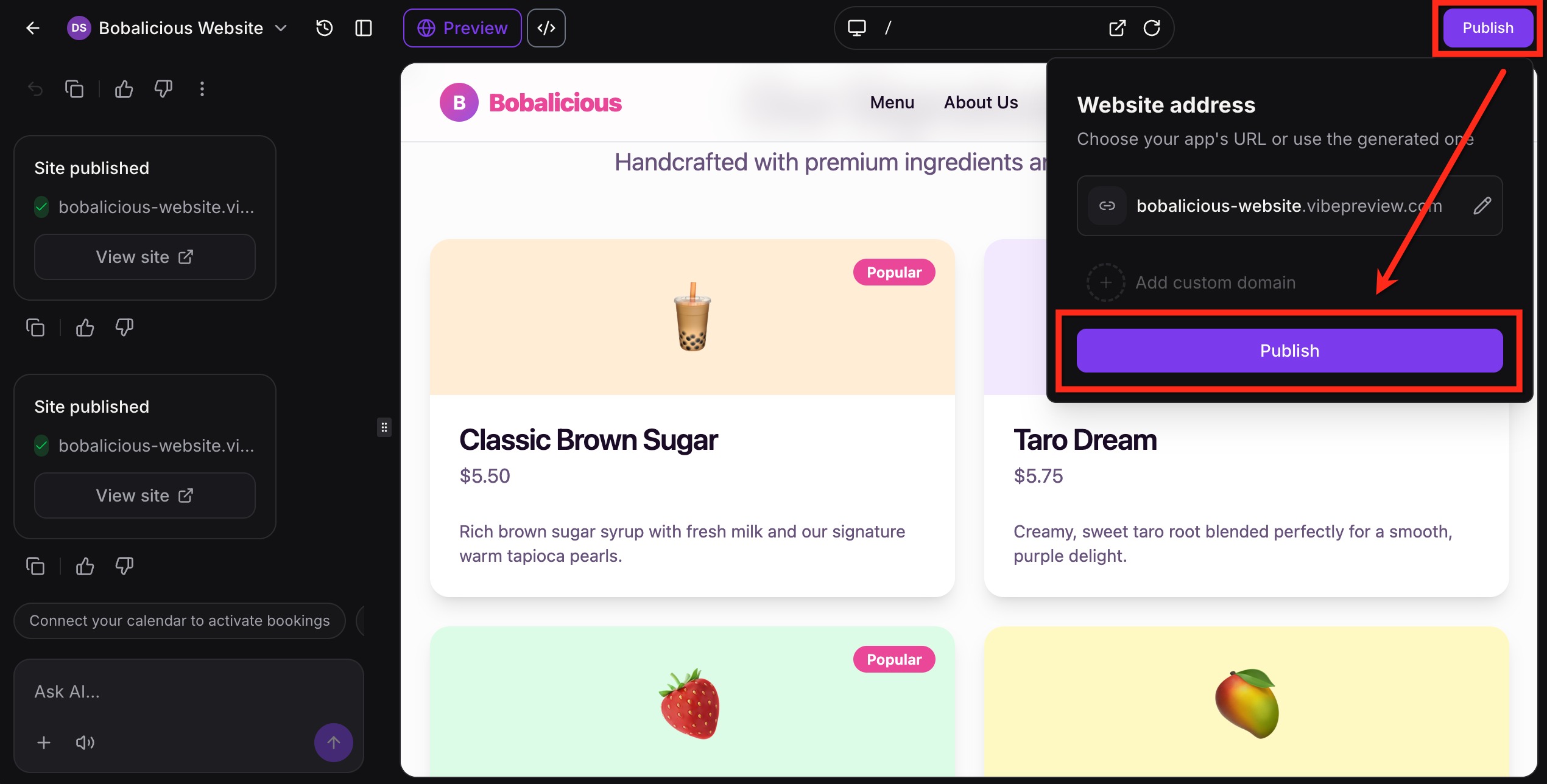
Publish the application
- Click the Publish button.
- Review or update the generated website address.
- Confirm the publication action.
- Open the live URL and verify the application works.
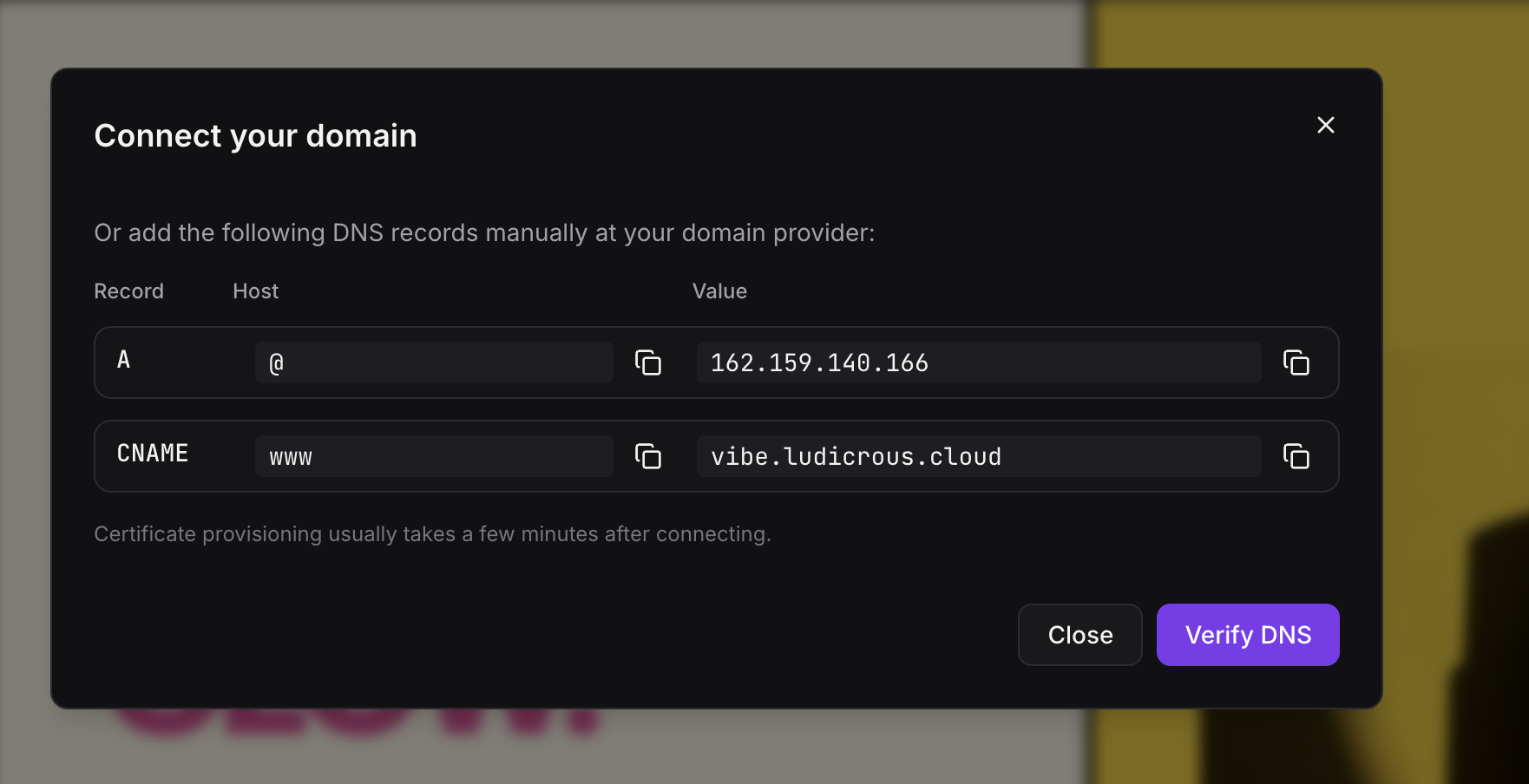
Connect a custom domain
- Open the Publish panel.
- Choose Add Custom Domain.
- Enter the domain you want to use.
- Add the DNS records supplied by AI Studio at your domain provider.
- Click Verify DNS.
- Allow certificate provisioning to complete.
- Test the application through the connected domain.
05What it looks like in HighLevel
06Settings that matter
- Server, Side Rendering (SSR). Controls whether page HTML is generated on the server before it reaches the browser.
- Server Functions. Enables private backend logic that the frontend can call without exposing the code to the client.
- REST APIs. Creates HTTP endpoints that external services can invoke.
- Secrets. Stores API keys, tokens and other sensitive values on the server side, keeping them out of client bundles.
07Things to know before you rely on it
- The private beta for full stack features has ended; all new projects use the TanStack Start architecture.
- Existing Vite/React AI Studio projects continue using their original architecture and are not automatically migrated.
- A separate migration process is required for an existing project to adopt the new full stack stack.
08If something goes wrong
- Server Function fails. Review the function inputs, required Secrets, any server side errors and the data returned to the frontend.
- REST endpoint cannot be called. Confirm the endpoint path, HTTP method, published application state, request format and any authentication requirements.
- External API authentication fails. Make sure the correct Secret exists and that server side code references the intended value.
- Webhook requests fail verification. Verify the signing Secret, request headers, signature validation logic and the callback URL.
- Custom domain does not load. Confirm the DNS records exactly match the values provided by AI Studio and run Verify DNS after propagation.
- Existing project does not show new architecture behavior. Check whether the project was created using the earlier Vite/React architecture; existing projects are not automatically migrated.
09How it connects to the rest of HighLevel
- Edit code in AI Studio's built in editor Code editor
- Bulk enable or disable AI Studio across subaccounts Bulk enable/disable
- View HighLevel pricing and plans Pricing
Michael's take

People often think the full stack tools are only for large apps, so they jump straight into SSR or REST routes without first mapping out what truly needs to stay private. That adds unnecessary public endpoints and makes the project harder to maintain.
I would begin with sketching the exact flow: Which pages must be indexed, which operations need a secret key, and which external services will call in. Then I add a Secret, build a Server Function for the private call, and only create a REST API if an outside system really needs to reach you. Test each piece locally before you hit Publish.