
01Who this is for
- Product managers can expose internal APIs to agents, letting automated workflows call proprietary services.
- Marketers can attach third party campaign tools, enabling agents to trigger actions in external platforms.
- IT teams can grant agents controlled access to on premise systems, keeping data flows inside the organization.
02Custom MCP connectors, explained
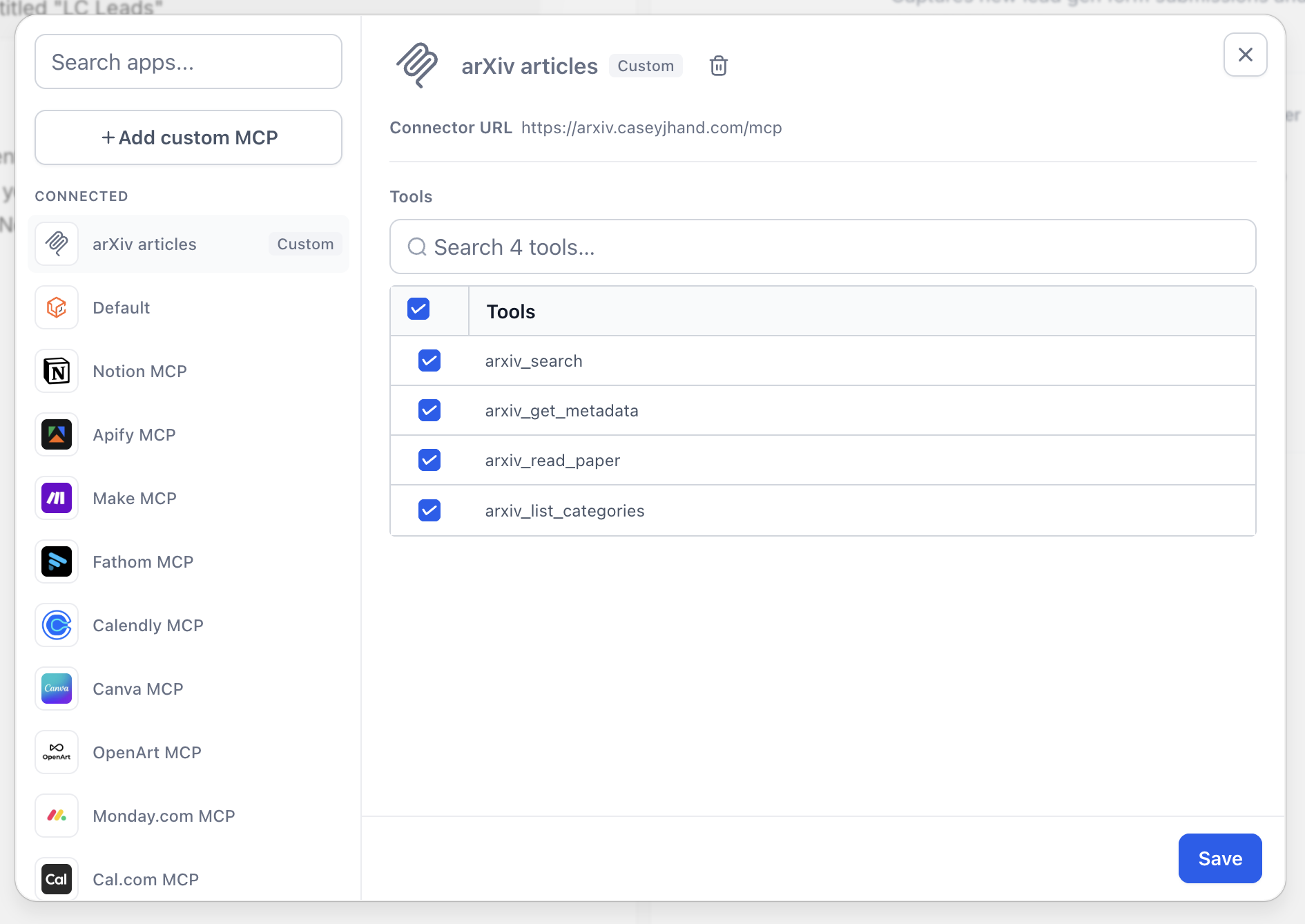
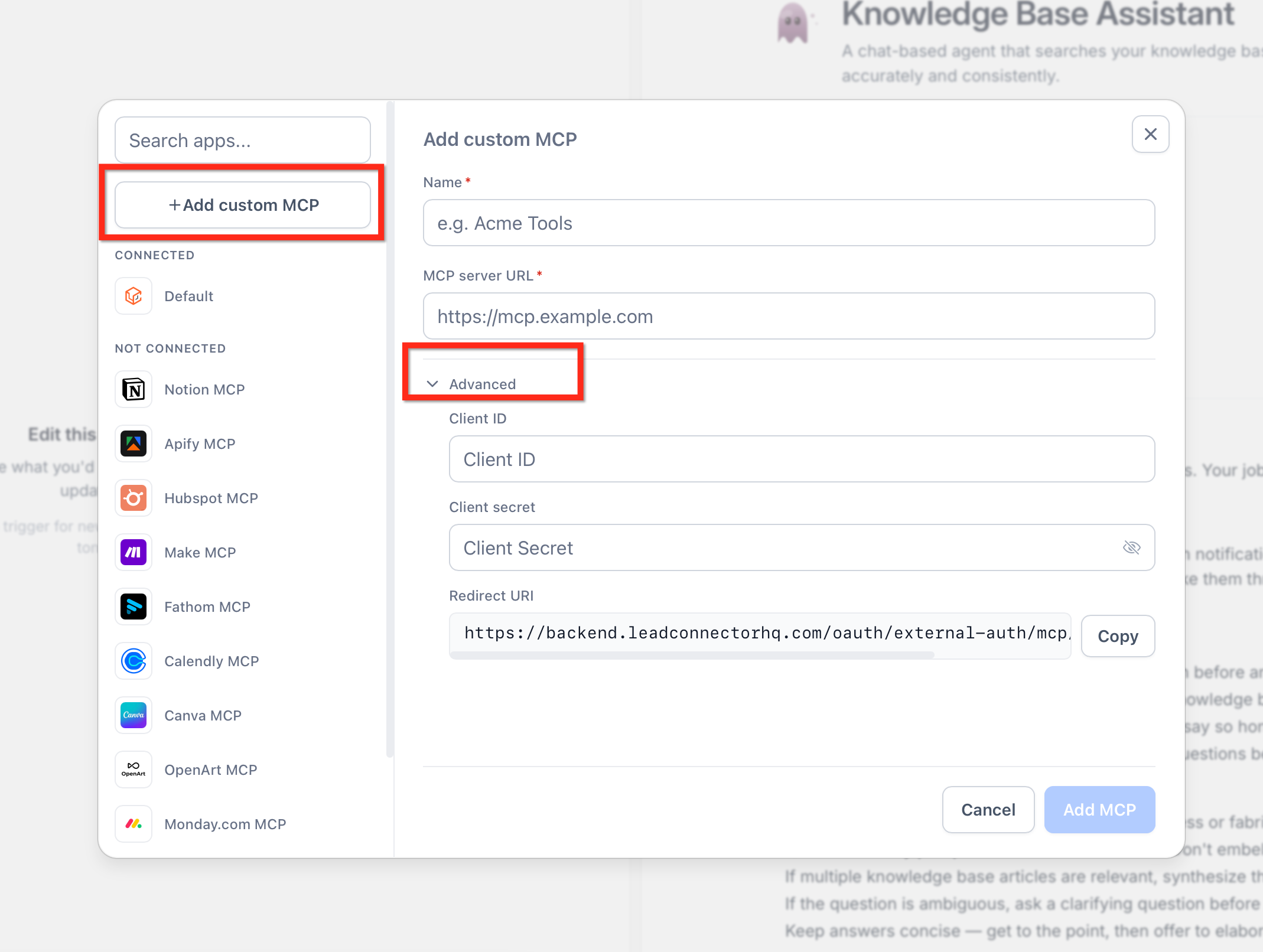
Custom MCP connectors register an external MCP server with a Managed Agent by providing a server name and URL. Once linked, the agent sees the list of tools the server publishes and can invoke them during conversations. The connector is created inside Agent Studio by adding an MCP app, choosing the custom option, and filling in the required fields. If the MCP server requires authentication, a client ID and client secret can be stored in the advanced section of the form; these credentials are encrypted and used whenever the agent calls the server.
03How businesses use custom MCP connectors
- Ecommerce store. The store creates a custom MCP connector to its inventory management system. Inside Agent Studio the connector is added, the server URL is entered, and the inventory lookup tool is selected for the sales assistant agent.
- Real estate agency. An agency links a third party listing service via a custom MCP connector. After adding the connector, the agent is given access only to the property search tool, allowing prospects to receive live listings.
- Software development firm. The firm connects its internal build pipeline MCP server. The connector is configured with client ID and secret, then the deployment trigger tool is attached to a DevOps agent for automated releases.
04The numbers and rules that matter
- Unlimited integration options. Connect any MCP server.
- Granular tool selection. Choose exact tools per connector.
- No fixed limit on number of custom MCP connectors per agent.
05How to set up and use custom MCP connectors in HighLevel
Add a custom MCP connector
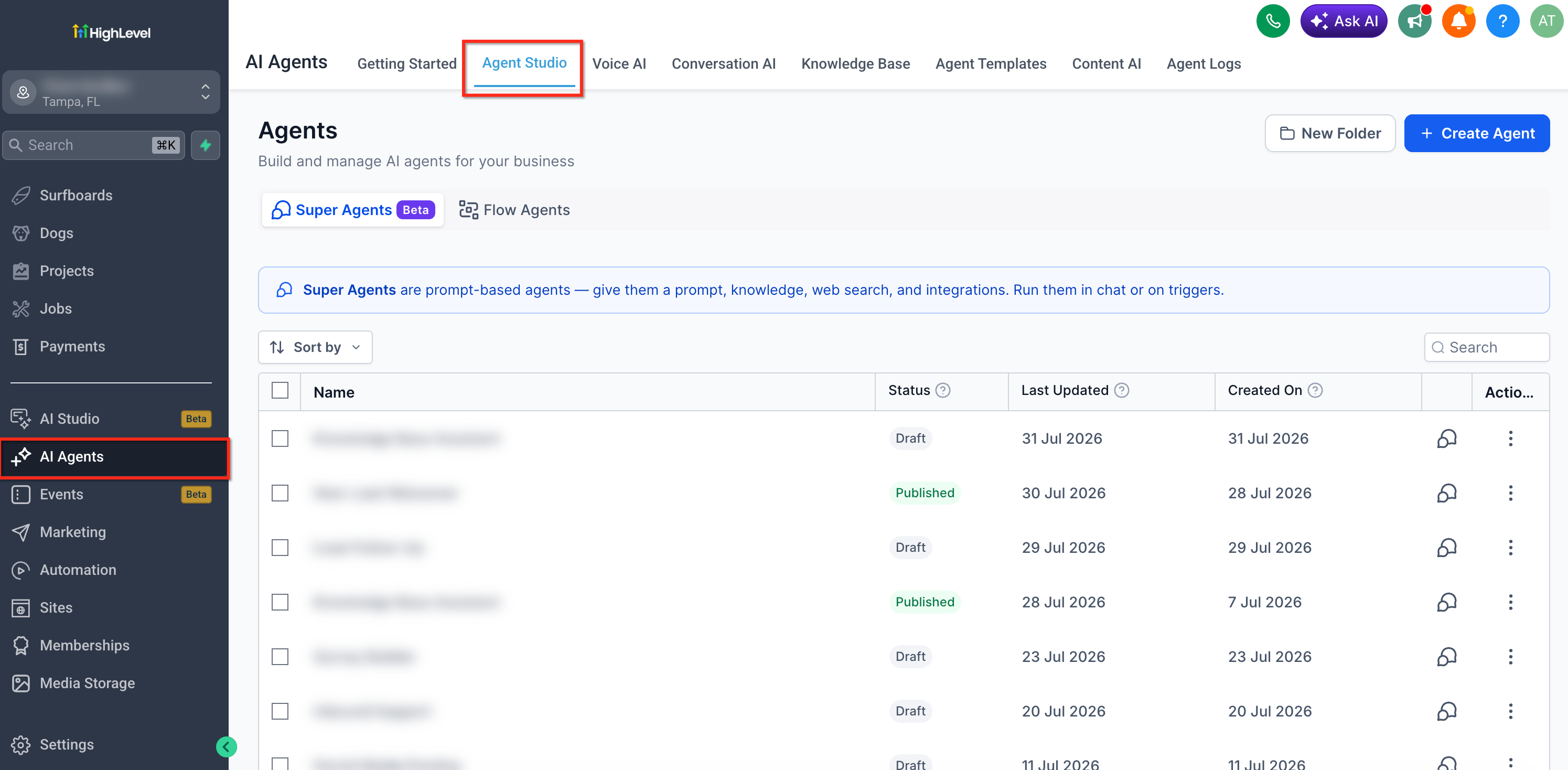
- Open Agent Studio where agents are created and managed.
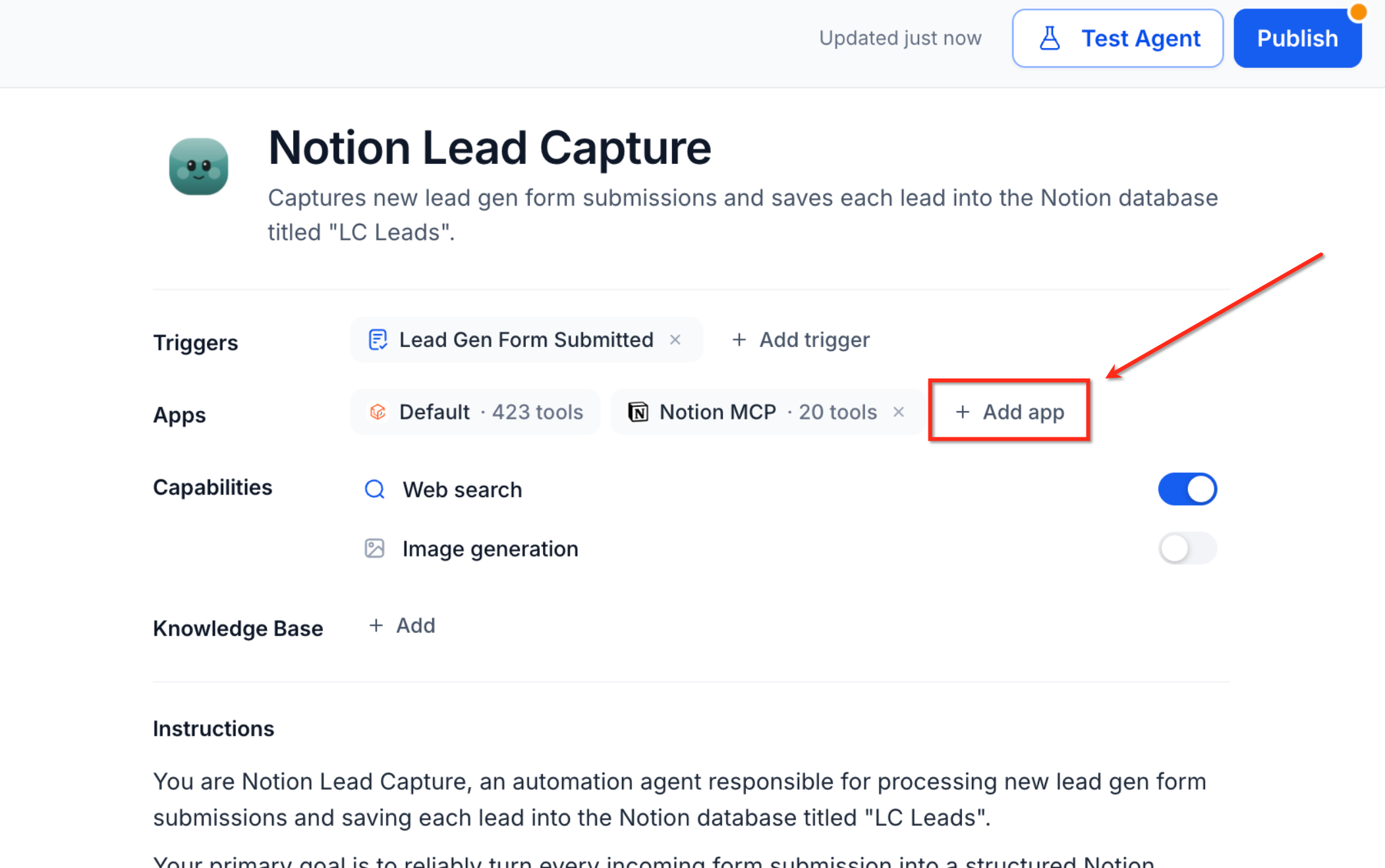
- Add an MCP app to the agent's configuration.
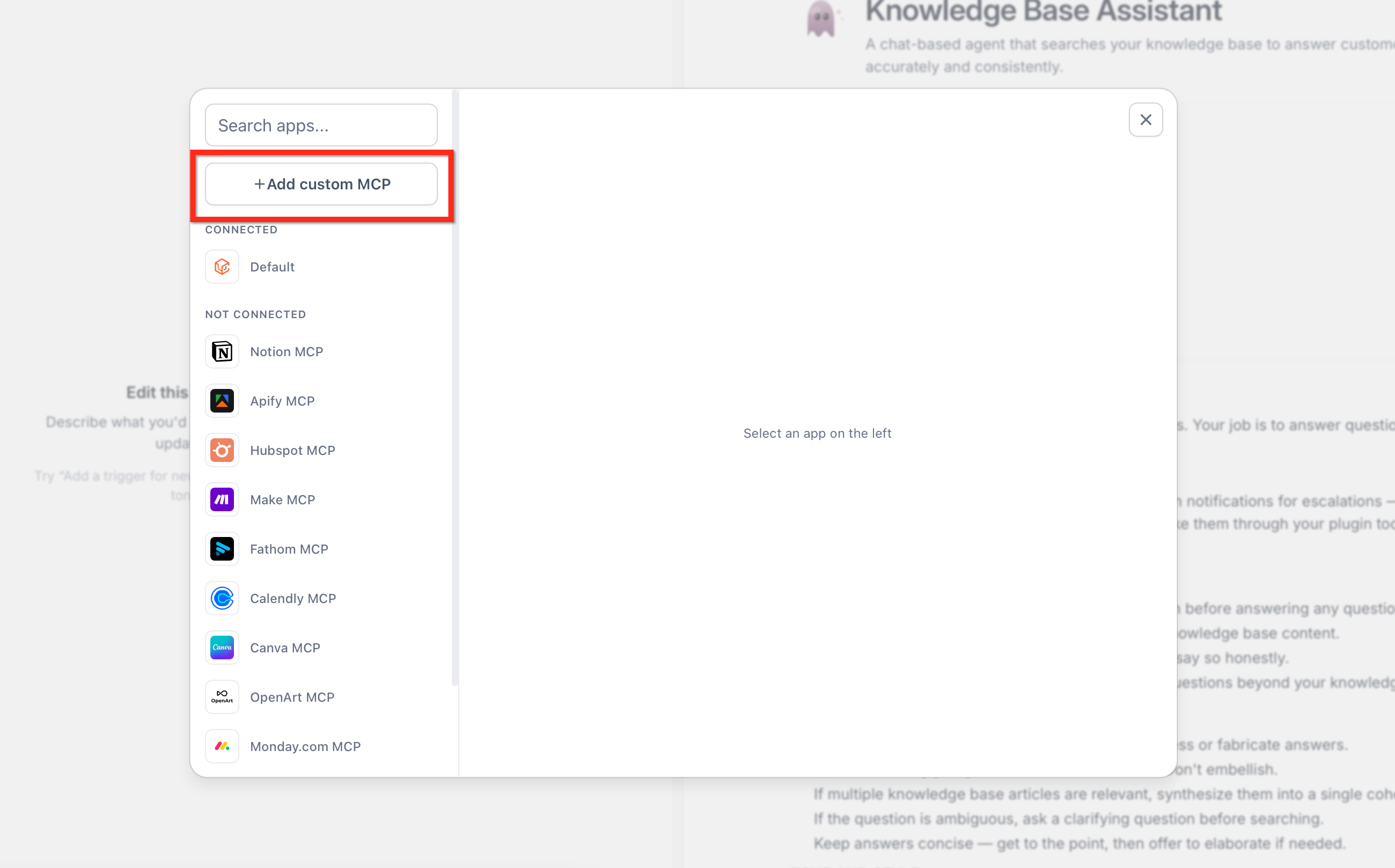
- Press the + Add custom MCP button to open the connector form.
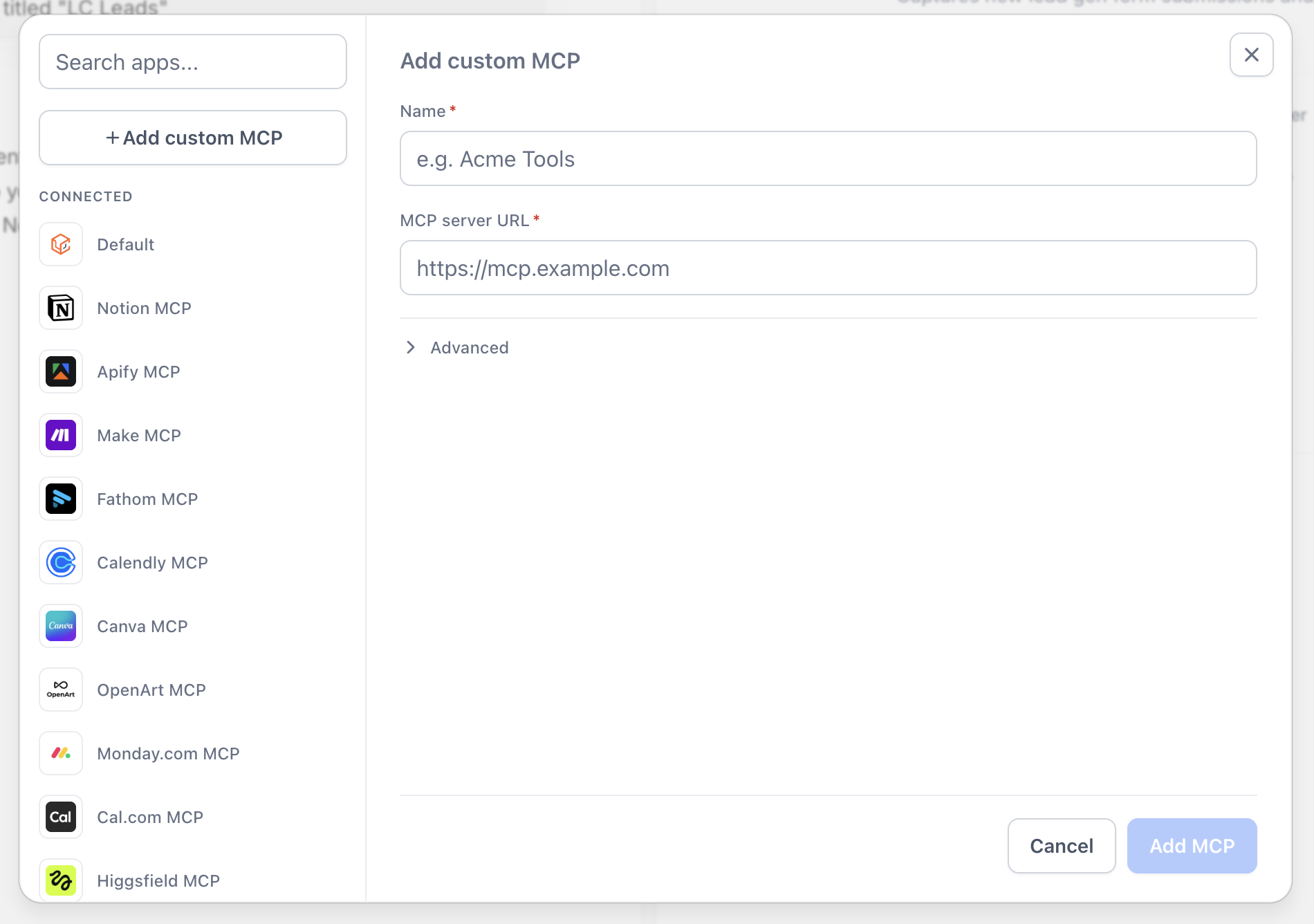
- Enter a descriptive label for the connector and type the server’s URL.
- Click the Add MCP button to store the connector details.
- Wire the MCP connector to the agent so it can call the server’s tools.
Configure authentication for custom MCP
- In the connector form, expand the Advanced settings section.
- Enter the client ID that the MCP server issued.
- Enter the client secret; the field is encrypted for security.
06What it looks like in HighLevel
07Settings that matter
- Client ID. Identifies the agent to the MCP server when the server requires verified access.
- Client Secret. A private key used together with the client ID to authenticate the connector; it is stored encrypted.
08Things to know before you rely on it
- There is no fixed cap on the number of custom MCP connectors per agent, but adding many tools may affect agent performance.
- Authentication fields are optional; only fill them in if the MCP server demands credentials.
- Only tools selected in the connector are available to the agent, giving precise permission control.
09How it connects to the rest of HighLevel
- Learn how to set up Managed Agents before adding connectors. Managed Agents setup
- Review the HighLevel MCP Server guide for connecting Claude or ChatGPT. MCP Server overview
- Explore AI Employee pricing and trial options if you need extra usage. AI pricing
Michael's take

Wondering how to get your AI Agents to work with a proprietary system that isn’t in HighLevel’s catalog? Custom MCP connectors let you hook any MCP server. Whether it’s a third party SaaS or an in house tool. Directly into your Managed Agents, giving you the flexibility to extend automation exactly where you need it.
If I were setting up a new internal workflow, I’d start by creating a custom connector for the MCP endpoint that drives the process, then lock down the tool list to only what the agent truly needs. That way you keep the agent lean and secure while still unlocking the power of your own systems.