
01Who this is for
- Agency admins who need to keep AI assistants running for multiple subaccounts after the free quota is used.
- Founders looking to control pay per use AI costs by deciding when extra usage should be allowed.
- Subaccount managers who rely on AI agents for customer conversations and want to avoid service interruption.
02AI Employee plans, explained
Extra Usage is a switch located in the AI Suite at the agency level. It determines whether the platform should automatically bill for AI activity once the included allowance of an AI Employee plan is consumed. Without this setting enabled, AI usage stops when the allowance is reached.
When Extra Usage is on, any further requests to supported AI products trigger pay per use charges according to each product’s pricing model. The setting does not affect phone system fees, which are always billed separately. Agencies can monitor usage and charges in the AI Suite dashboard.
03How businesses use AI Employee plans
- Digital marketing agency. The agency enables Extra Usage to let its clients’ subaccounts keep generating ad copy with Content AI after the free quota runs out. The platform then charges the agency per use based on token consumption.
- Real estate brokerage. Agents activate Extra Usage so Conversation AI can continue answering client inquiries after the allotted responses are used. Pay per use fees apply for each additional AI response.
- Health clinic. The clinic turns on Extra Usage to allow Voice AI to handle appointment calls beyond the included minutes. Each extra minute is billed according to the Voice AI model rates.
04The numbers and rules that matter
- Agency plans $97, $297, $497 include free AI assistants (per HighLevel's help center, checked November 2026).
- AI Employee Starter $20/month, Growth $50/month, Unlimited $97/month (per HighLevel's help center, checked November 2026).
- Starter plan is only for agencies on the $497 Founder Plan (per HighLevel's help center, checked November 2026).
- Growth plan includes 1,000 Conversation AI responses/month.
- Unlimited plan includes unlimited Conversation AI responses (subject to fair use).
- Growth plan includes 100 Voice AI minutes/month.
- Unlimited plan includes unlimited Voice AI minutes (subject to fair use).
- Growth plan includes 100 Managed Agent runs/month, Unlimited includes 1,000 runs/month.
- Content AI is unlimited for all AI Employee tiers, subject to fair use.
05Before you start
- The included usage allowance for the relevant AI product must have been reached.
06How to set up and use AI Employee plans in HighLevel
Enable extra usage
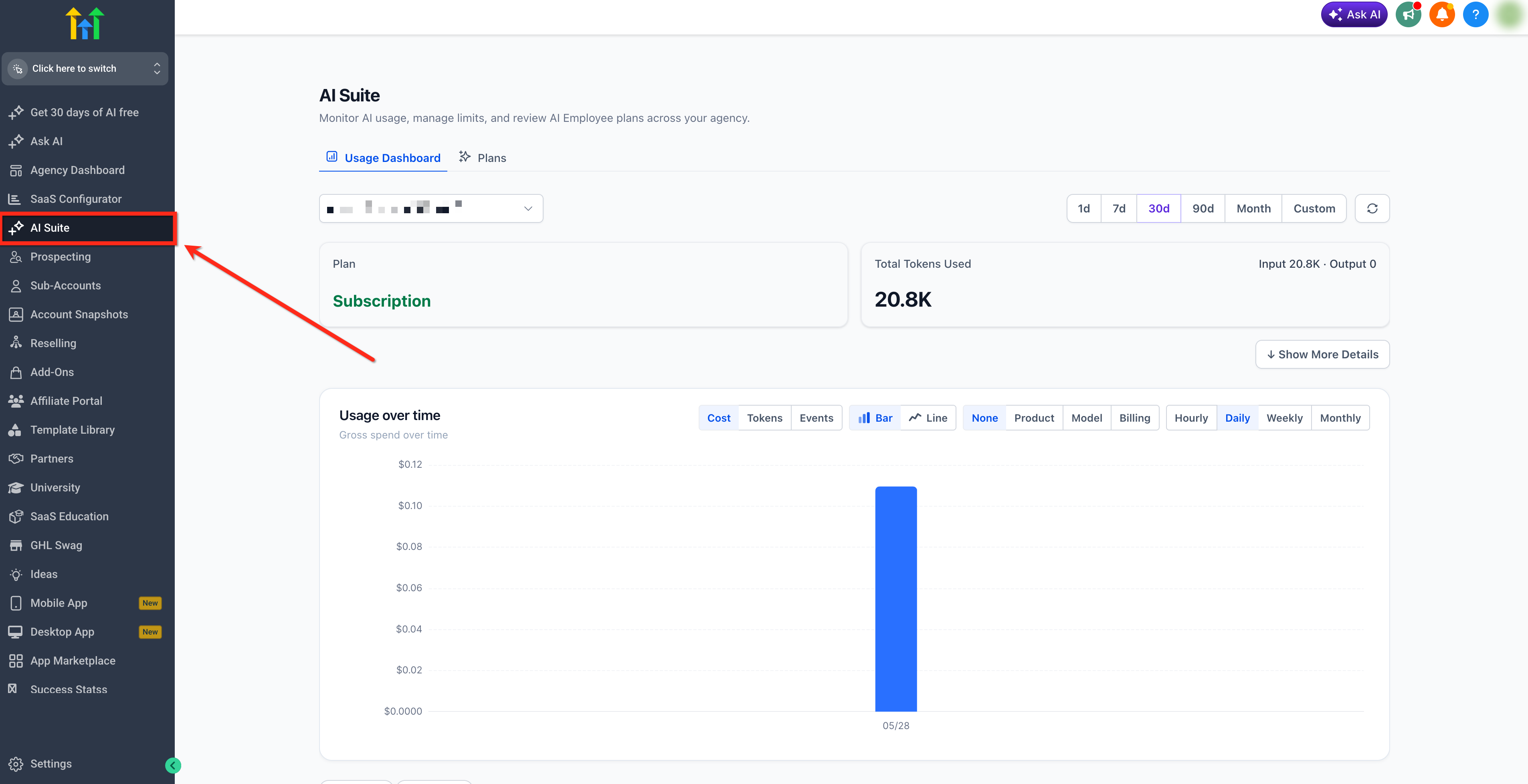
- Open the AI Suite from the agency dashboard.
- Locate the setting labeled Extra Usage.
- Toggle the option to enable it.
07What it looks like in HighLevel
08Settings that matter
- Extra Usage. Controls whether the platform should bill for AI activity beyond the included allowance. When enabled, additional usage is charged at pay per use rates.
09Things to know before you rely on it
- Free AI features are subject to HighLevel's Fair Usage Policy; excessive use may be throttled, limited, or terminated.
- Additional usage is paused by default when the included allowance is exhausted; enabling Extra Usage lifts the pause.
- Phone System charges apply to all calls, even when Voice AI usage is covered by an AI Employee plan.
- Pricing and model availability can change; always verify current rates in the platform.
- The AI Employee Starter plan is available only to agencies subscribed to the $497 Founder plan (per HighLevel's help center, checked November 2026).
10How it connects to the rest of HighLevel
- Monitor AI spend and token usage in the AI Suite dashboard. AI usage dashboard
- Review all HighLevel pricing options and plan details. HighLevel pricing
- Learn how to start a 30 day trial of HighLevel. 30 day trial
- Find the Founder Plan requirements for AI Employee Starter access. Founder Plan
- Get started with HighLevel AI tools for your business. AI tools start guide
Michael's take

AI Employee plans let a small business add a reliable AI engine without watching every token. The tiered pricing makes it easy to start cheap and scale as you add chat bots or voice agents.
Don’t forget to turn on Extra Usage before you hit the limit, or everything will stop midconversation.