
01Who this is for
- Founders building mobile or SaaS products can embed AI agents directly, eliminating manual dashboard steps.
- Marketing agencies that automate ad copy generation can trigger agents from their own automation tools.
- Internal IT teams can integrate AI assistants into corporate portals while keeping authentication centralized.
02Public APIs, explained
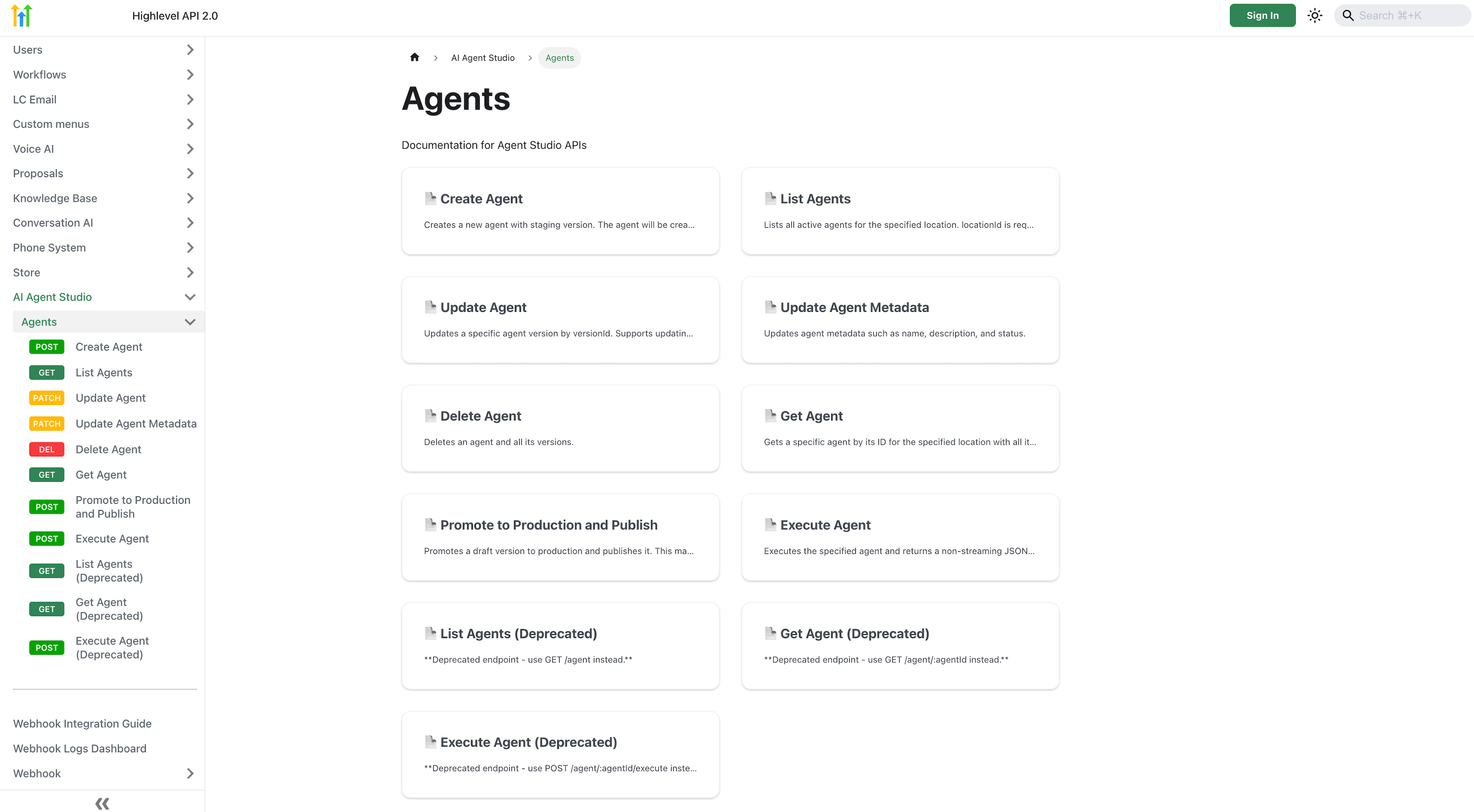
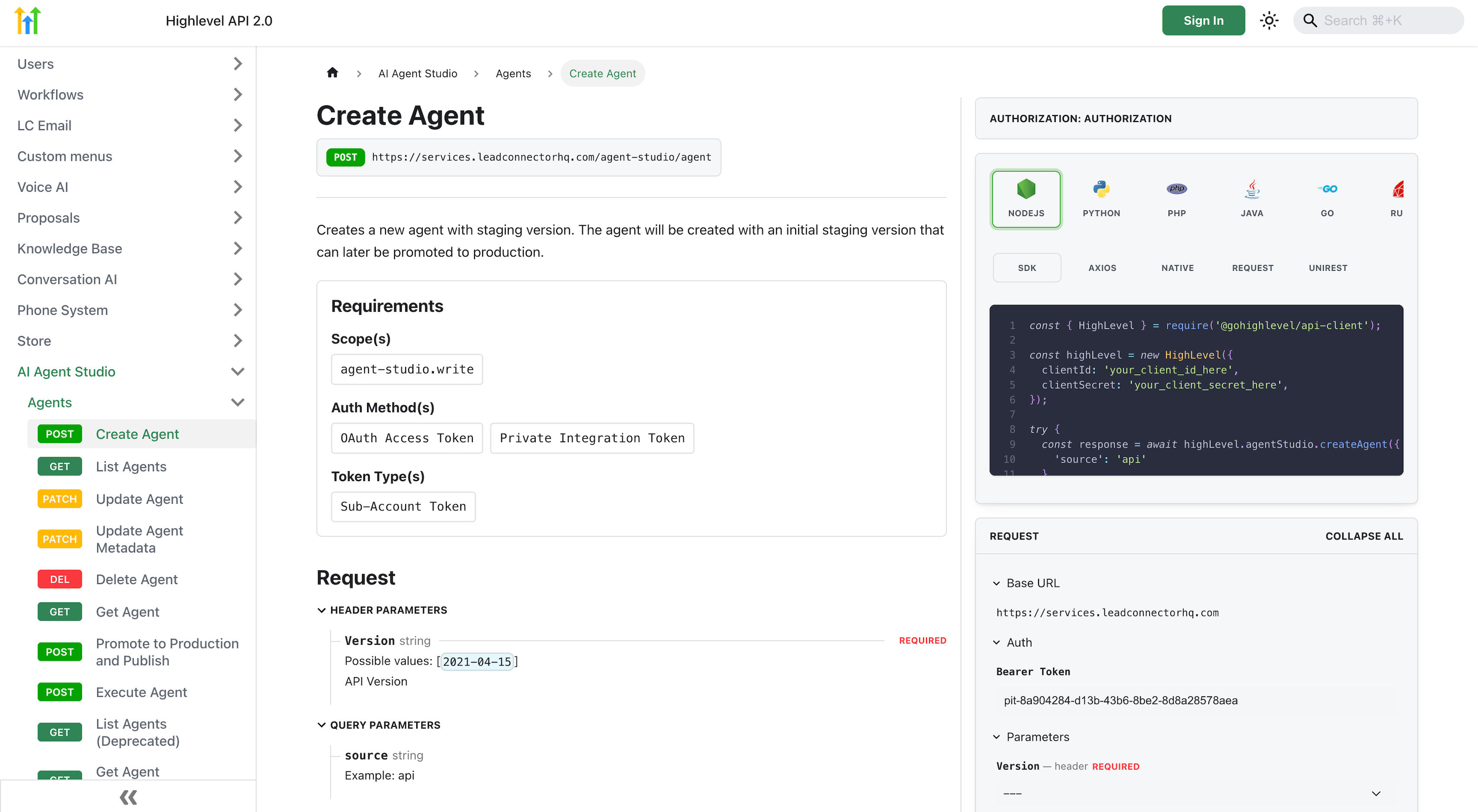
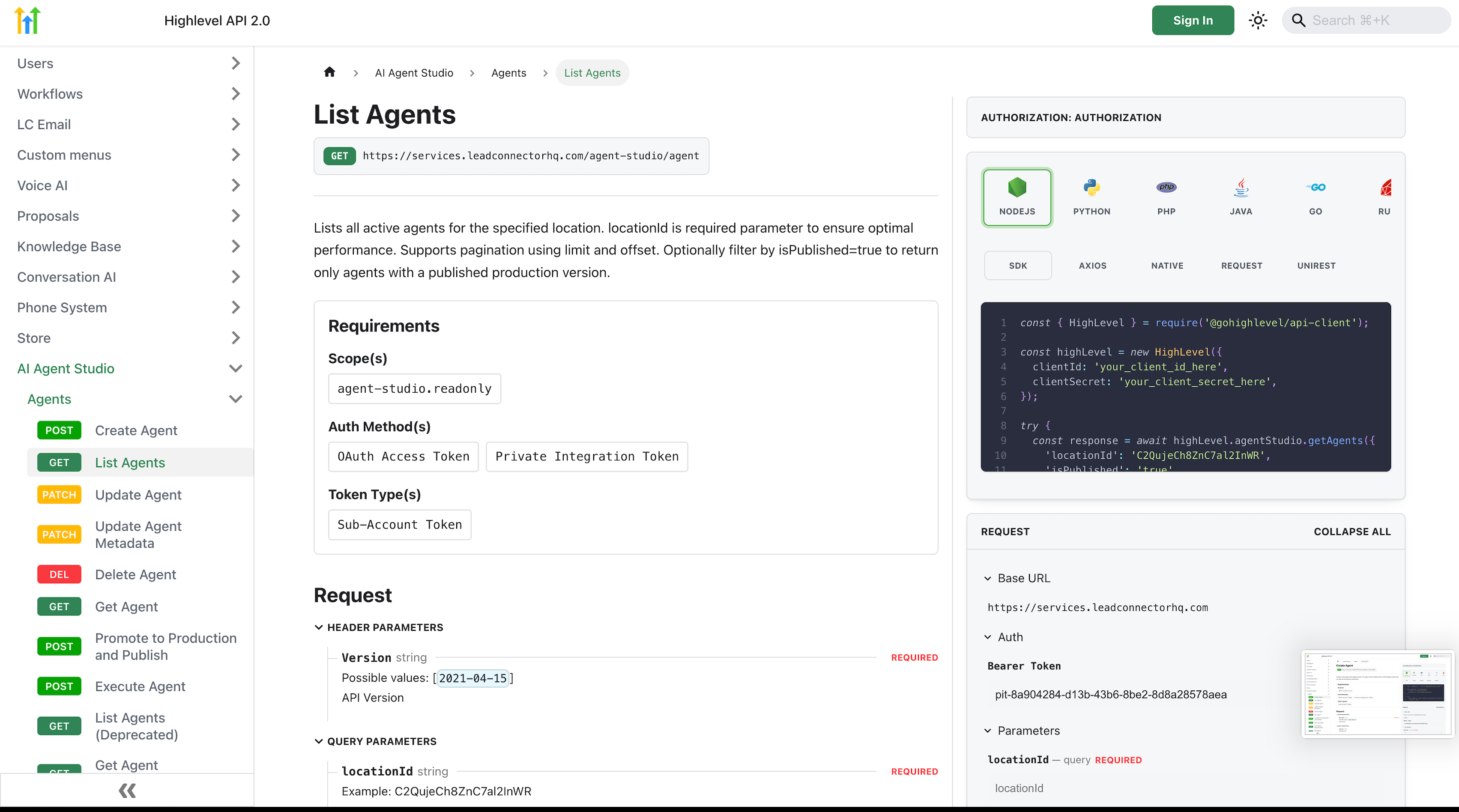
The public API for Agent Studio provides HTTP endpoints that let a remote system list available agents, fetch full metadata for a single agent, and run an agent to receive its output in one JSON payload. Each call must include a bearer token, either an OAuth access token or a Private Integration Token (PIT), and a location identifier that ties the request to a specific subaccount. Only agents marked as Active in the Production lifecycle stage are reachable through these endpoints. Responses contain fields such as agent name, status, tool nodes, variables, and for execution calls, an executionId that can be reused for multi turn conversations. The API respects rate limits and token scopes defined for the subaccount.
03How businesses use public APIs in Agent Studio
- SaaS platform. The platform creates a PIT scoped to its subaccount, calls the List Agents endpoint to populate a selector in its UI, and then POSTs to the Execute endpoint when a user requests a task like summarizing a document. The JSON result is displayed inside the app.
- Marketing agency. The agency sets up an OAuth app, stores the access token on its server, and uses the Execute Agent call inside a Zapier webhook to generate ad copy on demand. The returned JSON feeds directly into the agency’s reporting dashboard.
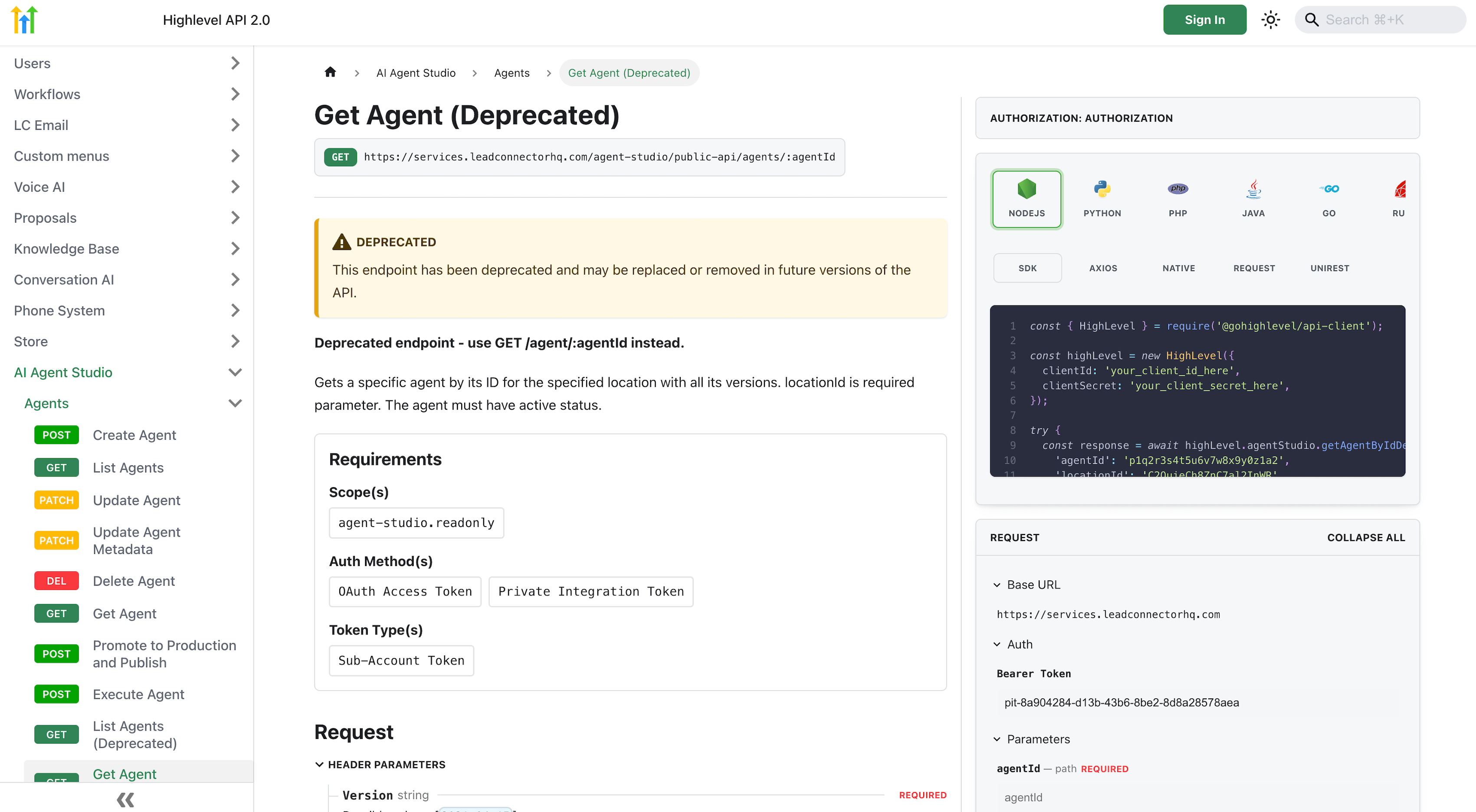
- Internal help desk tool. The internal team registers a Private Integration token, calls the Get Agent endpoint to show agent details for support staff, and runs the agent via the Execute endpoint to draft response suggestions. ExecutionId handling allows follow up questions within the same session.
04The numbers and rules that matter
- 300 API requests per minute per subaccount.
- Execution IDs expire after 30 minutes of inactivity.
05Before you start
- Enable AI Agents > Agent Studio in the target subaccount and ensure at least one agent is in the Production stage.
- Create a Private Integration or OAuth application in Settings > Developer.
06How to set up and use public APIs in Agent Studio in HighLevel
Set up public API access
- Turn on AI Agents > Agent Studio for the subaccount that holds the agents.
- Navigate to Settings > Developer and generate either a Private Integration Token or an OAuth client.
- Copy the relevant credentials, Client ID and Client Secret for OAuth, or the PIT value for private integration.
- Obtain a bearer token: for OAuth call POST /oauth/token with the authorization code; for PIT use the token directly.
- Store the bearer token securely and refresh it as needed.
- Verify the connection by calling the List Agents endpoint (e.g., with curl) and confirm agents are returned.
Execute the agent
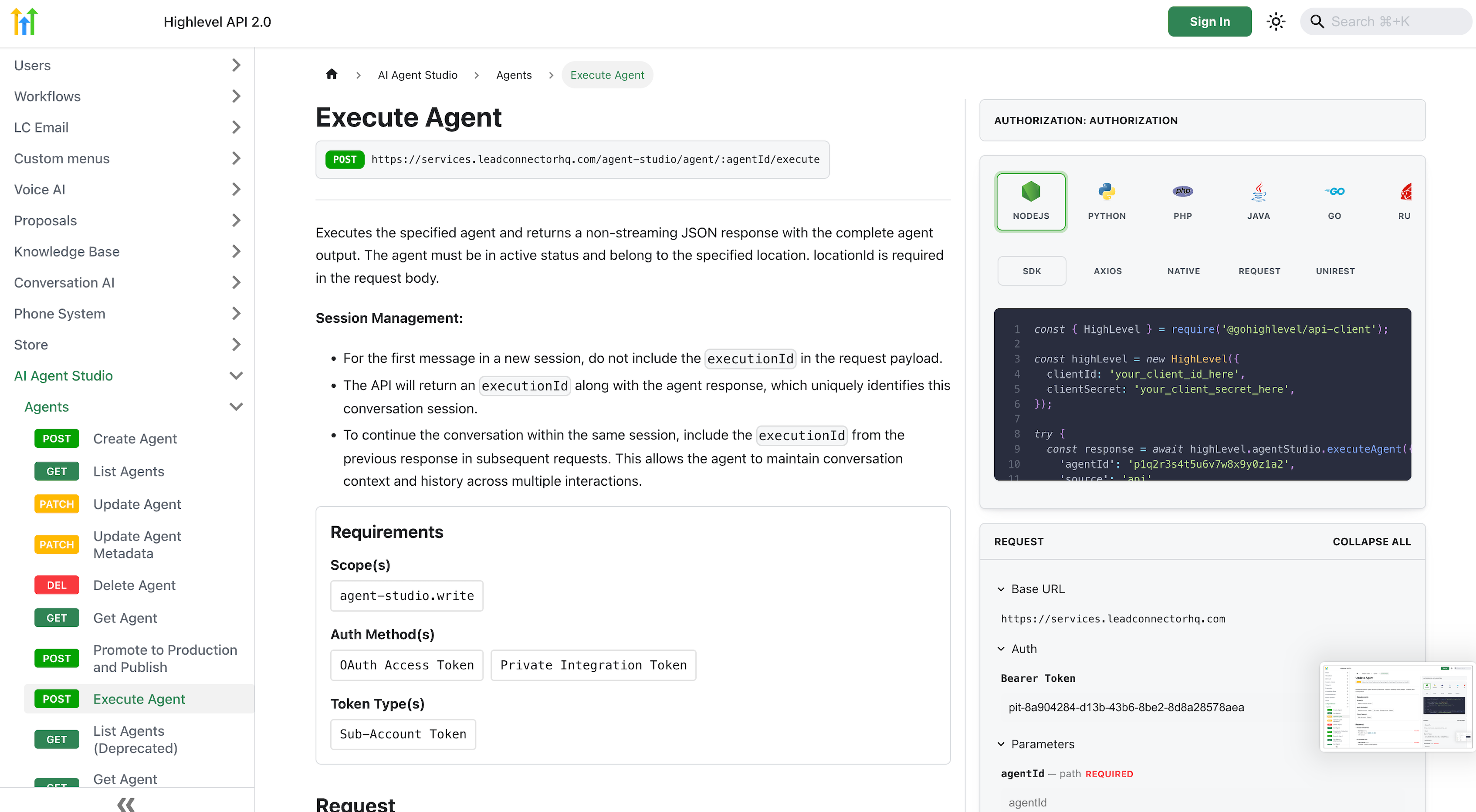
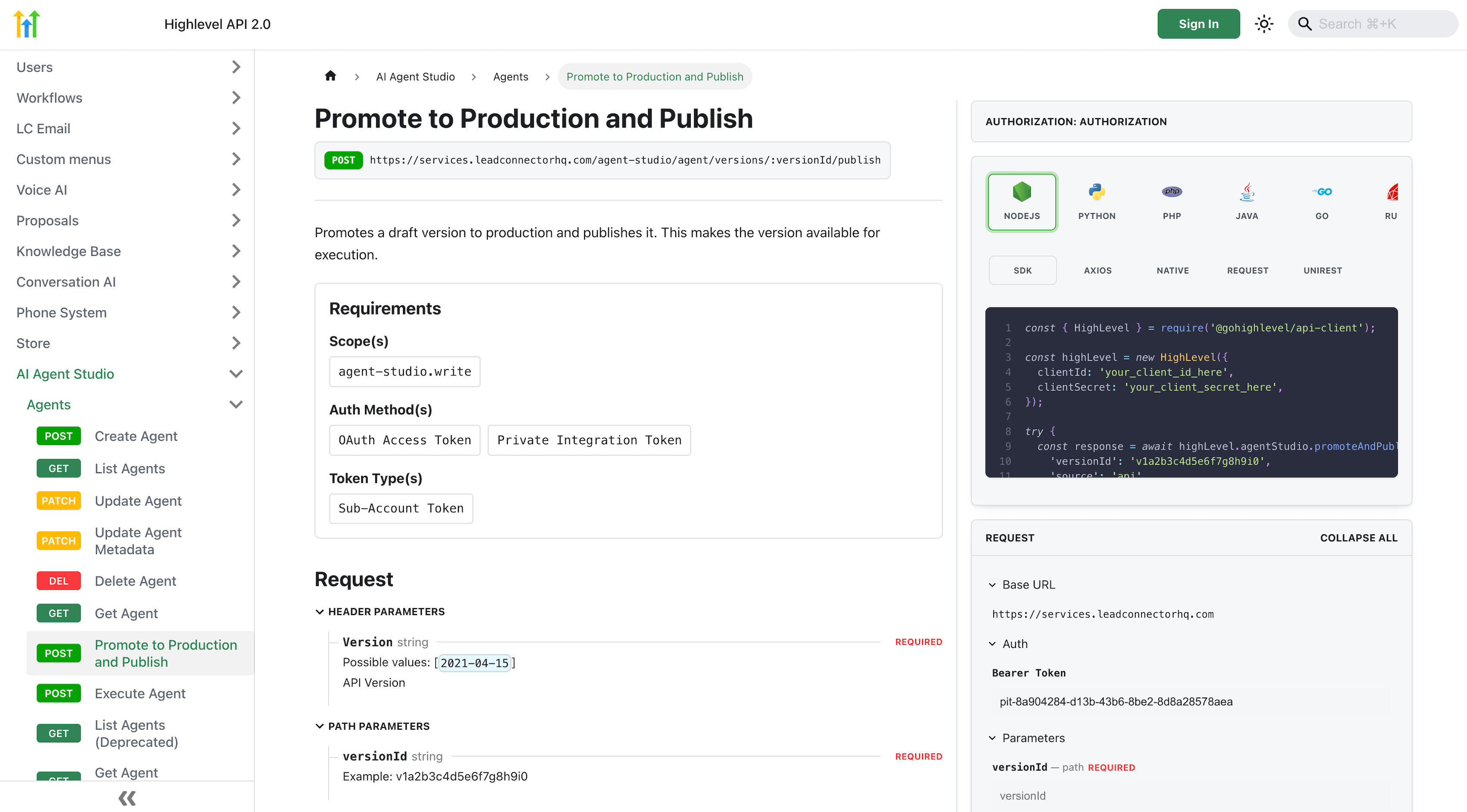
- Send a POST request to the Execute Agent endpoint, including locationId, the input payload, and the bearer token.
- Capture the executionId returned in the response if you need to continue the conversation.
- Store or use the JSON output returned by the endpoint for your downstream process.
07What it looks like in HighLevel
08Settings that matter
- AI Agents → Agent Studio. Activates the Agent Studio feature for a subaccount, allowing agents to be accessed via public APIs.
- Settings → Developer. Location where Private Integration tokens and OAuth apps are created for API authentication.
- Client ID. Identifies the OAuth application when exchanging an authorization code for an access token.
- Client Secret. Secret key used together with the Client ID during the OAuth token exchange.
- PIT value. A token that serves as a simplified authentication method for server to server API calls.
09Things to know before you rely on it
- Each subaccount can make up to 300 API requests per minute across all Agent Studio endpoints.
- The Execute Agent endpoint returns a single JSON object only after the agent finishes; streaming is not supported.
- Only agents whose status is “Active” in the Production lifecycle stage are reachable via the public API.
- If locationId is omitted, the API responds with HTTP 400 indicating the missing parameter.
- Execution IDs become invalid after 30 minutes of inactivity and must be regenerated for new sessions.
- PIT tokens are limited to the subaccount selected during their creation.
10If something goes wrong
- Rate limit exceeded. Reduce the request frequency to stay under 300 calls per minute for the subaccount.
- Missing locationId returns error 400. Include the required locationId query parameter or body field in every request.
- ExecutionId no longer works after a pause. Start a new execution by calling the Execute endpoint without an executionId.
- Attempting client side JavaScript call exposes token. Make API calls from a backend server that can keep the bearer token secret.
11How it connects to the rest of HighLevel
- Monitor API usage across agents AI usage dashboard
- Set up OAuth or Private Integration tokens AI Employee access
- Review detailed rate limits for AI features AI usage limits
- Start a 30 day trial to explore Agent Studio 30 day trial
- Read the full Agent Studio API reference Agent Studio overview
Michael's take

Triggering agents with a single POST returns clean JSON that can be integrated into applications.
If your workflow only needs occasional AI prompts inside the HighLevel UI, the extra effort of setting up OAuth or PIT tokens may not be worth it. For one off use cases, the built in Agent Studio UI is simpler and avoids the overhead of token management.