
01Who this is for
- Founders who run multiple chat agents and need a single place to store repeatable procedures.
- Customer support teams that want to ensure every agent follows the same escalation rules.
- Sales managers that require consistent lead qualification criteria across several AI agents.
02Custom skills for Managed Agents, explained
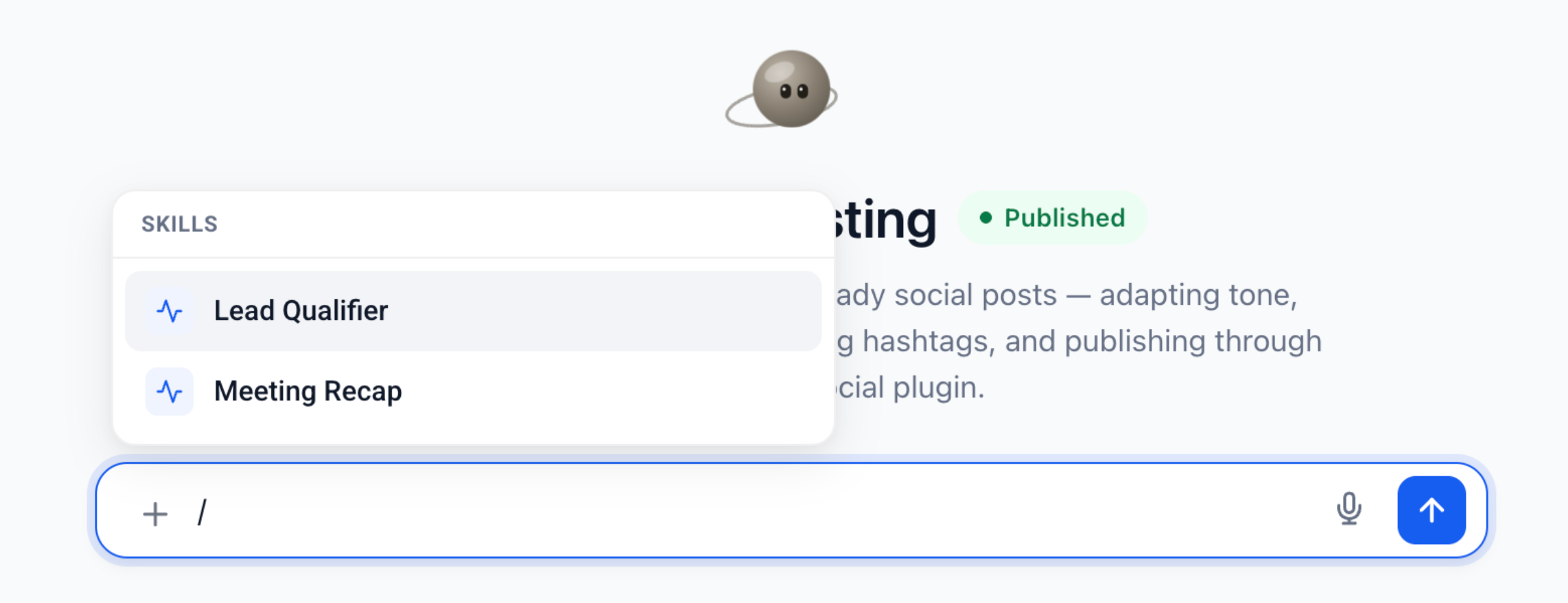
Custom Skills store a name, a purpose focused description and the exact steps an agent should follow for a repeatable task. When a skill is enabled for a Managed Agent, the agent can apply it automatically if a request matches the description, or a user can select it with the slash (/) picker in the chat.
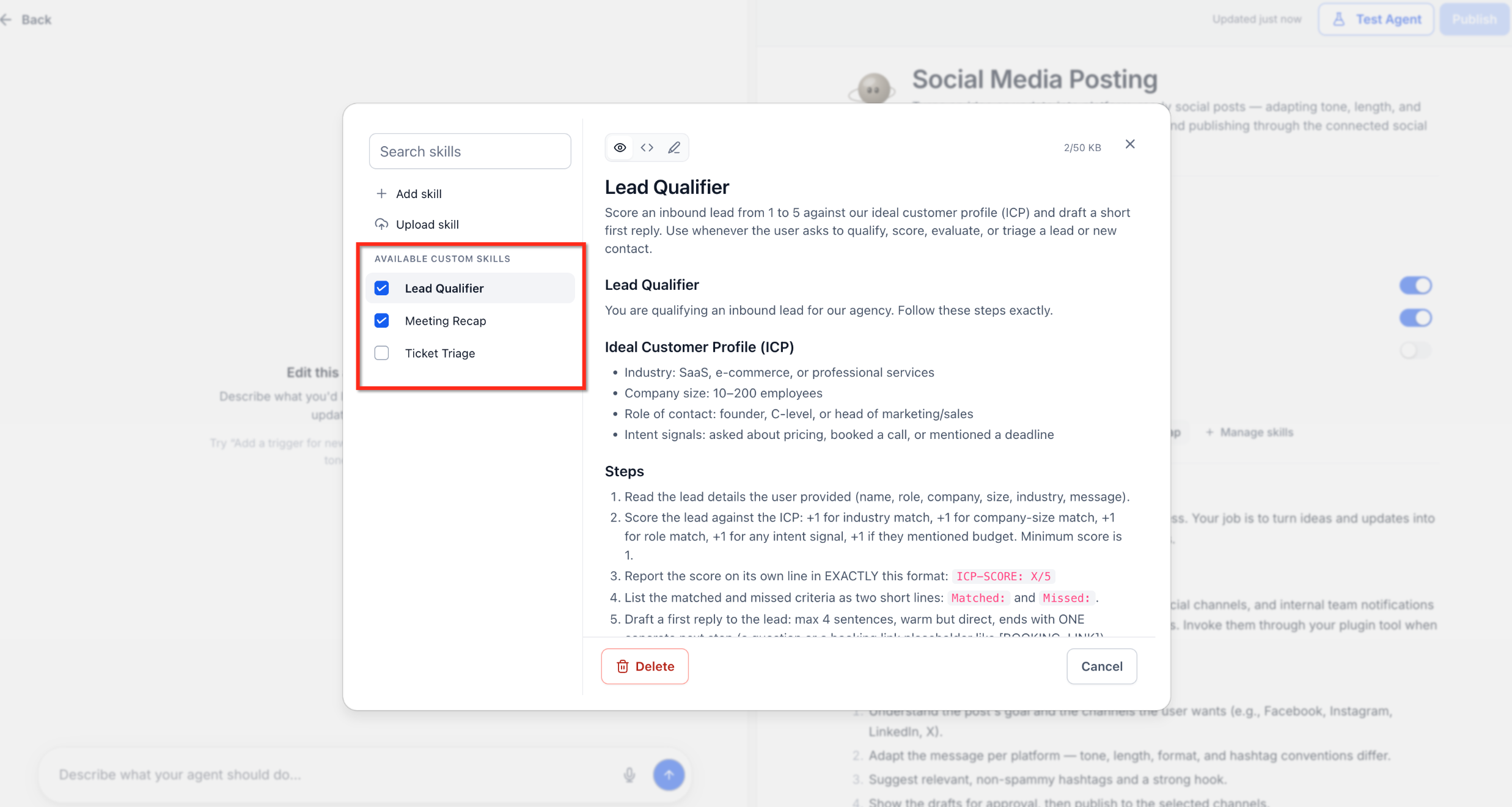
The skill library lives inside AI Agents > Agent Studio > Managed Agents. From there you open the Custom skills tab, manage the shared list, and toggle each skill on or off for individual agents. Changes to a skill affect every agent that has it enabled, simplifying updates.
These skills complement Agent Instructions and the Knowledge Base. Use Custom Skills for process oriented guidance such as formatting emails, qualifying leads, or creating meeting summaries, while factual data belongs in the Knowledge Base.
03How businesses use custom skills for Managed Agents
- Sales agency. Create a skill that outlines the exact questions to ask when qualifying a prospect. Enable the skill for the agency’s lead generation agents so they follow the same script without rebuilding it for each bot.
- Marketing consultancy. Upload a pre written skill that formats follow up emails in the company’s brand style. Turn the skill on for any content creation agents that send client updates, ensuring uniform messaging.
- Customer support team. Edit a skill that defines the steps to summarize a support call. Enable the skill for all support agents so each summary follows the same structure and includes required fields.
04Before you start
- You must be logged into the appropriate HighLevel subaccount.
- A Managed Agent must already exist in the subaccount before adding or editing a skill.
- For uploading, have the instruction file ready on your device.
05How to set up and use custom skills for Managed Agents in HighLevel
Create a Custom Skill
- Log in to the required HighLevel subaccount.
- Navigate to AI Agents > Agent Studio > Managed Agents.
- Open the Managed Agent you want to configure.
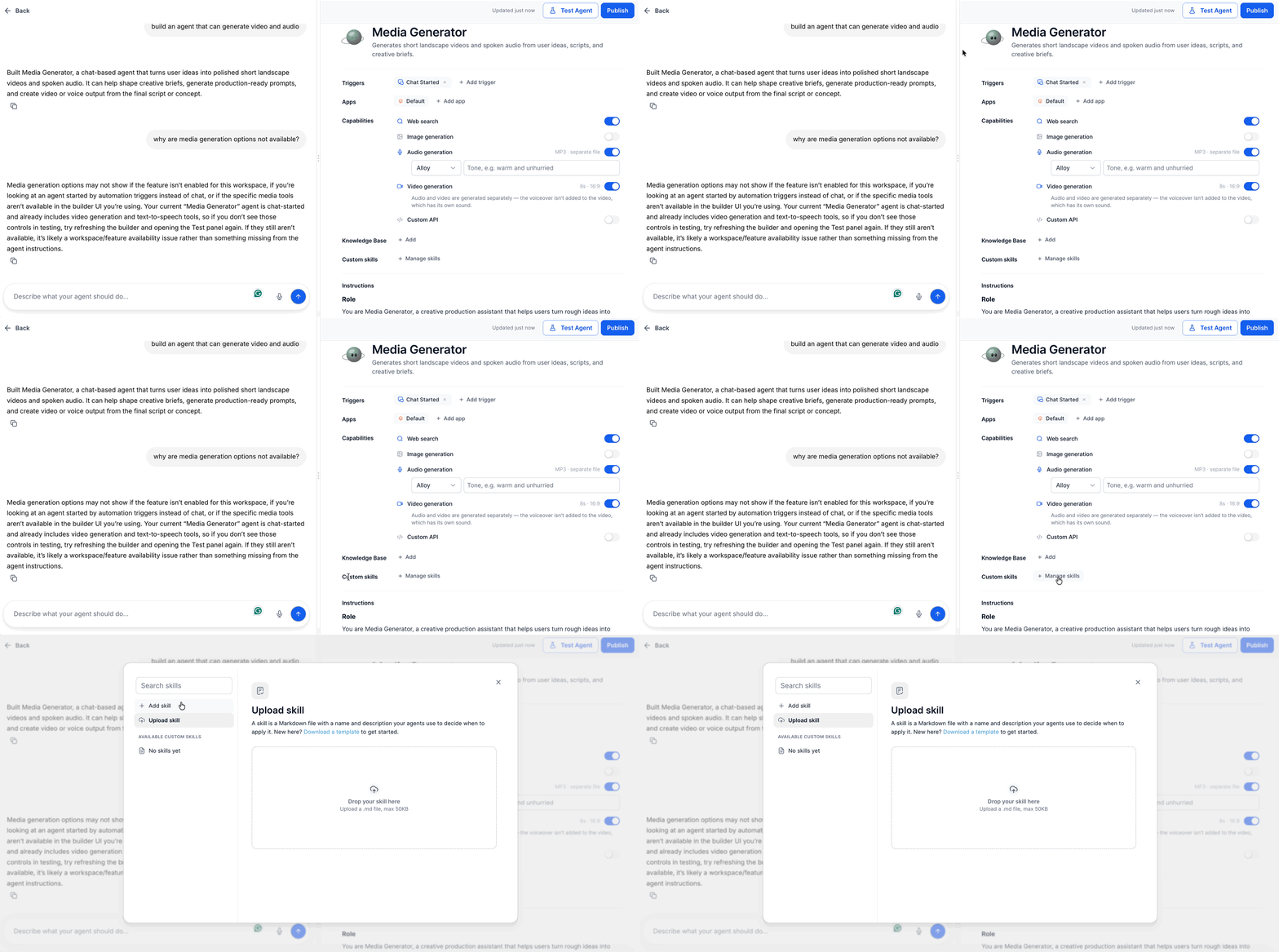
- Select the Custom skills section.
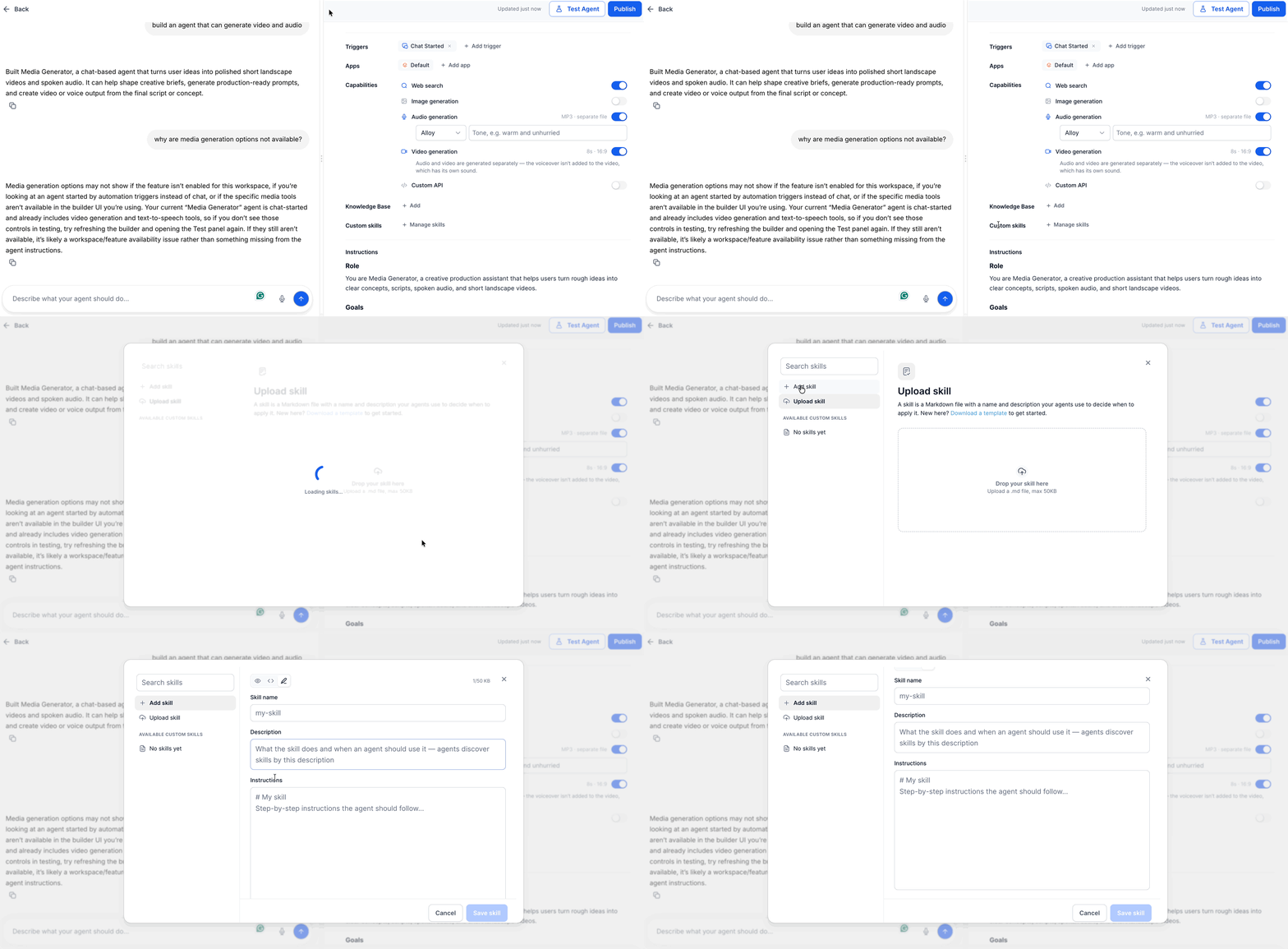
- Click Manage skills.
- Press Add skill.
- Enter a clear Name for the skill.
- Provide a short Description that explains when to use it.
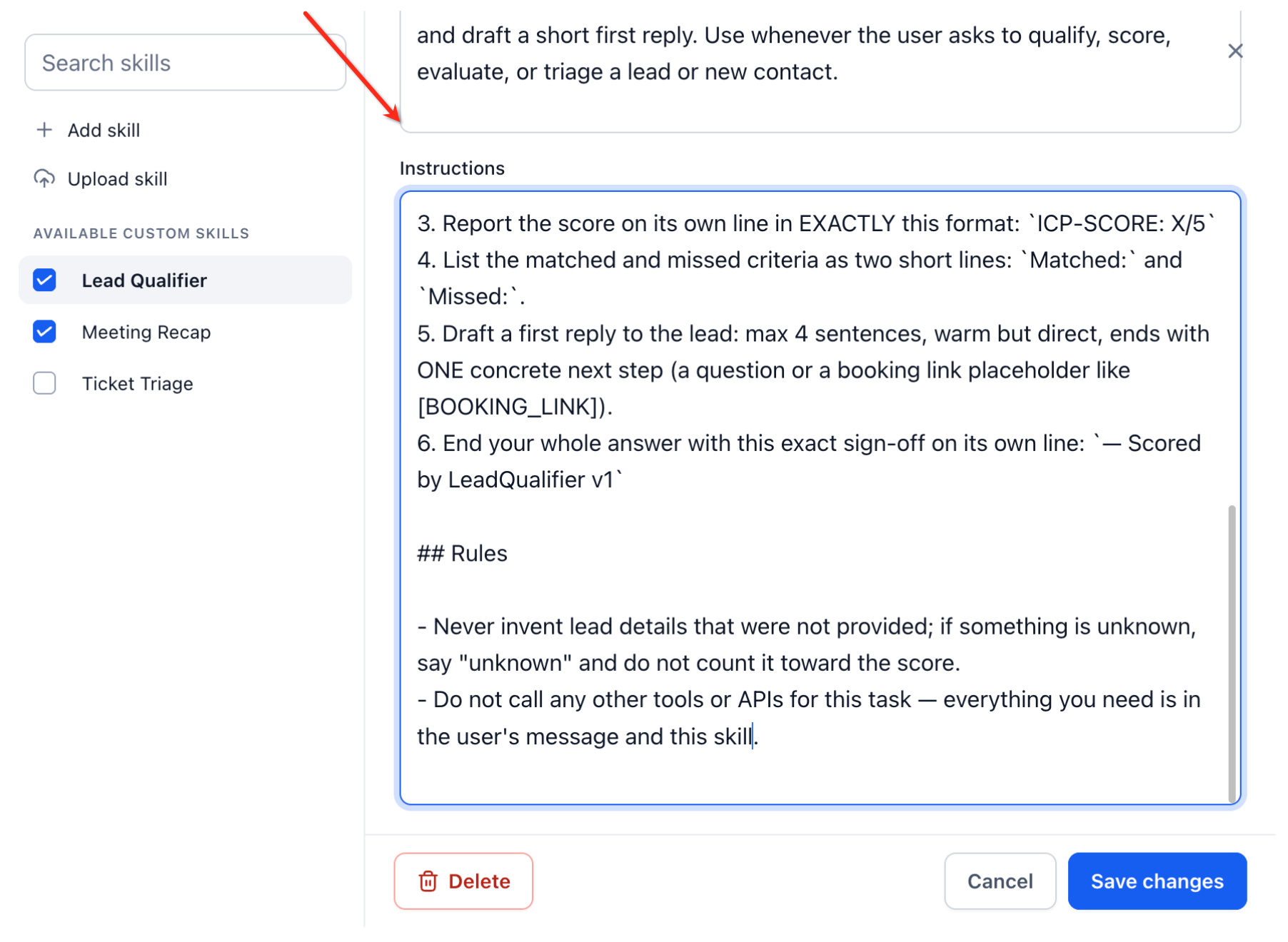
- Type the detailed Instructions the agent should follow.
- Review the content for clarity and completeness.
- Save the new skill.
- The newly created skill is automatically enabled for the Managed Agent it was created for.
Upload a Custom Skill
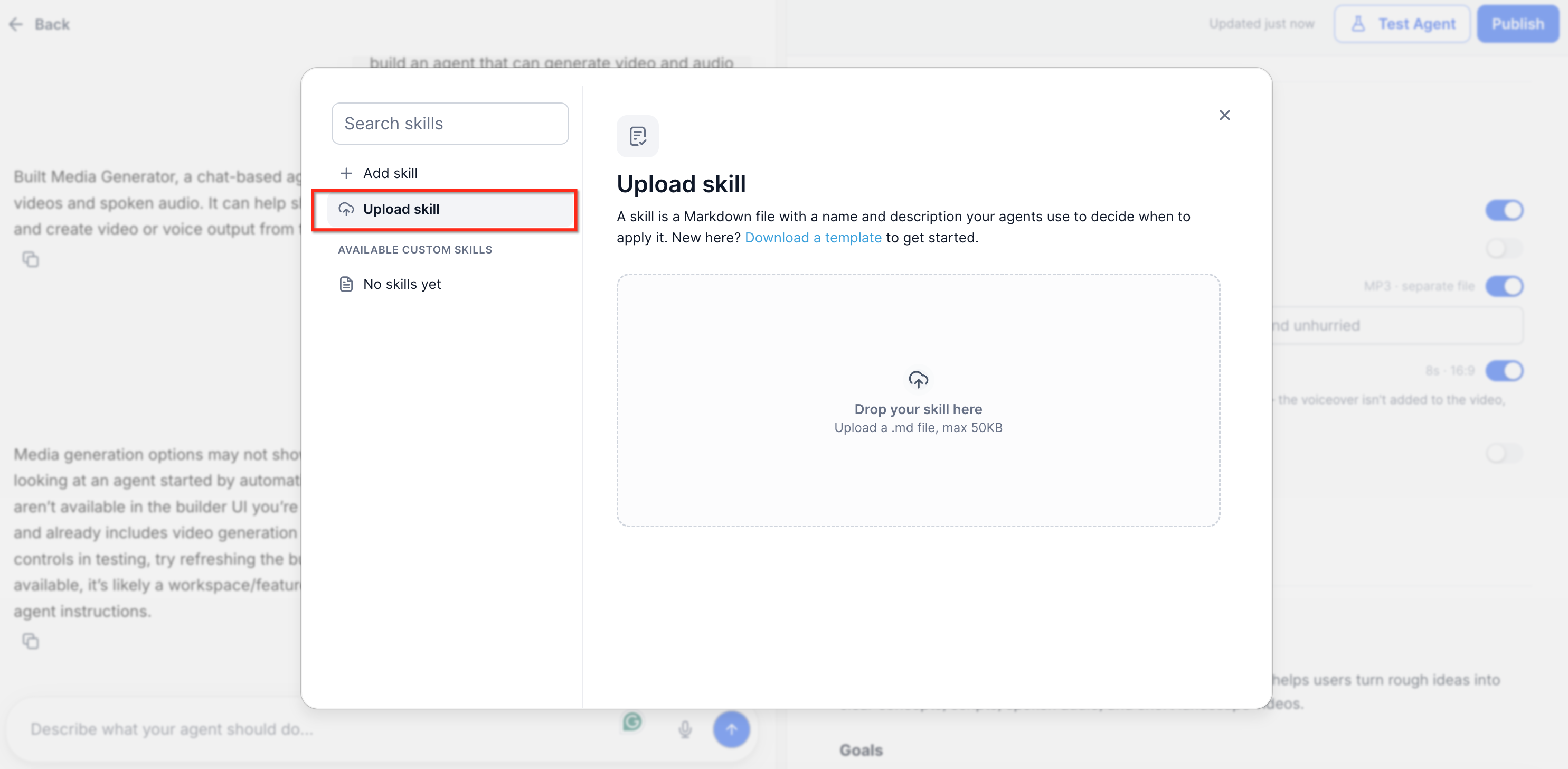
- Open Manage skills for the desired Managed Agent.
- Select Upload skill.
- Choose the instruction file from your computer.
- Examine the imported Name, Description and Instructions.
- Verify that the details match the intended process.
- Save the uploaded skill.
- Enable the skill for any additional Managed Agents as needed.
Enable or disable a Skill for an Agent
- Open the Managed Agent’s settings.
- Go to Custom skills.
- Locate the skill you want to manage.
- Toggle the skill on or off for that agent.
- Repeat for other agents if required.
Edit a Custom Skill
- Open Manage skills.
- Search for or select the skill you wish to edit.
- Open the skill in edit mode.
- Update the Description or Instructions as needed.
- Click Save changes.
Delete a Custom Skill
- Open Manage skills.
- Select the skill you want to remove.
- Click Delete.
- Confirm the deletion in the dialog.
06What it looks like in HighLevel
07Settings that matter
- Name. Identifies the skill in the library and the slash picker.
- Description. Explains the situations where the skill should be applied.
- Instructions. Contains the step by step guidance the agent follows when the skill is used.
- Skill toggle (on/off). Controls whether a specific Managed Agent can use the skill.
08Things to know before you rely on it
- The article does not specify any numerical limits on the number of Custom Skills that can be created.
09How it connects to the rest of HighLevel
- Set up and use Managed Agents in Agent Studio for overall agent configuration. Managed Agents guide
- Manage existing flow agents to see how shared skills interact with other agent types. Flow agents overview
- Test and debug AI agents to verify that a Custom Skill behaves as expected during conversations. Debug AI agents
- Review pricing and plan options if you need to ensure your subscription includes Managed Agents. Pricing page
Michael's take

Custom Skills are worth the effort when you need the same process across several agents.
Skip it if you only have a single agent and never repeat the same instructions.