
01Who this is for
- Coaches who schedule discovery calls benefit by automatically sending confirmation and prep messages.
- Dental practices can right away follow up on new appointments or no show cancellations.
- Service businesses such as HVAC firms can trigger reschedule offers when an appointment is cancelled.
02Managed Agents appointment triggers, explained
Appointment triggers are start conditions that launch a Managed Agent whenever a calendar event occurs. The platform watches for two event types: a new appointment being booked or any change to an appointment’s status. When the event matches the defined filters, the agent receives the appointment data as part of the trigger payload.
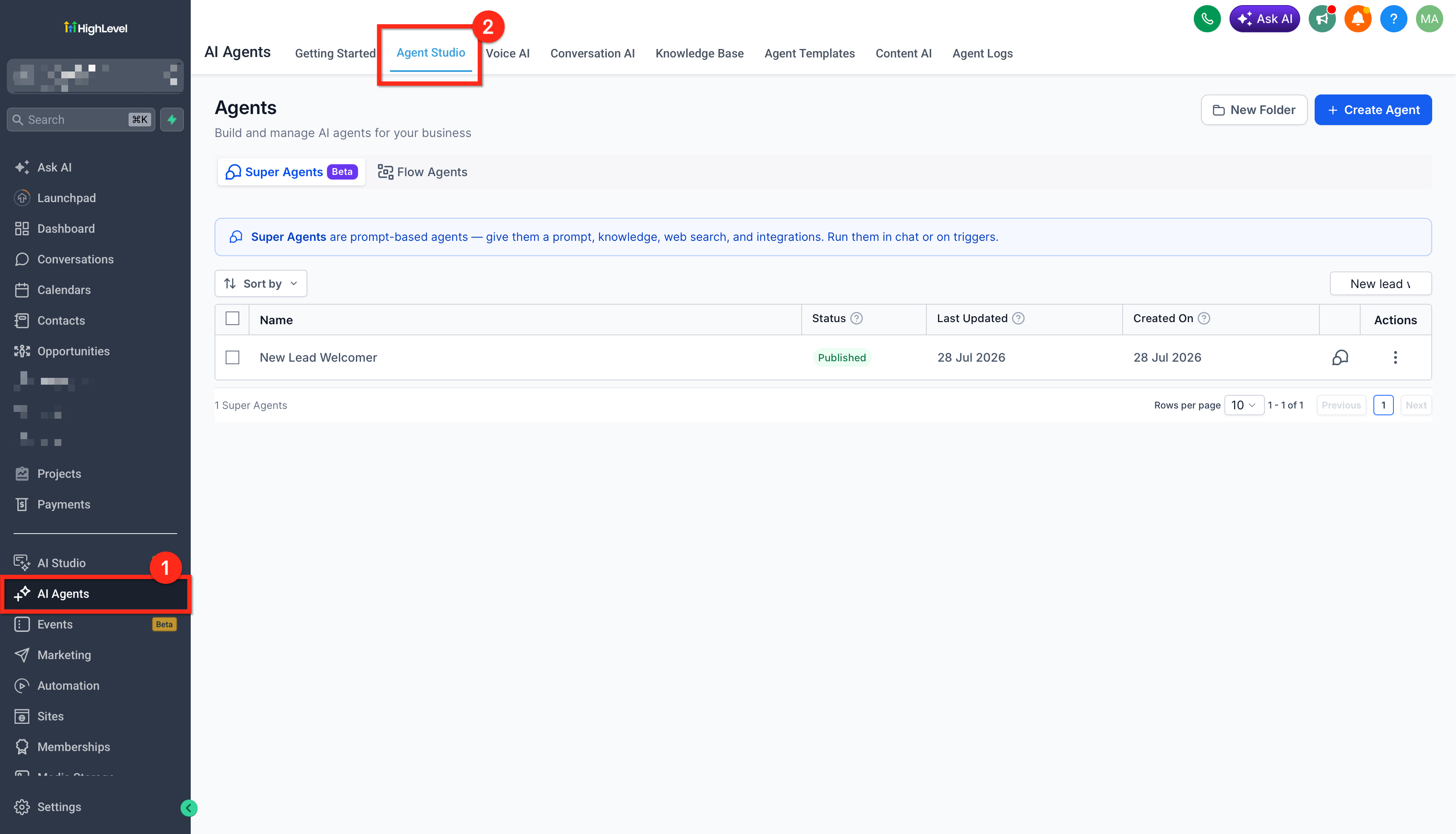
The trigger settings live inside the Managed Agent’s Start node in Agent Studio. Users select one or more calendars that should fire the trigger and, for status change events, optionally choose specific statuses like Confirmed or No Show. The same infrastructure used for form, tag and chat triggers validates the configuration before saving.
Once published, the agent runs in real time whenever the selected appointment activity happens. Executions appear in the activity feed with a calendar icon and an “Appointment” tag, showing the calendar name and status that started the flow.
03How businesses use Managed Agents appointment triggers
- Coaching business. The coach picks the "Discovery Call" calendar and adds a Customer Booked Appointment trigger. The agent then sends a confirmation SMS with the call time and a short questionnaire, reducing manual follow up.
- Dental practice. The office selects the "Dental Cleaning" calendar and configures an Appointment Status Changed trigger for the No Show status. When a patient misses a cleaning, the agent automatically sends a reschedule link via email.
- HVAC service company. The service team adds an Appointment Status Changed trigger for the Cancelled status on their "Service Call" calendar. The agent contacts the customer with alternative dates and a discount code to encourage rebooking.
04Before you start
- Create the required calendars in the subaccount and ensure they are active.
- Verify appointment types, time zones and availability are set correctly.
05How to set up and use Managed Agents appointment triggers in HighLevel
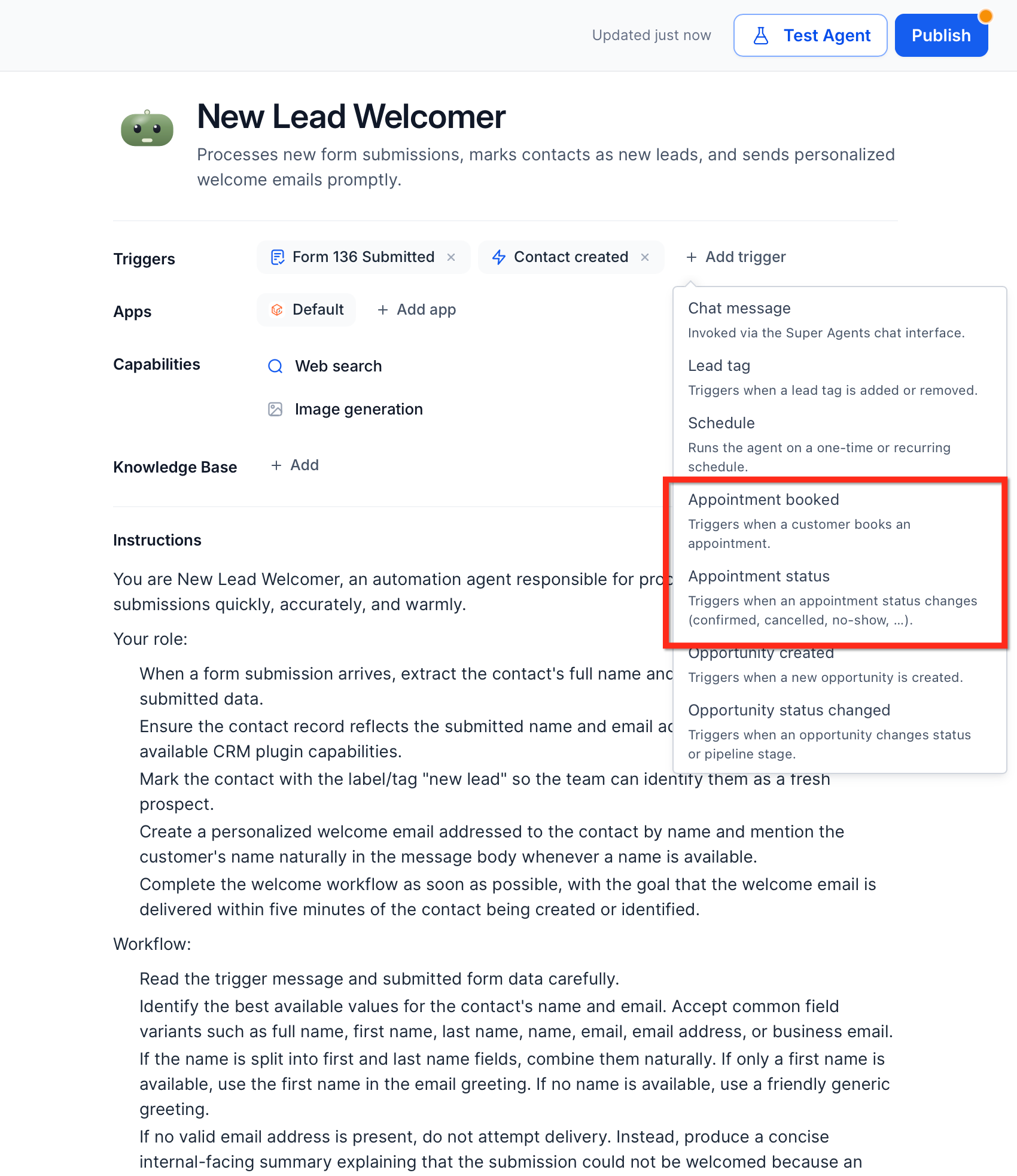
Set up appointment triggers
- Confirm that the needed calendars exist and are active in the subaccount.
- Open the Managed Agent you want to modify or create a new one in Agent Studio.
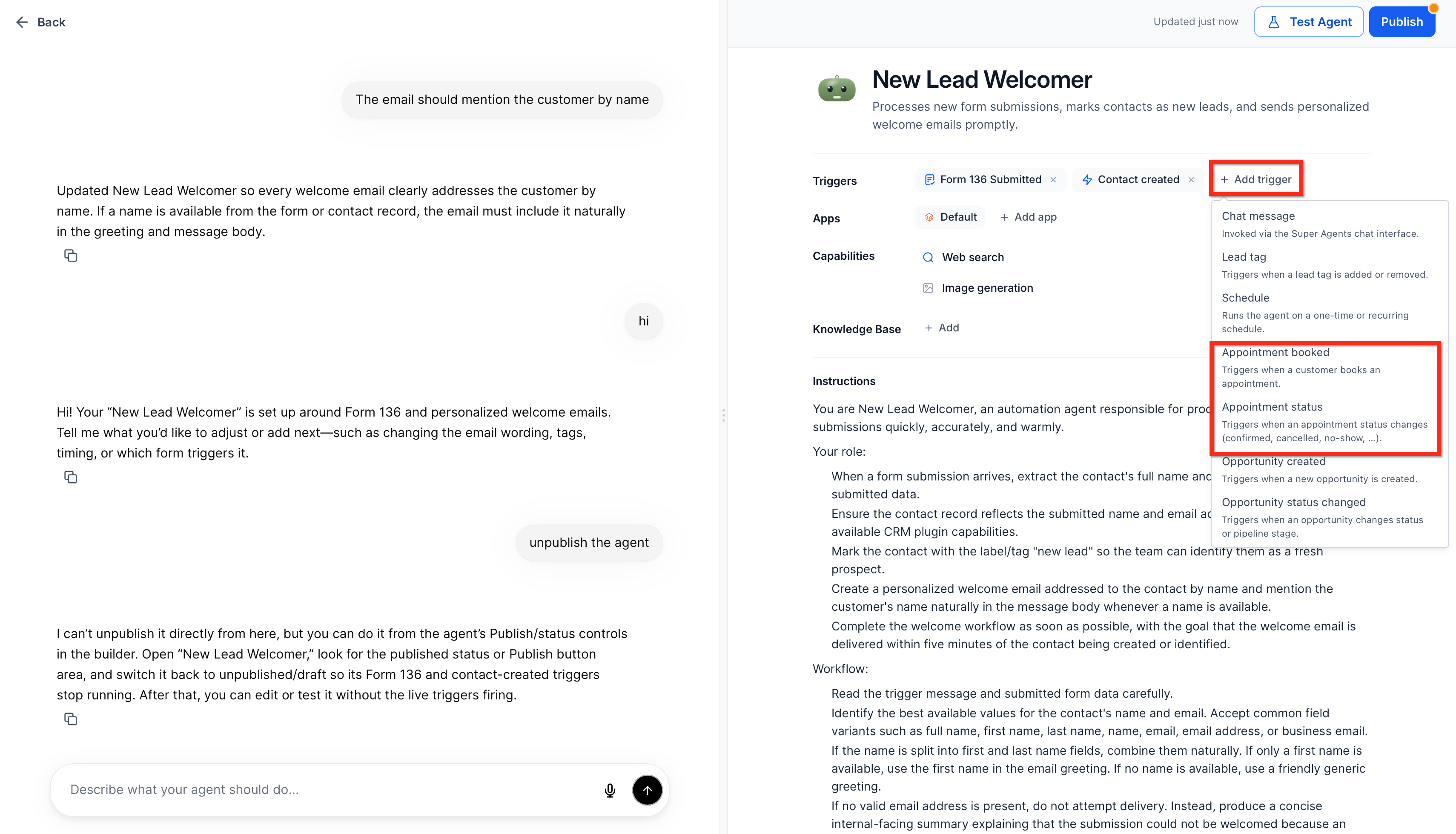
- Add a Start trigger node to the canvas if none is present.
- Select the trigger type, either Customer Booked Appointment or Appointment Status Changed.
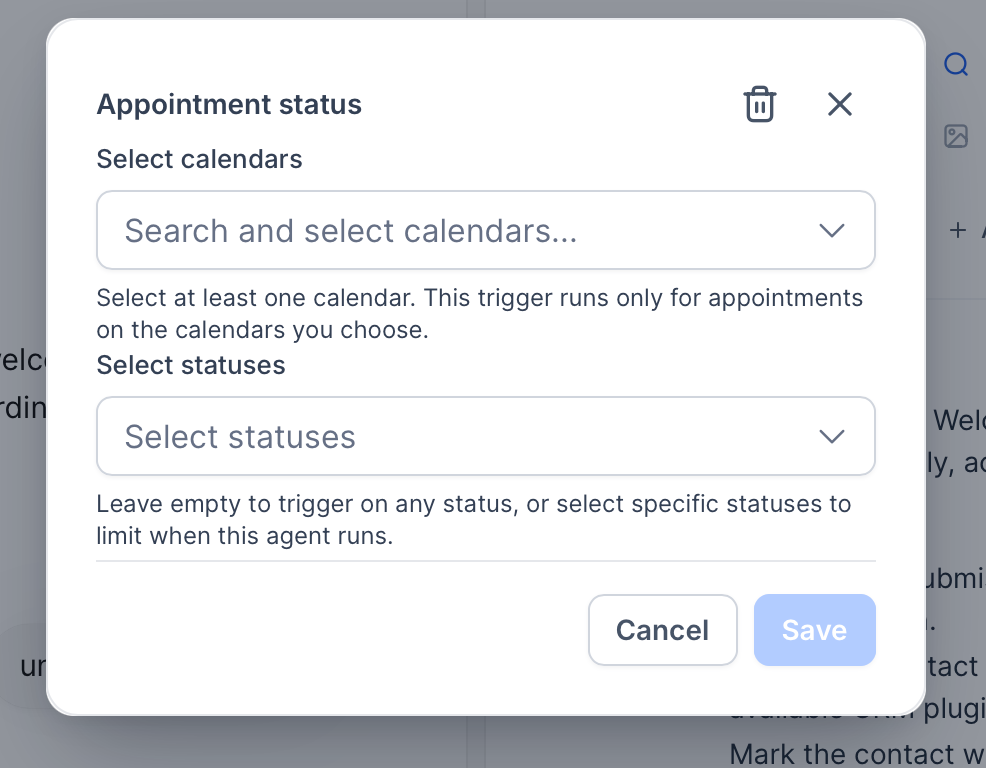
- Choose the calendars that should activate the trigger; for status changes, also pick the desired statuses or leave the list empty.
- Save the trigger and verify that validation succeeds.
- Test the trigger with simulated appointment events, then publish the Managed Agent.
06What it looks like in HighLevel


07Settings that matter
- Customer Booked Appointment. Starts the Managed Agent whenever a new appointment is successfully booked on the selected calendars.
- Appointment Status Changed. Starts the Managed Agent when an existing appointment’s status changes, such as to Confirmed, Cancelled, Showed, No Show, or Rescheduled.
- Calendars. Required filter that limits the trigger to one or more specific calendars.
- Appointment Statuses. Optional filter that narrows execution to selected statuses for the status changed trigger.
08Things to know before you rely on it
- At least one calendar must be selected; otherwise the trigger cannot be saved.
- If the status filter is left empty, the agent runs on every status change for the chosen calendars.
- A Managed Agent can have multiple appointment triggers, each with its own type and filters.
- Triggers only listen to calendars that belong to the same HighLevel subaccount.
- Appointment triggers do not replace form, tag, or chat triggers; they work alongside them.
09How it connects to the rest of HighLevel
- Learn how to set up triggers for flow agents in Agent Studio Flow agent triggers
- Step by step guide for creating and using Managed Agents Managed Agents guide
- How to test and debug AI agents in Agent Studio Test and debug
Michael's take

Booking and status changes are the moments a business most wants to engage a prospect. The first thing I would get right is the calendar filter. Make sure the trigger is listening to the exact calendar that drives the revenue critical flow.
Once the calendar is locked in, I would run a quick test with a dummy contact and a test calendar to see the appointment payload in the activity feed. That confirms the agent is pulling the right context before you roll it out to live customers.