
01Who this is for
- Support managers can automate task creation when agents update issue notes, ensuring specialists receive timely assignments.
- Membership coordinators can send renewal reminders automatically when a member's note reflects an upcoming expiration.
- General users can trigger follow up emails when notes are edited, keeping communication in sync with updates.
02Note changed triggers, explained
The Note Changed trigger monitors any edit made to a note attached to a contact record. Each time a note is modified, the trigger can start a workflow that performs actions you define. It does not react to note deletions, only to updates.
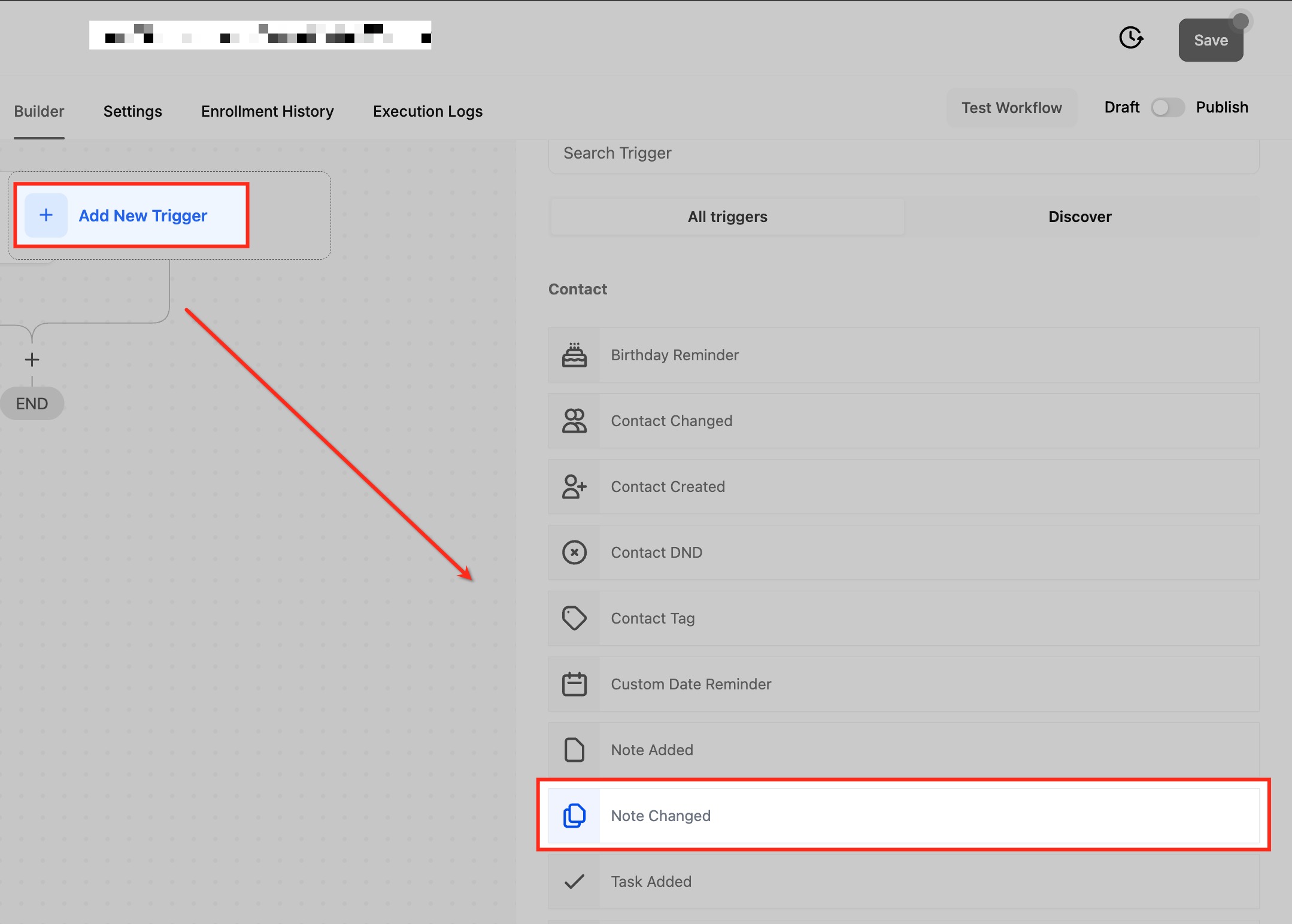
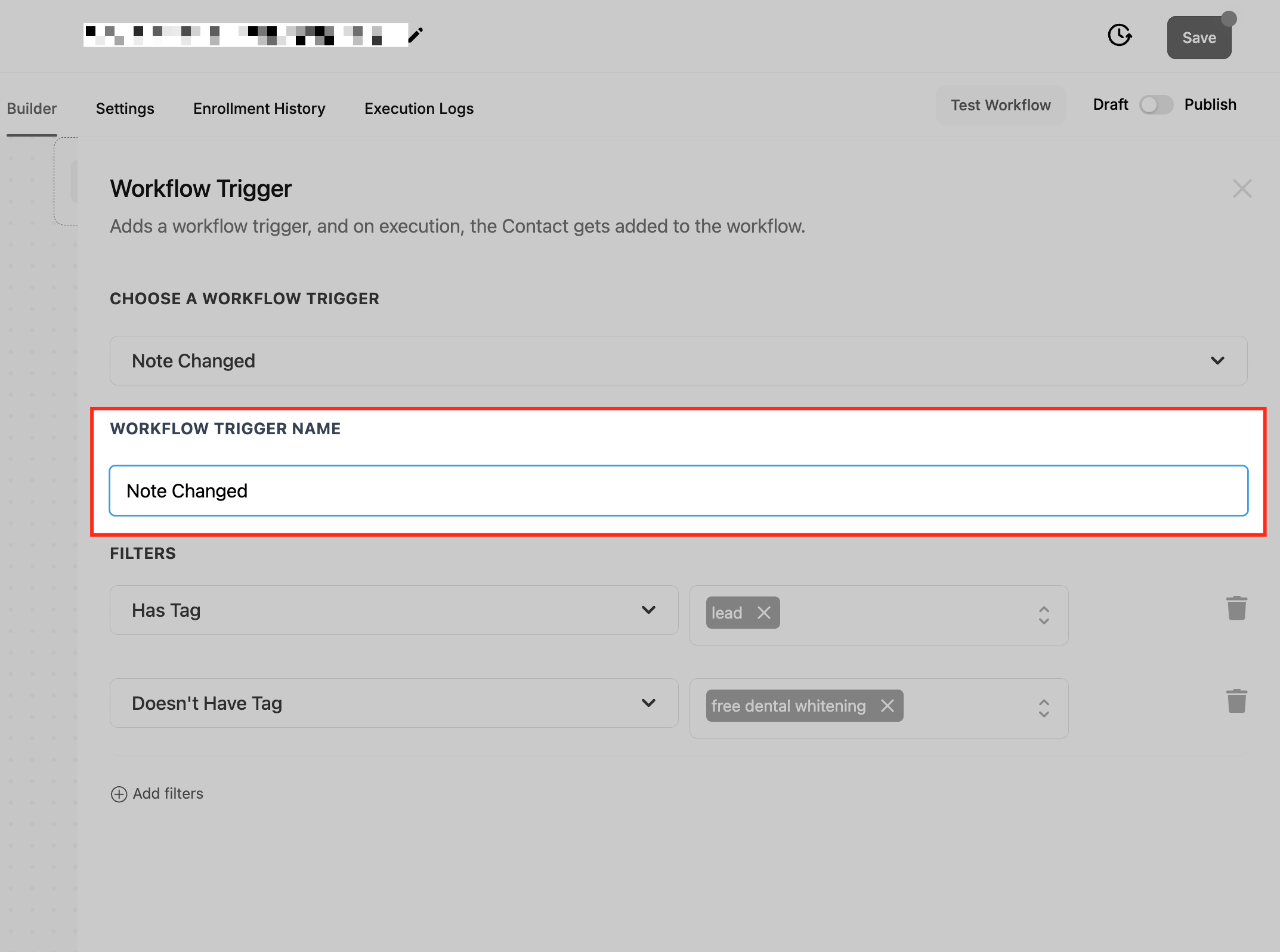
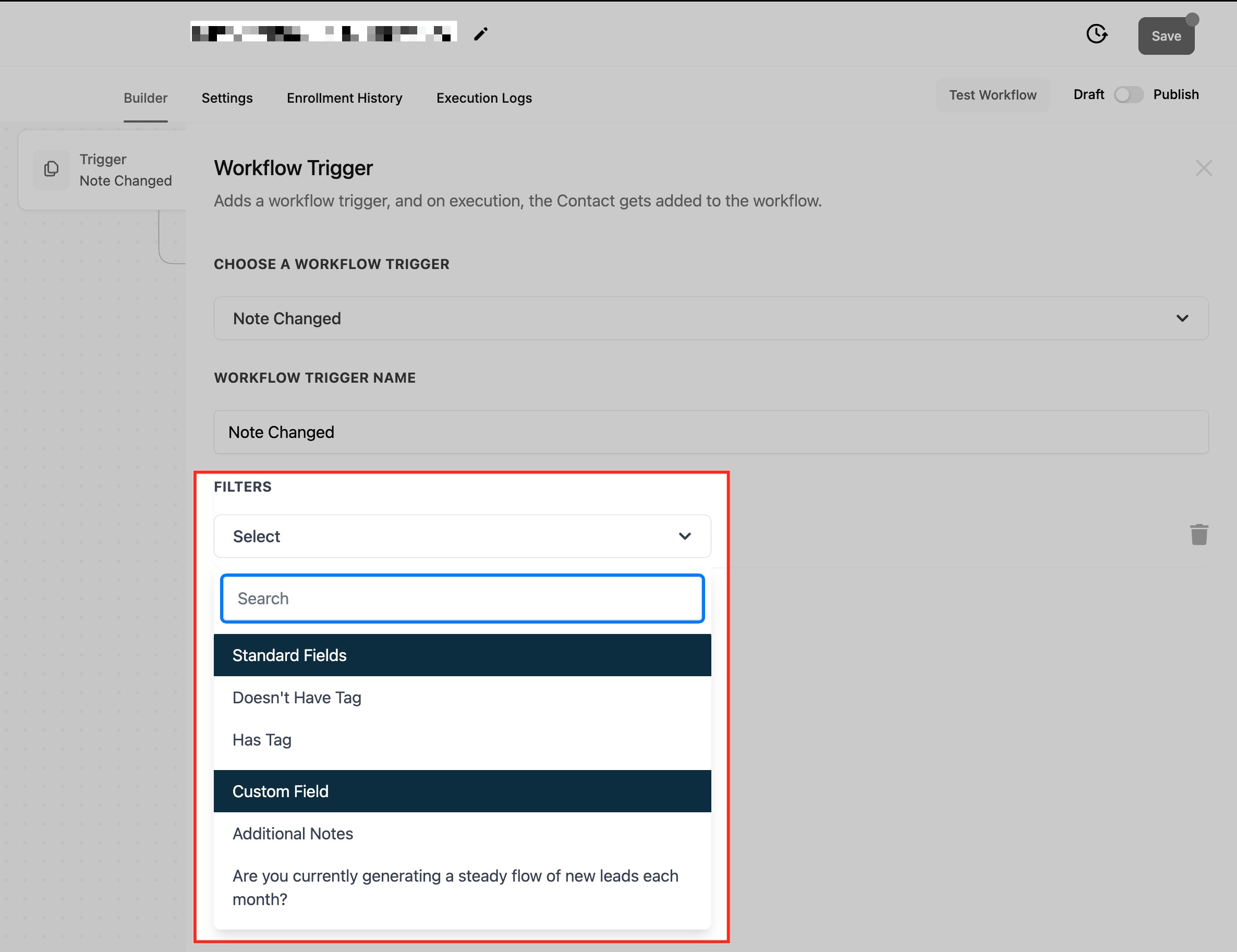
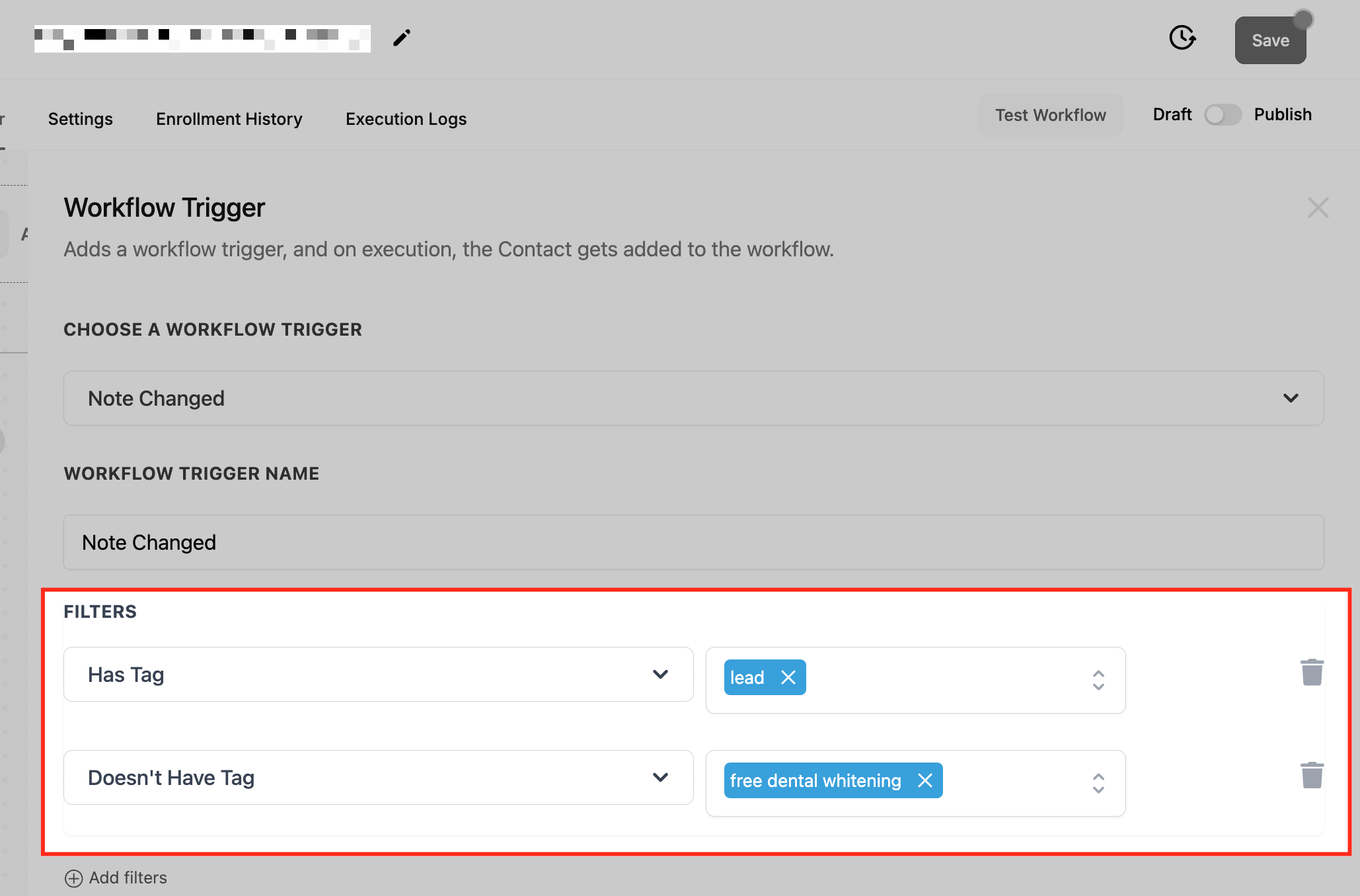
The trigger is found under the Contact section of workflow triggers. After selecting it, you give the trigger a name and optionally add tag based filters such as “Has Tag” or “Doesn’t Have Tag” to limit which contacts cause the workflow to run. Once saved, you can test the trigger with sample data and then enable it via the Publish toggle.
All configuration lives inside the workflow builder of the HighLevel platform, alongside other triggers, filters and actions you may combine for more complex automations.
03How businesses use the note changed workflow trigger
- Customer support center. When a support agent edits a note with new issue details, the workflow runs the Note Changed trigger, checks for the “High Priority” tag, and creates a task assigned to a senior specialist. The task appears in the platform’s task list.
- Membership organization. A staff member updates a member’s note to note an upcoming renewal. The trigger sees the change, confirms the contact carries the “Member” tag, and sends an automated renewal reminder email directly from HighLevel.
- General business use. When any user edits a contact note, the workflow uses the Note Changed trigger, applies any configured tag filters, and sends a follow up email to keep the contact informed.
04How to set up and use the note changed workflow trigger in HighLevel
Set up note changed trigger
- Open the automation or workflow settings section in HighLevel.
- Choose the Note Changed option from the Contact triggers list.
- Enter a descriptive name for the new trigger.
- Add tag filters such as Has Tag or Doesn’t Have Tag to define when the trigger should fire.
- Save the trigger configuration to attach it to the workflow.
- Run a test with sample data and flip the Publish toggle to activate the workflow.
05What it looks like in HighLevel
06Settings that matter
- Has Tag. Limits the trigger to contacts that currently hold the specified tag.
- Doesn’t Have Tag. Limits the trigger to contacts that do not have the specified tag.
07Things to know before you rely on it
- The trigger activates only when a note is edited; deleting a note does not start the workflow.
- It applies to all notes on a contact record; you cannot target a specific note type without using tag filters.
- If many notes are changed quickly, the trigger fires for each change, which may require adding cooldown conditions to avoid overlapping executions.
08If something goes wrong
- Multiple note changes in quick succession cause overlapping workflow runs.. Add conditions or cooldown periods within the workflow actions to space out executions.
09How it connects to the rest of HighLevel
- Configure tag based filters for the Note Changed trigger. Contact Tag trigger guide
- Learn how to set up the Contact Changed trigger for other record updates. Contact Changed trigger
- Get an overview of workflow basics and how triggers fit together. Workflow basics
Michael's take

When a business relies on timely updates. Like support teams needing task assignments or membership groups sending renewal notices. The Note Changed trigger can remove the habit of manually checking notes and let the system react as soon as a detail changes.
If your processes rarely involve note updates, or you already have a simpler way to signal changes, the feature may add unnecessary complexity, and the effort of setting filters and testing the trigger might outweigh the occasional automation benefit.