
01Who this is for
- Sales managers can automatically notify a rep when a lead is reassigned, ensuring timely follow up.
- Marketing teams can send targeted emails as soon as a tag like "Hot Lead" is added to a contact.
- Customer support can pause messages right away when a contact enables Do Not Disturb.
02Contact changed triggers, explained
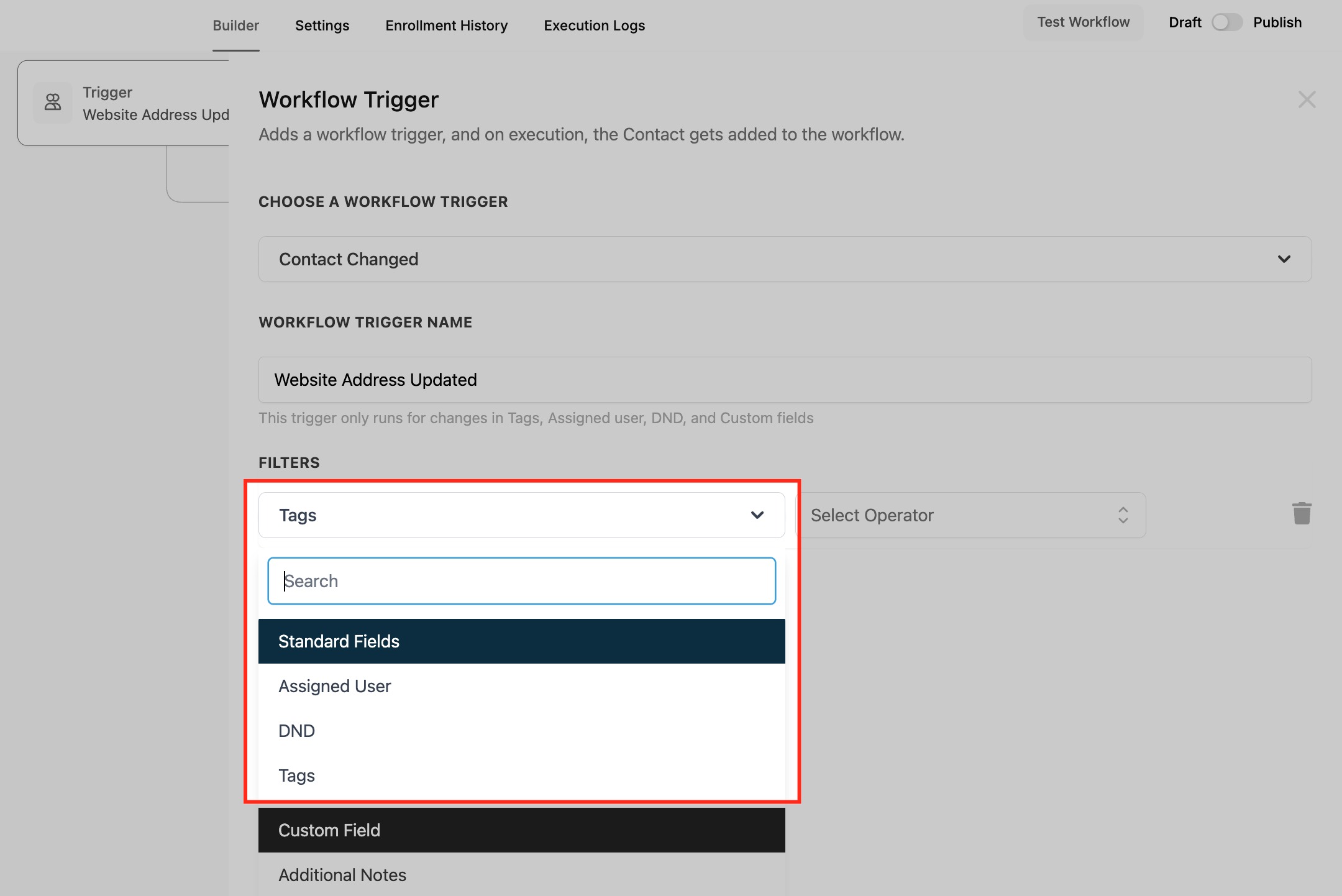
The Contact Changed trigger monitors updates to a contact’s profile. It watches for added or removed tags, changes to custom fields, DND status toggles, and changes to the assigned user. When any of the selected changes occur, the workflow starts and runs the actions you define.
You find the trigger inside the workflow builder. After creating a new workflow, you add a trigger, search for "Contact Changed", give the trigger a name, and then choose the specific change types to watch. Multiple filters can be added so a single workflow can respond to several different updates at once.
03How businesses use contact changed trigger
- Real estate agency. The agency adds a Contact Changed trigger that watches the "Property Interest" custom field. When an agent updates a client’s preferred property type, the workflow sends a personalized listing email automatically.
- Fitness studio. The studio sets the trigger to listen for the "Membership Level" tag. When a member’s tag changes to "Premium", the workflow delivers a welcome video and grants access to premium class bookings.
- IT consulting firm. The firm configures the trigger to fire on Assigned User changes. When a prospect is moved to a new sales rep, the workflow creates a task for the rep to schedule an introductory call.
04How to set up and use contact changed trigger in HighLevel
Set up contact changed trigger
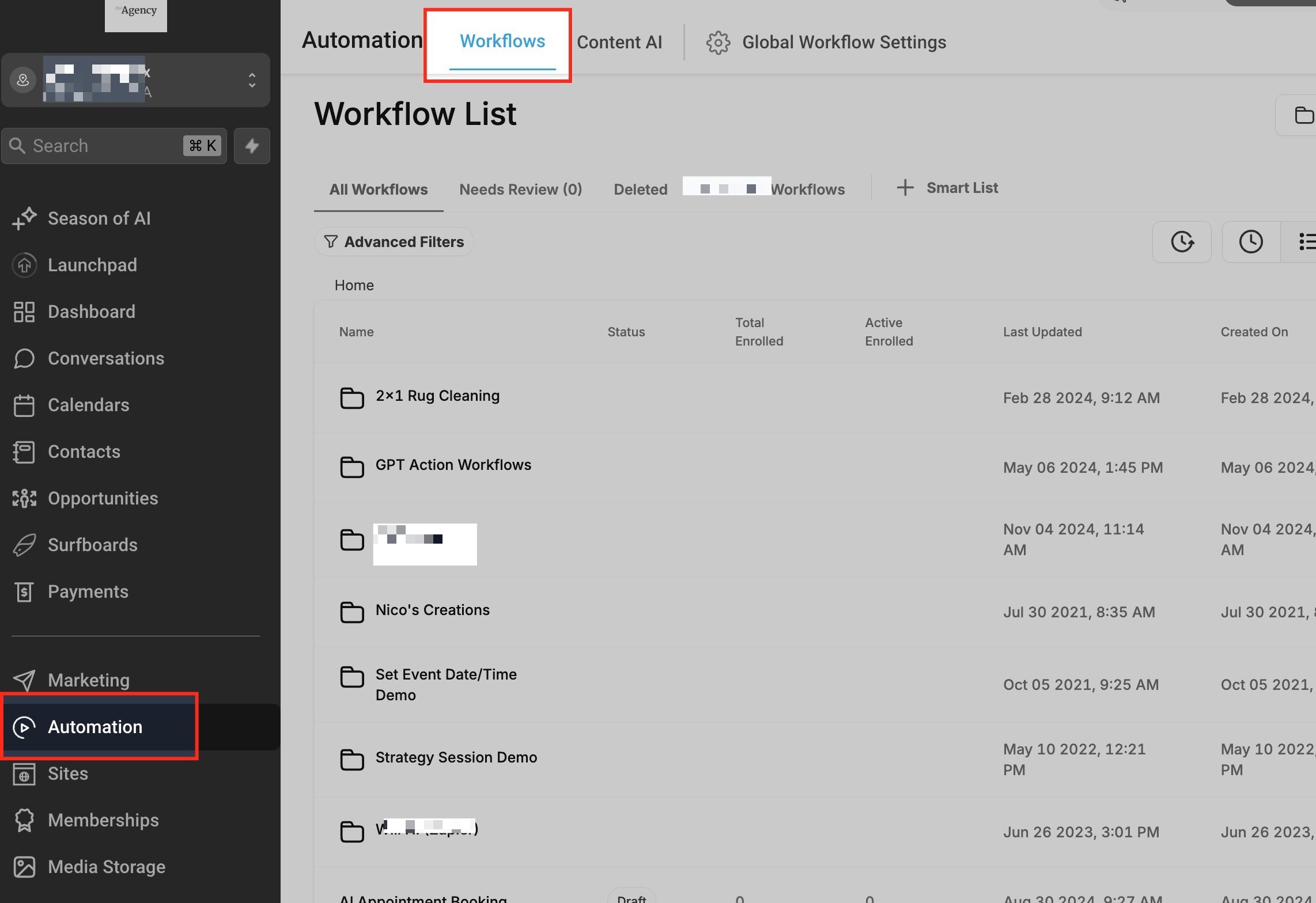
- Open Automations and select Workflows.
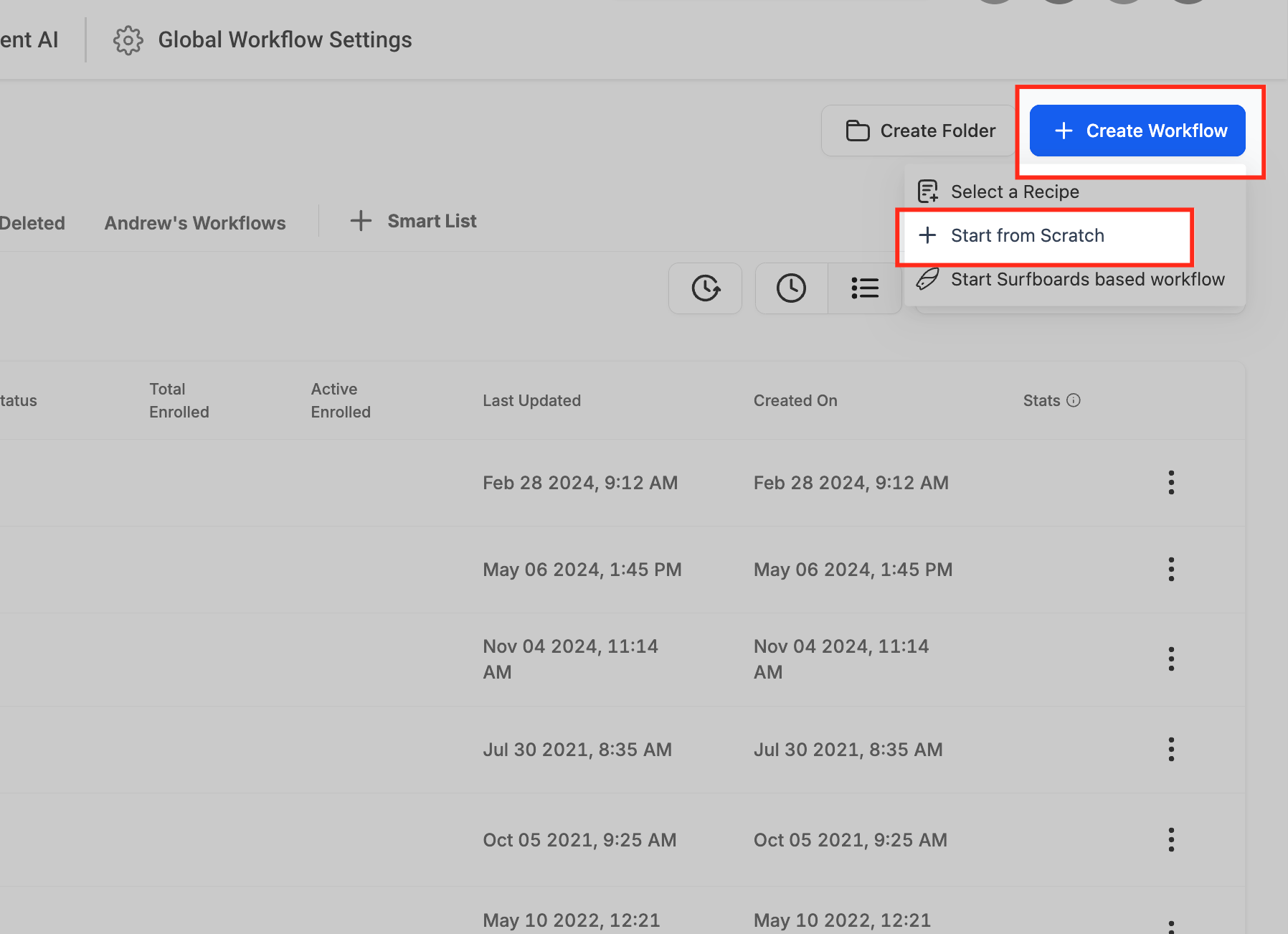
- Click the "+ Create Workflow" button then choose "+ Start from scratch".
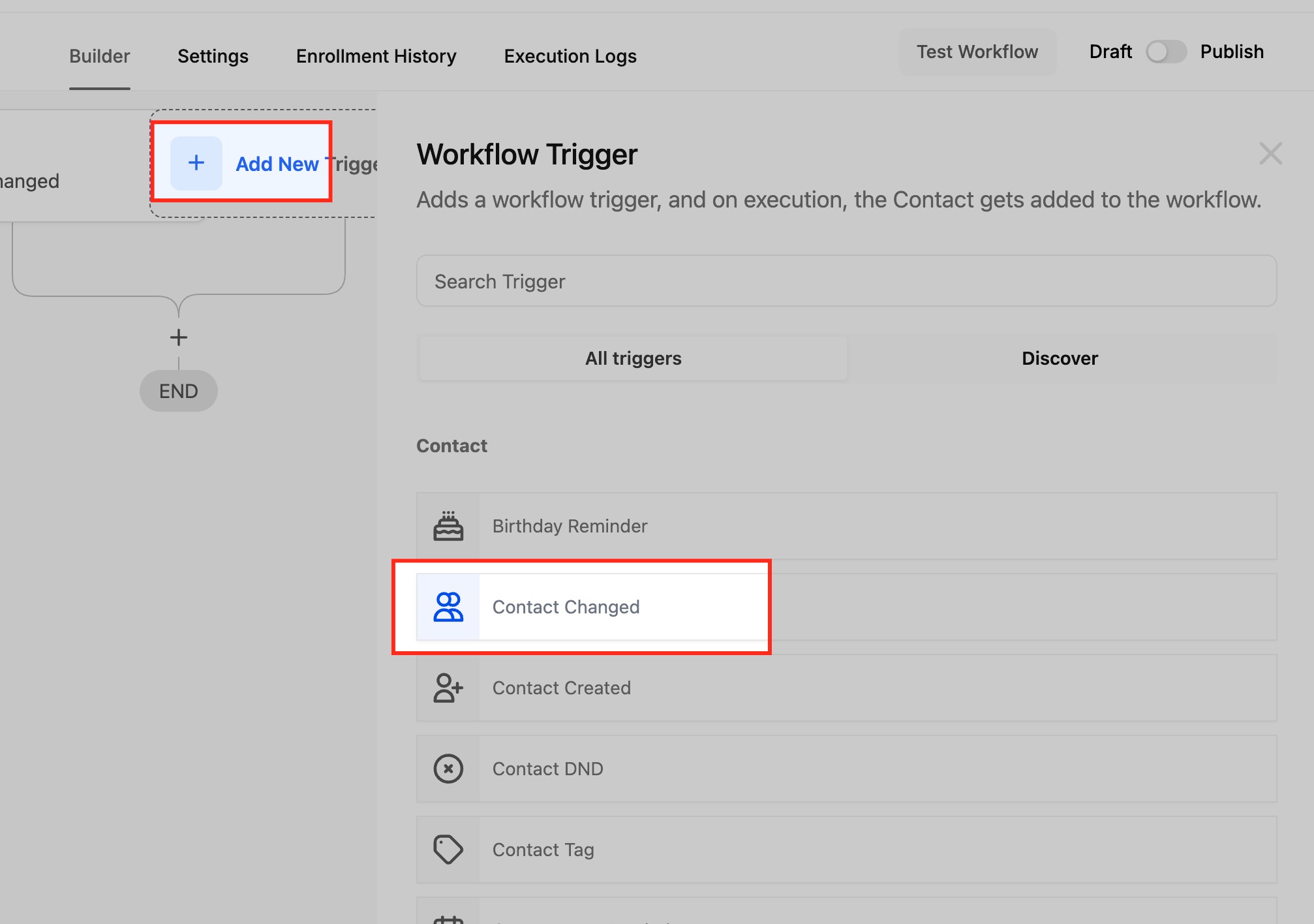
- Press "Add New Trigger" and search for "Contact Changed".
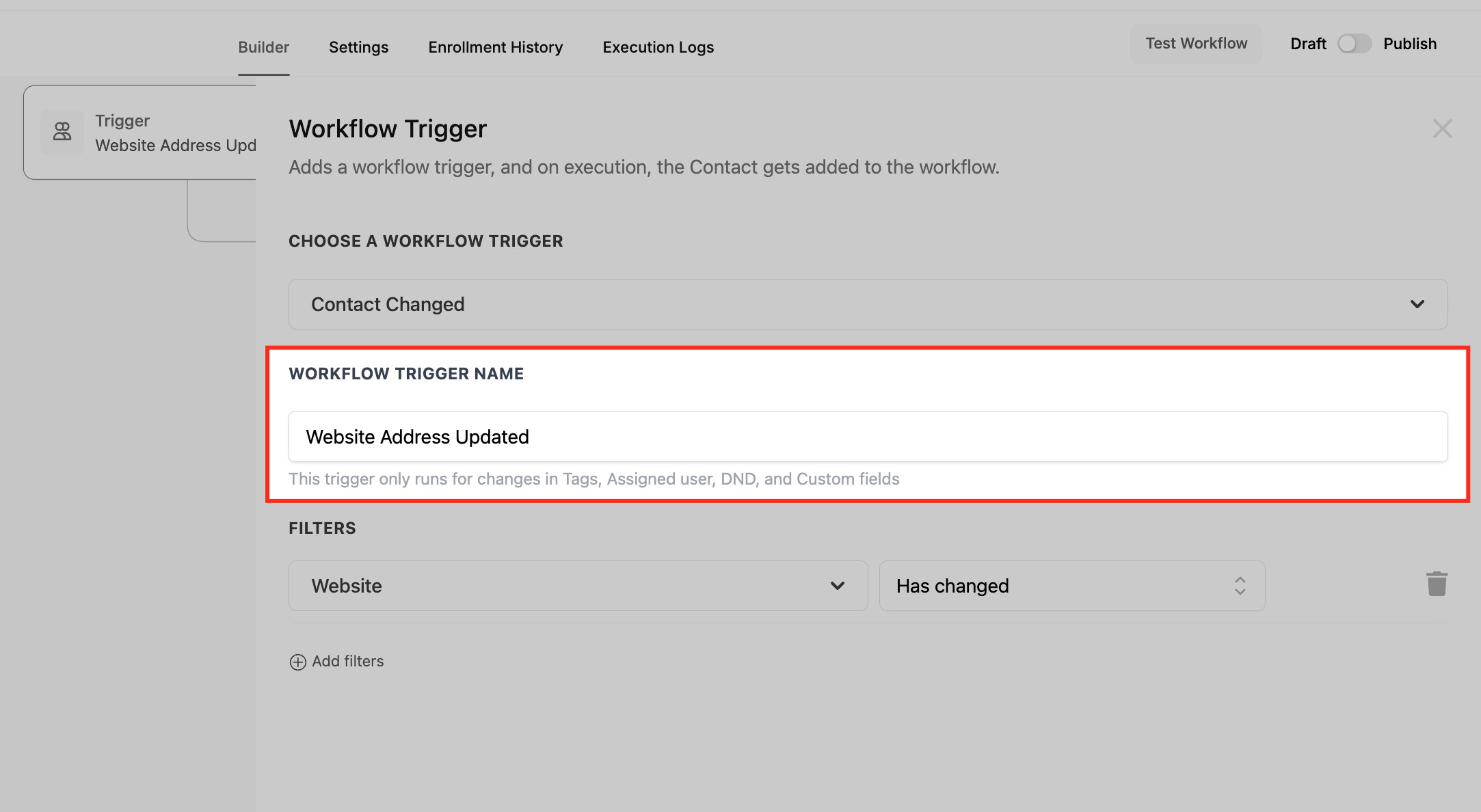
- Enter a descriptive name for the trigger, such as "Website Address Updated".
- Choose the change types to monitor, Custom Field, Tags, DND, or Assigned User.
05What it looks like in HighLevel
06Settings that matter
- Contact Changed. Controls whether the workflow starts when any selected contact detail is updated.
- Custom Field. Specifies a particular custom field to watch for changes.
- Tags. Detects when a tag is added or removed from a contact.
- DND. Triggers when the Do Not Disturb status of a contact changes.
- Assigned User. Activates when a contact is reassigned to a different user.
- Contact Type. Monitors changes to the contact type field, such as Lead to Customer.
07Things to know before you rely on it
- The trigger does not detect removed values, so deletions of tags cannot start a workflow.
- Each tracked change fires the workflow, which may result in multiple runs for the same contact.
08How it connects to the rest of HighLevel
- Learn how to start a workflow when a contact is created. Contact created trigger
- Configure a workflow to react to tag additions or removals. Contact tag trigger
- Explore the pricing tiers for using workflow automations. Workflow pricing
Michael's take

Ever wonder if you should automate the moment a lead gets a new tag or their preferences change? The contact changed trigger lets HighLevel do the heavy lifting, sending a follow up email or notifying a rep the instant something updates in the record.
If I were setting this up, I’d start with a simple tag add workflow to welcome hot leads, then layer in a DND check so you never accidentally spam someone who opted out. Test the flow on a few contacts first to confirm it only fires when you expect it to.