
01Who this is for
- Ecommerce store owners, they can automatically send birthday discount codes to shoppers, encouraging repeat purchases.
- Restaurant managers, they can deliver a complimentary dessert offer on a patron’s birthday, driving dine in traffic.
- Fitness centers, they can award extra loyalty points on members’ birthdays, boosting member retention.
02Birthday reminder workflow trigger, explained
The Birthday Reminder Workflow Trigger looks through every contact in your HighLevel account each morning at 8 AM, according to the account’s time zone. When a contact’s birthdate matches that day, the trigger fires and starts the workflow you have attached to it.
You do not need to manually enroll contacts in the workflow. After the trigger activates, any actions you placed in the workflow run, such as sending an email or SMS. If you need the message to arrive at a specific hour, insert a Time Delay Wait Step after the trigger and before the action.
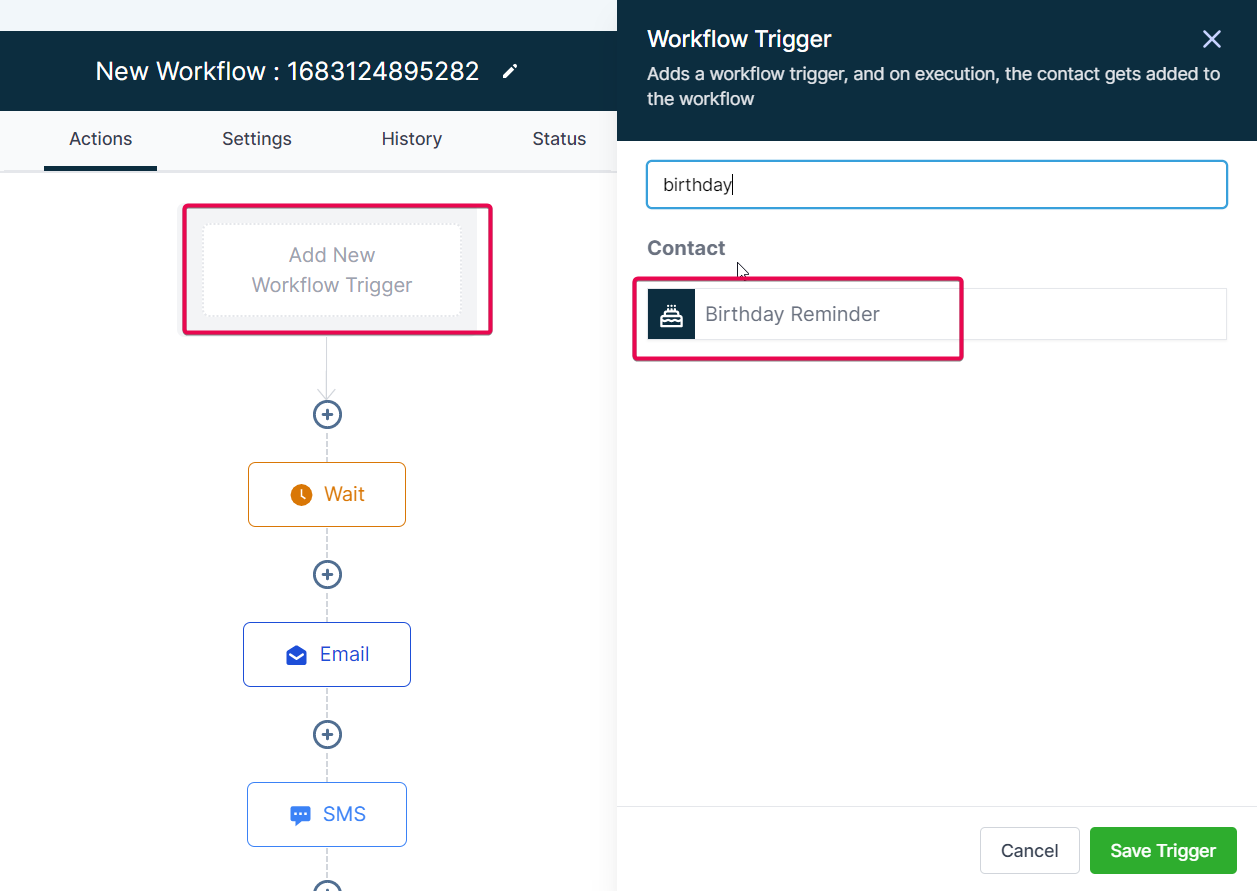
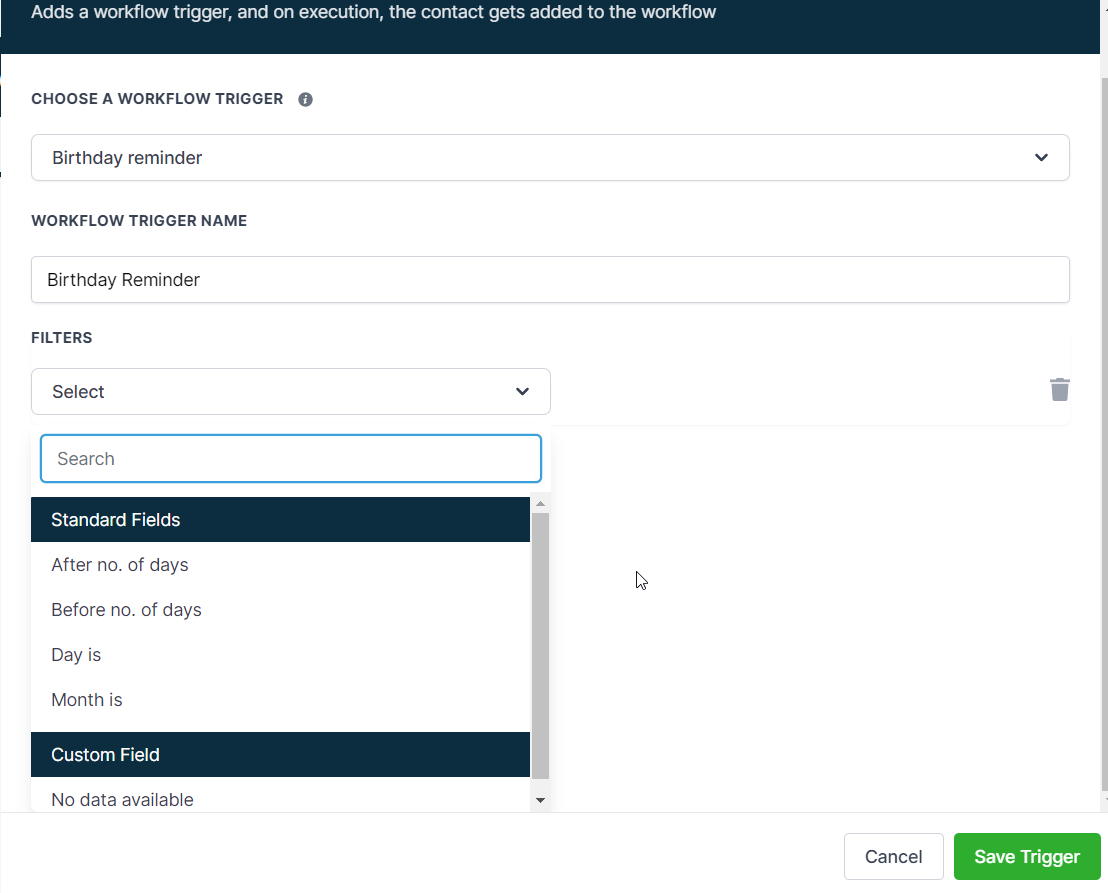
The trigger configuration lives inside the workflow builder. When you add a new trigger, select “Birthday Reminder” from the list, then adjust settings such as days before or after the birthday and apply month, day or custom field filters.
03How businesses use birthday reminder workflow trigger
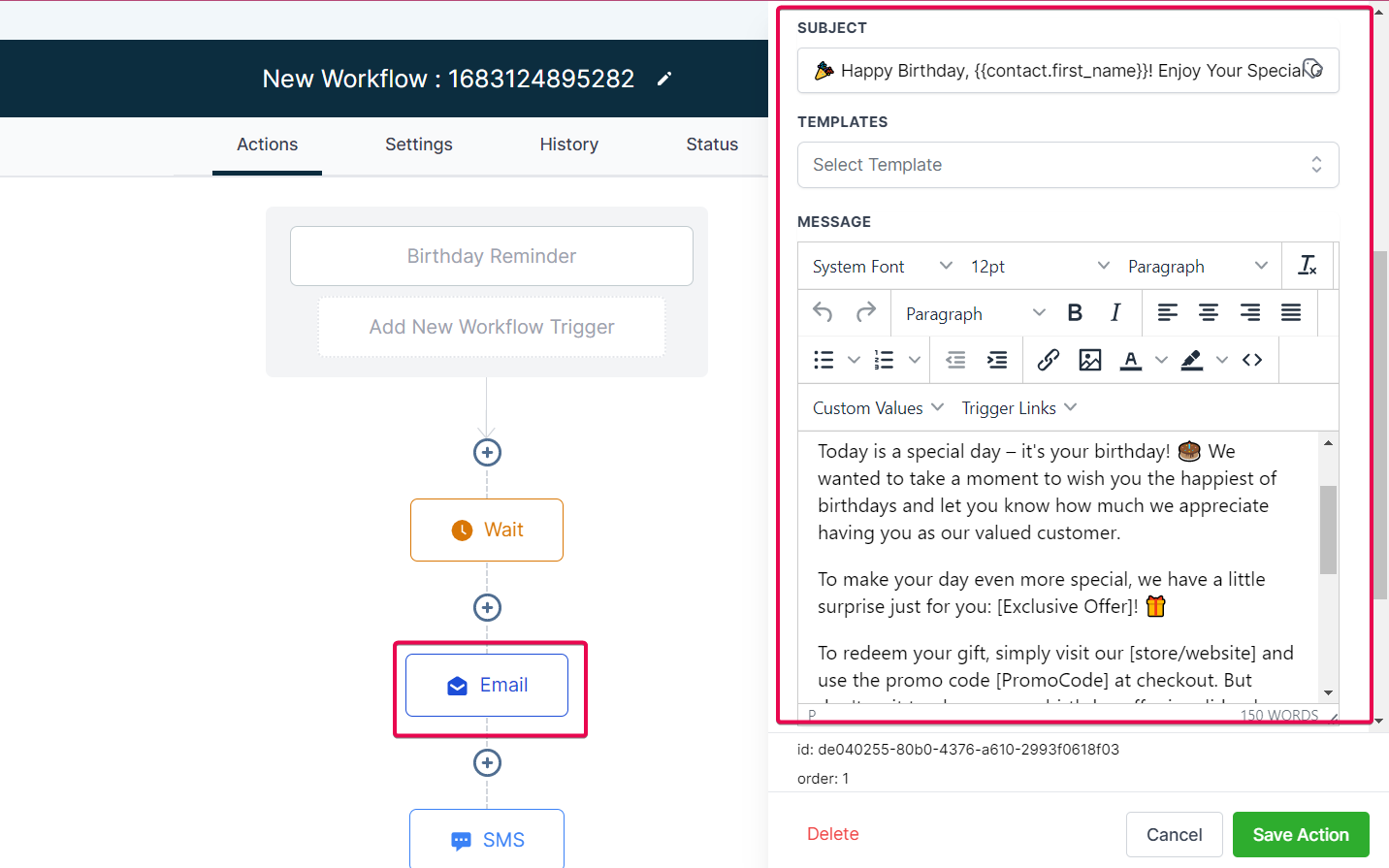
- Ecommerce store. Create a workflow with the Birthday Reminder trigger, add an email action offering a discount code, and use a Time Delay Wait Step to send the email at noon. The workflow runs automatically for each customer whose birthday is today.
- Restaurant. Set up the Birthday Reminder trigger, add an SMS action that contains a free dessert coupon, and place a Time Delay Wait Step to schedule the SMS for the evening. The system sends the coupon to diners on their birthday without manual effort.
- Fitness center. Configure the trigger, add an action that credits bonus loyalty points, and optionally filter to only members in a specific membership tier. When a member’s birthday arrives, the workflow credits the points automatically.
04The numbers and rules that matter
- The default Birthday Reminder Workflow Trigger activates at 8 AM based on your account's time zone.
- It searches all your contacts for their dates of birth and fires for those whose birthday is on that date at 8 AM.
05How to set up and use birthday reminder workflow trigger in HighLevel
Set up birthday reminder workflow
- Start a new workflow or open an existing one for editing.
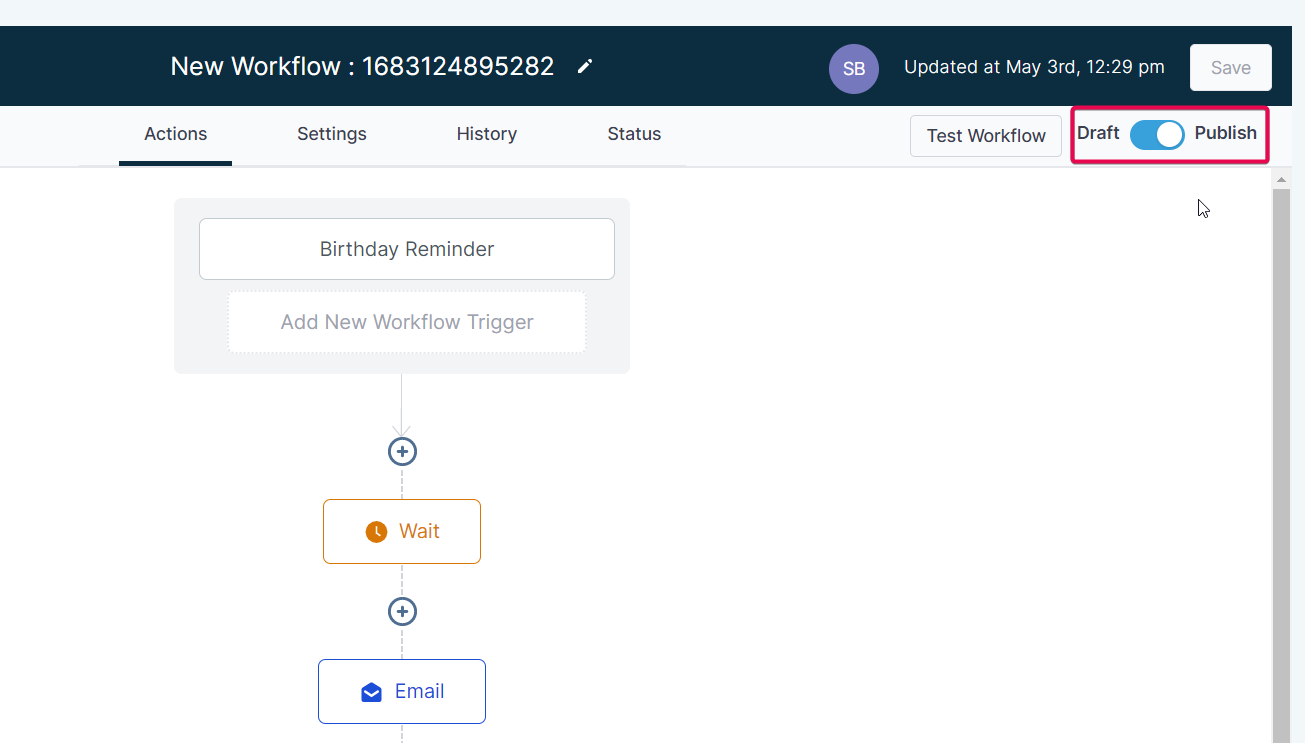
- Choose “Add new Workflow Trigger” and select “Birthday Reminder.”
- Modify trigger settings, such as days before or after the birthday, and add month or custom field filters.
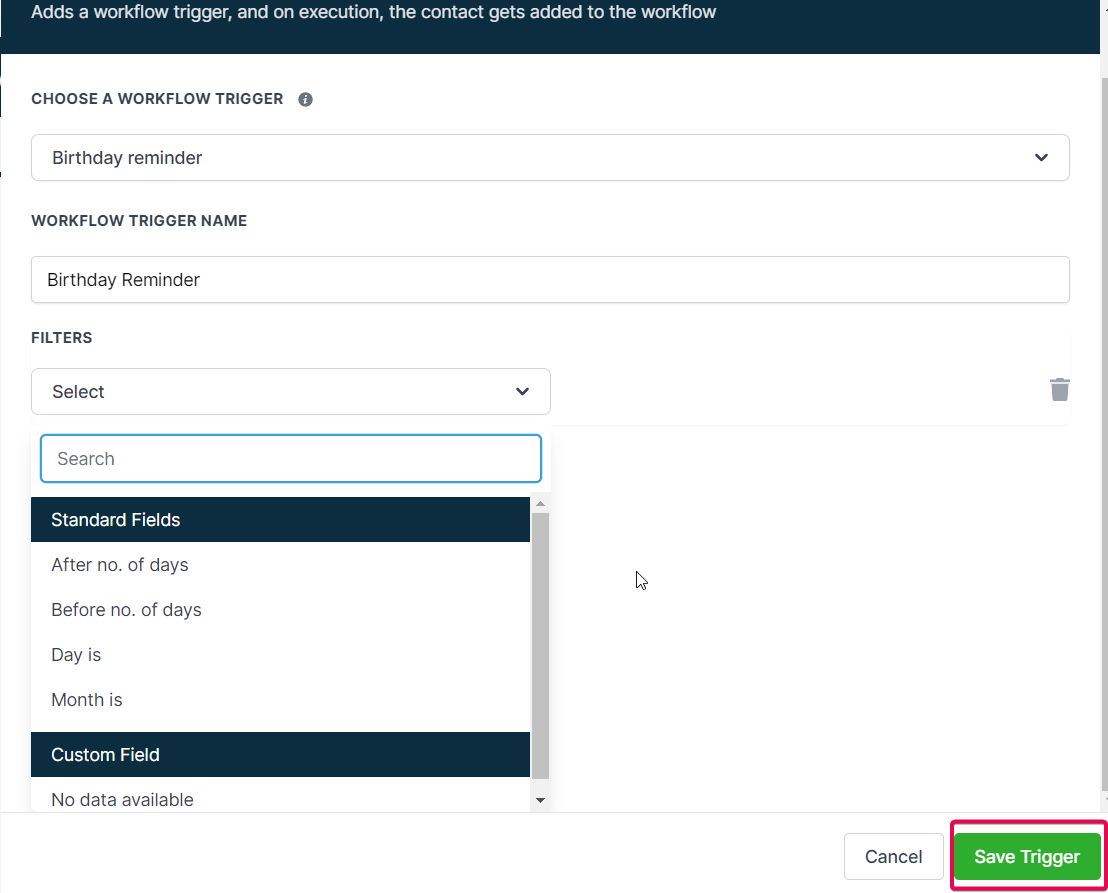
- Click “Save” to store the trigger configuration.
- Insert actions like an email or SMS that will run when the trigger fires.
- Add a Time Delay Wait Step before the action to schedule the message at a specific hour.
- Edit the email or SMS content to include personalized birthday wishes or offers.
- Test the workflow by setting a contact’s birthdate to the next day and using a days before filter.
- Save the workflow and switch it to “Publish” to activate it.
- Track performance and make adjustments as needed.
06What it looks like in HighLevel
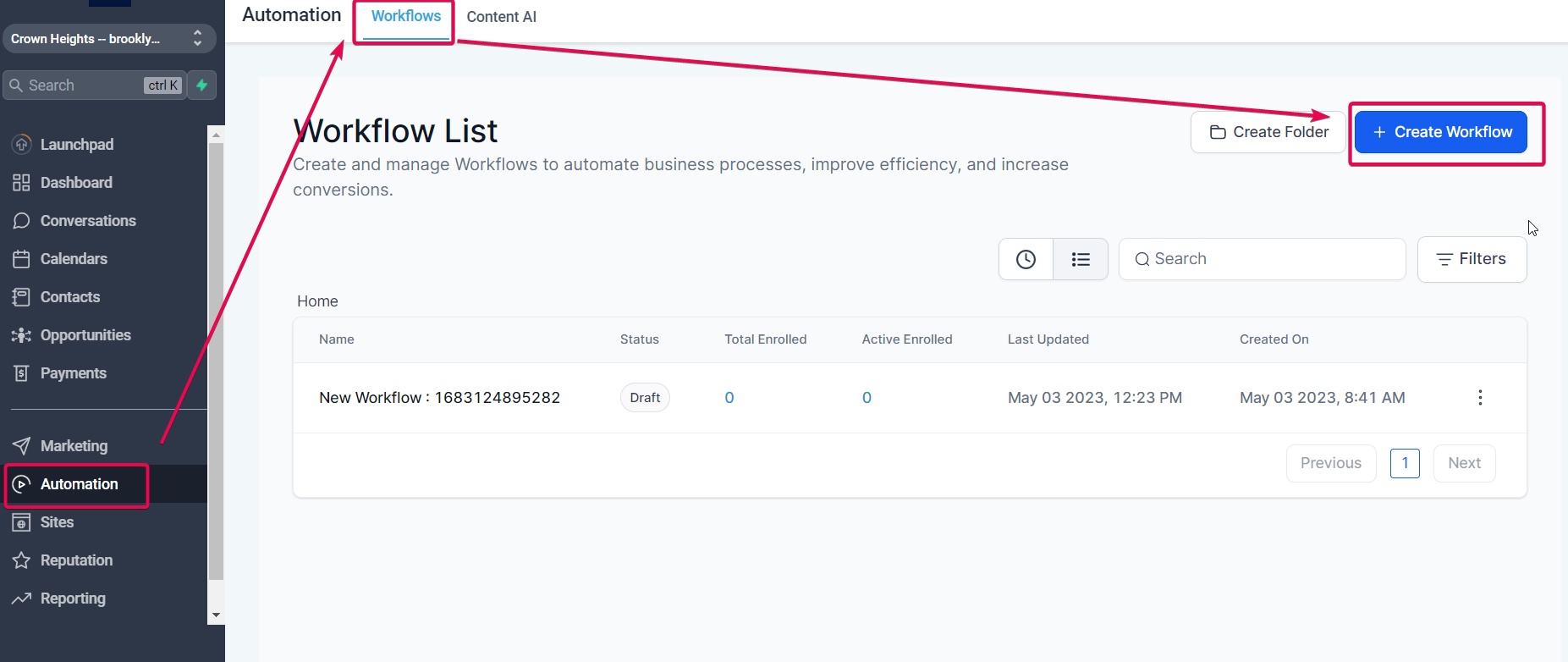
07Things to know before you rely on it
- The trigger runs once daily at 8 AM based on the account’s time zone.
- Contacts are added to the workflow automatically; manual enrollment is not required.
08How it connects to the rest of HighLevel
- Learn how to configure the Contact Tag trigger for other automated flows. Contact Tag trigger
- Use the Custom Date Reminder trigger for events other than birthdays. Custom Date Reminder
- Set up a Trigger Link Clicked workflow to react to link interactions. Link Clicked trigger
Michael's take

A solid way to add a personal touch without manual effort. Companies that don’t collect birthdates or lack consent should skip it.