
01Who this is for
- Ecommerce Founders can send customers a receipt that lists every product, quantity and price right after checkout.
- Subscription service owners can capture coupon codes and payment gateway data to personalize follow up messages.
- Digital product sellers can filter upsell purchases and trigger separate thank you emails for each upsell.
02Order submitted triggers, explained
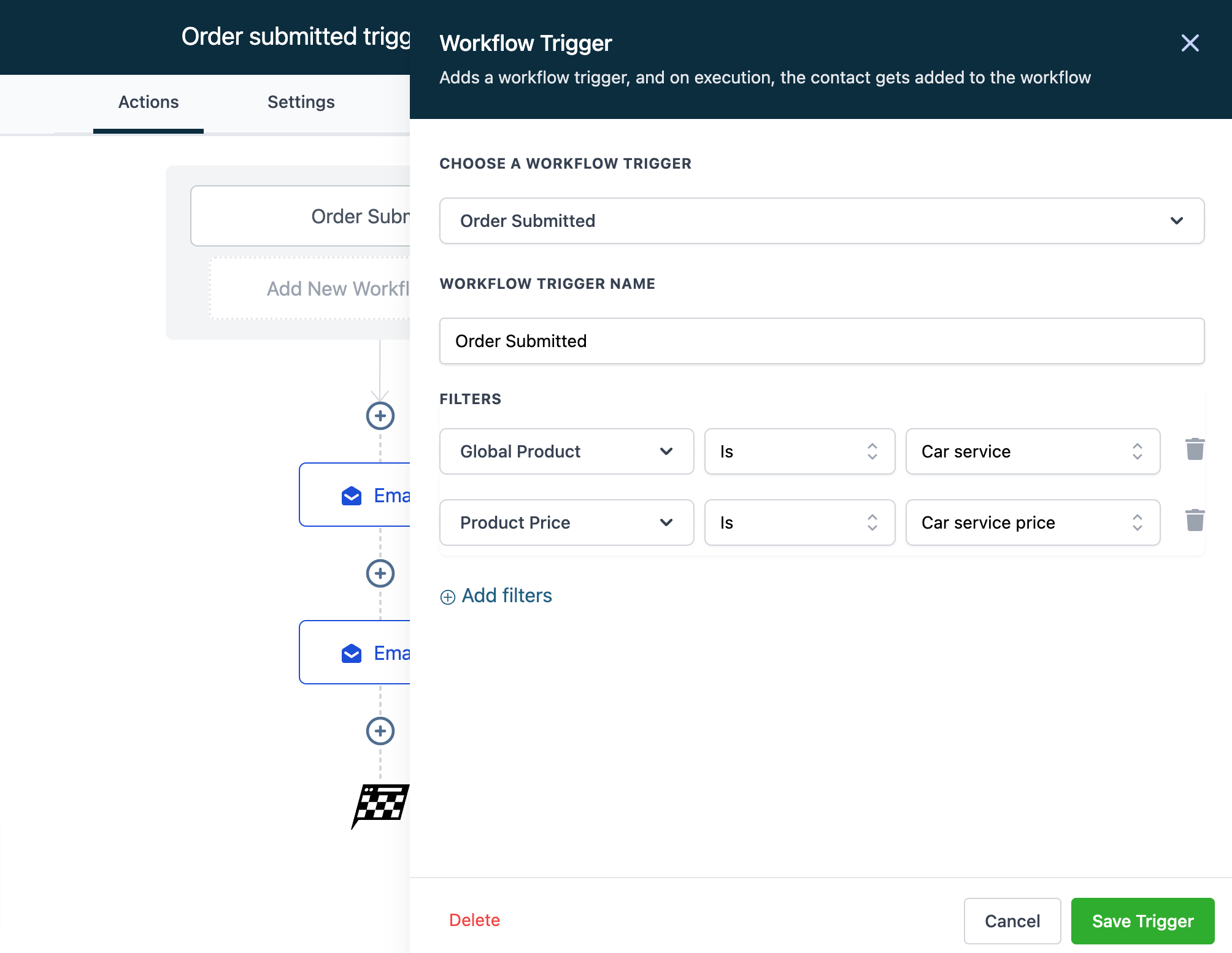
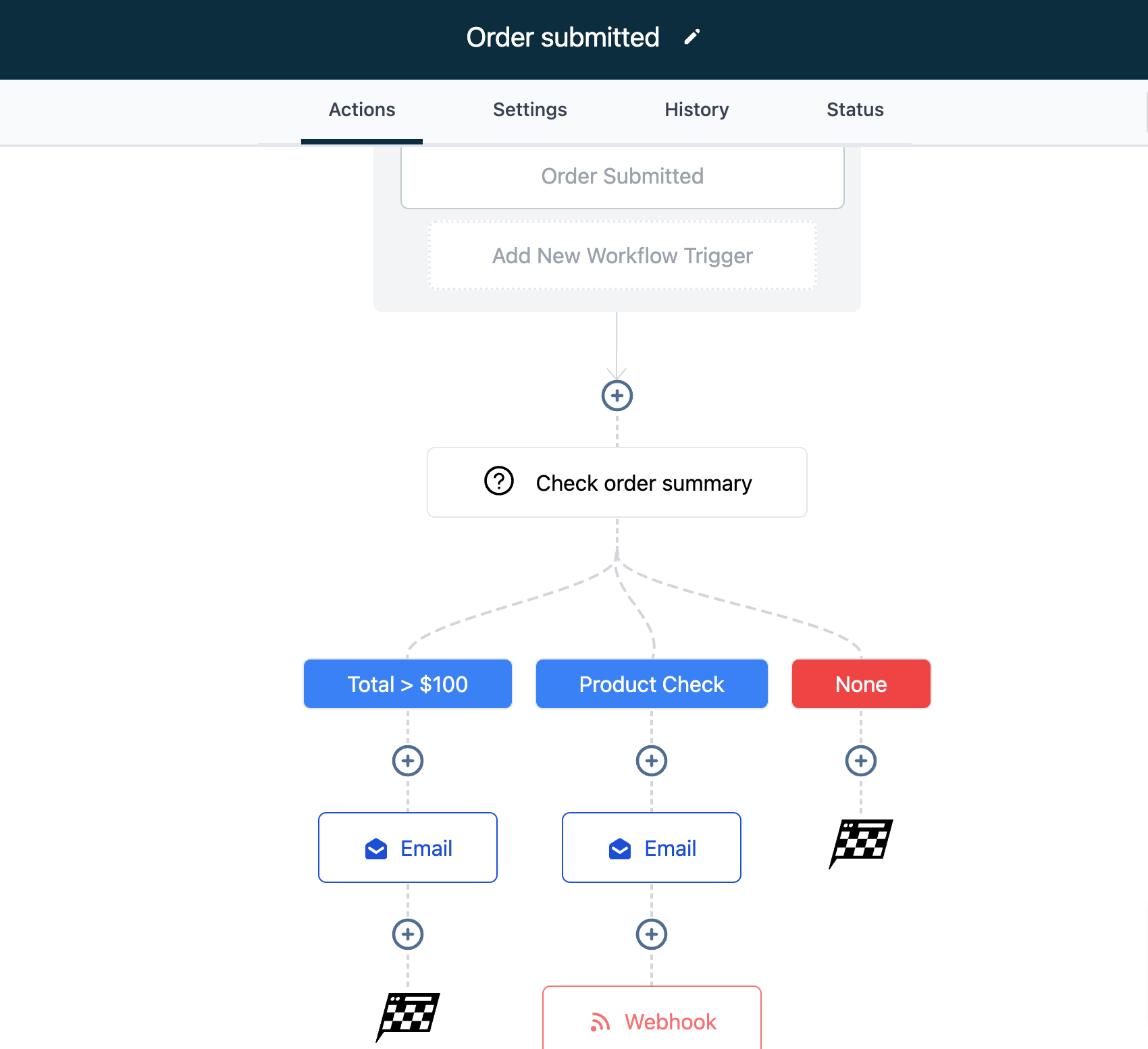
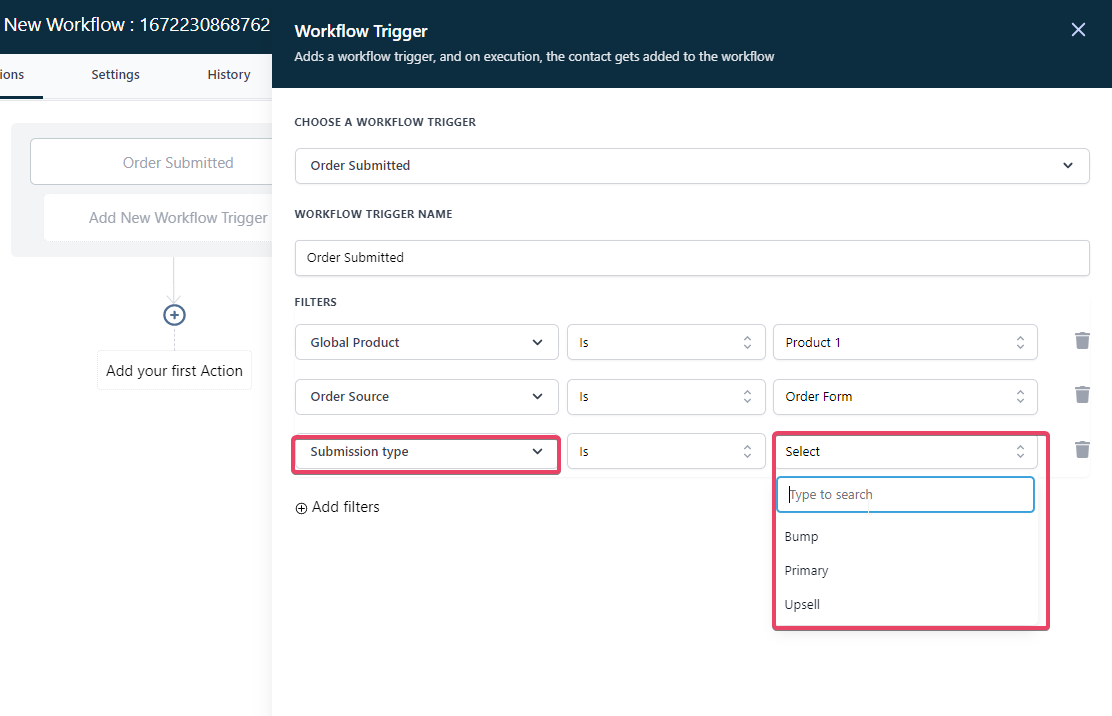
The Order Submitted trigger activates a workflow whenever a 1 step or 2 step order form is submitted and again when an upsell purchase is made. It delivers a single checkout object that contains product, price, coupon and payment gateway information. Filters can be applied directly to the global product, price name, order source, funnel, page, and submission type (Primary, Bump, Upsell).
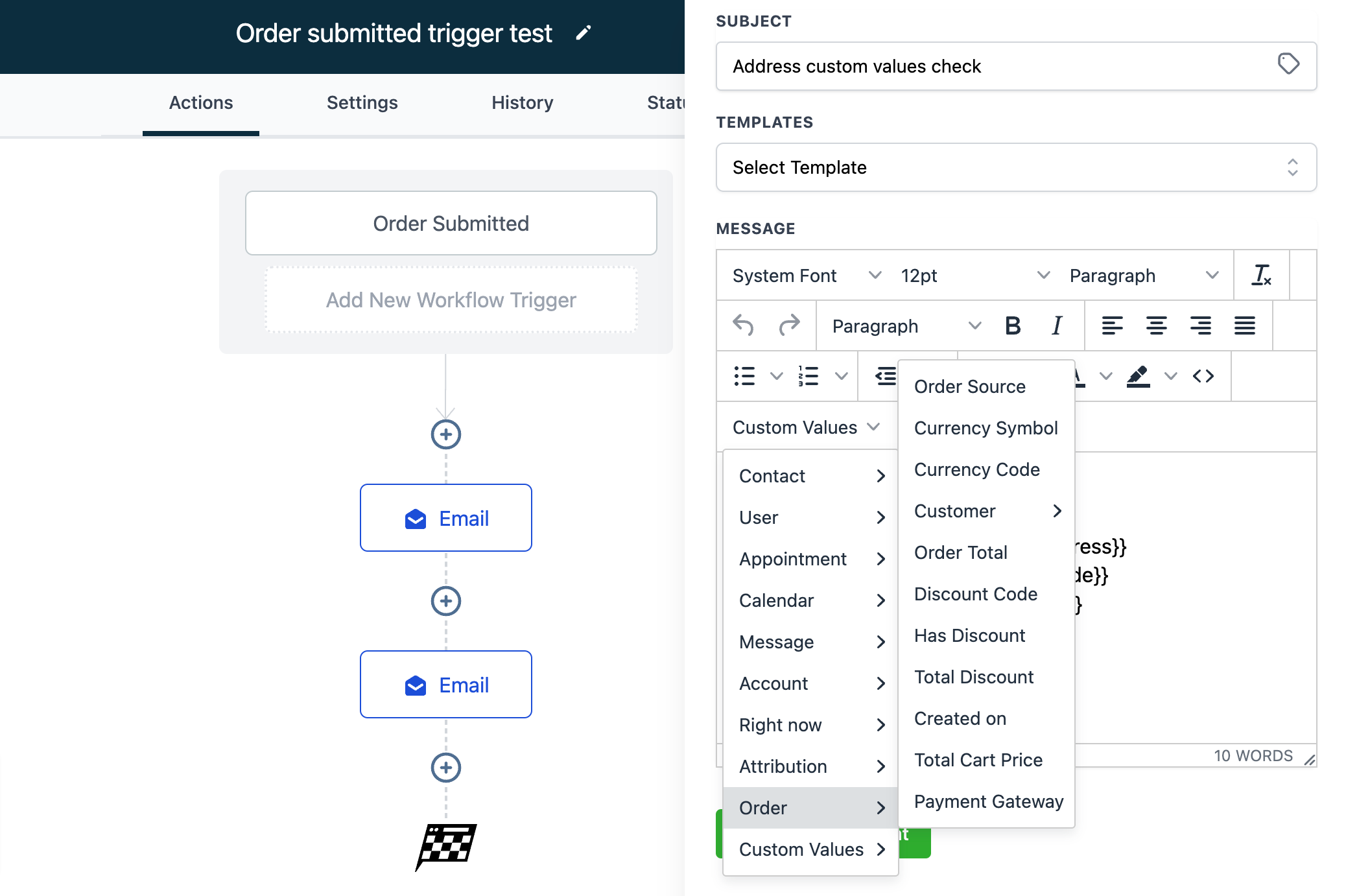
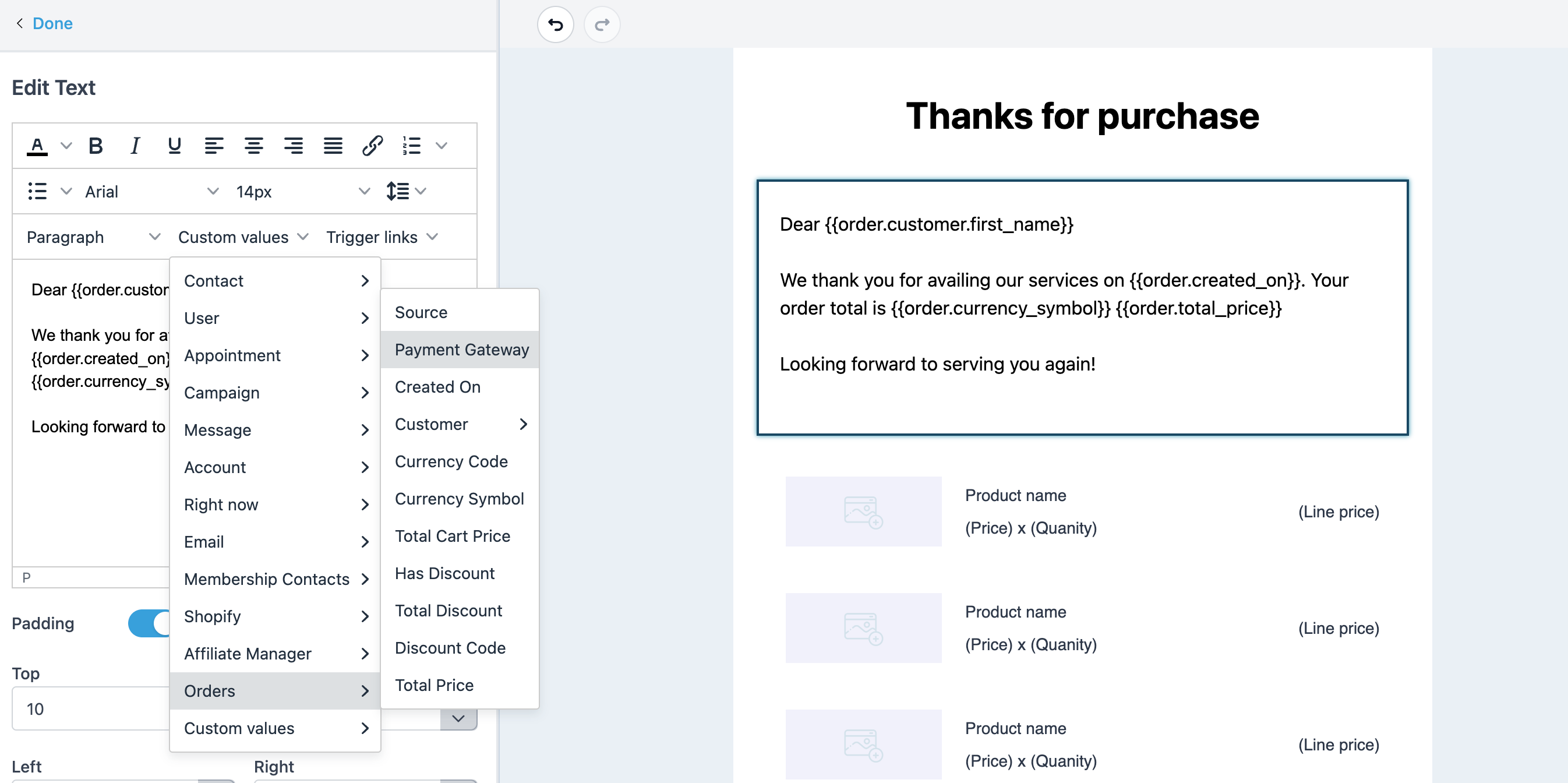
Inside a workflow you can use the trigger’s custom values, such as order total, currency, coupon code and customer details, in any subsequent actions. An email template that includes the Shopping Cart element will automatically fill in line items, images, quantities and prices when the workflow runs.
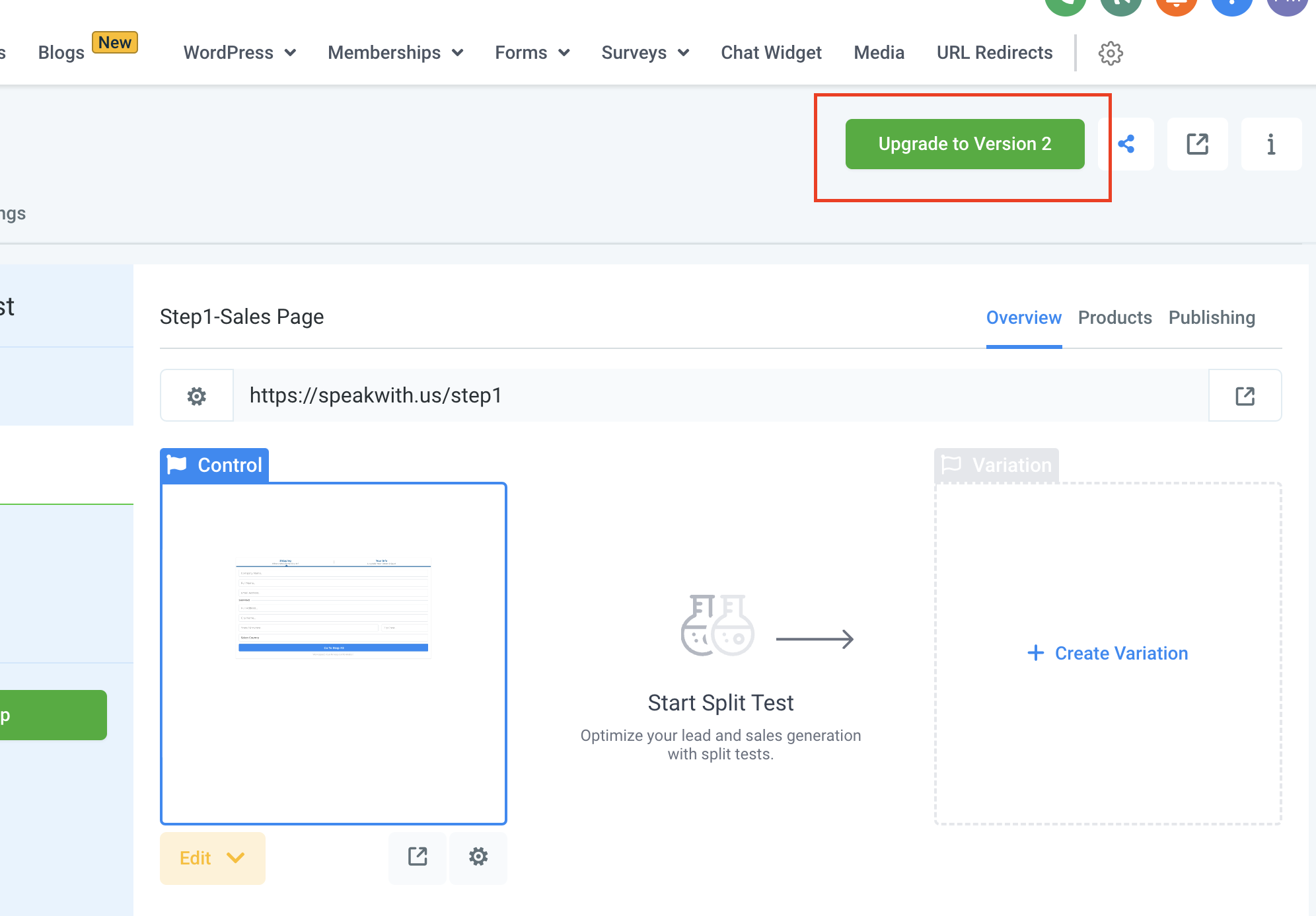
The trigger is available only for version 2 funnels. It lives among the other workflow triggers and respects the Allow Multiple setting in the workflow’s settings panel.
03How businesses use order submitted trigger
- Online clothing retailer. Add a Shopping Cart element to an email template, select that template in a Send Email action, and enable the Order Submitted trigger. The retailer’s customers receive a confirmation that lists each garment, size and price immediately after purchase.
- SaaS subscription service. Configure the trigger to filter on the subscription product and coupon code custom values. When a new subscriber signs up, the workflow sends a welcome email that includes the applied discount and payment gateway details.
- Fitness class booking platform. Use the Submission Type filter set to Upsell so the workflow only runs when a client adds a supplemental class package. The platform then emails a confirmation that displays the added class images and prices.
04The numbers and rules that matter
- Works only with version 2 funnels.
- Trigger runs on both 1 step and 2 step order form submissions.
05Before you start
- The funnel must be a version 2 funnel; version 1 funnels are not supported.
- Enable the Allow Multiple toggle in Workflow Settings if the same contact should trigger the workflow for both a primary purchase and an upsell.
06How to set up and use order submitted trigger in HighLevel
Send order confirmation email
- Open the email builder and insert the Shopping Cart element into a new template.
- Save the template, ensuring the Shopping Cart element is present.
- In the workflow, add a Send Email action and select the saved template so order details populate when the Order Submitted trigger fires.
07What it looks like in HighLevel
08Settings that matter
- Allow Multiple. When turned on, the workflow can fire for the same contact more than once, allowing an upsell purchase to trigger the workflow after the primary product purchase.
09Things to know before you rely on it
- The trigger works only with version 2 funnels; version 1 funnels must be upgraded.
- It sends a single checkout object, so multiple products purchased in one session are reported together, not as separate triggers.
- Custom values appear in the drop down list only when the Order Submitted trigger is selected as the workflow’s first step.
- If a wait step holds a contact after the primary purchase, an upsell purchase may not re enter the workflow; avoid wait steps when planning to sell upsells or bumps for the same product.
10How it connects to the rest of HighLevel
- Learn how to build a workflow with triggers, filters and actions Workflow creation guide
- Adjust the Allow Multiple setting and other timing options in workflow settings Workflow settings overview
- Check the pricing tiers for workflow features and the Pro plan requirements Workflow Pro plan pricing
Michael's take

The Order submitted trigger is worth the effort for anyone selling upsells after a purchase.
Skip it if you never use upsells or bumps and only need a basic order confirmation.