
01Who this is for
- Founder who wants to segment contacts without manual effort, because tags let you group leads automatically.
- Marketing manager who needs to send follow up messages as soon as a tag indicating interest is applied.
- Operations lead who wants to assign tasks when a contact loses a status tag.
02Contact tag triggers, explained
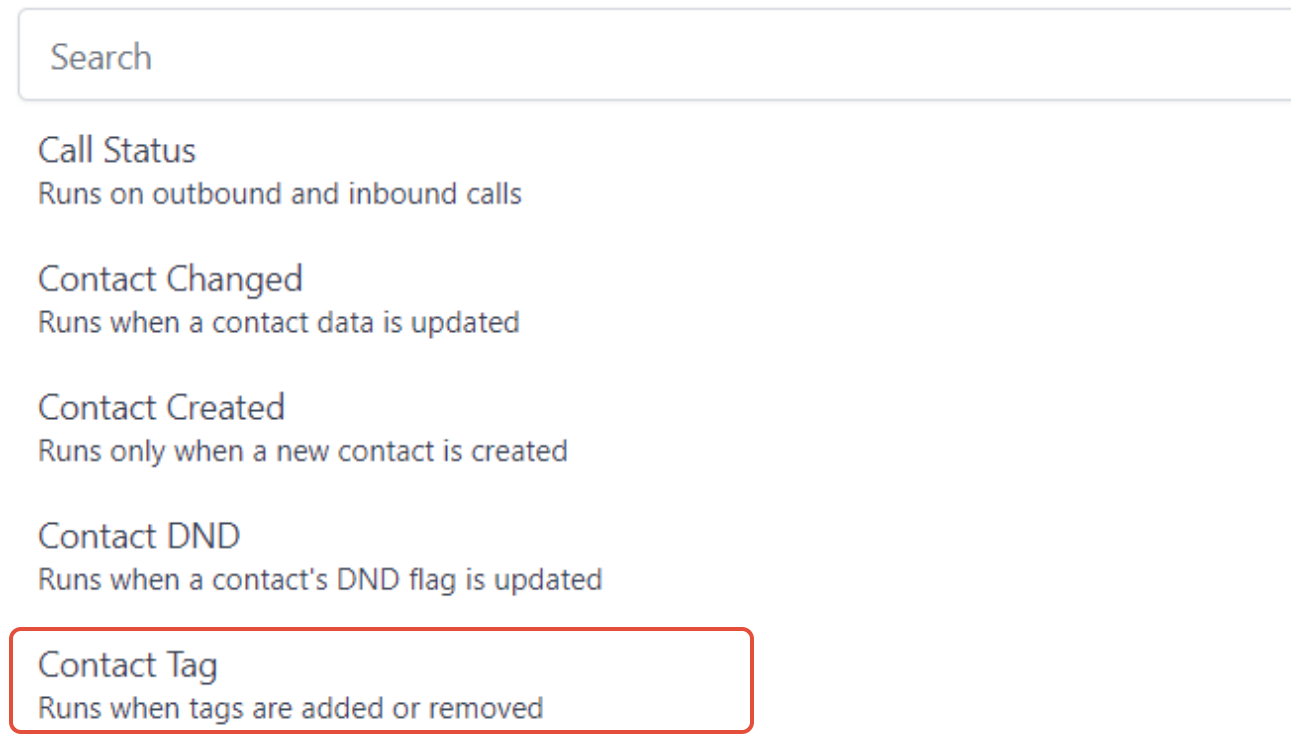
The Contact Tag trigger is a workflow step that checks a contact’s tag list. It evaluates whether any tag has been added or removed. If the condition matches, the workflow continues.
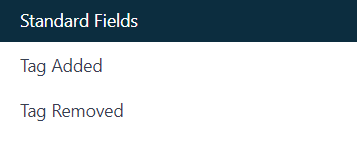
You can add a filter to the trigger. Choose Tag Added to fire only when a tag is applied, or Tag Removed to fire only when a tag is taken away. Without a filter, the workflow starts for both events.
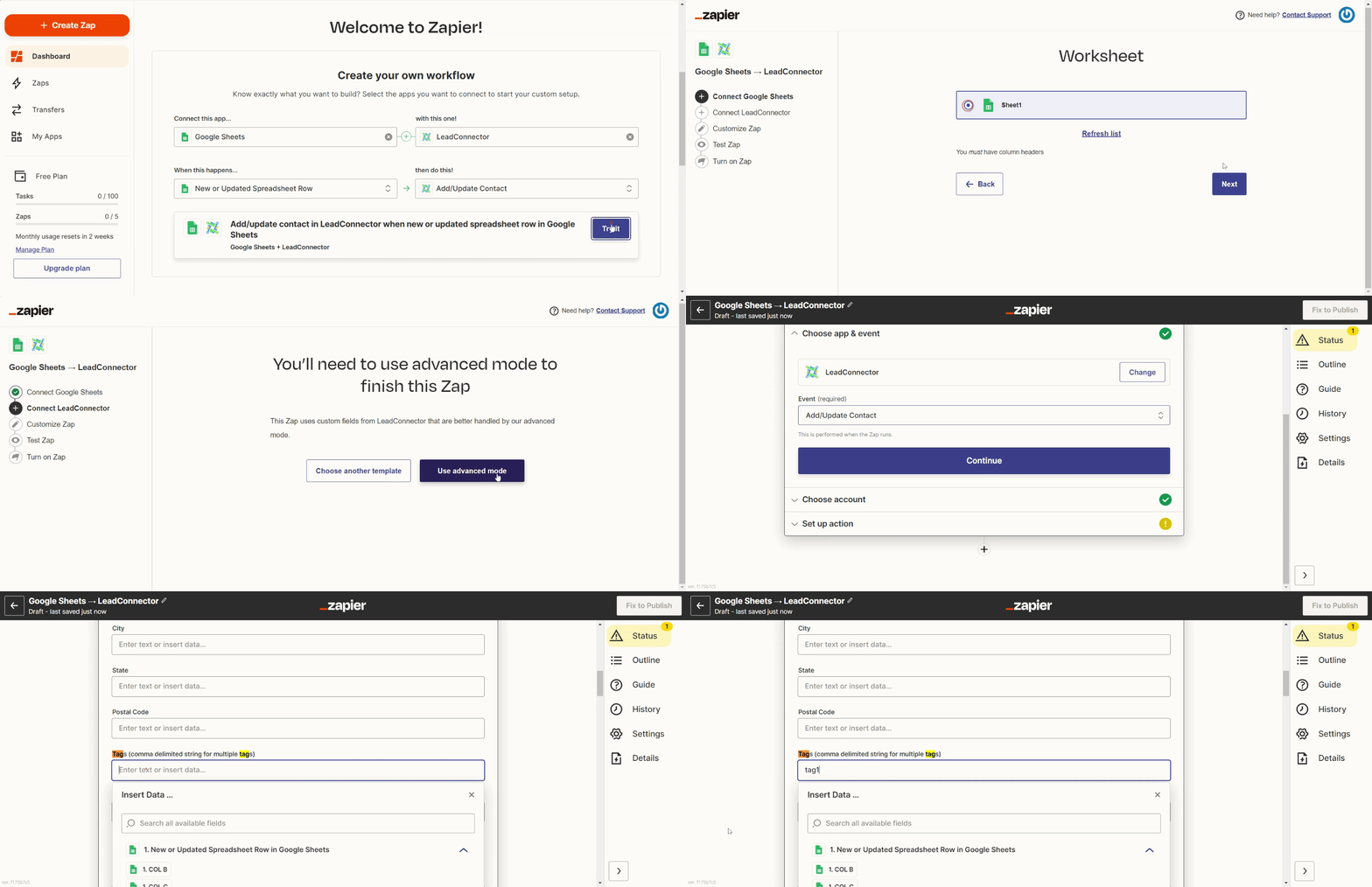
The trigger lives inside the workflow builder along with other triggers, filters and actions. It reacts to tags changed by manual edits, other workflows, Zapier integrations, or CSV imports.
03How businesses use contact tag trigger
- Real estate agency. When an agent marks a lead with the "Showing Scheduled" tag, the Contact Tag trigger starts a workflow that sends a reminder SMS and creates a task for the agent.
- Dental practice. If a patient’s "Follow Up Needed" tag is removed after a completed visit, the trigger can launch a workflow that sends a thank you email and updates the appointment calendar.
- Ecommerce store. A tag added through a Zapier automation when a shopper abandons a cart can fire a workflow that delivers a recovery email sequence.
04How to set up and use contact tag trigger in HighLevel
How a tag change can start a workflow
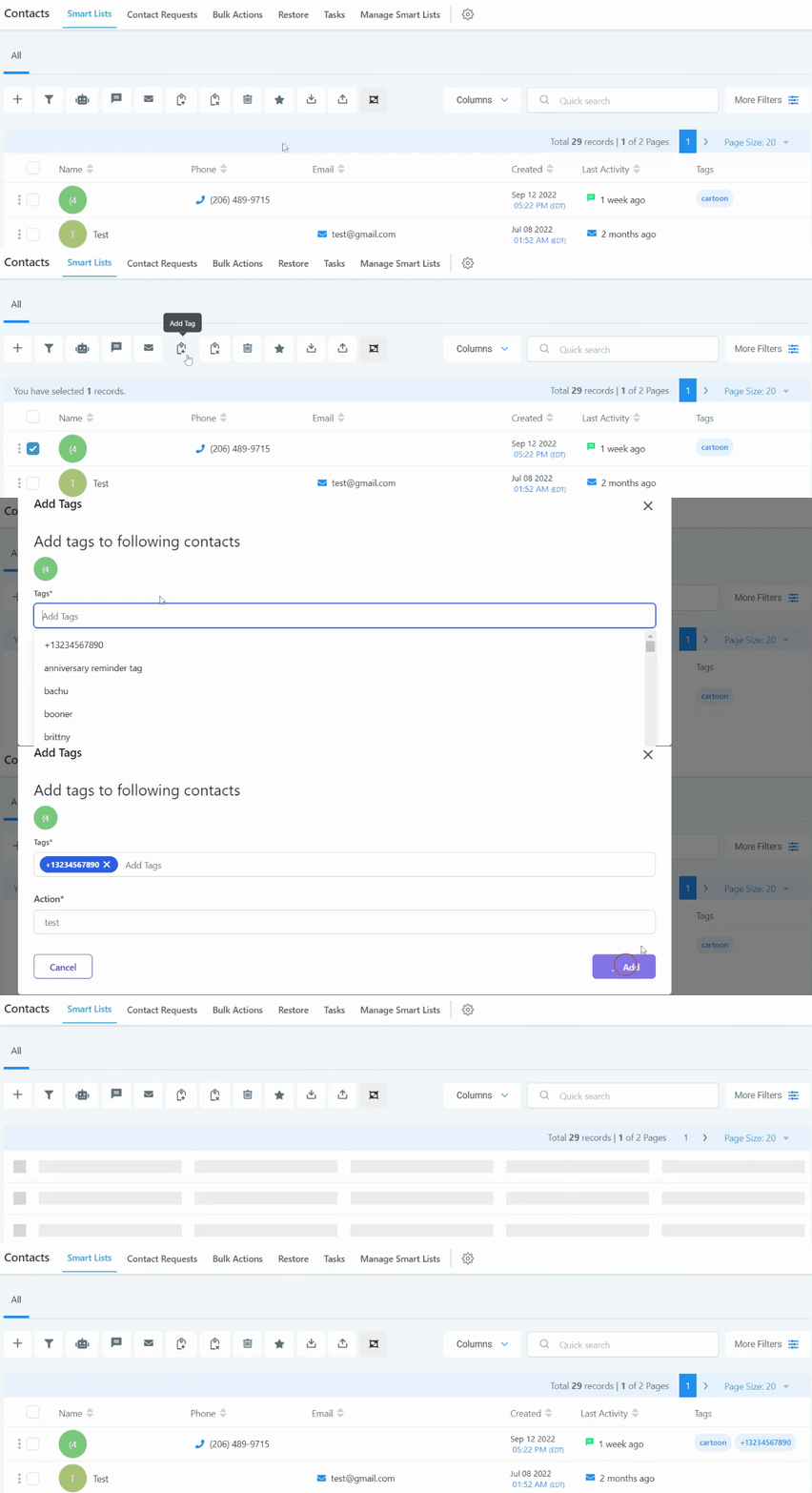
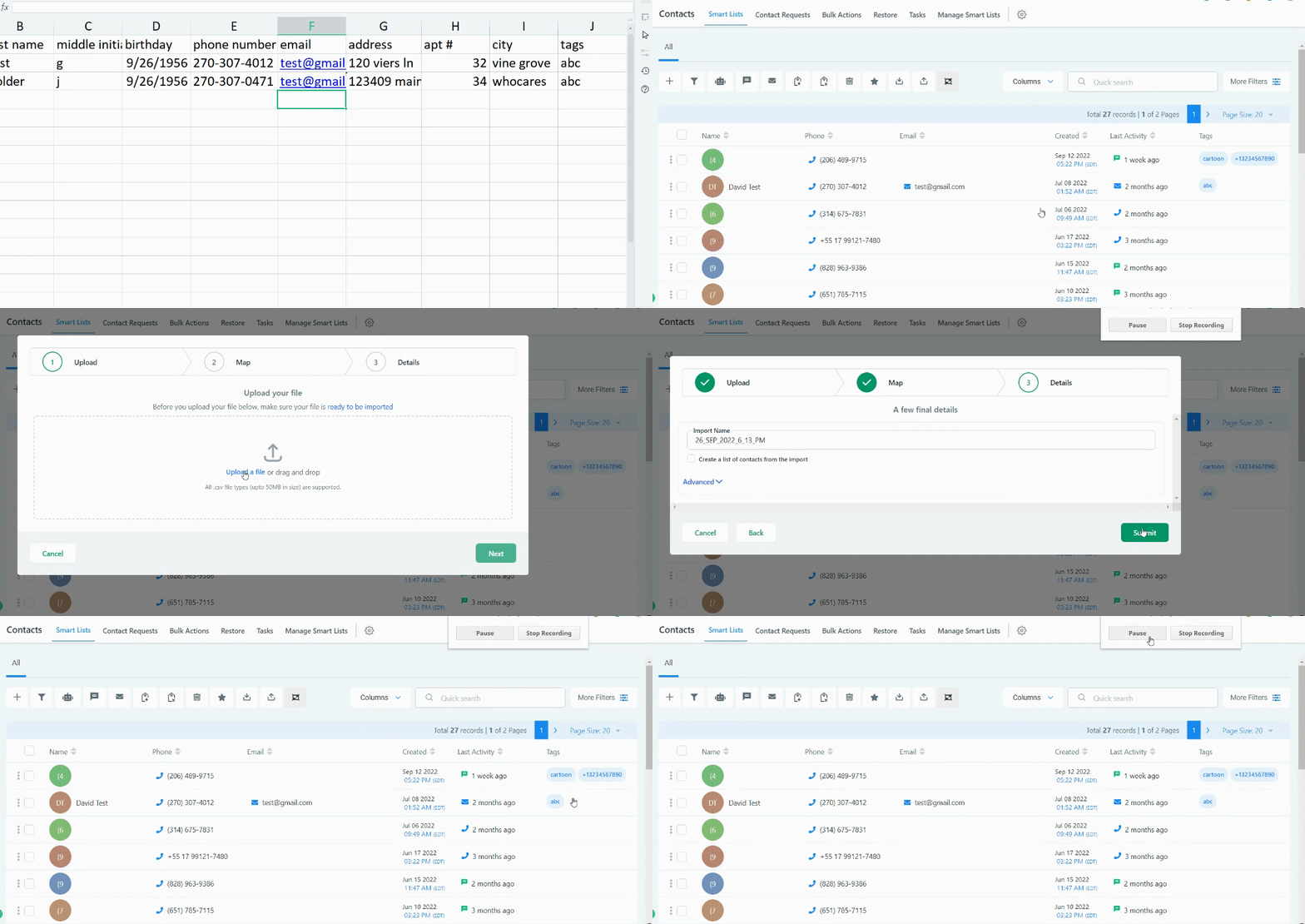
- Add or remove a tag manually in the Contacts List using the Add tag or Remove tag button.
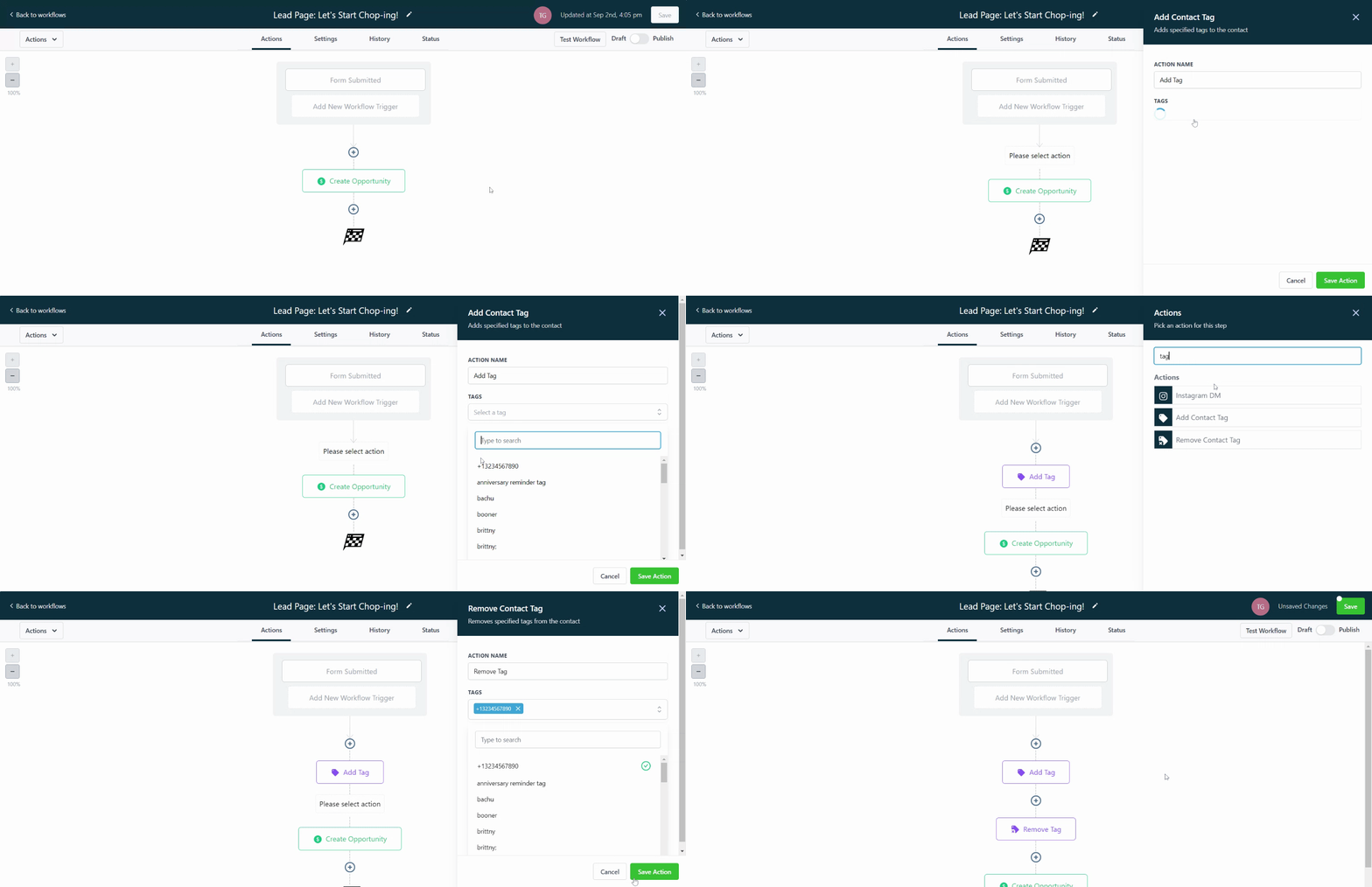
- Add or remove a tag inside a published workflow by using the add tag or remove tag action.
- Add a tag through a third party integration such as Zapier; removal is not possible with this method.
- Include a tags column in a CSV import to add tags, or update tags on existing contacts when duplicates are not allowed.
05What it looks like in HighLevel
06Settings that matter
- Contact Tag. Selects the workflow trigger that monitors contacts for tag additions or removals.
- Tag Added. Filters the trigger to fire only when a tag is applied to a contact.
- Tag Removed. Filters the trigger to fire only when a tag is taken off a contact.
07Things to know before you rely on it
- Zapier integration can add tags but cannot remove them.
- CSV imports can add tags and also update tags on existing contacts if duplicate contacts are prevented.
- If no filter is set, the trigger reacts to both tag additions and removals.
08How it connects to the rest of HighLevel
- How to create a workflow with triggers and actions Workflow creation guide
- Overview of all workflow triggers Triggers overview
- Adjust workflow timing and contact settings Workflow settings guide
Michael's take

The contact tag trigger feels like a small convenience that can become a real shift in how you move leads through your funnel. It’s a quiet way to let the system react the moment you label a contact, without you having to click anything else.
A local service business that tags customers "First Service" after their initial visit can use the trigger to automatically send a thank you SMS and schedule a follow up appointment reminder. That kind of timing keeps the client experience smooth and hands off.