
01Who this is for
- Agency owners who need to offer automated data imports for client subaccounts, because the trigger supplies real time updates.
- Ecommerce merchants who want new order details to appear right away in HighLevel contacts or reports.
- Event organizers who require attendee registration data to flow automatically into their marketing workflows.
02Inbound webhook triggers, explained
Inbound Webhooks receive HTTP requests from outside systems and turn the payload into custom values inside a HighLevel workflow. When an external event occurs, the system sends a POST, GET or PUT request to a unique URL generated by the trigger. HighLevel captures the JSON, makes the fields available as variables, and passes them to any following actions.
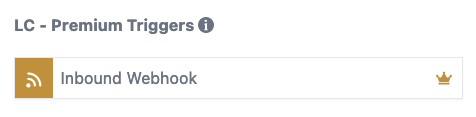
The trigger lives under the workflow builder as a premium trigger. After enabling Premium Actions & Triggers in Agency settings, both existing and new subaccounts can add the Inbound Webhook trigger. Each request creates a sample record that you map to workflow fields, then you can use the data in emails, SMS, if/else branches, or contact free actions such as custom webhooks or Google Sheets.
The feature works without a contact record if you omit the Create/Update Contact action. However, providing an email or phone number is required when you do need to create or update a contact.
03How businesses use the inbound webhook workflow premium trigger
- Ecommerce store. Add the generated webhook URL to the checkout system. When a purchase occurs, the store sends a POST request with order details. HighLevel captures the data, creates or updates the buyer’s contact, and can add the order line to a Google Sheet or trigger a thank you email.
- Support ticketing platform. Configure the ticketing tool to POST new ticket information to the inbound webhook URL. The workflow receives the ticket ID, subject and description, then either updates the related contact record or logs the ticket in a spreadsheet for reporting.
- Event registration service. Set the registration service to send attendee name, email and event name via a PUT request to the webhook URL. HighLevel creates or updates the attendee contact and can follow up with a confirmation SMS or add the attendee to a webinar list.
04The numbers and rules that matter
- Existing and new subaccounts receive 100 free executions when Premium Actions & Triggers are enabled.
- Supported HTTP methods: POST, GET, PUT.
05Before you start
- Premium Actions & Triggers must be enabled in the Agency settings.
- Copy the inbound webhook URL from the trigger configuration before sending data.
06How to set up and use the inbound webhook workflow premium trigger in HighLevel
Set up inbound webhook trigger
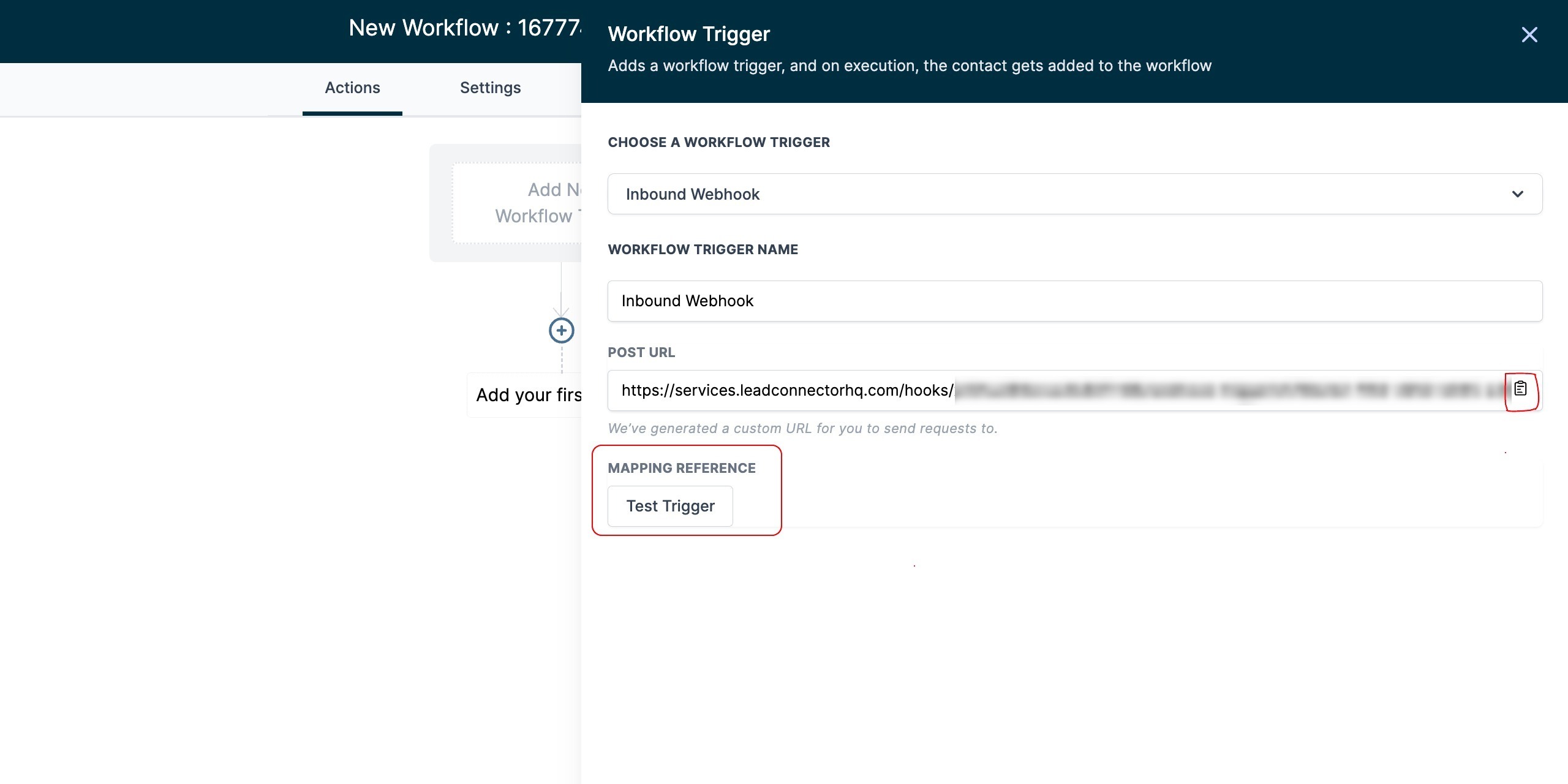
- Copy the webhook URL displayed in the Inbound Webhook trigger settings.
- Paste the URL into the external application or system that will send data.
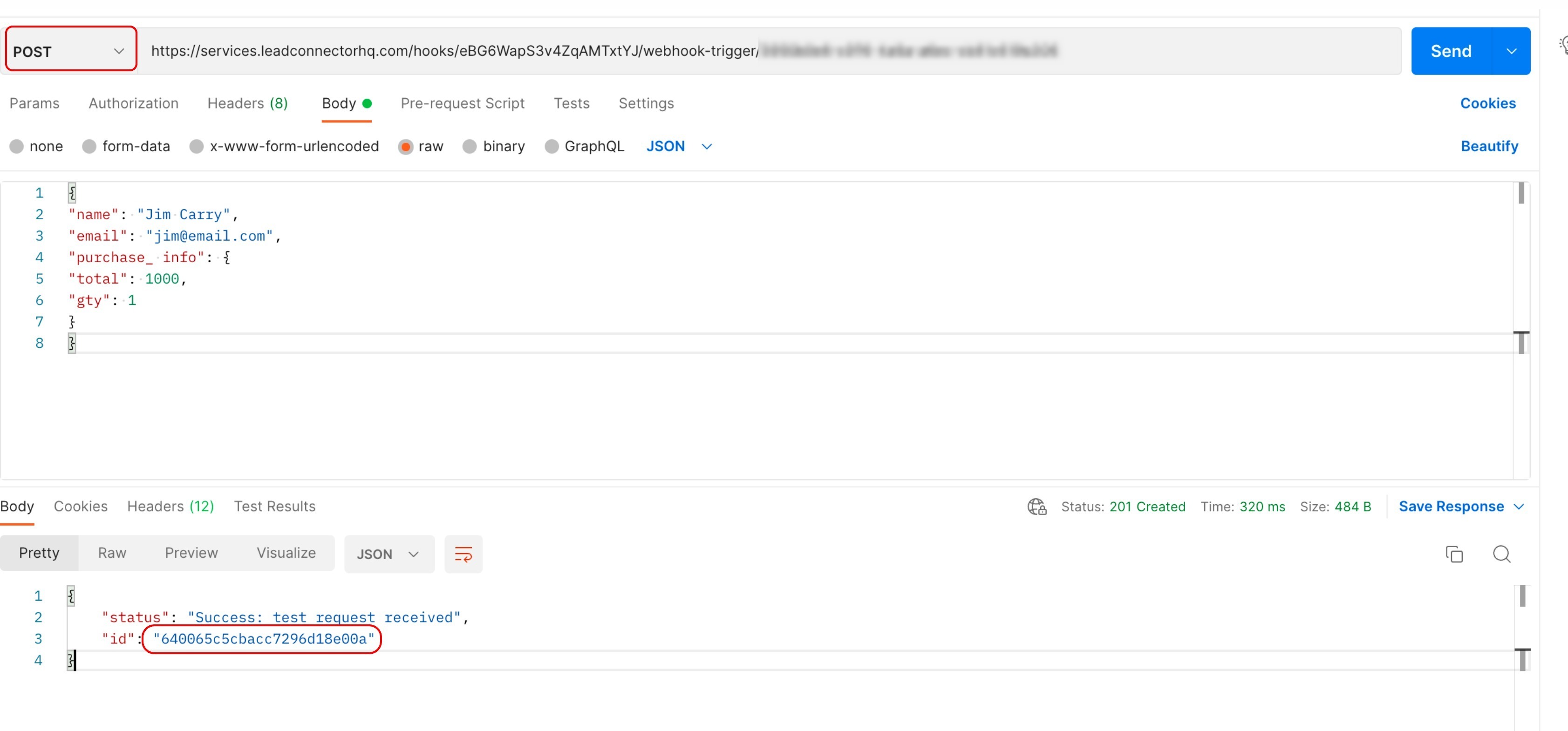
- Send a JSON payload to the URL using POST, GET, or PUT (always use a supported method).
- Click the “Test Trigger” button in HighLevel to verify receipt.
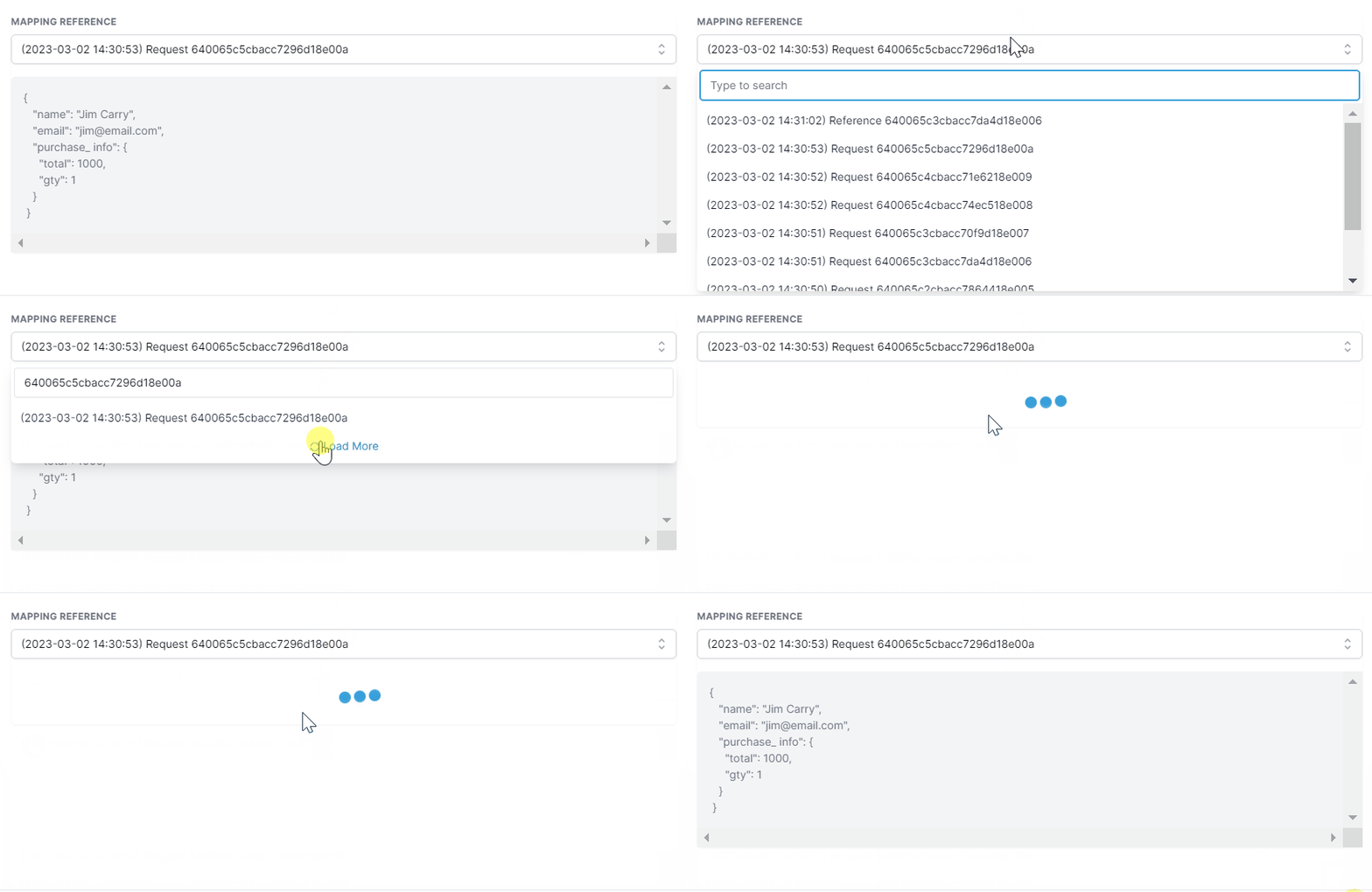
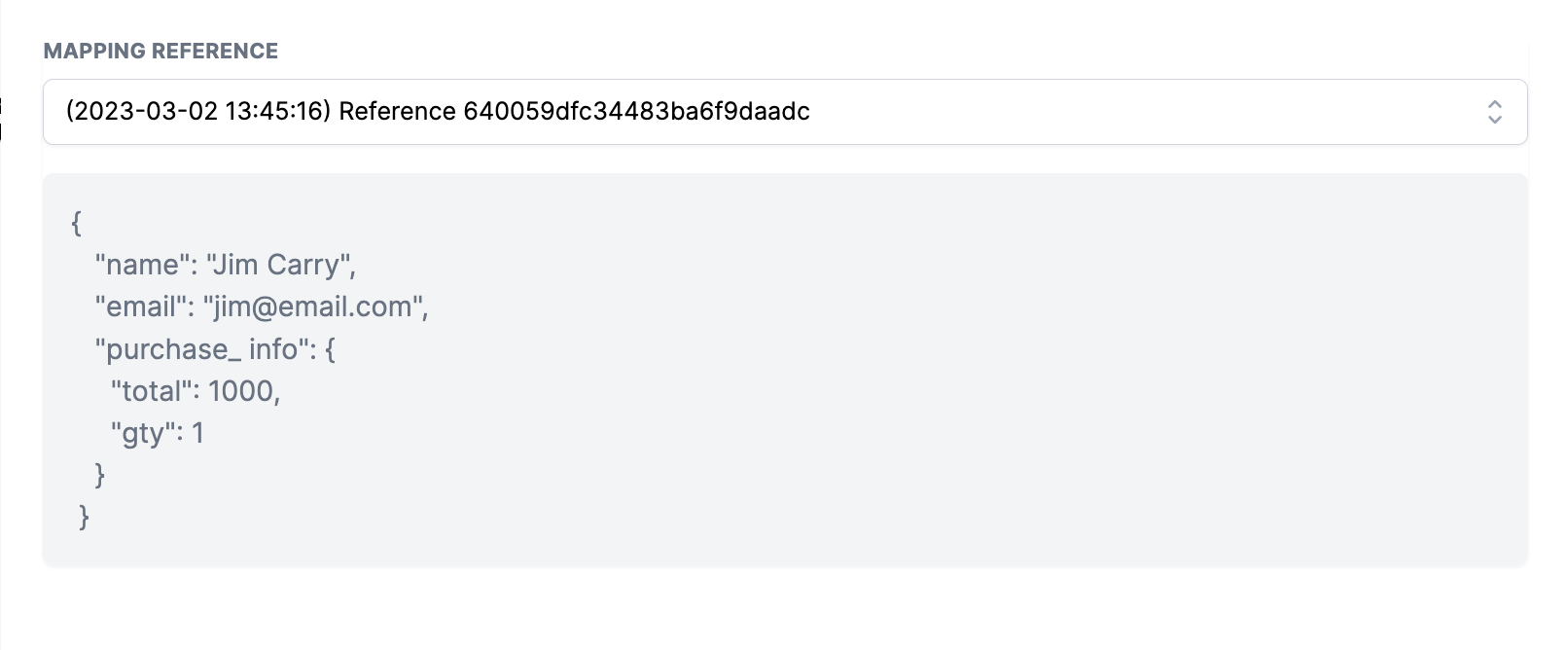
- Open the recent request list and select the appropriate entry as sample data (the most recent request appears at the top).
- Save the selected entry as the mapping reference for future workflow use.
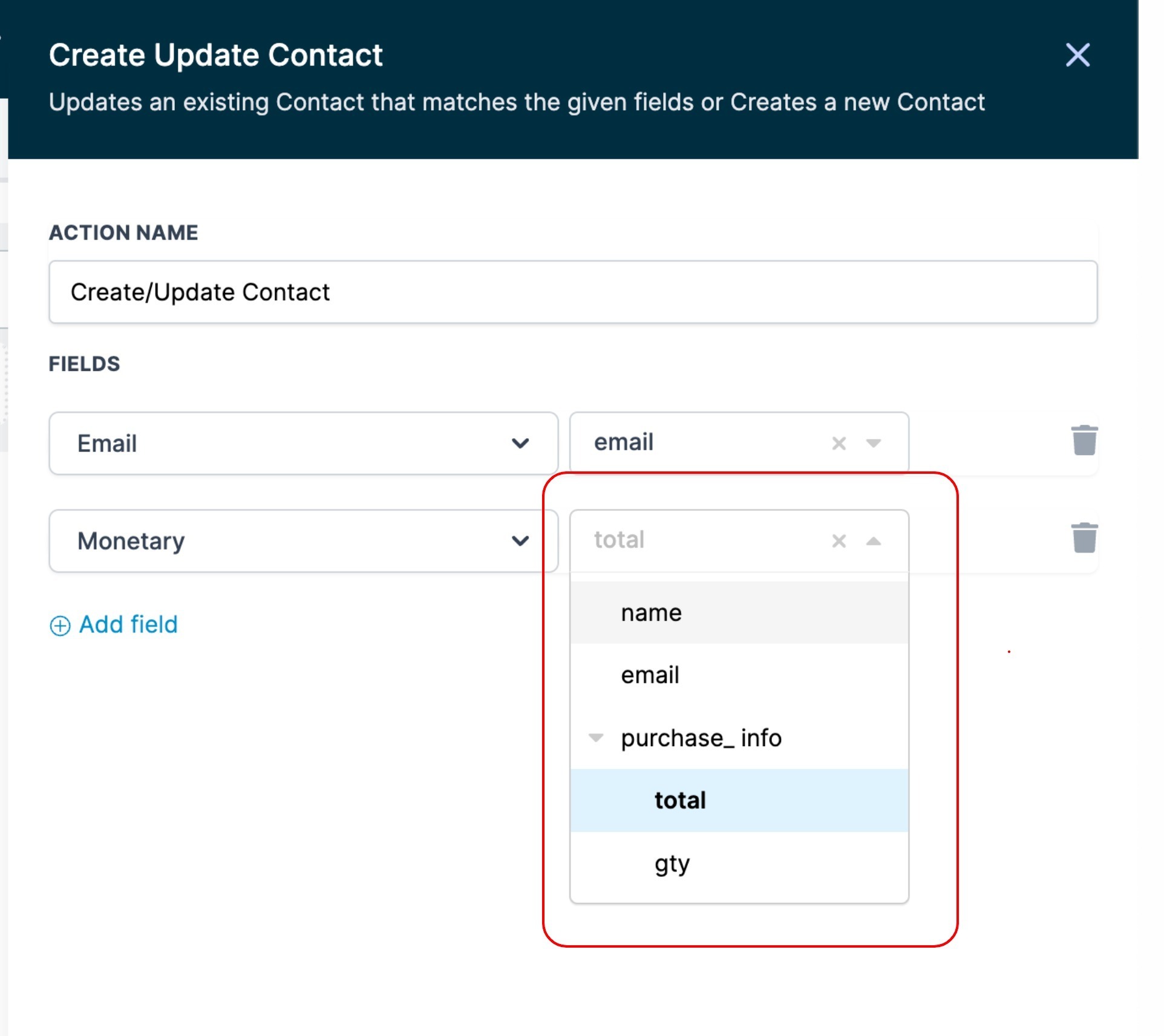
- Add a Create/Update Contact action, map incoming fields, and include email or phone if a contact is needed.
- If you prefer a contact less workflow, remove the Create/Update Contact action; the workflow will continue with other actions.
07What it looks like in HighLevel
08Settings that matter
- Premium Actions & Triggers. Controls whether the Inbound Webhook trigger and other premium workflow capabilities are available to subaccounts.
- Inbound Webhook Trigger URL. The unique endpoint that receives HTTP requests; it is generated when the trigger is added to a workflow.
09Things to know before you rely on it
- Agencies on any plan ($97, $970, $297, $2970, $497, $4970) can access LC Premium Triggers & Actions (per HighLevel's help center, checked November 2026).
- Existing and new subaccounts receive 100 free executions after Premium Actions & Triggers are enabled.
- To avoid execution charges for existing subaccounts, rebilling must be enabled manually for each subaccount in the Agency view.
- JSON is the only supported data format; keys must be single strings without spaces, using camelCase or snake_case.
- Providing an email or phone number in the payload is mandatory when the workflow includes a Create/Update Contact action.
- If the webhook URL is compromised, delete the existing Inbound Webhook trigger and add a new one; a new URL with a different ID will be generated and only requests to that URL will be accepted.
10How it connects to the rest of HighLevel
- Guide to building workflows with triggers, filters, and actions Workflow creation
- Overview of all workflow triggers, including premium options Triggers overview
- Details on custom webhook actions you can use after the inbound trigger Custom webhook action
Michael's take

Watch out for the mandatory email or phone requirement. If the payload lacks one of those fields, the Create/Update Contact step will fail and you’ll need to redesign the workflow to run without a contact.
When configured correctly, the inbound webhook trigger automatically brings data from external systems into HighLevel, reducing manual entry and helping keep your HighLevel account up to date.