
01Who this is for
- Marketers who need to push lead information to advertising platforms without manual entry.
- Developers who want to integrate the system with custom APIs for automated data sync.
- IT professionals managing multiple systems and require reliable real time notifications from HighLevel.
02Custom webhook workflow actions, explained
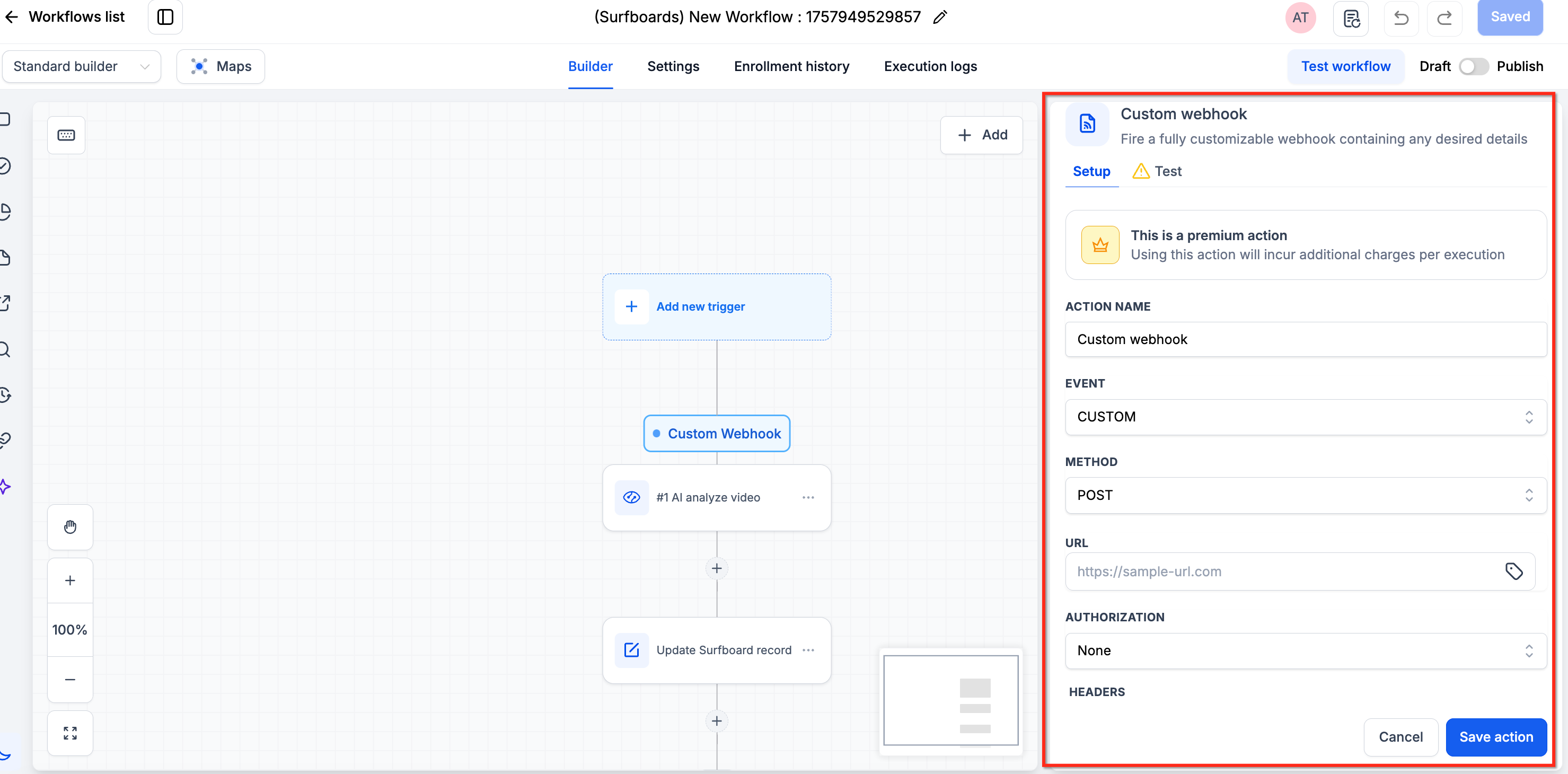
The Custom Webhook is a premium workflow action that creates a direct HTTP call from a contact’s workflow step to an external endpoint. It accepts any URL, supports standard HTTP verbs, and offers several authorization options. You can attach custom headers, query parameters, and map workflow variables into the request body.
The action runs as soon as a contact reaches the step in the workflow. If the API returns an error, the action fails, is skipped, or retries using exponential backoff. Server side limits and API response status must be considered to avoid execution errors.
The feature lives under the workflow actions menu and is available once Premium Actions & Triggers are turned on in the Agency settings. After enabling, both existing and new subaccounts receive 100 free executions.
03How businesses use custom webhook workflow action
- Marketing agency. The agency adds a Custom Webhook action to a lead capture workflow, sets the URL of the ad platform's API, selects POST, includes an API key header, and maps lead fields into the JSON body. This sends lead data right away to the advertising system.
- SaaS startup. The startup configures a webhook that fires when a user upgrades. It selects the billing service endpoint, uses Bearer token authorization, adds a Content Type header, and maps the user ID and plan tier into the request. The external service records the upgrade in real time.
- Ecommerce store. The store creates a webhook in the order confirmation workflow, points to a shipping provider's API, chooses PUT, adds necessary authentication headers, and includes order ID and shipping address as query parameters. The provider receives the data immediately for fulfillment.
04The numbers and rules that matter
- Agencies on Any Plan ($97, $970, $297, $2970, $497, $4970) can access LC Premium Triggers & Actions (per HighLevel's help center, checked November 2026).
- Once Premium Actions & Triggers are enabled via the Agency settings, Existing and New Subaccounts will have 100 free executions.
05Before you start
- Premium Actions & Triggers must be enabled in Agency settings.
- Existing and new subaccounts receive 100 free executions after enablement.
- If you want to avoid costs for existing subaccounts, enable rebilling manually for each subaccount in the Agency view.
06How to set up and use custom webhook workflow action in HighLevel
Configure a custom webhook action
- Enter the target URL in the Url field.
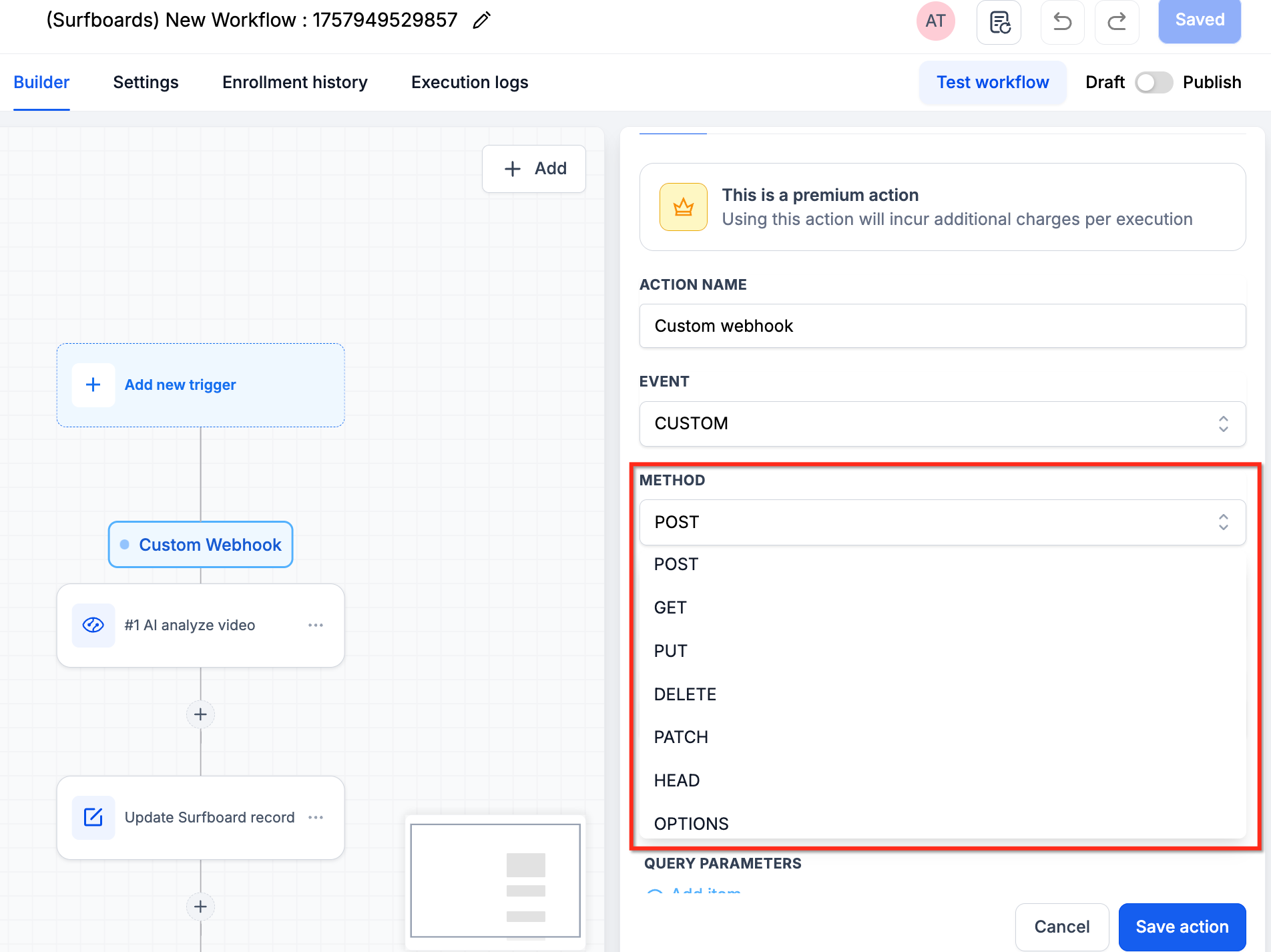
- Choose the HTTP method you need, such as POST, GET, DELETE, PUT, PATCH, HEAD, or OPTIONS.
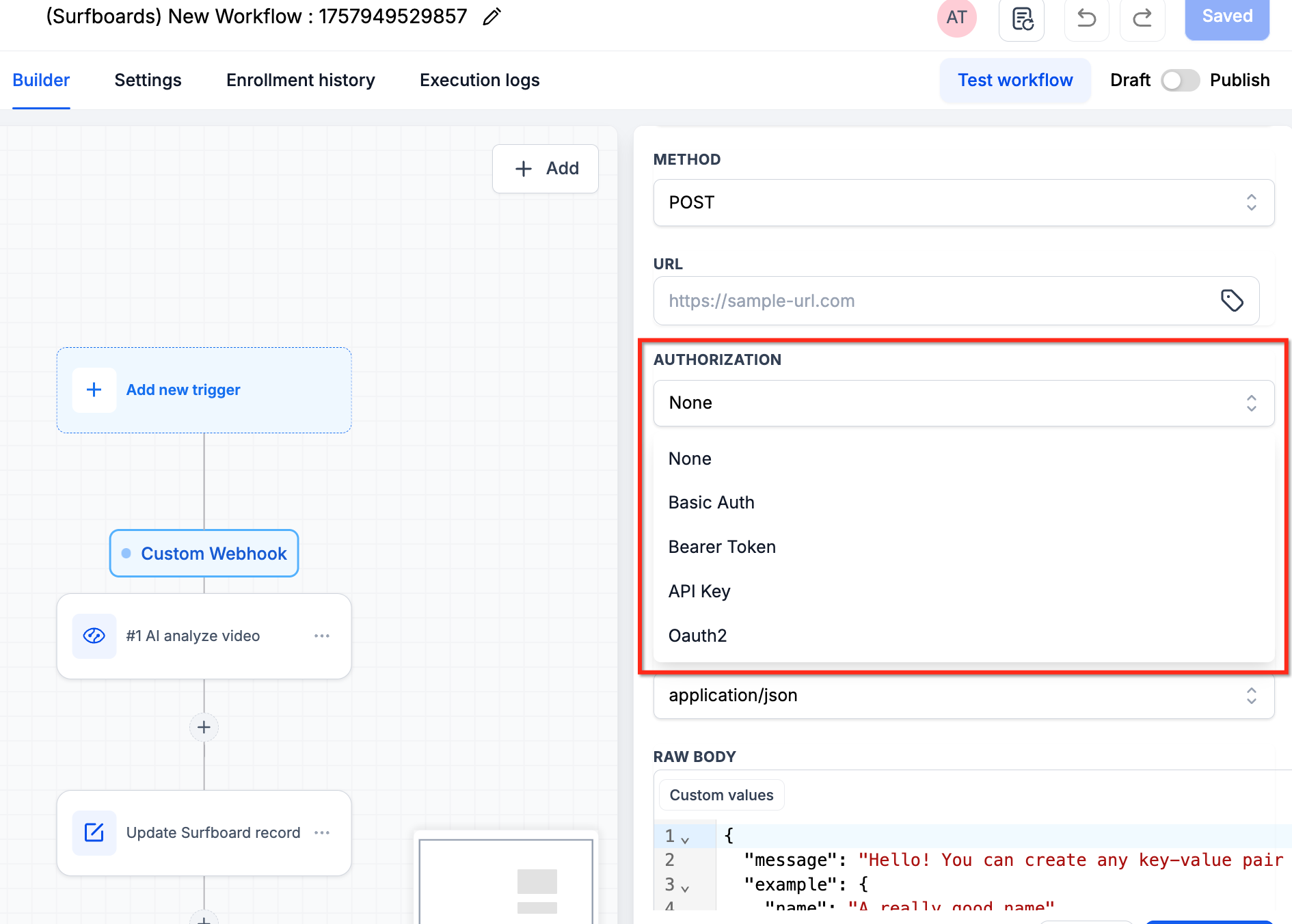
- Select the appropriate Authorization Method for the request.
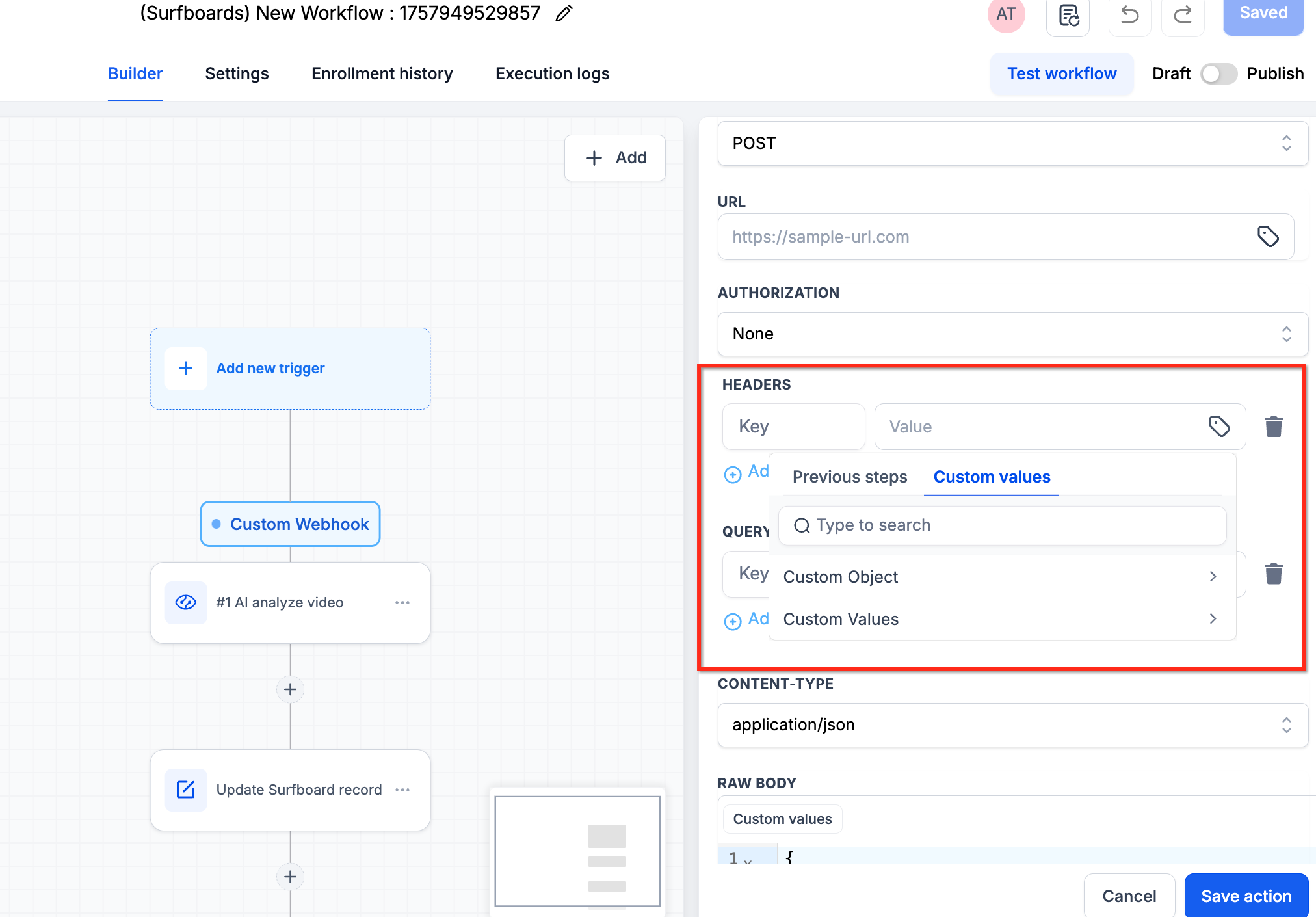
- Add any required Headers and Query Parameters to the request.
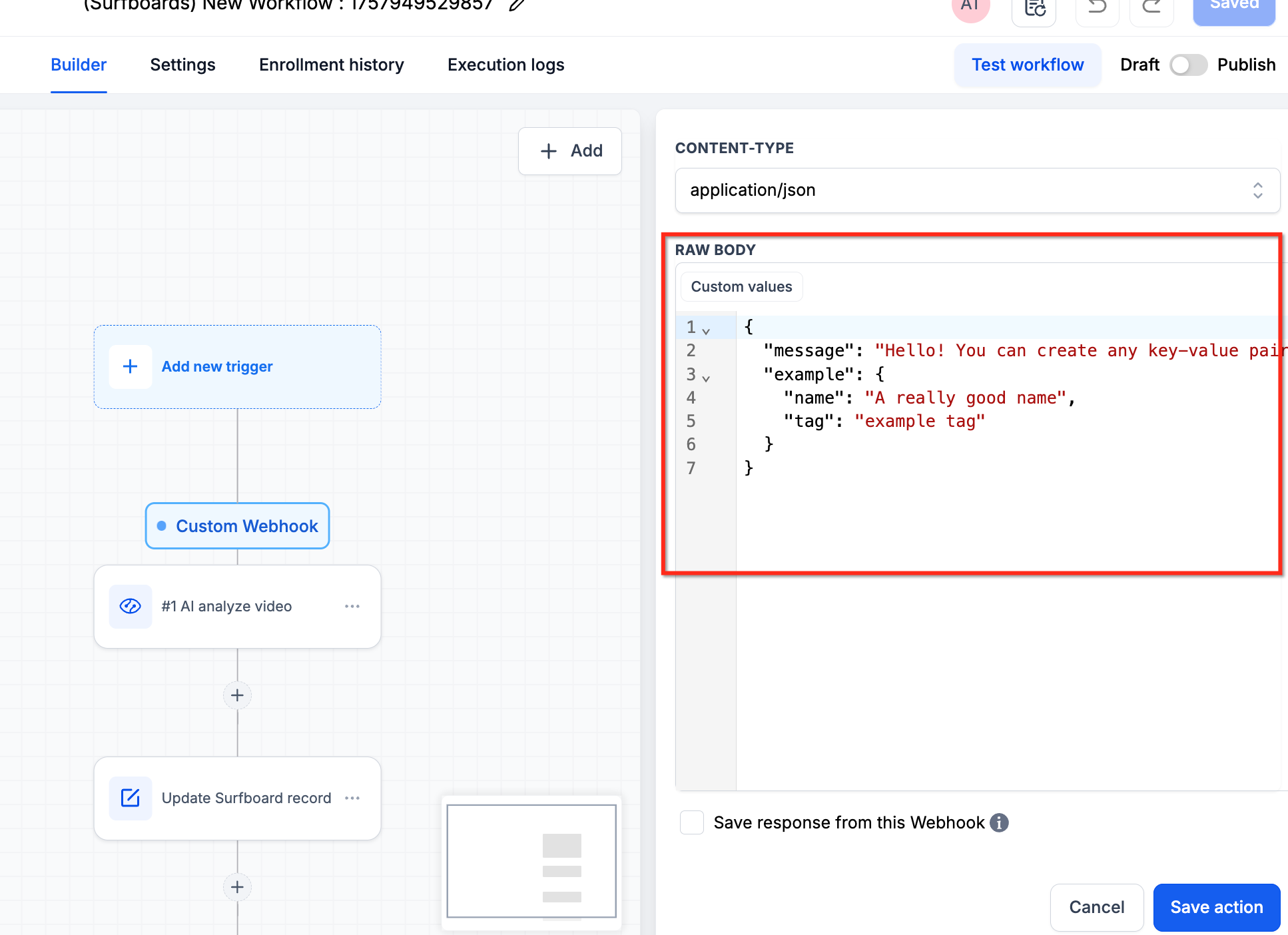
- Map the data you want to send using the custom values textbox, leveraging autocomplete suggestions.
07What it looks like in HighLevel
08Settings that matter
- Url. Specifies the endpoint address that receives the HTTP request.
- Method. Determines which HTTP verb (POST, GET, DELETE, PUT, PATCH, HEAD, OPTIONS) is used.
- Authorization Method. Defines how the request authenticates with the external service.
- Headers. Allows extra key value pairs to be sent with the request, such as authentication tokens or content type.
- Query Parameters. Enables additional parameters to be appended to the URL for filtering or modifying the response.
09Things to know before you rely on it
- Existing and new subaccounts receive a quota of 100 free executions for the Custom Webhook action.
- If the receiving server cannot handle the number of executions, errors may occur due to exceeded limits.
- Failed API responses cause the action to be marked as Failed and may trigger retries with exponential backoff.
10If something goes wrong
- The action fails and shows an error in the workflow execution log.. Confirm that the target server can accept the volume of requests and that the API returns a successful response.
11How it connects to the rest of HighLevel
- Learn how to trigger a workflow from an inbound webhook. Inbound webhook trigger guide
- Explore the full list of workflow actions available in HighLevel. Workflow actions list
- Review workflow settings to control contact timing and execution. Workflow settings overview
Michael's take

Custom webhooks can be a source of hidden trouble if the external endpoint can’t keep up with the volume of calls your workflow generates. A missed response or a rate limit hit will pause or fail the contact’s path, so you need to confirm the target can handle the load.
When it works, the feature gives you real time, programmable links between HighLevel and any system you care about. You can push data, fire alerts or update third party tools without the need for coding, and the autocomplete saves you from mistyping field names.