
01Who this is for
- Support managers who need to route urgent issues when agents add notes about problems.
- Event organizers who want to follow up automatically with attendees after a networking session.
- Online retailers who track product preference notes to send targeted upsell emails.
02Note added workflow trigger, explained
The Note Added trigger watches a contact’s record for any newly attached note. When a note is saved, the workflow starts and can run any actions you have defined, such as sending alerts, updating tags or creating tasks. You can narrow the trigger with filters that check whether the contact already has a particular tag or lacks one.
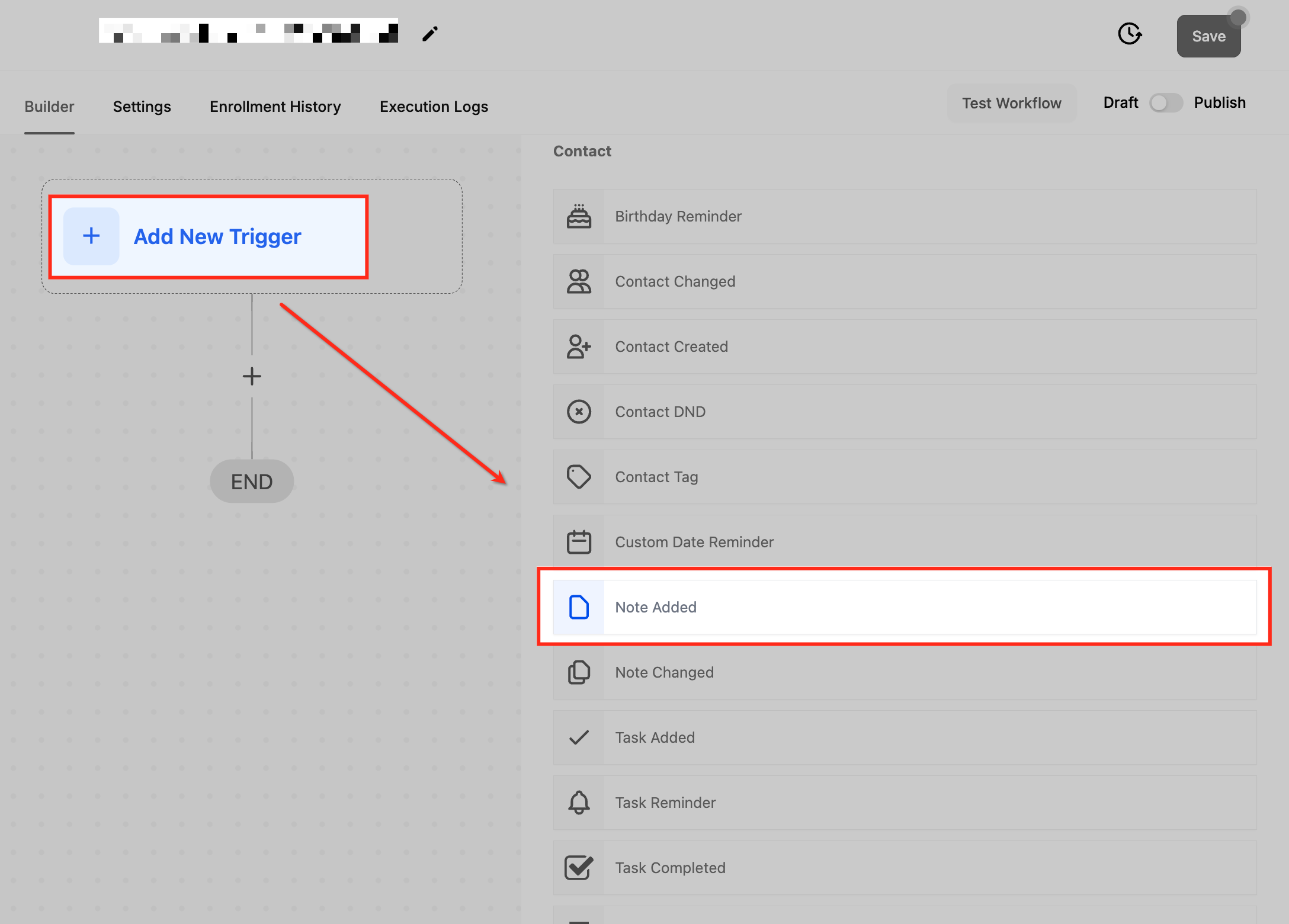
The trigger is found inside the workflow builder. Create a new workflow or edit an existing one, add the Note Added trigger, give it a name, set the tag filters you need, save and then publish the workflow. The trigger fires each time a note is added; removing a note does not start the workflow.
03How businesses use note added workflow trigger
- Customer support call center. When an agent adds a note that includes the tag High Priority, the workflow can assign the ticket to a senior specialist and send an instant alert. The team receives the notification right after the note is saved.
- Event management company. After a conference, staff add notes to attendee profiles and tag them as Event Attendee. The workflow then sends a personalized follow up email and adds any additional tags needed for future communications.
- Online retailer. Sales staff record product preferences in notes and tag customers as Frequent Buyer. The workflow automatically sends a recommendation email for related items and updates the contact with a new tag for the campaign.
04How to set up and use note added workflow trigger in HighLevel
Configure the Note Added trigger
- Open the workflow automation area and start a new workflow or choose one to edit.
- Select the option to add a new trigger and pick Note Added from the list.
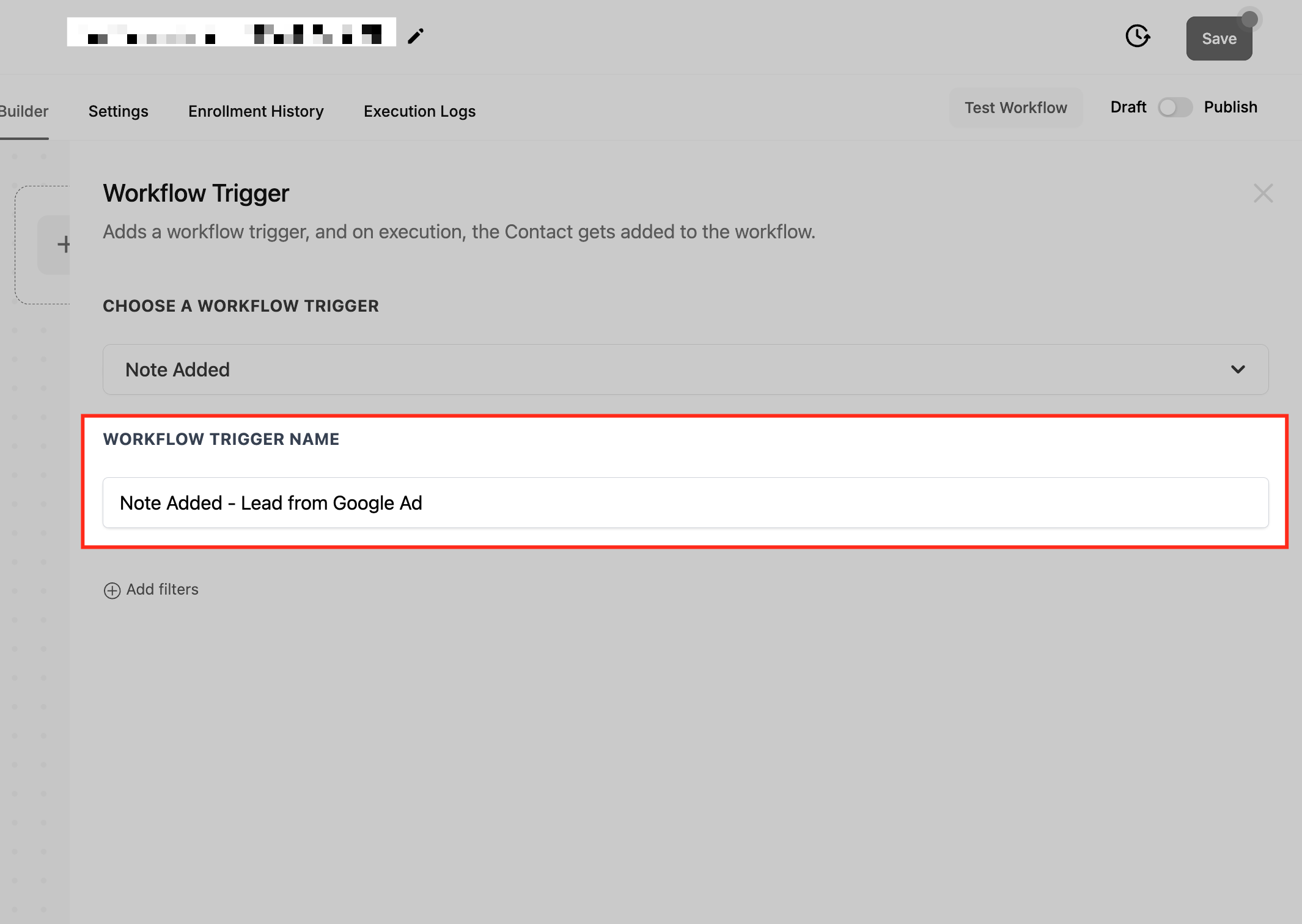
- Enter a clear name for the trigger, such as VIP Note Added Trigger.
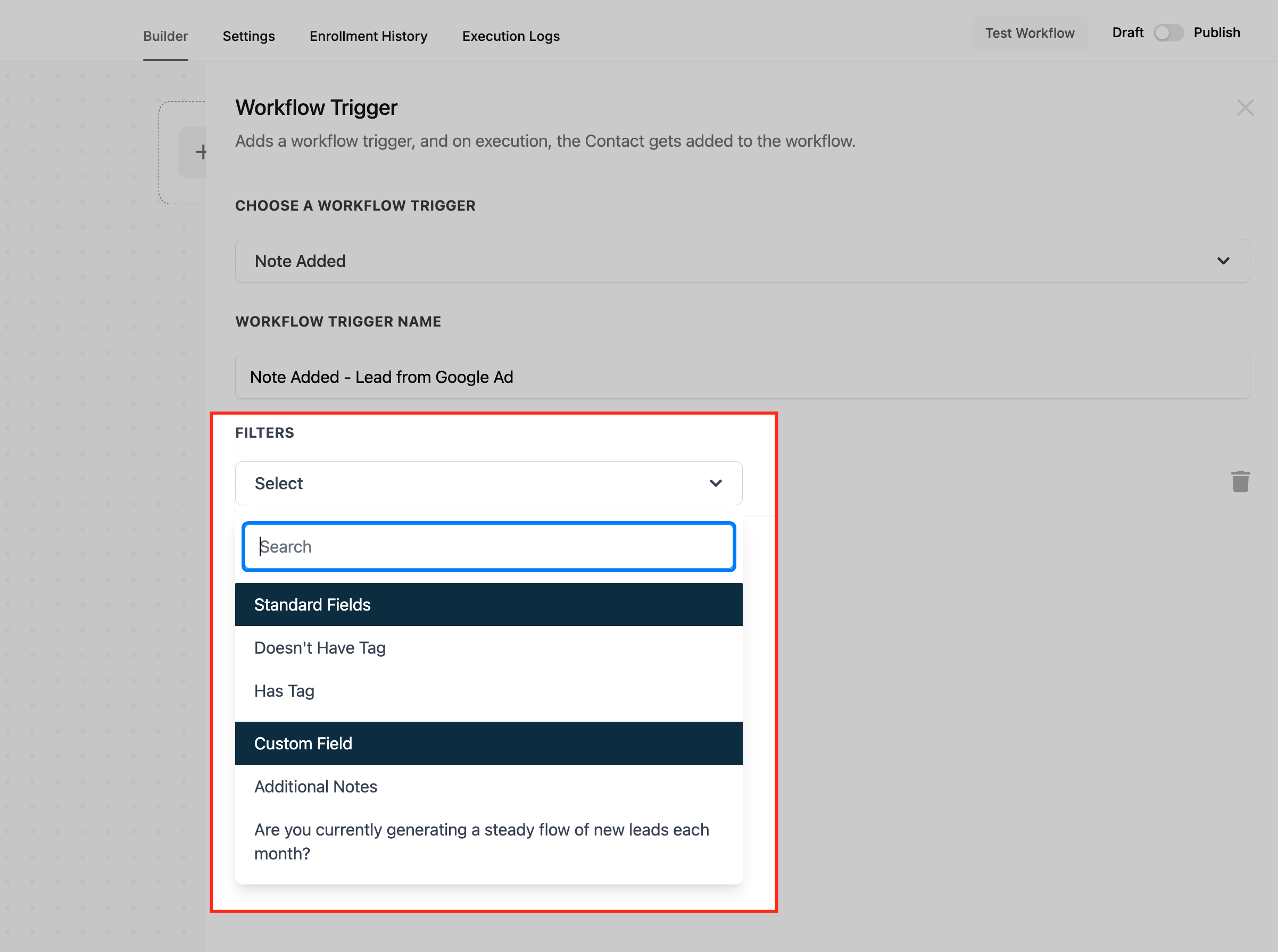
- Add a Has Tag filter for contacts that must have a specific tag, or a Doesnt Have Tag filter for contacts that must lack a tag.
- Save the trigger settings to store your changes.
- Run a test of the workflow and then turn on the publish toggle to activate it.
05What it looks like in HighLevel
06Settings that matter
- Has Tag. Limits the trigger to contacts that already carry the selected tag.
- Doesnt Have Tag. Limits the trigger to contacts that do not have the selected tag.
07Things to know before you rely on it
- The trigger runs each time a note is added; adding several notes quickly will start the workflow each time.
- Removing a note does not fire the trigger.
- You can combine the Note Added trigger with other triggers in the same workflow for more complex automations.
08How it connects to the rest of HighLevel
- Learn how to add a contact tag filter to a workflow Contact tag trigger guide
- Overview of creating workflows with triggers, filters and actions Workflow basics
- Details on HighLevel pricing plans Pricing
Michael's take

The Note Added trigger is a neat way to keep your team informed in real time of new information on a contact.
If you never use notes as part of your process, you can skip this feature.