
01Who this is for
- Marketing managers who run limited time promotions can automatically pause coupons the moment they sell out.
- Operations teams can receive instant alerts when a coupon hits its cap, avoiding over allocation of discounts.
- Ecommerce owners can keep promotional offers under control without manually checking redemption numbers.
02Coupon redemption limit reached triggers, explained
The trigger belongs to the Payments section of the workflow builder. When a coupon reaches the maximum number of allowed redemptions, HighLevel fires the trigger after the last successful transaction that used the code. This event can start any workflow actions you attach, such as notifications, tag adds, or API calls.
You locate the trigger in Automation > Workflows, add it to a new or existing workflow, name it, and optionally apply filters. Filters let you narrow the trigger to specific coupon codes, names, types, or redemption limits, giving precise control over when the automation runs.
03How businesses use coupon redemption limit reached trigger
- Ecommerce store. Add the trigger to a workflow that sends an internal Slack message and deactivates the coupon via API when the redemption limit is hit, preventing further use of the discount.
- Gym membership system. Configure the trigger with a filter for the "Free Trial" coupon type. When the limit is reached, the workflow tags the campaign and emails the staff to create a new offer.
- Event ticketing platform. Set the trigger to fire for a specific event promotion code. Upon reaching its limit, the workflow sends an SMS to the event coordinator and pauses the coupon to stop additional sales.
04The numbers and rules that matter
- The trigger fires only when the coupon’s maximum allowed redemptions have been reached after a completed transaction.
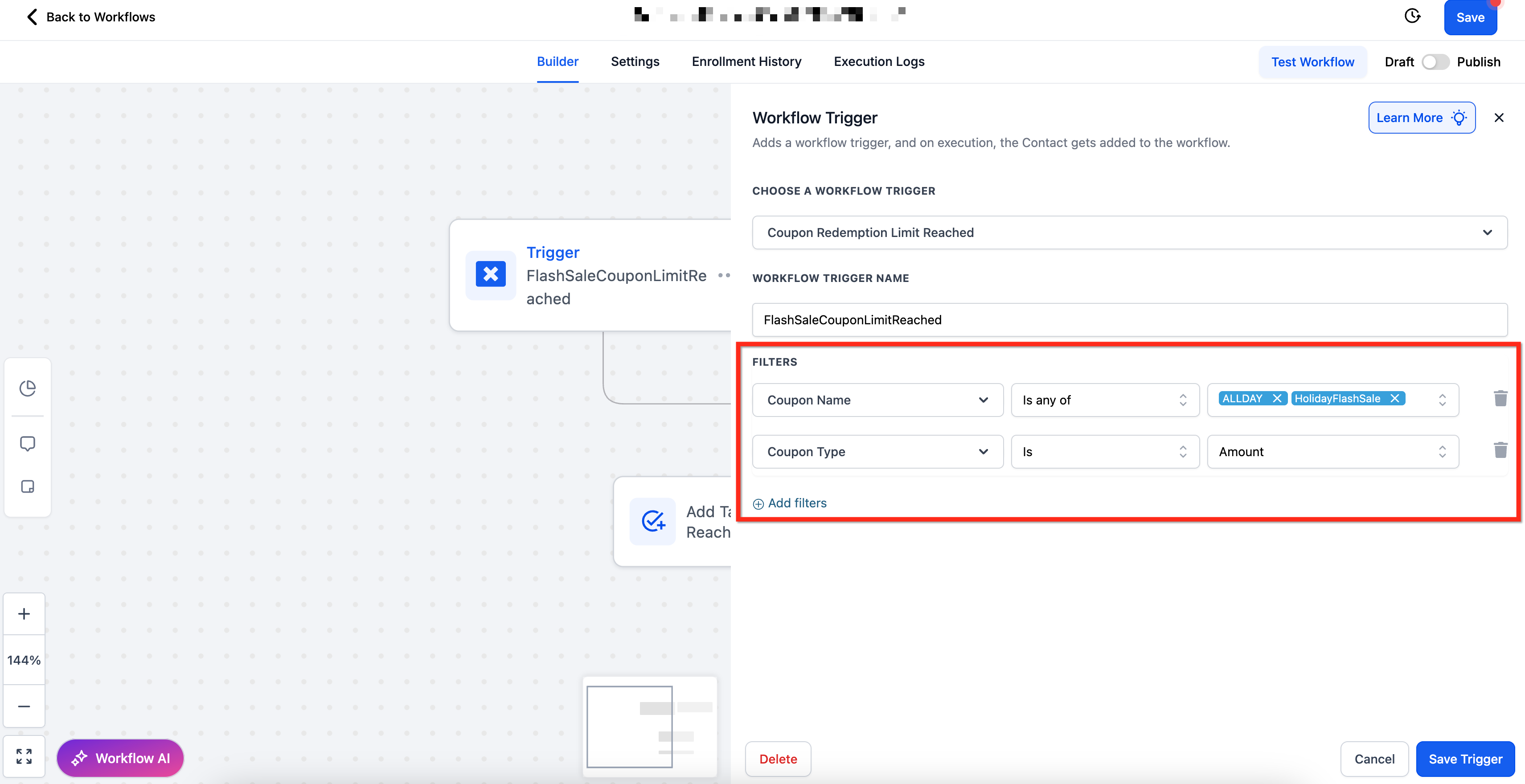
- Available filters include Coupon Code, Coupon Name, Coupon Type, and Redemption Limit with various operators.
- Redemption Limit filter uses a numeric input box with operators such as Equals To, Greater Than, and Less Than or Equal To.
05How to set up and use coupon redemption limit reached trigger in HighLevel
Set up coupon redemption limit reached trigger
- Open Automation > Workflows in the platform.
- Create a new workflow or edit an existing one.
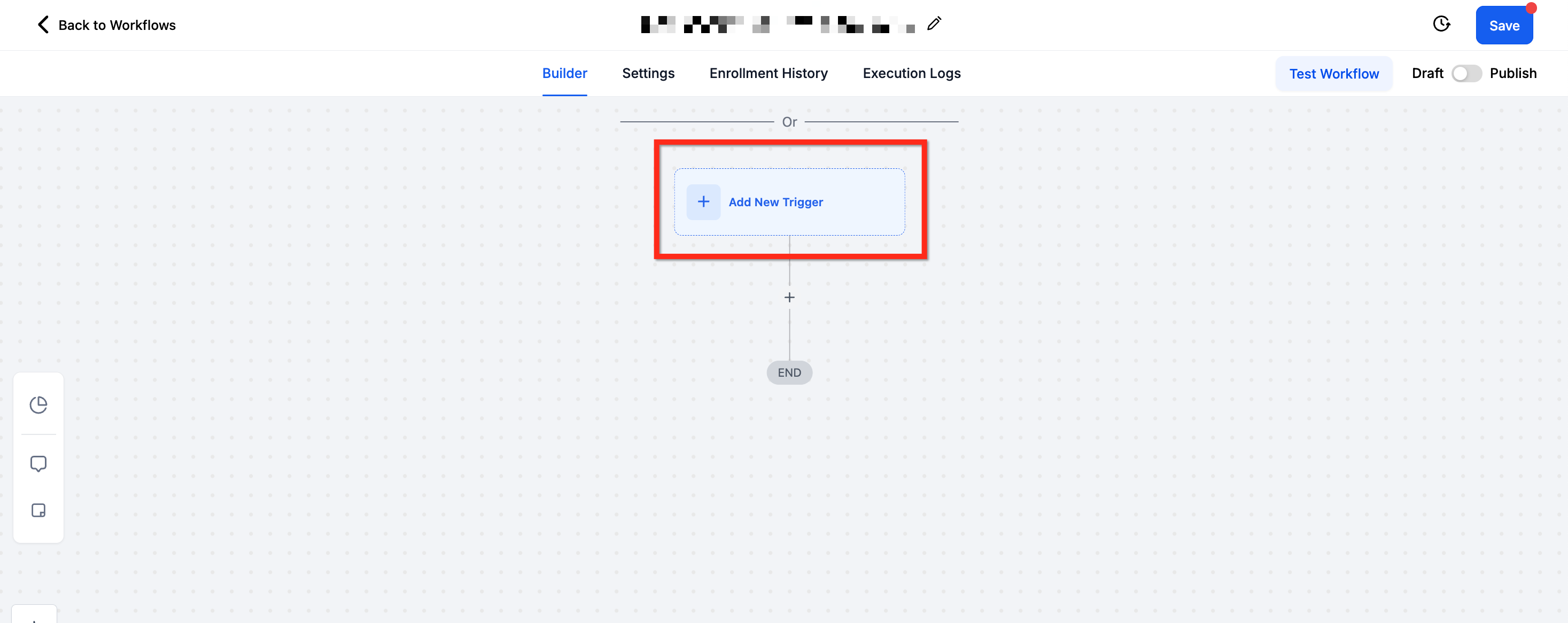
- Click + Add New Trigger to start adding a trigger.
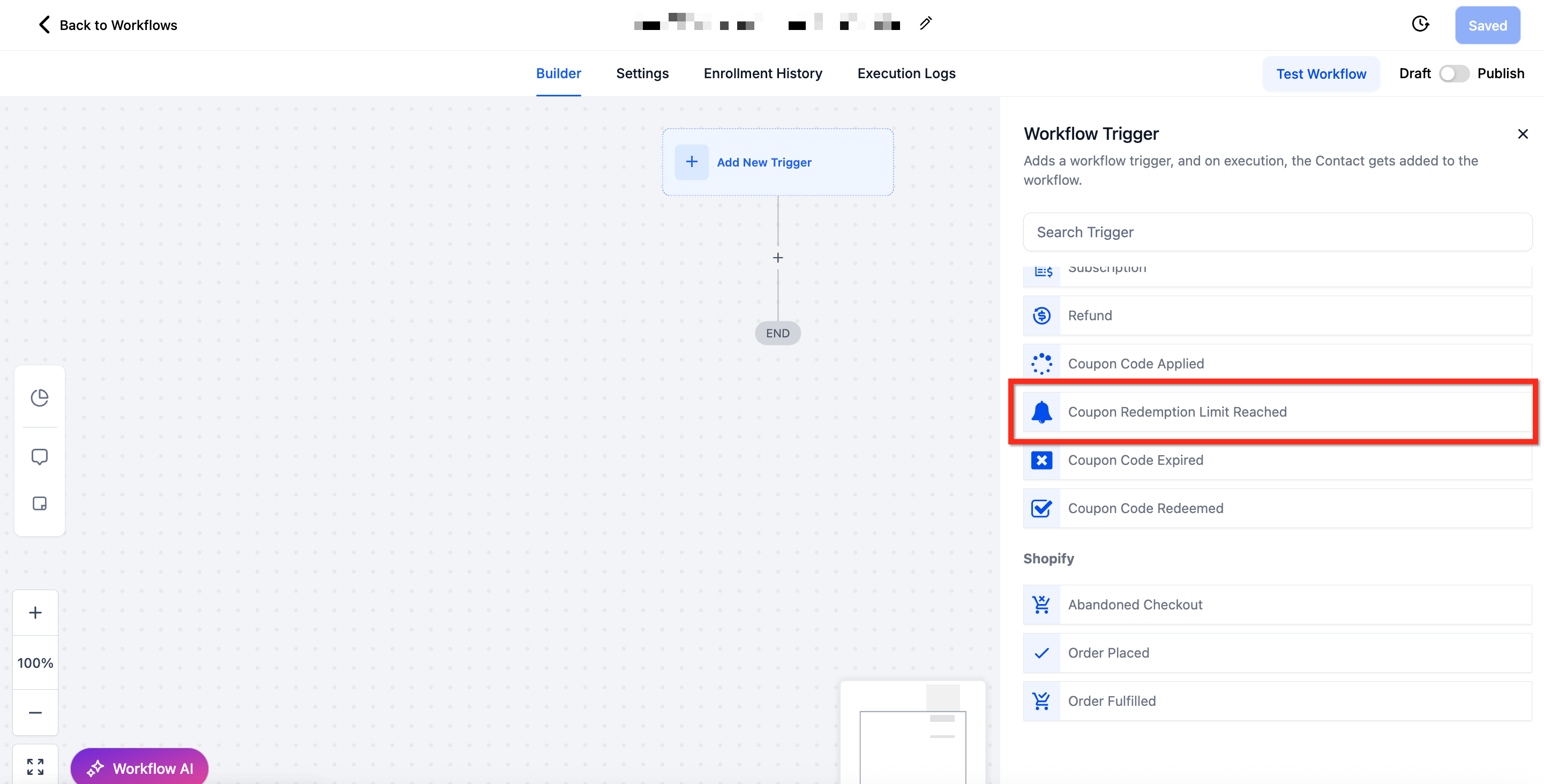
- Scroll to the Payments section and select Coupon Redemption Limit Reached.
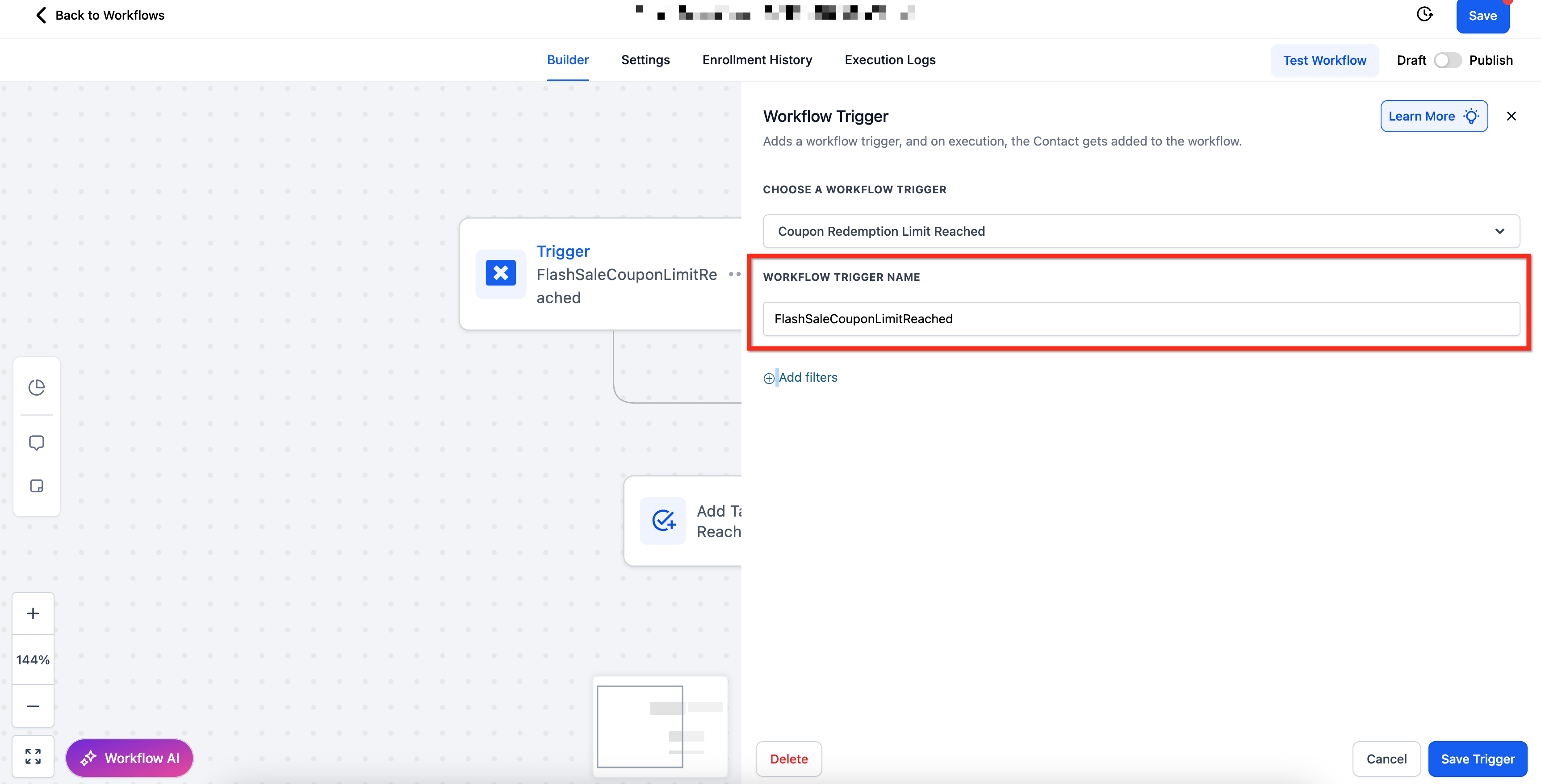
- Enter a descriptive name in the Workflow Trigger Name field.
- Click + Add Filters to open the filter list.
- Choose filters such as Coupon Code, Coupon Name, Coupon Type, or Redemption Limit and set the desired operators.
- Confirm the filter selections and click Save Trigger.
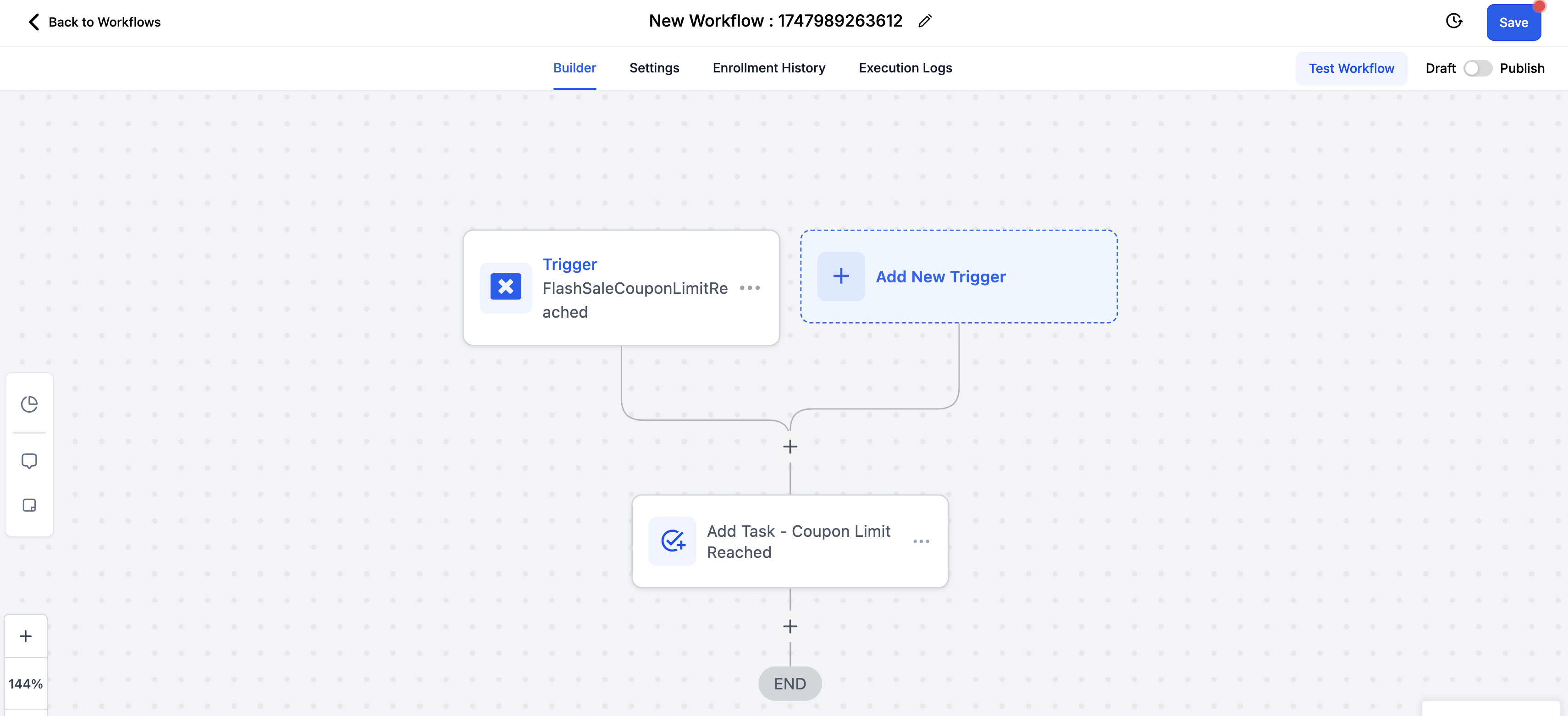
- Add the required actions to the workflow, then use Test Workflow to verify behavior.
- Publish the workflow to make it active.
06What it looks like in HighLevel
07Settings that matter
- Workflow Trigger Name. Provides a label for the trigger so you can identify the workflow later.
- Coupon Code (filter). Limits the trigger to specific coupon codes using operators like Is, Is Not Empty, etc.
- Coupon Name (filter). Targets coupons by their name with similar operators.
- Coupon Type (filter). Filters based on whether the coupon is amount based or percentage based.
- Redemption Limit (filter). Allows conditions on the numeric redemption limit, such as Equals To or Greater Than.
08Things to know before you rely on it
- The trigger fires only after the final transaction that uses the coupon completes.
- If no filters are set, the workflow will trigger for any coupon that reaches its redemption limit.
09How it connects to the rest of HighLevel
- Learn the basics of building workflows in HighLevel. Workflow basics
- See how the payment received trigger can start similar automation. Payment received trigger
- Review HighLevel pricing and plan options for workflow access. Pricing
Michael's take

I find this trigger useful for small businesses that run limited time offers or quantity capped coupons.
Don’t forget to test the workflow with a real coupon before you rely on it for live promotions.