
01Who this is for
- Marketing managers can automate birthday greetings, ensuring consistent outreach without manual tracking.
- Customer experience teams use the trigger to send personalized offers on birthdays, boosting loyalty.
- Small business owners can schedule pre birthday discounts, saving time while engaging clients on special days.
02Birthday reminder workflows, explained
The Birthday Reminder trigger runs once daily at 8 AM according to the account’s time zone. It reviews every contact’s stored birthdate and, if the date matches the current day, initiates the attached workflow so messages can be sent automatically.
The trigger is added inside Automation. From the Automation section you create or edit a workflow, then add a new trigger and select Birthday Reminder. Optional filters let you shift the activation to a set number of days before or after the birthday, or to a specific day of the month or month of the year. The workflow then proceeds with the actions you define, such as sending an email or SMS.
03How businesses use birthday reminder workflow trigger
- Fitness studio. A fitness studio creates a workflow that triggers on members' birthdays and uses the Before Number of Days filter to send a class pass coupon three days ahead, encouraging members to book sessions during their birthday week.
- Online boutique. An online boutique sets up the Birthday Reminder trigger with the default on day timing and adds a personalized email offering a discount code, automatically delivering the offer to customers on their birthday.
- Dental practice. A dental practice adds the After Number of Days filter to the trigger so that one day after a patient’s birthday, a reminder email is sent offering a complimentary cleaning appointment.
04The numbers and rules that matter
- Runs daily at 8 AM (account time zone).
05How to set up and use birthday reminder workflow trigger in HighLevel
Create and configure birthday reminder workflow
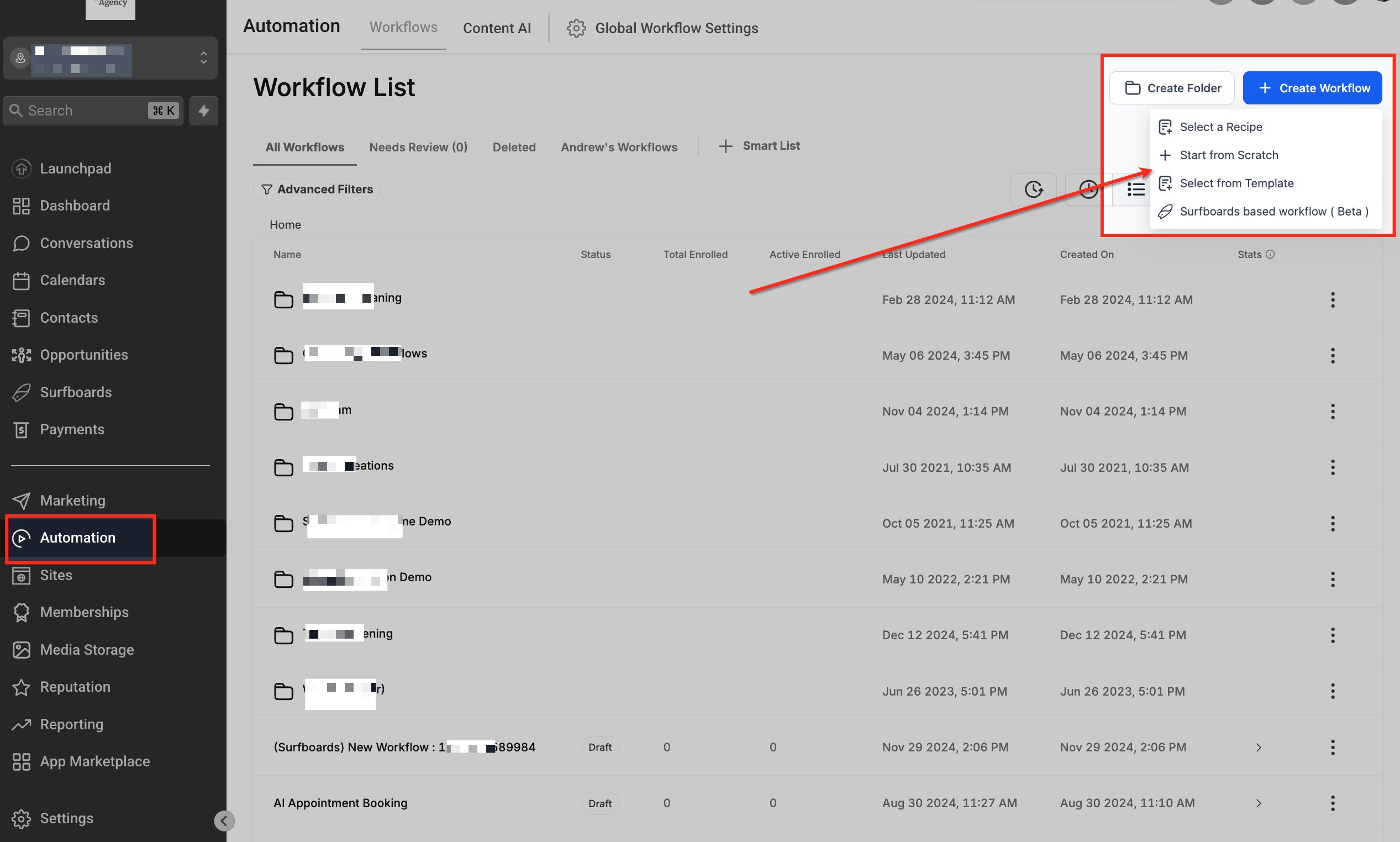
- Open Automation and click + Create Workflow.
- Select + Start from Scratch or choose an existing workflow to edit.
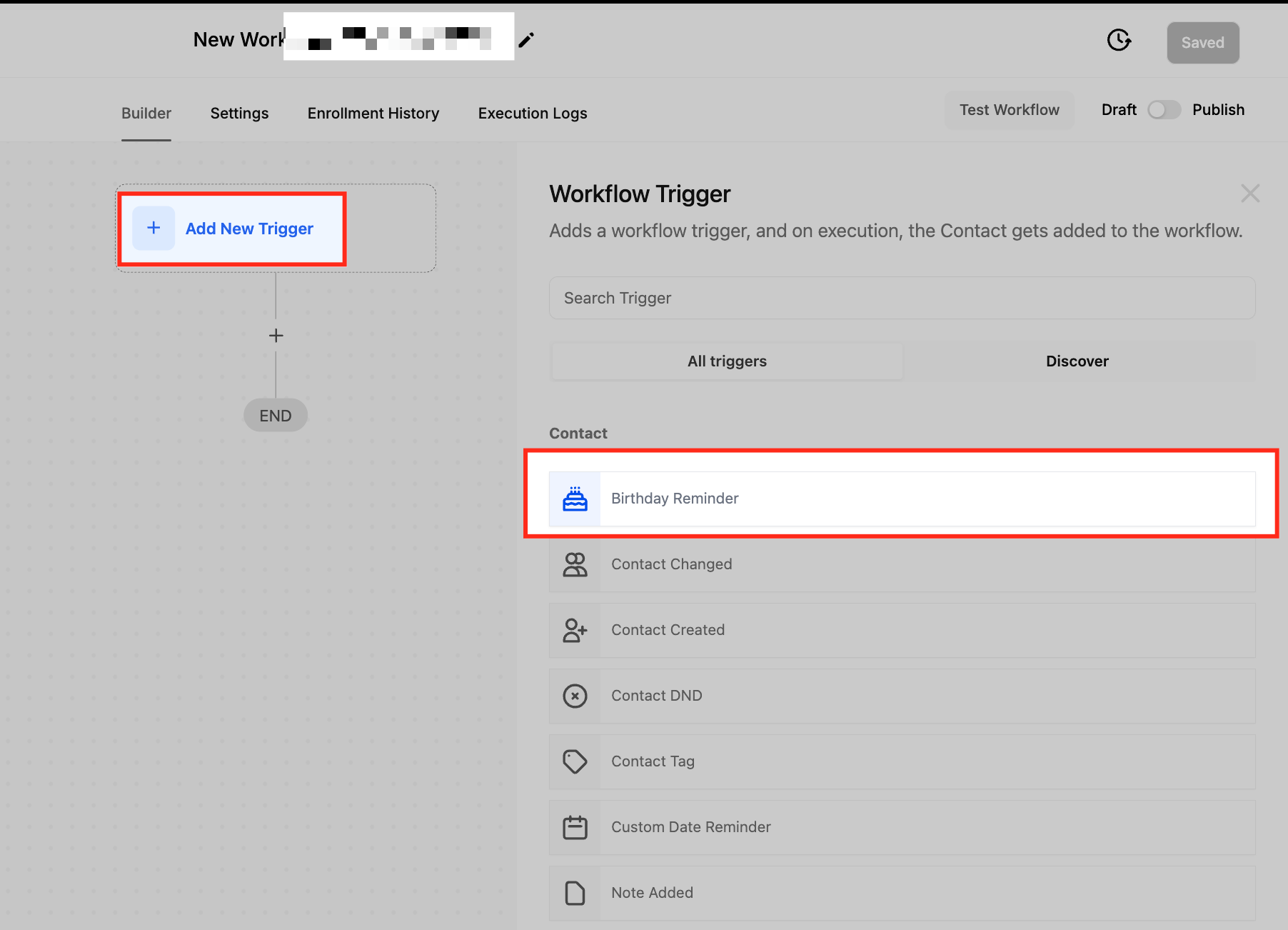
- Click Add New Trigger and pick Birthday Reminder from the list.
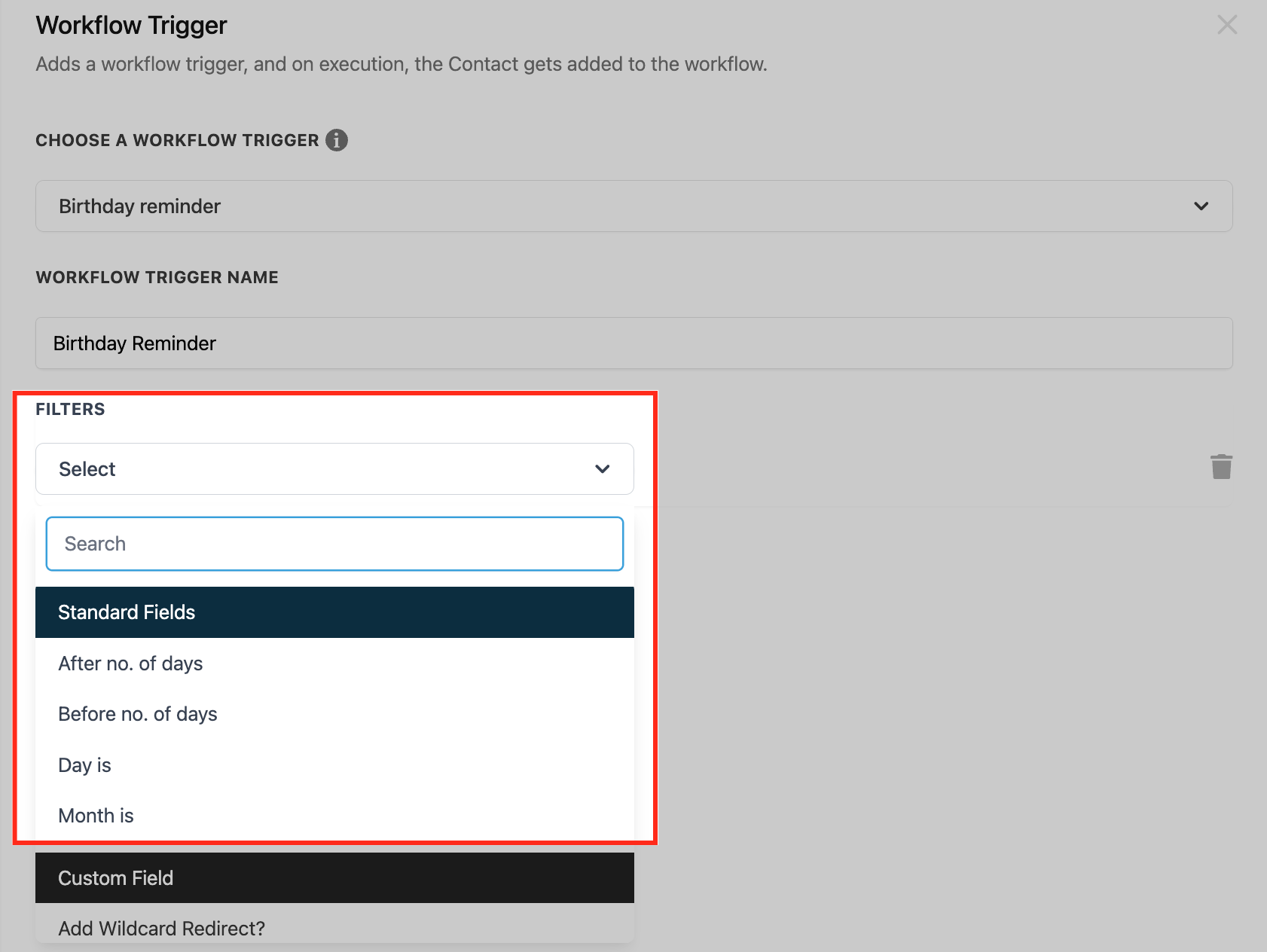
- Apply any desired timing filters such as Before Number of Days or After Number of Days.
- Save the workflow to activate the birthday reminder trigger.
06What it looks like in HighLevel
07Settings that matter
- After Number of Days. Controls how many days after a contact’s birthday the workflow is activated.
- Before Number of Days. Controls how many days before a contact’s birthday the workflow is activated.
- Day Is. Triggers the workflow on a specific day of the month instead of the exact birthdate.
- Month Is. Triggers the workflow based on the contact’s birth month rather than the exact day.
08Things to know before you rely on it
- The trigger runs once each day at 8 AM and only contacts with a valid birthdate field are considered.
- If a contact’s birthdate is missing or incorrectly formatted, the workflow will not trigger for that contact.
- All contacts whose birthdays match the current date are processed together at the scheduled time.
09How it connects to the rest of HighLevel
- Configure a Contact Tag trigger to segment birthday messages for specific groups. Contact Tag trigger
- Set up a custom date reminder trigger for events other than birthdays. Custom date reminder
- Learn the basics of building workflows, including adding triggers and actions. Workflow basics
Michael's take

The birthday reminder workflow trigger feels like a small convenience that can quickly become a real shift in how you keep customers feeling remembered. Automating a simple "happy birthday" note or a timely discount reduces manual tracking and adds a personal touch that customers notice.