
01Who this is for
- Marketing agencies can adjust scores based on email engagement to segment audiences.
- Business owners can prioritize leads by increasing scores for contacts that interact with marketing materials.
02Modify Contact Engagement Score, explained
The Modify Contact Engagement Score action is a workflow step that changes a contact’s engagement score. You decide whether the step adds or subtracts points and the exact amount. The score reflects interactions like email opens, link clicks, or form submissions, allowing you to prioritize contacts within the platform.
This action lives inside the workflow builder under the list of available actions. After selecting a trigger, you add the Modify Contact Engagement Score step, choose add or subtract, and enter the point value. When the trigger fires, the platform updates the contact’s score in real time.
The updated score can be used later in workflow filters, segmentations, or reporting to focus marketing and sales efforts on contacts with higher engagement.
03How businesses use modify contact engagement score
- Digital marketing agency. The agency creates a workflow that triggers when a contact opens an email. It adds +10 points using the Modify Contact Engagement Score action, raising the score for contacts that interact with email content.
- Online retailer. The retailer sets up a workflow that triggers on form submission. The Modify Contact Engagement Score action subtracts 5 points, lowering the score for contacts who submit forms without completing a purchase.
- Webinar host. The host builds a workflow triggered by a link click in a webinar invitation email. The action adds 15 points, increasing the engagement score of contacts who click the registration link.
04How to set up and use modify contact engagement score in HighLevel
Set up modify contact engagement score
- Navigate to Automations > Workflows.
- Click Create Workflow or select an existing workflow to edit.
- Add a trigger such as Email Opened, Link Clicked, or Form Submission.
- Configure the trigger settings and save the trigger.
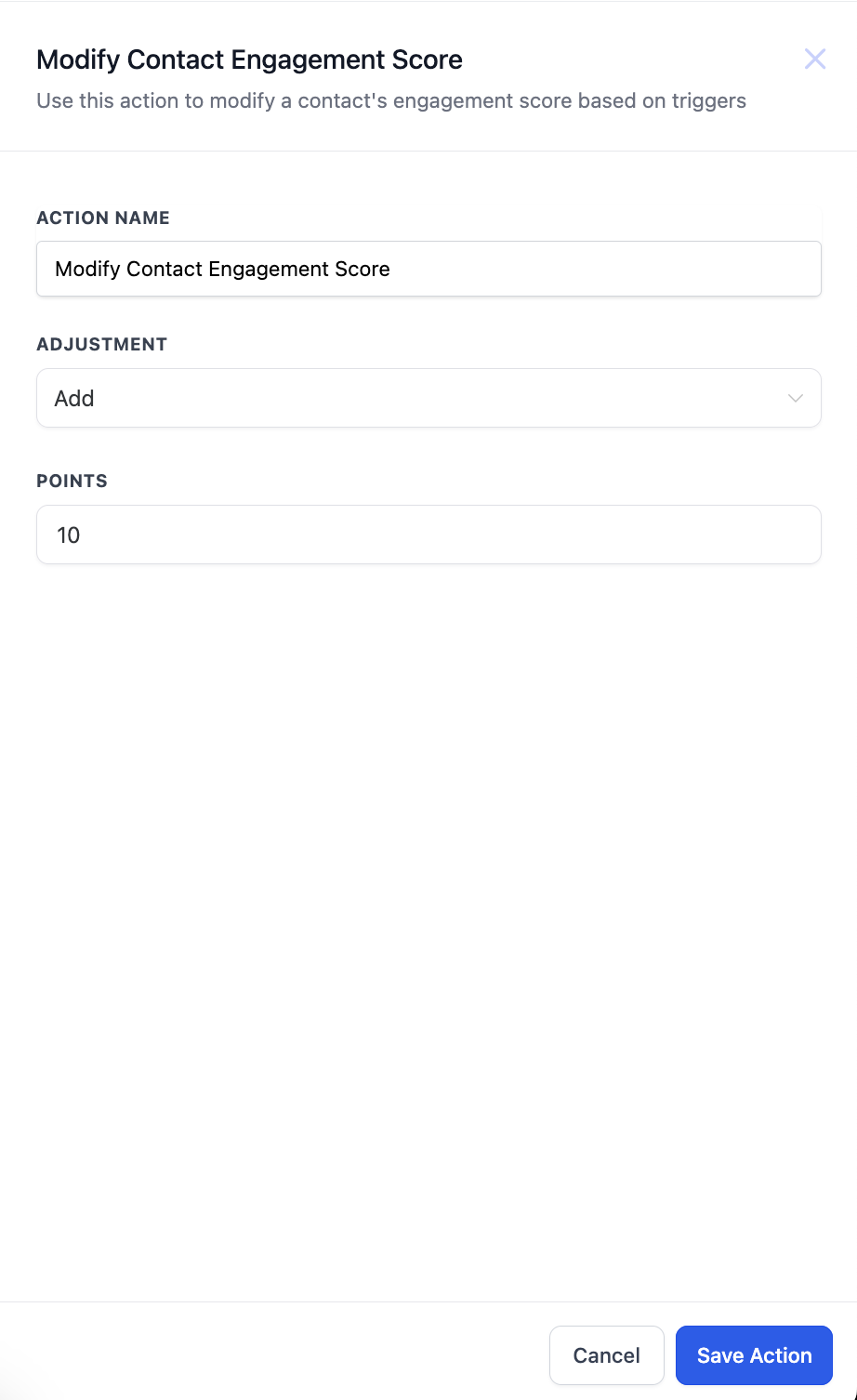
- Add the Modify Contact Engagement Score action, choose Add or Subtract, and enter the point value.
05What it looks like in HighLevel
06Settings that matter
- Add or Subtract points. Determines whether the action increases or decreases the contact’s engagement score.
- Points. Specifies the exact number of points to add to or subtract from the current engagement score.
07How it connects to the rest of HighLevel
- Add Contact Tag workflow action Add Contact Tag
- Update Contact Field workflow action guide Update Contact Field
- Workflow creation: triggers, filters, actions Workflow basics
Michael's take

A handy way to rank leads by activity, but not every business needs granular scoring.
If you already have a simple list of hot and cold leads, you can skip this feature.