
01Who this is for
- Coaches who need to send a unique scheduling link after a lead form submission, avoiding manual link creation.
- Service providers such as consultants who want each client to receive a single use appointment link for a specific calendar.
- Small businesses that run appointments and want to ensure a link cannot be reused, reducing double bookings.
02One time booking links, explained
The Generate One Time Booking Link action builds a distinct scheduling URL that can be used only once. When the workflow is triggered, the platform creates the link and stores it as a custom value that can be placed in later actions. The link becomes invalid automatically after the contact completes a booking, so it cannot be reused.
This action appears in the Appointments category when you add a new step to a workflow. You select the calendar that should receive the booking, then reference the generated link in an email or other communication action. The workflow sends the email each time a contact enters the flow, providing a fresh link for that instance.
03How businesses use one time booking link
- Health clinic. After a patient fills out a new patient form, the workflow creates a one time booking link for the clinic's intake calendar. The link is inserted into an email that is sent automatically to the patient, allowing them to schedule their first appointment without extra steps.
- Consulting firm. When a prospect downloads a whitepaper, a workflow triggers that generates a one time link for a discovery call calendar. The link is added to a follow up email, giving the prospect a single opportunity to book a meeting.
- Event venue. A client submits an event inquiry form, prompting the workflow to produce a one time link for a venue tour calendar. The link is placed in a confirmation email, letting the client choose a tour slot that is reserved for them only.
04Before you start
- A calendar must already exist in the HighLevel account.
- A workflow trigger must be defined to initiate the process.
05How to set up and use one time booking link in HighLevel
Generate one time booking link in workflow
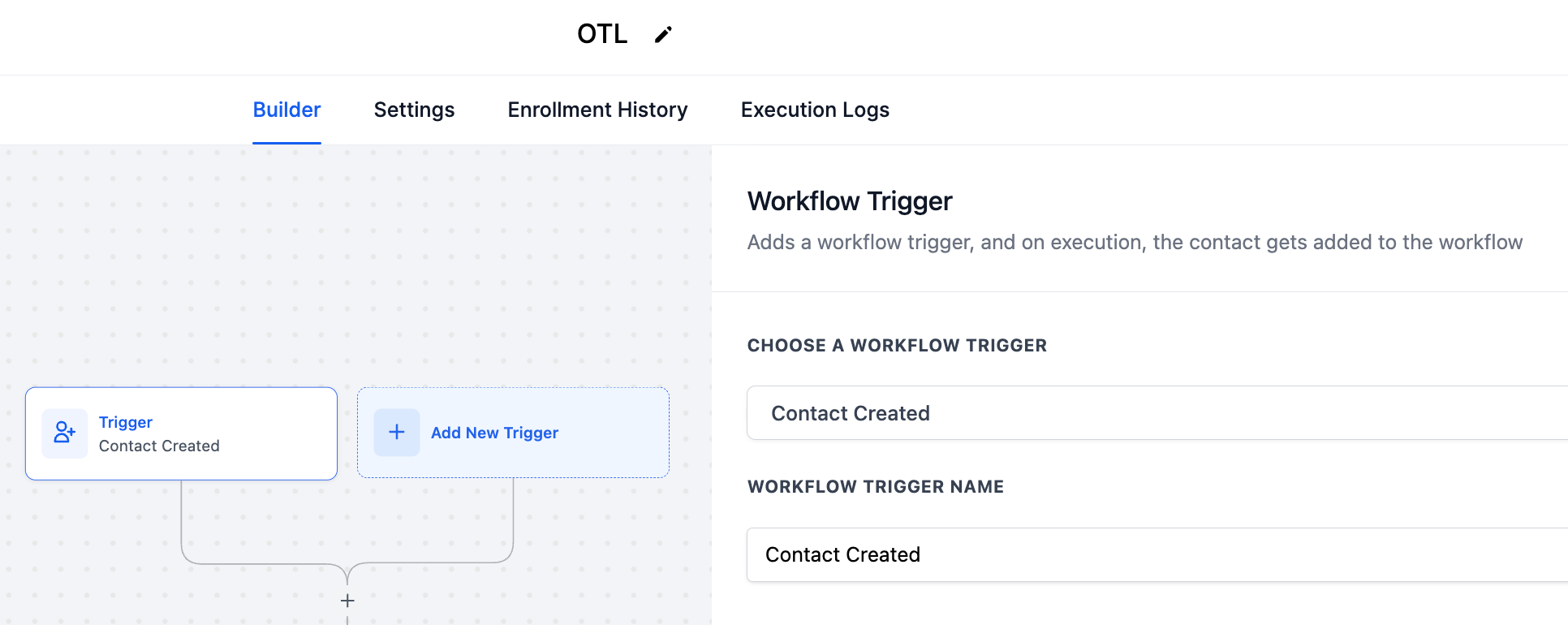
- Create a new workflow and set the trigger that will start it.
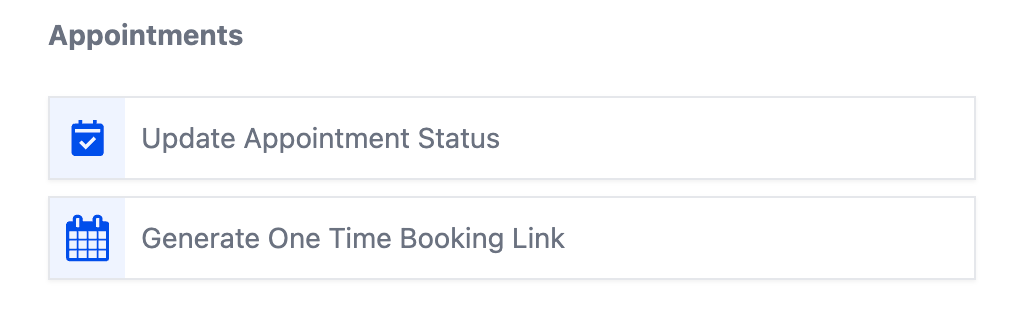
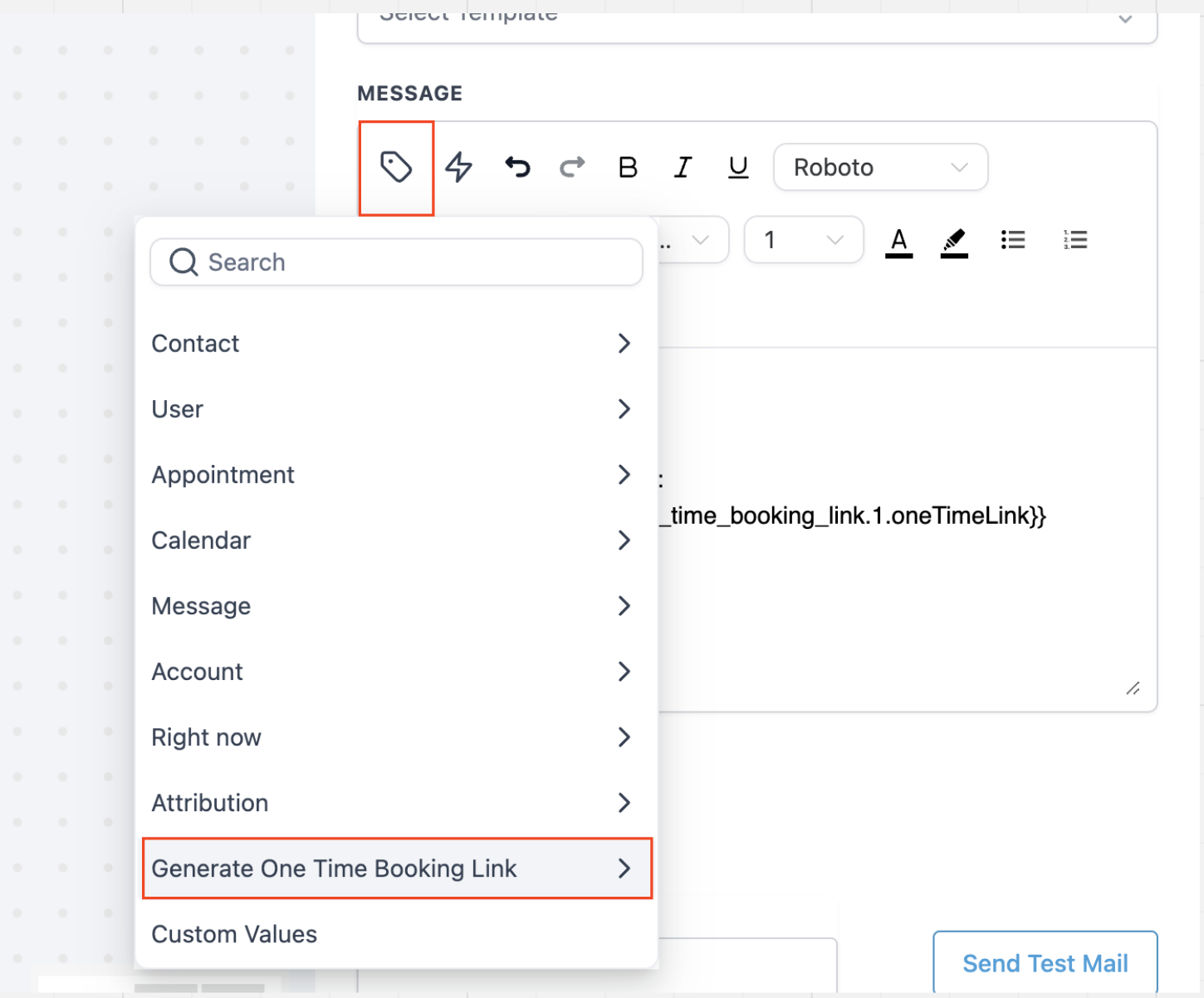
- Add an action, go to the Appointments category and pick Generate One Time Booking Link.
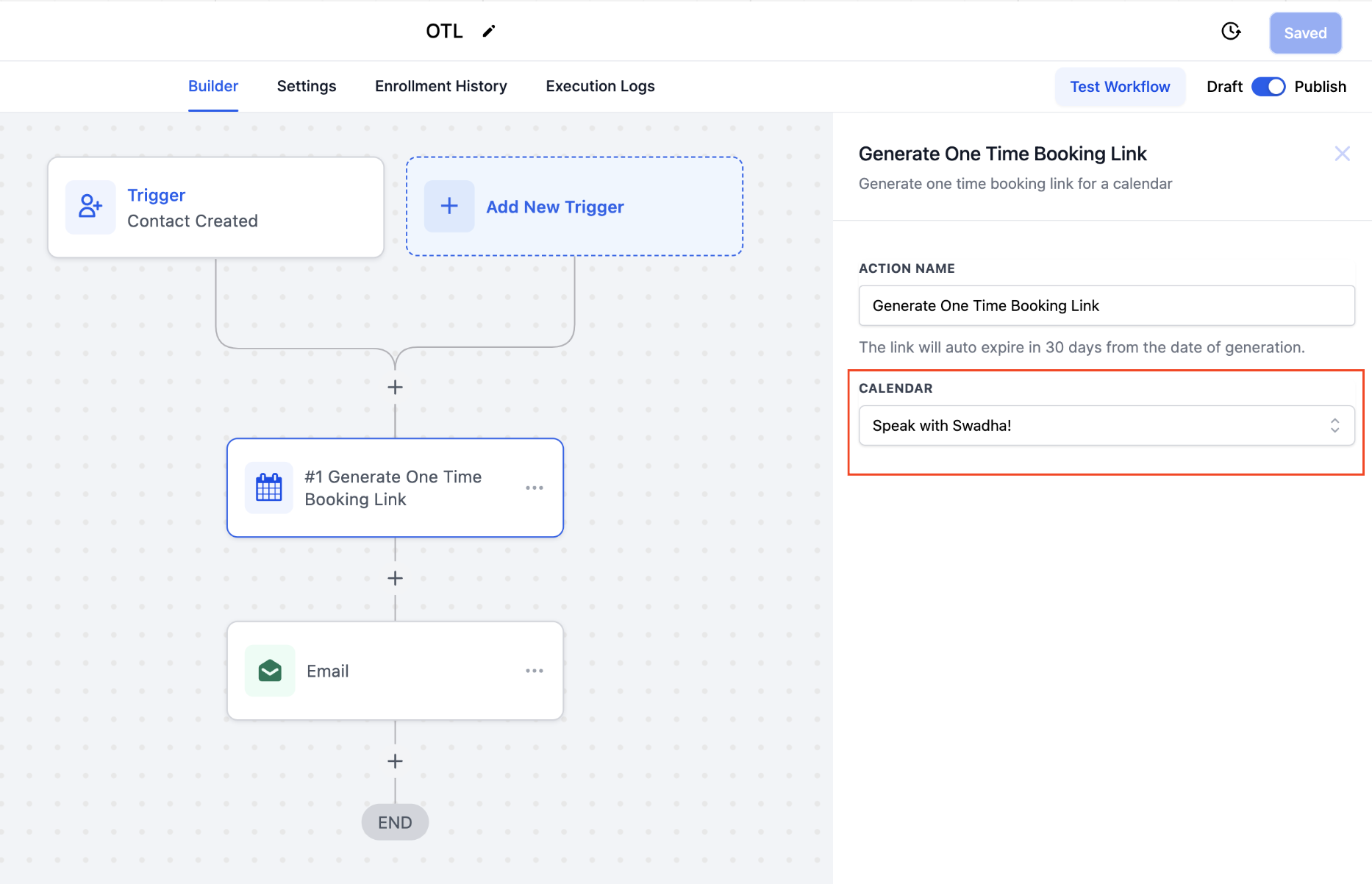
- Select the calendar that should be used for the link.
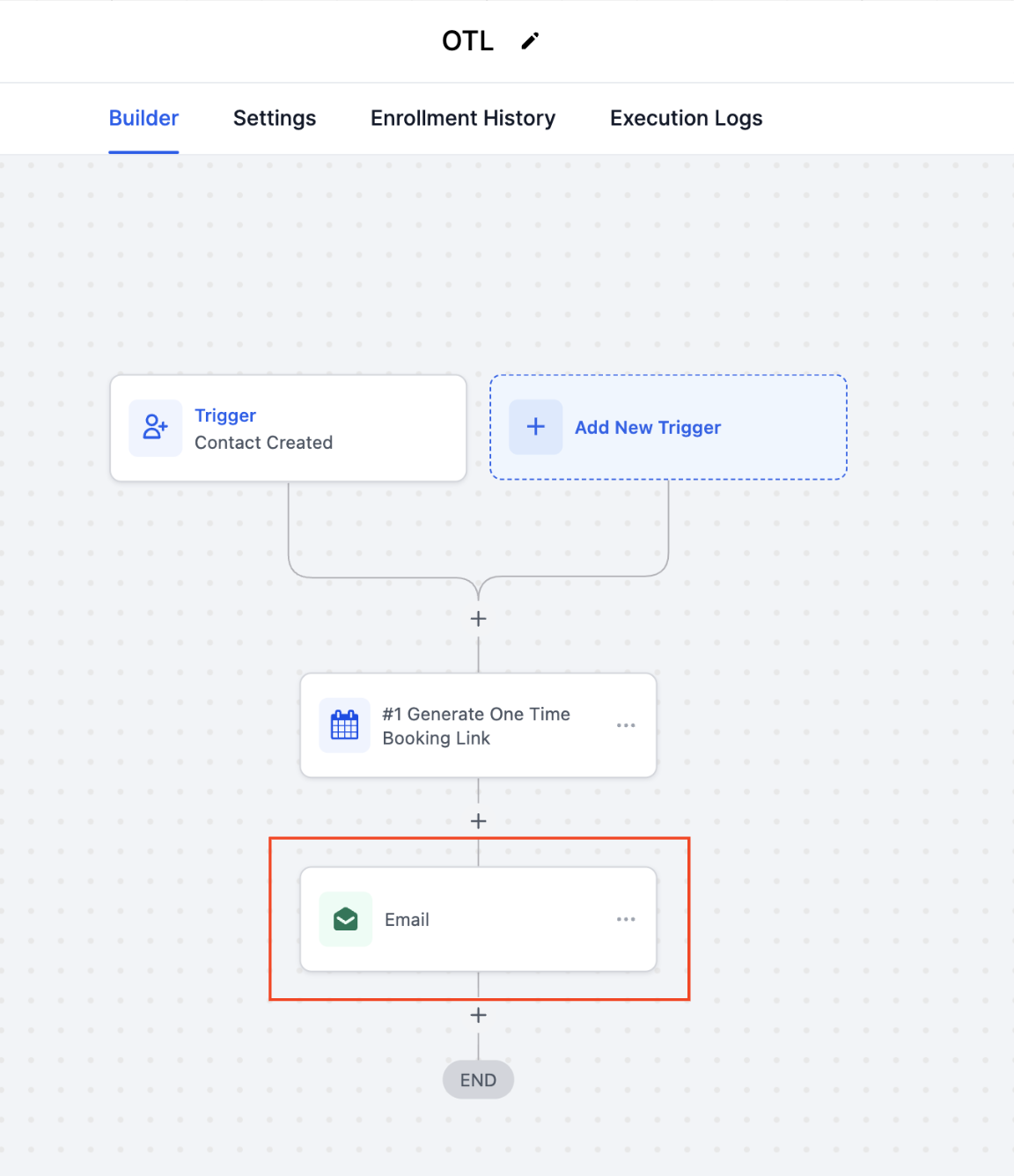
- Add an email action to the workflow so the link can be sent to the contact.
- Insert the custom value called One Time Link into the email body.
- Edit the email content as needed and save the action.
- Remember the generated link expires automatically after the contact books an appointment.
- Publish the workflow to activate the automated link generation.
06What it looks like in HighLevel
07Settings that matter
- One Time Link. Provides the unique URL generated by the action, which can be placed in subsequent workflow steps such as email bodies.
08Things to know before you rely on it
- Each generated link can be used only once and becomes invalid after a booking is made.
- The action is available only within workflow automations.
09How it connects to the rest of HighLevel
- Learn the basics of building workflows in HighLevel. Workflow basics
- See how to add an email action to a workflow for sending the link. Add email action
- Review pricing options before setting up advanced workflow actions. Pricing plans
Michael's take

Wondering if a one time booking link is worth the extra step in your workflow? It eliminates the manual effort of creating a generic calendar link, giving each prospect a single use URL for a tidy schedule and professional booking experience.
If I were setting this up, I’d attach the link to any form submission that signals interest. Like a demo request. So the lead gets a direct path to book. Test it with a colleague first to confirm the email pulls the correct custom value and that the link expires after the appointment is made.