
01Who this is for
- Sales teams, receive a company record linked to each new lead contact, streamlining prospect management.
- Marketing managers, automate company creation from form submissions, keeping contact and company data aligned.
- Customer success specialists, maintain up to date company associations for onboarding and support processes.
02Create and associate company, explained
The Create and Associate Company action is a workflow step that builds a new Company record whenever a workflow runs on a contact. It uses field mappings you define to fill company fields with data drawn from the contact, inbound webhook payloads, or static text.
When the workflow executes, the platform creates the company, then automatically creates a relationship between the new company and the contact that triggered the workflow. Both the contact’s "Associated Companies" list and the company’s "Associated Contacts" list display the link.
This action is only accessible within contact based workflows. It appears in the workflow builder alongside other actions such as Add Contact Tag or Update Contact Field.
03How businesses use create and associate company
- SaaS startup. The startup adds the action to a "Contact Created" workflow, maps the Company Name field to {{contact.company_name}} and the Domain field to the email domain. Each new user contact automatically generates a company profile for licensing and billing.
- Consulting firm. The firm configures the action in a lead capture workflow, using a fixed value like "Consulting Client" for Industry and pulling the company name from an inbound webhook. New consulting leads right away gain a company record linked to the lead contact.
- Manufacturing distributor. The distributor sets up the action after a contact based form submission, mapping the Domain field from {{inboundWebhookRequest.body.domain}}. The workflow creates a distributor company entry and associates it with the submitting contact for supply chain tracking.
04Before you start
- The workflow must be contact based.
- A contact trigger, such as Contact Created, must start the workflow.
05How to set up and use create and associate company in HighLevel
Set up create and associate company action
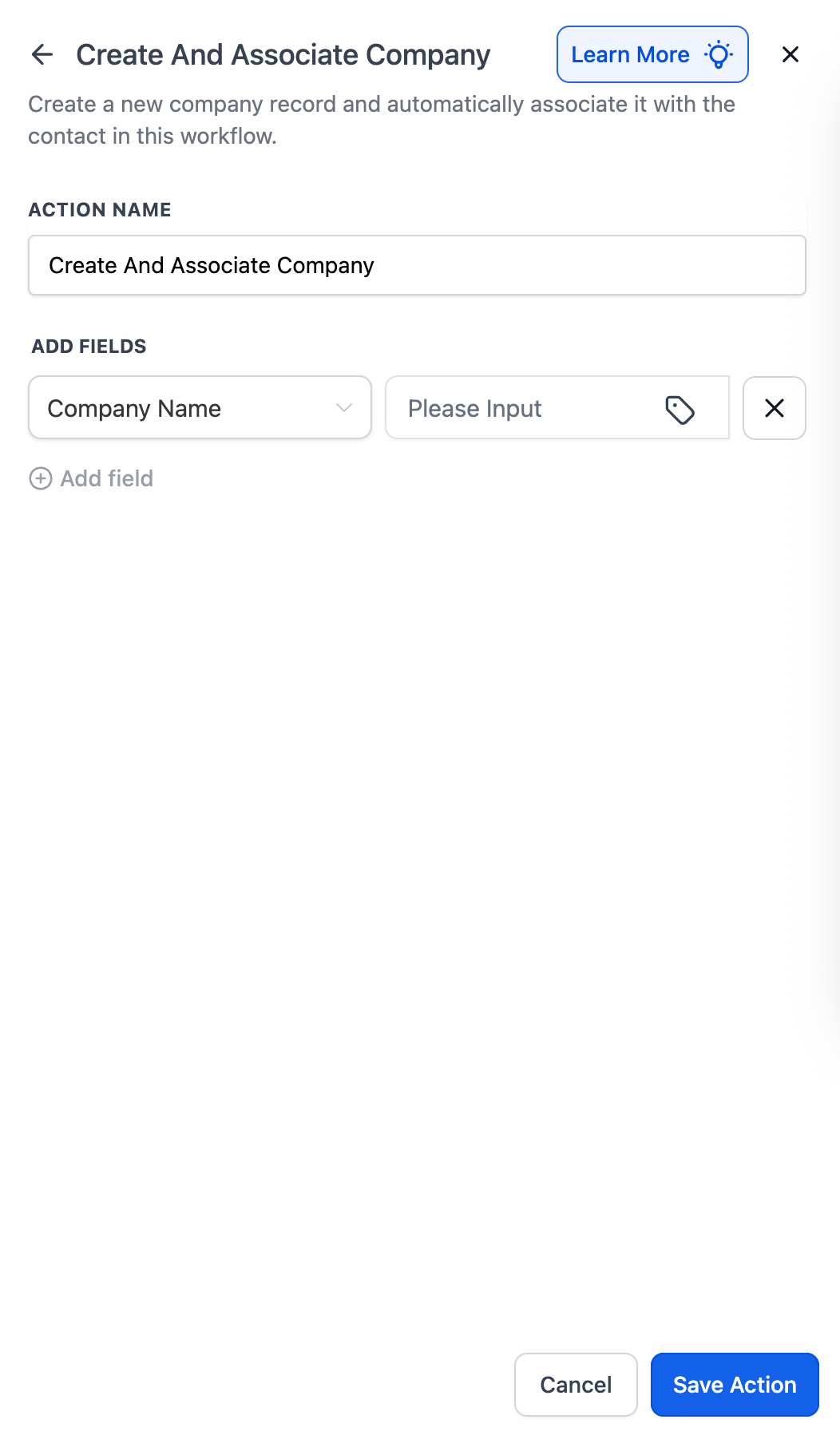
- Add the Create and Associate Company action to the workflow.
- Click + Add Field and select each company field you wish to populate.
- Enter a value source for each field, contact data, webhook payload, or fixed text.
- Press Save Action to finalize the configuration.
- Note: If the contact already has an associated company, this action will still create a new company but will not link the new record to the contact.
06What it looks like in HighLevel
07Settings that matter
- Company Name. Defines the name of the new company, using a contact field, webhook value, or static text.
- Domain. Sets the company's domain, which can be sourced from a contact email or webhook payload.
- Industry. Specifies the industry category for the company, selectable from contact data, webhook payload, or a fixed entry.
- + Add Field. Allows you to include additional company field value pairs for the record creation.
08Things to know before you rely on it
- The action is only available in contact based workflows.
- If the contact already has an associated company, this action creates another company but does not link it to the contact.
09How it connects to the rest of HighLevel
- Learn how to add a contact tag in a workflow Add Contact Tag
- Configure a Create Contact workflow action Create Contact Action
- Basics of building HighLevel workflows Workflow Basics
Michael's take

Create and associate company is a tidy way to keep your contact and company records in sync without manual work.
If you never need automated company creation or you manage contacts without associated companies, you can skip this feature.