
01Who this is for
- Customer support teams, who can automatically forward negative messages to escalation paths.
- Marketing managers, who can trigger thank you notes or review requests for positive sentiment.
- Ecommerce owners, who can route neutral replies to follow up questions for more detail.
02AI intent detection, explained
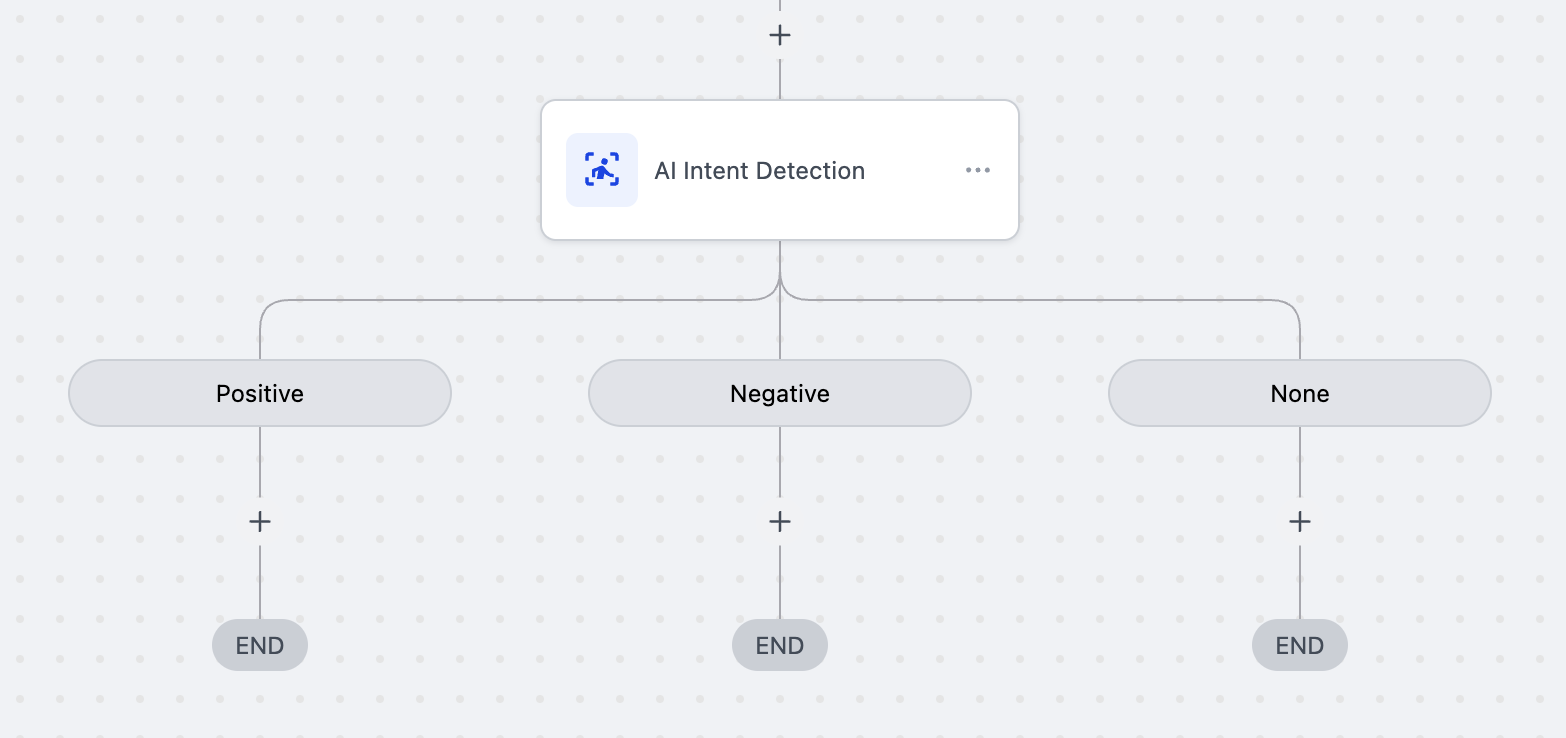
AI Intent Detection is an AI powered workflow component that reads text from messages, surveys or forms and decides if the sentiment is positive, negative or neutral. The result is delivered as three distinct branches inside the workflow, so you can attach different actions to each sentiment.
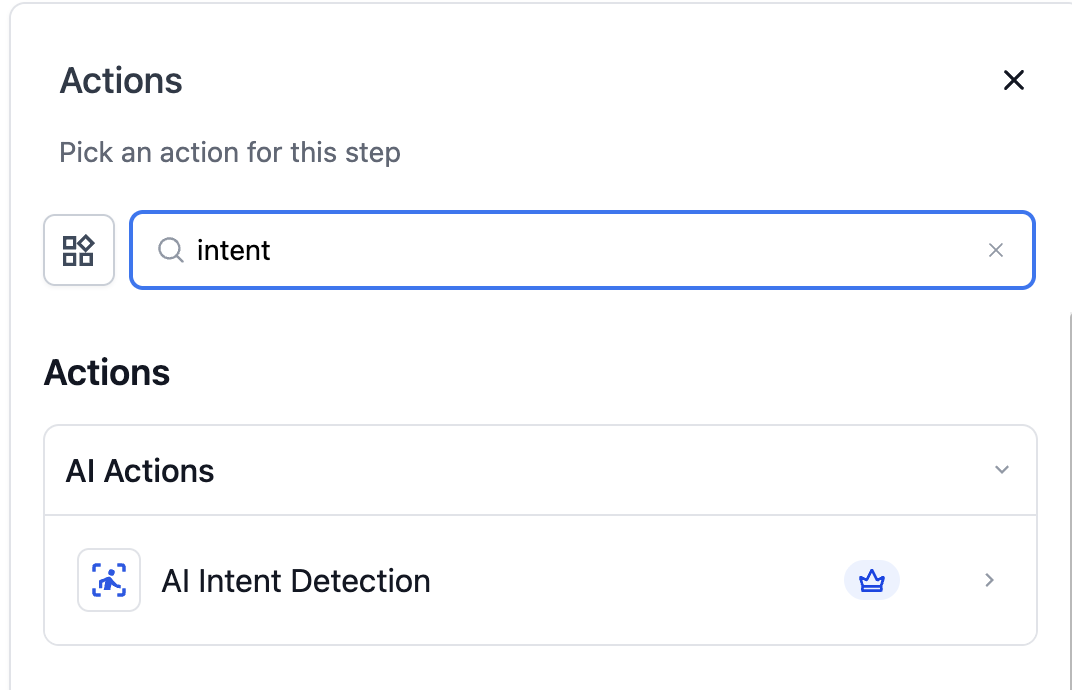
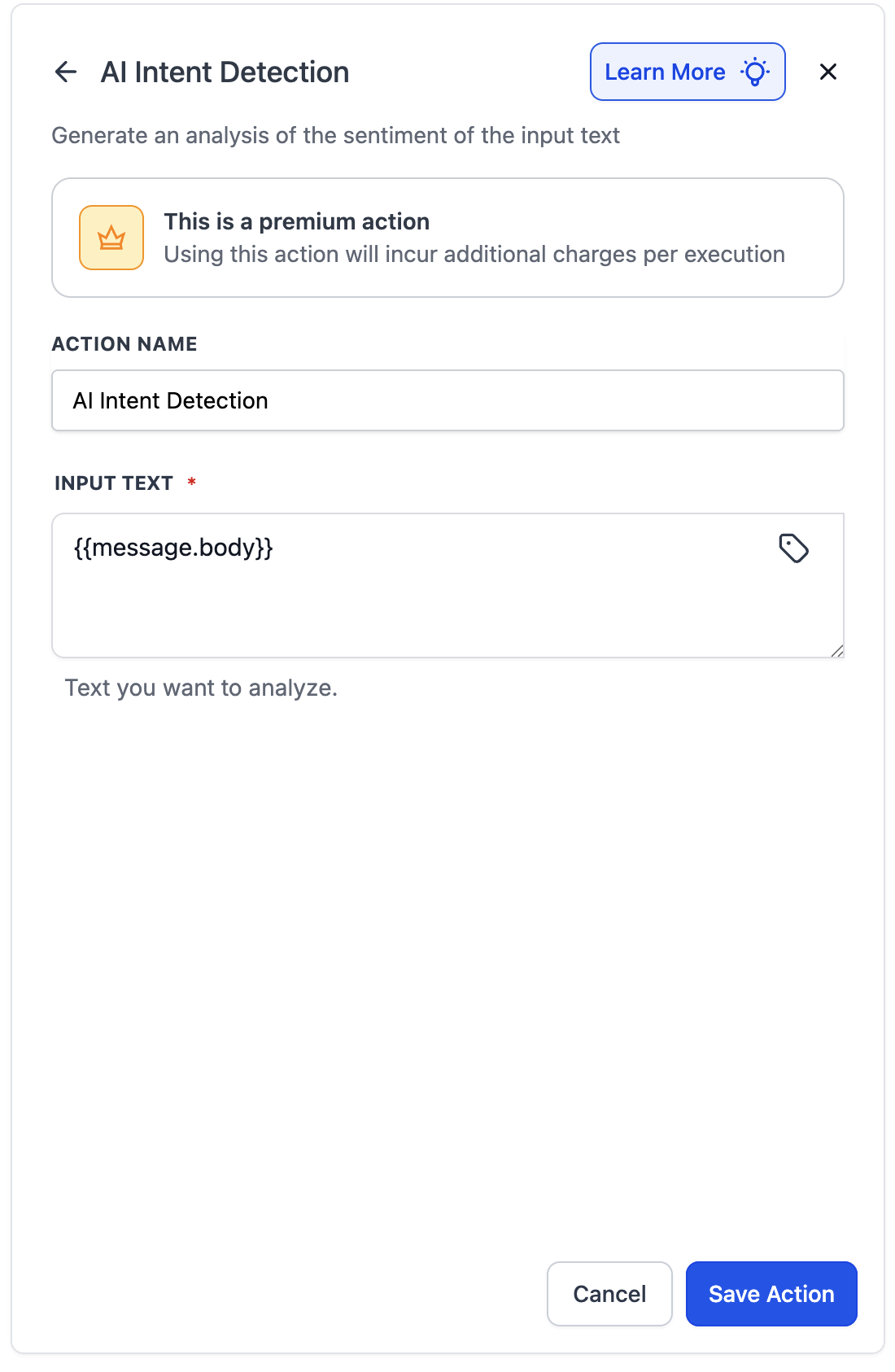
The action lives in the workflow builder’s actions list. When you add it, you supply the text to analyze either as a fixed string or by selecting a variable such as {{message.body}}. After saving, HighLevel right away generates the three branches.
The branches can contain any standard workflow actions, email, SMS, tag assignment, or custom tasks, allowing real time routing based on how customers feel.
03How businesses use AI intent detection
- Online retailer. After a purchase, the retailer adds the Intent Detection action to the post delivery workflow. Positive feedback triggers a review request, negative feedback sends a discount code, and neutral replies ask for more details.
- Dental practice. When a patient fills out a satisfaction survey, the practice runs the Intent Detection action on the response. Positive answers schedule a reminder for a follow up visit, negative answers create a support ticket, and none responses prompt a clarification call.
- SaaS subscription service. The service uses the action on inbound support chats. Positive messages generate a thank you email, negative messages start an escalation sequence, and unclear messages are routed to a manual review queue.
04The numbers and rules that matter
- Cost: 1 cent ($0.01) per execution (per HighLevel's help center, checked November 2026).
05How to set up and use AI intent detection in HighLevel
Set up AI Intent Detection in a workflow
- Open the workflow builder and locate the AI Intent Detection action, then add it where sentiment analysis is needed.
- Give the new action a clear label that reflects its purpose.
- Choose the text source for analysis, either entering static text or mapping a variable like {{message.body}}.
- Save the action; the platform automatically creates three branches named POSITIVE, NEGATIVE and NONE.
- Attach the desired follow up actions to each of the three branches.
06What it looks like in HighLevel
07Settings that matter
- Action Name. Sets the label that identifies the Intent Detection step inside the workflow.
- Input Text. Defines the text that the AI will evaluate, either as a fixed string or a dynamic variable.
08Things to know before you rely on it
- Each execution costs one cent (per HighLevel's help center, checked November 2026).
- The action is part of the Premium Actions suite and requires that suite to be active.
- Only the sentiment category (POSITIVE, NEGATIVE, NONE) is returned; detailed reasoning may be added in a future update.
09How it connects to the rest of HighLevel
- You can also set up other AI driven actions such as the GPT action to generate responses. GPT action guide
- Understanding triggers and filters helps you place the Intent Detection action at the right point in the flow. Workflow basics
- Pricing details show that each execution of the Intent Detection action costs one cent. Pricing
Michael's take

Wondering if AI intent detection is worth adding to your workflow? It takes the guesswork out of reading customer tone by automatically sorting messages into positive, negative or neutral groups, so you can trigger the right follow up immediately without manual review.
If I were setting it up, I’d start with a simple postpurchase flow: A thank you note for happy buyers, a discount for dissatisfied ones, and a tip sheet for neutral replies. Run a few test messages in the workflow tester first to make sure the branches behave as expected.