
01Who this is for
- Marketing managers who build automated follow up sequences and need to ensure each action runs correctly.
- Support teams that rely on tag based routing and must confirm tags are applied as intended.
02Race conditions, explained
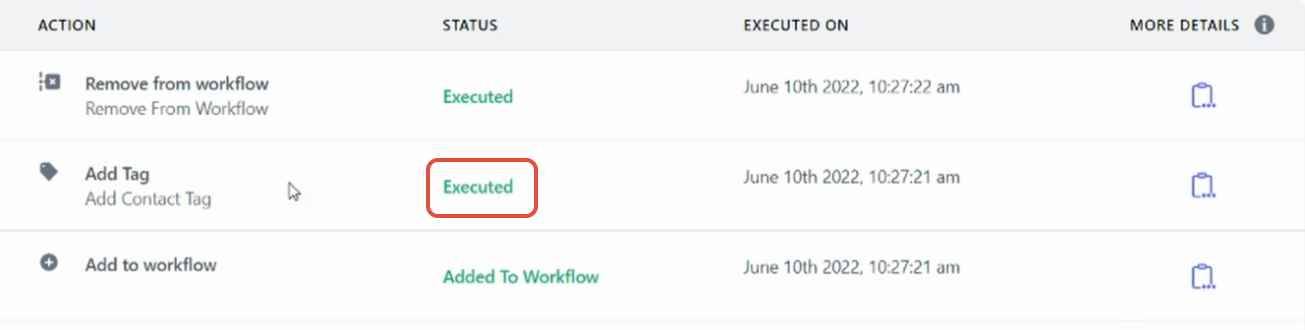
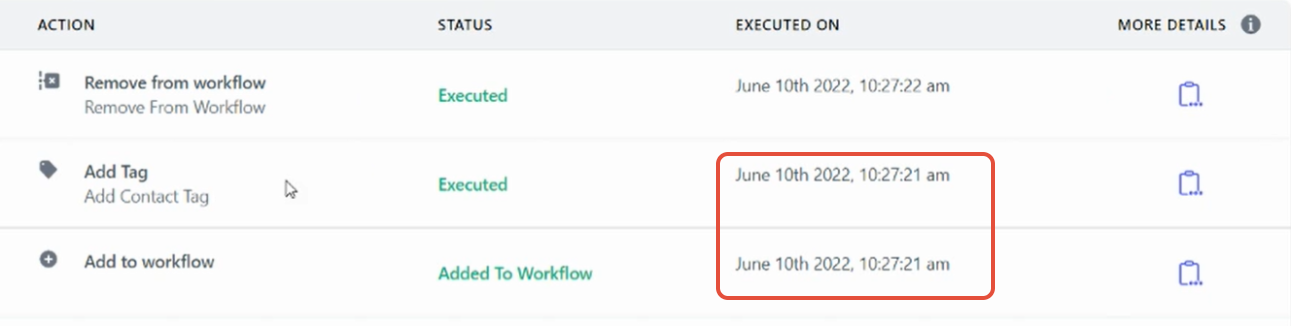
The feature lets you jump from a conversation message directly to the workflow execution that processed that message. It loads the execution details, showing timestamps and the order of each action. This view helps you see if multiple actions fired in the same second, which indicates a race condition.
The deep link appears in the message details pane. If it is missing, you can still locate the execution from the workflow’s Logs screen by filtering on the contact and time window. The execution view is part of the workflow module on the platform.
03How businesses use race conditions
- Marketing agency. The agency opens the execution from a client’s message to verify that a lead capture tag was applied. By checking timestamps, they see whether the tag and a follow up email fired simultaneously, indicating a race condition.
- Ecommerce store. The store reviews a recent order notification in the conversation, clicks the workflow deep link, and confirms that the ‘add to segment’ and ‘send receipt’ actions did not run together, preventing duplicate processing.
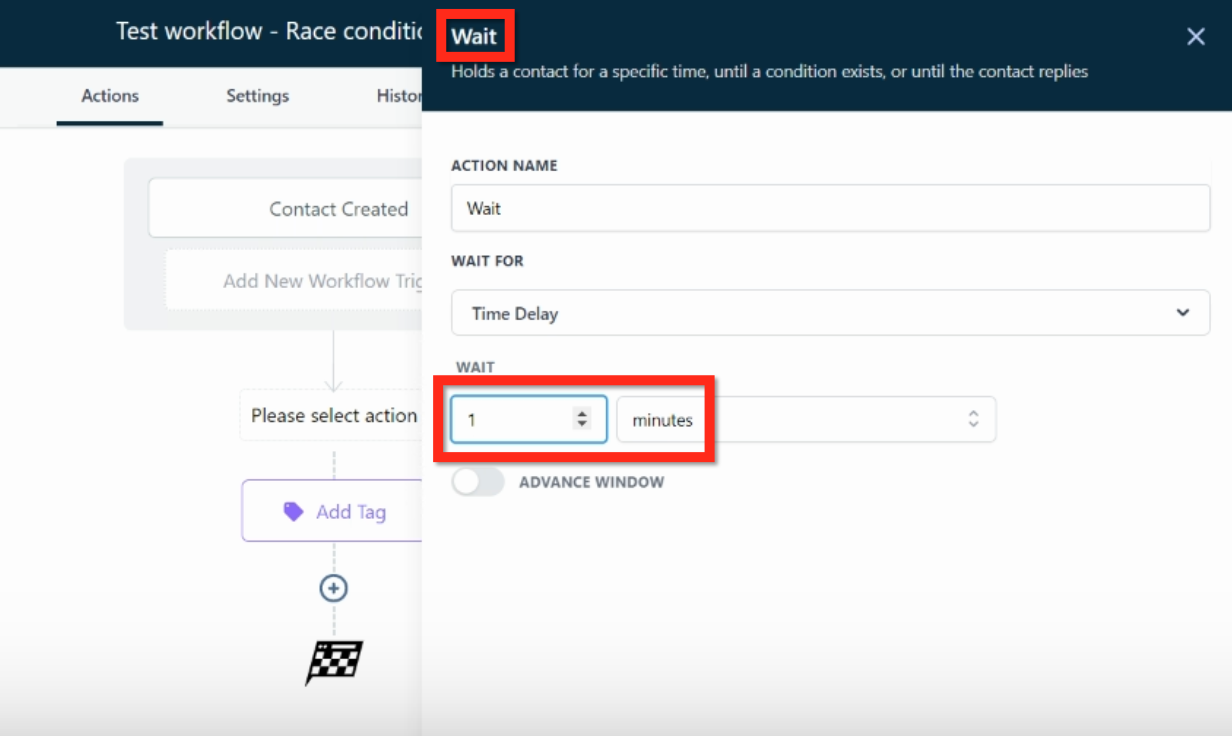
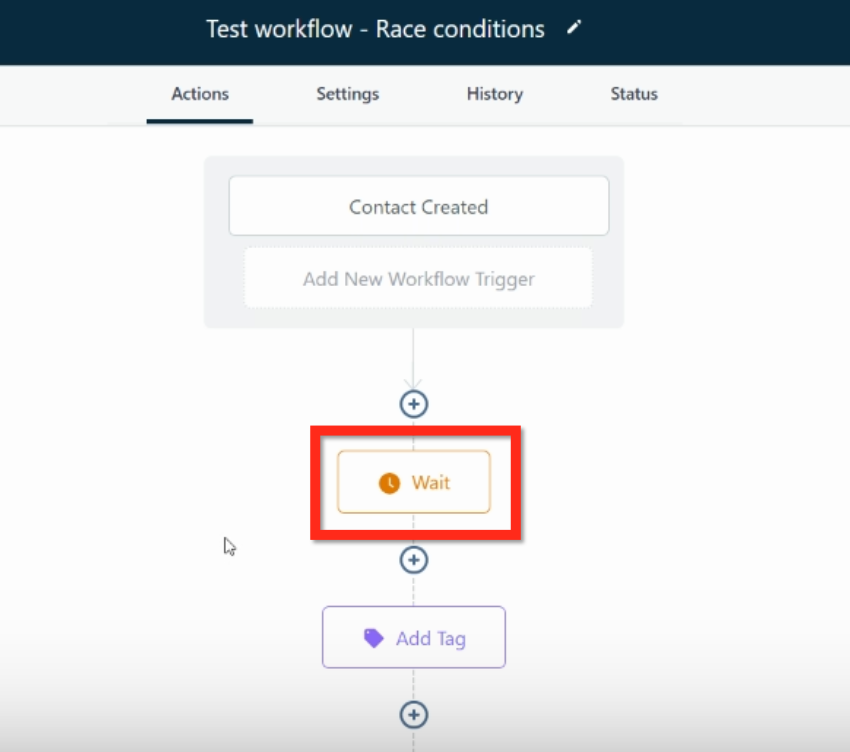
- Coaching business. A coach examines a welcome sequence execution to ensure the ‘add tag’ and ‘add to workflow’ steps occurred in the correct order. If they share the same second, the coach inserts a one minute Wait action to separate them.
04The numbers and rules that matter
- Add a Wait action of 1 minute to prevent a race condition.
05How to set up and use race conditions in HighLevel
Open the exact execution via the message deep link
- Navigate to Conversations and open the conversation that contains the impacted message.
- Select the message and open its details view.
- Click the Workflow deep link to launch Execution Details with the relevant context loaded.
- Examine the timestamps and the order of actions to see if multiple actions fired in the same second.
06What it looks like in HighLevel
07Things to know before you rely on it
- A race condition can only occur when two or more actions fire within the exact same second.
08If something goes wrong
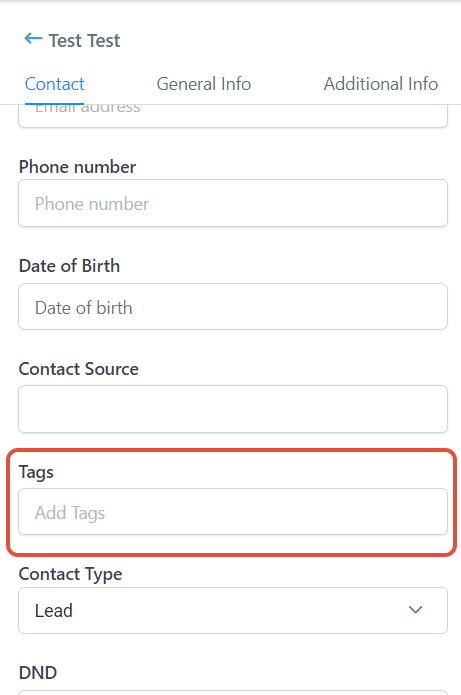
- An Add Tag action shows as executed but the tag is missing on the contact record.. Insert a Wait action of 1 minute before the Add Tag step to separate it from other actions that fire at the same time.
09How it connects to the rest of HighLevel
- Workflow creation basics and trigger options Workflow creation guide
- Control timing and contact handling in workflow settings Workflow settings overview
- General introduction to workflow automation in HighLevel Workflow automation basics
Michael's take

Michael ReimerFounder of CRM Pros, HighLevel Commander and Certified Admin
Race conditions can waste time and cause data gaps, which hurts a small business that relies on accurate automation.
Adding a short wait restores reliability.
Get More InformationOpens on HighLevelPublished November 2, 2026 · Updated November 17, 2026