
01Who this is for
- Call center managers can direct IVR calls to the device their agents prefer, keeping call handling organized.
- Small businesses with remote workers benefit from routing calls to mobile or web apps, ensuring no missed calls.
- Service providers who use desk phones can keep traditional hardware while still using the IVR system.
02In app call for IVR, explained
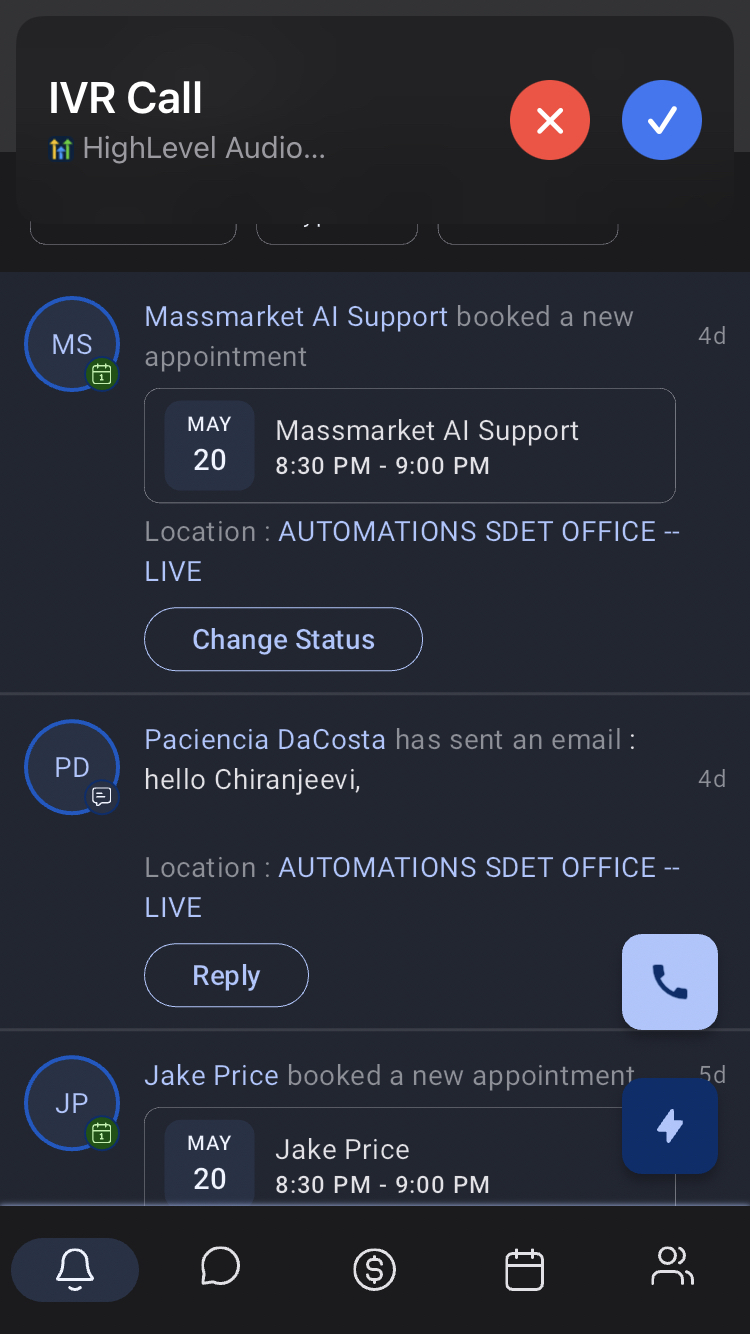
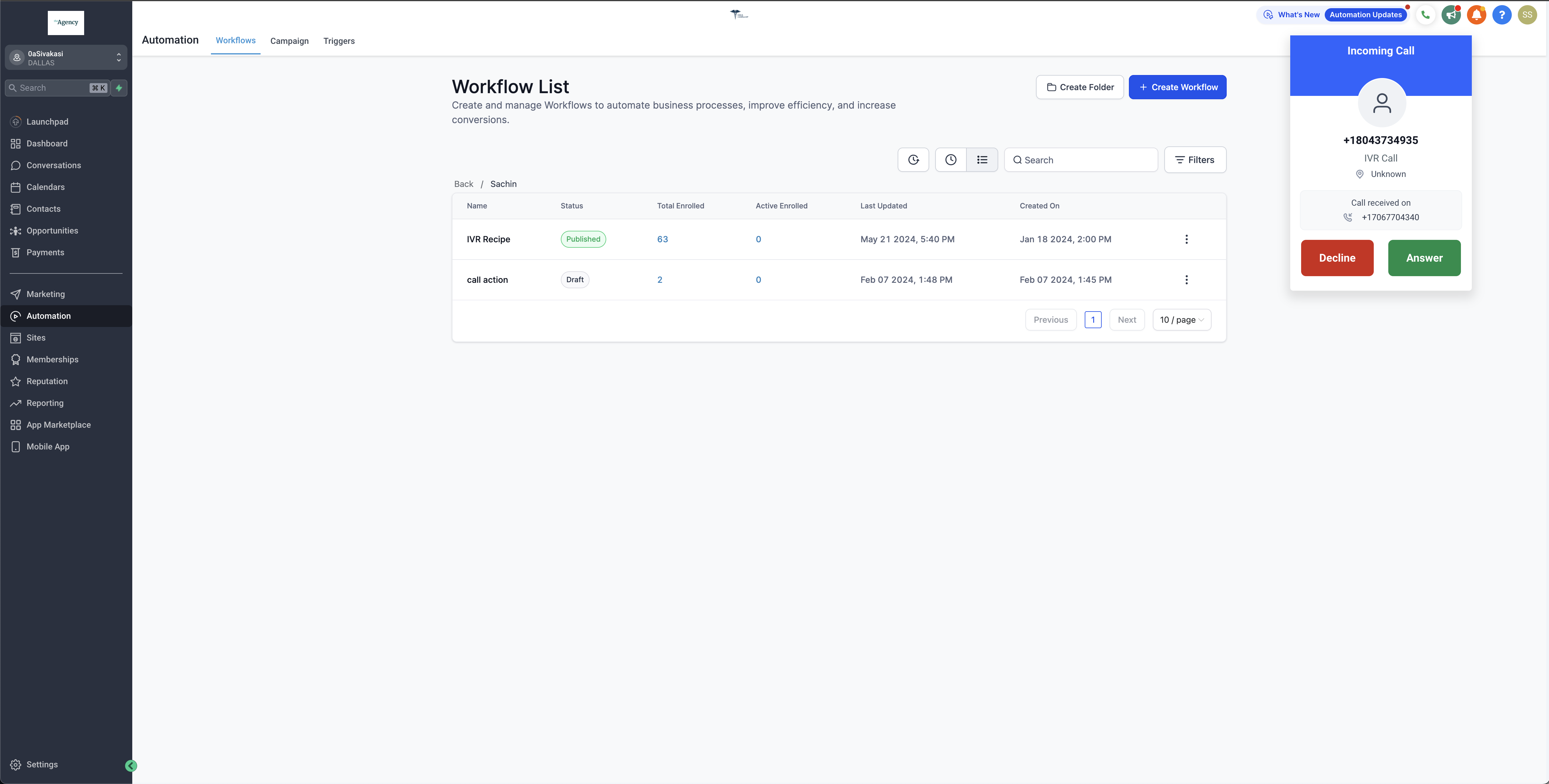
The feature adds a default channel setting for each staff member. When an IVR call reaches the system, it is automatically forwarded to the selected option, either the HighLevel web app, the mobile app, a personal phone number, or a physical desk phone. This replaces the older behavior that only allowed routing to phone numbers.
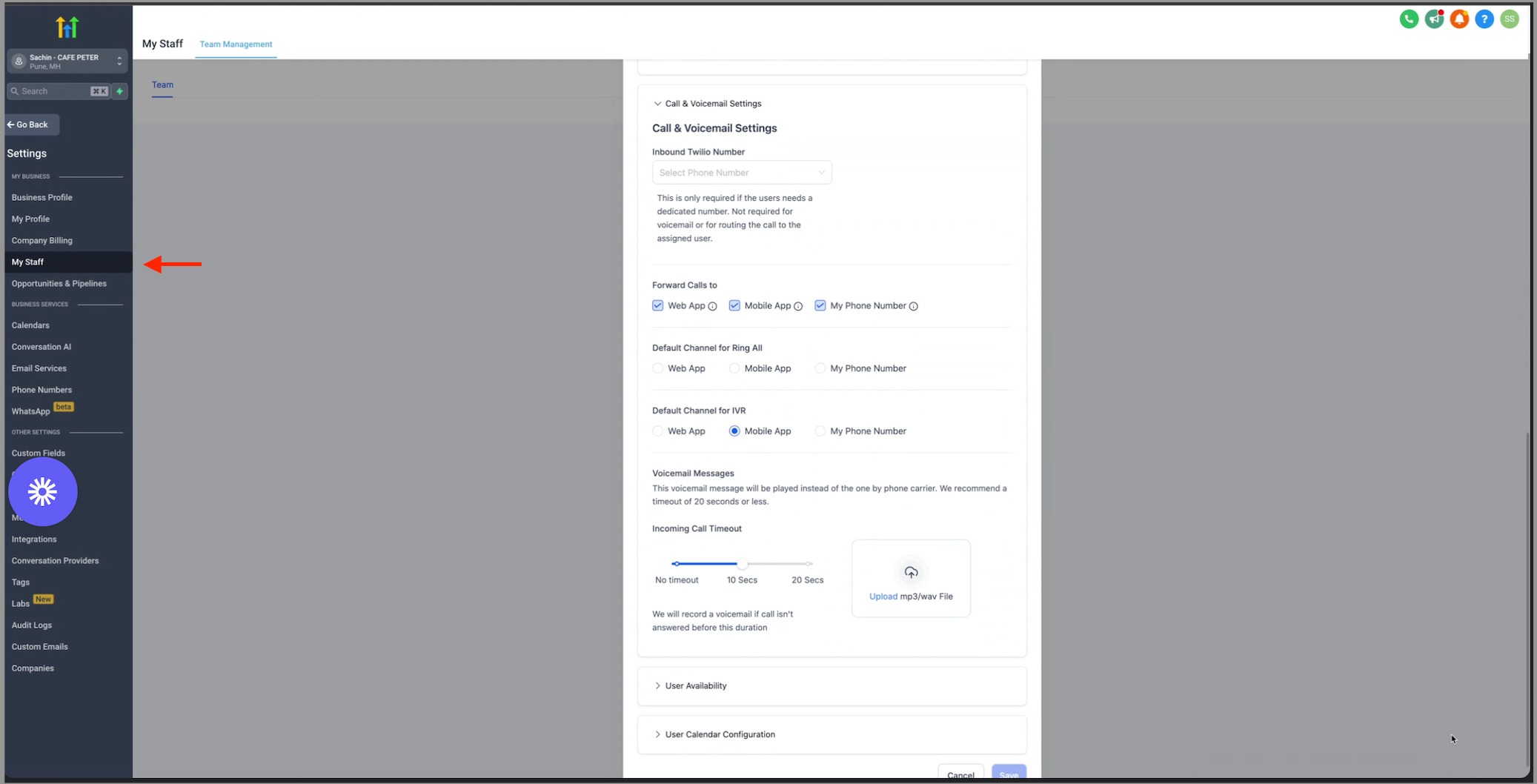
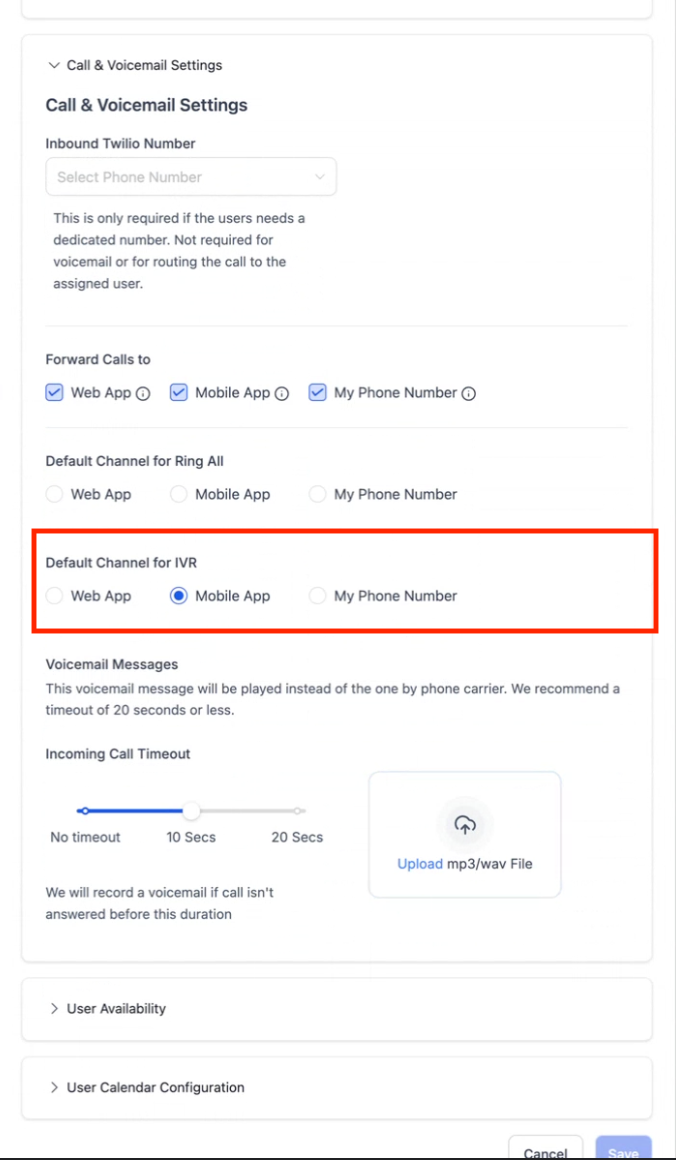
The setting lives in the staff profile under Call & Voicemail Settings. Changing the default channel updates how all future IVR calls for that staff member are delivered. Only one channel can be chosen at a time; multiple selections are not supported.
The option is managed per staff member, so each user can have a different preferred device. The system respects the chosen channel in real time when the IVR routes a call.
03How businesses use in app call for IVR
- Real estate agency. Agents edit their staff profile and pick the mobile app as the default channel. When a prospect reaches the IVR, the call is sent directly to the agent's phone within the HighLevel mobile application.
- Dental practice. Reception staff set the desk phone as the default channel. IVR calls are then routed to the physical office phone, keeping the workflow inside the clinic.
- Home repair service. Technicians select the web app as their default. Calls from the IVR appear in the HighLevel web interface, allowing them to answer from a browser while on a job site.
04How to set up and use in app call for IVR in HighLevel
Configure default channel for IVR
- Open Settings and choose My staff.
- Press Edit on the staff member and open the Call & Voicemail Settings section.
- Pick one option from the Default channel for IVR list.
05What it looks like in HighLevel
06Settings that matter
- Default channel for IVR. Determines which device, or phone number, a staff member receives IVR calls on.
07Things to know before you rely on it
- Only a single default channel can be selected per staff member; multiple channel selection is not available.
08How it connects to the rest of HighLevel
- Workflow settings control how IVR calls fit into automation. Workflow settings guide
- Inbound webhook triggers can be used after an IVR call is received. Inbound webhook trigger
- Basics of workflows explain how to add IVR call actions. Workflow automation basics
Michael's take

In app call for IVR is a useful addition for teams that need flexibility in how they answer IVR calls.
Skip it if your workflow only ever routes IVR calls to a single phone number.