
01Who this is for
- Sales teams that need to enroll related contacts when a deal stage changes, ensuring the right people receive follow up communications.
- Real estate agencies that must stop buyers from receiving listing updates once a property is marked sold, keeping communications accurate.
- SaaS providers that pull company information from inbound webhooks to start onboarding sequences for the correct organization.
02Custom object and company based workflow actions & triggers, explained
These workflow actions understand the links between records in HighLevel. Instead of acting only on the record that started the workflow, you can target contacts, companies, or any custom object that is associated with it. The actions let you add or remove those linked records from other workflows or locate a specific record using IDs or field criteria.
The actions are available inside the workflow builder. Choose an action such as Add Associated Records to Workflow, Remove Associated Records from Workflow, or Find Object Record / Find Company, then configure the object type, association label, target workflow, or matching method. The platform then processes the related records according to the defined rules.
03How businesses use custom object and company based workflow actions & triggers
- Auto dealership. When a vehicle custom object is updated to Ready for Sale, the dealer selects the Add Associated Records to Workflow action, picks the Dealer custom object type, filters by the Association Label "Dealer", and adds those records to the Dealer Notification workflow.
- Real estate brokerage. When a property record is marked Sold, the broker uses the Remove Associated Records from Workflow action, selects the Property custom object, filters by the Association Label "Buyer", and removes those buyer contacts from the Active Listings workflow.
- Subscription SaaS. An inbound webhook containing a company domain triggers the Find Company action, matches the record using the field filter "companyDomain", chooses the Earliest match, and enrolls the found company in the onboarding workflow.
04How to set up and use custom object and company based workflow actions & triggers in HighLevel
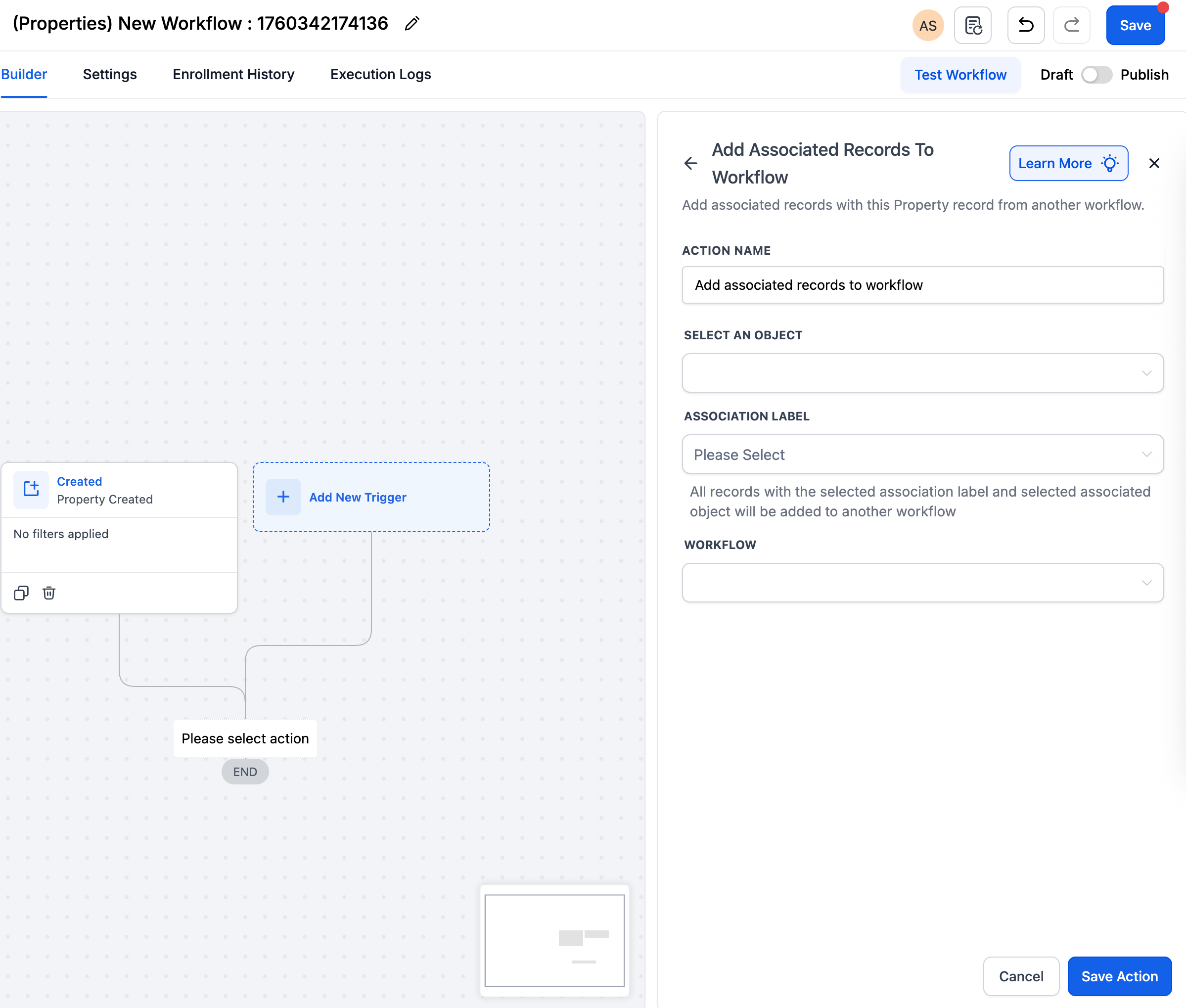
Add associated records to a workflow
- Select the Add Associated Records to Workflow action in the workflow builder.
- Choose the object type (Contact, Company, or a Custom Object) that should be added.
- Filter the records by the desired Association Label.
- Specify the target workflow that the filtered records will be enrolled into.
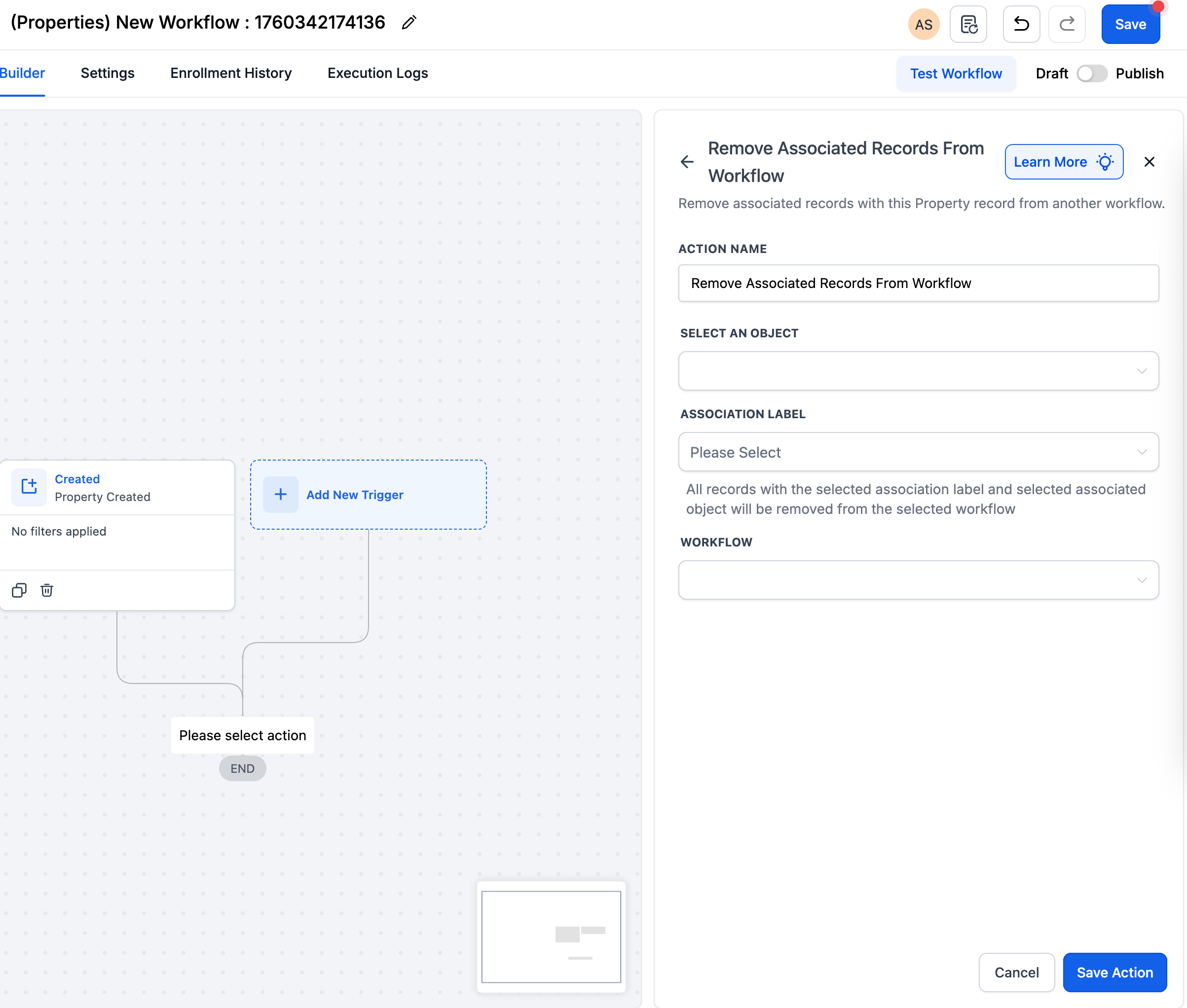
Remove associated records from a workflow
- Select the Remove Associated Records from Workflow action.
- Pick the object type (Contact, Company, or a Custom Object) to un enroll.
- Apply a filter using a specific Association Label to target the correct records.
- Identify the workflow from which those records should be removed.
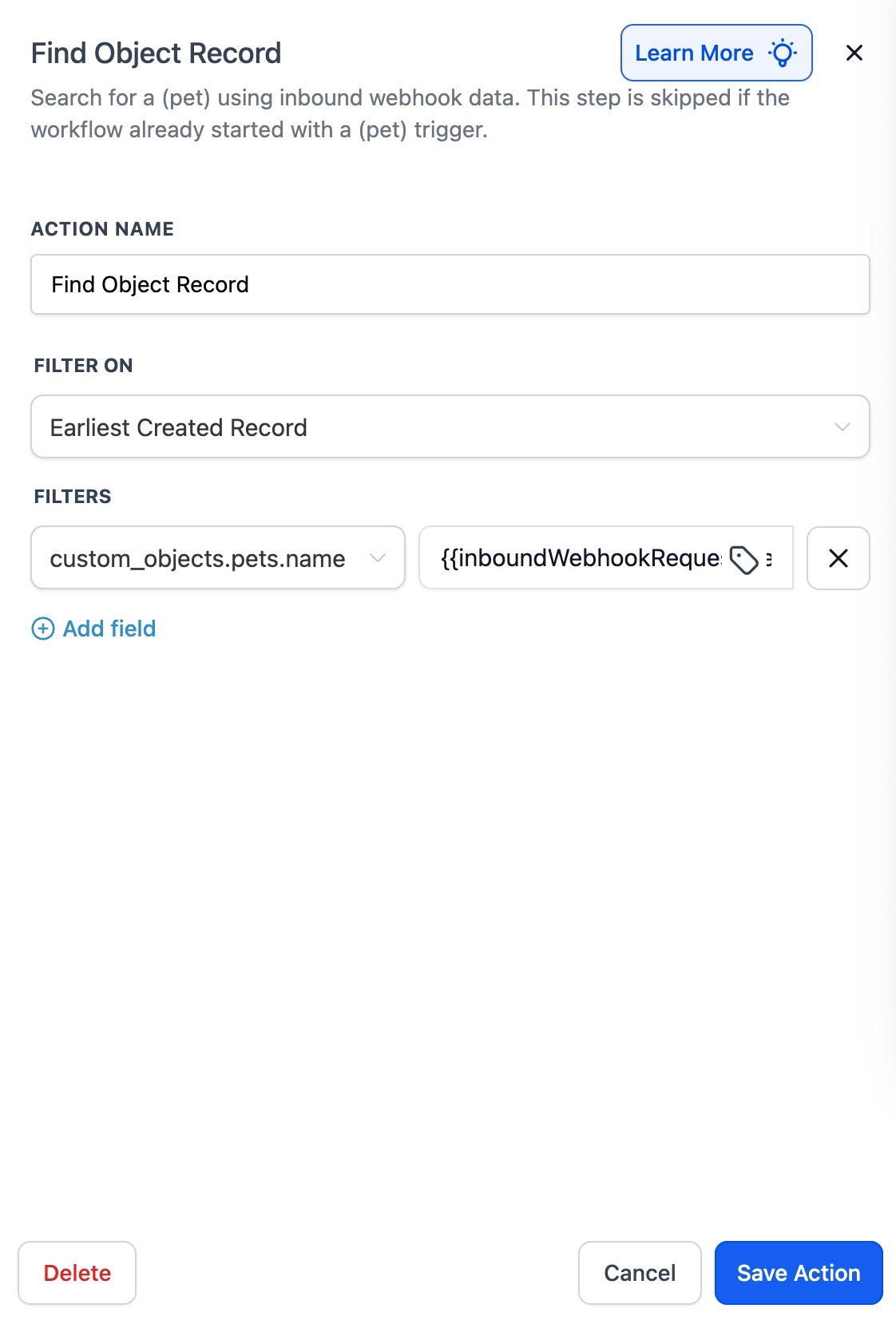
Find a record or company
- Select the Find Object Record / Find Company action.
- Choose the matching method: Record ID, External ID, or Field Based Filters.
- If needed, insert dynamic values from an inbound webhook into the filter.
- Decide how multiple matches are handled by selecting Earliest, Latest, or All.
- Set branching based on whether a record is found or not.
05What it looks like in HighLevel
06Settings that matter
- Association Label. Filters records by the relationship name used to link them to the current record.
- Object Type. Specifies whether the action works with Contacts, Companies, or a particular Custom Object.
- Target workflow. Defines which workflow the associated records will be added to or removed from.
- Record ID. Allows a direct lookup of a record using its unique identifier.
- External ID. Enables matching a record based on a user defined external identifier.
- Field, Based Filters. Matches records by evaluating one or more field values, which can include webhook data.
- Earliest / Latest / All. Controls how the Find action processes multiple matching records.
- Record Found vs Record Not Found. Provides automatic branching paths depending on whether a matching record exists.
07How it connects to the rest of HighLevel
- Add associated records to a workflow to enroll linked contacts, companies, or custom objects. Add Associated Records
- Remove associated records from a workflow when conditions change. Remove Associated Records
- Find an object record or company using IDs, external IDs, or field filters. Find Object Record
- Learn the basics of building workflows on HighLevel. Workflow basics
- Explore pricing for workflow features and the Pro plan. Workflow pricing
Michael's take

Most people think the workflow only works on the record that started it, so they miss the chance to move related contacts or companies along the same path. The real power is in pulling those linked records in or out based on the association label you set.