
01Who this is for
- Founders of marketing agencies who need fast, consistent client outreach without hiring copywriters.
- Small business owners who run email campaigns and want to save time on writing each message.
- Consultants who use workflow automations to nurture leads and require professional tone options.
02AI powered email generation, explained
The AI email action is a feature inside the workflow builder that generates complete email copy based on a brief prompt. It uses the description you provide, the workflow context and the chosen tone to create a subject line and body.
You access it from the Send Email action block. After entering basic sender details, you press the Write with AI button, pick a tone, type a prompt, and the AI fills the message section. The generated content can be edited, regenerated, or replaced before the step is saved.
The action works in any workflow where a Send Email step is present. No extra charges apply and the email can be sent automatically when the workflow runs.
03How businesses use AI powered email generation
- Digital marketing agency. The agency adds a Send Email step to a lead capture workflow, launches the AI writer, describes a welcome offer, selects a friendly tone, and inserts the generated email. The workflow then delivers the email to new leads without manual copywriting.
- Real estate brokerage. A broker creates a follow up workflow after a property tour, uses the AI writer to describe a thank you note aimed at scheduling a second visit, chooses a professional tone, and saves the email. The system emails the client automatically after the tour trigger.
- Online course creator. The creator builds an enrollment workflow, activates the AI writer, prompts for a course reminder to existing students, picks a persuasive tone, reviews the suggested subject and body, and inserts the content. The workflow sends the reminder on the chosen schedule.
04The numbers and rules that matter
- Default tone is neutral; other tones include friendly, professional, persuasive, etc.
05Before you start
- Log in to your HighLevel account.
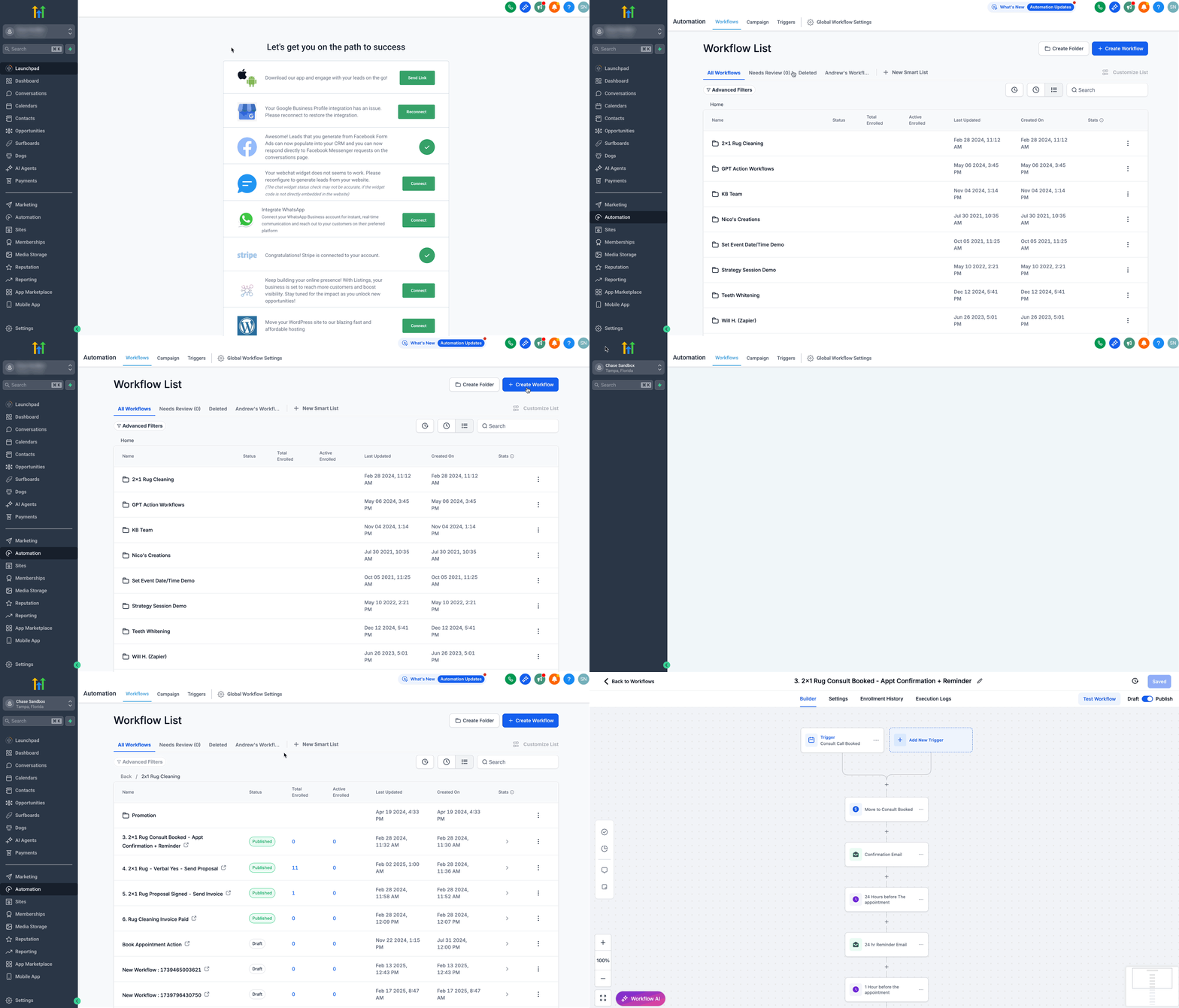
- Open the workflow builder by selecting Automation > Workflows.
06How to set up and use AI powered email generation in HighLevel
Set up AI email action
- Log in to HighLevel.
- Click Automation in the left menu.
- Select Workflows.
- Create a new workflow or open an existing one.
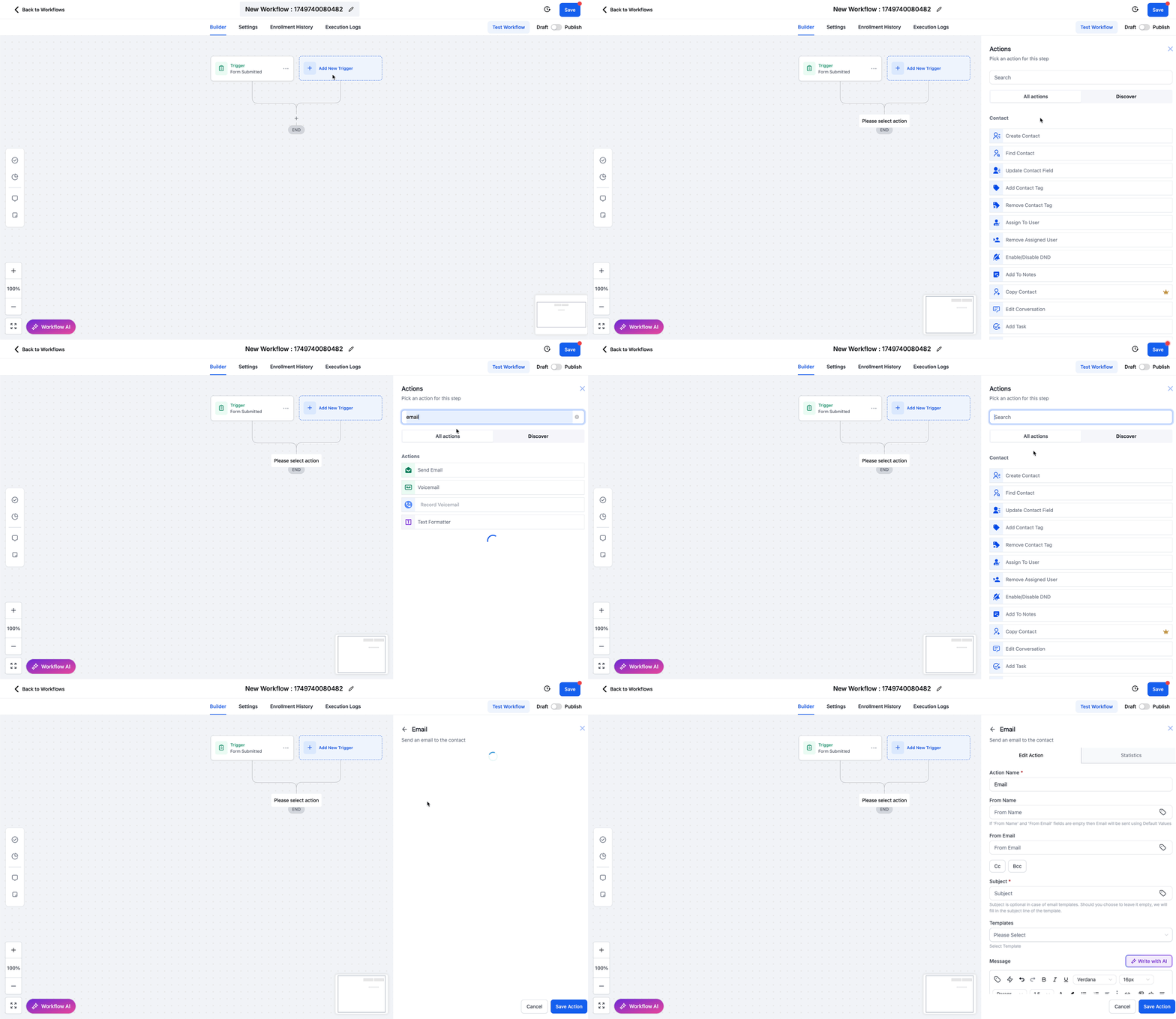
- Add a trigger and then click the plus button to add an action.
- Search for Email or scroll to Communications and choose Send Email.
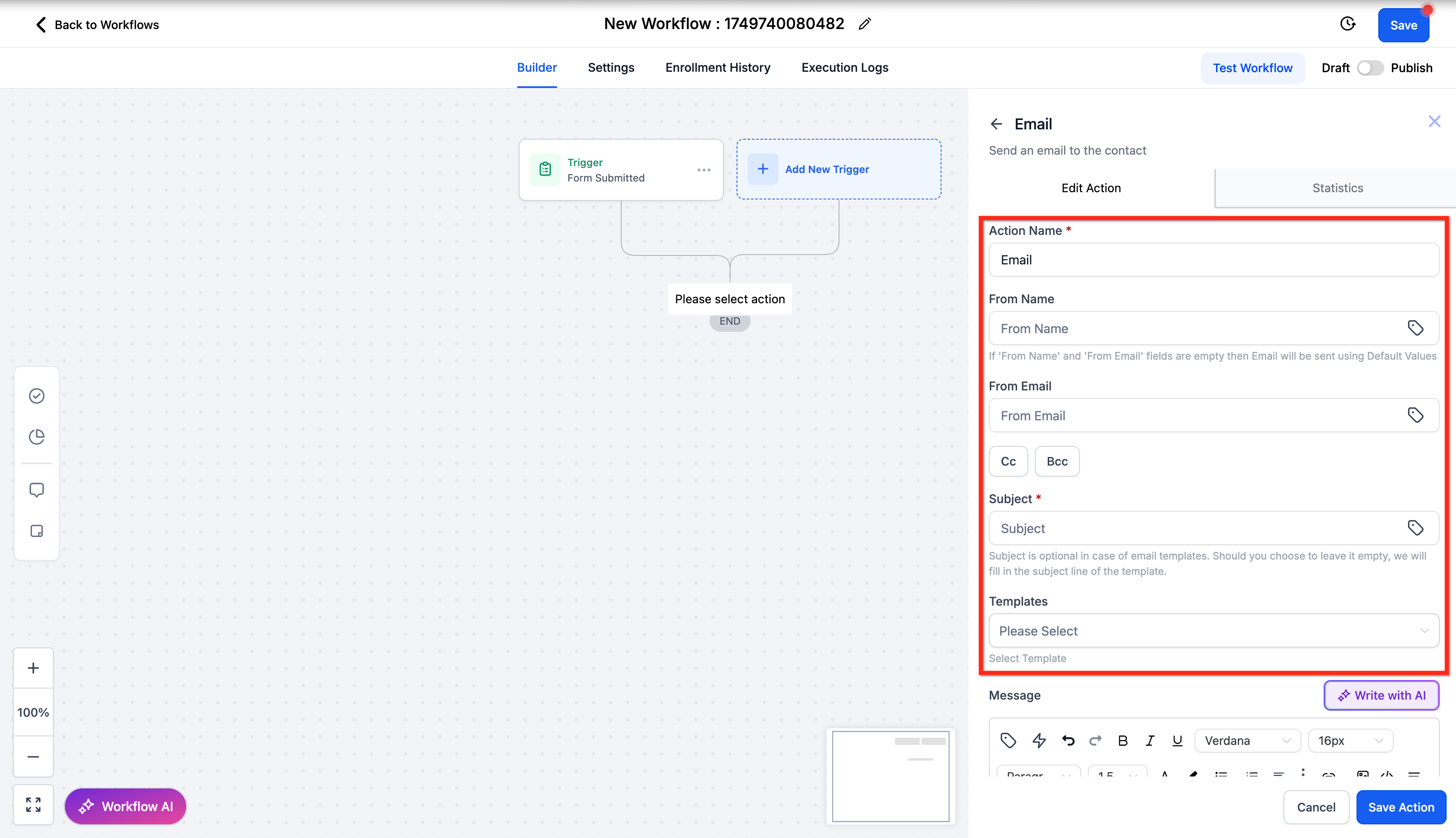
- Enter the From Name, From Email, optional CC or BCC, and a subject line if desired.
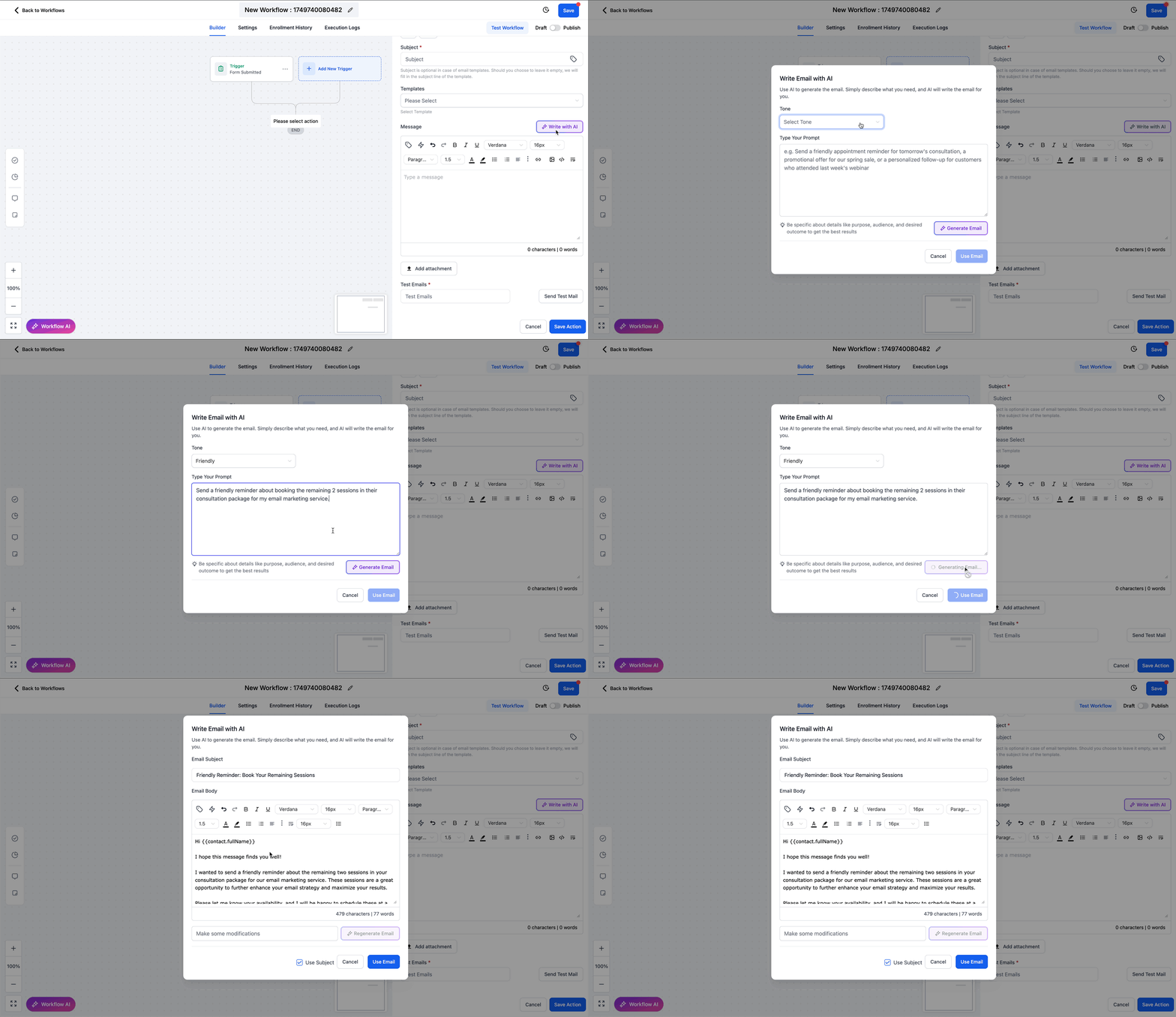
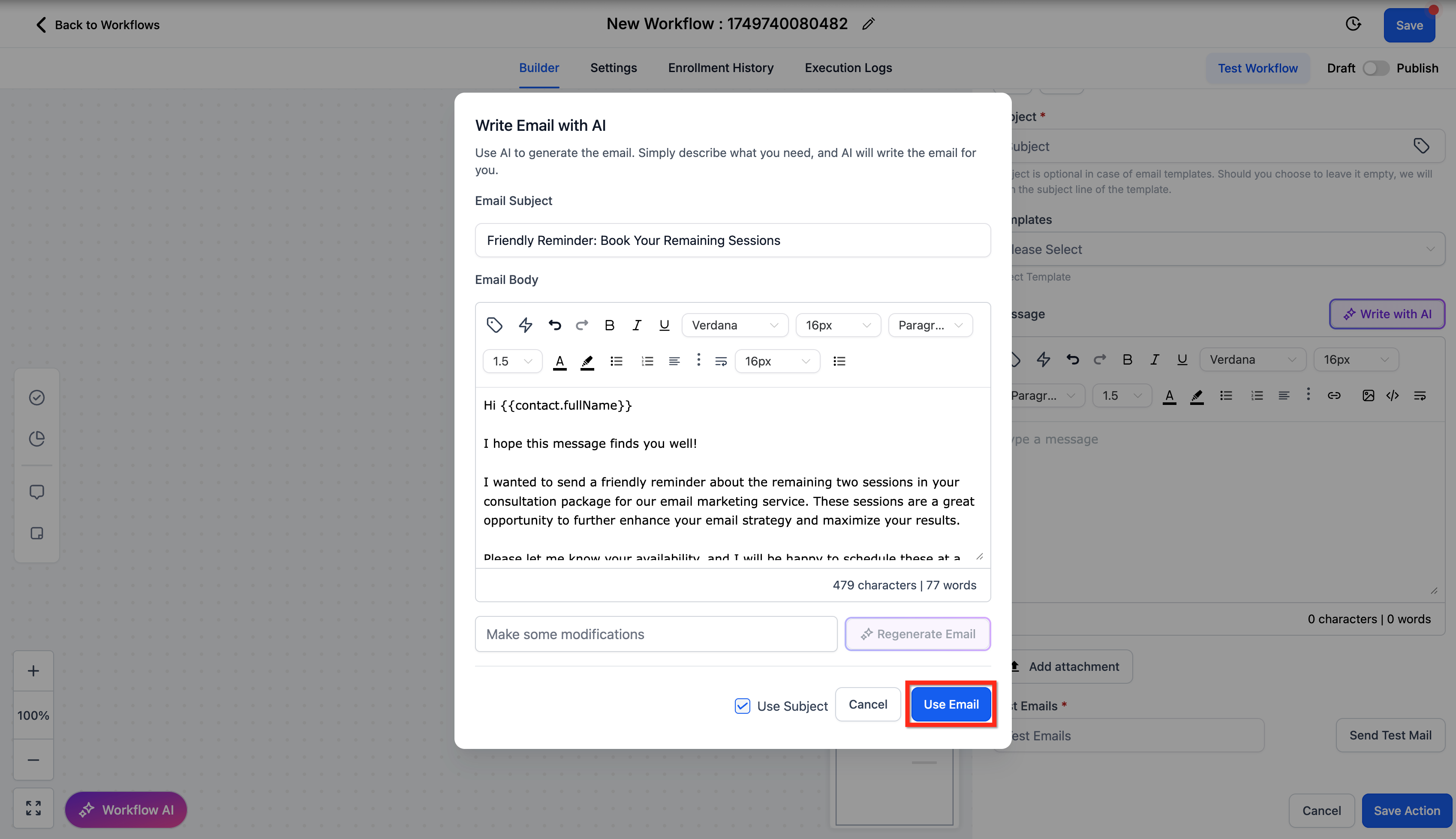
- Press Write with AI, pick a tone, type a prompt describing purpose, audience and desired outcome, then click Generate Email.
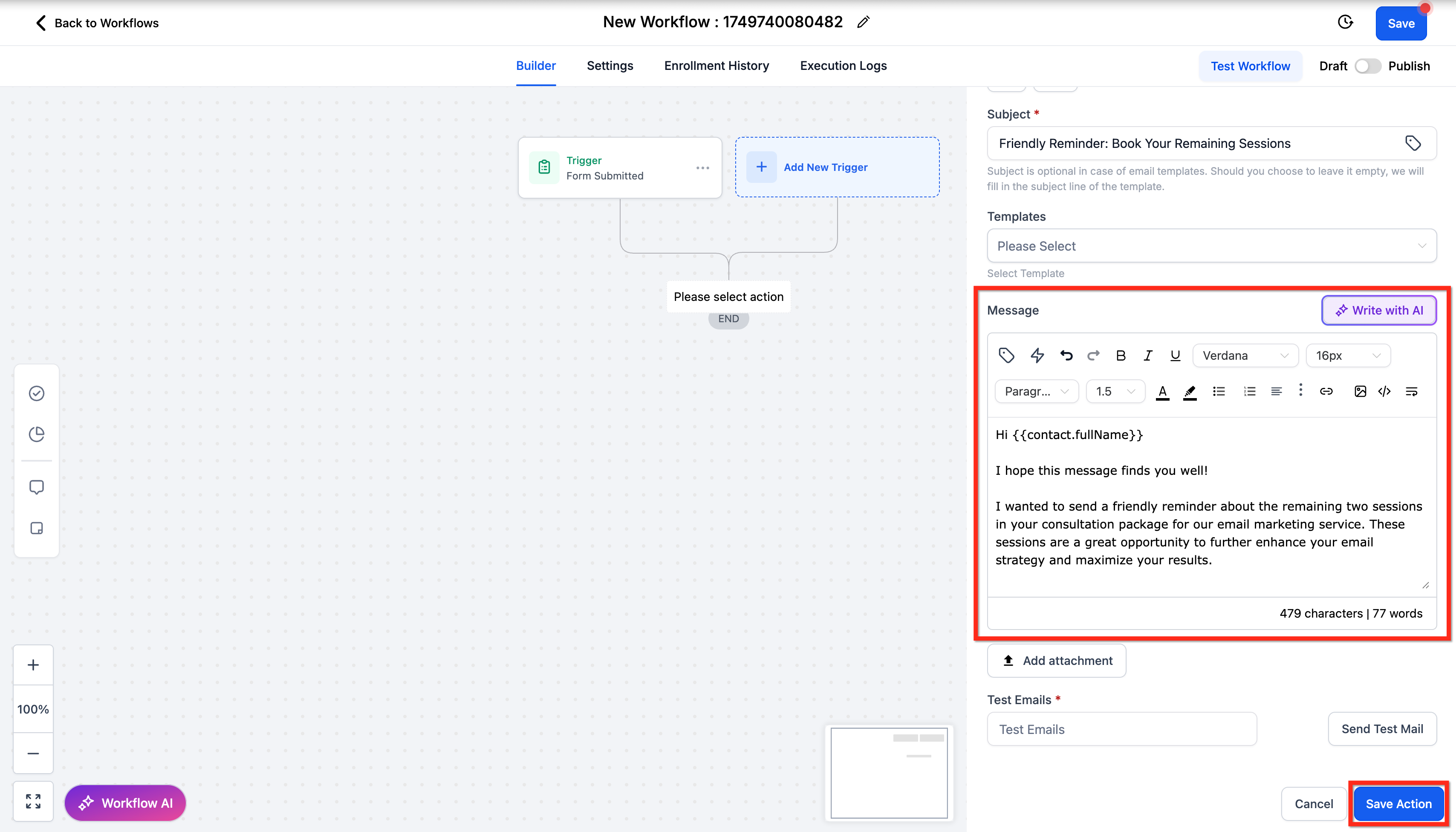
- Review the AI content, edit if needed, click Use Email, add attachments or a test email, and finally click Save Action.
07What it looks like in HighLevel
08Settings that matter
- From Name. Sets the display name that recipients see as the sender.
- From Email. Defines the email address used as the sender.
- CC. Adds additional recipients to receive a copy of the email.
- BCC. Adds hidden recipients who receive a copy without others seeing.
- Subject line. Specifies the email subject or leaves it for AI to generate.
- Tone. Controls the style of the AI generated email, such as friendly or professional.
09Things to know before you rely on it
- There is no extra charge for using the AI email action.
- The feature works in any workflow that includes the Send Email action.
- You can regenerate the email as many times as needed.
- The default tone is neutral; additional tones include friendly, professional, persuasive, and others.
10How it connects to the rest of HighLevel
- How to set up the Send Email action in HighLevel workflows Send Email guide
- HighLevel workflow automation: basics and set up guide Workflow basics
- Understanding HighLevel Workflow Pro Plan pricing tiers Pricing tiers
Michael's take

AI powered email generation is a time saving shortcut for crafting consistent messages.
Skip it if you already have a dedicated copywriter or a fully built template library.