
01Who this is for
- Marketing managers can capture leads directly from the website chat without leaving Duda.
- Small business owners get a simple way to engage site visitors and answer questions in real time.
- Agencies managing multiple client sites can reuse the same widget code across Duda projects.
02Chat widgets, explained
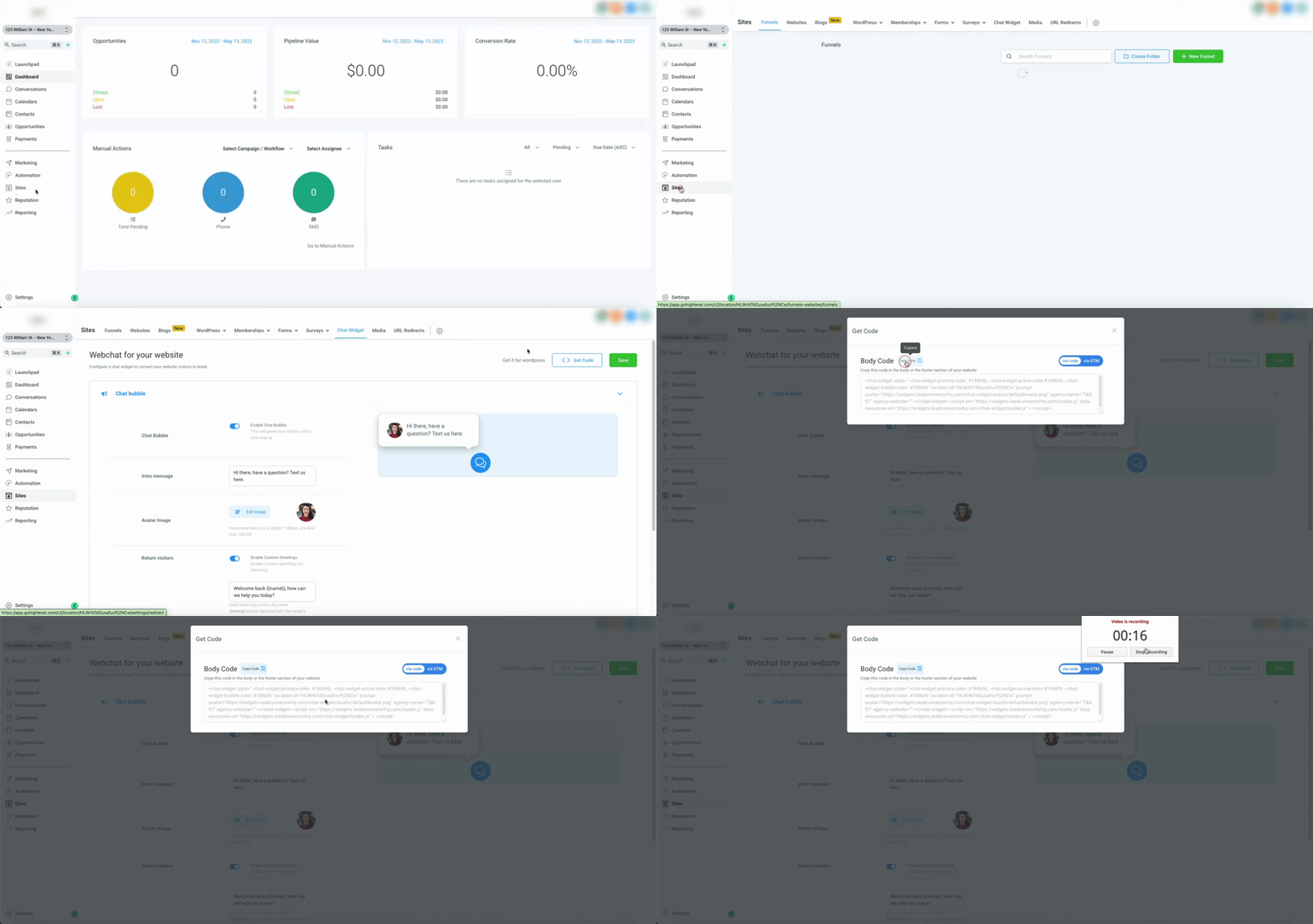
HighLevel Webchat for Duda provides an embed code that renders a chat window on any Duda page. The code is generated in HighLevel under Sites > Chat Widget > Get Code. It can be added globally via the site’s Head HTML or placed on a single page using an HTML element; both methods require saving and previewing the site.
03How businesses use chat widget
- Real estate agency. The agency copies the embed code from HighLevel, opens the Duda editor, and selects Head HTML to paste the code. After saving, the chat appears on every property listing page, letting visitors ask about homes directly.
- Fitness studio. The studio drags an HTML element onto its class schedule page in Duda, opens the element’s editor, and pastes the widget code. Saving shows a chat button that members can use to inquire about class availability.
- Online retailer. The retailer pulls the widget code, adds an HTML element on the checkout page, and inserts the code. Once saved, shoppers can ask product questions without leaving the checkout flow.
04Before you start
- Retrieve the chat widget embed code from Sites > Chat Widget > Get Code in HighLevel.
05How to set up and use chat widget in HighLevel
Add chat widget using Head HTML
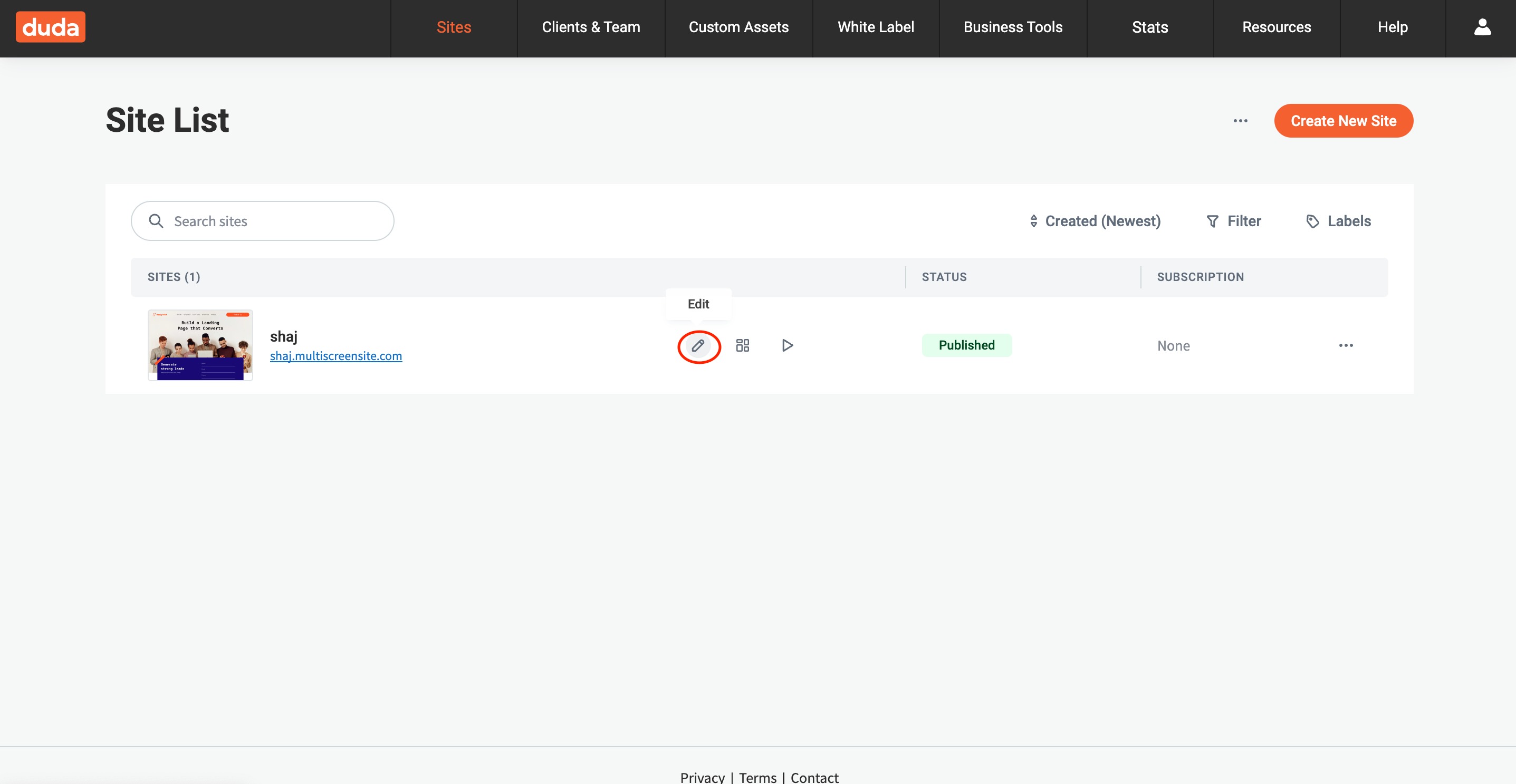
- Log in to the Duda dashboard and open the site editor.
- Select the site to edit and click the Edit Site button.
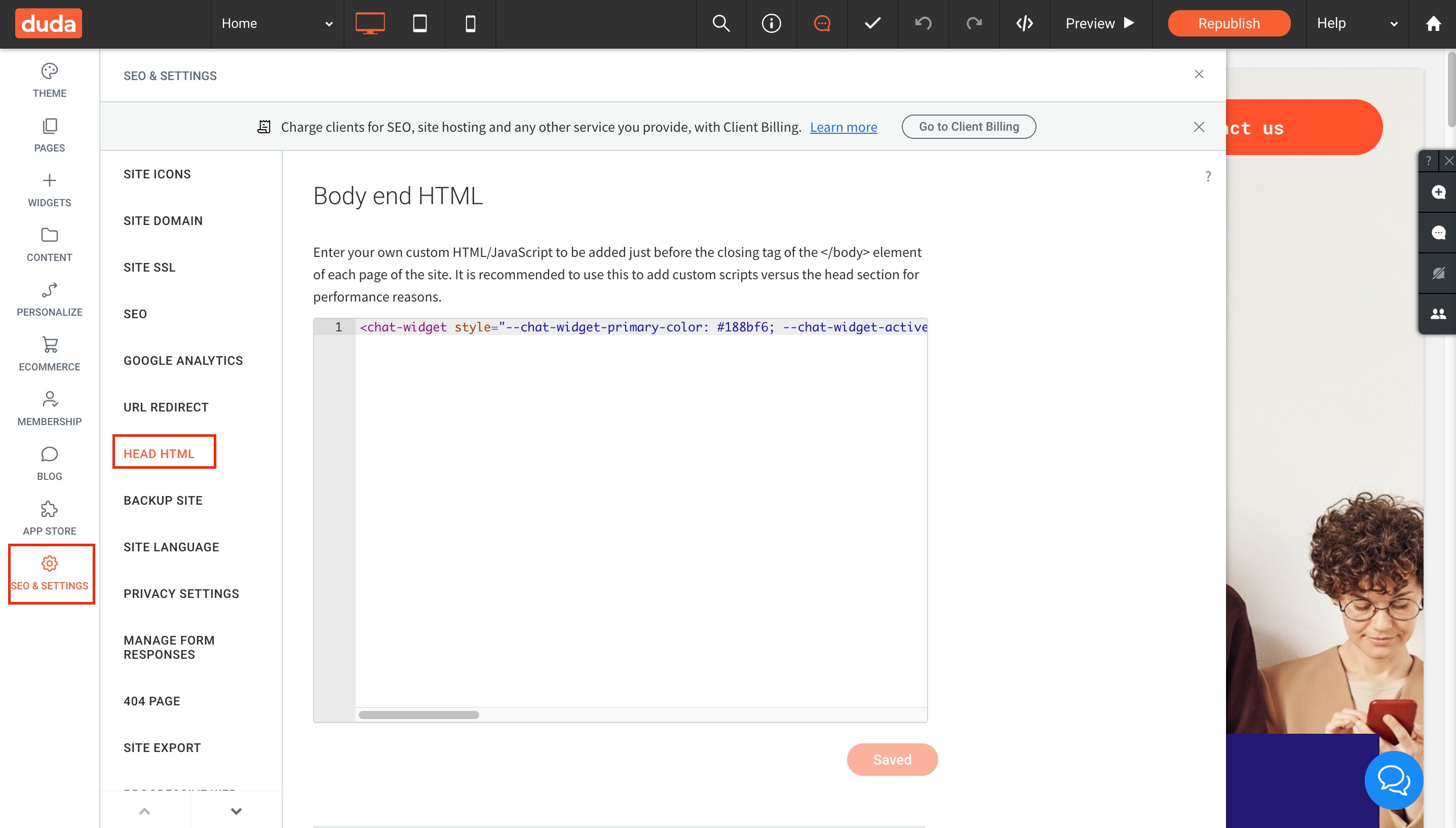
- In the left sidebar, choose Settings.
- Click the Head HTML option.
- Paste the HighLevel embed code into the Head HTML field.
- Click Save to store the changes.
- Preview the site to verify the widget appears as expected.
Add chat widget using an HTML element
- Drag an HTML element onto the desired page in the Duda editor.
- Double click the element to open its HTML editor.
- Paste the HighLevel embed code inside the editor.
- Click Save to apply the changes.
06What it looks like in HighLevel
07How it connects to the rest of HighLevel
- Install and configure the HighLevel chat widget workflow Chat widget workflow
- Track chat widget activity with Google Analytics 4 GA4 tracking
- All Sites features overview All Sites features
Michael's take

Michael ReimerFounder of CRM Pros, HighLevel Commander and Certified Admin
Adding a chat widget to a Duda site can feel risky if you don’t verify the code placement first.
Get More InformationOpens on HighLevelPublished November 2, 2026 · Updated November 16, 2026