
01Who this is for
- Agency owners who run client sites and need to shift domain control to the client’s chosen registrar.
- SaaS Founders who want to consolidate all domain registrations under a single external provider for consistency.
- Local retailers that manage an ecommerce site on HighLevel and wish to move the domain to a registrar that offers specific DNS features.
02Domain transfer out, explained
The transfer out feature is a self service tool that works for domains purchased through HighLevel or transferred into the platform. It runs an eligibility check, unlocks the domain if required and then supplies an EPP code that the new registrar uses to verify the request.
The workflow starts in the domain’s Advanced Settings. After you select a target registrar, unlock the domain and request the code, HighLevel emails the masked addresses where the code was sent. The code never appears on screen.
The final step is completed with the receiving registrar. You enter the domain name and the EPP code, pay any fees and follow that registrar’s verification steps. HighLevel does not handle the last part of the process.
03How businesses use domain transfer out
- Marketing agency. An agency can open the domain settings, run the eligibility check and unlock the client’s domain. After requesting the EPP code the agency forwards it to the client’s registrar account to finish the move.
- SaaS startup. The startup selects its preferred registrar from the dropdown, unlocks the domain and grabs the EPP code. It then uses the code in the new registrar’s transfer screen to bring the domain under its own account.
- Local retailer. The retailer accesses the domain’s advanced settings, unlocks the domain and requests the EPP code. The code is received in the listed email inboxes and entered at the retailer’s chosen registrar to complete the transfer.
04The numbers and rules that matter
- Domain must be eligible: Not registered or transferred within the past 60 days, not prohibited by registrar, and not already in transfer.
05How to set up and use domain transfer out in HighLevel
Transfer a domain out of HighLevel
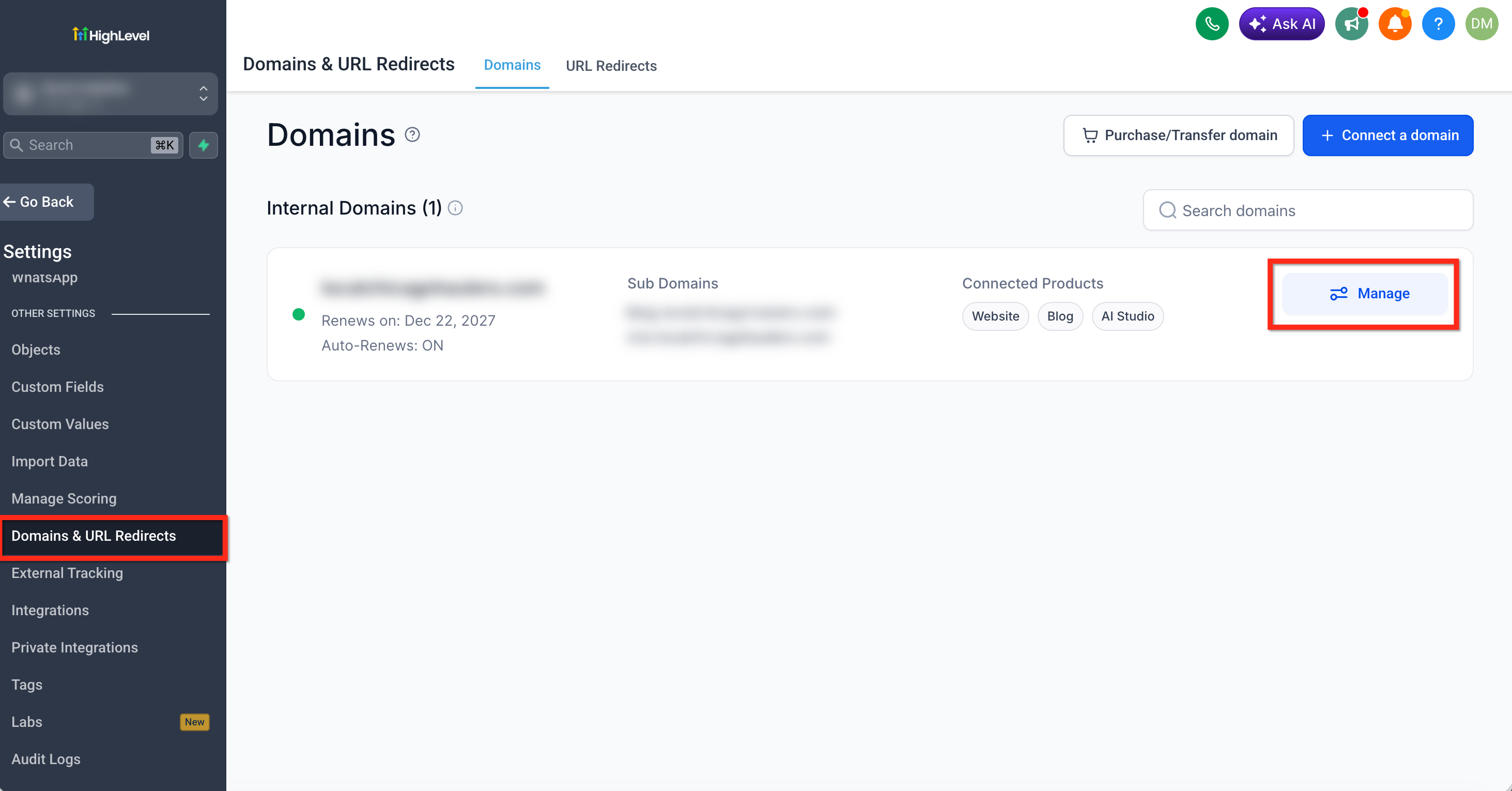
- Open Settings > Domains & URL Redirects, locate the domain and click Manage.
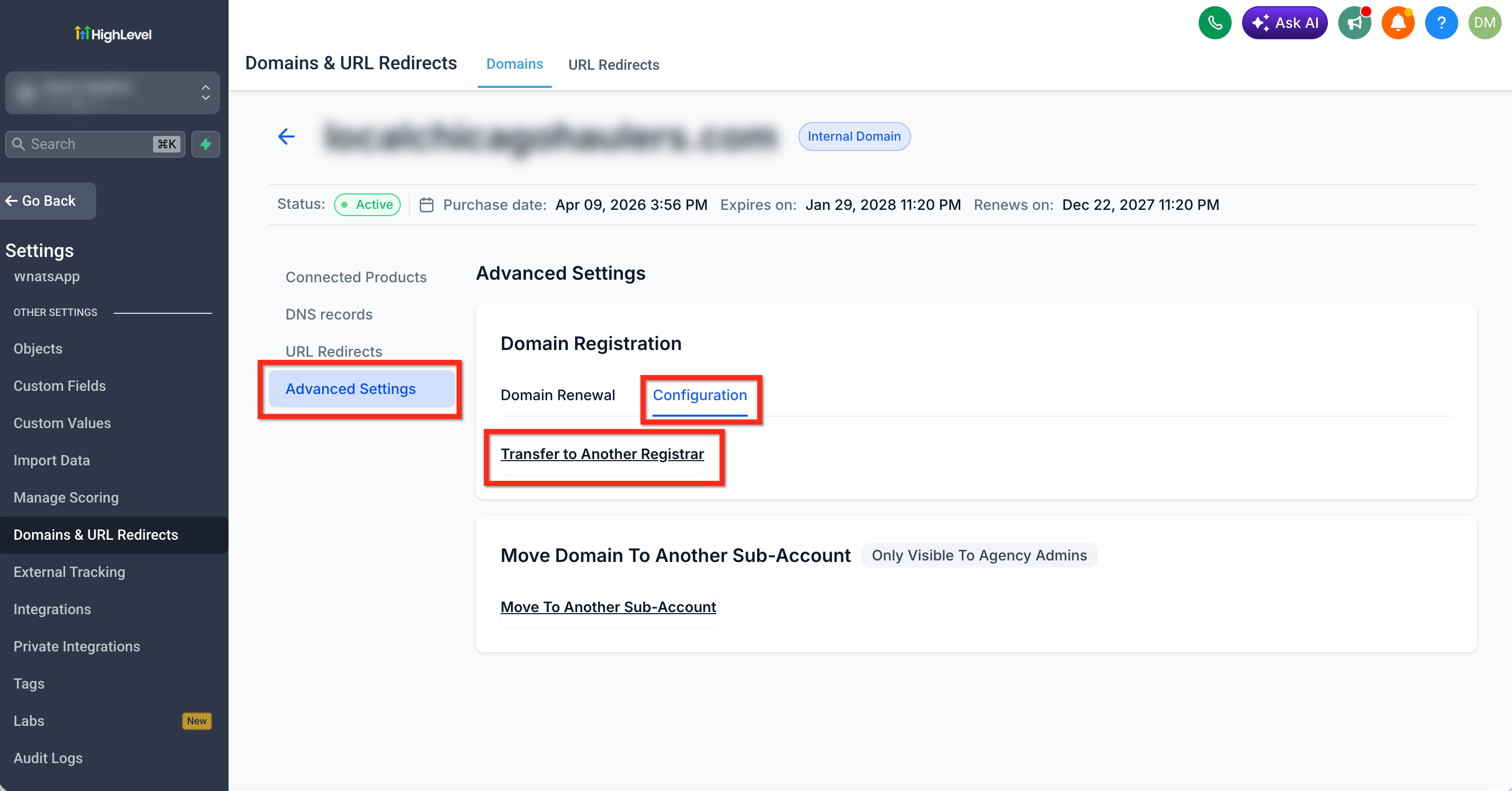
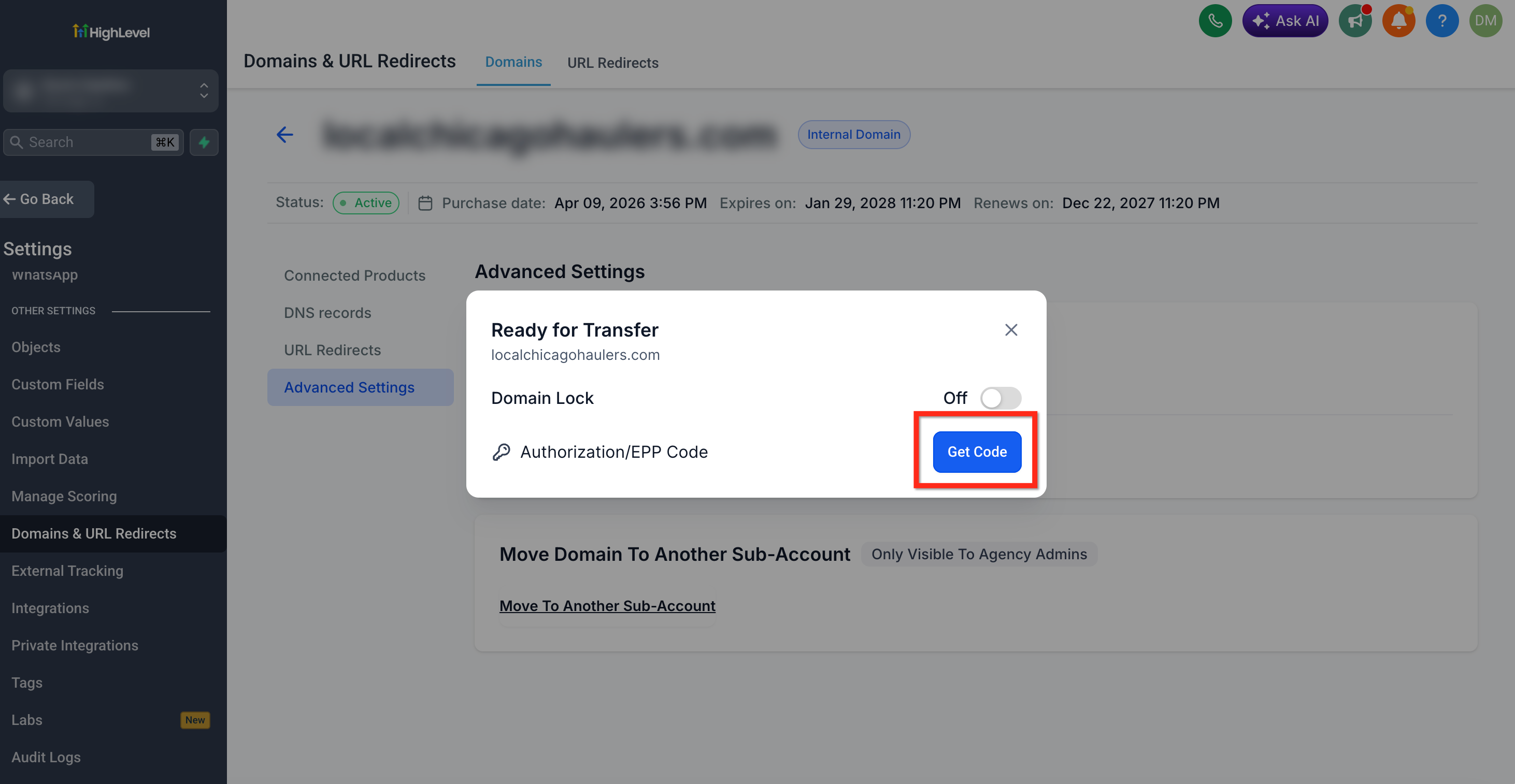
- Select the Advanced Settings tab, click Configuration and find the Transfer to Another Registrar option.
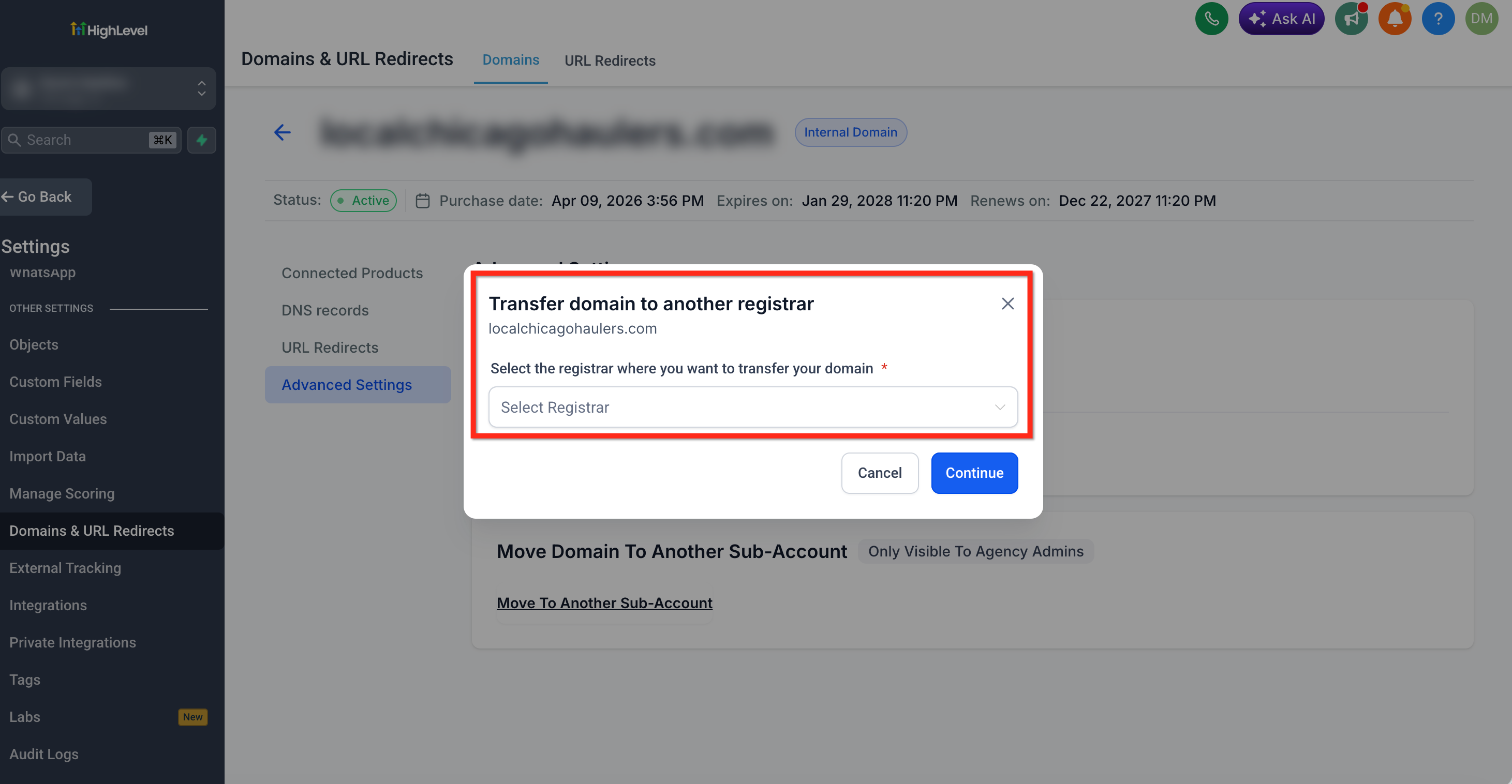
- Choose the registrar that will receive the domain from the dropdown list.
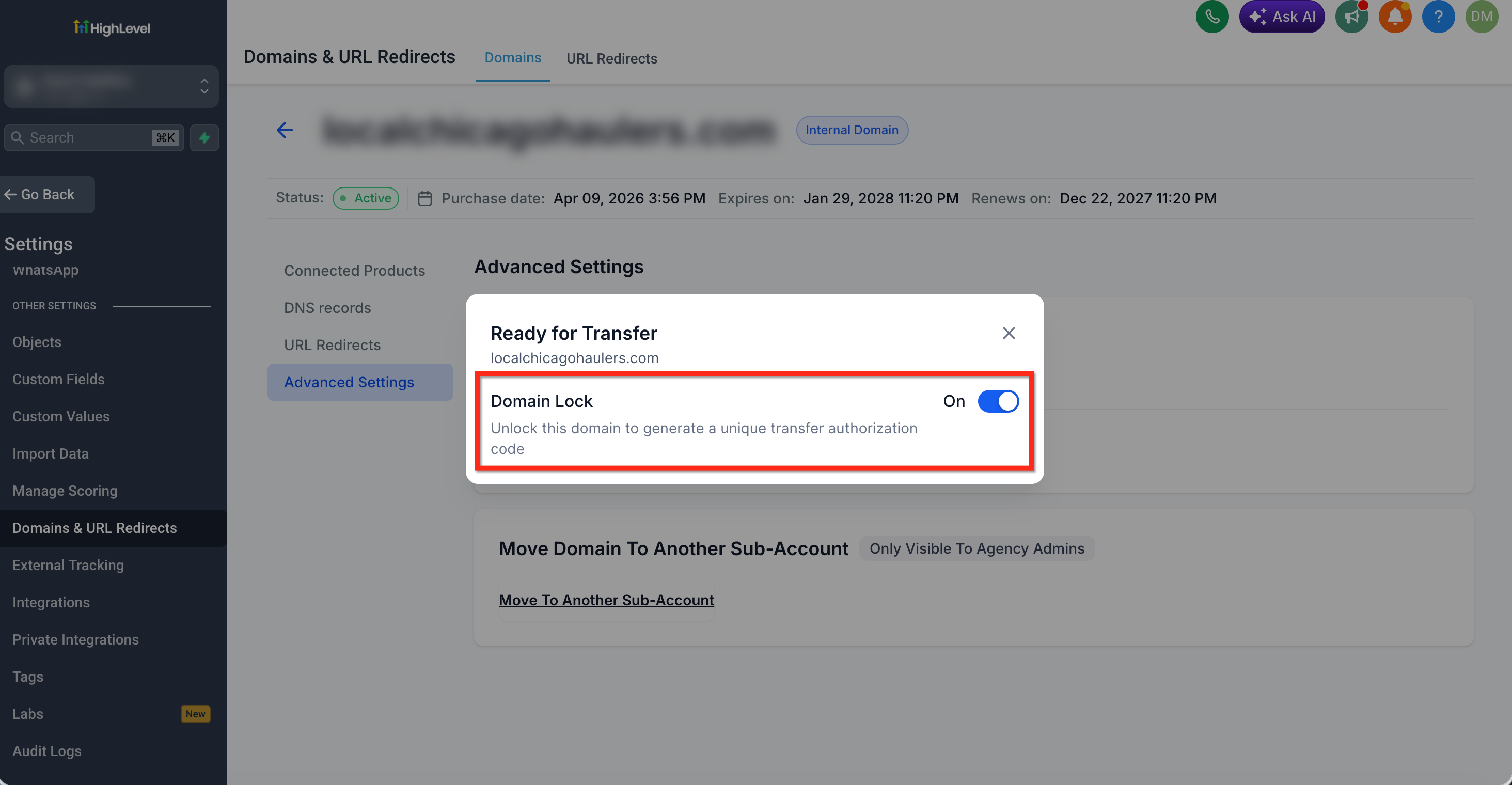
- If the domain shows as locked, use the unlock control to remove the lock.
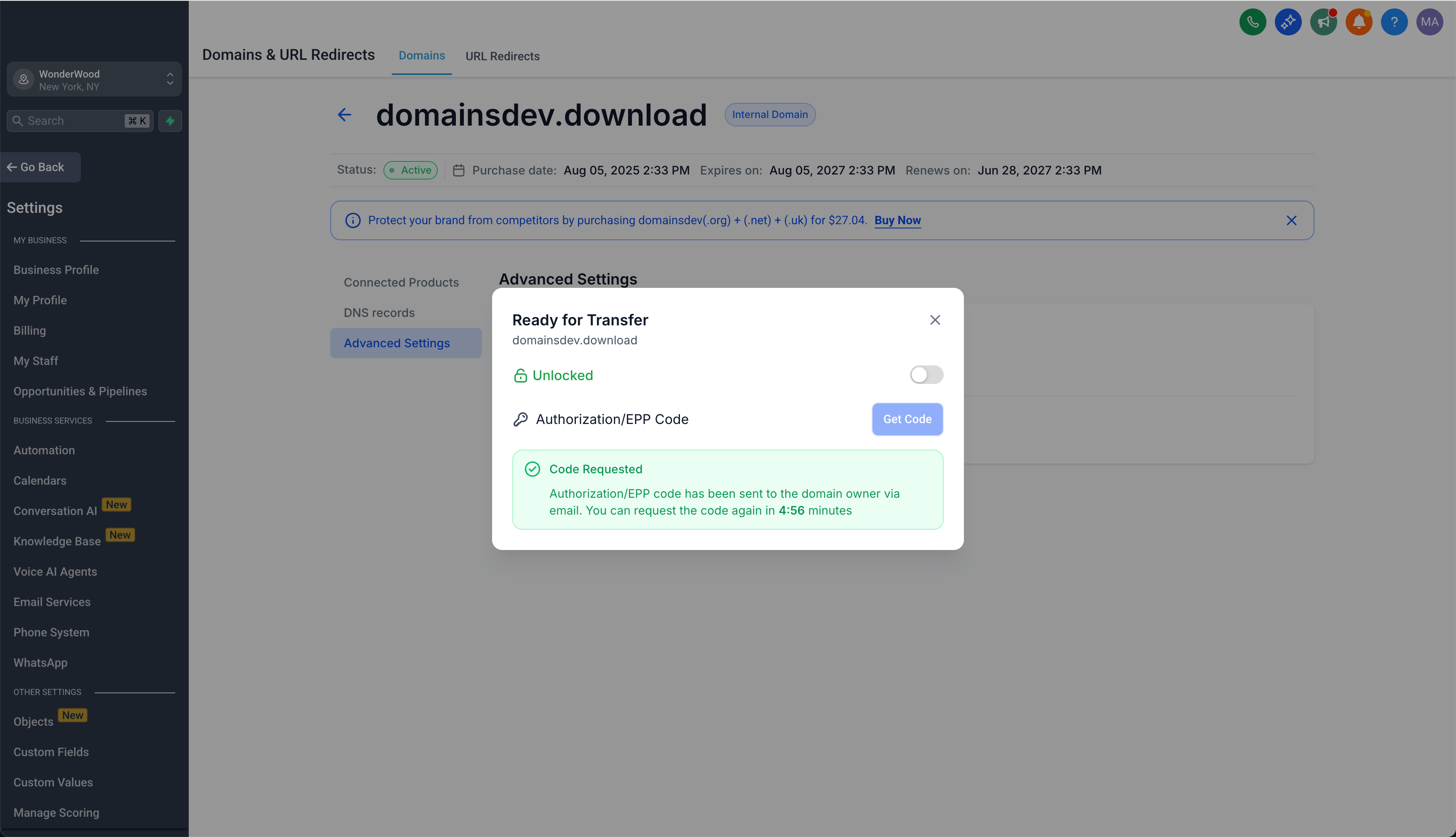
- Click Get Code to request the EPP authorization code.
- Review the masked email addresses shown and check those inboxes for the code.
- Sign in to the receiving registrar, enter the domain name and the EPP code, then complete the registrar’s transfer steps.
06What it looks like in HighLevel
07Settings that matter
- Transfer to Another Registrar. Identifies the target registrar before the platform runs the eligibility check and provides the EPP code.
- Unlock. Removes the registrar lock that prevents unauthorized transfers; the domain must be unlocked for the receiving registrar to accept the transfer.
- Get Code. Generates and emails the EPP authorization code needed by the new registrar to verify the transfer request.
08Things to know before you rely on it
- Domains registered or transferred within the last 60 days cannot be moved.
- The .uk family of extensions requires support assistance and cannot use the self service workflow.
- Transfers to Cloudflare follow a separate dedicated process, not the standard EPP code workflow.
- If the HighLevel account is cancelled, the standard transfer controls are unavailable; a domain release request must be submitted.
09If something goes wrong
- EPP authorization code does not arrive in the email inboxes. Wait at least five minutes and request the code again, then use the most recently delivered code.
10How it connects to the rest of HighLevel
- Transfer domain to Cloudflare Cloudflare transfer guide
- Enable domain purchases and rebilling in HighLevel Domain purchase and rebilling
- How to request domain release from a cancelled HighLevel account Domain release process
Michael's take

Moving a domain out of HighLevel lets a small business control its renewal management by using the self service transfer out feature.
Don’t forget to verify that the domain is eligible and not locked before you request the EPP code.