
You no longer need to publish your AI Studio project before adding a custom domain. Connect your domain first, and your site goes live on it automatically as soon as DNS is verified.
Michael's take
My first take is that this is a modest but useful tweak. It doesn’t add a brand new capability, it just removes a step that used to be required.
If you’re already building projects in AI Studio, you can now add your domain right away instead of publishing a default URL first.
I would run through the domain add flow on a test project, verify the DNS, and double check that the site appears as expected in the chat notification.
In practice I could point my client’s brand domain to the project, see the site go live automatically, and avoid the awkward moment of swapping URLs after launch.
I like that the system keeps the domain attached even if the first publish fails, so you can retry without losing your setup.
This is worth checking out for anyone who wants a cleaner launch process for their AI Studio sites.
What changed
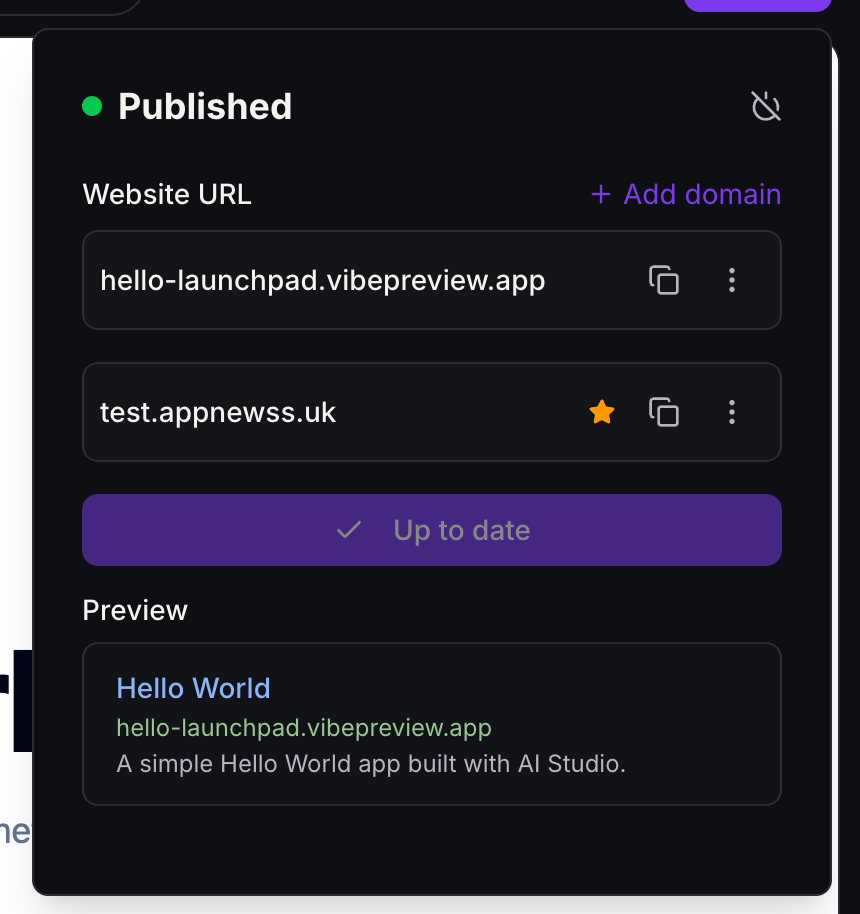
- Add a domain anytime:Click+ Add domainnext toWebsite URLin the Publish panel, or go toSettings › Domains, even if the project has never been published.
- Automatic first publish:Once DNS is verified and your domains are saved, the latest ready version of your project publishes to your domain.
- Your domain is the main URL:The connected domain is marked with a, and your vibepreview.app / vibepreview.com URL stays available.
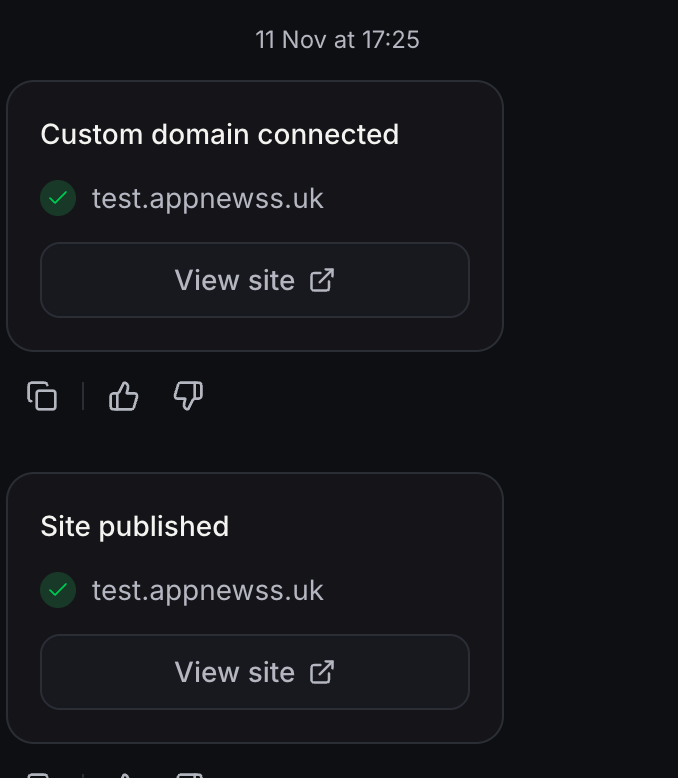
- Updates in chat:You'll seeCustom domain connectedandSite publishedin chat, each with aView sitebutton.
- Nothing lost on failure:If the first publish doesn't go through, your domain stays connected and the Publish panel opens so you can try again.
How to turn it on
- Open your AI Studio project and clickPublish.
- Click+ Add domainand follow the DNS steps.
- WhenSite publishedappears in chat, clickView site.
Good to know:Projects that are already live keep their current version when you connect a new domain.
Questions Founders ask
What did HighLevel release in "Connect Your Custom Domain Before You Publish"?
You no longer need to publish your AI Studio project before adding a custom domain. Connect your domain first, and your site goes live on it automatically as soon as DNS is verified.
What should a Founder do with Connect Your Custom Domain Before You Publish?
Open a current AI Studio project and add your custom domain before publishing to see the new flow in action. Founders and agency owners who build AI Studio sites and want their custom domain set up before the first launch.
How do I turn on Connect Your Custom Domain Before You Publish in HighLevel?
In HighLevel: Open your AI Studio project and click Publish. Then Click + Add domain and follow the DNS steps. Then When Site published appears in chat, click View site.
How do I get this feature with setup help?
Start a free HighLevel trial through Michael Reimer's link and the CRM Pros team helps with setup in your first 7 days, with an onboarding call, three live calls every week and the affiliate community included.
Get More InformationOpens in a new tab Published November 11, 2026. Screenshots belong to HighLevel.