
01Who this is for
- Founders who run agency platforms and want to add domain sales as a service for their clients.
- Marketing teams that manage many client sites and need a simple way to offer domain registration without leaving the platform.
- Finance managers in agencies looking to collect domain fees directly via Stripe and keep invoicing under the agency brand.
02Domain purchases, explained
The Domain Purchase toggle lives in the agency’s Settings > Company. When it is switched on, every subaccount gains a Purchase a Domain button on its Domains page. The feature works for any agency plan, but rebilling can only be set up by agencies on the $497 Founder Plan (per HighLevel's help center, checked November 2026).
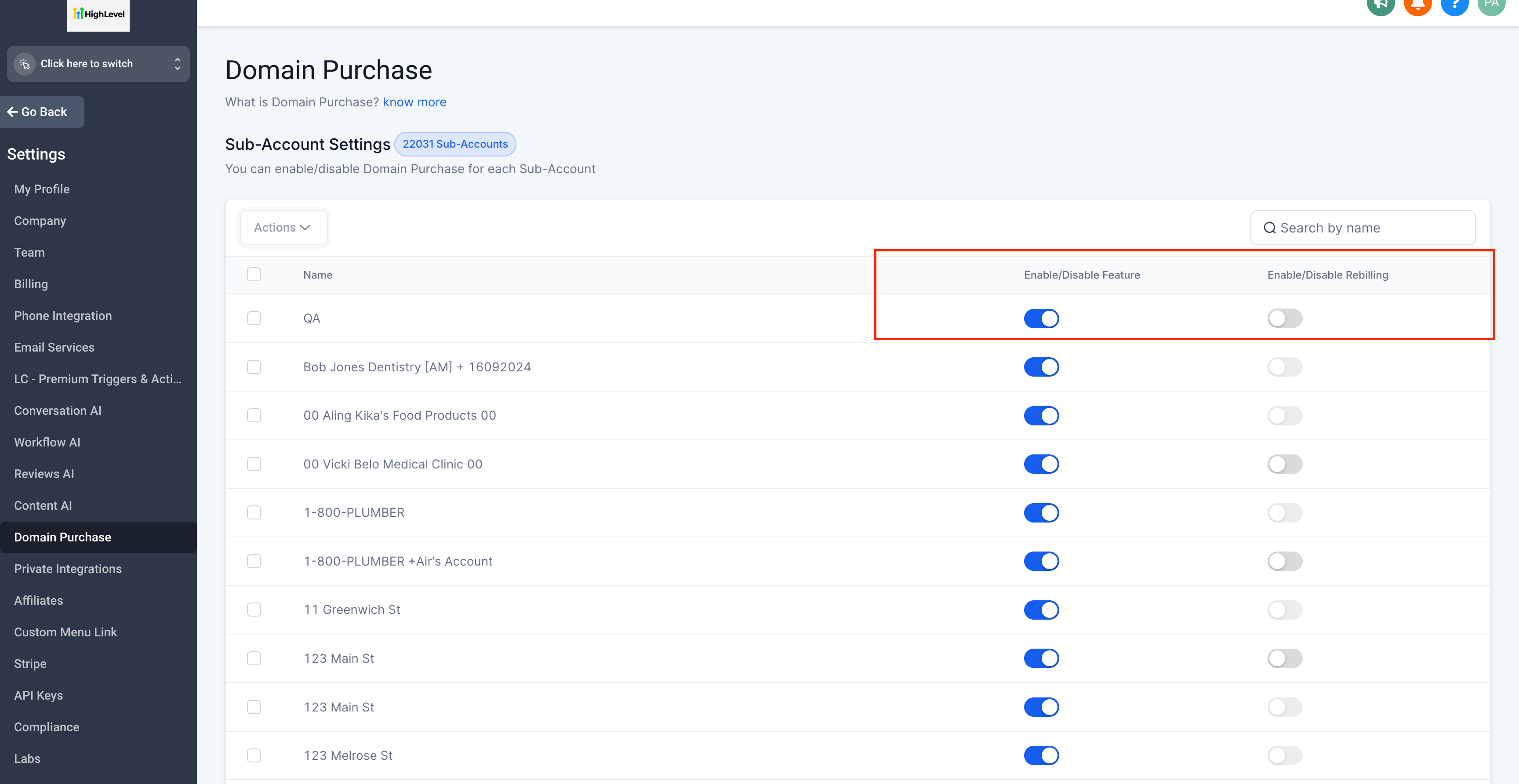
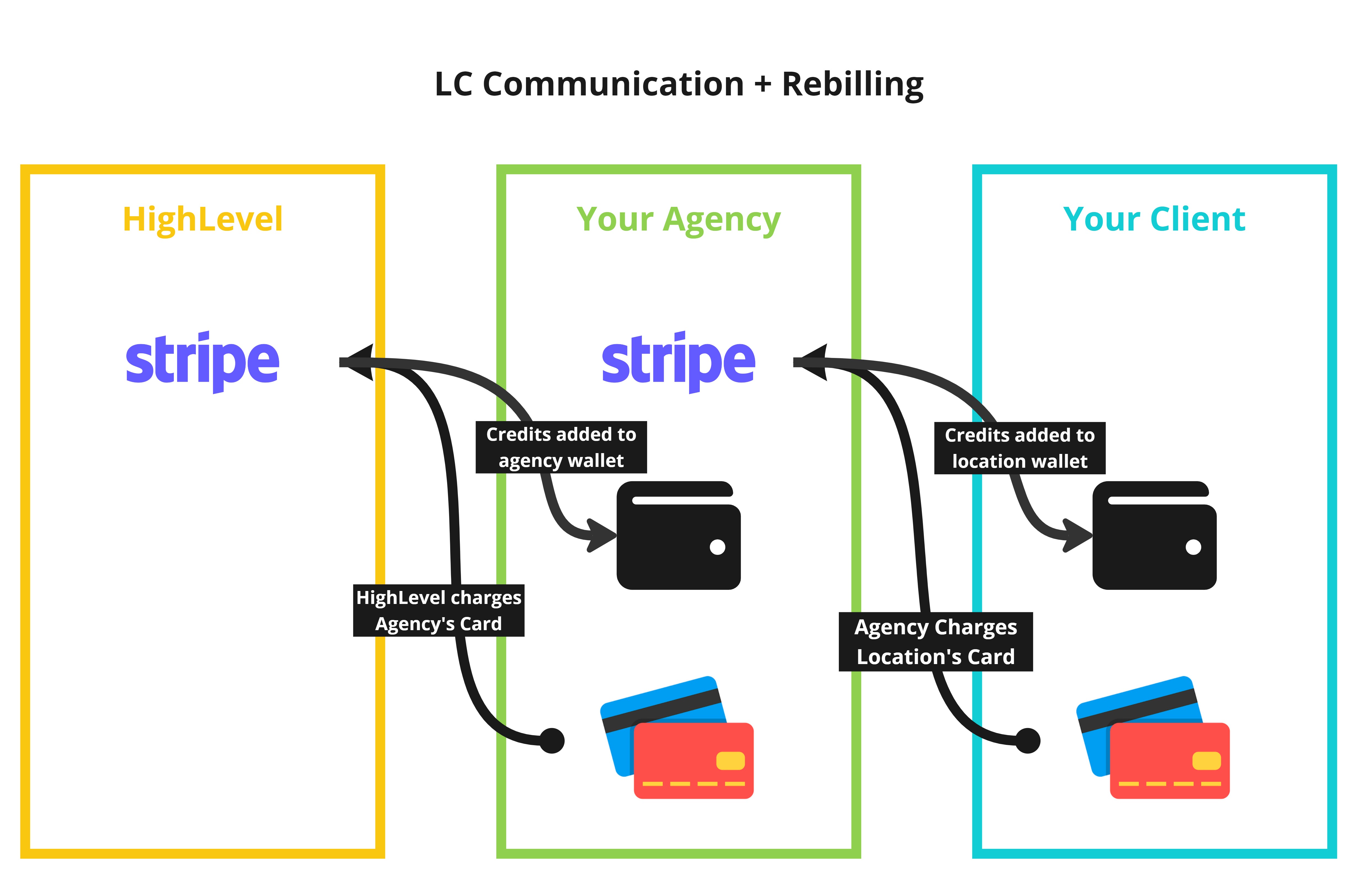
Rebilling adds a second toggle inside each subaccount’s settings called Domain Purchase Re Sell Settings. Turning this toggle on lets the agency define a markup using a slider. When a client buys a domain, the agency pays HighLevel, receives an invoice, and then charges the client at the marked up price through the agency’s connected Stripe account. Credits are drawn from the agency and location wallets in the same way as other rebillable services.
03How businesses use domain purchases
- Dental practice. The dentist’s agency enables Domain Purchase, then turns on rebilling for the practice’s location. When the practice needs a new website address, it searches and buys the domain directly in its HighLevel subaccount, paying the price set by the agency.
- SaaS startup. The startup’s agency activates domain sales and configures a markup. The startup’s team selects a domain for its product launch in the Domains section, and the cost is billed to the agency’s Stripe account with the agency’s branding.
- Real estate agency. The real estate firm’s managing agency turns on Domain Purchase and enables rebilling for each broker’s location. Brokers can purchase custom domain names for their listings without leaving HighLevel, and the agency collects the fees via Stripe.
04The numbers and rules that matter
- Agencies on Any Plan ($97, $970, $297, $2970, $497, $4970) can access Domain Purchase (per HighLevel's help center, checked November 2026).
- Rebilling is available for $497 Founder Plan customers only (per HighLevel's help center, checked November 2026).
05Before you start
- Domain Purchase must be enabled at the agency level.
- A Stripe account must be connected through the SaaS Configurator to use rebilling.
- The subaccount must be in SaaS mode before rebilling can be turned on.
06How to set up and use domain purchases in HighLevel
Enable domain purchases at the agency level
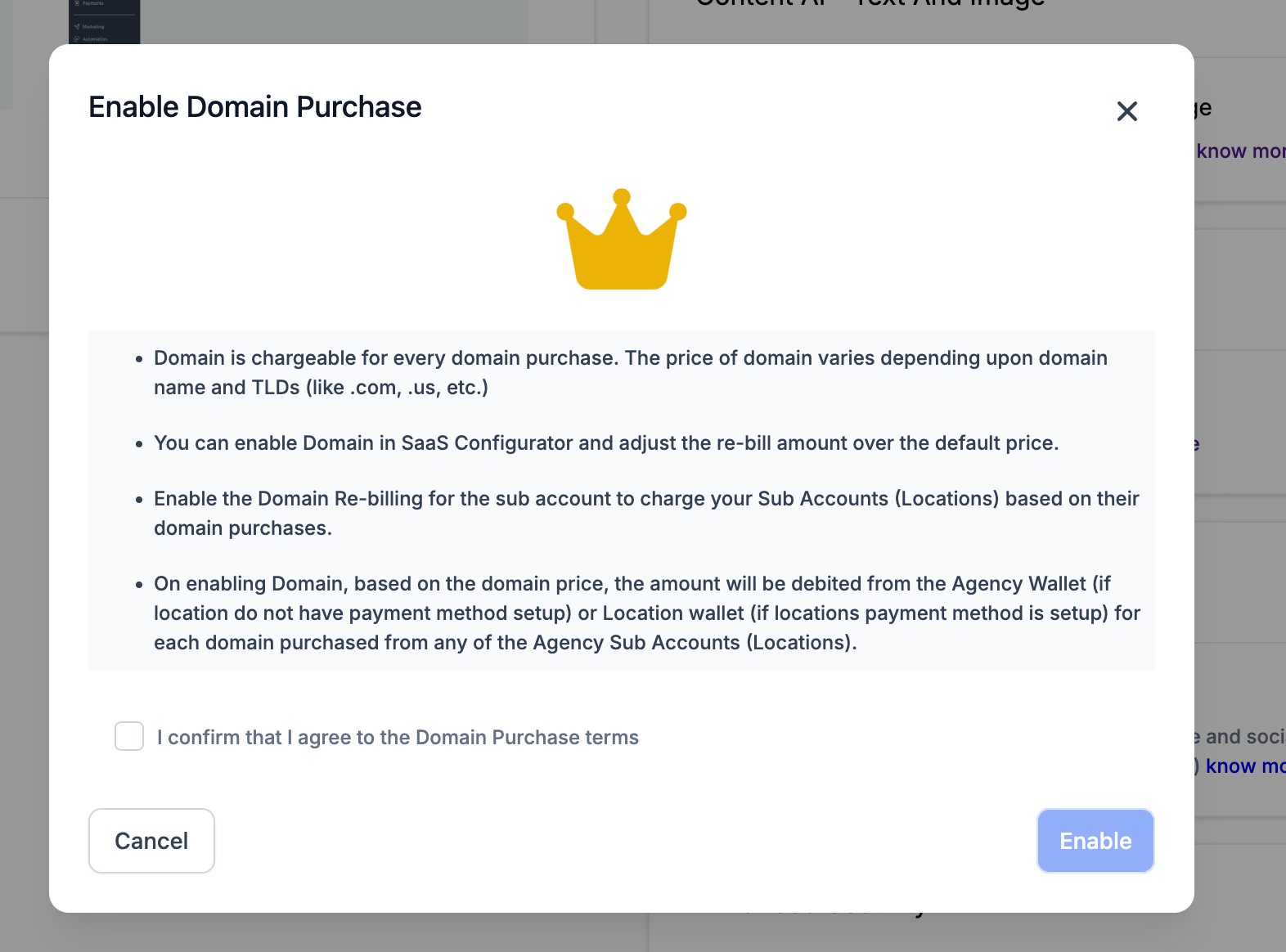
- Open Settings > Company from the Agency View.
- Find the Domain Purchase toggle and activate it.
- Check the box that confirms agreement to the Domain Purchase terms.
- Click Enable to save the setting.
Turn on domain rebilling for your clients
- Confirm that Domain Purchase is already active for the agency.
- Navigate to Accounts from the Agency View.
- If the subaccount is not in SaaS mode, open its three dot menu and select Switch to SaaS.
- Select View Details for the target subaccount.
- Scroll to the Domain Purchase Re Sell Settings area and enable the toggle.
- Move the markup slider to set the desired profit margin.
- Press Save to apply the changes.
07What it looks like in HighLevel

08Settings that matter
- Domain Purchase toggle. Turns the domain buying feature on or off for the entire agency.
- Domain Purchase Re, Sell Settings toggle. Activates rebilling of domain costs for a specific subaccount.
- Domain Purchase Re, Sell Settings slider. Sets the markup amount that the agency adds to the domain cost before charging the client.
09Things to know before you rely on it
- Rebilling is only available to agencies on the $497 Founder Plan (per HighLevel's help center, checked November 2026).
- Agencies on any other plan can enable domain purchases but cannot rebill clients.
- Only subaccounts that are switched to SaaS mode can have rebilling turned on.
10How it connects to the rest of HighLevel
- Step by step domain purchase guide How to purchase a domain
- HighLevel pricing and plan details Pricing page
- Start a 30 day trial of HighLevel Free trial
Michael's take

Domain purchases are a small convenience that can turn an agency’s platform into a one stop shop for clients needing a new web address.
The ability to markup and rebill provides an option for additional revenue, especially for agencies already handling other services.