
01Who this is for
- Agency owners, they can enable Domain Purchase for subaccounts and control rebilling.
- Subaccount users, they can search for, purchase, and manage domains without leaving HighLevel.
02Domain purchase, explained
The Domain Purchase feature adds a searchable registrar inside HighLevel. Users can look up a name, choose a registration term, add extra extensions for brand protection, and complete payment without external services. After checkout the domain appears in the Purchased Domains section where DNS can be edited or the domain can be attached to a funnel, website, store or webinar.
Domain registration is final; a purchase cannot be cancelled or refunded. WHOIS privacy protection is automatically applied. Multi year registration is offered for eligible TLDs, with terms ranging up to ten years, though some extensions such as the .co family limit the period to five years. All settings are managed from the agency’s Settings > Company page and, once enabled, from each subaccount’s Settings > Domains & URL Redirects.
03How businesses use domain purchase
- Digital marketing agency. The agency enables Domain Purchase at the agency level, then allows each client subaccount to buy their own domain directly from the Settings > Domains & URL Redirects page. The agency can also enable rebilling so the client’s subscription includes the domain cost.
- Online retailer. Within a Store Settings screen the retailer clicks Purchase Domain, searches for a store name, selects a multi year term, and pays. After purchase the domain appears under Purchased Domains and can be connected to the store immediately.
- Webinar host. When configuring a webinar, the host selects Purchase Domain from the webinar’s Settings, completes the search and checkout, and then follows the configuration steps to link the new domain to the webinar landing page.
04The numbers and rules that matter
- Most TLDs can be registered for up to 10 years.
- .co family TLDs support up to 5 years.
- If renewal price differs from registration price, only 1 year registration is allowed.
- Renewal reminder is sent 67 days before expiration.
- Final expiration notice is sent 10 days after expiration.
05Before you start
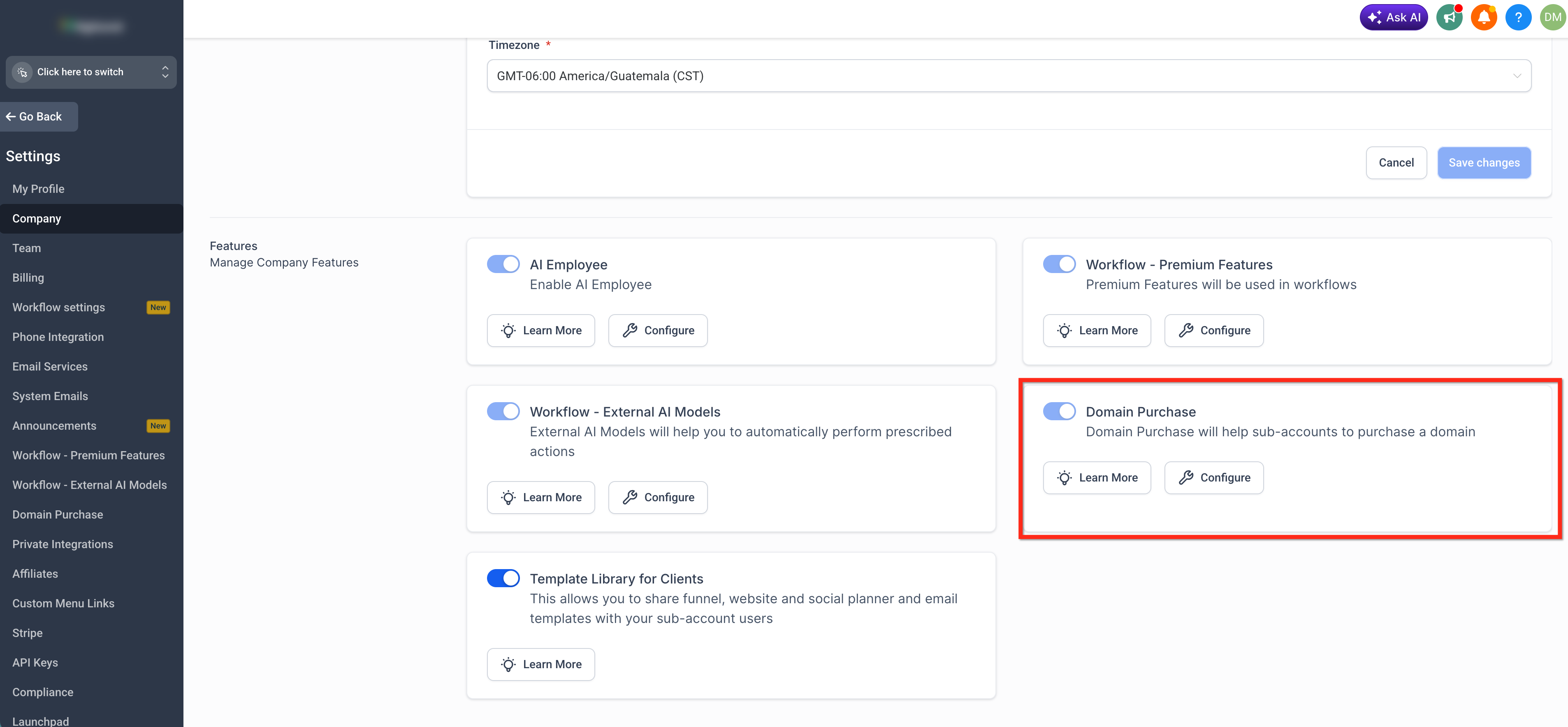
- Domain Purchase must be enabled at the agency level in Settings > Company before any subaccount can buy a domain.
06How to set up and use domain purchase in HighLevel
Enable domain purchase
- In Agency View, open Settings > Company.
- Toggle the Domain Purchase option to on.
- Review the Domain Purchase terms presented.
- Accept the terms to confirm the change.
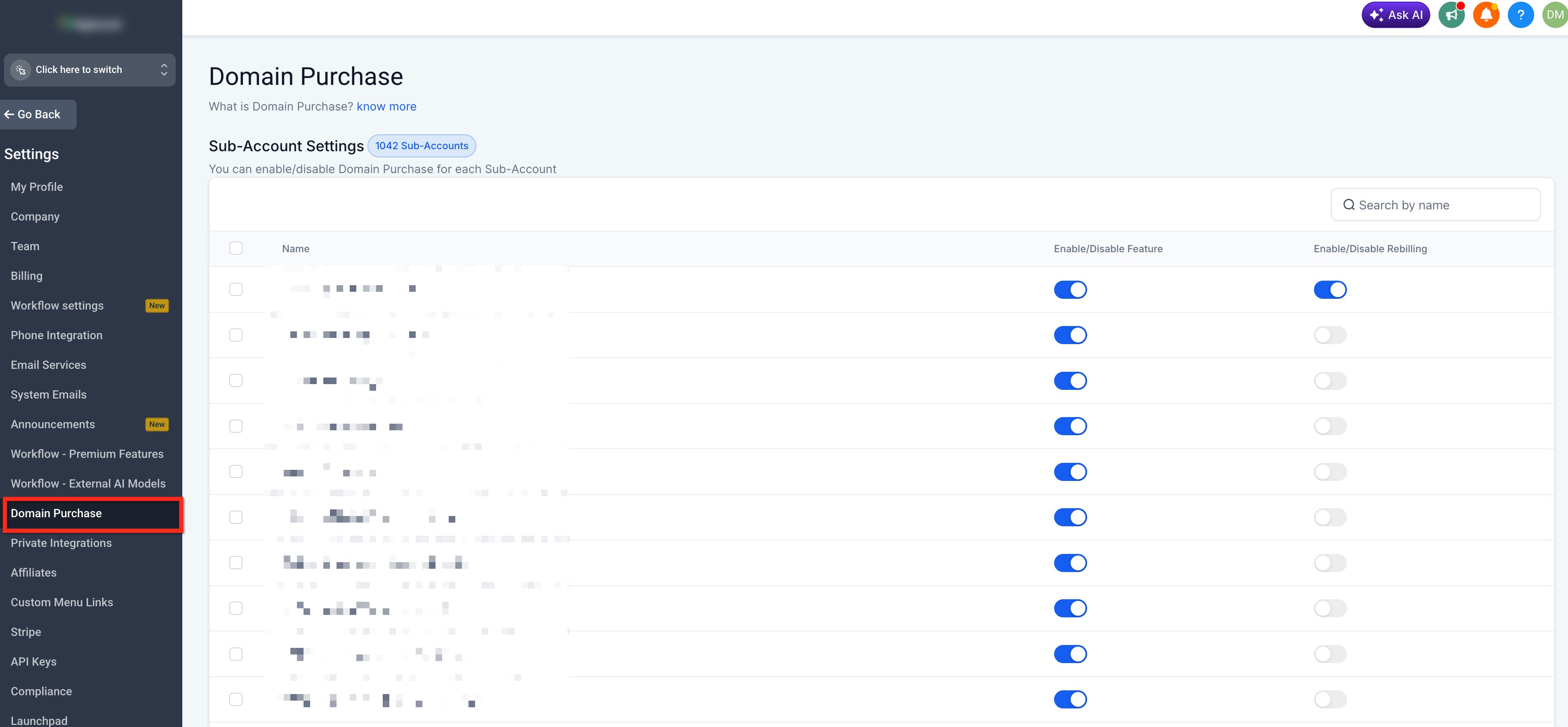
- Optionally, go to Agency Settings > Domain Purchase and set the feature for each subaccount.
Purchase a domain
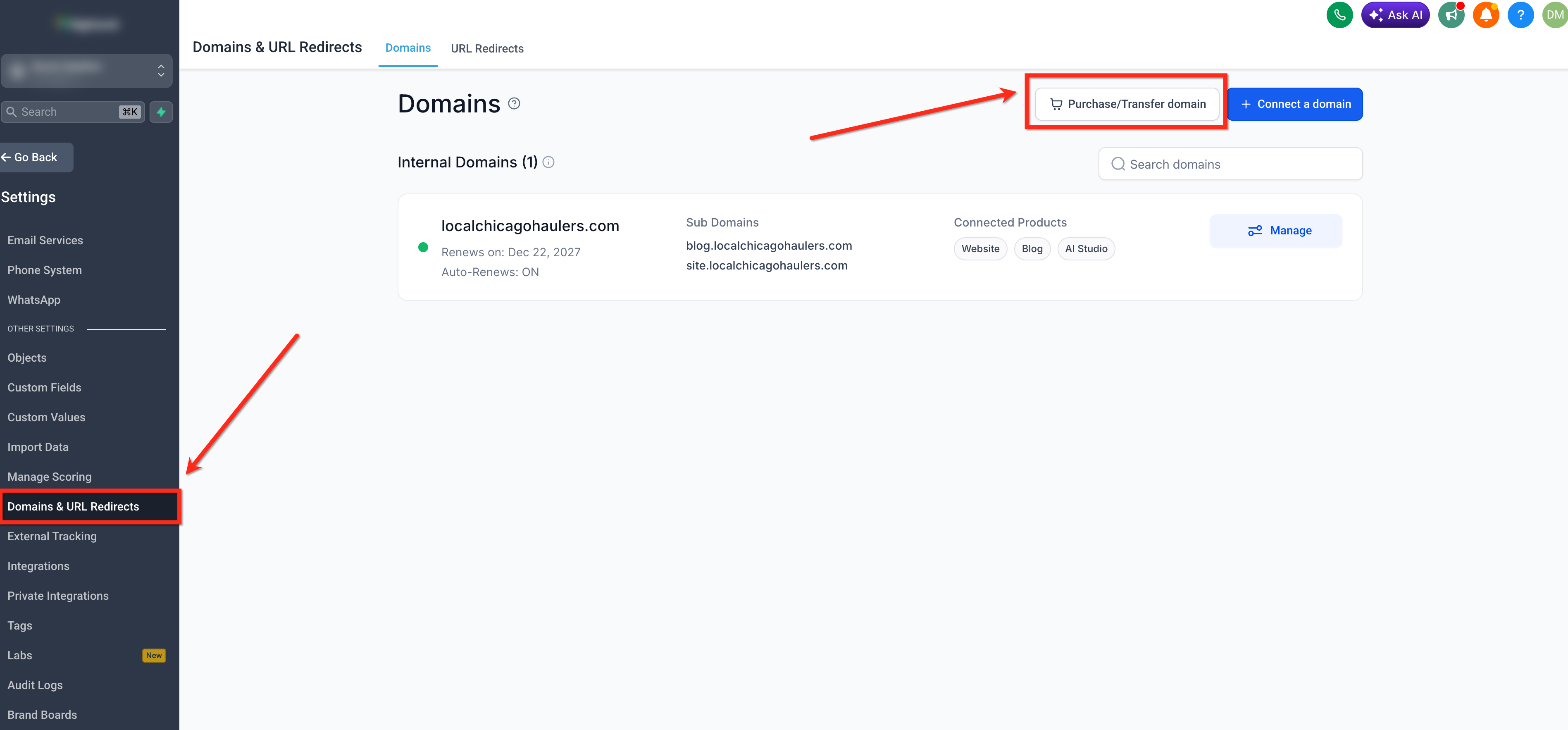
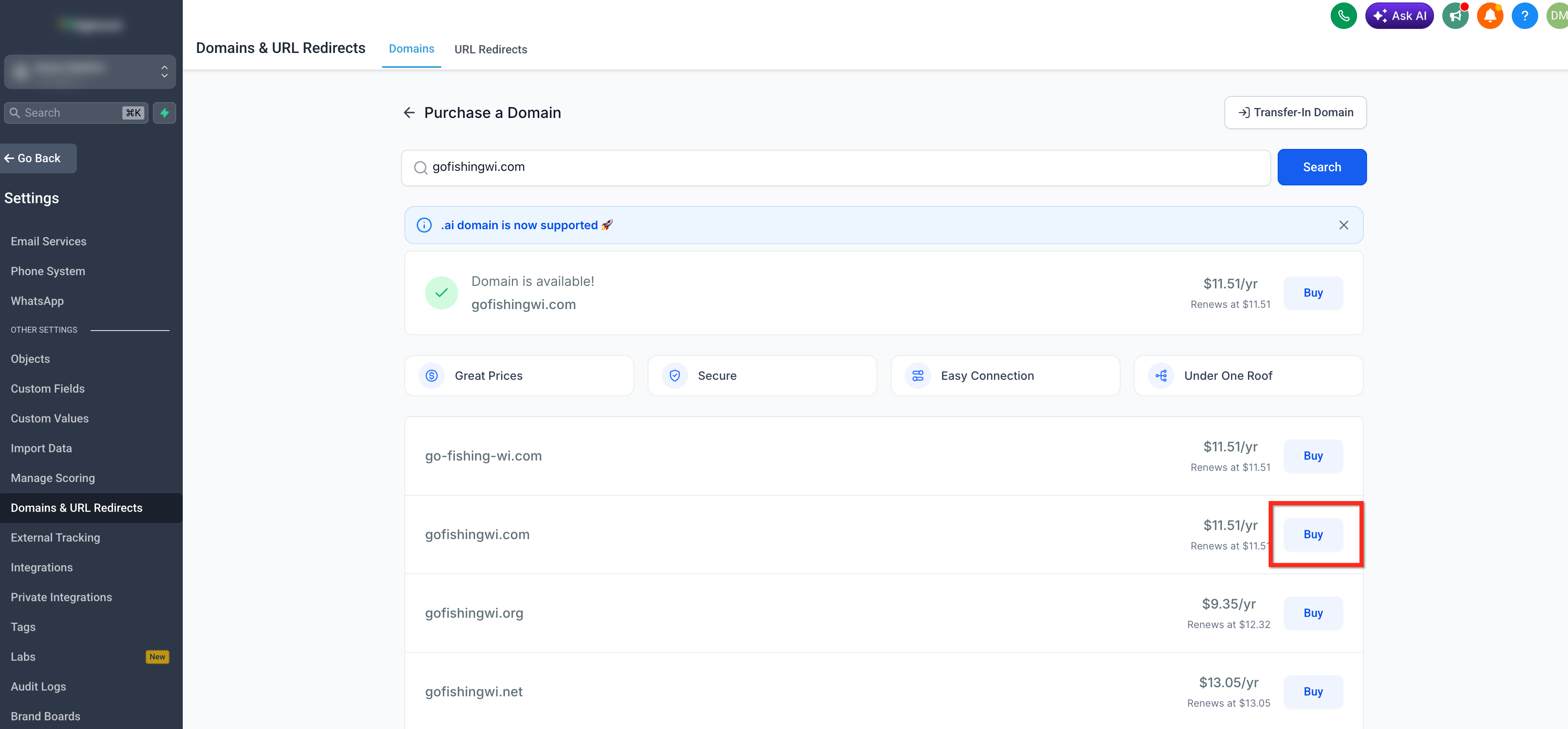
- From the subaccount, navigate to Settings > Domains & URL Redirects.
- Click the Purchase/Transfer Domain button.
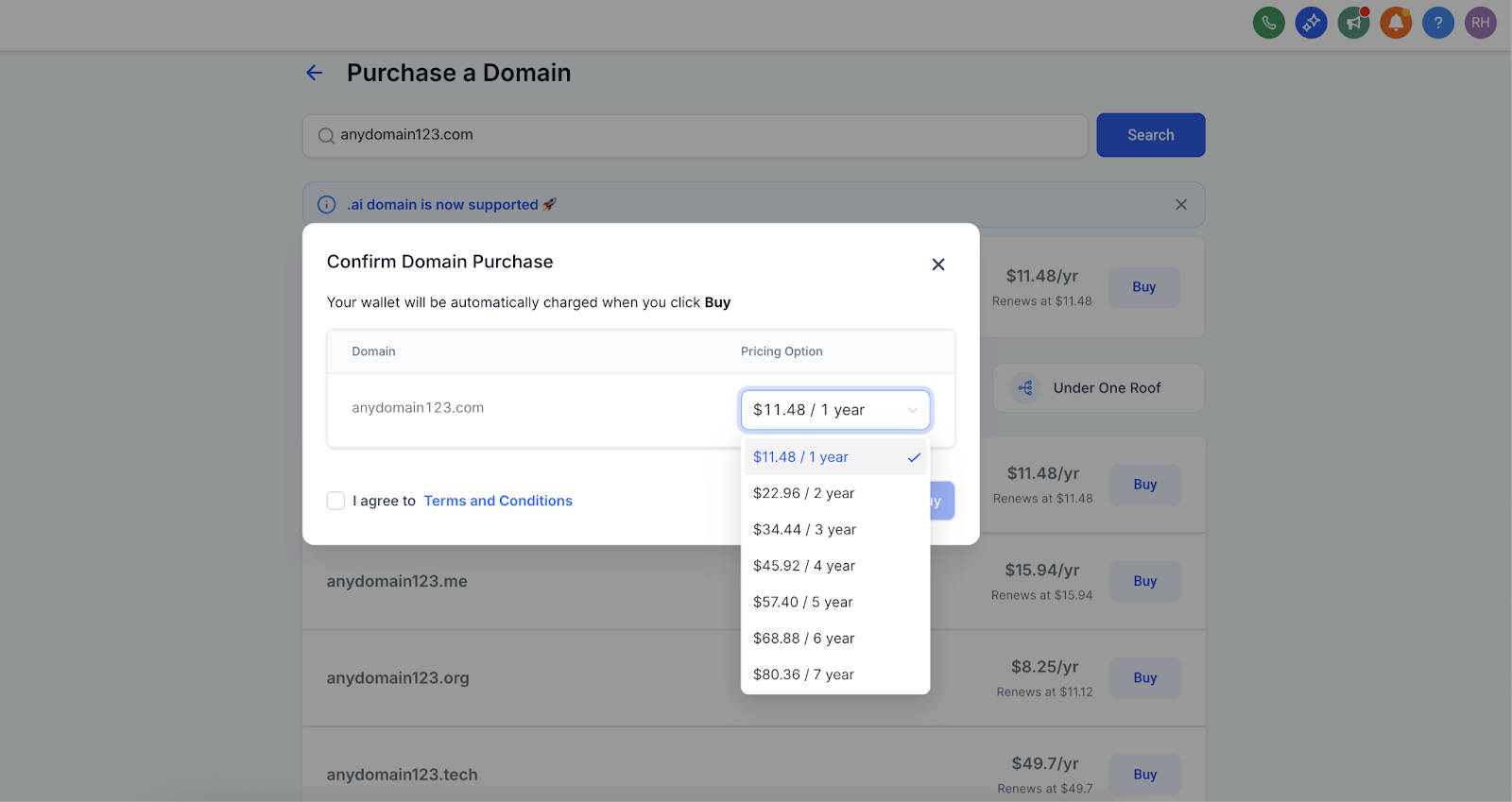
- Enter the desired domain name and click Buy when it shows as available.
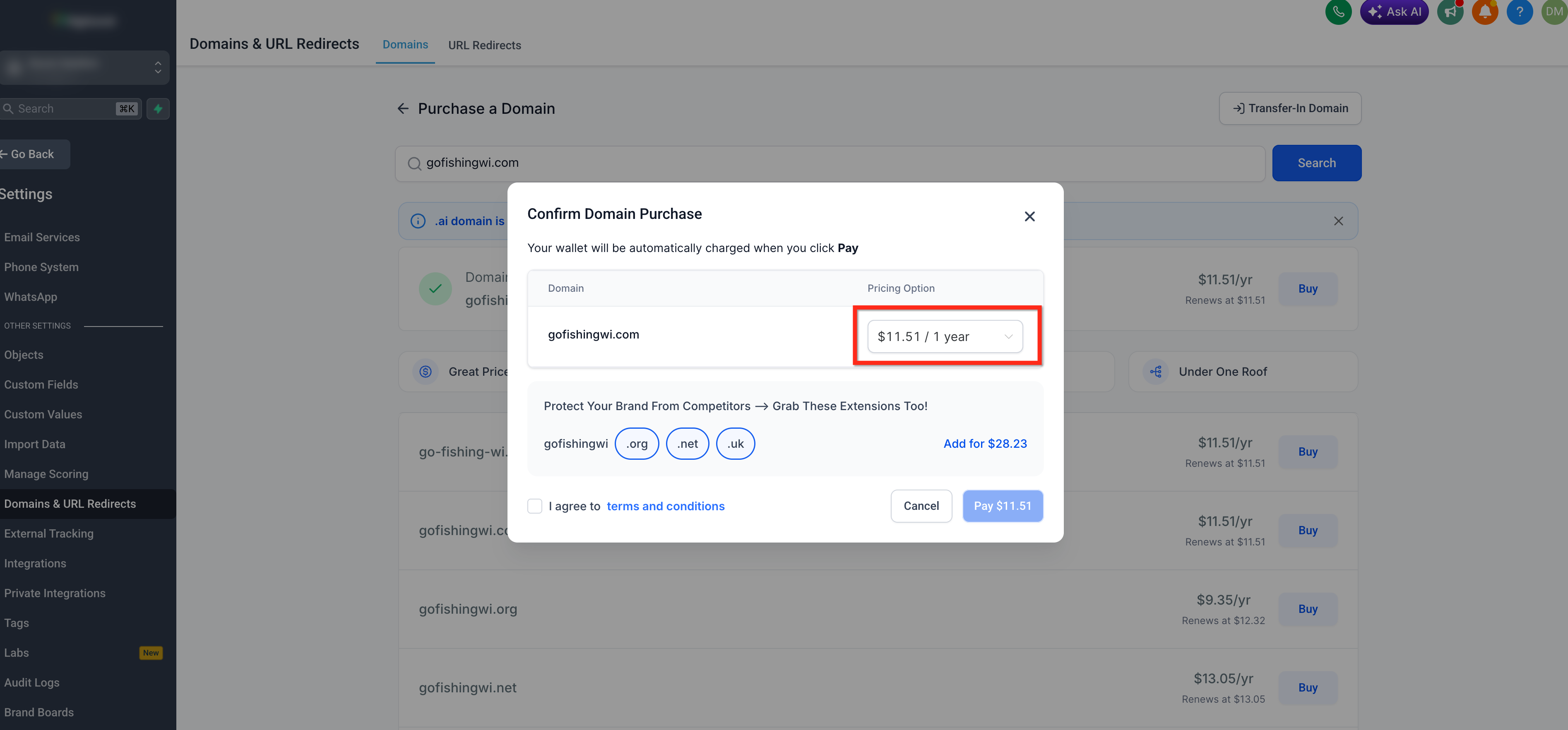
- Open the Pricing Option dropdown for the primary domain and select the number of years to register.
- Choose any additional domain extensions you want to protect your brand and set their registration periods if needed.
- Agree to the Terms and Conditions and click Pay to complete the purchase.
Start a domain purchase from Funnels, Websites, Stores, or Webinars
- In the asset’s Settings screen, click Purchase Domain.
- In the builder, click Connect Domain and then select Purchase Domain when prompted.
- Complete the domain search and purchase on the newly opened page.
07What it looks like in HighLevel
08Settings that matter
- Domain Purchase. Controls whether subaccounts can access the built in domain search and checkout flow.
- Pricing Option. Dropdown that sets the registration length for the primary domain during checkout.
09Things to know before you rely on it
- Domain registrations are final and cannot be refunded or canceled.
- Multi year registration is limited to up to ten years for most TLDs, but only up to five years for the .co family.
- If a TLD’s renewal price differs from its initial registration price, it can only be purchased for a single year.
- WHOIS privacy protection is automatically applied to every purchased domain.
10How it connects to the rest of HighLevel
- Configure and connect purchased domains after checkout Configure & Connect Purchased Domains
- Enable domain purchases and optional rebilling for agency subaccounts Enable Domain Purchase
- Add extra extensions to protect your brand while buying a domain Additional Domain Extensions
Michael's take

The first thing I make sure is turned on is the agency level Domain Purchase toggle so my team can buy straight from HighLevel without a third party headache.
Once that’s set, I have the subaccount pull the exact name we want, lock in a multiyear term if it’s available, and then move straight to connecting it to the funnel.