
01Who this is for
- Agency owners whose HighLevel subscription ended and need to keep control of a purchased domain.
- Freelance marketers with a client specific domain tied to a closed HighLevel account.
- Business Founders who cancelled their HighLevel plan but registered a domain for several years.
02Released purchased domains, explained
When a HighLevel account is cancelled, the user can no longer open the Purchased Domains settings to manage DNS records or move the domain. The platform provides a domain release request form that routes the request straight to the appropriate support queue.
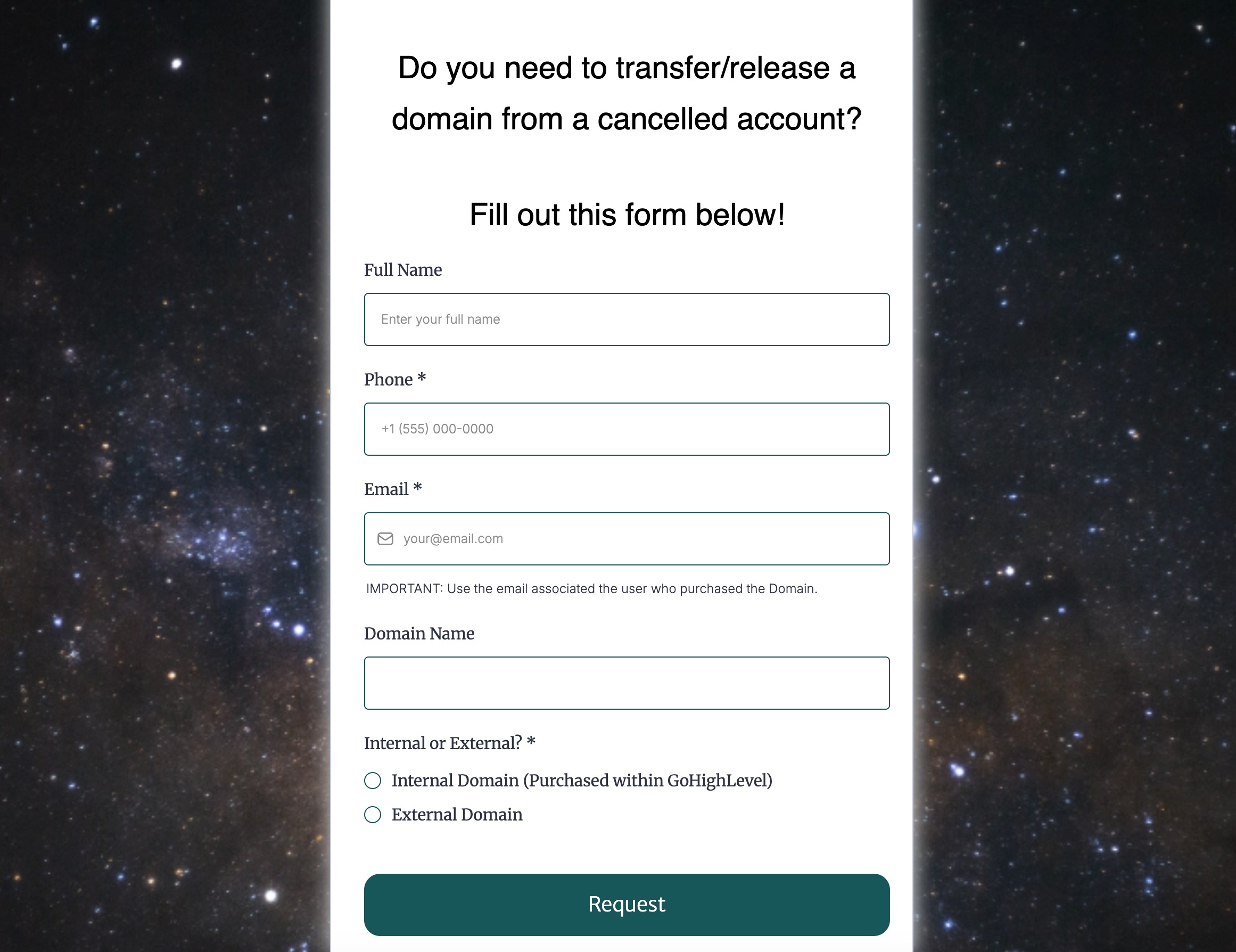
The form collects contact information, the domain name, and any identifiers such as the account email, agency name, or subaccount name. After submission, Support reviews the details, may ask for verification, and then handles the release or transfer based on the domain’s status.
03How businesses use releasing purchased domains from a cancelled account
- Digital marketing agency. The agency fills out the release form with its cancelled account email and the domain it purchased. It adds the agency name and any subaccount identifiers, then submits the request. Support replies through a ticket if more proof is needed.
- SaaS startup. After ending its HighLevel plan, the startup provides the domain name and the original account email in the form. It includes details about the multi year registration and submits. Support reviews and coordinates the domain hand over.
- Ecommerce boutique. The boutique enters its cancelled account contact data and the purchased domain into the form, adds the business name for identification, and sends the request. A support agent follows up to confirm ownership before releasing the domain.
04Before you start
- The HighLevel account must be cancelled.
- The domain must have been purchased through HighLevel.
- The user cannot access the normal domain management settings.
05How to set up and use releasing purchased domains from a cancelled account in HighLevel
Submit a domain release request for a cancelled account
- Open the domain release request form at https://www.gohighlevel.com/domain transfer.
- Enter the required contact and account details in the form fields.
- Provide the exact name of the purchased domain that needs to be released or transferred.
- Add any additional information such as the account email, agency name, or subaccount name to help locate the account.
- Click the button to submit the completed form.
- Monitor your email for any follow up messages from HighLevel Support requesting more information.
06What it looks like in HighLevel
07Things to know before you rely on it
- The form can only be used for domains bought through HighLevel and for accounts that are cancelled.
- Active accounts must manage domains via Subaccount > Settings > Domains > Purchased Domains, not this form.
- Domains registered with other registrars are not eligible for this release process.
08How it connects to the rest of HighLevel
- Enable domain purchases and rebilling before you need a release. Enable domain purchases
- See the step by step guide for buying a domain in HighLevel. Buy a domain
- Learn how to configure and connect a purchased domain after it is released. Configure purchased domains
Michael's take

When a client's HighLevel account is shut down, the domain they bought through the platform can feel stuck. The release form is a small convenience that opens a direct line to Support, letting you get the domain back without hunting through old tickets. It’s not a magic button, but it cuts the noise and gets the right people looking at your case right away.
A boutique marketing agency that sold a client a custom domain, then later closed the account, will find this handy. They can fill out the form with the domain and their contact details, and Support will verify ownership before handing the domain back or moving it to a new registrar.