
01Who this is for
- Marketing agencies that manage multiple client listings and need to track calls per client without affecting search rankings.
- Local service businesses, such as dental offices, that want call data in HighLevel while keeping their real phone number visible on Google.
02Call tracking and Missed Call Text Back, explained
The feature swaps the primary phone number on a Google Business Profile with a LeadConnector tracking number from the connected HighLevel subaccount. When the toggle is turned on, HighLevel evaluates the existing GBP number and moves it to the secondary slot if needed, then places the tracking number in the primary slot. Calls to the primary number are logged in HighLevel, and if a call is missed, the Missed Call Text Back message can be sent automatically.
Number selection follows a hierarchy. First, HighLevel uses the primary location number defined under Settings > Phone Numbers. If none is set, it picks the first number in the subaccount that has call forwarding enabled. If no forwarding is configured, any available LeadConnector number is chosen. When no number exists in the subaccount, the integration cannot complete until a number is assigned. Moving the real business number to the secondary slot does not negatively affect search rankings.
03How businesses use call tracking and Missed Call Text Back
- Dental practice. The practice connects its Google Business Profile to HighLevel, enables GBP Call Tracking, and lets the platform replace the listed number with a LeadConnector number. Calls are captured in HighLevel, and missed calls trigger a follow up text to the patient.
- Home repair service. The service adds its GBP to HighLevel, toggles call tracking, and relies on the automatic number selection. When a homeowner clicks the call button, the call is forwarded through HighLevel, logged, and a missed call text is sent if unanswered.
- Digital marketing agency. The agency sets up GBP Call Tracking for each client account, allowing separate LeadConnector numbers per client. Call activity appears in each client’s HighLevel dashboard, and the agency can enable missed call texts to capture leads.
04Before you start
- Assign at least one LeadConnector number to the location in Settings > Phone Numbers.
- Connect the Google Business Profile to the appropriate location in HighLevel.
05How to set up and use call tracking and Missed Call Text Back in HighLevel
Enable GBP call tracking and let HighLevel select a tracking number
- Connect the Google Business Profile to the desired location in HighLevel.
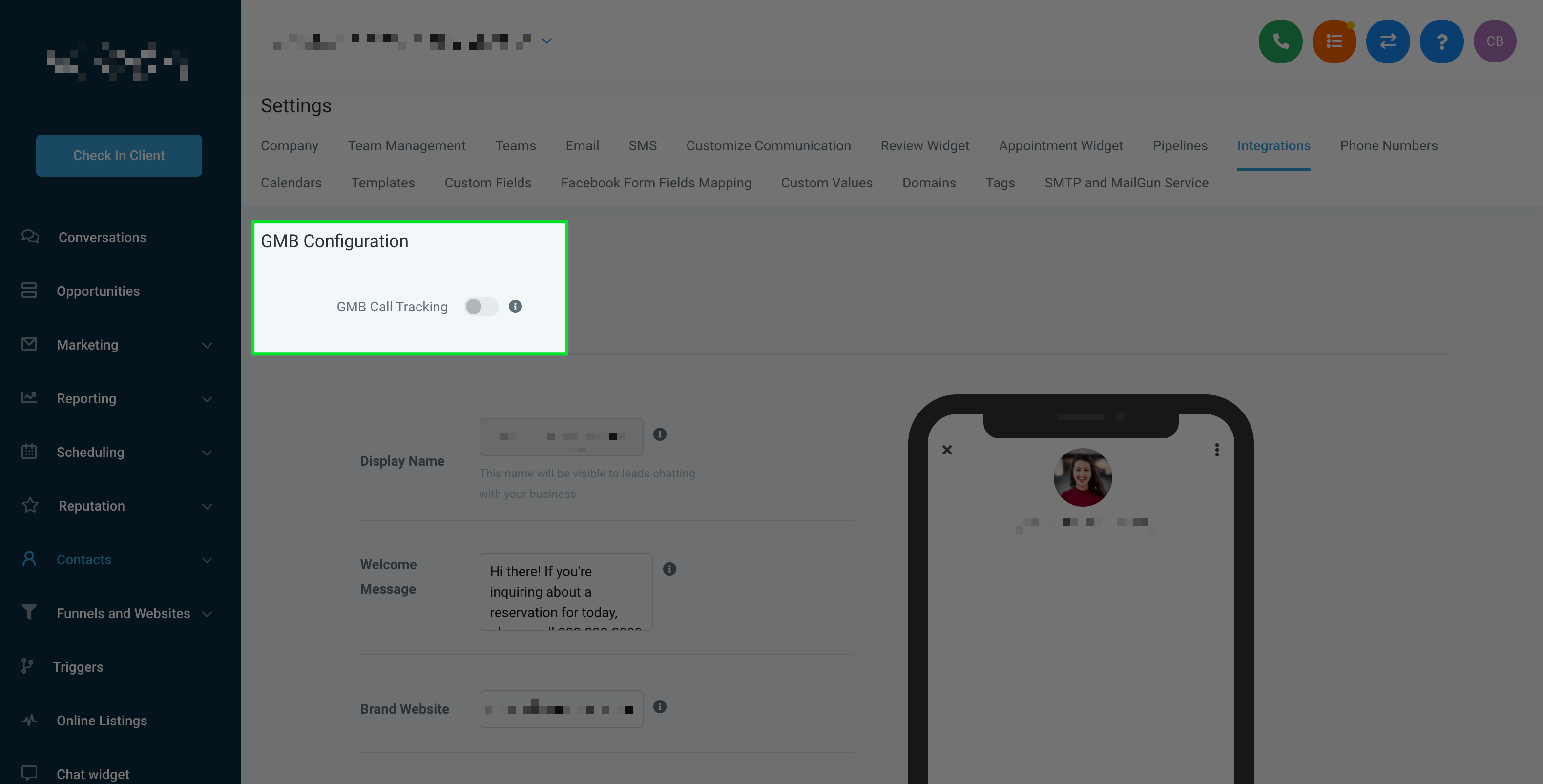
- Toggle the GBP Call Tracking switch to on.
- If the existing GBP number already matches a LeadConnector number, HighLevel makes no changes.
- If the existing GBP number is the forwarding number for a LeadConnector number, HighLevel moves it to the secondary slot and places the LeadConnector number in the primary slot.
- If the existing GBP number is not linked to any LeadConnector number, HighLevel moves it to the secondary slot, inserts the LeadConnector number as primary, and sets the original number as the forwarding destination for the LeadConnector number.
- HighLevel checks for a primary location number set under Settings > Phone Numbers; if found, that number becomes the tracking number.
- If no primary number exists, HighLevel selects the first number with call forwarding enabled, or any available number if none have forwarding, completing the integration.
- If no LeadConnector number exists in the subaccount, the integration will not complete until a number is assigned.
06What it looks like in HighLevel
07Settings that matter
- GBP Call Tracking. Turns on automatic replacement of the primary GBP number with a LeadConnector tracking number.
- Missed Call Text Back. When enabled, sends an automatic text from the LeadConnector number if a call to the primary number goes unanswered.
- Phone Numbers (Settings > Phone Numbers). Defines the primary location number that HighLevel will prioritize when selecting a tracking number for GBP.
08Things to know before you rely on it
- Google Business Profile permits only two phone numbers: a primary and a secondary slot.
- If no LeadConnector number exists in the subaccount, the integration will not complete until a number is assigned.
09How it connects to the rest of HighLevel
- Optimize and manage the Google Business Profile within HighLevel GBP optimization
- Schedule posts for your Google Business Profile directly from HighLevel GBP post scheduler
- Explore all Reputation Management & Reviews capabilities Reputation features
Michael's take

Call tracking and Missed Call Text Back are useful, but not every agency needs them. Small shops that already answer every call can skip the extra setup.