
01Who this is for
- Agencies benefit because templates let them enforce brand standards across client reports.
- Client facing teams gain speed since they can launch polished reports without manual formatting.
- New reporting users find a lower learning curve by starting with pre built designs.
02Custom Reports Template Library, explained
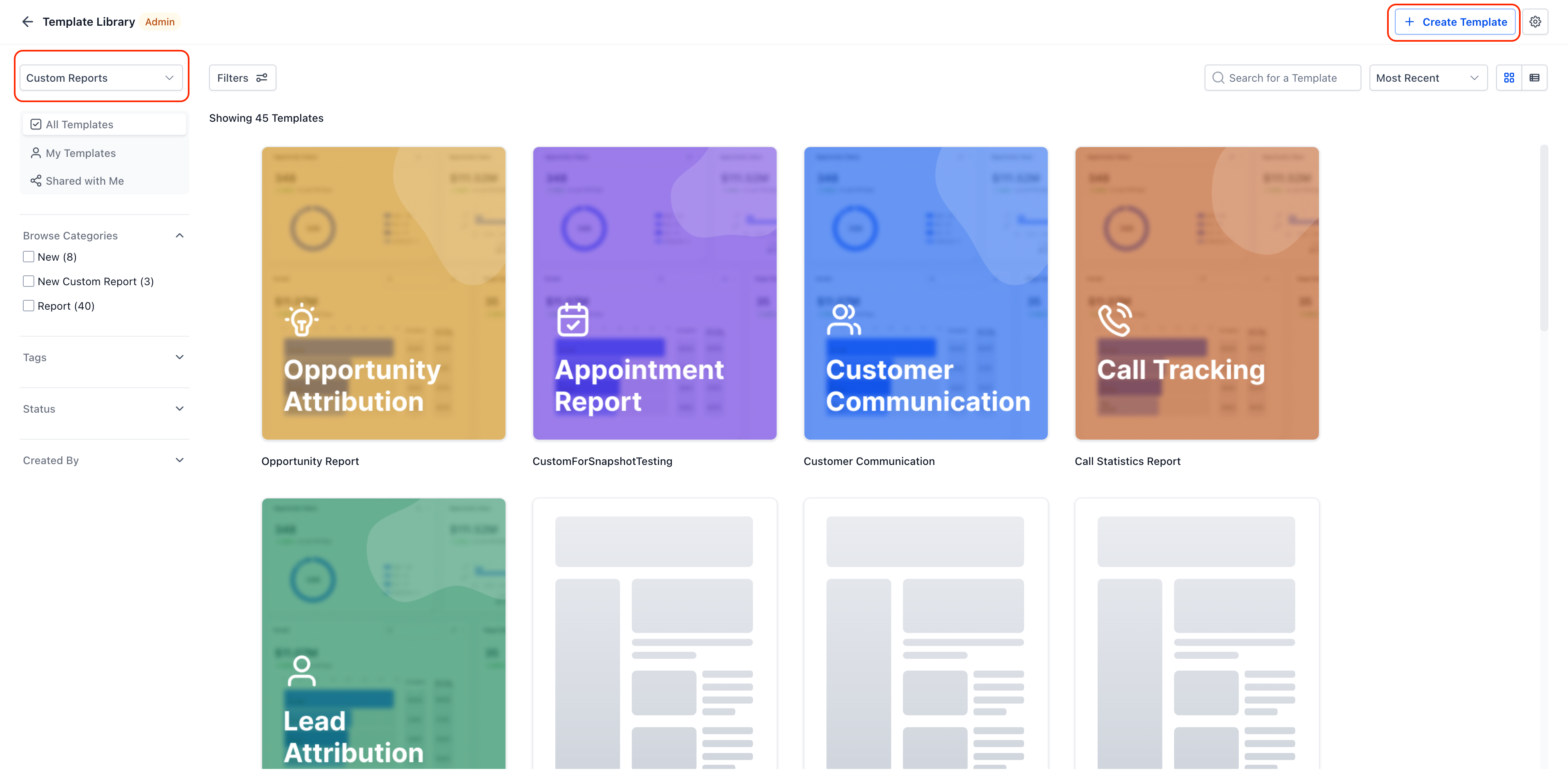
The library lives inside Reporting › Custom Reports and appears when a new report is created. It offers a gallery of professionally designed layouts that include pages, widgets and themes already set up. Users select a template, customize any element, and can schedule the report to be delivered as a PDF or email.
Templates can be created by converting an existing report. After setting proper permissions, the report is uploaded and becomes available to all subaccounts that have read access. Once in the library, any user can browse, preview, and apply a template to start a new report quickly.
03How businesses use the Custom Reports Template Library
- Marketing agency. The agency uploads a standard client performance report as a template. When a new client is onboarded, the team selects the template, swaps placeholder copy for the client name, and schedules weekly delivery to the client.
- SaaS startup. The startup creates a template for its monthly growth dashboard. Team members choose the template, update the date range for the current month, and export a PDF for board meetings.
- Consulting firm. Consultants convert a finished project summary report into a template. They then use the template for each new engagement, adjusting only the project specific data before sending the final report to stakeholders.
04The numbers and rules that matter
- Minimum access: Read for Agency User, Account Admin, Account User.
05Before you start
- Read access must be granted to Agency User, Account Admin, and Account User roles before uploading a template.
06How to set up and use the Custom Reports Template Library in HighLevel
Add a custom report to the Template Library
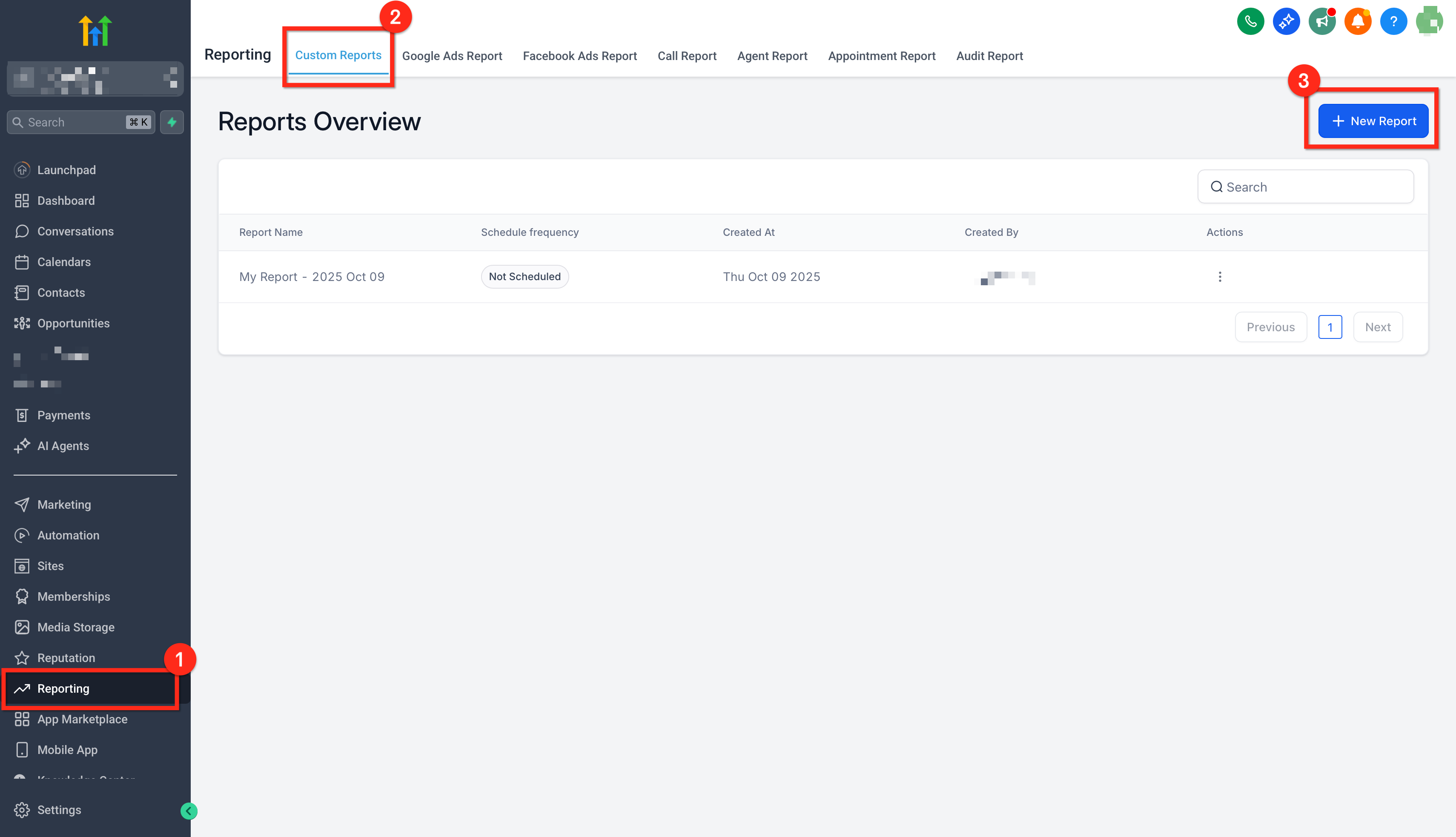
- Open Reporting › Custom Reports and locate the completed report on the Reports Overview list.
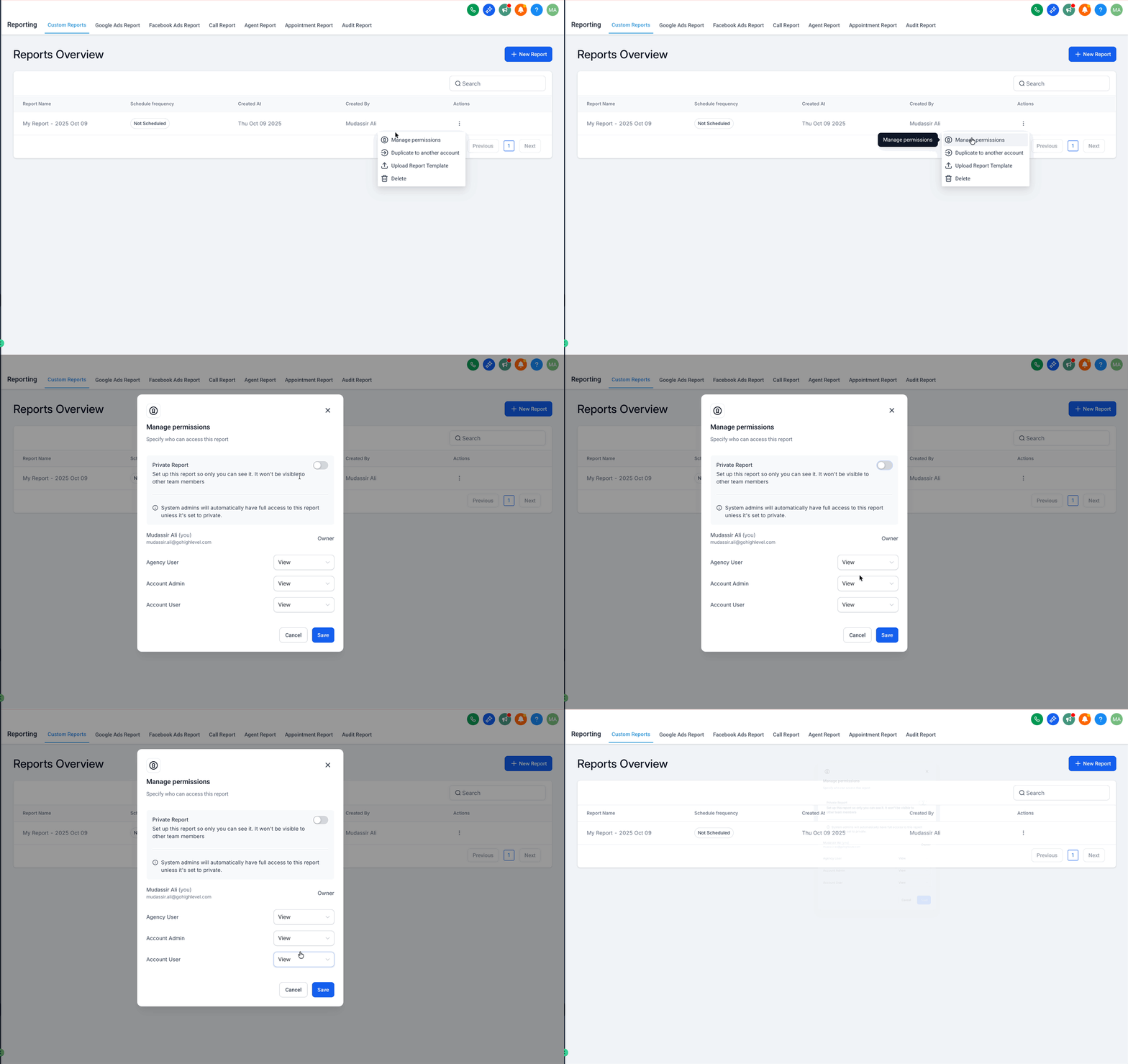
- Click the three dot menu next to the report name and choose Manage permissions.
- Give Read access to Agency User, Account Admin, and Account User roles.
- Finalize the report layout, branding and page order.
- Replace any client specific text or screenshots with generic placeholders.
- Standardize date ranges and widget settings that should be reused.
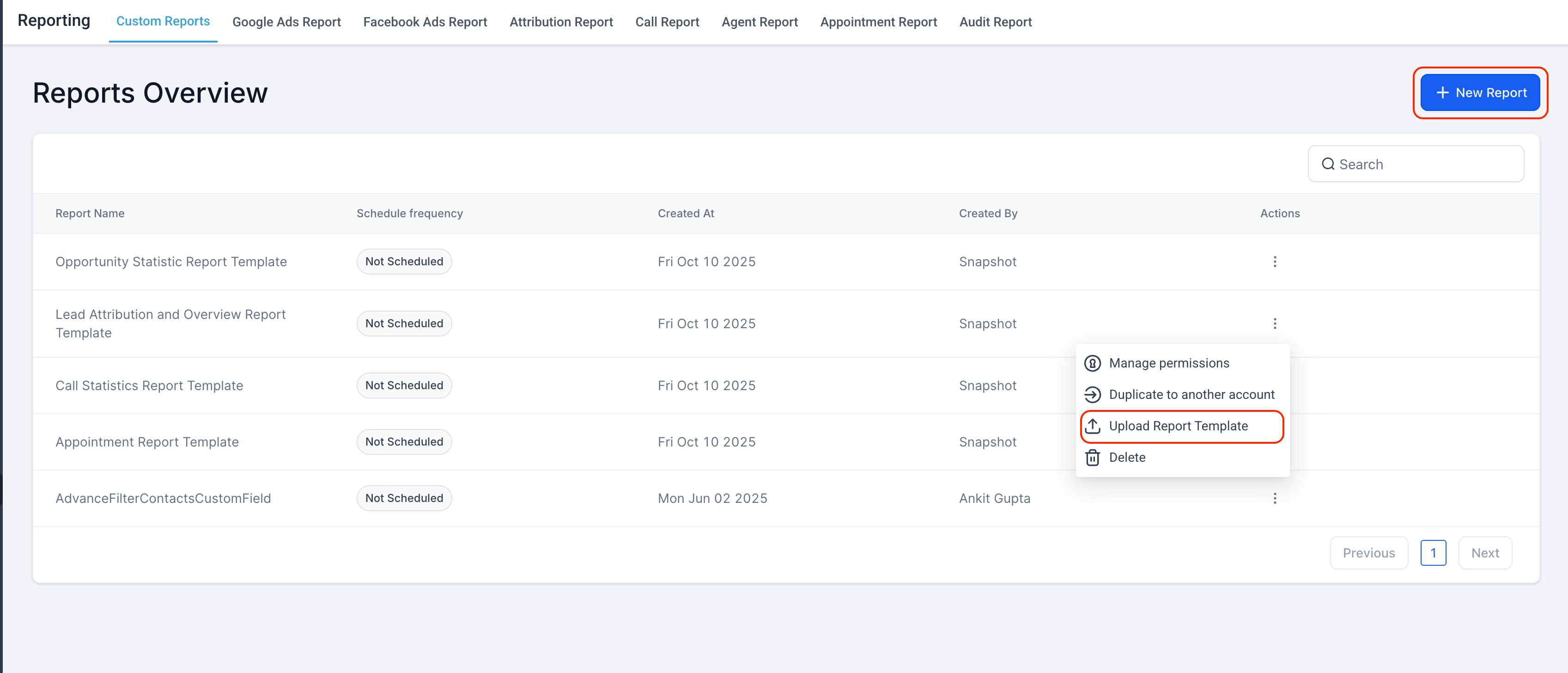
- Open the three dot menu again and select Upload Report Template.
Use the Custom Reports Template Library
- Open the required subaccount.
- Navigate to Reporting › Custom Reports.
- Click New Report to open the creation modal.
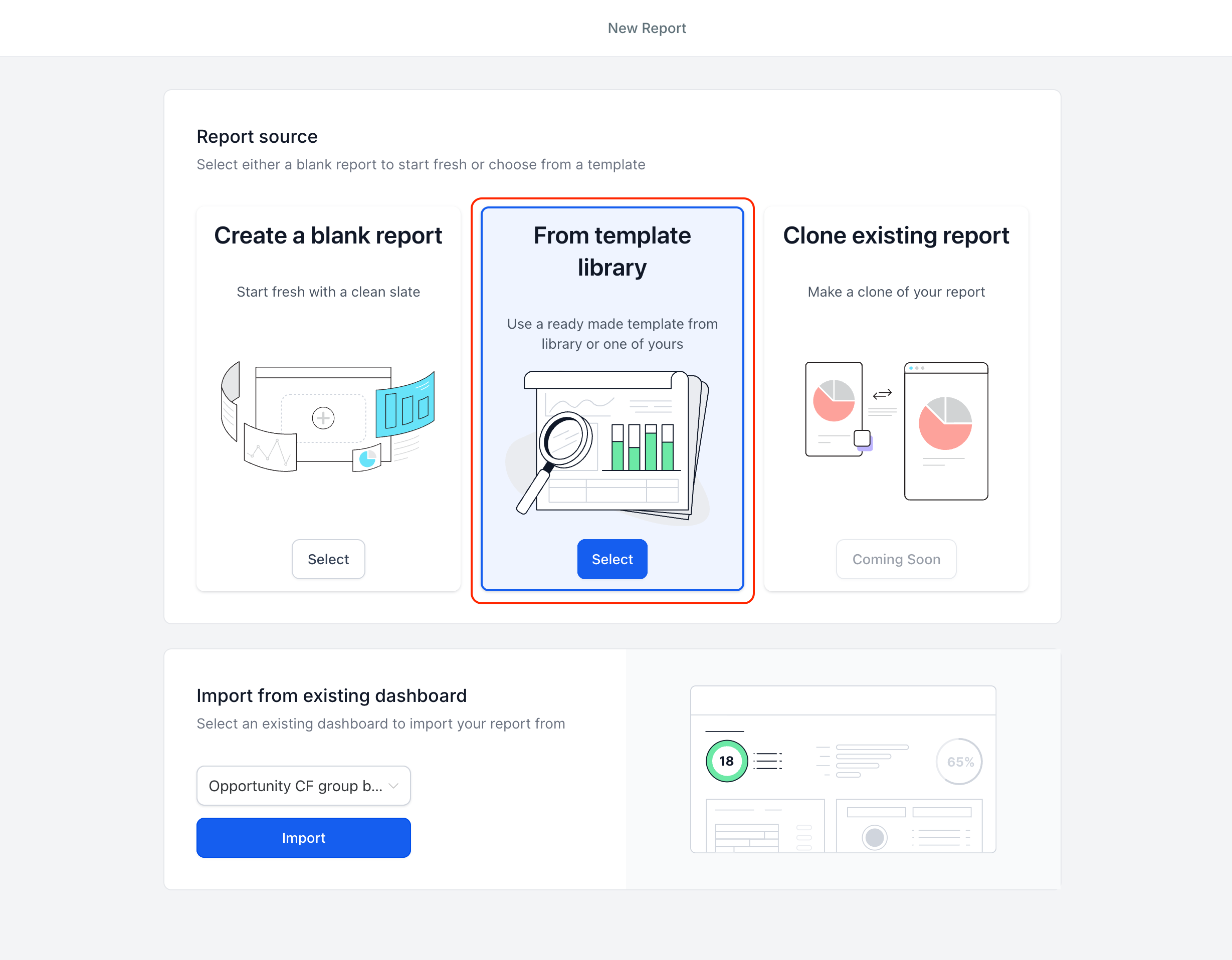
- Choose From Template Library as the starting point.
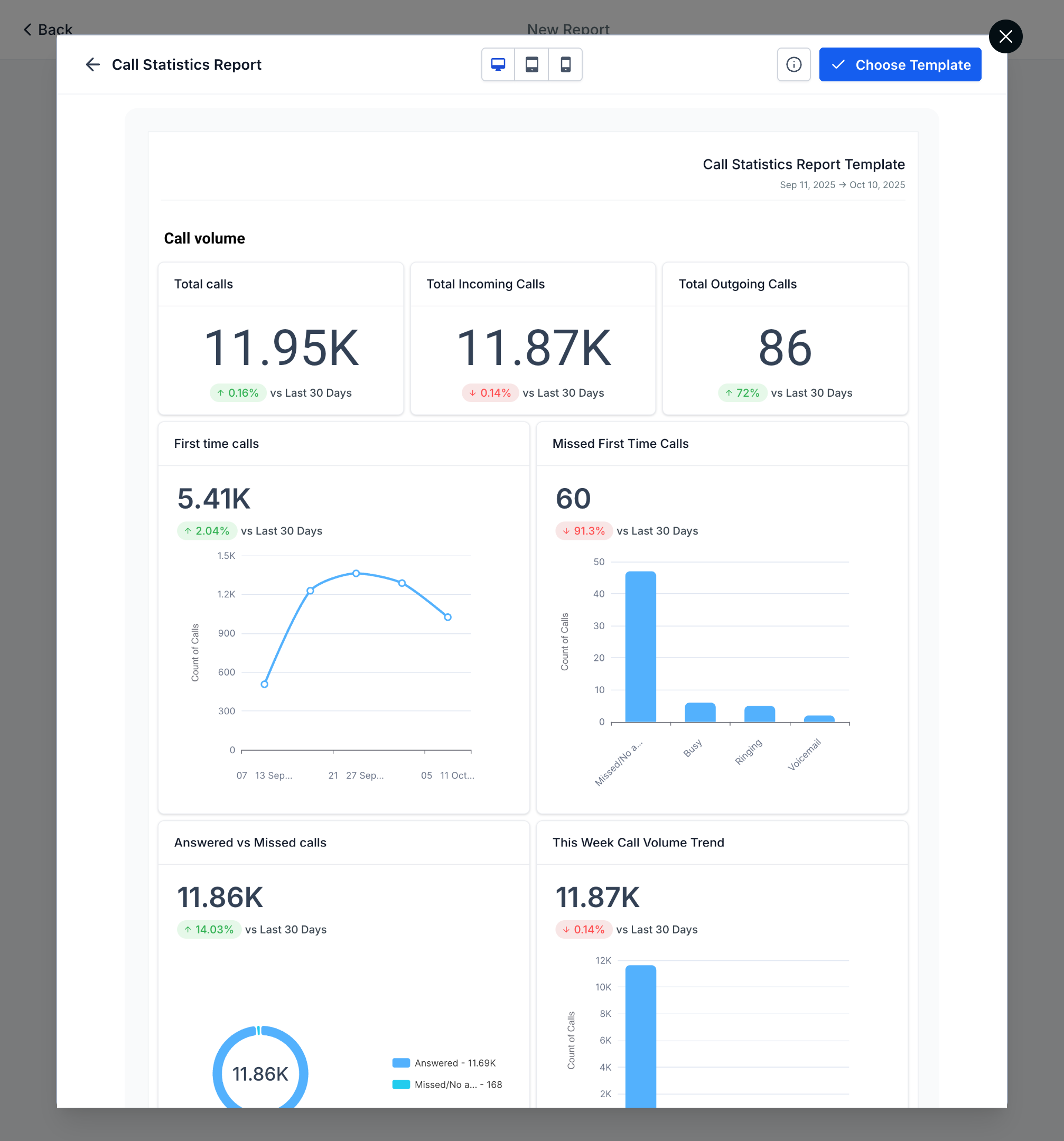
- Filter the library, select a template, preview it and click Use Template.
- Review the live preview, then click Save and Schedule to set delivery.
07What it looks like in HighLevel
08How it connects to the rest of HighLevel
- How to create and schedule custom reports in HighLevel. Create and schedule reports
- All Reporting features overview. Reporting overview
- HighLevel pricing and plans page. Pricing
Michael's take

Michael ReimerFounder of CRM Pros, HighLevel Commander and Certified Admin
I think the template library can help agencies streamline report creation and keep a consistent look across client reports.
Get More InformationOpens on HighLevelPublished November 2, 2026 · Updated November 16, 2026