
01Who this is for
- Marketing managers can tag campaign actions directly from workflows, ensuring GA4 captures conversions.
- Agency owners can set up GA4 tracking for multiple client accounts without manual code edits.
02Google analytics 4 tracking, explained
The GA4 workflow action lets you push custom events from HighLevel into a Google Analytics 4 property. You provide a measurement ID that identifies the data stream, an event name that appears in GA4 reports, an optional numeric value, and an API secret that authorizes the measurement protocol request.
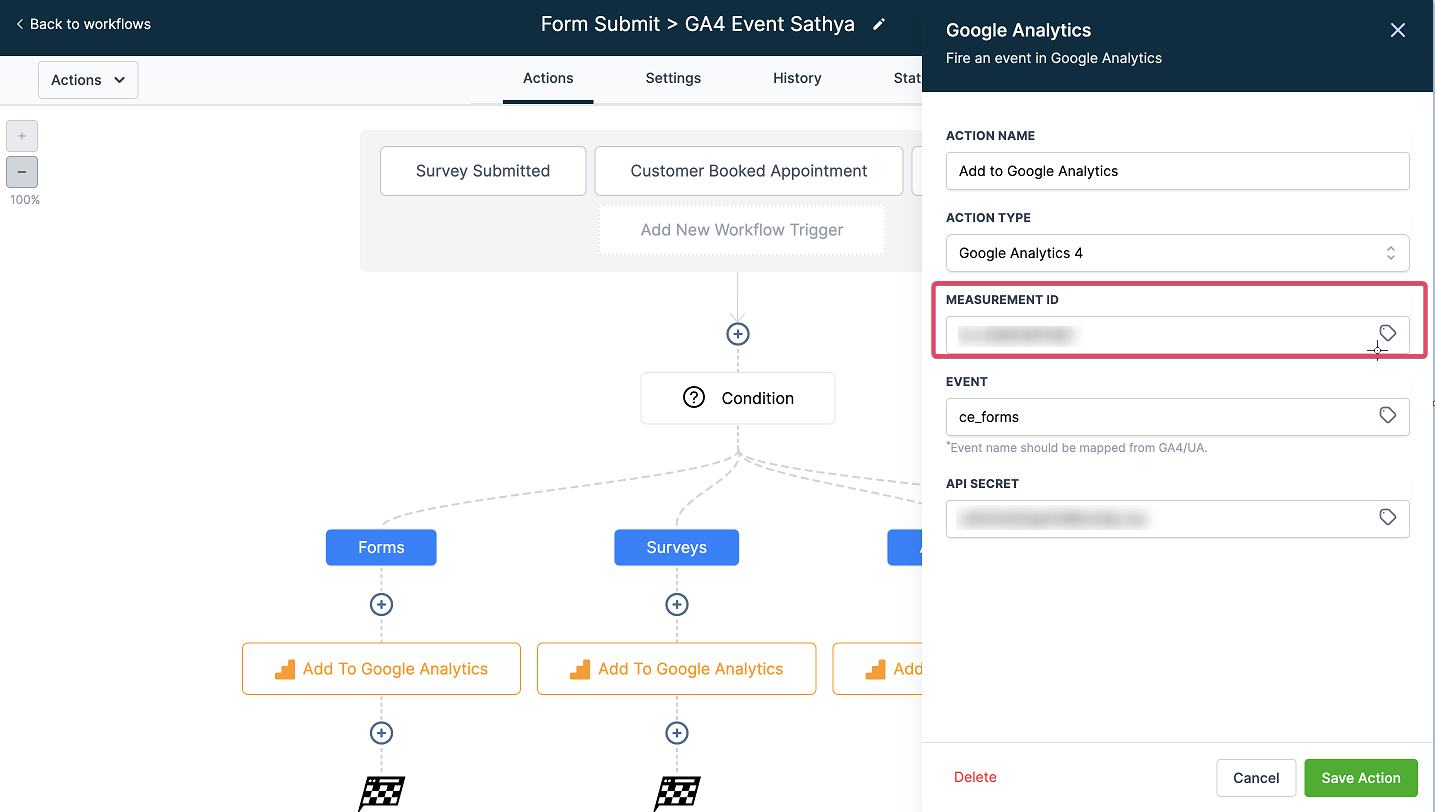
The action is located in the workflow builder under the 'Add to Google Analytics' option. Within the action you select 'Google Analytics 4' from the Action Type dropdown, fill the required fields, save the action, and publish the workflow. Data sent by the workflow becomes visible in GA4 after a 24 to 48 hour processing window.
03How businesses use Google analytics 4 tracking
- Digital marketing agency. The agency creates a workflow for each client campaign, adds the GA4 action, inserts the client’s measurement ID and a custom event name like 'ad_click'. When the workflow runs, the click event is recorded in the client’s GA4 property.
- SaaS startup. The startup records a 'signup' event by placing the GA4 action after a lead capture step, sets the event name to 'user_signup' and fills the Event Value with the plan price. GA4 receives a signed event that can be analyzed for conversion value.
- Local service business. The business adds a GA4 action to a workflow that runs after a phone call is logged. It uses the measurement ID of its GA4 property and an event name such as 'call_completed'. No Event Value is needed, so the field is left blank.
04The numbers and rules that matter
- After workflow execution, data appears in GA4 within 24 to 48 hrs.
05Before you start
- A Google Analytics 4 property with a data stream must already exist.
- The measurement ID for the desired data stream must be available.
- An API secret must be created after acknowledging Google’s privacy disclosures.
06How to set up and use Google analytics 4 tracking in HighLevel
Set up GA4 tracking in a workflow
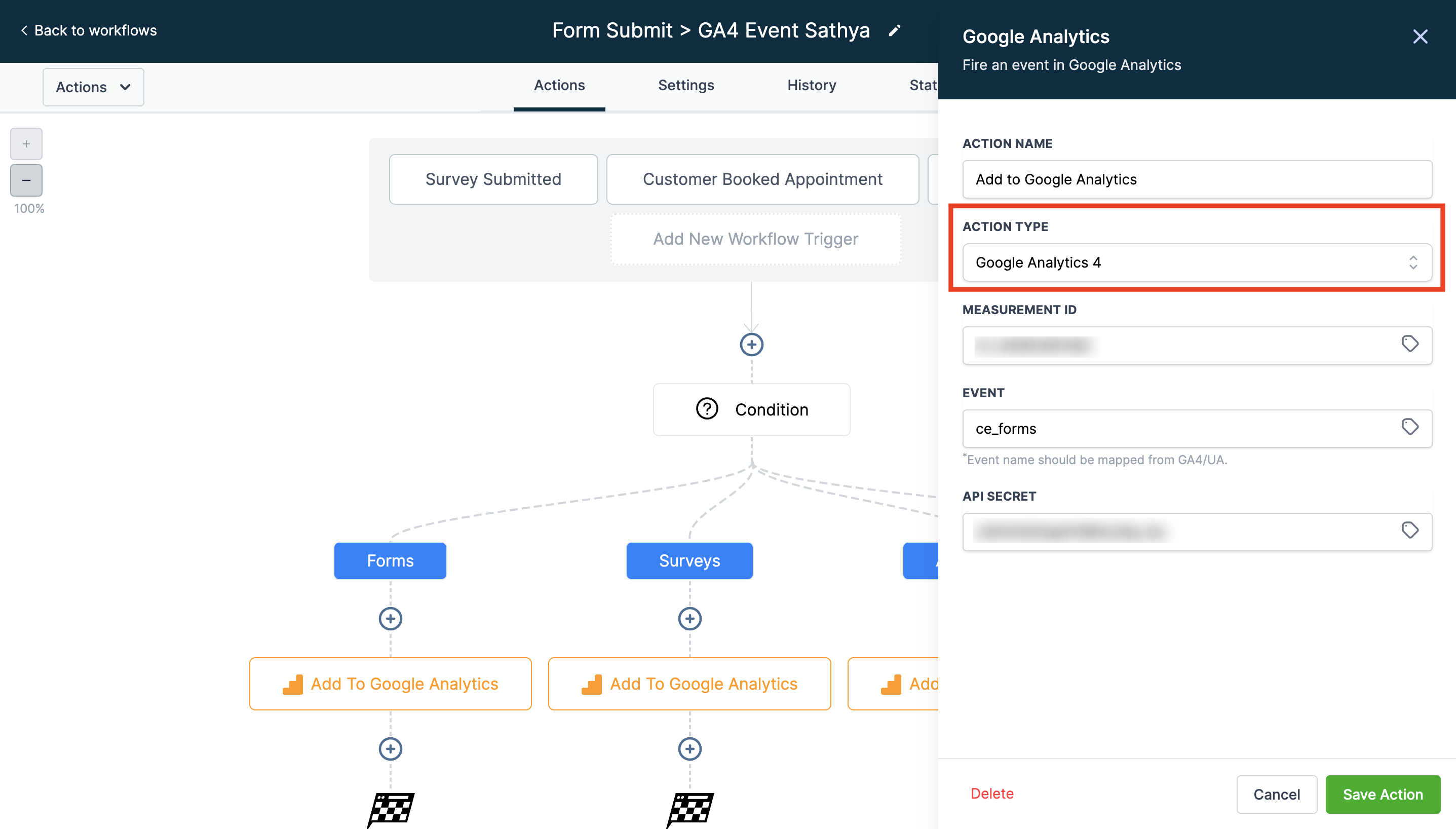
- Open the workflow builder and add the action named “Add to Google Analytics.”
- Select “Google Analytics 4” from the Action Type dropdown.
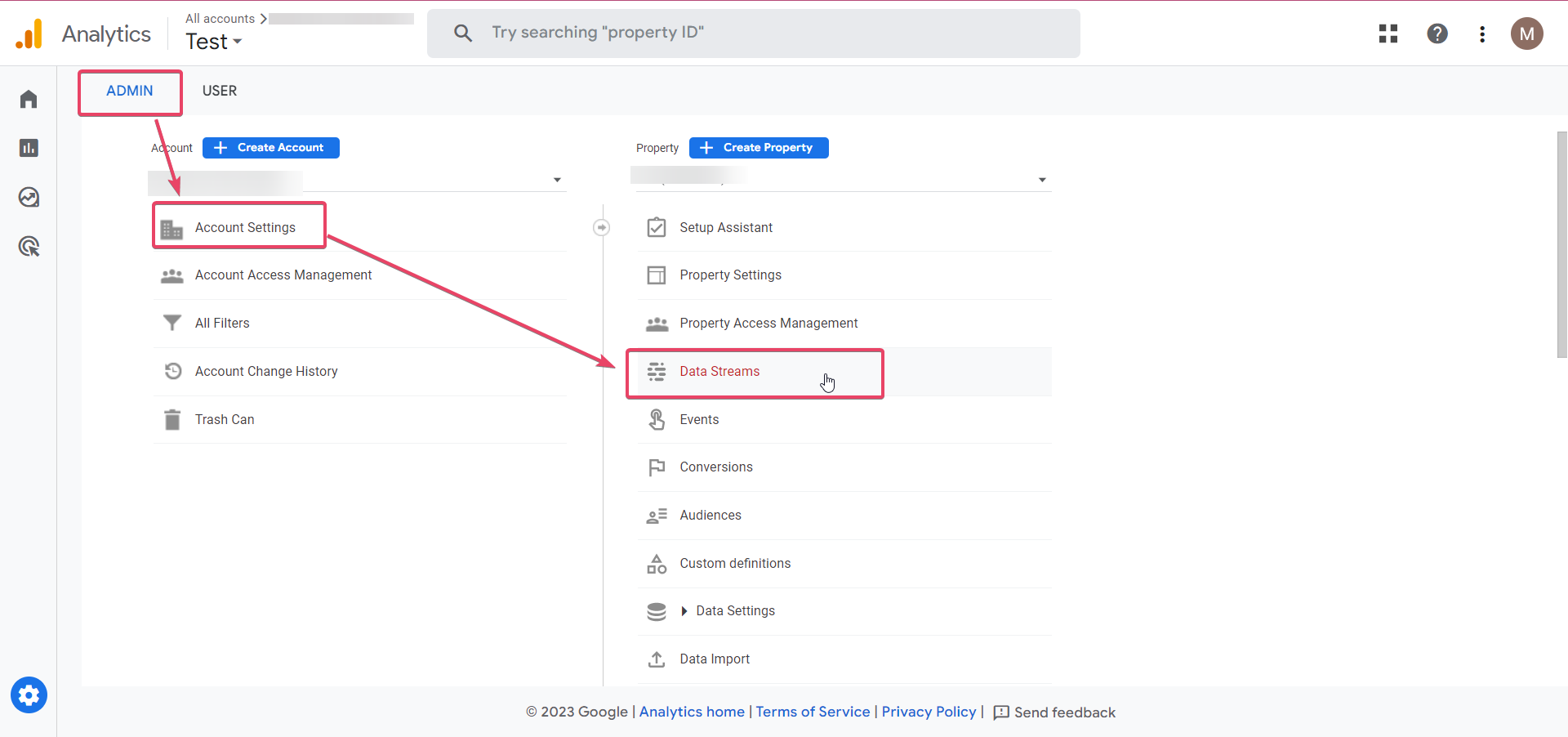
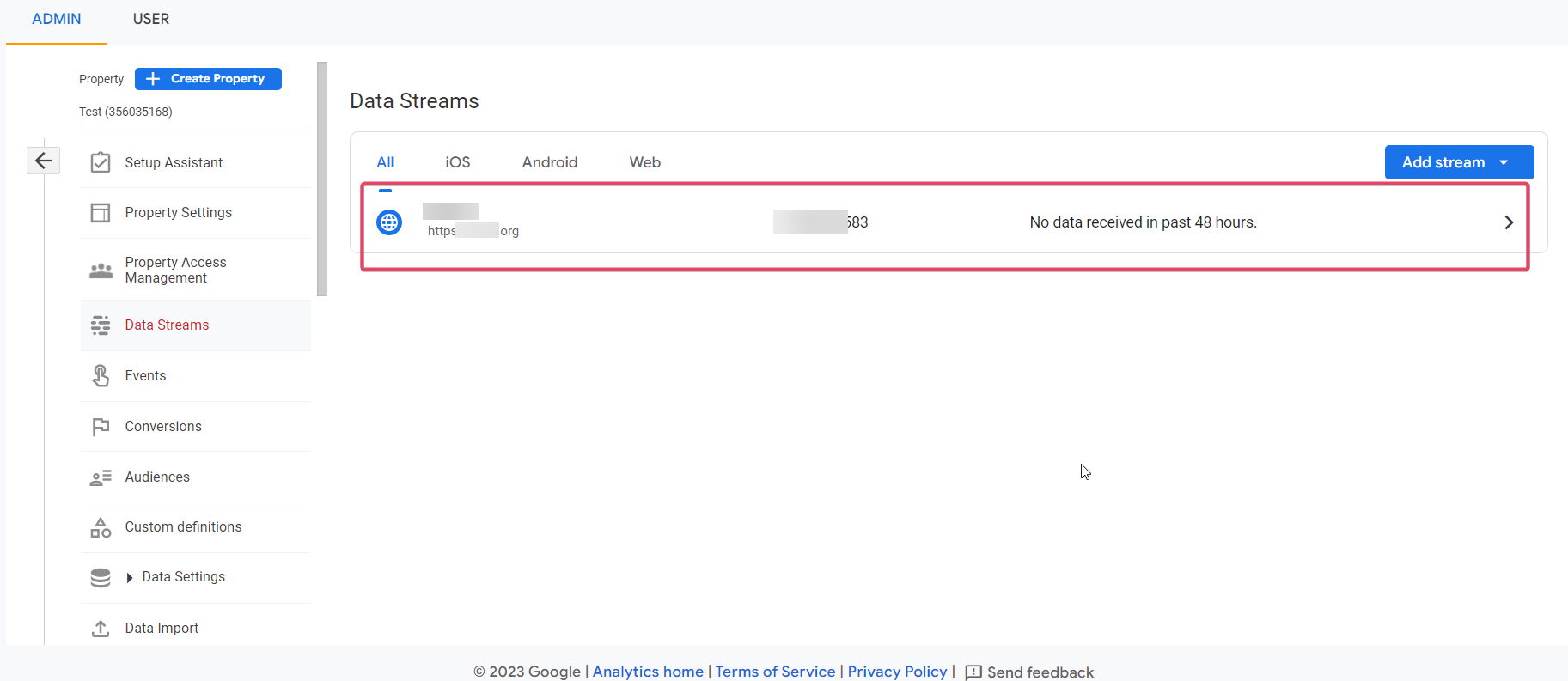
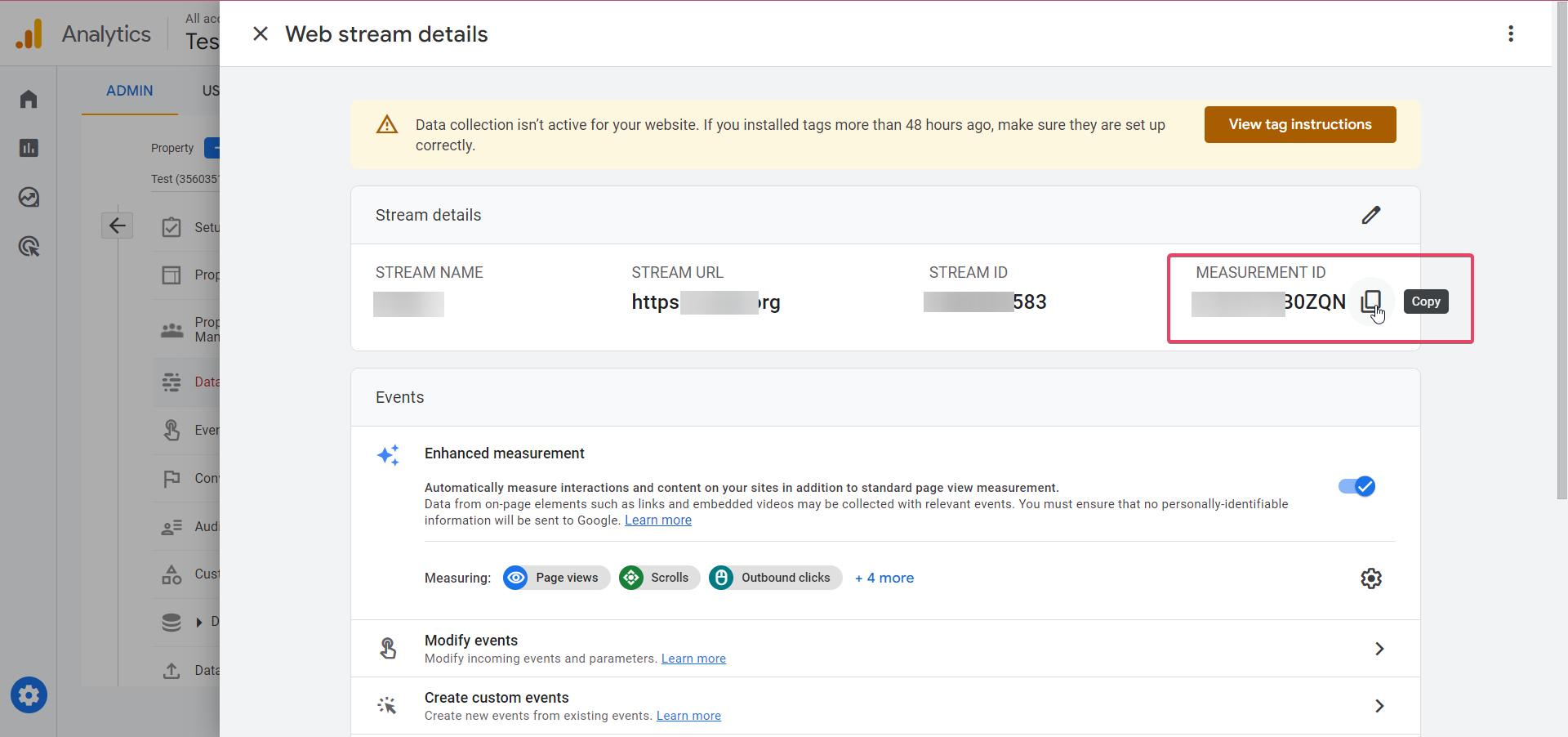
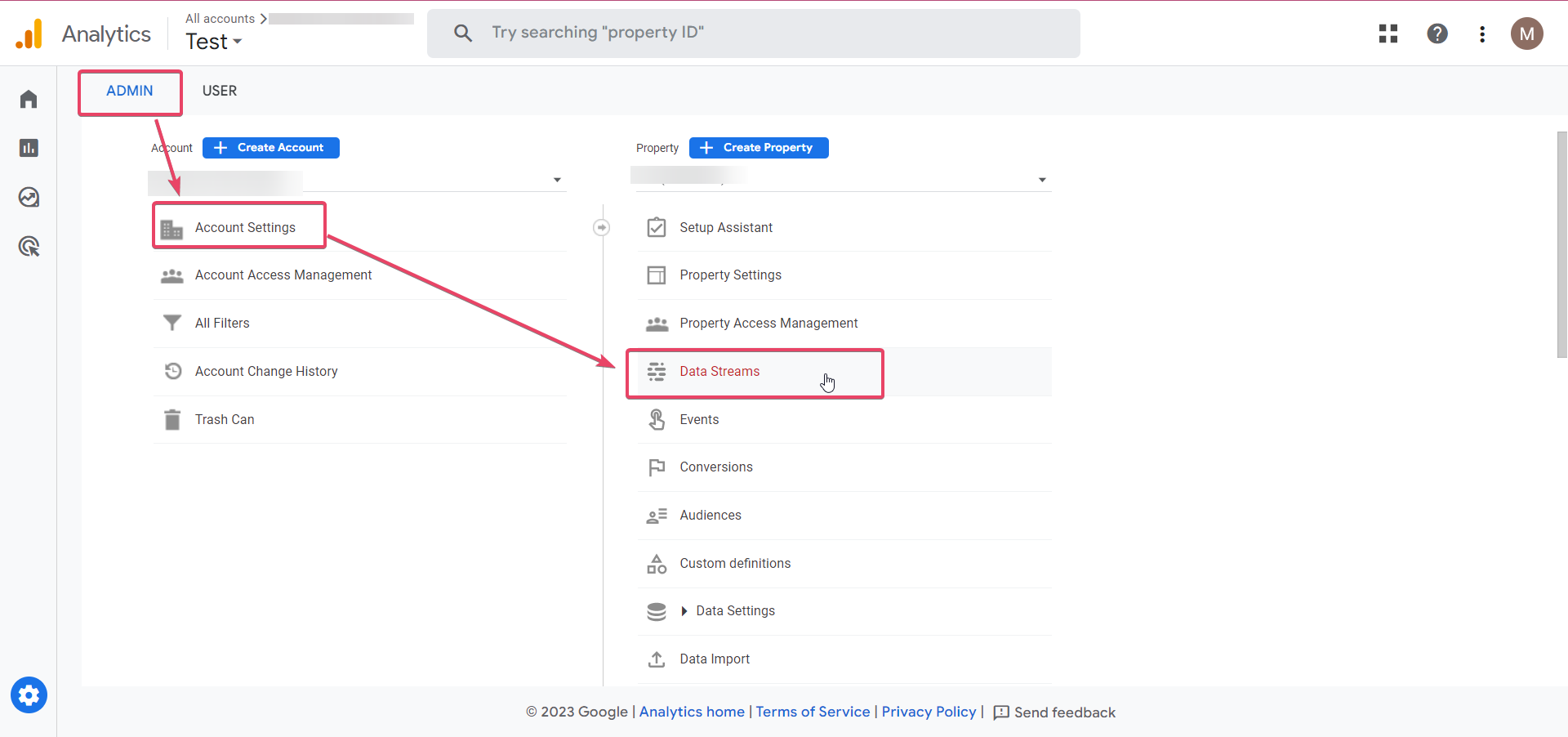
- In GA4, go to Admin ➝ Account Settings ➝ Data Stream and open the intended stream.
- Copy the Measurement ID displayed for that stream.
- Paste the Measurement ID into the Measurement ID field of the workflow action.
- Enter the desired event name; optionally provide a numeric Event Value using a static number or a workflow variable.
- Navigate in GA4 to Admin ➝ Account Settings ➝ Data Stream ➝ Measurement Protocol API secrets.
- Create a new API secret after reading Google’s privacy notice, then copy the generated secret value.
- Paste the secret into the API Secret field, verify that no spaces surround it, then save the action, save the workflow and publish it.
07What it looks like in HighLevel
08Settings that matter
- Action Type. Chooses between Universal Analytics and Google Analytics 4 for the workflow action.
- Measurement ID. Identifies the GA4 data stream that will receive the event data.
- Event Name. Specifies the name under which the event will appear in GA4 reports.
- Event Value. Optional numeric value sent with the event, such as revenue or a score.
- API Secret. Authenticates the Measurement Protocol request so GA4 accepts the event.
09Things to know before you rely on it
- Data sent by the workflow appears in GA4 after a 24 to 48 hour delay.
- If the API secret contains leading or trailing spaces, the GA4 action will fail.
- The Event Value field is optional; it can be left empty.
10If something goes wrong
- GA4 action fails after saving. Check the API Secret field for any spaces before or after the value and remove them.
11How it connects to the rest of HighLevel
- How to record pageviews into GA4 for funnels and websites Pageview tracking guide
- Understanding attribution sources in HighLevel Attribution overview
- HighLevel pricing and plans Pricing details
Michael's take

Getting GA4 data into HighLevel can feel like a legal minefield. You have to accept Google’s privacy statements, copy secret strings without extra spaces, and wait a day or two for the numbers to show up. Miss a space or forget the acknowledgment and the whole flow breaks.
When it works, you gain a single source of truth for website, app and social interactions. You can see revenue, scores or custom actions right in GA4 while still using HighLevel for automation. That dual view is the real advantage.