
01Who this is for
- Digital marketers who rely on UTM parameters for campaign attribution benefit from a fail safe tracking method.
- Small business owners running Google Ads need a simple way to ensure click data reaches Google Analytics even if templates break.
02Google ad precautionary tracking scripts, explained
The script serves as a backup for UTM tracking. When a URL template does not capture the expected parameters, the script records each click on the defined link and forwards the data to Google Analytics. The only required customization is the URL of the tracking page so it aligns with the website.
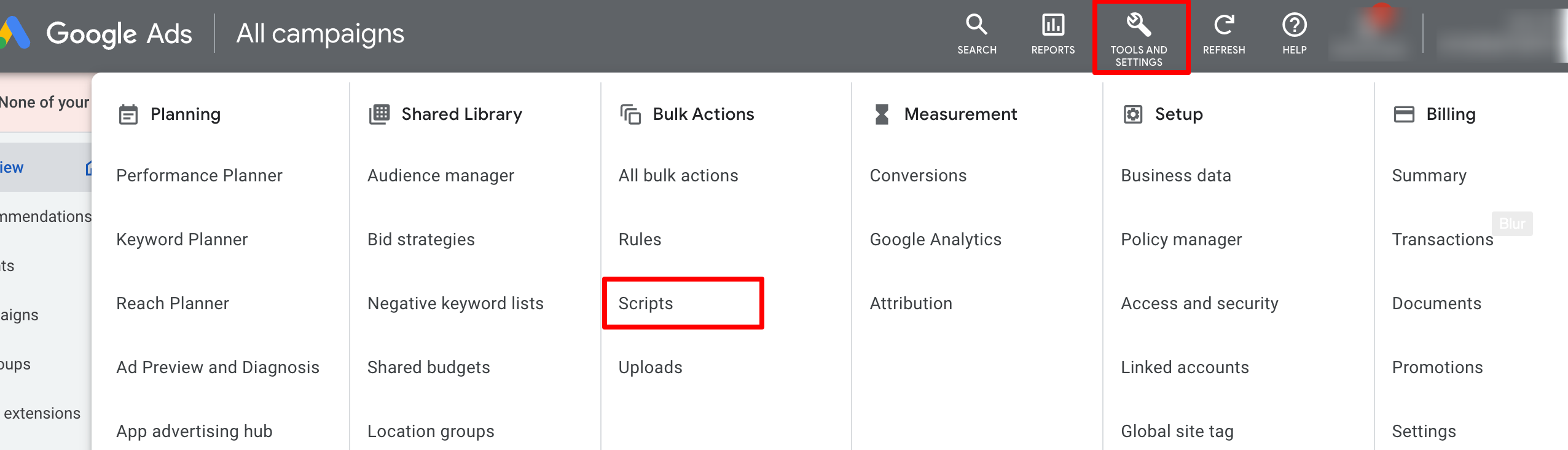
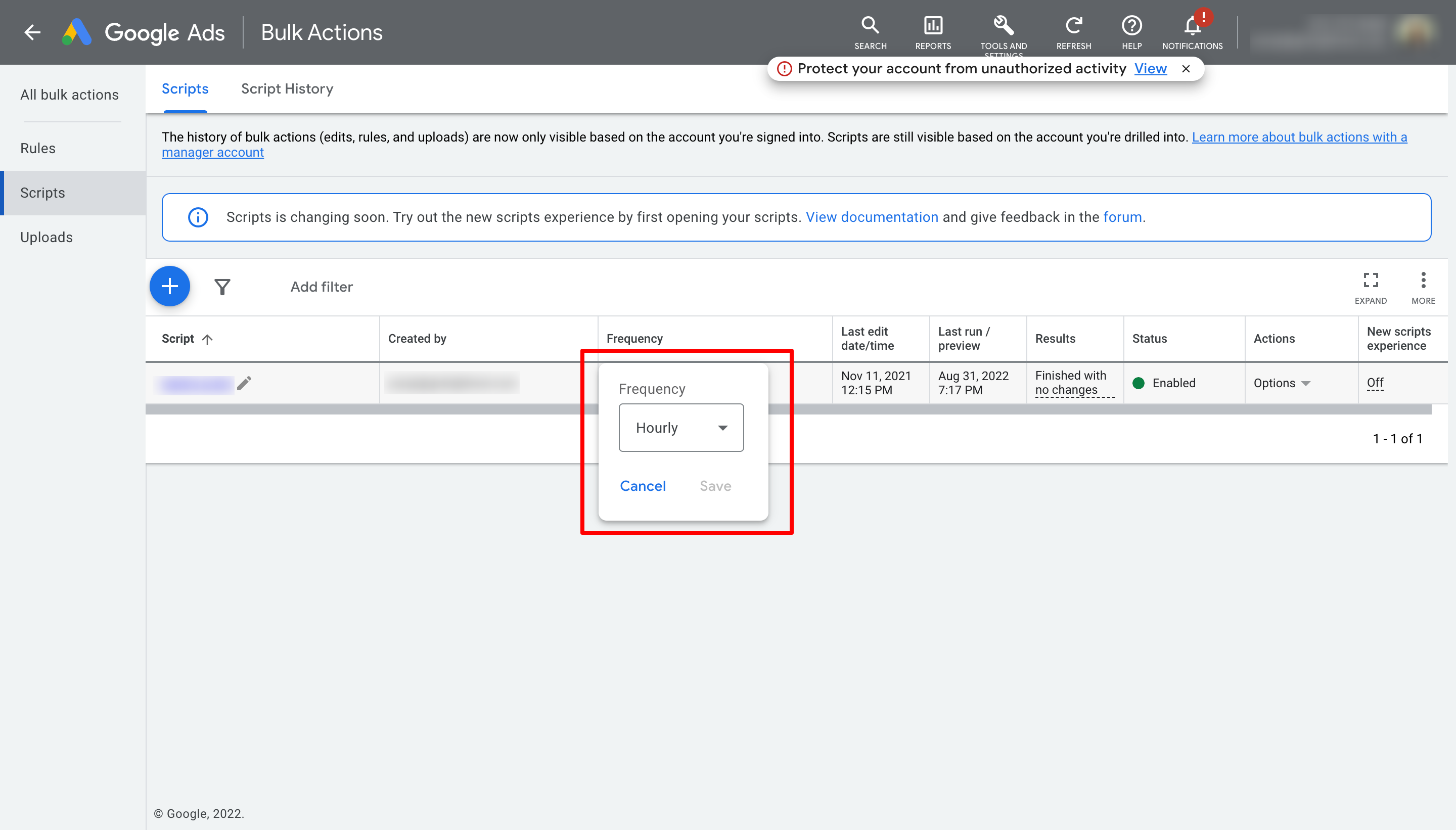
The script lives inside the Google Ads platform. It is accessed through Tools and Settings, then Bulk Actions, and finally Scripts. After adding the code, the script is renamed and scheduled to run hourly, ensuring continuous coverage for all campaigns.
03How businesses use Google ad precautionary tracking script
- Ecommerce store. The store adds the script to its Google Ads account, replaces the placeholder URL with its product landing page, and sets the script to run hourly. This guarantees that every ad click is recorded even if the UTM template fails.
- Local service business. The business installs the script, updates the tracking page URL to its booking page, and schedules hourly execution. The script then logs all ad clicks and forwards them to Google Analytics for accurate source reporting.
- Online course provider. The provider copies the script into the Scripts section, changes the tracking URL to the course enrollment page, renames the script, and selects an hourly run schedule. Click data is captured and sent to Google Analytics regardless of UTM issues.
04Before you start
- Access to the Google Ads account where the script will be installed.
- Switch to advanced view in Google Ads to ensure the Tools and Settings menu is visible.
05How to set up and use Google ad precautionary tracking script in HighLevel
Visit Google Ads account
- Log in to your Google Ads account.
Open Scripts page
- Navigate to Tools and Settings > Bulk Actions > Scripts.
Replace script code
- Delete the predefined code and paste the precautionary tracking script.
Rename and schedule script
- Change the script name and set its frequency to Hourly.
06What it looks like in HighLevel
07Settings that matter
- Script name. Defines how the script appears in the Scripts list.
- Frequency. Controls how often the script runs; set to Hourly for continuous tracking.
08Things to know before you rely on it
- Scripts can override UTM parameters and may affect other scripts running in the same account.
- Authorization is mandatory because the script makes changes to the Google Ads account.
- The Scripts section may only be visible after switching to advanced view.
09How it connects to the rest of HighLevel
- Set up Google Ad reporting in HighLevel Google Ad reporting
- Understanding attribution sources in HighLevel Attribution sources
- HighLevel pricing and plans Pricing
Michael's take

This script is only worth the effort if you rely heavily on UTM tagging for campaign reporting. If you don’t need that granular fail safe, skip it.
The script is a straightforward copy paste job, but you must verify the tracking page URL matches your site and run a preview to confirm it updates the right campaigns.