
01Who this is for
- Agency owners who manage subaccounts can meet enterprise procurement standards by using Adyen’s PCI compliant processing.
- Finance managers for EU or North American businesses benefit from broader regional coverage and 3D Secure support.
- Payment administrators who want to keep card collection inside HighLevel can avoid adding separate gateways.
02Adyen payments integration, explained
The integration connects a merchant’s Adyen account to HighLevel so that card payments are processed through Adyen’s PCI compliant infrastructure. It works for credit and debit cards on any channel where HighLevel accepts card payments.
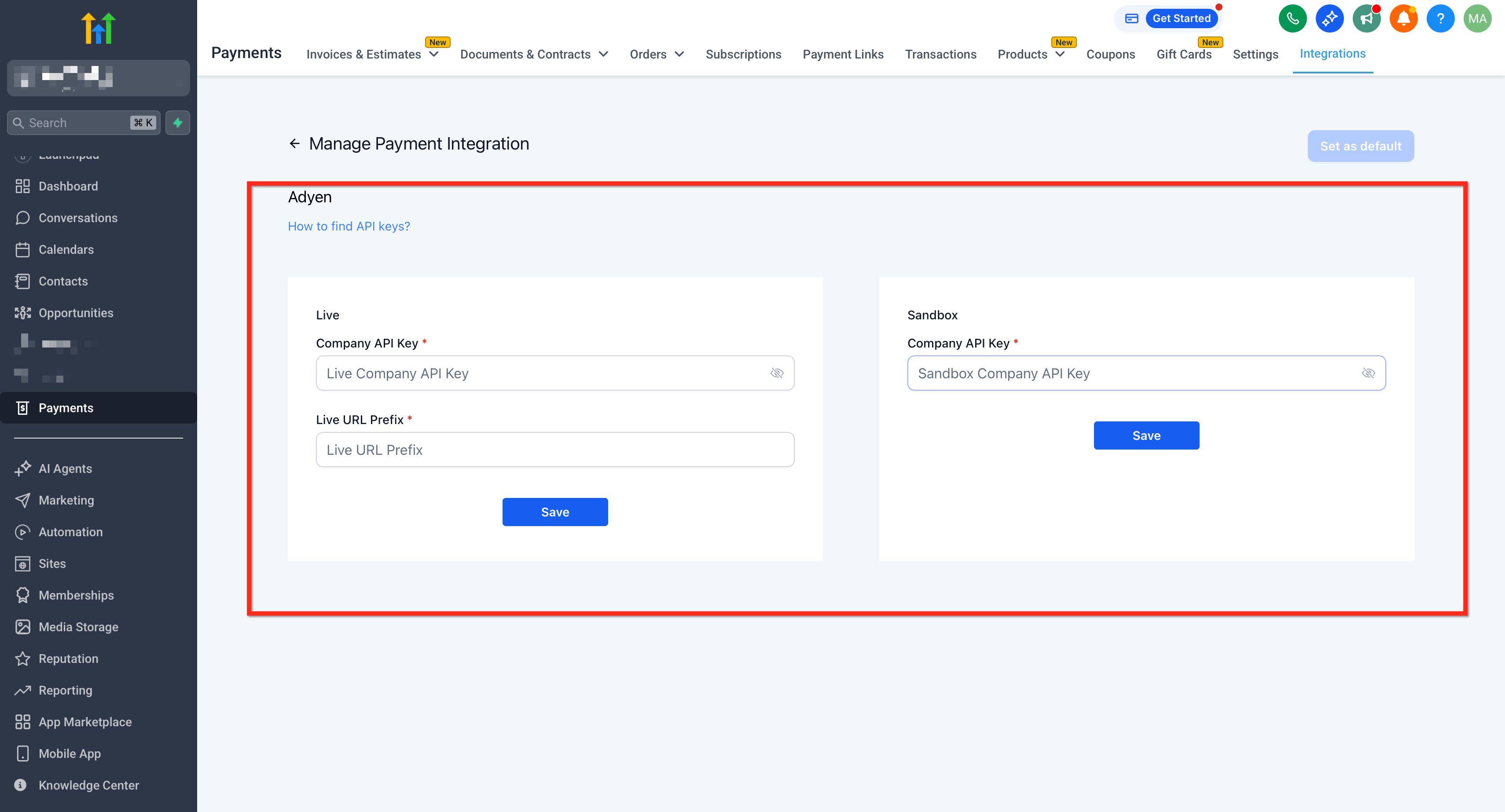
Admins provide a Company API Key for both test and live environments, and a Live URL Prefix when using live mode. After saving the credentials, HighLevel routes eligible transactions on invoices, payment links, stores and form order pages to Adyen.
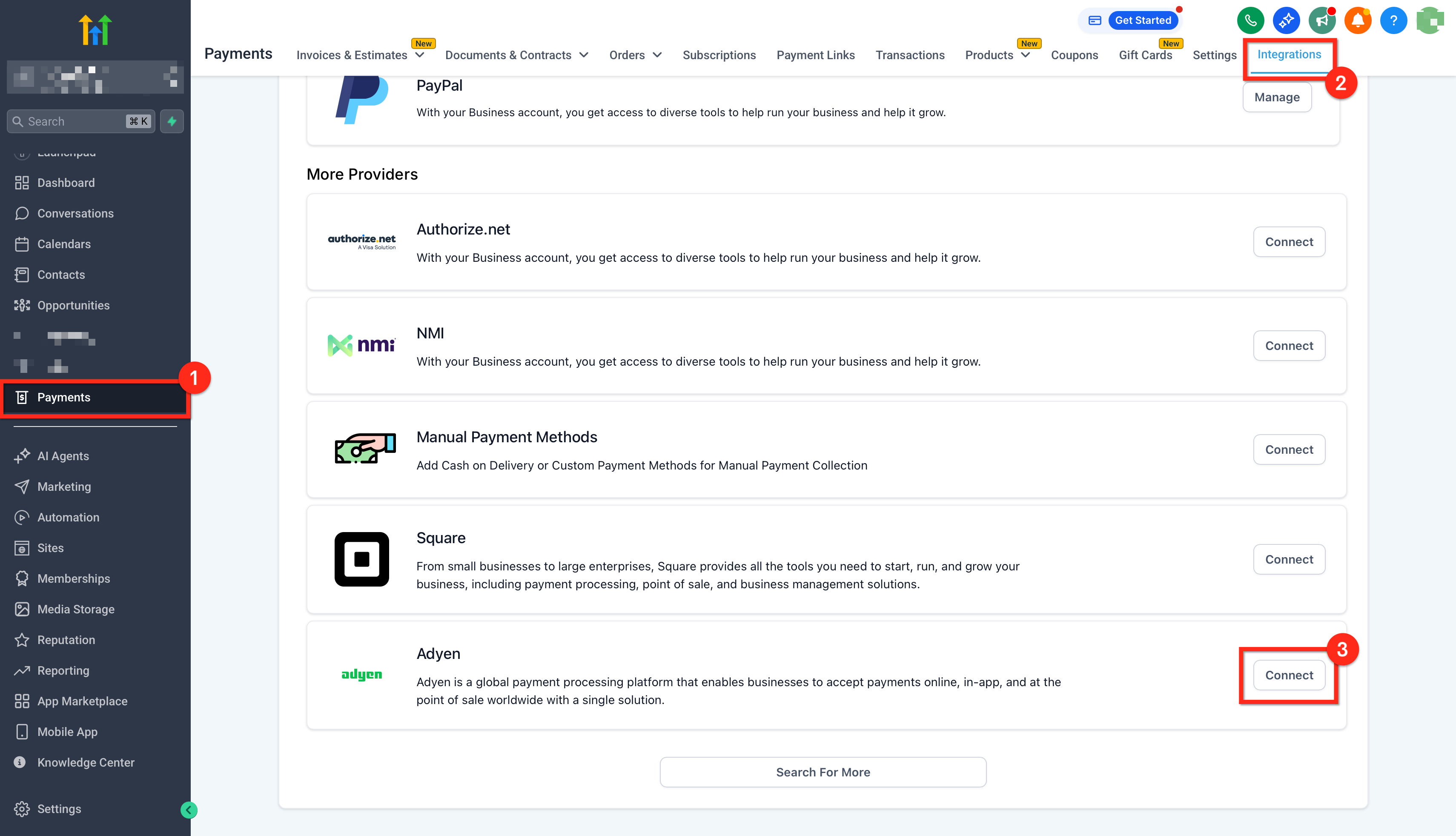
Configuration lives under Payments > Integrations in each subaccount. The Connect Adyen button launches the credential entry form, and a success notice confirms the gateway is active.
03How businesses use adyen payments integration
- Digital marketing agency. The agency adds the client’s Adyen API Key and Live URL Prefix in the subaccount, tests card payments with Adyen sandbox cards on invoice drafts, then switches to live mode to process real client payments.
- Software SaaS company. The SaaS team connects their Adyen account, enables 3D Secure handling, and uses payment links to collect subscription fees, relying on Adyen to authenticate high risk cross border cards.
- Healthcare clinic. The clinic configures Adyen credentials, creates invoices for services, and accepts credit or debit cards directly on the invoice page, using the test environment first to confirm the checkout flow.
04The numbers and rules that matter
- Live URL Prefix is a hex encoded string that precedes live endpoints, e.g., 1797a841fbb37ca7 MyStore.
- Supported capabilities: Card payments (credit/debit) with 3D Secure.
- Supported HighLevel surfaces: Invoices, Payment Links, Stores, Forms/Funnels order forms.
- Supported regions: EU/UK, United States, Canada.
05Before you start
- An active Adyen merchant account approved for processing both test and live transactions.
- Company API Key for test and live environments.
- Live URL Prefix from the Adyen dashboard (required only for live mode).
- HighLevel account with Admin access to Payments.
06How to set up and use adyen payments integration in HighLevel
Connect Adyen payment gateway to HighLevel
- In the subaccount, open Payments > Integrations and click Connect Adyen.
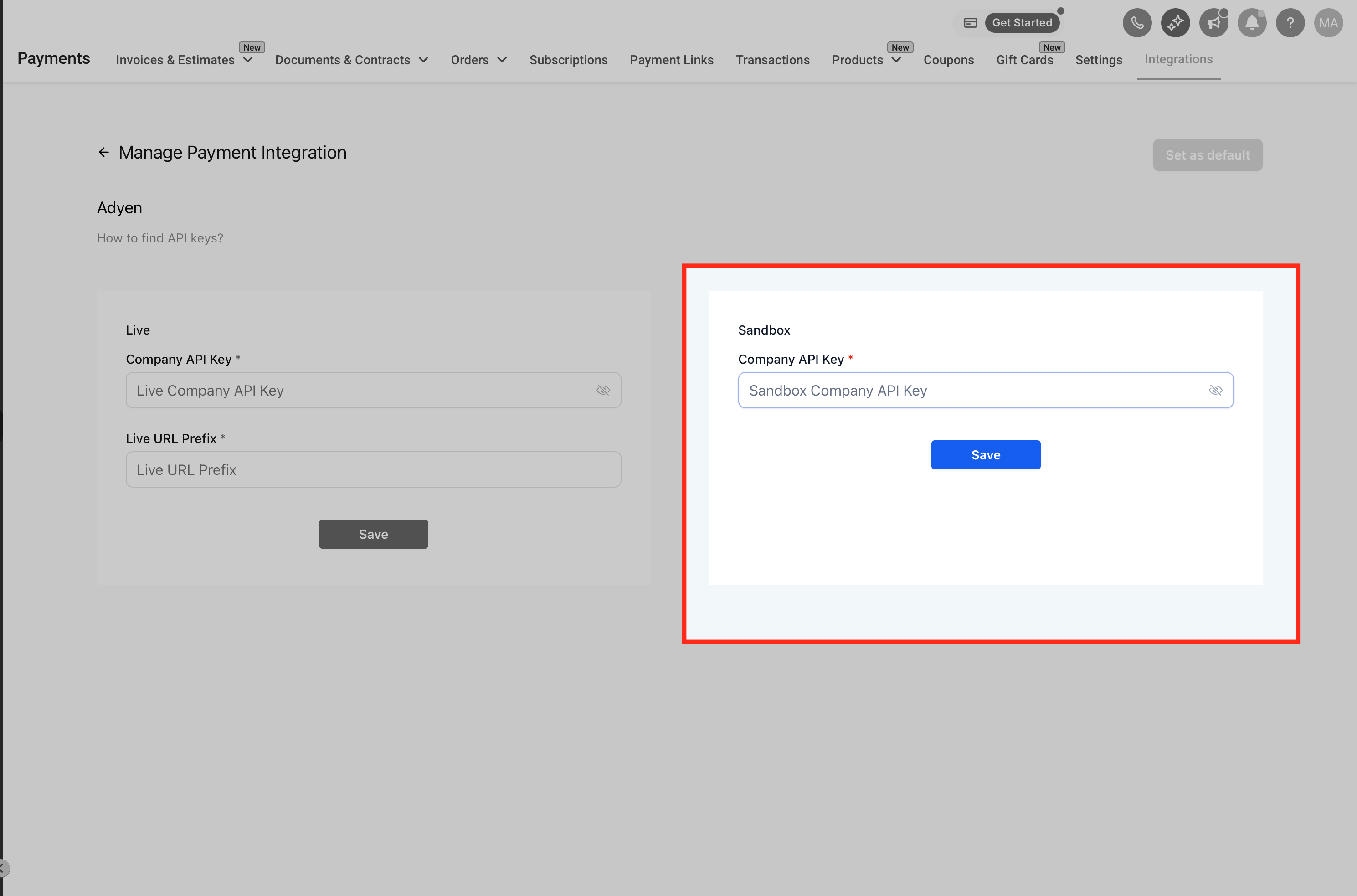
- Toggle the mode selector to Live or Test as needed.
- Enter the Company API Key in the provided field.
- If Live mode is selected, paste the Live URL Prefix.
- Click Save to store the credentials.
- Verify the success message confirming the connection.
07What it looks like in HighLevel
08Settings that matter
- Company API Key. Authenticates HighLevel with Adyen for both test and live environments.
- Live URL Prefix. Required only in live mode to route requests to the correct Adyen endpoint.
09Things to know before you rely on it
- Only credit and debit card payments are supported at launch; Apple Pay, Google Pay and other wallets are not available.
- Supported regions are EU/UK, United States and Canada; currencies depend on Adyen account approval.
- 3D Secure challenges are handled by Adyen and do not need a HighLevel setting.
- Leaving the Live URL Prefix blank in live mode causes transactions to fail.
- Multiple gateways can be connected, but a default provider must be chosen for each channel.
10If something goes wrong
- Live transactions fail when Live URL Prefix is blank. Enter the Live URL Prefix from the Adyen developer settings.
11How it connects to the rest of HighLevel
- See the list of supported payment providers by region. Supported providers
- Learn how to add PayPal buttons to payment elements. PayPal integration
- Review granular payment permissions setup steps. Payment permissions
Michael's take

The Adyen integration is a solid choice for agencies that need to meet enterprise procurement standards.
If your agency does not serve enterprise clients that already use Adyen, you can skip this integration.