
01Who this is for
- Agency owners who need a single view of tasks, revenue and appointments while away from a desktop.
- Agency owners who want to test the new UI in a subaccount before rolling it out to client accounts.
- Sales teams that require quick access to contacts, opportunities and AI generated content from their phones.
02HighLevel mobile app experience, explained
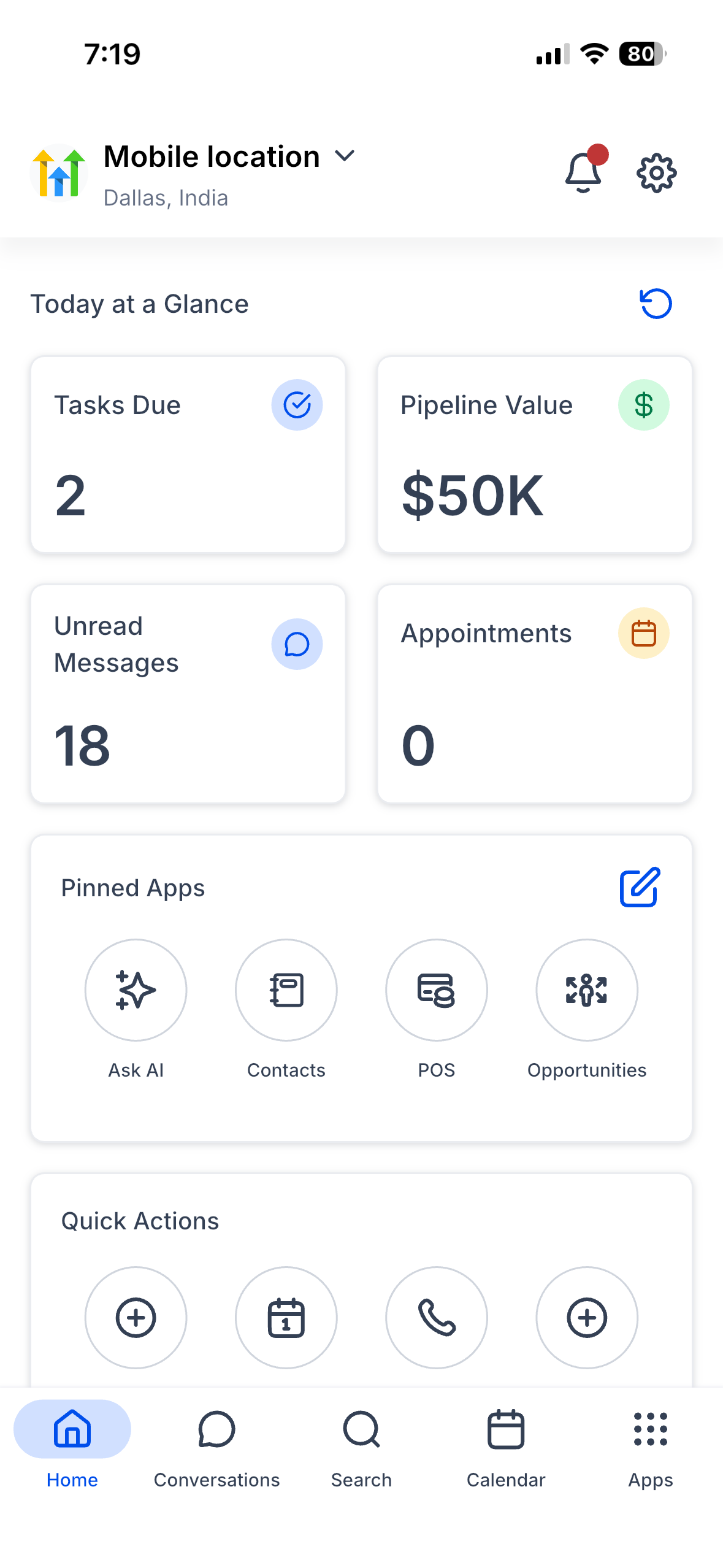
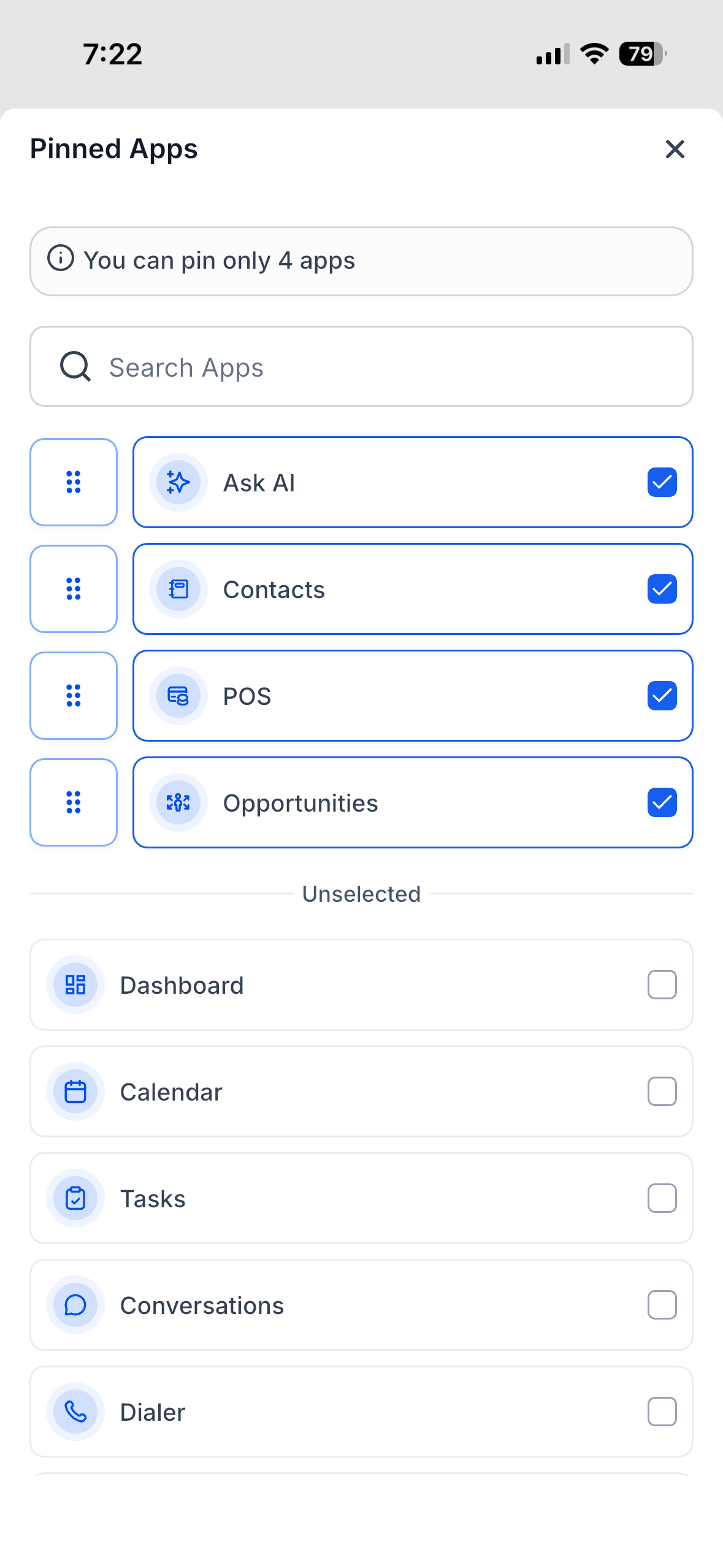
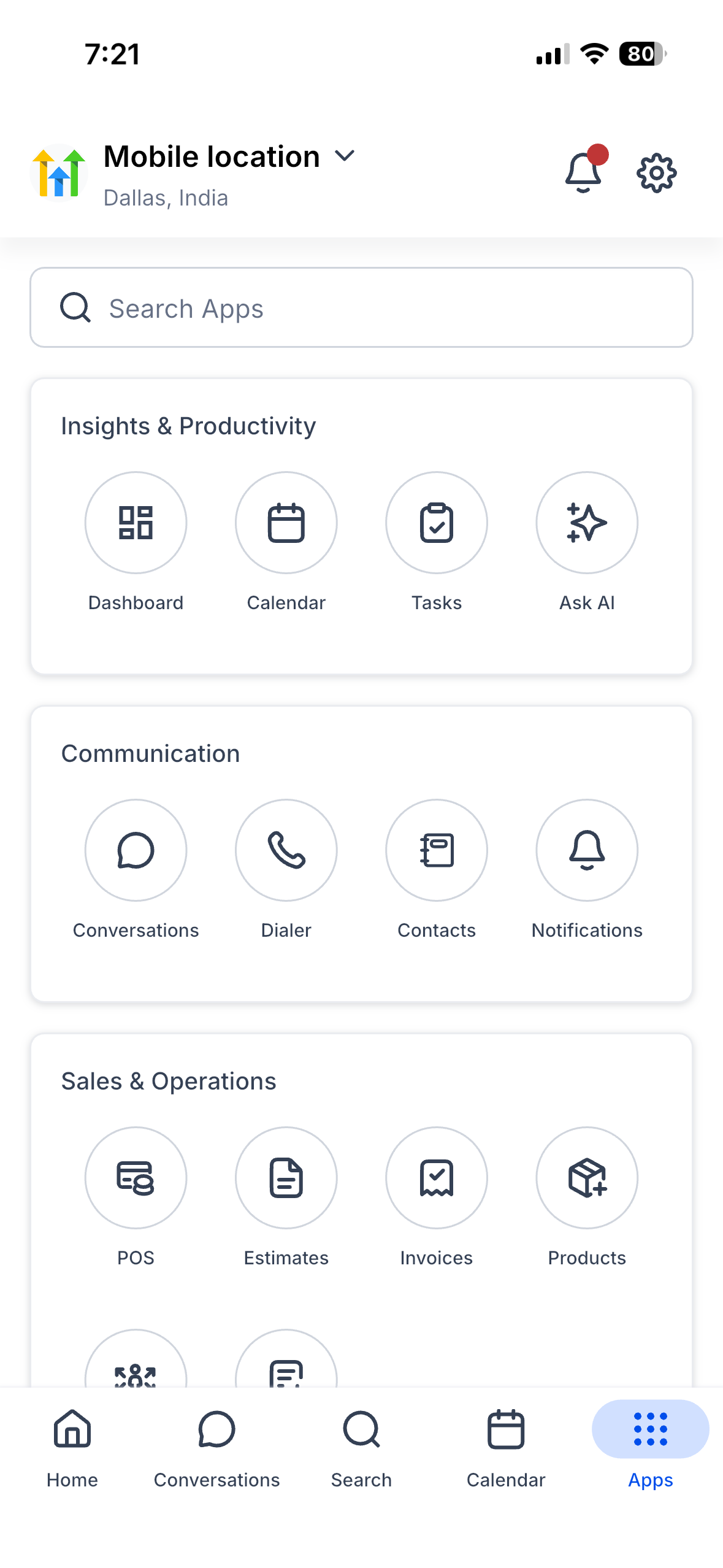
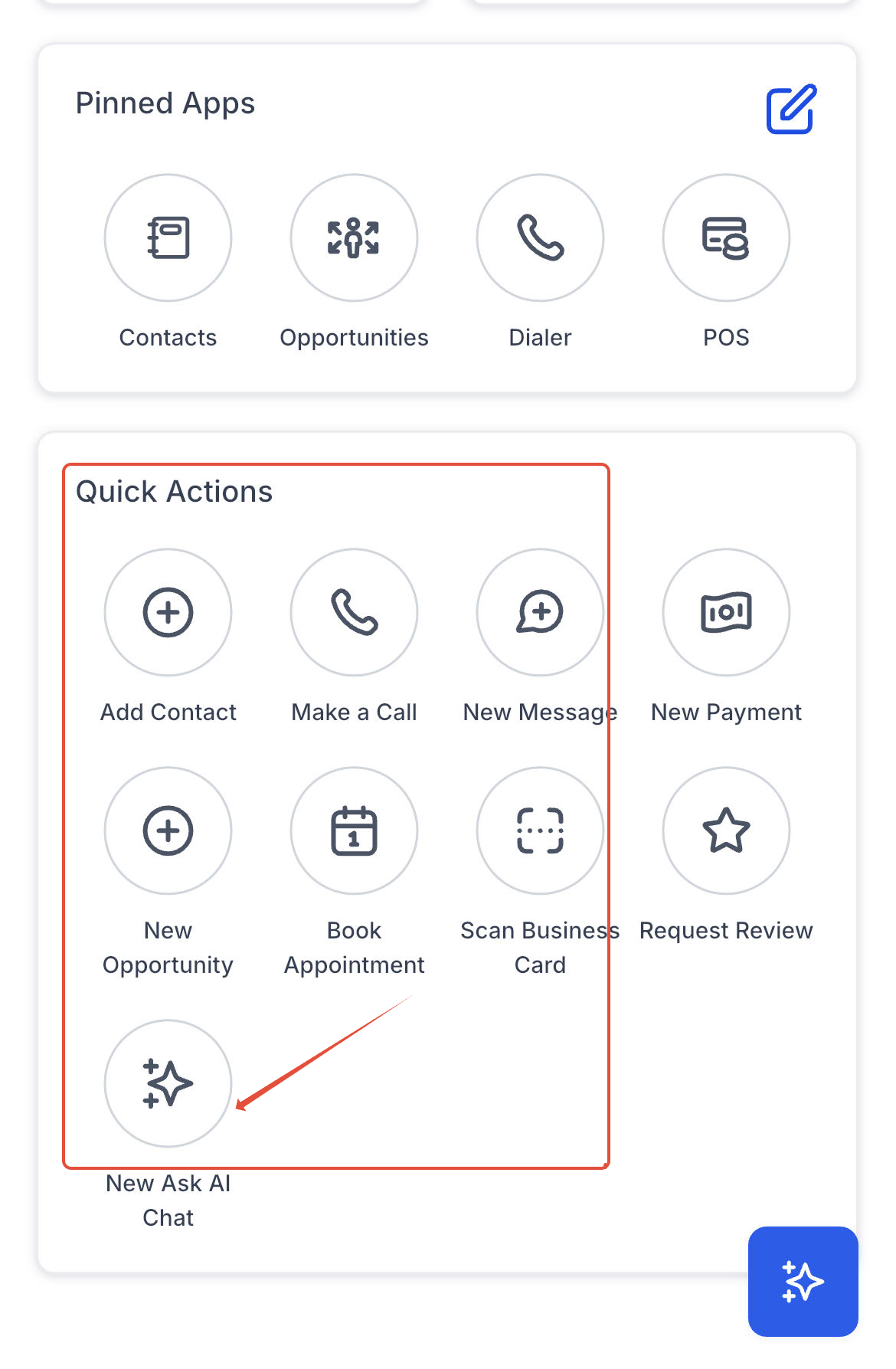
The HighLevel mobile app experience replaces the old left hand menu with a modern top bar and a four column App Drawer. It groups modules into logical categories such as Insights, Communication, Sales and Marketing, making navigation faster. The homepage, called Mission Control, shows role aware widgets for tasks, pipeline value, unread messages, today’s appointments, a revenue chart and up to four pinned apps that can be reordered by drag and drop.
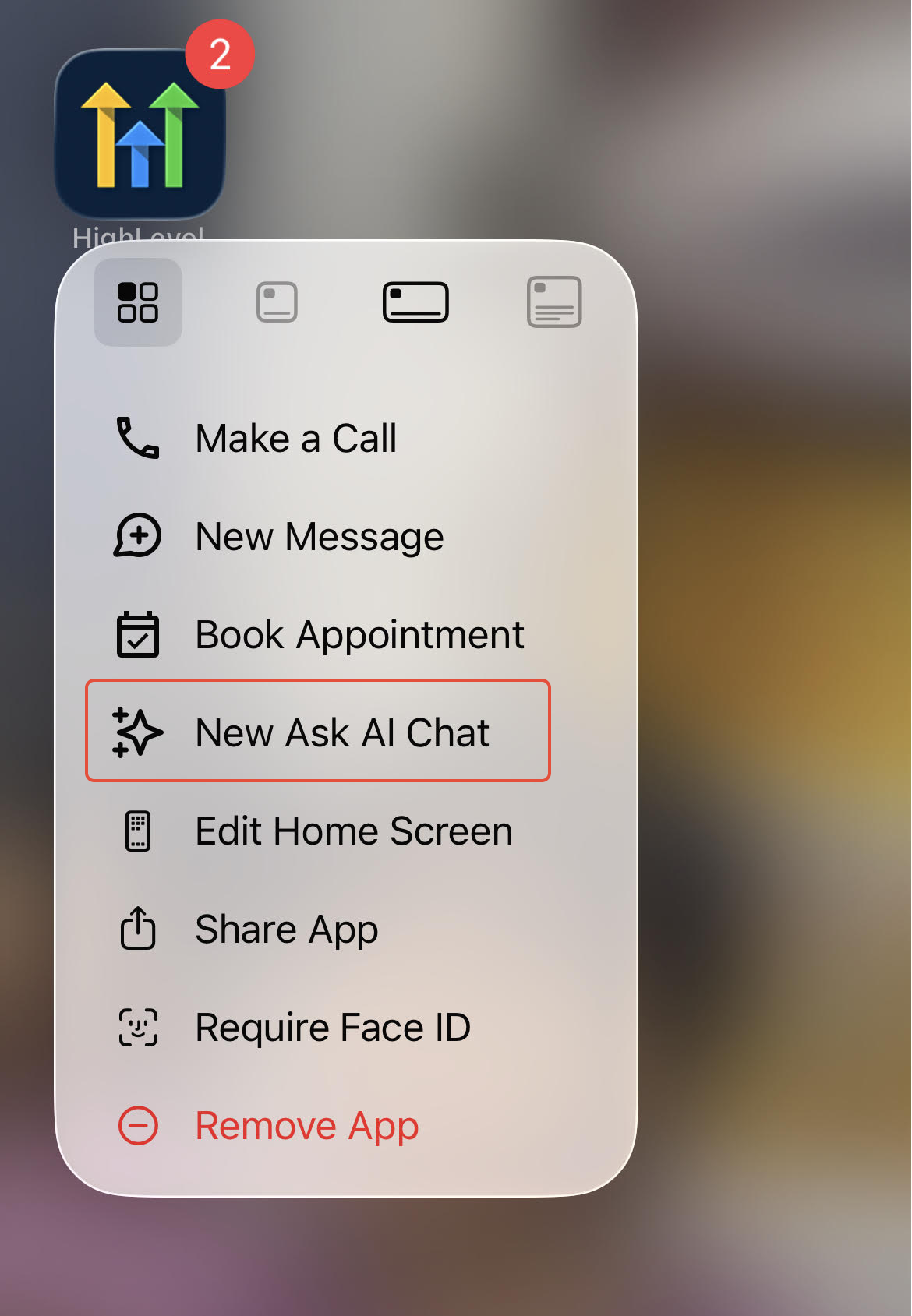
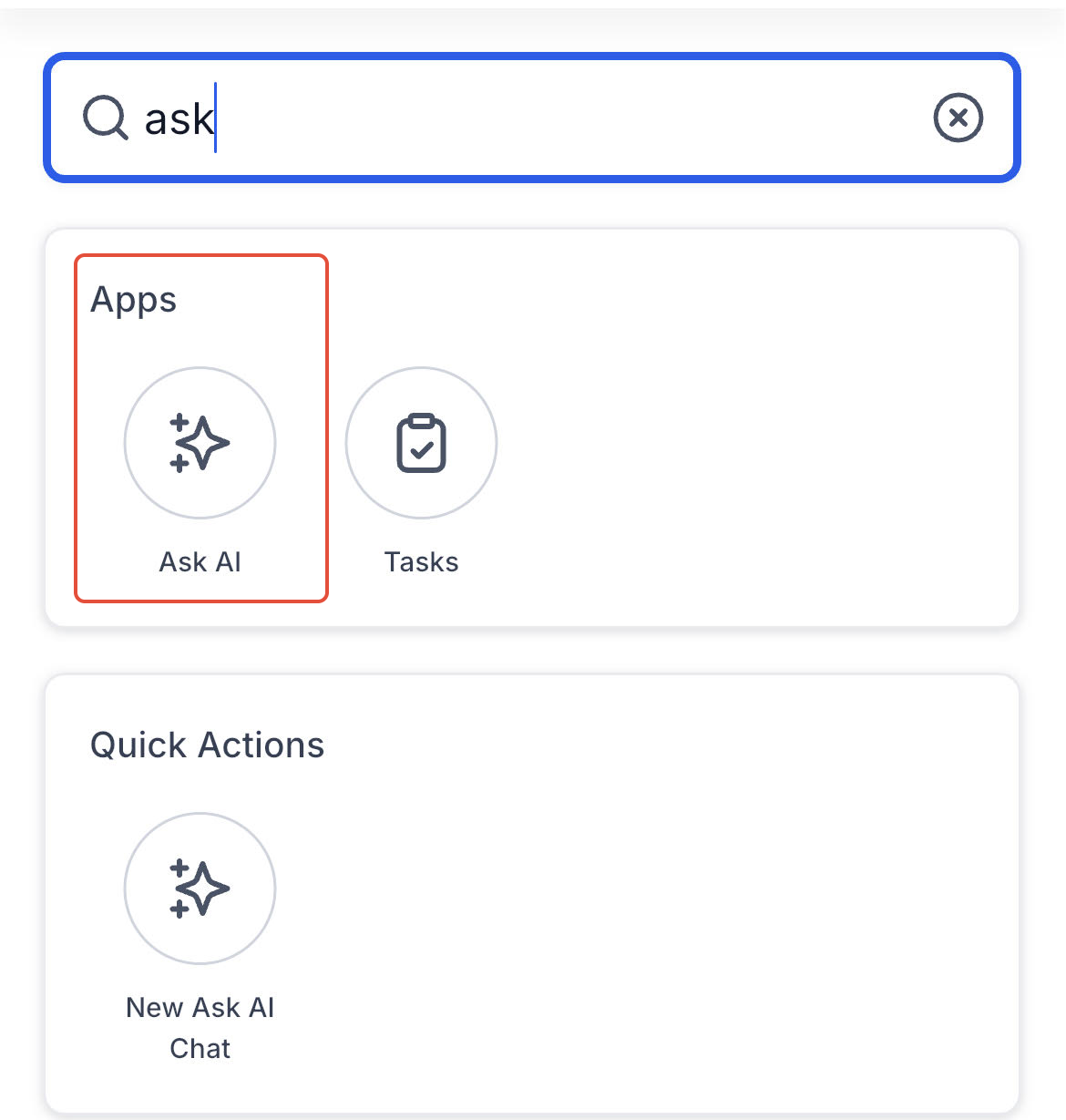
Universal Search lets users look across Conversations, Contacts and Opportunities from a single bar, remembering the last five queries and opening results in context. Ask AI is built into the app, allowing users to draft social posts, create or edit contact records and generate images without leaving the mobile interface. Dark Mode follows the device theme or can be toggled manually, extending battery life on OLED screens.
All of these features live inside the HighLevel mobile app and are activated per subaccount through the Labs toggle found under Agency Settings > Labs > Subaccounts.
03How businesses use the HighLevel mobile app experience
- Small consulting firm. The firm enables the new mobile experience in Labs, then each consultant uses the Mission Control homepage to see their tasks, upcoming appointments and revenue at a glance. They also launch Ask AI from the Quick Actions card to draft client emails while on the go.
- Real estate agency. Agents turn on the Labs toggle for their subaccounts, then rely on Universal Search to pull up property contacts and conversation threads right away during property showings. The App Drawer lets them open the Opportunities module to update a lead status without opening a desktop browser.
- Digital marketing boutique. The boutique activates the redesigned app, pins the Social Planner and Campaigns modules to the homepage, and uses Ask AI to generate ad copy and branded images directly from the mobile device while traveling to client meetings.
04The numbers and rules that matter
- Available in mobile app version 4.27.0 and later.
- Up to four favorite modules can be pinned.
05Before you start
- Install the latest version of the HighLevel Mobile App from the Apple App Store or Google Play Store.
- Have access to Agency Settings in the HighLevel web dashboard to reach the Labs section.
06How to set up and use the HighLevel mobile app experience in HighLevel
Enable the redesigned mobile experience
- Download the newest HighLevel Mobile App from the App Store or Google Play.
- In the agency dashboard, open Agency Settings > Labs > Subaccounts.
- Toggle on the option named A New Mobile App Experience.
- Select the subaccounts that should receive the new interface.
- Launch the mobile app and verify the updated homepage, Universal Search, App Drawer and Ask AI are visible.
07What it looks like in HighLevel
08Settings that matter
- A New Mobile App Experience. Controls whether the rebuilt mobile interface is shown for chosen subaccounts.
- Dark Mode. Switches the app’s color scheme to a true black theme, which can follow the device setting or be set manually in the app’s Settings.
09Things to know before you rely on it
- The feature is available only through HighLevel Labs and must be turned on per subaccount.
- Ask AI usage is limited by the account’s existing AI usage limits and subscription tier; no extra mobile fee is charged.
- Widget customization on the homepage is not yet available; it is planned for Q4 2025.
- Universal Search currently covers Conversations, Contacts and Opportunities; additional modules will be added in Q4 2025.
10How it connects to the rest of HighLevel
- Add custom conversation providers in the mobile app Custom conversation providers
- Accept payments on Stripe mobile POS terminals Stripe mobile POS
- Review HighLevel pricing and plan details Pricing plans
Michael's take

Running a business while constantly on the move means you need instant access to tasks, messages and revenue numbers. The mobile app experience gives you a single screen that shows all those essentials, so you never have to switch to a desktop.
The first setting I would lock in is the Labs toggle for "A New Mobile App Experience". Turning that on for the right subaccounts unlocks the whole new interface, and you can test it in an agency subaccount before rolling it out to clients.