
01Who this is for
- Founders who want to keep communications consistent and personalized across channels.
- Marketers who build automated workflows and need dynamic data to drive decisions.
02Merge fields and custom variables, explained
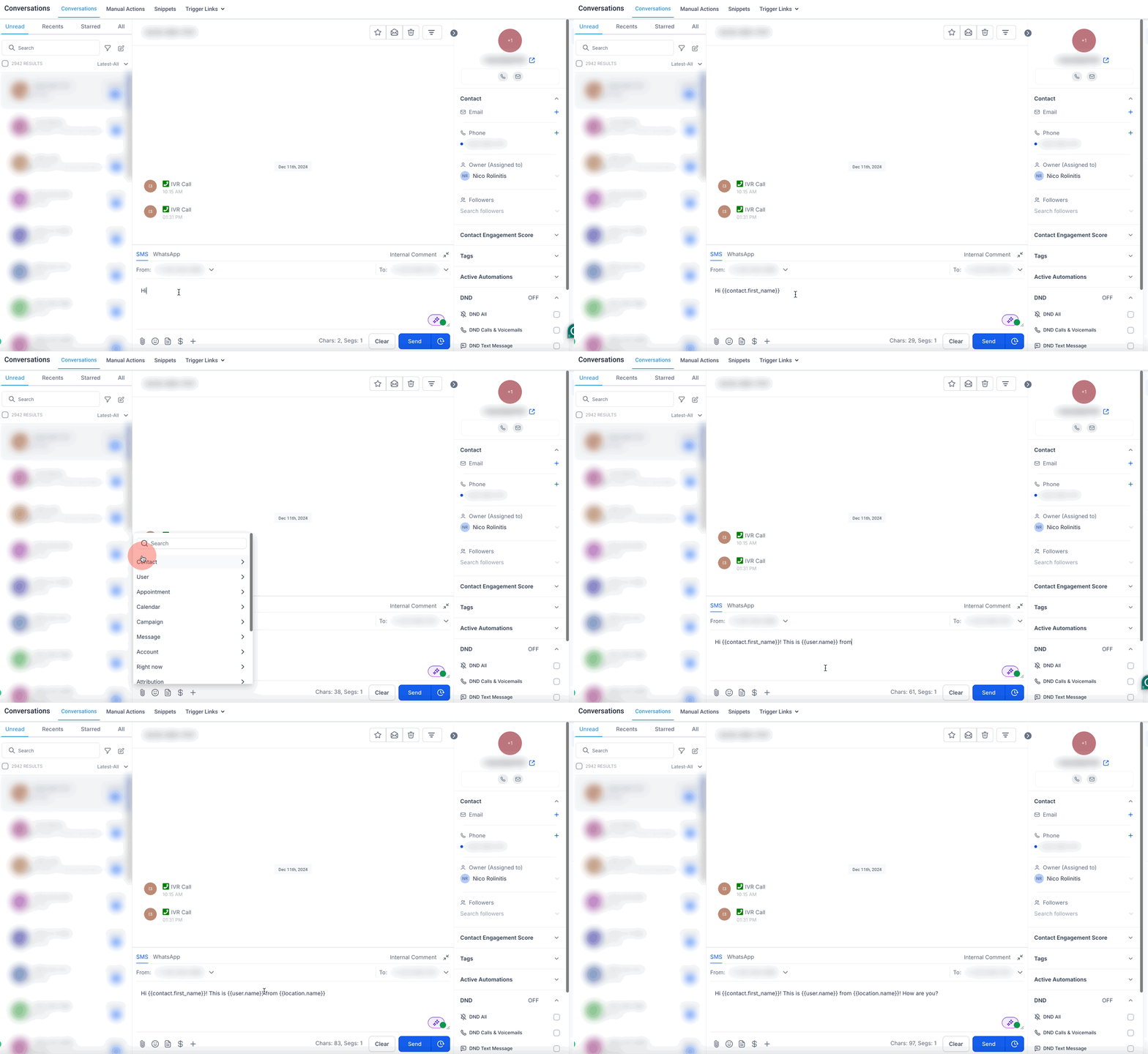
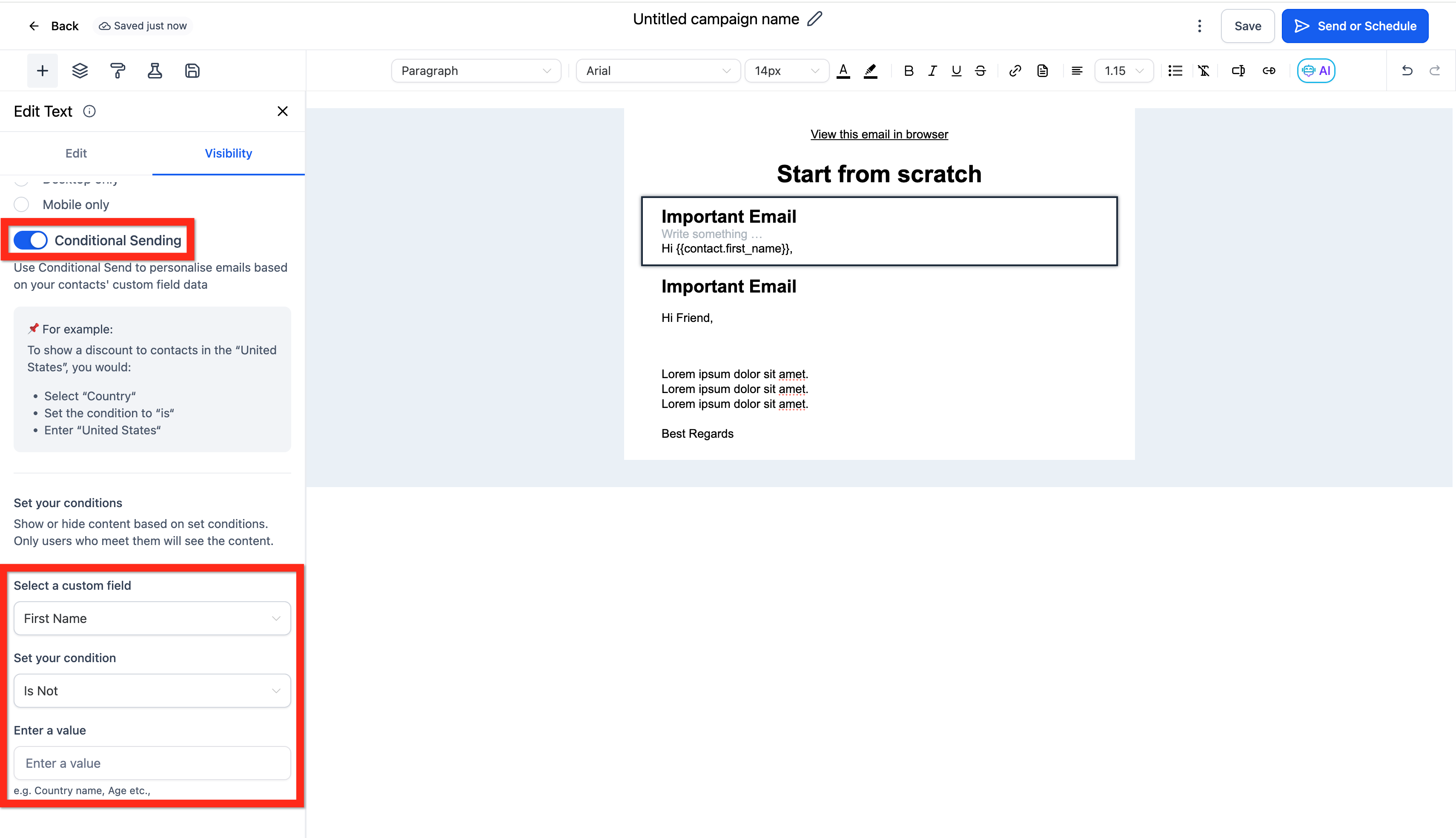
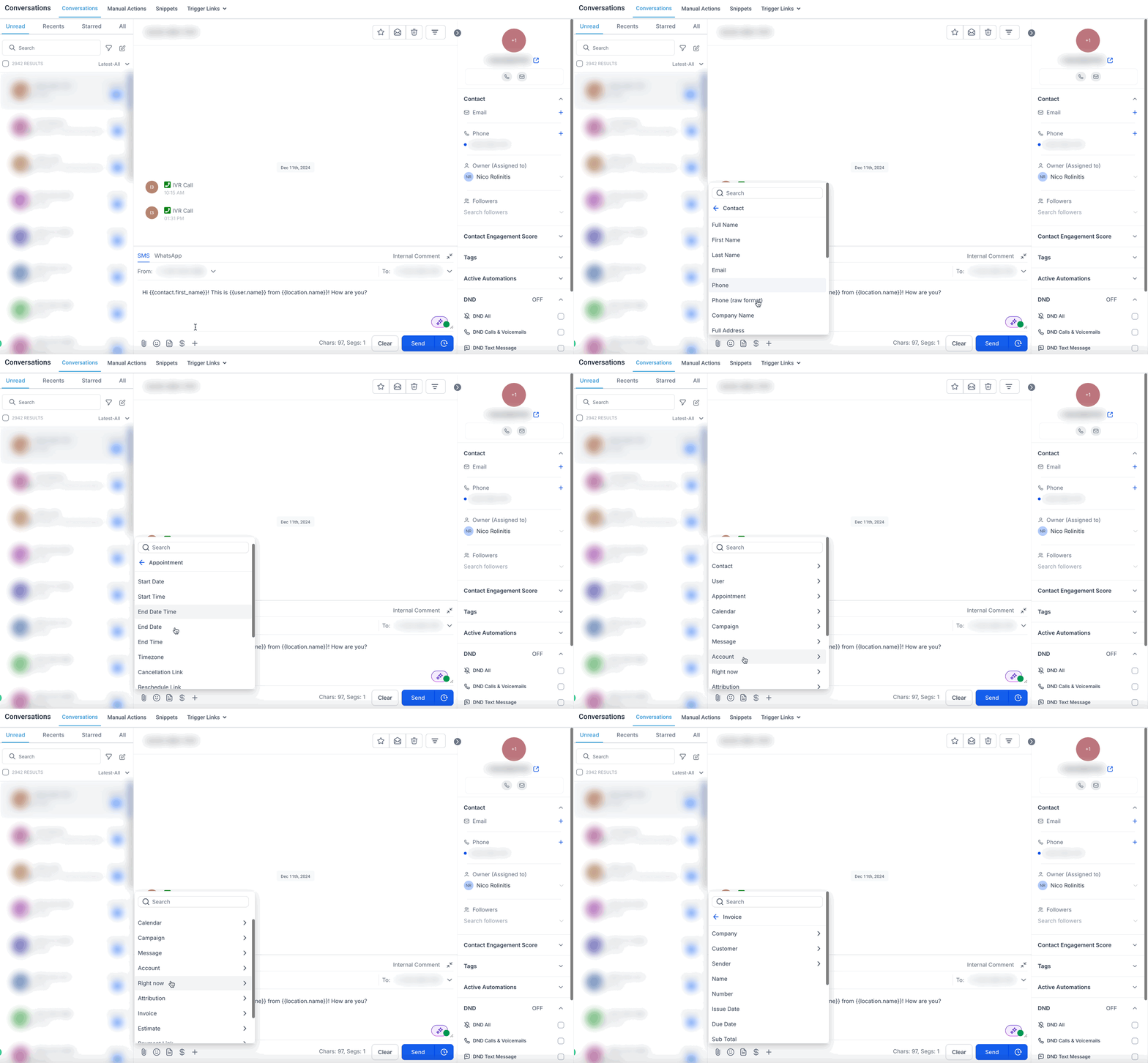
Merge fields pull information from contacts, companies, users or other records at the moment a message is sent or a workflow runs. They appear as placeholders such as {{contact.first_name}} and are replaced with the actual data stored in the platform.
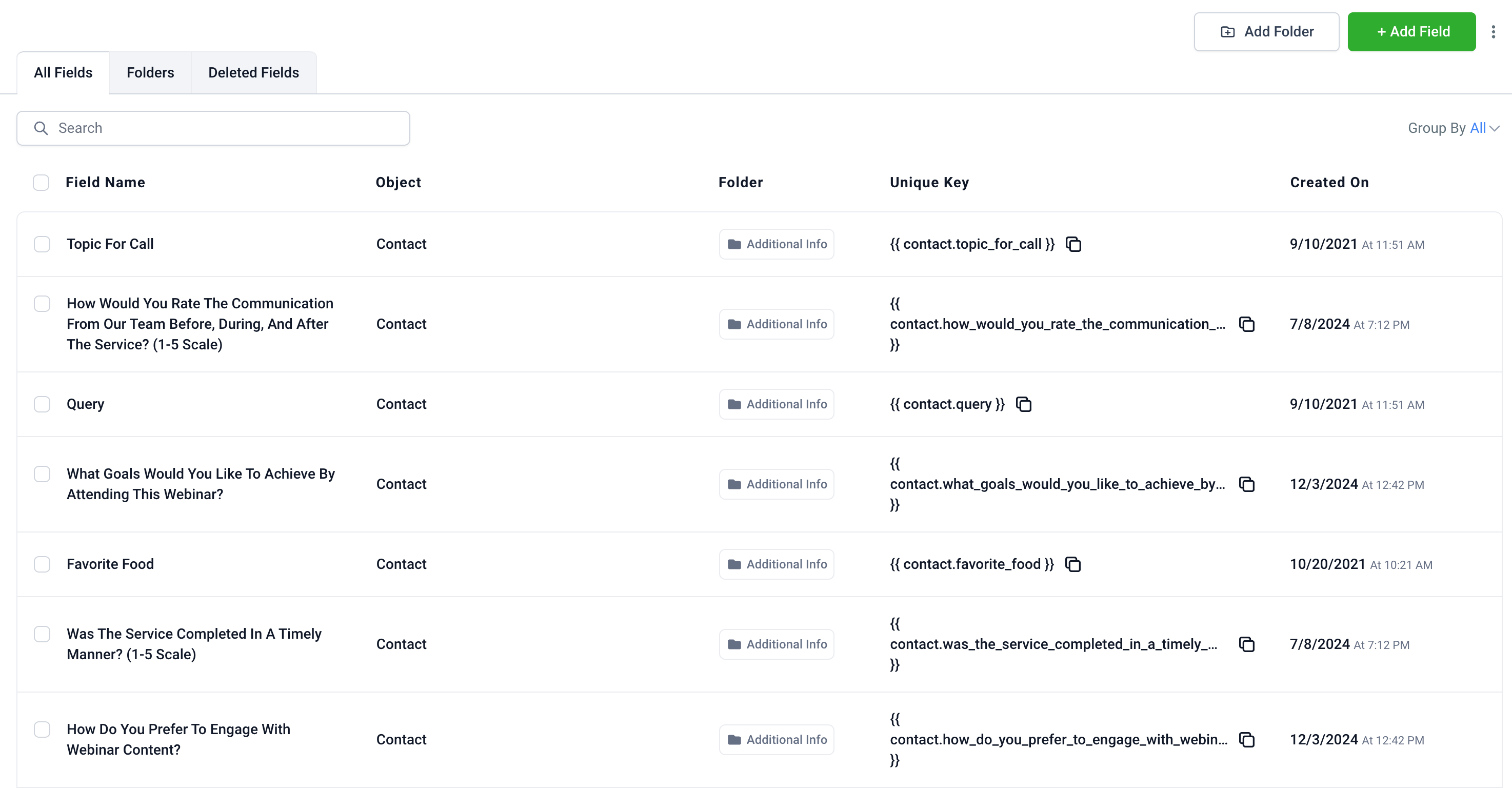
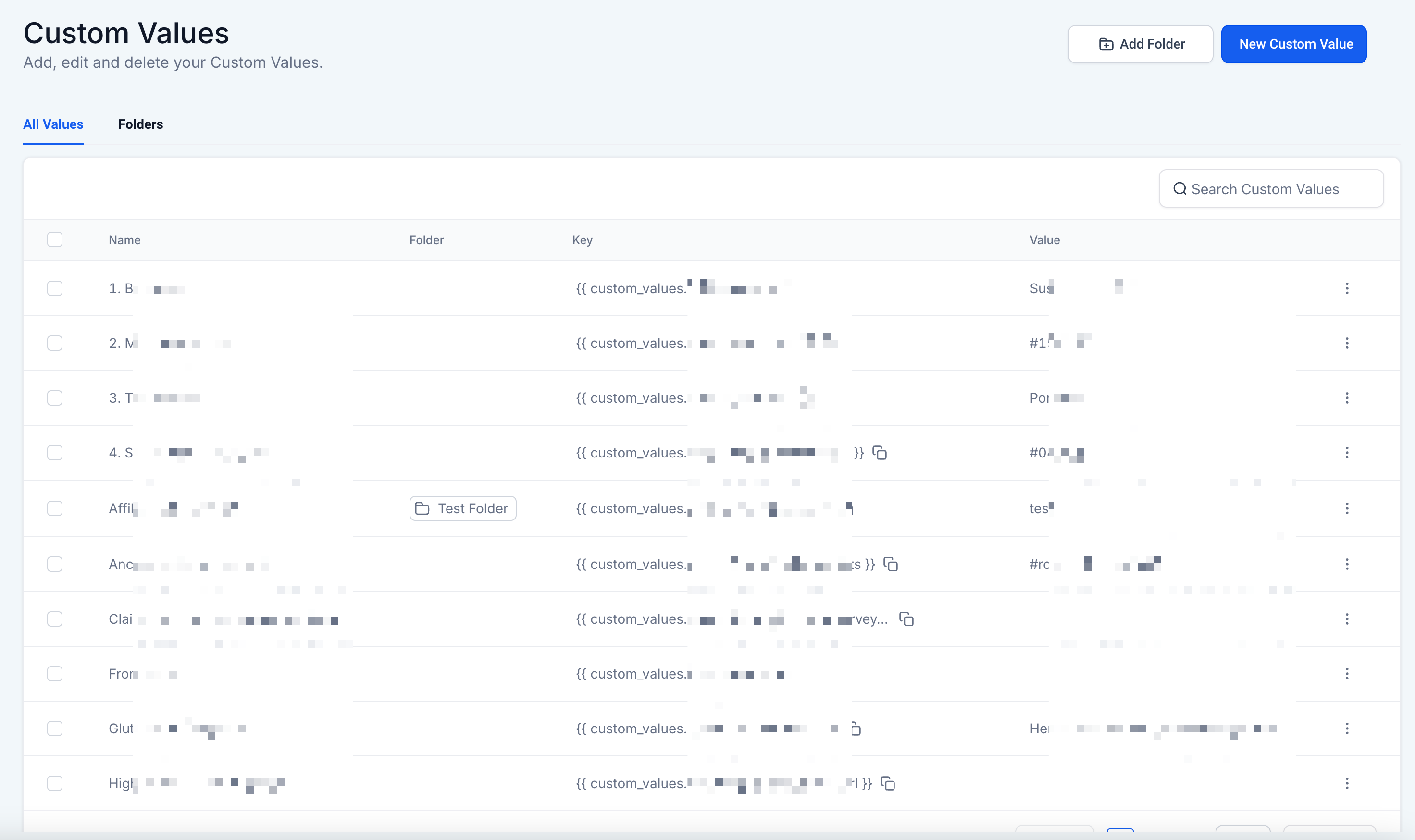
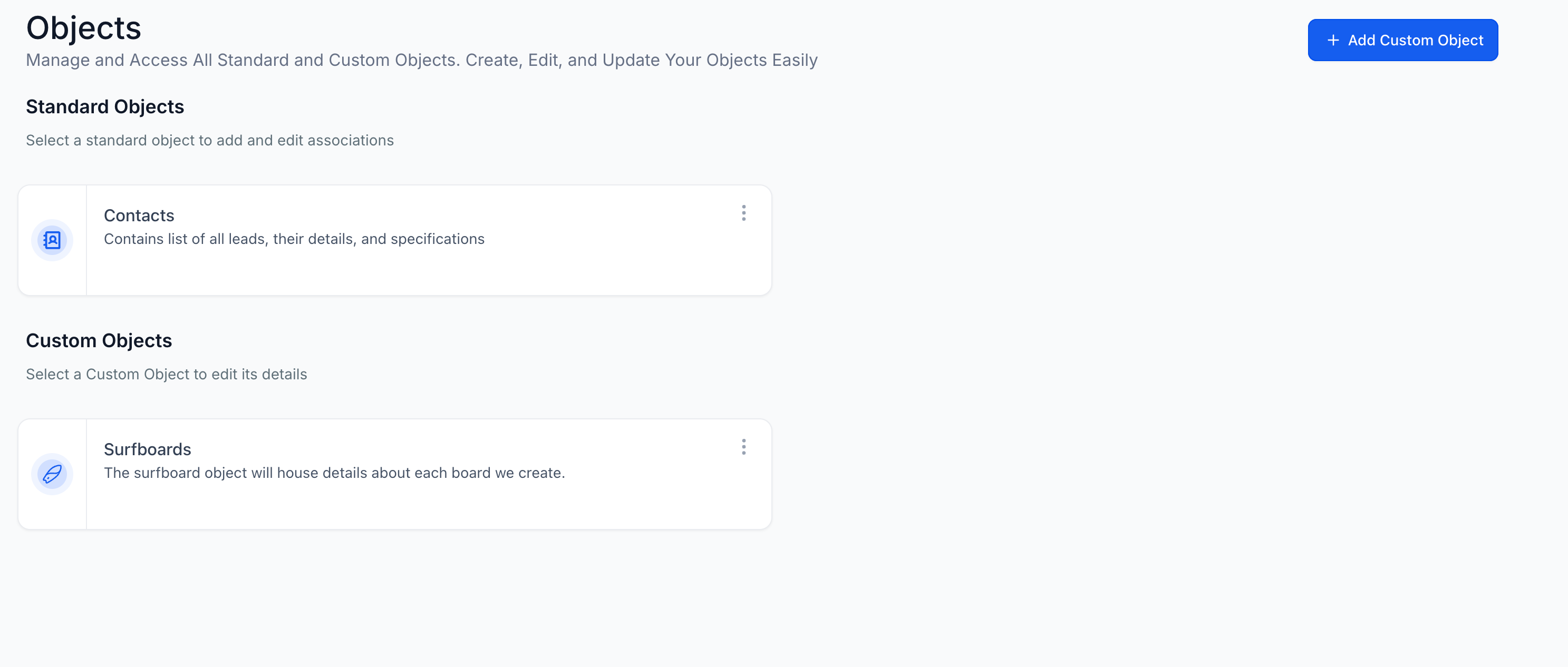
Custom variables expand on merge fields. Custom Fields store unique data for each contact or opportunity. Custom Values act as reusable static placeholders that can be placed in emails, funnels, websites, and workflows. Custom Objects let you design whole new data structures for more complex information. Trigger Links generate URLs that, when clicked, start specific actions in workflows, while Payment Links produce URLs that collect payments.
All these elements are available throughout HighLevel: in the email and SMS builders, in the workflow variable picker, in template editors and in campaign settings. They cannot be edited or deleted if they are Standard Fields, but everything else can be created or modified in the platform settings.
03How businesses use merge fields and custom variables
- Real estate agency. Create a custom object for property listings with fields for price, location and features. Insert the object’s merge fields into email listings so each prospect receives property details that match their preferences.
- Event organizer. Generate payment links for ticket sales and embed them in invitation emails. Use trigger links to record RSVPs when recipients click the registration URL, automatically moving them into a follow up workflow.
- SaaS subscription business. Set up custom values for the company’s support email and legal disclaimer. Place those values in every outbound email footer, ensuring the same contact information appears across all communications.
04The numbers and rules that matter
- There is no strict limit to the amount of Custom Fields or Custom Values you can create.
05What it looks like in HighLevel
06Settings that matter
- Standard Fields. Built in merge fields that are always available and cannot be changed or removed.
- Custom Fields. User defined fields stored per contact or opportunity for personalized data.
- Custom Values. Reusable static placeholders that can be inserted into templates, funnels and workflows.
- Custom Objects. User created data structures that allow complex relationships beyond standard fields.
- Trigger Links. Special URLs that, when clicked, fire specific actions inside workflows or campaigns.
- Payment Links. Links that direct customers to a payment page to collect money for products or services.
07Things to know before you rely on it
- There is no support for fallback or default values; empty merge fields render as blank.
- Standard Fields cannot be edited or deleted.
- Bulk creation or uploading of Custom Fields or Custom Values is not supported; they must be added one at a time.
- No strict limit on the number of Custom Fields or Custom Values, but careful management is recommended.
08If something goes wrong
- Merge field shows a blank or incorrect value. Check that the merge field syntax matches the required format, for example {{contact.email}}. Verify that the corresponding data exists on the contact or user record.
- Merge field does not appear to work in a template. Send a test email or SMS to preview the template and confirm the field pulls the expected data.
09How it connects to the rest of HighLevel
- List of all standard merge fields Merge fields reference
- Step by step guide for creating and using custom fields How to use custom fields
- Overview of all merge fields and custom variable features All merge fields & custom variables
Michael's take

Businesses often send out dozens of emails, texts or follow up messages that all need the same name, date or phone number. Without a way to insert that data automatically, each message becomes a manual task and errors creep in. The first thing I would get right is making sure my Standard and Custom Fields are populated with clean, up to date data, because every merge field pulls directly from those records.
Once the data is solid, I would set up a few reusable Custom Values for things like my company address and legal disclaimer. That way a single change updates every template, funnel and workflow, keeping the brand message consistent across the board.