
01Who this is for
- Founders who depend on email campaign metrics need reliable open and click data to evaluate performance.
- Marketing managers using workflow automations require delivered and bounce information to assess deliverability.
- Agency owners overseeing multiple subaccounts must ensure each account’s Mailgun settings are correct.
02Email statistics, explained
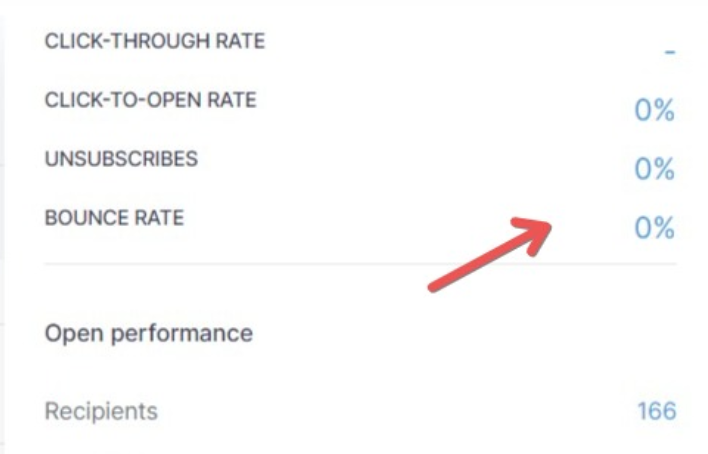
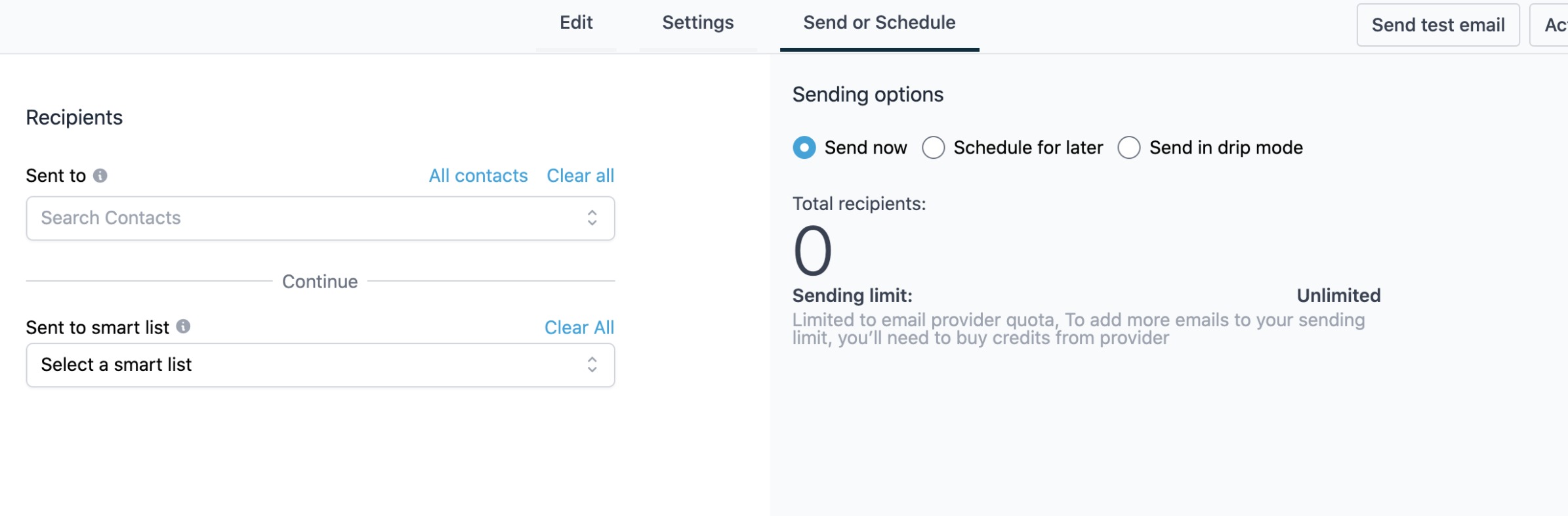
The feature tracks opens, clicks, deliveries and bounces for emails sent through the platform. Full statistics are only available when the email is sent via Mailgun or LC Email; SMTP integrations only report opens and clicks. Missing data usually points to how the email was sent, the provider used, or a missing CNAME record or Mailgun webhook.
When an email is dispatched through the Email Builder bulk action, a smartlist, a workflow or a campaign, each method has its own statistics view. The platform pulls data from Mailgun webhooks tied to a tracking subdomain, which requires a correctly configured CNAME record.
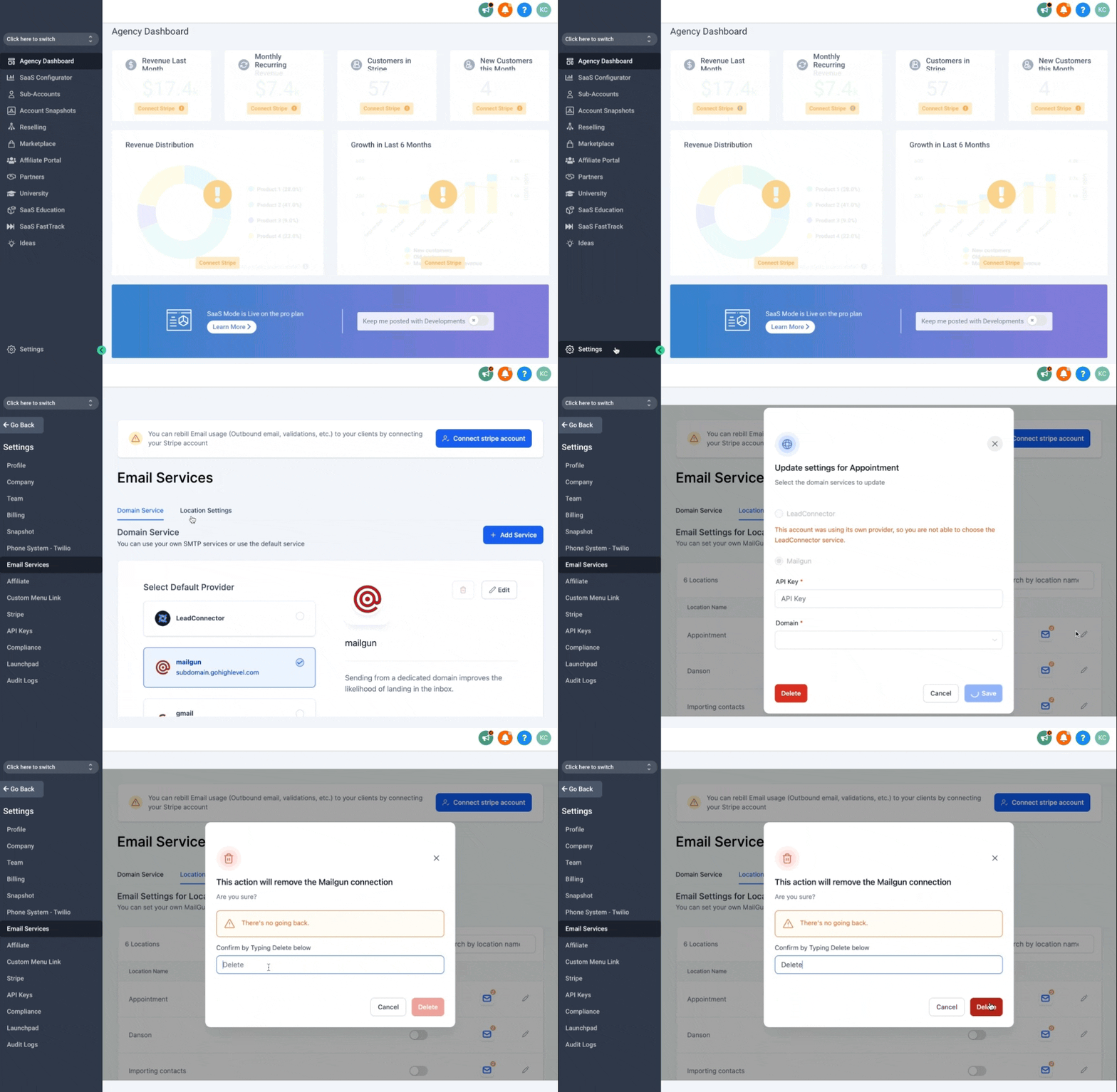
All settings for the Mailgun integration reside under Agency view > Settings > Email Services > Location Settings. Adjusting the API key or webhooks here directly influences the statistics shown in the corresponding email activity sections.
03How businesses use email statistics
- Ecommerce store. The store sets up Mailgun as its sending provider, then checks that the Mailgun API key is current. It confirms the tracking subdomain CNAME resolves, and verifies all Mailgun webhooks so order confirmation emails report opens, clicks, deliveries and bounces.
- Real estate agency. Agents send property listings via the Email Builder bulk action. They reset the Mailgun API key if stats stop appearing and ensure every webhook event (delivered, bounced, opened, clicked, unsubscribed) is configured so campaign performance can be measured.
- Online education platform. The platform delivers course update emails through automated workflows. It duplicates a workflow after switching from an SMTP provider to Mailgun, then verifies the CNAME record and adds any missing Mailgun webhooks to capture full delivery metrics.
04How to set up and use email statistics in HighLevel
Reset Mailgun API key
- Open Agency view > Settings > Email Services > Location Settings.
- Edit the Mailgun API integration for the subaccount and choose Delete.
- Re enter the Mailgun API key using the instructions from Mailgun and save.
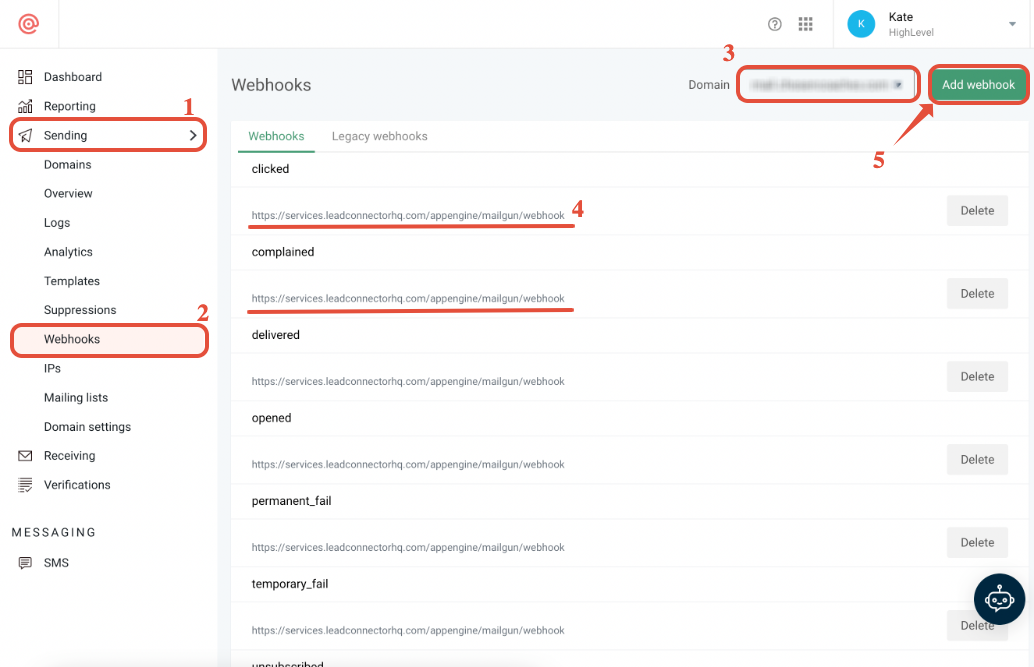
Double Check Mailgun webhooks
- Click Sending.
- Select Webhooks.
- Confirm the correct domain or subdomain is chosen for the subaccount.
- Verify that all required webhook events are listed.
- If any event is missing, click Add Webhook and create one for each event type.
05What it looks like in HighLevel
06Settings that matter
- Mailgun API integration. Defines the connection between HighLevel and Mailgun, allowing the platform to retrieve delivery, bounce, open and click information.
07Things to know before you rely on it
- SMTP providers only provide opened and clicked data; delivered and bounce statistics require Mailgun or LC Email.
- A missing CNAME record prevents Mailgun from tracking opens, clicks and unsubscribes.
- If a Mailgun webhook for a specific event (for example, bounces) is not configured, data for that event will be absent while other events continue to report.
- LC Email supplies the same full statistics as Mailgun without needing a CNAME record or webhook configuration.
08If something goes wrong
- Email statistics are missing after sending through an SMTP provider.. Switch to Mailgun or LC Email for full stats, duplicate the workflow, and resend emails from the duplicate.
- Only one type of event data (e.g., bounces) is missing.. Add the missing Mailgun webhook for that event type.
- No opens, clicks or unsubscribes are recorded.. Ensure the tracking subdomain CNAME record is correctly set up and resolves.
09How it connects to the rest of HighLevel
- Set up a dedicated sending domain for Mailgun Dedicated sending domain
- Email warm up and DMARC best practices Email warm up guide
- LC Email built in sending, limits and upgrades LC Email overview
Michael's take

People often think that simply switching an account to Mailgun will fill in missing data. In reality the missing data is usually caused by the way the email was originally sent or by a broken CNAME or webhook setup.
If I were fixing this, I'd start by confirming the sending method, then make sure Mailgun is the active provider, reset its API key, and verify the CNAME record and every webhook event. Only after those pieces line up will the full suite of stats appear.