
01Who this is for
- Marketing agencies, need reliable click tracking for client campaigns.
- Ecommerce store owners, must ensure promotional email links reach shoppers.
- Coaches and consultants, rely on functional links in newsletters and funnels.
02Email link redirects, explained
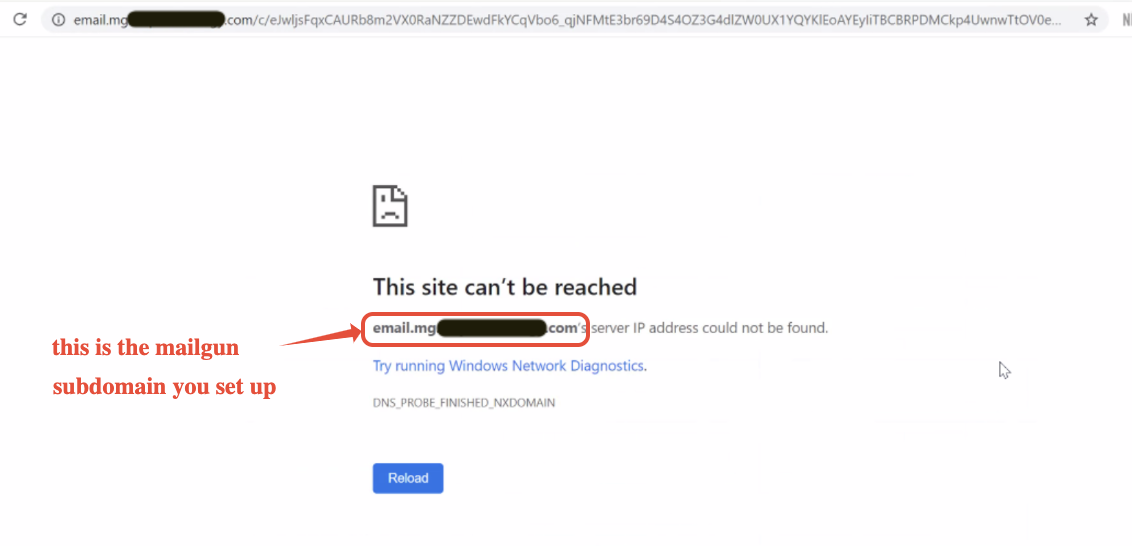
HighLevel rewrites every link in an outbound email so it passes through a tracking subdomain. The platform adds a CNAME based address such as email.yourdomain.com, then redirects the recipient to the final URL. If the subdomain’s DNS entry or SSL certificate is misconfigured, the redirect fails and the link appears broken.
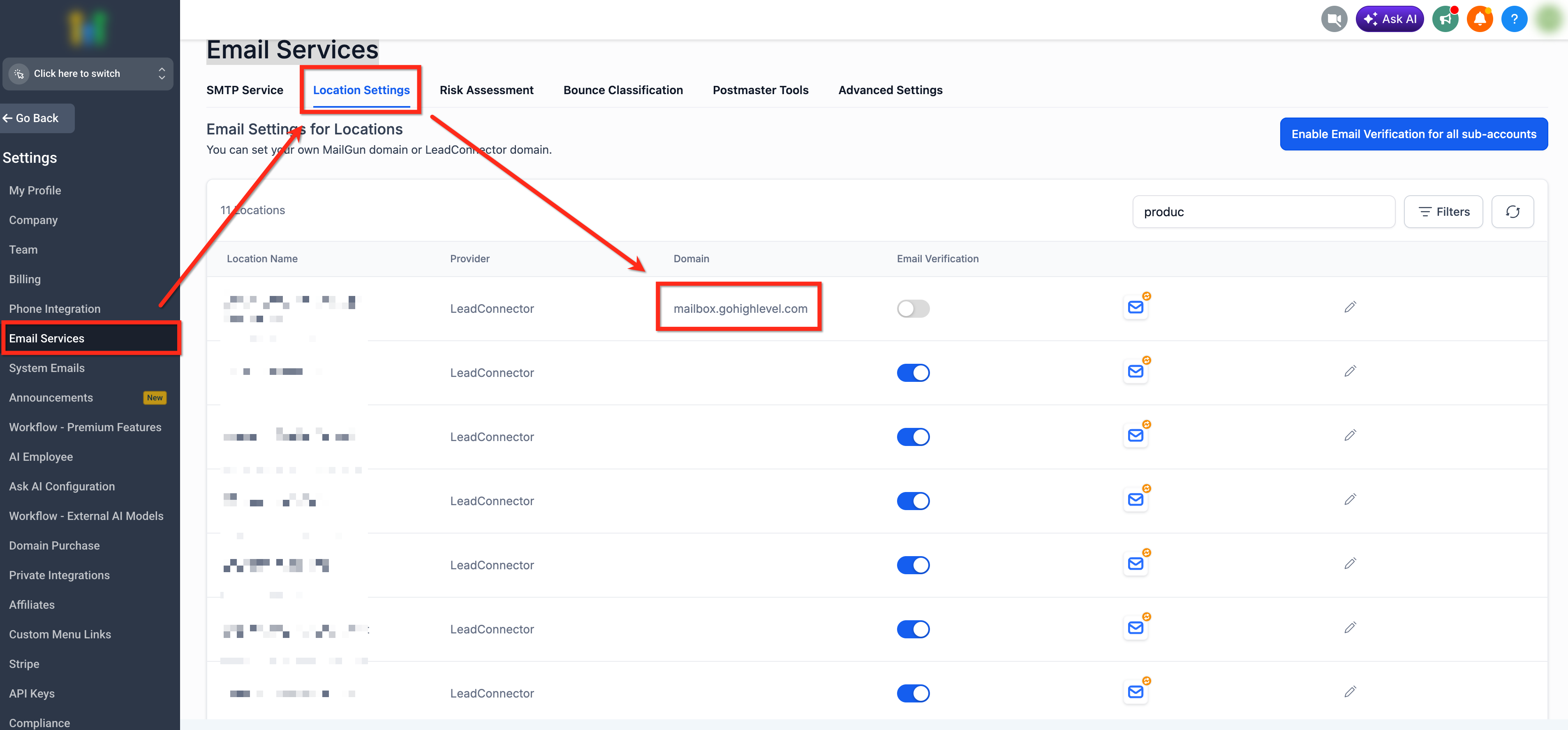
All link tracking settings live under Settings > Email Services > Location Settings. Here you can view the tracking domain assigned to each location, enable HTTPS for the subdomain, and verify that the correct CNAME record points to the email provider’s tracking host. After adjusting DNS, you send a test email from the platform to confirm the link resolves correctly.
03How businesses use email link redirects
- Digital marketing agency. The agency opens Settings > Email Services > Location Settings, notes the tracking subdomain, checks the CNAME record with MX Toolbox, updates the DNS provider if needed, enables HTTPS in the provider dashboard, and sends a test email to verify click tracking works.
- Online retailer. The retailer identifies the tracking domain for promotional campaigns, confirms the CNAME entry resolves to the provider’s host, ensures the subdomain supports HTTPS, and then sends a test order confirmation email to certify that product links open for customers.
- Business coach. The coach reviews the tracking subdomain in Location Settings, uses a DNS lookup tool to view the CNAME record, corrects any host value errors in the DNS console, activates HTTPS tracking, and finally sends a newsletter test to confirm all resource links function.
04The numbers and rules that matter
- DNS propagation can take up to 24, 48 hours.
05Before you start
- Access to the Agency Dashboard with permission to view Email Services settings.
- Login credentials for the DNS provider that hosts the domain's records.
06How to set up and use email link redirects in HighLevel
Fix links in emails that do not open
- Open Settings > Email Services > Location Settings and note the tracking domain for the location.
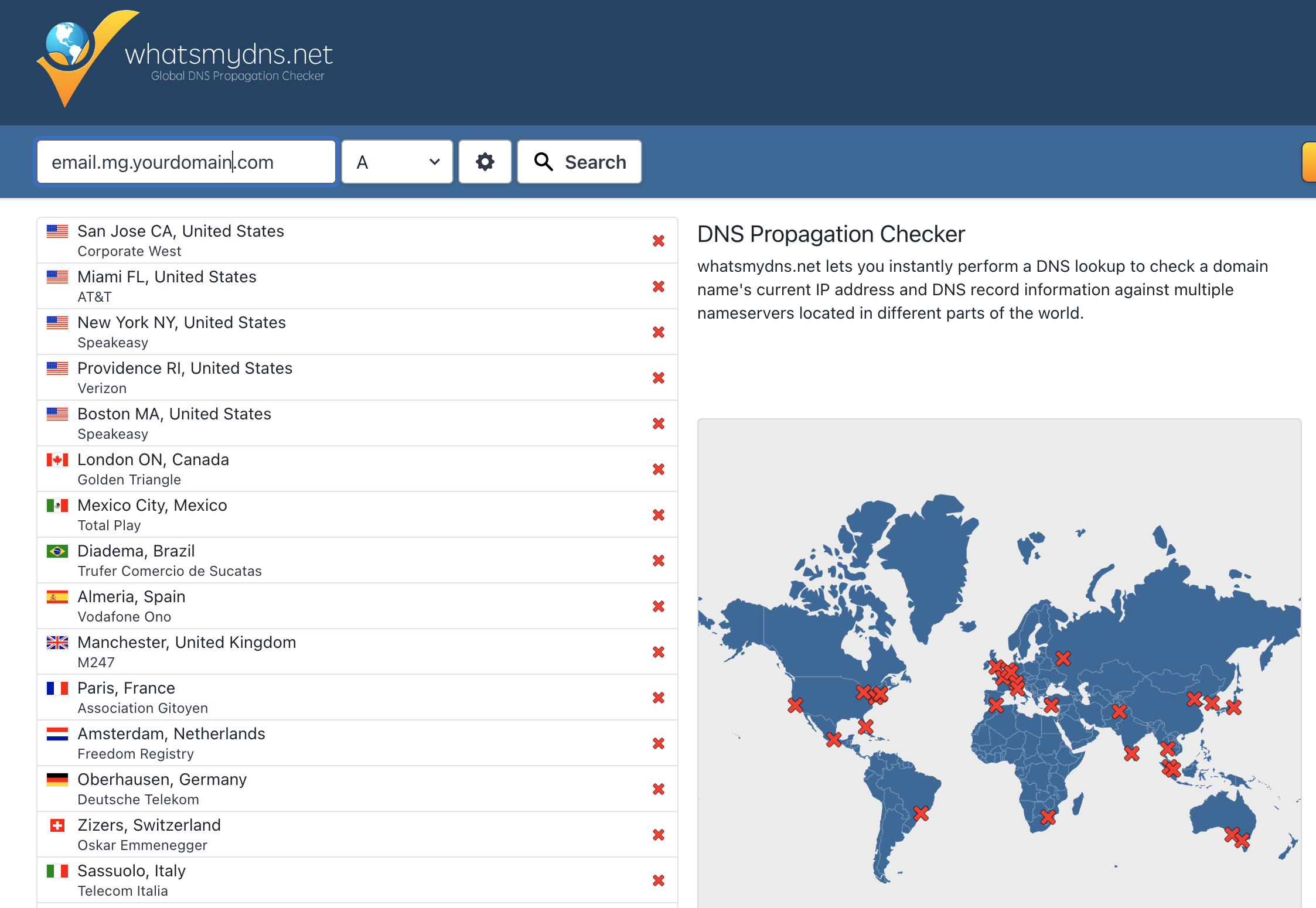
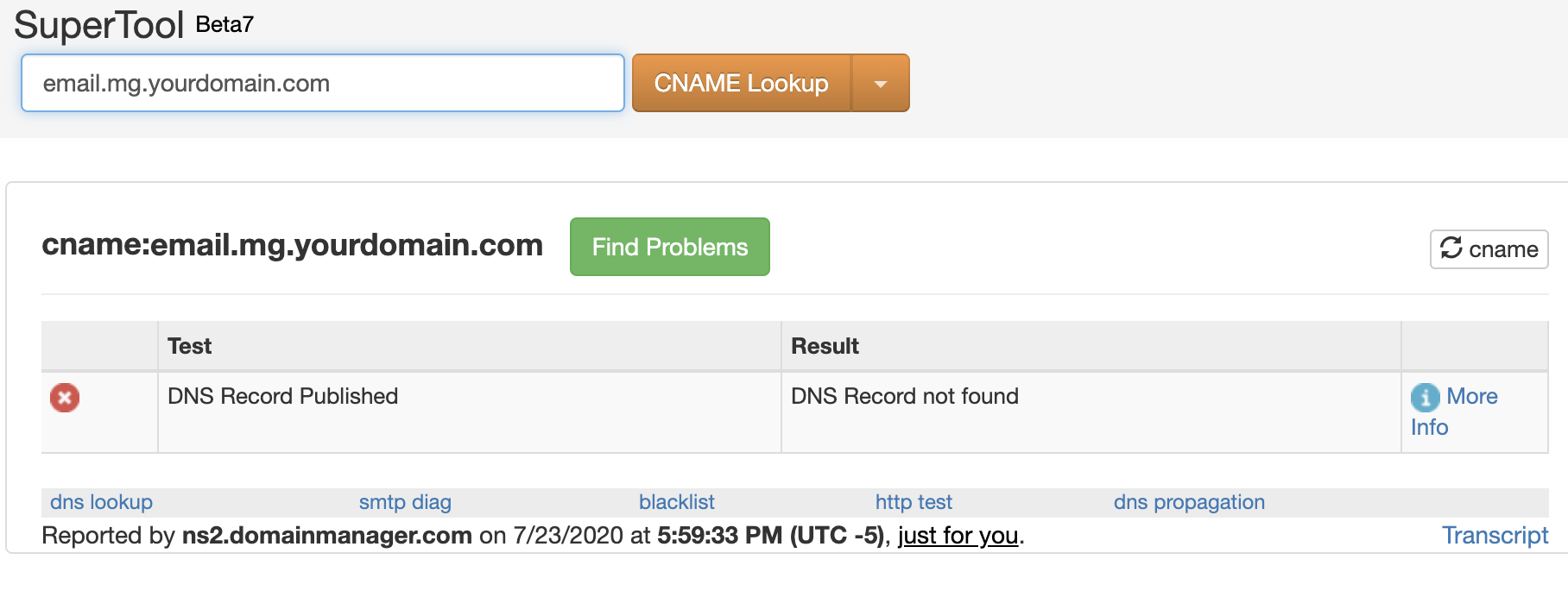
- Use MX Toolbox or WhatsMyDNS to look up the CNAME record for the tracking domain, adding “email.” in front of the base domain.
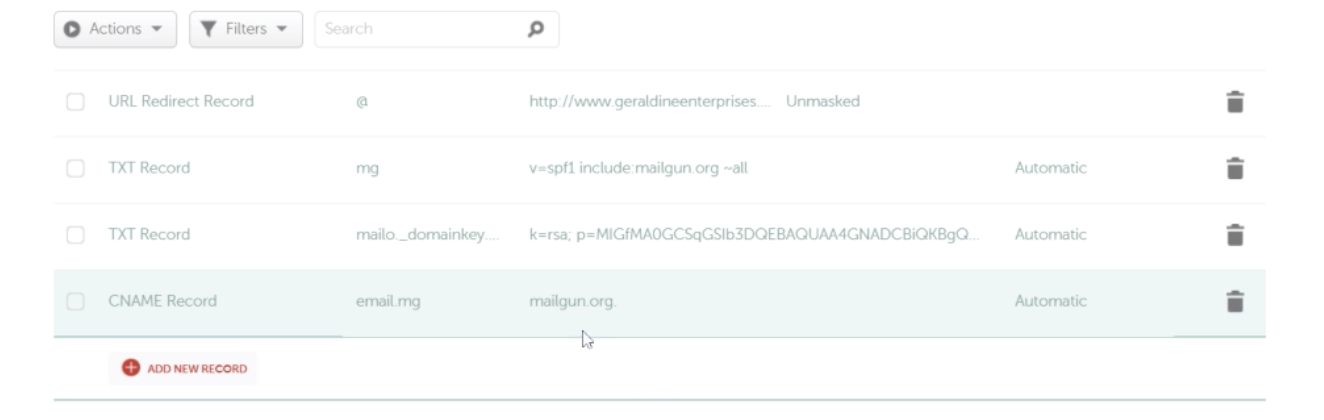
- Log in to your DNS provider, locate the CNAME entry for the tracking subdomain, and confirm the host field contains only the subdomain and the value points to the provider’s tracking host.
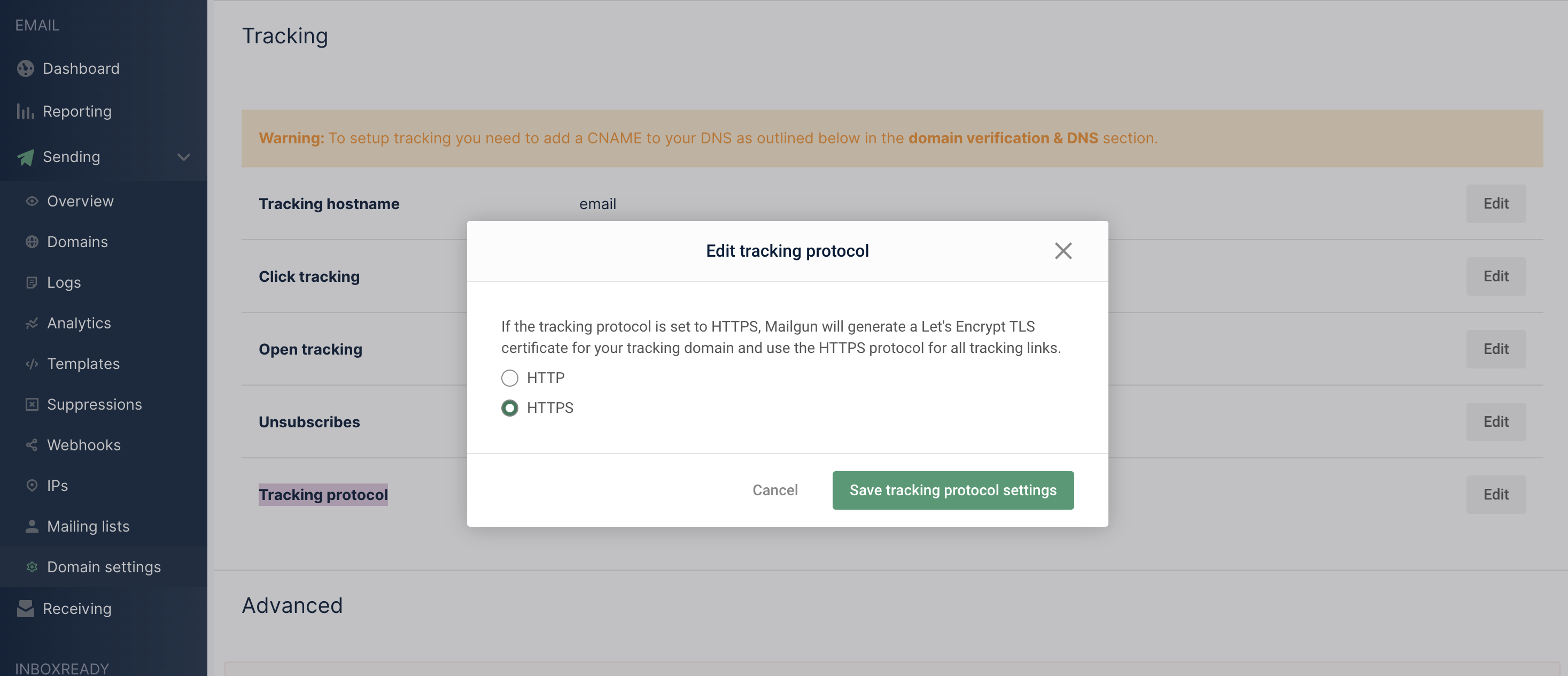
- In the email provider’s settings, set the tracking protocol to HTTPS and wait for any SSL provisioning to complete.
- Send a test email from HighLevel, click the link, and verify that it redirects to the intended destination.
- If the link still fails, contact your DNS provider to reconfirm the CNAME setup, then reach out to HighLevel Support for further assistance.
07What it looks like in HighLevel
08Settings that matter
- Location Settings. Shows the subdomain used for email link tracking for each location.
- Email Services. Section where email related configurations, including tracking domain selection, are managed.
- tracking protocol. Controls whether links are redirected using HTTP or HTTPS; must be set to HTTPS for secure redirects.
09Things to know before you rely on it
- Link tracking works with most email providers, but open and click reporting is only available when sending through LC Email.
- HTTPS must be active on the tracking subdomain; SSL provisioning may require additional time after changes.
- DNS updates can take up to 24 to 48 hours to propagate globally.
- When using Cloudflare, the CNAME record must be set to DNS Only (gray cloud) rather than proxied.
10If something goes wrong
- CNAME record not found. Add the missing CNAME entry in your DNS provider for the tracking subdomain.
- Wrong CNAME value. Edit the CNAME so its value points to the email provider’s tracking host.
- Full domain entered in Host field. Replace the full domain with only the subdomain (e.g., email.mg) in the DNS record.
- Cloudflare proxy enabled. Switch the CNAME record to DNS Only (gray cloud) in Cloudflare.
- HTTPS not enabled. Update the provider settings to use HTTPS for tracking links and wait for SSL to provision.
- DNS not fully propagated. Allow 24 to 48 hours for changes to take effect, then re test the links.
11How it connects to the rest of HighLevel
- Dedicated sending domain setup guide Dedicated sending domains
- Email warm up and DMARC best practices Email warm up guide
- HighLevel pricing and plans Pricing
- Start a 30 day HighLevel trial Free trial
Michael's take

Fixing the CNAME or adjusting the Cloudflare setting can resolve broken links and improve click tracking reliability.
A small DNS correction often prevents lost clicks and keeps email campaigns running smoothly.