
01Who this is for
- Founders building a product catalog who need each SKU or serial number to be distinct.
- Small business owners managing client records who must guarantee that ID numbers never repeat.
02Unique fields, explained
The feature lives in the Settings area of the platform under Custom Fields and Objects. When you enable the unique option on a field, the system validates every new or edited record and rejects duplicate entries. The check runs for all entry points, including the UI, forms, workflows, imports and API calls.
Uniqueness applies only within the current subaccount, so other subaccounts can reuse the same values. The setting can be applied only while the field is being created, and once a unique field is downgraded it cannot be re enabled. The platform supports this behavior for Single Line Text, Multi Line Text, Number and Phone field types.
03How businesses use unique fields
- Real estate team. Create a custom object for property listings, mark the MLS number as the primary unique field, and prevent agents from entering duplicate listings. The unique setting stops duplicate entries during manual entry, imports and automated workflows.
- Medical clinic. Define a custom object for patient records, set the Patient ID field as unique, and ensure that each new patient registration is rejected if the ID already exists. This protects against accidental reuse of identifiers across the clinic’s subaccount.
- IT services firm. Build a custom object for hardware assets, mark the asset serial number as unique, and rely on the platform to block duplicate serial numbers when assets are added via forms or API calls.
04The numbers and rules that matter
- Limit of 10 unique fields per object (applies across the subaccount).
- Supported field types: Single Line Text, Multi Line Text, Number, Phone.
05How to set up and use unique fields in HighLevel
Mark a field as unique while creating a new custom field
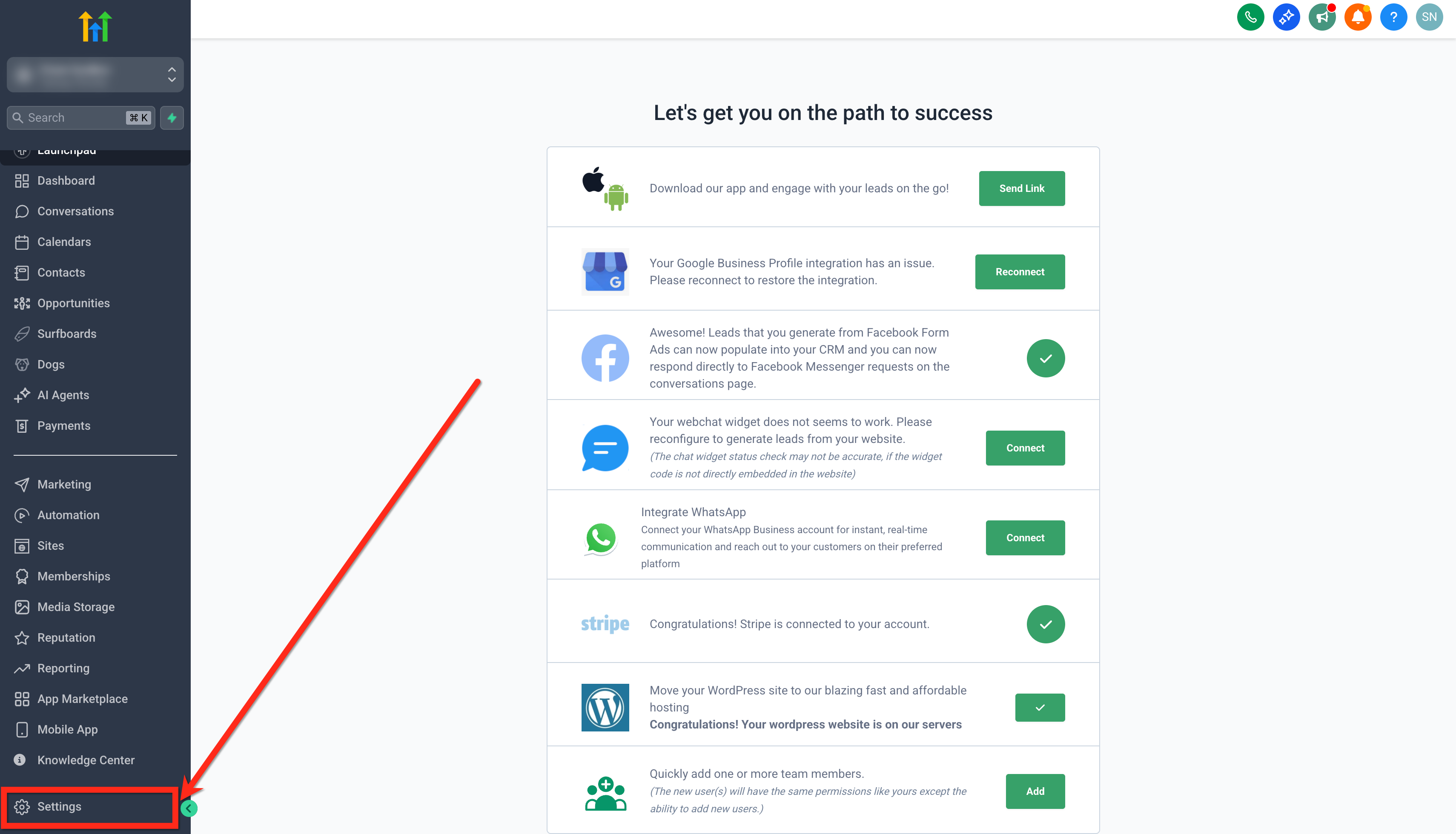
- Open Settings.
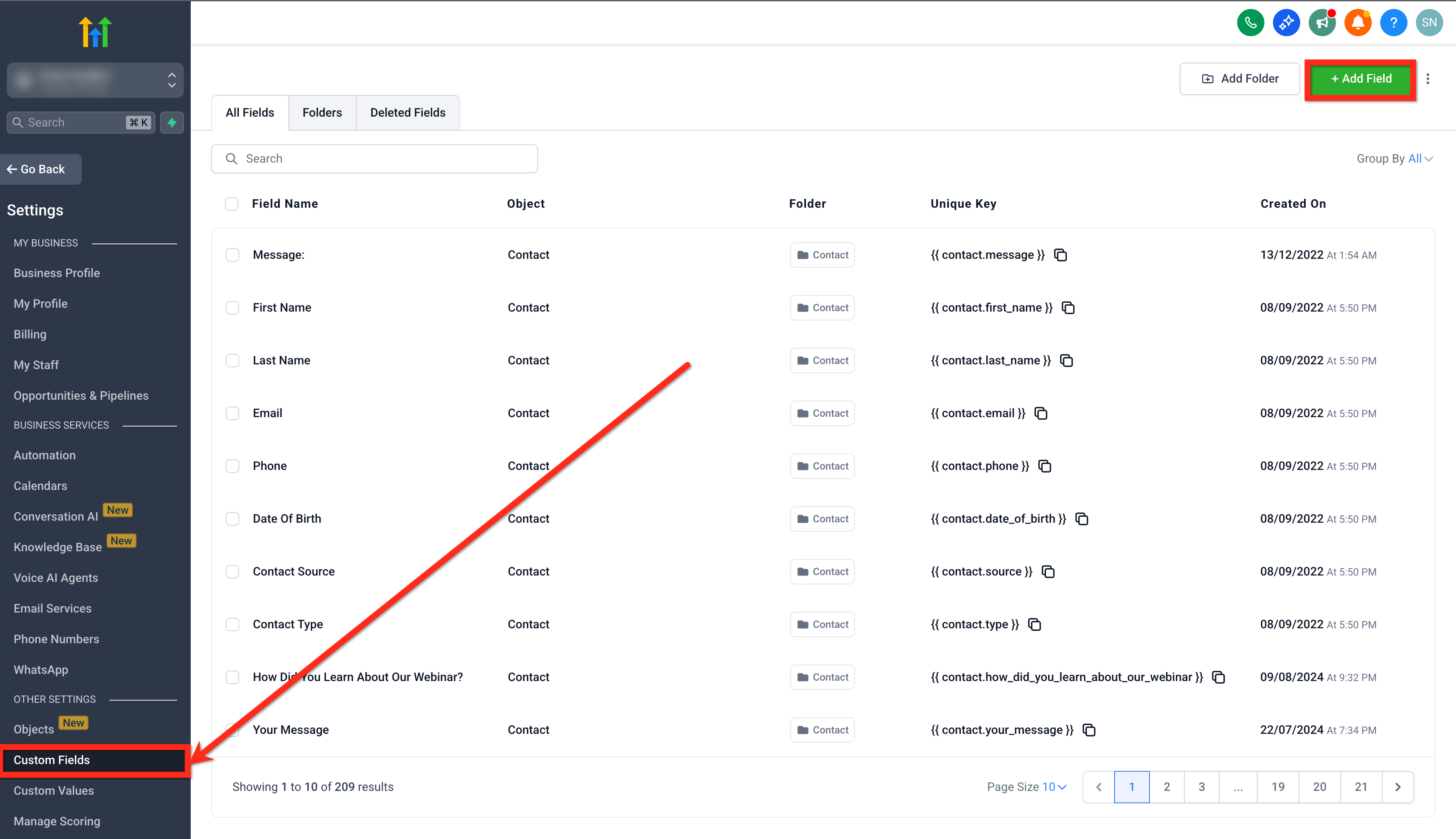
- Select Custom Fields.
- Click the + Add Field button.
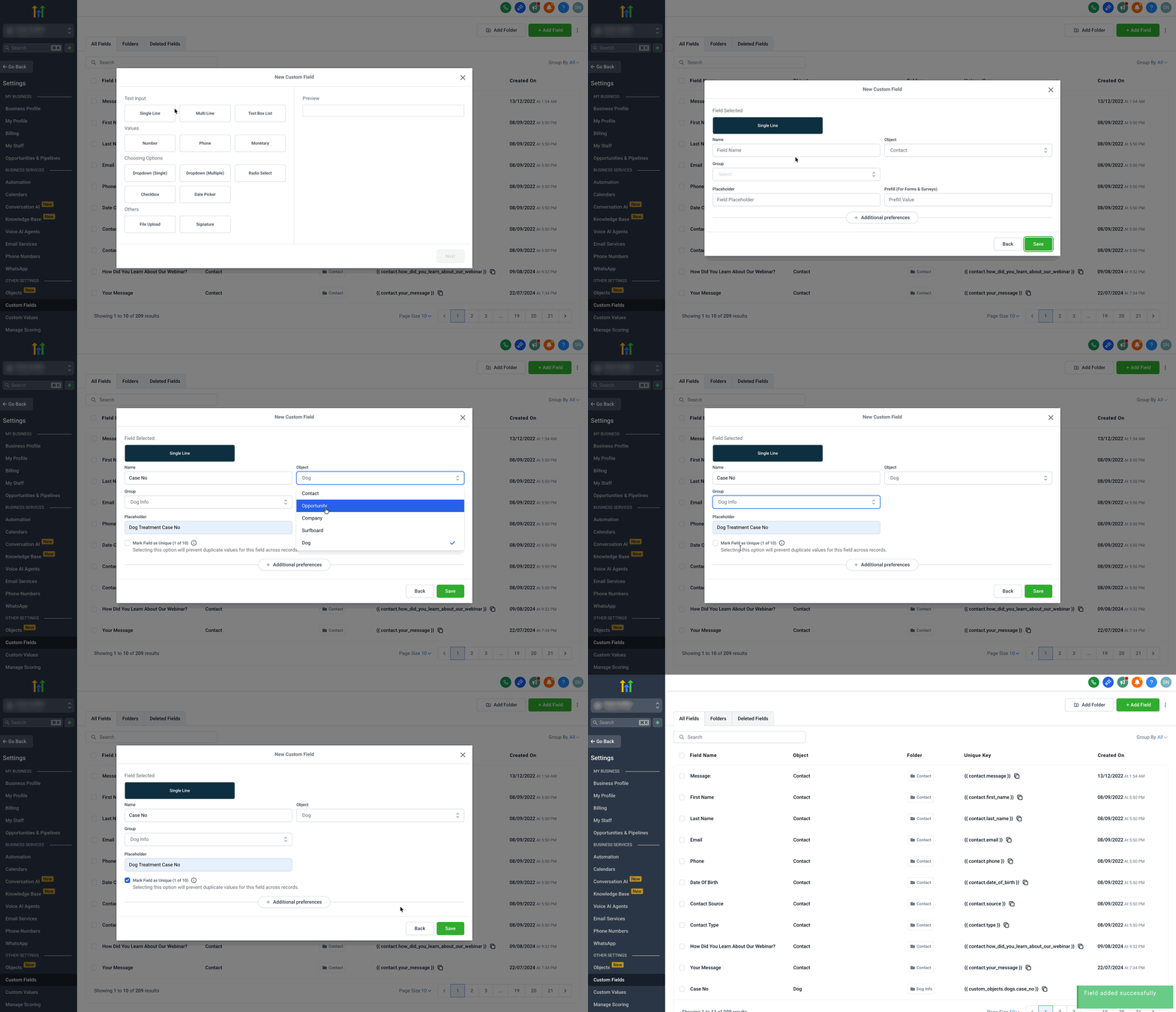
- Choose a supported field type such as Single Line Text, Multi Line Text, Number, or Phone.
- Enter the field name, assign it to the desired object and group.
- Check the box labeled Mark Field as Unique.
- Press Save to finish.
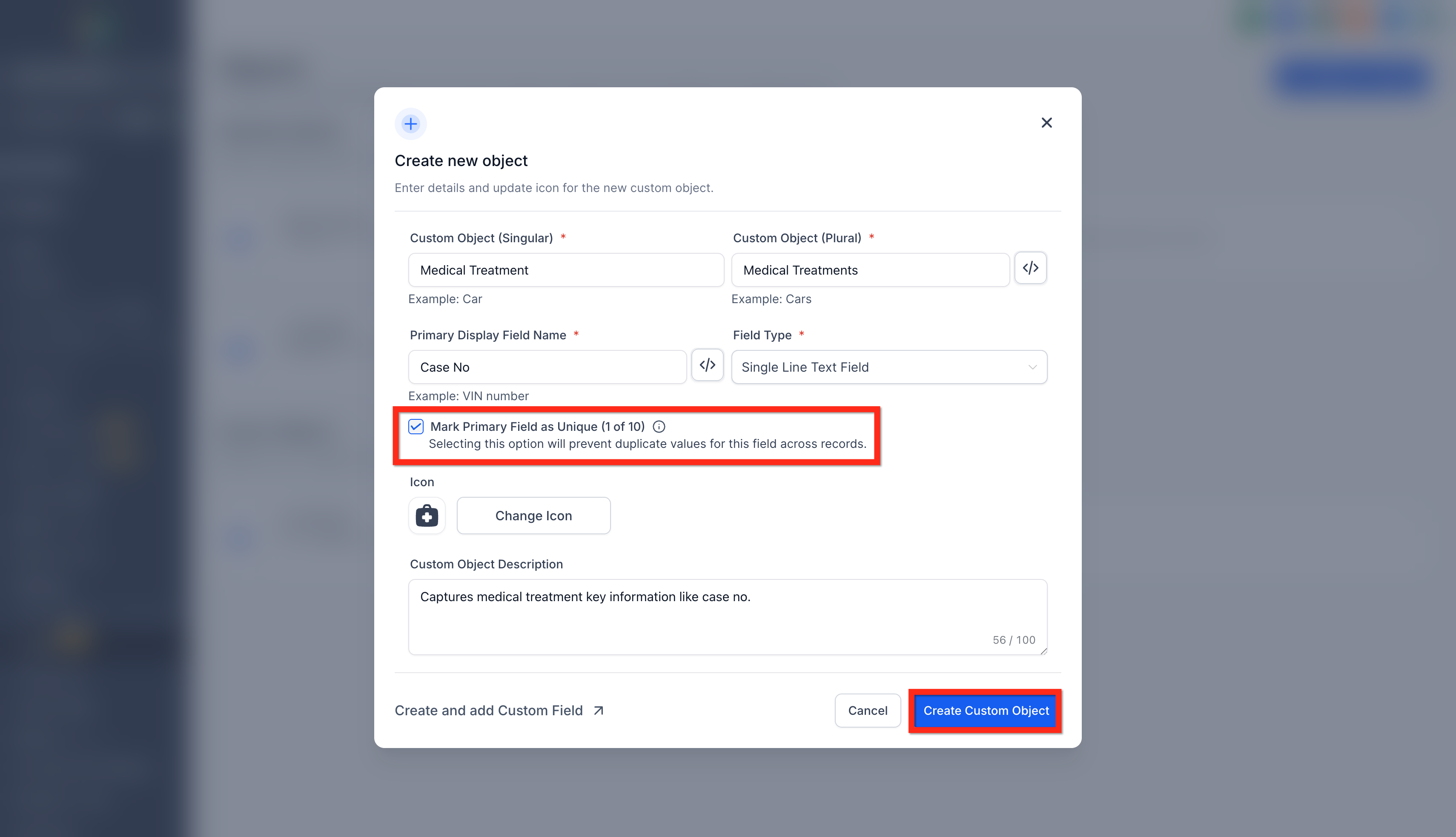
Mark a primary field as unique while creating a custom object
- Open Settings.
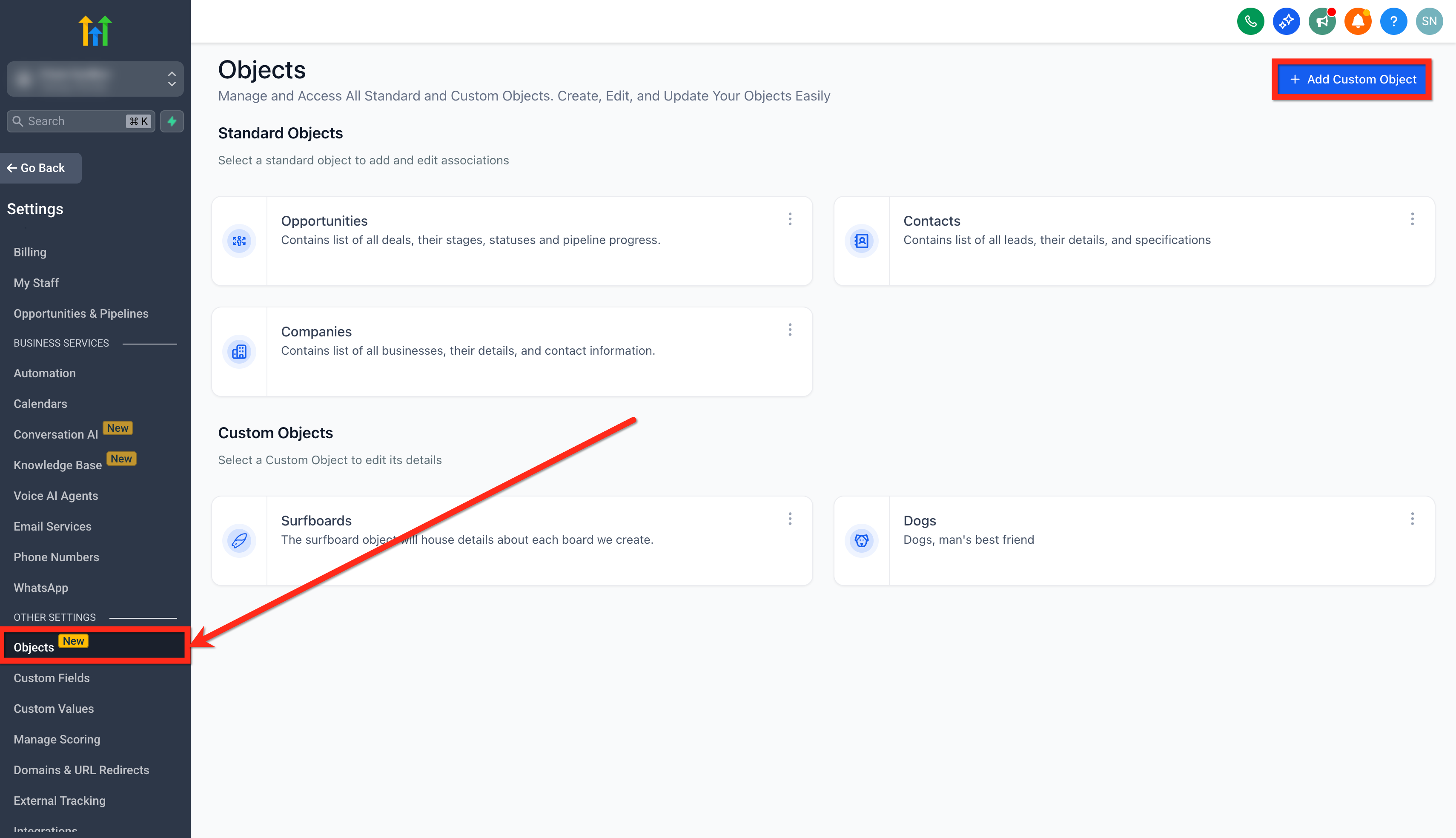
- Select Objects.
- Click the + Add Custom Object button.
- Enter the Custom Object Name and choose a Primary Display Field.
- Check the option Mark Primary Field as Unique.
- Click Create Custom Object to complete the setup.
Downgrade a unique field to non unique
- Navigate to Settings > Custom Fields.
- Locate the field that is currently marked as unique.
- Select the field to open its details.
- Choose Bulk Actions and then Edit.
- Uncheck the Mark Field as Unique option and save.
06What it looks like in HighLevel
07Settings that matter
- Mark Field as Unique. Controls whether the chosen custom object field must contain a value that does not already exist in any other record within the same subaccount.
- Mark Primary Field as Unique. Ensures the primary display field of a custom object cannot duplicate values across all records in the subaccount.
08Things to know before you rely on it
- A maximum of ten unique fields can be defined per custom object across the subaccount.
- Only Single Line Text, Multi Line Text, Number, and Phone field types support uniqueness in this release.
- Once a unique field is downgraded to non unique, it cannot be re enabled; the action is irreversible.
- Uniqueness checks are applied to both record creation and updates, and they operate across UI, forms, workflows, imports and API calls.
09How it connects to the rest of HighLevel
- Getting Started with Custom Objects Getting Started
- Create and edit custom objects Create/Edit Objects
- HighLevel pricing and plans Pricing
Michael's take

Unique fields let you lock down things like invoice numbers or employee IDs without building extra validation logic. It stops you from accidentally reusing a key. Don’t mark a field that you edit constantly as unique. It will lock people out of normal updates.