
01Who this is for
- Users with access to Subaccounts Settings can monitor changes to custom objects and their records.
- Beta participants can track association updates between custom objects and contacts.
02Custom object audit logs, explained
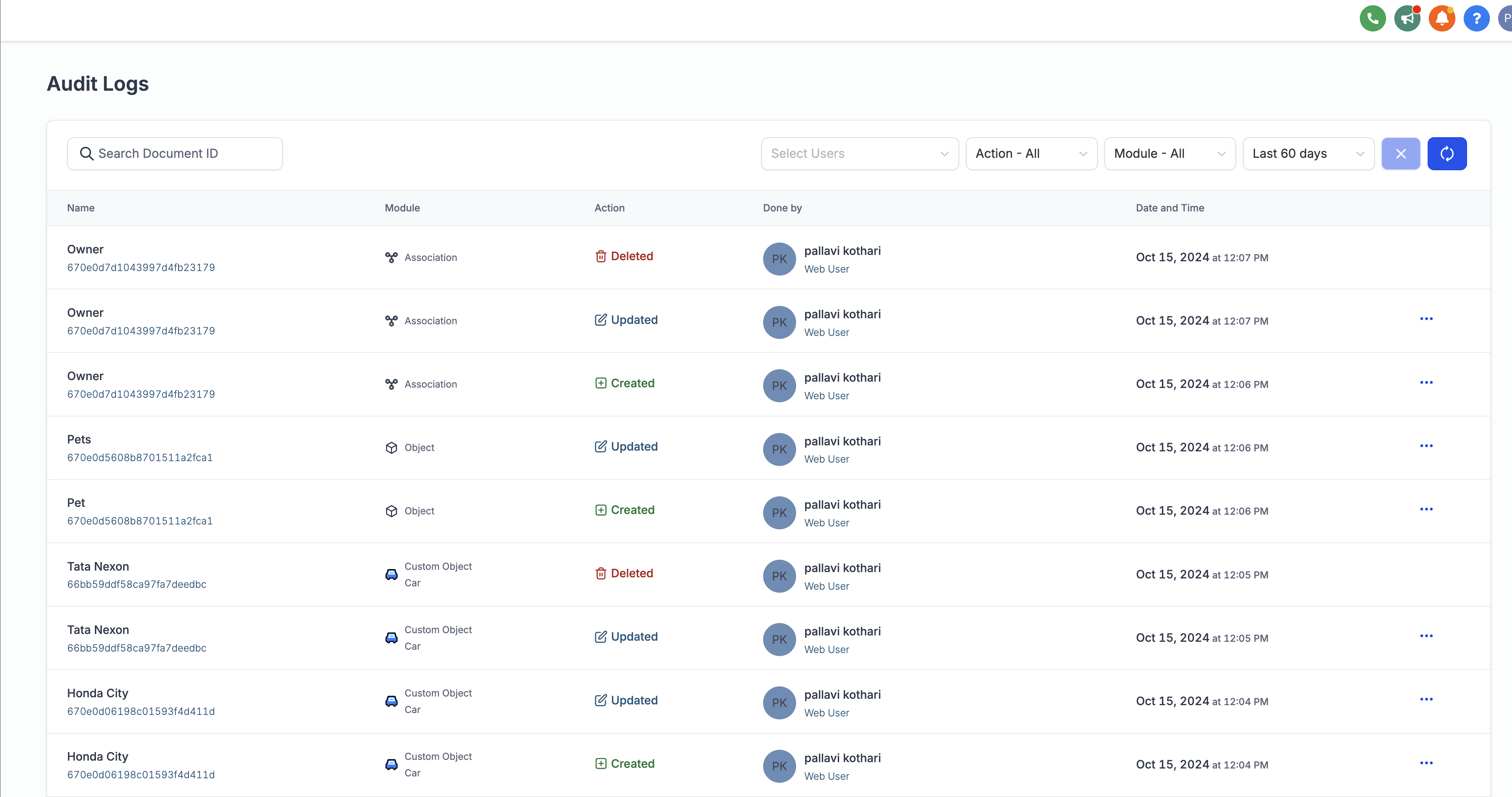
The audit log feature records creation, updates, and deletions of custom objects, their individual records, and any associations between objects or with contacts. It provides a history of these actions so users can review who changed what and when.
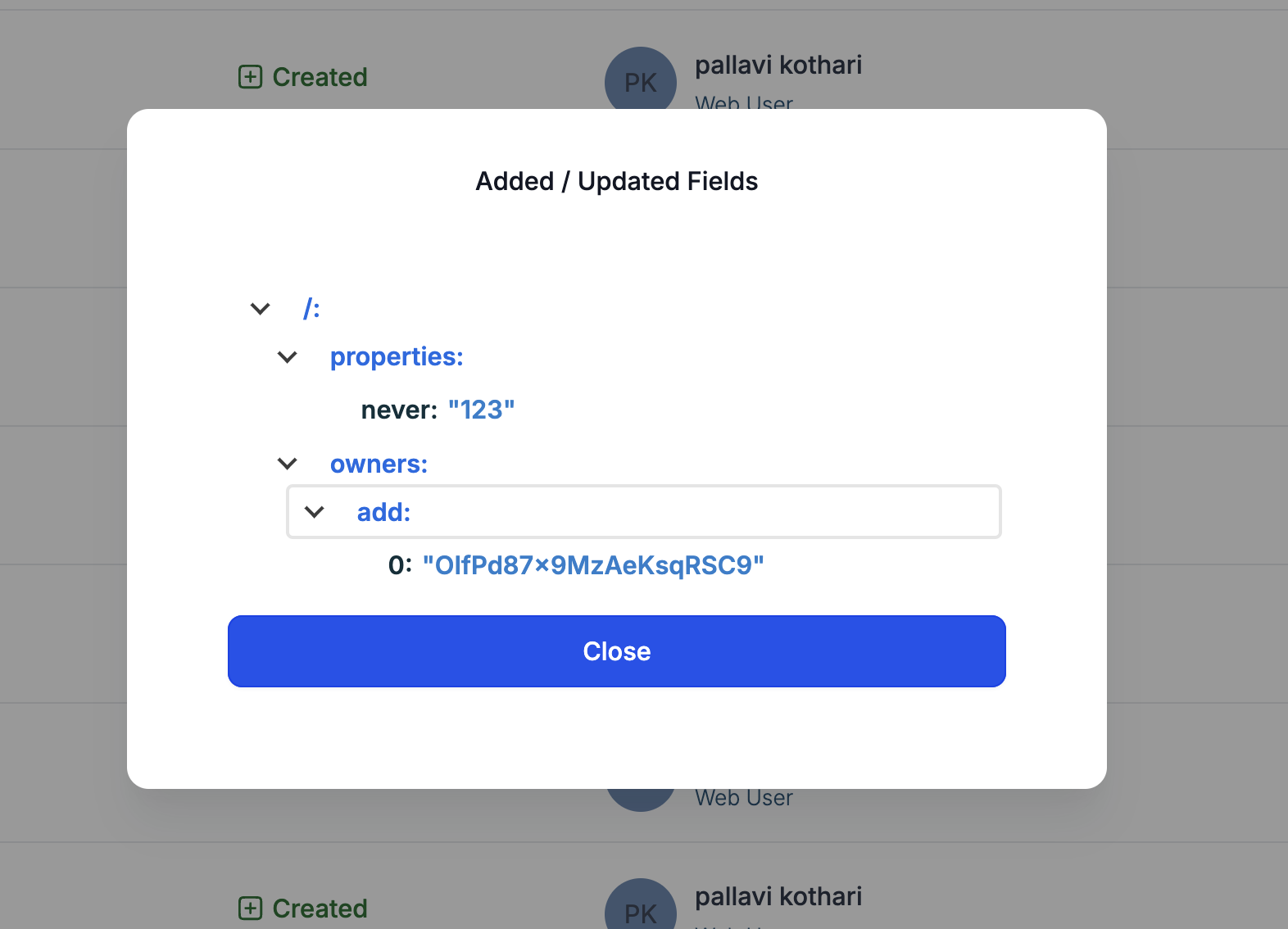
Logs are accessed from Subaccounts > Settings > Audit Logs. Each entry includes an ellipsis menu; selecting it shows a View Details view with the exact fields added or modified.
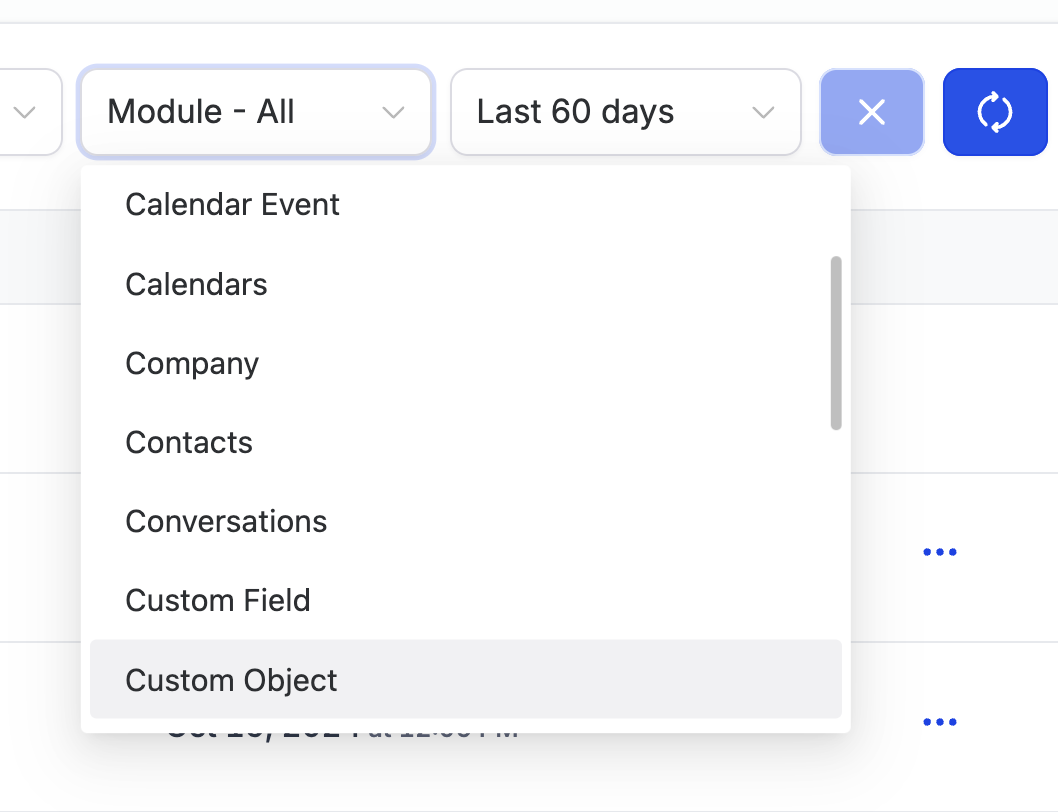
A module dropdown lets you narrow the view to Objects, Custom Objects, or Associations. All logged activity is kept for 60 days after the associated event.
03How businesses use custom object audit logs
- Change monitoring. Teams can view audit logs to verify when custom objects or their records are added, edited, or removed.
- Association tracking. Users can check the logs to see when links between custom objects or contacts are created, changed, or deleted.
- Compliance review. Auditors can filter by module and view detailed field changes to ensure data modifications meet governance requirements.
04The numbers and rules that matter
- Audit logs are only retained until 60 days after a certain activity.
05Before you start
- Be enrolled as a Beta user for the custom object audit log feature.
06How to set up and use custom object audit logs in HighLevel
View audit logs
- Navigate to Subaccounts > Settings > Audit Logs.
- Click the three dot ellipsis menu on the right side of a log entry to open detailed information.
- Select Objects, Custom Objects, or Associations from the module dropdown to filter the displayed logs.
07What it looks like in HighLevel
08Things to know before you rely on it
- Audit logs are retained only for 60 days after the associated activity.
- The feature is initially available only to Beta users.
09How it connects to the rest of HighLevel
- Custom objects list view provides sorting and filtering that works alongside audit logs for change tracking. Custom objects list view
- Creating and editing custom objects supplies the data that the audit logs later capture. Create and edit custom objects
- Check the pricing page to see if your plan includes access to beta features such as audit logs. HighLevel pricing
Michael's take

Custom object audit logs give a small business a clear record of who changed what and when, which is helpful when you need to prove data integrity or chase down an error.
In my experience, the 60 day window provides a useful period for reviewing recent changes.
Don’t assume the logs will keep data forever; they disappear after 60 days.