
01Who this is for
- Sales teams can quickly spot high activity leads and prioritize outreach.
- Marketing managers can identify low score contacts that need additional nurturing.
- Customer support staff can see a contact’s engagement level while chatting, guiding the conversation.
02Contact engagement scores, explained
Engagement scoring gives each contact a numeric value that changes whenever a defined interaction occurs. Positive actions add points, while negative actions subtract them, so the score reflects overall engagement.
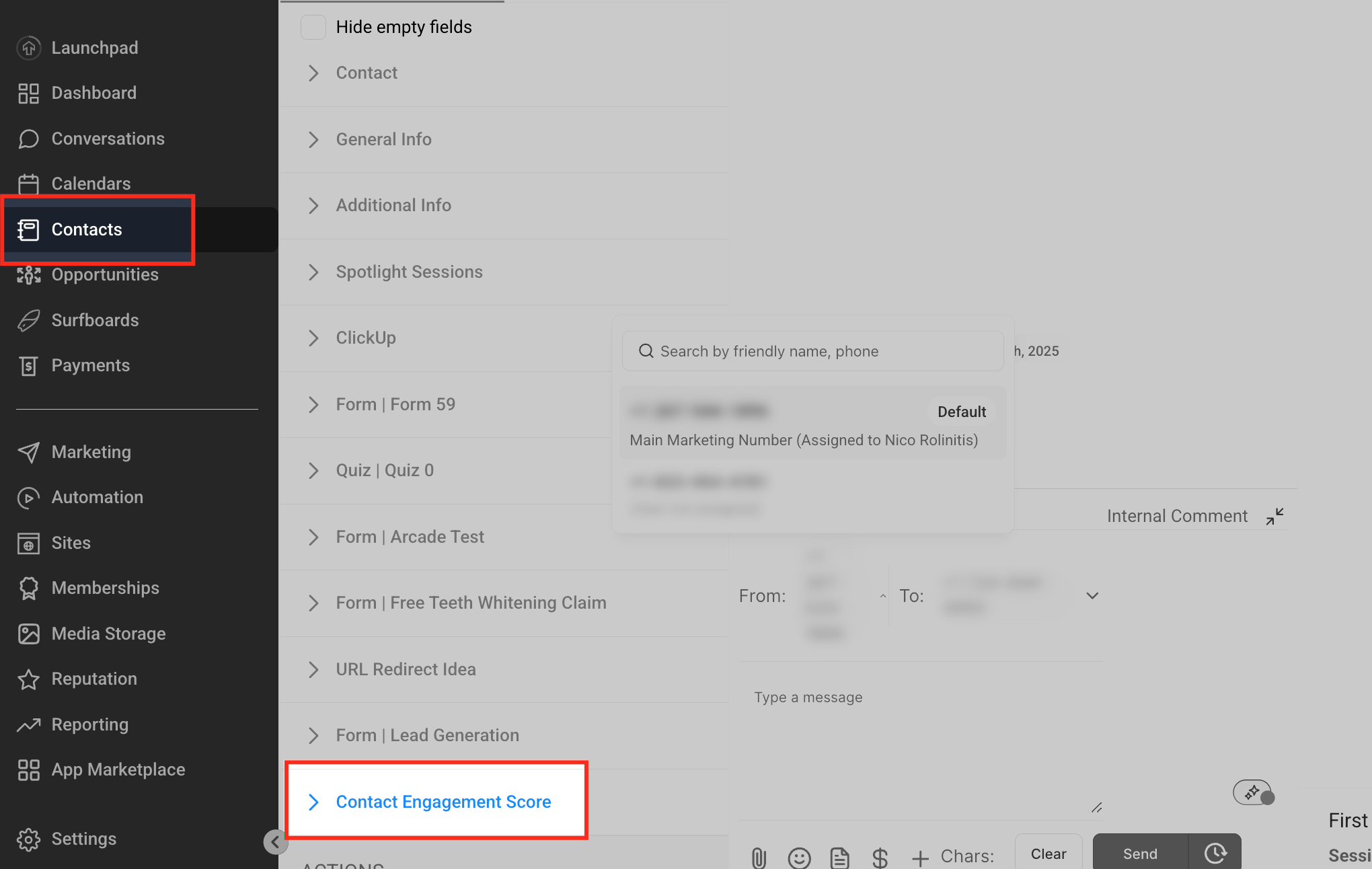
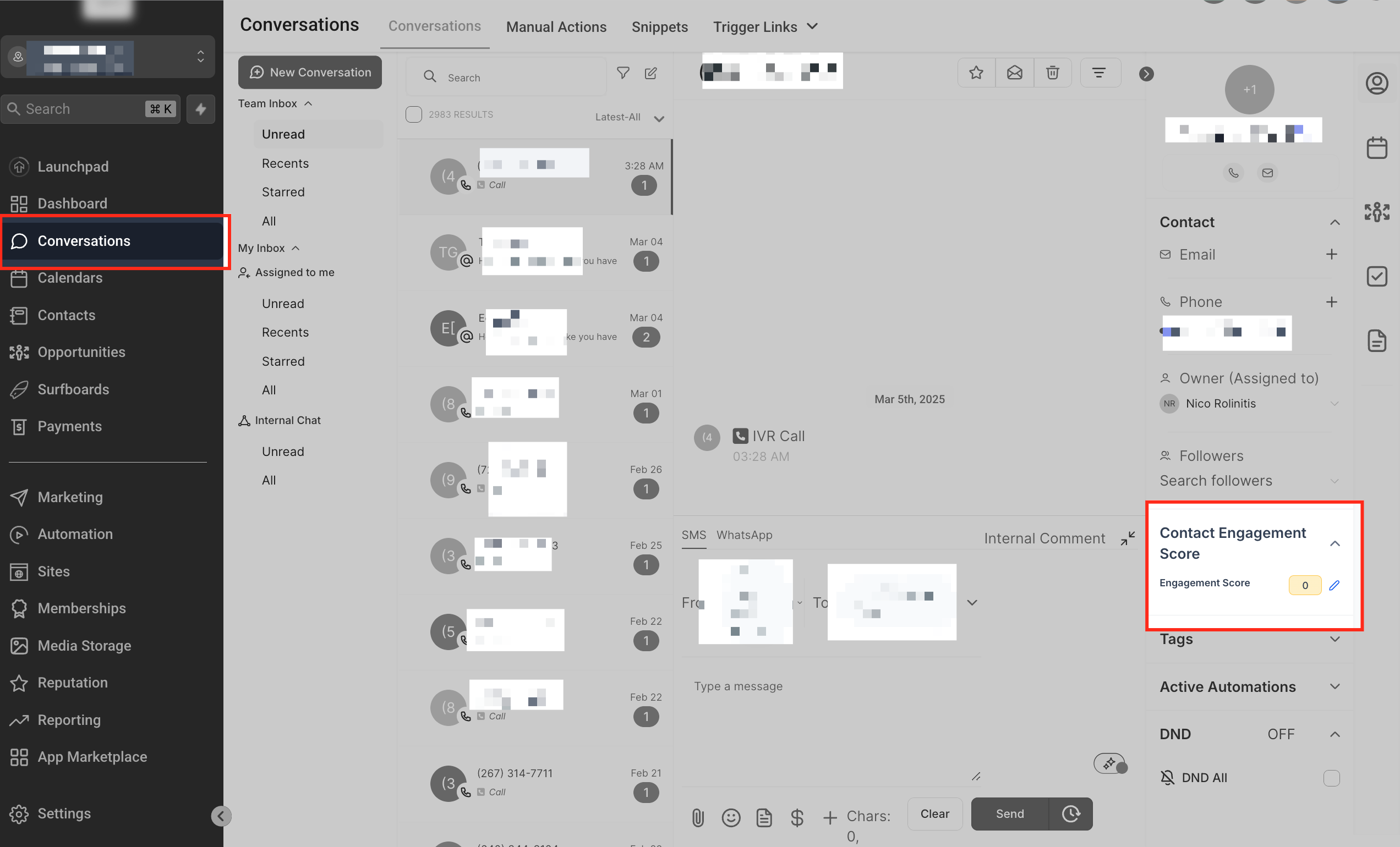
Scores are visible in two places: on the contact’s detail page under the Contact Engagement Score dropdown in the Contacts section, and on the right side of the active chat window in the Conversations section. Users can also edit the score from the dropdown in either view.
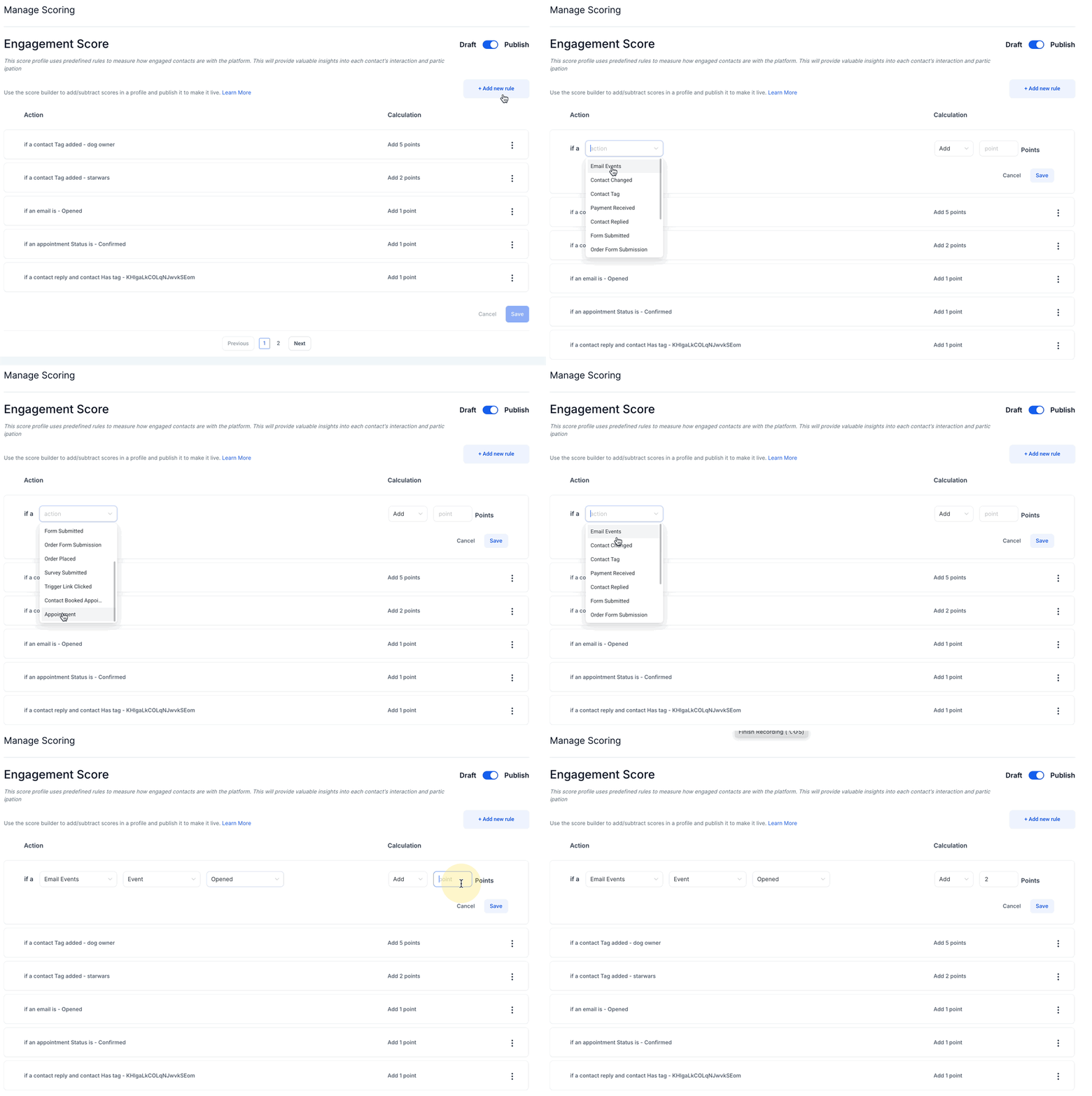
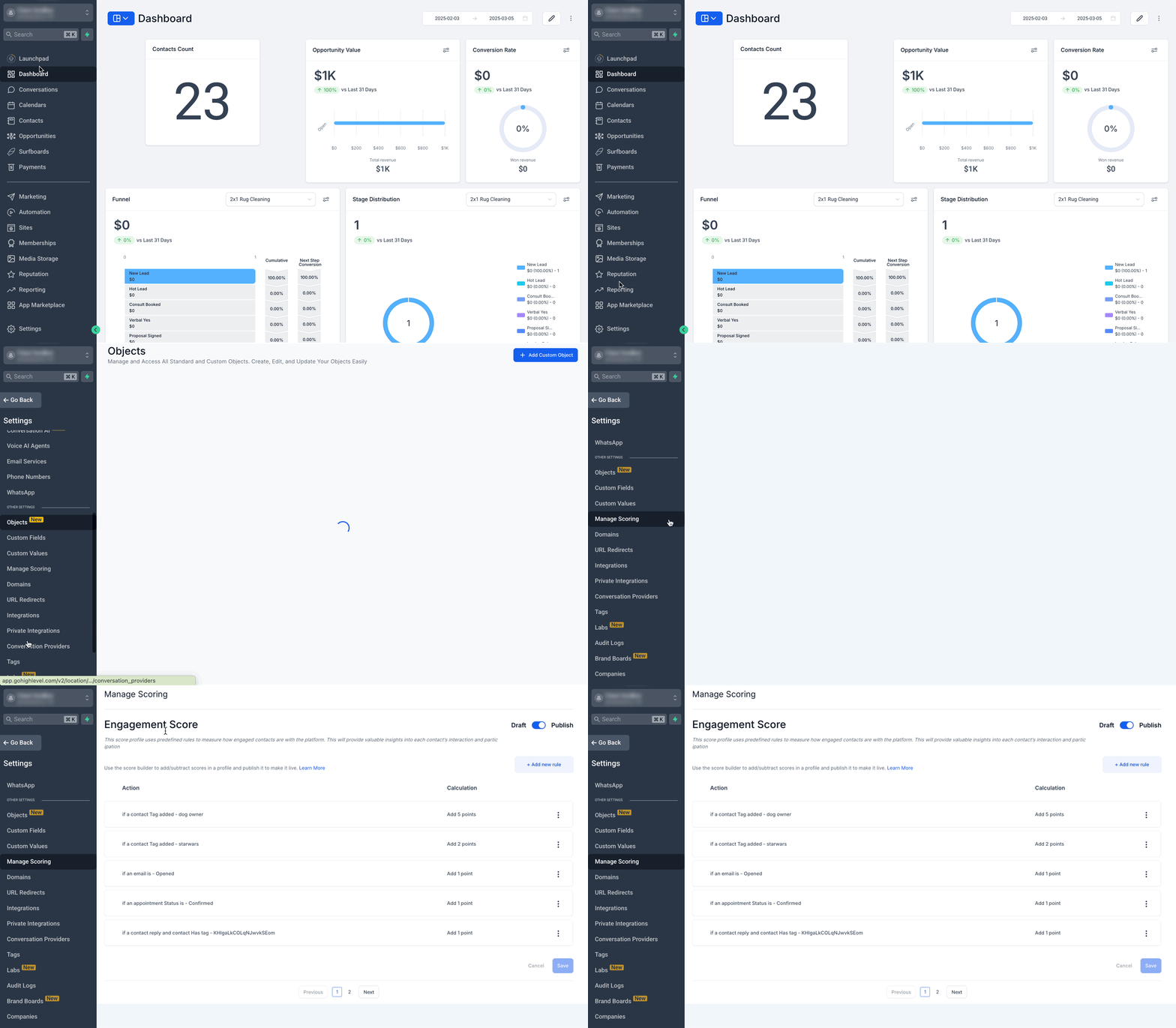
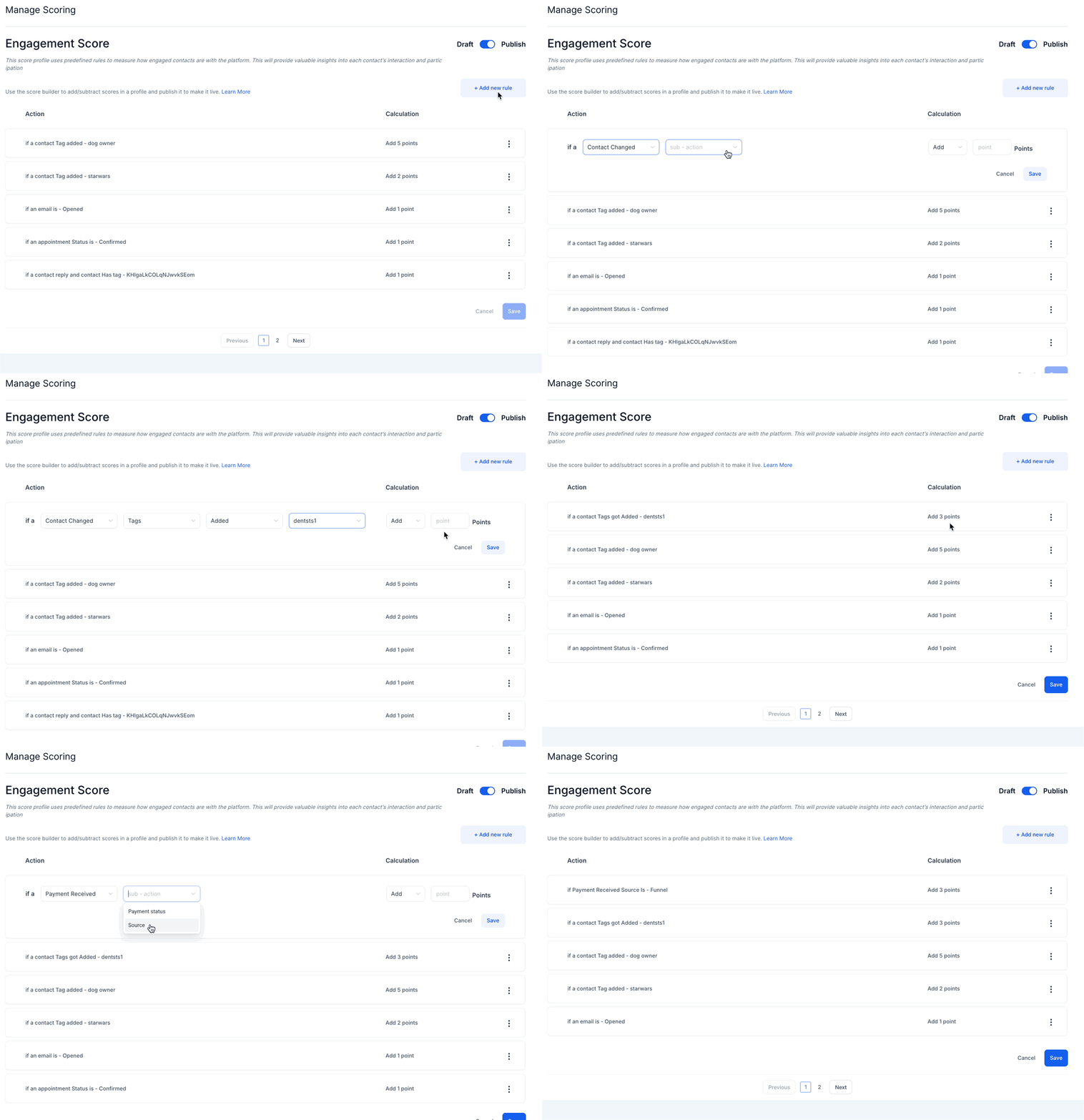
Scoring rules are created and managed in Settings > Manage Scoring. Rules consist of an action type and a point calculation. Draft mode lets you adjust rules without affecting live data, and publishing makes the changes active for all contacts.
03How businesses use contact engagement score
- Real estate agency. The agency adds a rule that gives +10 points when a lead opens a property email and, 5 points when they unsubscribe. Agents view scores in the contact profile to focus on buyers ready to view homes.
- SaaS startup. The startup creates a rule that adds points for payment received and for booking a product demo. The score appears in the conversation window, helping support reps know which users are close to conversion.
- Fitness studio. The studio assigns points for completing a membership signup form and for attending a scheduled class. Staff check scores in Contacts to decide who receives a special promotion.
04The numbers and rules that matter
- Positive actions include email opens, link clicks, form submissions, payments, appointments booked, and survey submissions.
05How to set up and use contact engagement score in HighLevel
Set up and manage scoring rules
- Open Settings > Manage Scoring.
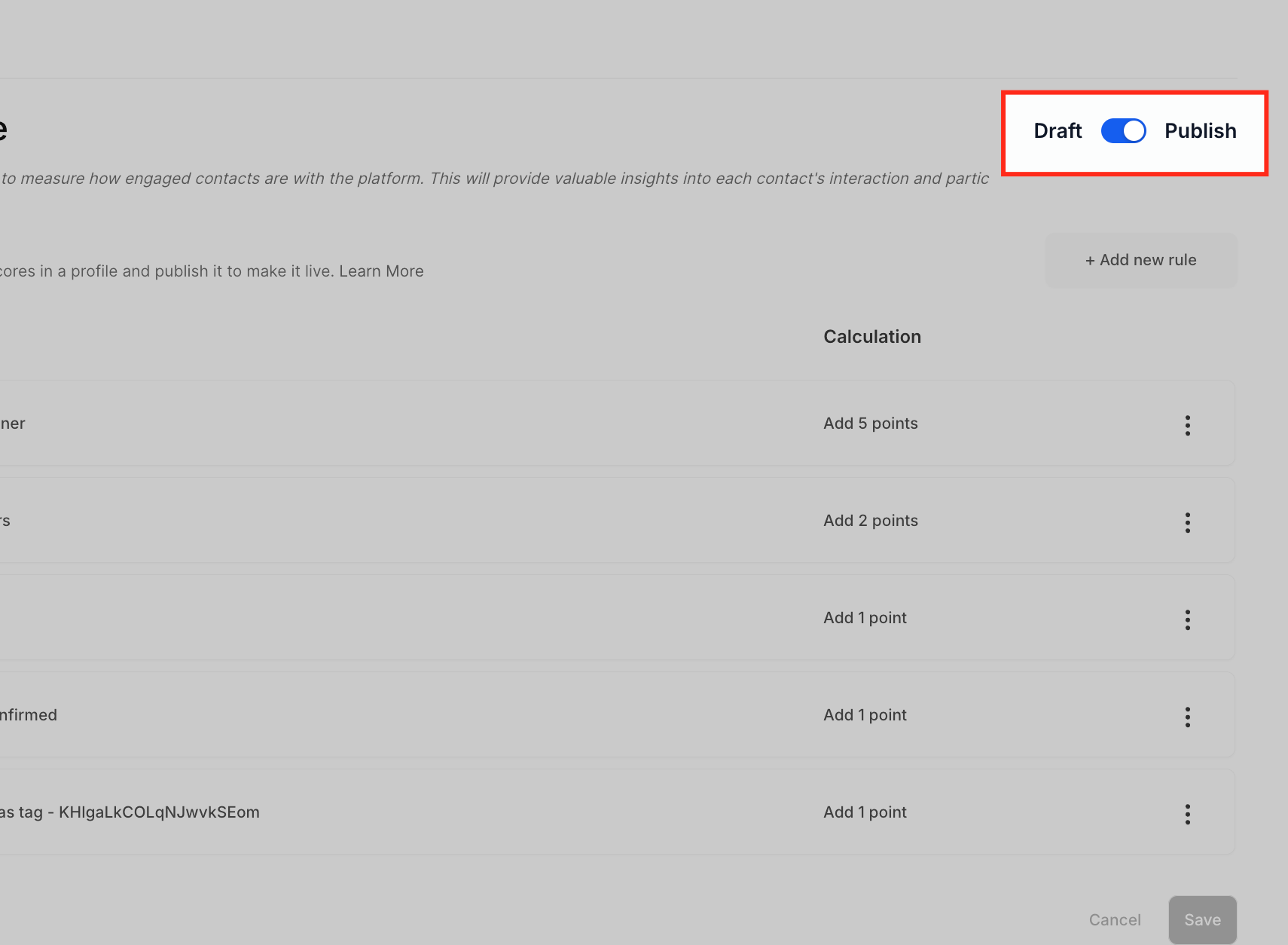
- Toggle the Draft Mode switch to work on rules without affecting current scores.
- Press the + Add New Rule button.
- Select an Action Type that will trigger the rule.
- Enter the number of points to add or subtract in the Calculation column.
- Use the three dot menu (⋮) to save or edit the rule as needed.
- Switch back to Publish Mode to activate the rules for all contacts.
06What it looks like in HighLevel
07Settings that matter
- Draft vs. Publish Toggle. Controls whether changes to scoring rules affect live contact data. Draft mode applies changes only after publishing.
- Action Column. Lists the specific interaction that triggers a score adjustment, such as an email open or a payment received.
- Calculation Column. Specifies how many points are added or subtracted when the corresponding action occurs.
08Things to know before you rely on it
- Scoring applies globally; separate rule sets cannot be assigned to individual segments or lists.
- The platform does not automatically reduce scores for inactive contacts; a separate workflow is required for decay.
- Different weightings for the same action cannot be set based on conditions; multiple rules must be created instead.
- There is no built in historical log of score changes; custom fields or automation are needed to capture history.
09How it connects to the rest of HighLevel
- Use engagement scores as triggers in automation workflows that include manual call tasks. Manual call task
- Combine score based triggers with manual SMS actions to send follow up messages. Manual SMS action
- View contact scores while chatting to tailor real time responses. Chat widget
Michael's take

Contact Engagement Score can feel overwhelming if you let every tiny interaction swing your numbers. Without a clear rule set, you might end up chasing contacts that only opened a single email once and ignore truly interested prospects. Keep your rules focused on actions that truly indicate buying intent.
When you nail the right actions. Like appointments booked or payments received. The score becomes a quick heat map for your sales and marketing teams. It lets you allocate effort where it counts and automate follow ups for the right score thresholds, saving you time while keeping leads warm.