
01Who this is for
- Project managers can keep stakeholders informed without leaving the email thread.
- Support teams can loop supervisors or technical staff while handling a customer issue.
- HR professionals can silently copy HR when communicating with employees.
02CC and BCC, explained
The CC (Carbon Copy) and BCC (Blind Carbon Copy) fields let you send the same email to people beyond the primary recipient. When you add addresses to CC, every recipient can see the full list. Adding addresses to BCC hides those recipients from everyone else, preserving privacy.
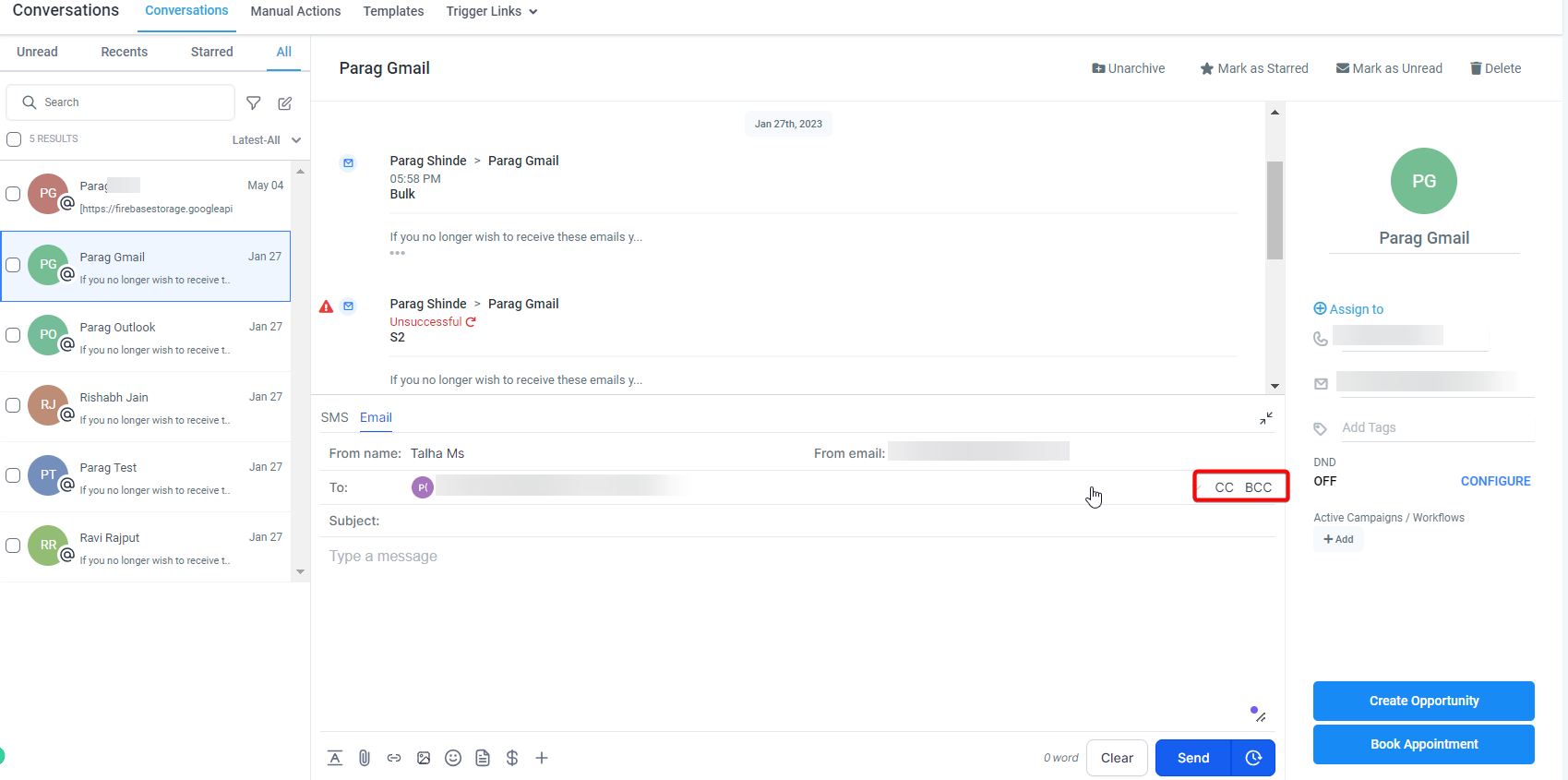
These fields appear only inside the New Message Composer and become available after you enable the Labs feature. They sit next to the standard "To" line, and any changes you make are synchronized both ways with connected Gmail or Outlook accounts.
03How businesses use CC and BCC
- Marketing agency. When sending a newsletter, the agency can place all subscriber addresses in the BCC field so each recipient remains unaware of the others. The email is composed in the HighLevel composer, BCC addresses are entered, and the message is sent.
- IT consulting firm. For a project status update, the lead can put the client in the "To" field and add partner firms in the CC field. All parties receive the same email and can see who else is included, keeping everyone aligned.
- Human resources department. When notifying an employee about a performance issue, HR can add the employee in "To" and copy the HR manager in BCC. The employee receives the message without seeing the manager’s address, maintaining confidentiality.
04The numbers and rules that matter
- Compatible with all email channels, including Mailgun, Leadconnector (2 Way Sync), Gmail and Outlook, SMTP email, Custom Providers, and Custom Conversations Providers.
05Before you start
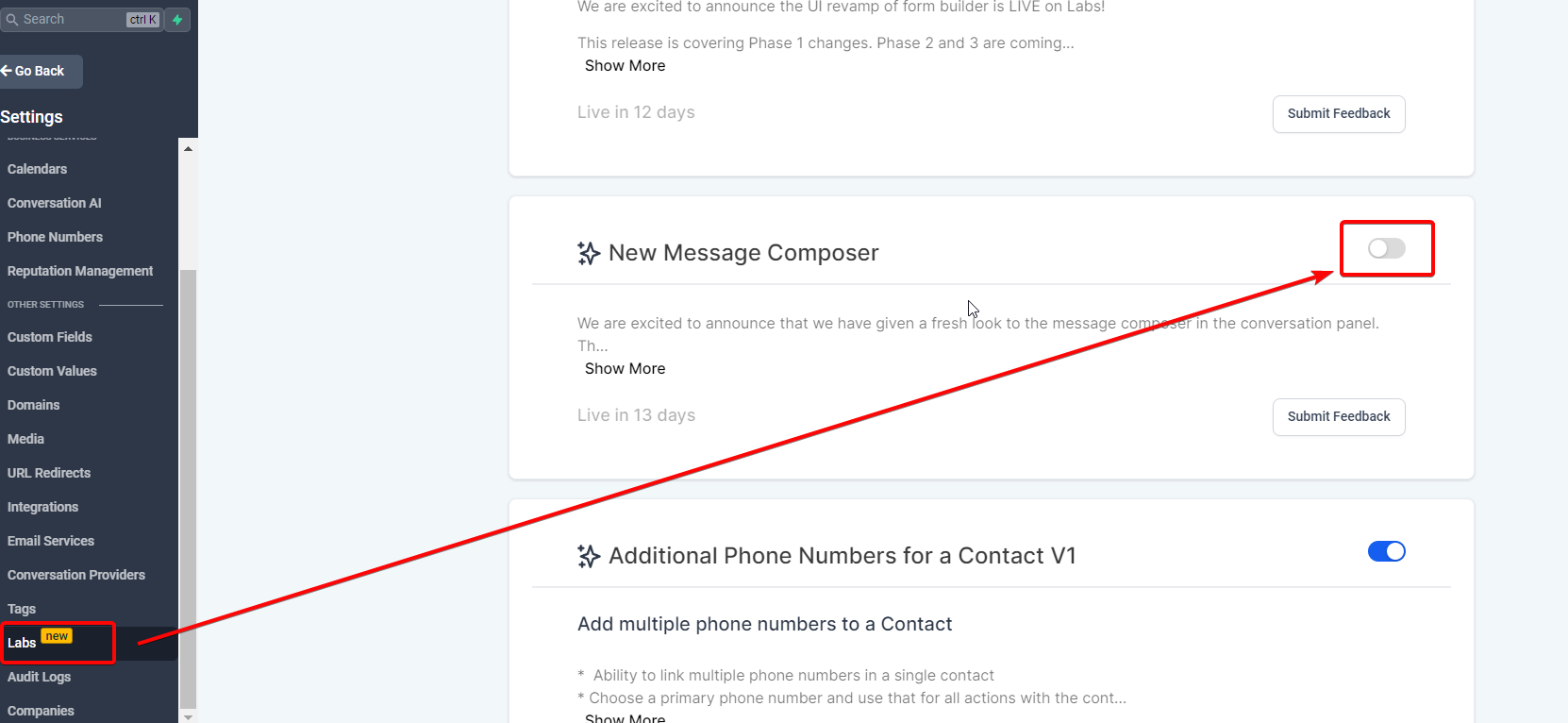
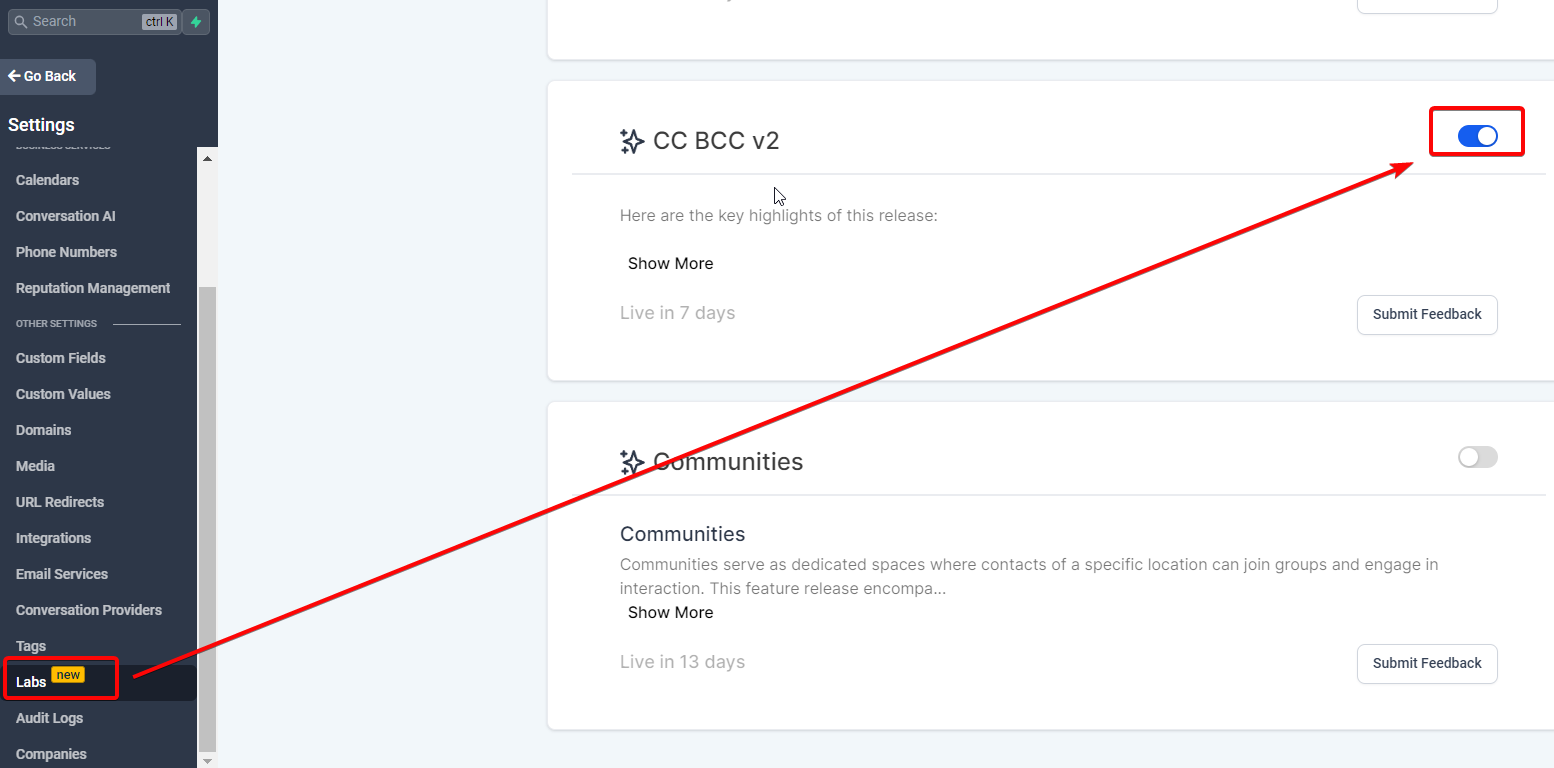
- Enable the Labs feature to access the New Message Composer.
06How to set up and use CC and BCC in HighLevel
Send email with CC/BCC
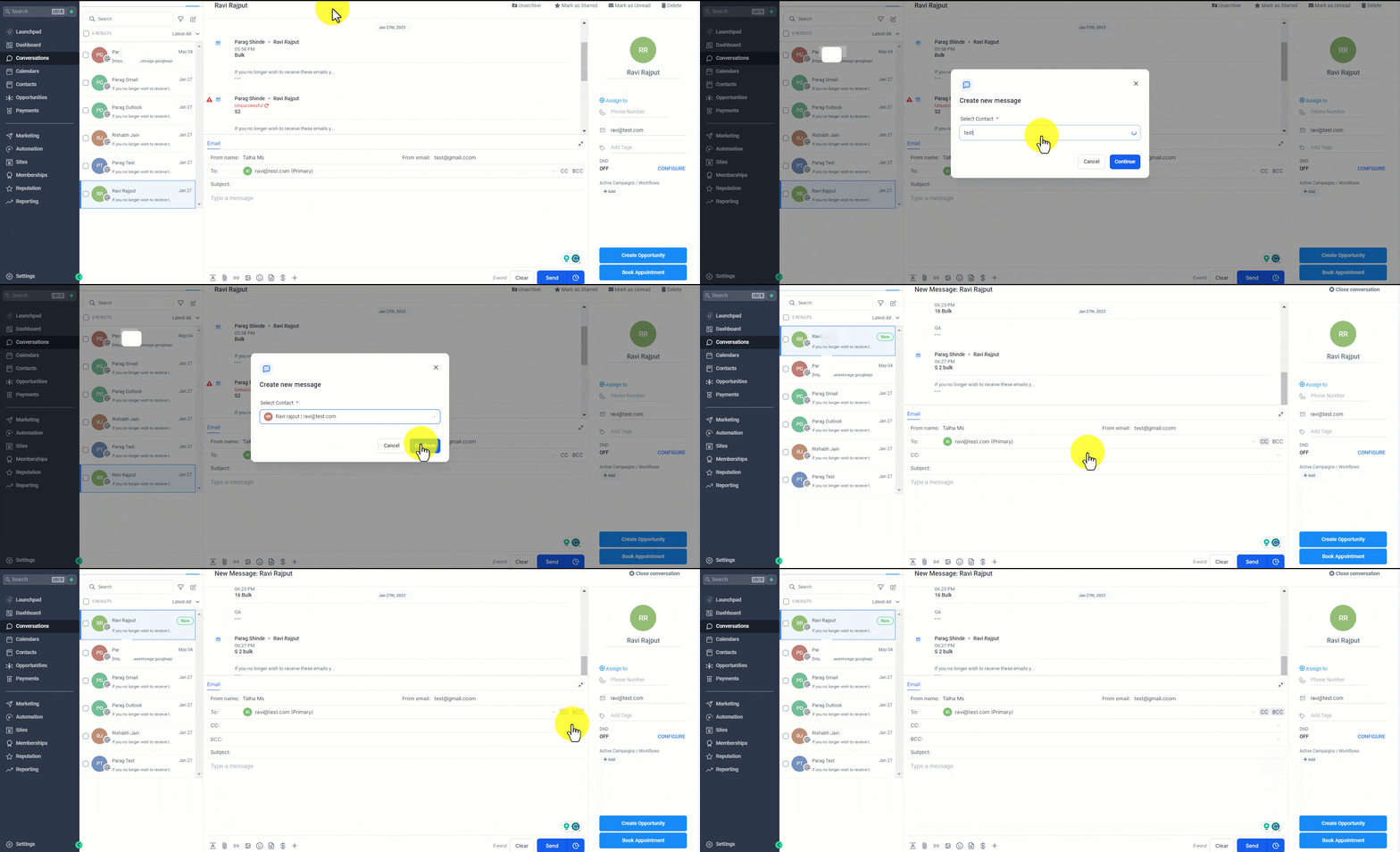
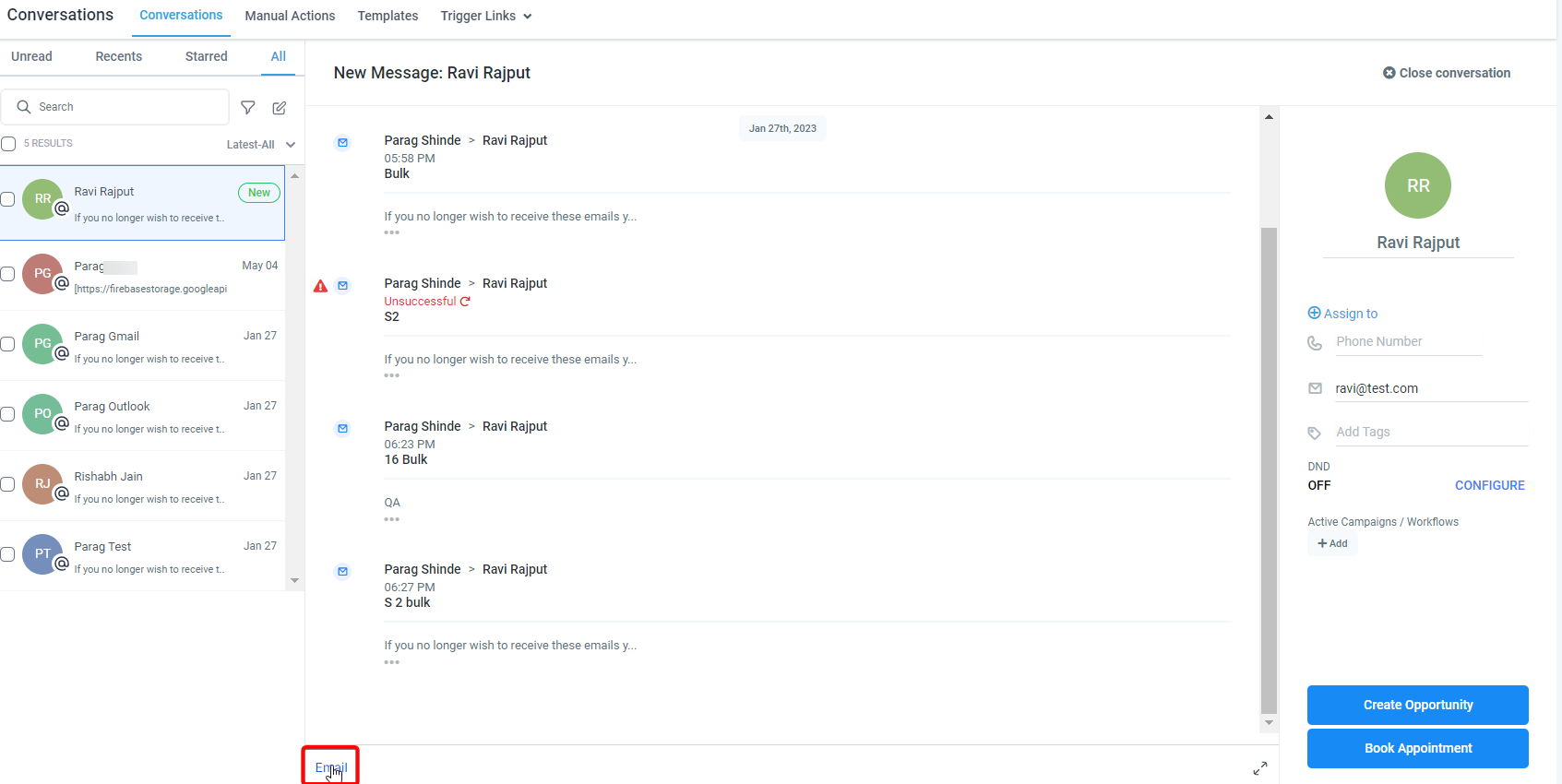
- Click the "New Email" button or select "Reply" within an existing thread to open the composer.
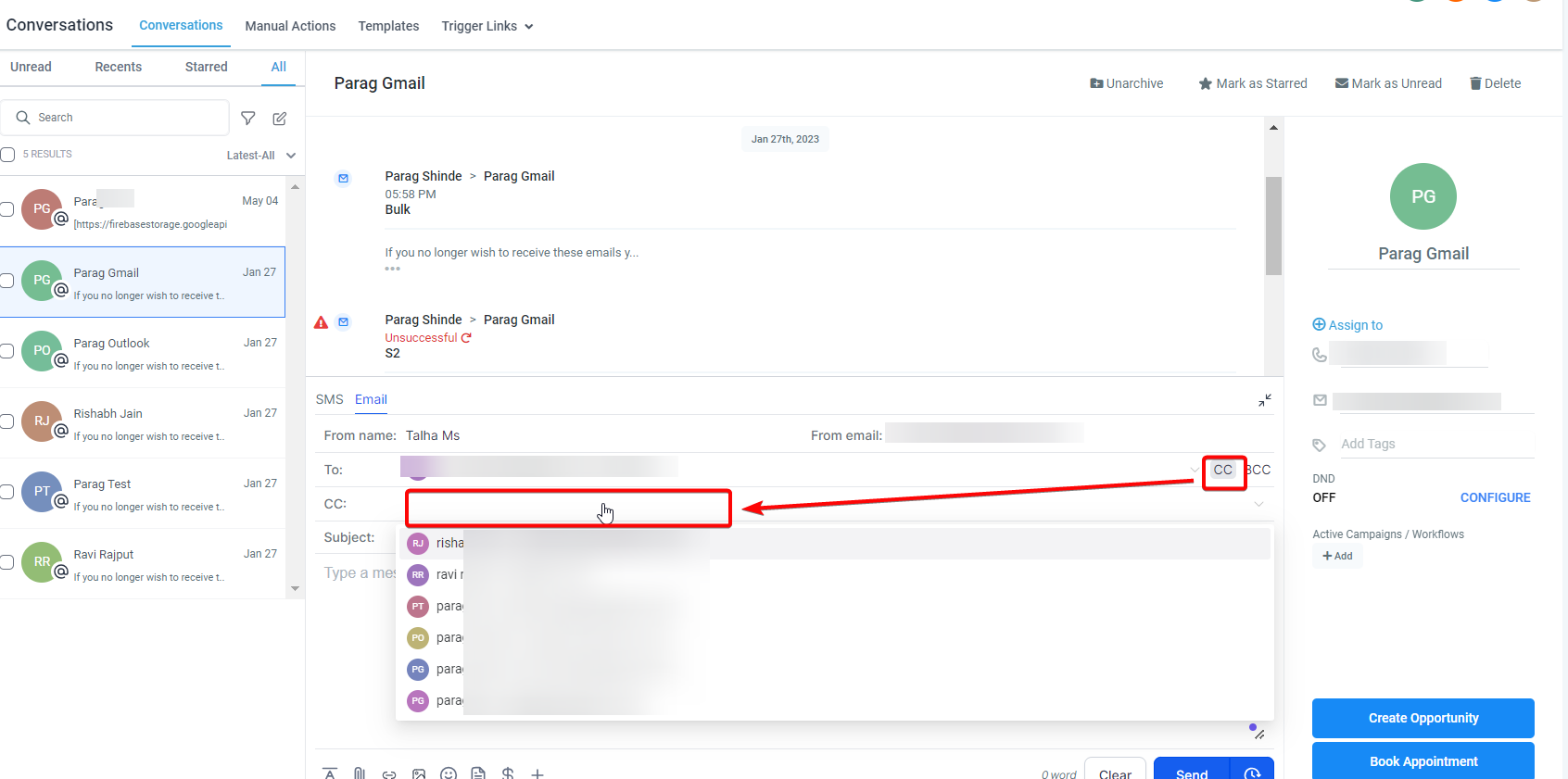
- Find the CC and BCC fields displayed beside the "To" input.
- Tap a CC or BCC field to expand the entry area.
- Enter the desired email addresses, selecting from the dropdown or typing them manually.
- Tap the same field again to collapse it and store the addresses.
- Press the send button to deliver the email.
07What it looks like in HighLevel
08Things to know before you rely on it
- The feature exists only in the New Message Composer and is reachable through Labs.
- You cannot remove CC or BCC recipients after the thread has started.
- Only a reply all action is possible for messages that contain CC or BCC addresses.
- Changes to recipients sync both ways with Gmail, Outlook and other supported email channels.
09How it connects to the rest of HighLevel
- Connect a personal Gmail or Outlook inbox for two way sync Personal inbox connection
- Use conversation filters to organize incoming messages Conversation filters
- Review plan options that include Labs access Pricing and plans
Michael's take

Michael ReimerFounder of CRM Pros, HighLevel Commander and Certified Admin
I find CC and BCC useful for keeping stakeholders informed in a single email thread.
Don’t try to remove CC or BCC recipients after the conversation has started.
Get More InformationOpens on HighLevelPublished November 2, 2026 · Updated November 16, 2026